Talk to Us

Salesforce Oracle Integration: How Can It Improve Your Business Operations

Managing business operations involves a great deal of complexity and intricacy, particularly when customer relationships and data management are simultaneously entwined with backend processes. Many businesses today are stuck in the loop of relatively unconnected systems, missed opportunity, and manual data entry. Sound familiar? If you’re using Salesforce for customer relationship management and Oracle for your backend database, you’ve probably wondered how much smoother things could be if these two systems spoke the same language. That’s where Salesforce Oracle integration steps in, a solution designed to bridge the gap between your CRM and database operations. 

Imagine having customer insights in real time, workflows that cut down hours in numbers, and analytics for decision-making through data. In this blog, we will discuss how integration can revamp the way your business functions and do away with inefficiency so you end up becoming a successful player in this competitive landscape today.

Why Businesses Are Embracing Salesforce Oracle Integration

In a world dominated by agility and innovation for success, Salesforce Oracle integration transcends the technical and into the strategic investment plane. This is why businesses around various industries are embracing this service. Here’s how businesses are leveraging it:
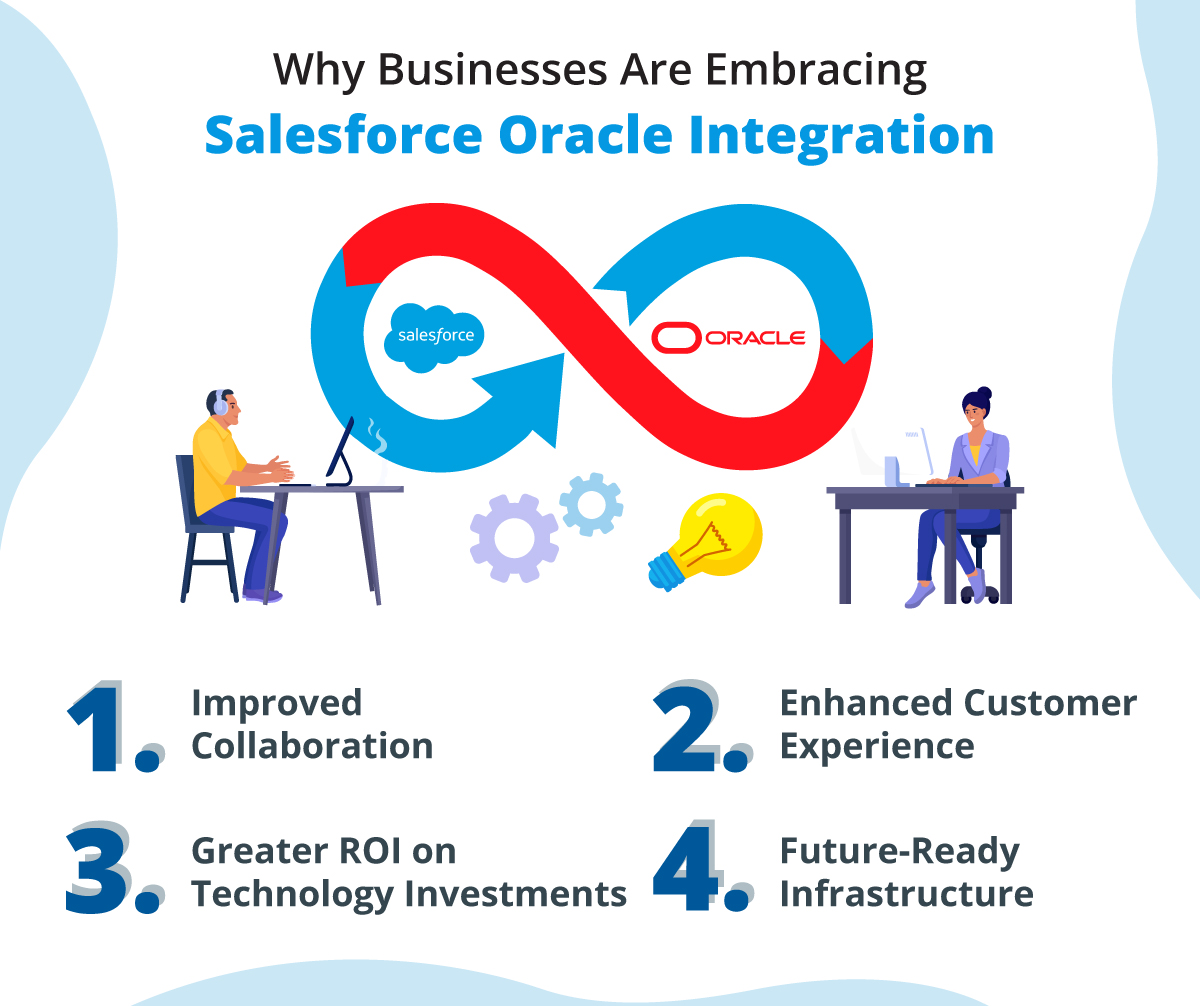
Improved Collaboration: Teams do not have to operate in isolation anymore. Integration encourages cross-department collaborations because it provides a united data platform.

Enhanced Customer Experience: The integration enables you to achieve a complete insight on customers, so you can personalize engagement and build a better connection.

Greater ROI on Technology Investments: Syncing the two platforms together will ensure businesses to gain maximum return on their investments, when they’ll use the power of both platforms the right way.

Future-Ready Infrastructure: Since the business is continuously in transition, this integration is very flexible and scalable enough to handle changing demands.

Operational Transformation: Bridging Gaps Across Systems

One of the biggest challenges to businesses is data silos-this refers to different systems failing to communicate effectively. Salesforce integration with Oracle eliminates this disconnect, creating an all-in-one platform between CRM data and robust databases in the backend. Here is how the integration can contribute to transforming operations.

1. Unified Customer View

What if you can see customer interactions, purchase behaviors, and payment details in one place, all pulled from Oracle into Salesforce. This integration ensures that all your teams are on the same page, enabling them to work on a more personalized approach to improve engagement.

2. Streamlined Workflow Automation

Businesses can automate order processing, invoice generation, and stock updating by connecting Salesforce workflows to Oracle’s back-end processes. This way, errors and time waste are avoided due to human mistakes and enable employees to focus more on strategic activities.

3. Real-Time Data Syncing

Businesses often lose time and opportunities because of outdated data. Salesforce integration with Oracle enables real-time data synchronization, ensuring that your team always works with the latest information. Whether it’s updating a customer profile or adjusting stock levels, changes reflect instantly across systems.

Empowered Decision-Making: Data-Driven Insights at Scale

The quality of the data at your disposal makes up decision-making. Integration of Salesforce with Oracle brings businesses more profound insights to make strategic decisions. Let’s see how this integration can be used to improve decision-making:

1. Advanced Analytics with Combined Data

Oracle’s AI-enabled analytics when connected to Salesforce can provide predictive models as well as the chance of forecasting the demand, identifying the customer needs and risks beforehand thus helping in the proactive actions of the firm by better resource distribution.

2. Predictive Modeling

Integrating the AI-powered analytics supported by Oracle with Salesforce opens doors to predictive modeling. This enables firms to forecast demand, anticipate customer needs, and identify potential risks, allowing for proactive decision-making.

3. Scalability for Growing Data Needs

As businesses expand, data proliferates exponentially. Integration allows companies to analyze large datasets without speed, accuracy, or data going out of the box-the decision-makers need information handy.

4. Improved Forecasting Accuracy

Salesforce Oracle integration enhances forecasting by combining CRM data (like lead generation and sales activity) with operational data (like inventory levels and financial records). This creates a more comprehensive picture, enabling accurate projections and budget planning.

Real-World Applications: Salesforce Oracle Integration in Action

To truly understand the value of Oracle Salesforce integration, it helps to look at how businesses are leveraging this technology in practical scenarios:

1. E-Commerce Efficiency

With Salesforce Oracle integration, customer orders from Salesforce can directly trigger inventory updates in Oracle. This ensures accurate stock levels and minimizes the risk of overselling.

2. Financial Services Optimization

Financial services call for security and accuracy. It enables financial advisors to draw account data in real time directly from Oracle into Salesforce. This reduces the hassle in customer consultation and maintains all the requirements of financial regulation.

3. Manufacturing Workflow Simplification

There are times when manufacturers often struggle with tracking orders and managing production schedules. The integration will enable them to automate processes like order fulfillment and material procurement, thus helping with productivity and reduced downtime. 

4. Enhanced Customer Support in Retail

Retailers using Salesforce and Oracle can ensure their customer support teams have access to complete customer histories, including purchasing patterns and complaints. This helps teams to resolve any persistent issues faster and work on improving experience.

Unlock the Full Potential of Your Data with Salesforce Oracle Integration

Integrate with Oracle Salesforce, an all-game business changer designed for operation streamlining, for enhancing decision-making, and creating better experiences for clients. This way, business integration between two powerful tools eliminates silos and automates workflow and makes it the engine of growth.

Wishing to change the way you handle your operations. Get in touch today for the best support and assistance to achieve a successful integration.
Secure File Management and Sharing with Salesforce and Box Integration

Effective file management feels like an uphill battle at the best of times, but for businesses with multiple teams, projects, and customer interactions to manage, it can seem like an insurmountable task. Anyone who has experienced delays due to a missing document or frustration with safely sharing sensitive information across departments knows this all too well. It can stall workflows, frustrate employees, and even undermine the trust customers have in you. And the good news is that There is a smarter way of handling file management, and this begins with Salesforce and Box integration for your business.

Imagine a system in which all your files are secure, accessible, and directly integrated into the workflow of your business. This is exactly what the Box integration with Salesforce brings. Through a combination of the mighty CRM capabilities of Salesforce and the security and power of Box’s cloud storage platform, you will transform how your teams can work together, store, and share files. Let’s take a deep dive into how this can revolutionize your operations and put file management on autopilot.

Understanding the Power of Salesforce and Box Integration

Salesforce and Box can integrate users to store, manage, and share files right in Salesforce through Box’s secure cloud storage platform. In this manner, the connectivity between Salesforce and Box empowers teams to work real-time and access files anywhere while keeping all the necessary files in a safe place.

Key Features of the Integration

  1. Unified File Management: Using Salesforce, the files can all be managed in box without even having to click between screens, thereby enabling users of Salesforce to always find themselves working in more streamlined means on files relative to customer, lead and opportunities management.
  2. Enhanced Collaboration Tools: Using Box, teams can always collaborate together in real time, because the commenting annotations, as well as the controls over various versions, are located right on the page when accessing via Salesforce.
  3. Robust Security Controls: Box provides enterprises with a highly secure storage system with encrypted data, strict access controls, and logging. All customer data or documents in any Salesforce combination are secure because of its integration with that application.
  4. Mobile Accessibility: Box files can be accessed from anywhere on the mobile using Salesforce’s mobile application, allowing agents to access the data in real-time.
  5. Custom Workflows and Automation: The integration provides businesses the ease to automate their workflows and improve productivity.
  6. Compliance Support: Box meets a variety of compliance needs: it covers GDPR, HIPAA, FINRA, and all the compliance that a business is required to comply with when dealing with regulations in file storage and sharing across industries.

Benefits of Salesforce and Box Integration

Integrating Salesforce and Box offers a wide range of benefits that improve operational efficiency and ensure secure data handling.

1. Improved Efficiency and Productivity

With all customer-related files accessible from within Salesforce, employees save time searching for documents. This integration streamlines workflows, enabling teams to focus on tasks that drive business growth rather than administrative work.

2. Enhanced Data Security

Box’s robust security features, combined with Salesforce’s secure platform, ensure that files are stored and shared safely. This is particularly important for businesses handling sensitive customer information or adhering to strict regulatory standards.

3. Seamless Collaboration

The Box integration with Salesforce enables teams working together on files directly within the interface of Salesforce, thereby fostering better communication and teamwork in work. Everyone can access any file in real time where necessary and leave feedback by posing any issues that a specific document may have been identified with.

4. Simplified Document Sharing

Salesforce users can easily share Box’s stored files with internal teams or clients. Such a process is simple while maintaining the right access permissions of authorized users only to view or edit document pages.

5. Scalable File Management

Box provides scalable cloud storage, allowing your organization to handle an increasing volume of files without compromising performance or security.

6. Faster Sales Cycles

For sales teams, having instant access to contracts, proposals, and customer files speeds up the sales process. By reducing bottlenecks related to document management, deals can be closed more quickly and efficiently.

Use Cases of Salesforce and Box Integration

The Box to Salesforce integration is versatile, catering to various industries and business functions. Let’s explore some practical use cases:

1. Streamlining Sales Processes

Sales teams can access customer documents, such as contracts and proposals, directly from Salesforce. This simplifies client interactions and ensures that sales reps are always prepared for meetings.

2. Managing Customer Onboarding

For service-oriented businesses, onboarding is not just about simply flipping through paper after paper full of documents for new customers. Integration helps streamline and track these files centrally.

3. Simplifying Compliance Documentation

Healthcare and finance sectors have strict compliance needs. The integration ensures that the files are stored securely and may be retrieved easily in case of audits.

4. Enhancing Marketing Campaigns

Within the Salesforce platform, marketing teams can store and share campaign assets, like brochures, videos, or presentations. Box offers the same ease of working collaboratively on creative content with a suite of collaboration tools.

5. Supporting Remote Work

This means ensuring that employees anywhere in the world safely access all their files. Box to Salesforce integration therefore ensures that team members can access and share files to keep their businesses up and running.

Hire Best Experts for Salesforce and Box Integration

The integration of Salesforce and Box is truly the game-changer when businesses want to simplify file management, but at the same time make collaboration better. Combining the CRM capabilities of Salesforce with the secure storage of Box will help streamline operations and better protect sensitive data all the while saving on time and resources.

Whether you want to elevate efficiency, enhance security or improve customer experiences, all these can be achieved and more with the Salesforce and Box integration. Take your business operations to the best today. Contact us in order to see how we can transform your business practices.

Improve Business Communications with Salesforce Zoom Integration

From client relationship management to collaboration with cross-functional teams and closing major deals, effective communication may just make all the difference between wins and misses. Let’s be honest: switching between multiple platforms to schedule a meeting, log some notes, and track the flow of client interactions is enough of a logistical headache. Here’s where the power of Salesforce Zoom integration can step into the picture by bringing two of the most trusted names in the industry together to streamline and turbocharge your communication processes.

What is nice to have, is it not, where all interactions with the client, scheduled meetings, and follow-ups are done with all data from a singular platform? Well, in the words of this vendor, integrating Salesforce and Zoom does this and brings both CRM capabilities and real-time collaboration for a company in one cohesive place.

Let’s dive a little bit into how that powerful combination can redefine how you interact with clients, manage relationships, and drive results.

Why Businesses Need Salesforce Zoom Integration

Companies these days face issues such as improper communication, delayed follow-ups, and inefficient meeting tracking. A Salesforce Zoom integration addresses these problems by embedding Zoom’s communication capacity directly into the workflows within Salesforce, thus making everything smoother and more connected.

Features of Salesforce Zoom Integration

We have outlined some of the top features you can access with Zoom phone Salesforce integration that may just change the way you have been handling meetings

  1. One-Click Scheduling and Hosting: This integration would let users schedule, join or host Zoom meetings directly from Salesforce. This negates the hassle of switching from platform to platform and ensures that a meeting is tied to one particular Salesforce record, for instance, a lead, an opportunity, or an account.
  2. Automatic Meeting Record Logging: Every Zoom meeting initiated through Salesforce is automatically logged, saving time on manual data entry. The meeting details, including attendees and discussion points, are linked directly to relevant Salesforce records.
  3. Real-Time Meeting Notifications: Zoom meetings scheduled in Salesforce will be set with real-time reminders, so users do not miss any meetings for their respective teams.
  4. Recording and Transcription Storage: Recordings and transcripts of Zoom meetings can be stored in Salesforce, providing easy access to valuable insights and details from past conversations. This feature is especially useful for sales teams to revisit discussions with prospects.
  5. Enhanced Collaboration Tools: The integration enables teams to collaborate better by linking Zoom video conferencing capabilities with Salesforce Chatter, ensuring seamless team communication.
  6. Customizable Integration Options: The Salesforce Zoom phone integration can be tailored to match your business needs. Custom fields, workflows, and reporting capabilities allow you to make the most of this powerful pairing.

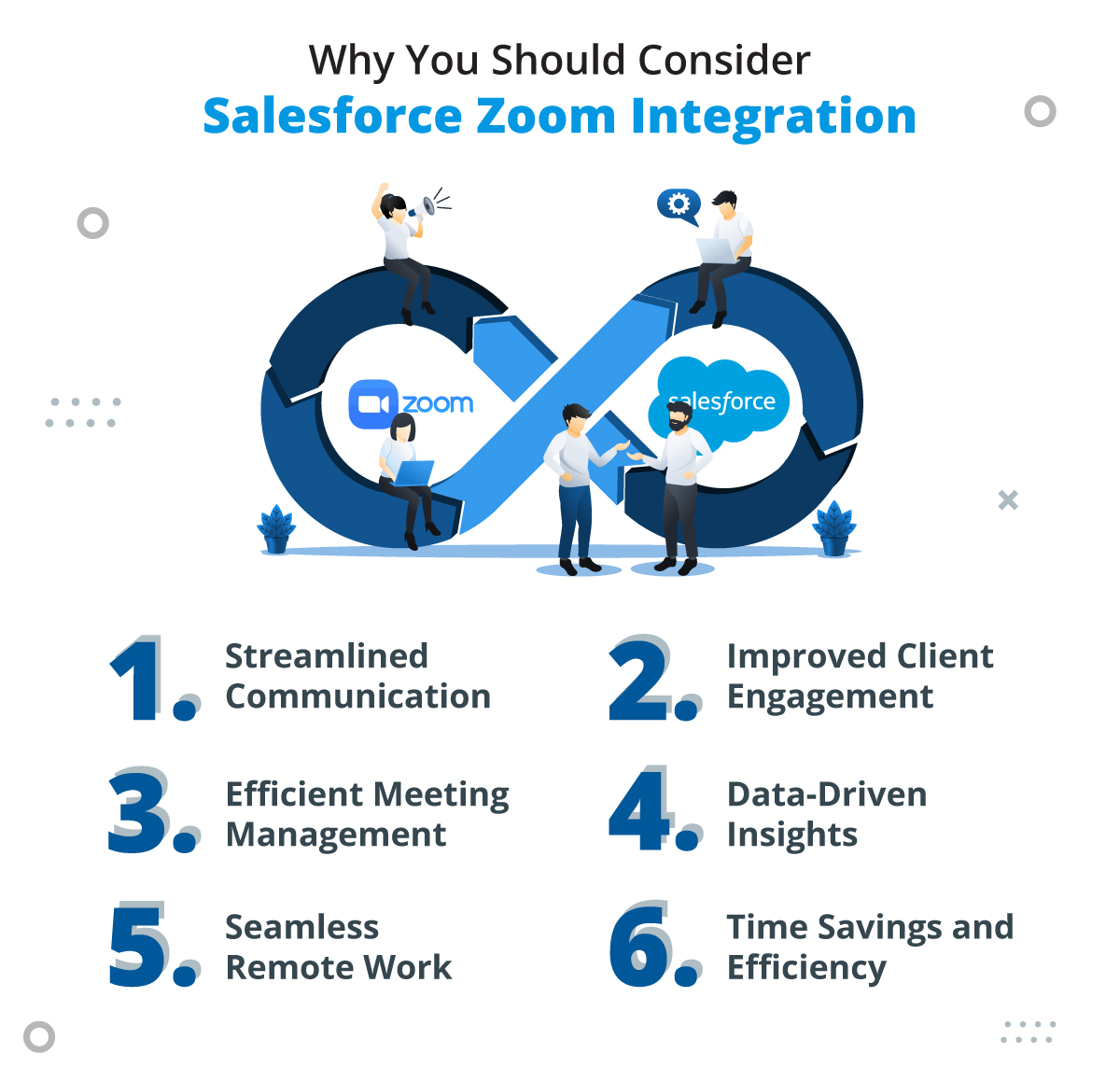
Why You Should Consider Salesforce Zoom Integration

Now, let’s take some time to understand why exactly you should go with Salesforce Zoom integration for your business.

1. Streamlined Communication

By bringing Zoom directly into Salesforce, teams can communicate with clients, partners, and internal stakeholders without leaving the CRM. This reduces friction and boosts productivity.

2. Improved Client Engagement

The ability to schedule and track meetings directly within Salesforce means that every client interaction is personalized and well-prepared. This fosters stronger relationships and increases the likelihood of closing deals.

3. Efficient Meeting Management

The integration will help you be sure that no task falls through the cracks because of the automation of scheduling.

4. Data-Driven Insights

With recordings and transcriptions of meetings in Salesforce, the company is given data for analytical purposes; it helps guide decision-making, improves sales strategies, and also refines training programs.

5. Seamless Remote Work

In a remote work-driven society, such integration means staying connected and being productive with these teams. It makes virtual meetings more accessible and organized for efficient collaboration at any place or location.

6. Time Savings and Efficiency

The integration eliminates the need for manual entry of meeting details and reduces time spent toggling between platforms. This efficiency translates into cost savings and better resource allocation.

Use Cases: How Businesses Benefit from Salesforce Zoom Integration

  1. Sales Teams Closing Deals
    Imagine a sales rep preparing for a critical pitch with a prospective client. With Zoom meetings linked to Salesforce, they can review all past interactions, prepare based on recorded transcripts, and host the meeting—all within one platform. This results in a more focused and impactful presentation.
  2. Customer Support Enhancements
    For customer service teams, Zoom meetings integrated into Salesforce help resolve complex issues quickly. Support agents can pull up relevant customer records during the call, ensuring personalized and effective assistance.
  3. Training and Onboarding
    Businesses can use the integration for employee training and client onboarding sessions. Recorded Zoom sessions stored in Salesforce provide a valuable resource for future reference and ensure consistency in training materials.
  4. Collaboration on Key Accounts
    Teams managing high-value accounts can use the integration to host strategy meetings, track progress, and share updates—all while ensuring that every discussion is tied to the respective account record in Salesforce.

Implement Salesforce Zoom Integration with Top Experts

Salesforce Zoom is revolutionizing the process of engaging, communicating with, and streamlining business workflow for various businesses; the integration does all this because it combines CRM with the best virtual meeting technology available to empower teams to work smarter and to connect even more effectively. Get in touch with us today and explore how this integration can be game-changing for your business.

How Can You Improve File Management with Salesforce OneDrive Integration?

Managing files properly can be difficult for a company to do when dealing with customer relationships and sales deals, all while meeting project deliverables among teams. It’s not uncommon to find yourself digging through folders or switching between platforms just to see where an important document could be. It’s frustrating and slows down workflows, impairs collaboration and introduces undue stress. That is where the magic of Salesforce OneDrive integration comes into play.

Imagine having all your critical files at your fingertips, directly connected to the Salesforce records you use daily. No more digging through lots of unnecessary information or losing track of out-of-date versions. This is the seamless integration of two worlds-the active power of Salesforce’s CRM capabilities and the safe, centralized file storage of OneDrive-to help your business work smarter, not harder. So, let’s get started with how this pairing can transform your file management process.

Why File Management Matters for Business Success

File management goes beyond mere document storage; it’s about accessibility, ease of sharing, and retrieval. Ineffective file management means wasted time, duplicated effort, and missed opportunities. Any business that uses Salesforce for the management of customer relationships can save themselves immense amounts of time and effort by accessing documents ranging from contracts and proposals to support files from within their CRM.

OneDrive elevates this even further by offering:

  • Centralized Storage: One, secure, centralized location for all your files.
  • Accessibility: Access your documents wherever and whenever.
  • Collaboration: Enable real-time file sharing for better collaboration.

Key Advantages of Achieving Salesforce OneDrive Integration

Here we have added the key advantages of achieving successful Salesforce and OneDrive integration:

1. Centralized File Access

The integration eliminates the need to switch between platforms. Users can link relevant files stored in OneDrive directly to Salesforce records, ensuring that everyone accessing a customer account has the necessary context.

2. Improved Collaboration

With OneDrive’s real-time editing and sharing capabilities, team members can work on files simultaneously. The integration enables collaborative efforts within Salesforce workflows, making it easier to keep stakeholders aligned.

3. Enhanced Productivity

One major advantage is that manual uploads and downloads are time-consuming. Files can be automatically synced with the Salesforce OneDrive integration, saving time and reducing the chance for error. This will help your team focus more strategically and less on the administrative work.

4. Scalability and Storage Management

Salesforce storage can be a pricey and limited resource. You can alleviate the potential huge file storage issue by linking up Salesforce records to OneDrive, offloading them to OneDrive’s cloud, ensuring you never run out of space while keeping your Salesforce storage costs in check.

5. Secure File Sharing

OneDrive offers enterprise-grade security, ensuring that sensitive documents linked to Salesforce records are encrypted and protected. This level of security gives businesses peace of mind when managing critical customer data.

6. Streamlined Workflows

Salesforce users can preview, edit, and attach files stored in OneDrive without leaving the CRM. This seamless experience reduces the friction of accessing and updating files, helping teams work more efficiently.

Features of Salesforce-OneDrive Integration

The OneDrive integration with Salesforce is feature rich, simplifying file management and making productivity come easier. Here is a closer look:

1. File Linking and Previewing

Users can easily associate files stored in OneDrive with Salesforce records, thereby ensuring all relevant documents are in one place. Additionally, OneDrive lets users preview files straight from Salesforce without actually downloading.

2. Automatic Syncing

Changes to files in OneDrive will be automatically reflected in Salesforce. It ensures that everybody is working with the latest version of the document, all the time.

3. Customizable Integration

Depending on your business needs, you can customize how the integration works. For instance, you can define which files should sync or set permissions for different user roles.

4. Folder Organization

OneDrive also supports folder hierarchies, which can be mapped to Salesforce records. That means each customer account in Salesforce might automatically have a corresponding folder in OneDrive, in which various files could be grouped by client or project.

5. Mobile Accessibility

Salesforce and OneDrive are both available on mobile phones; therefore, files can be managed on the move, which is very helpful to a sales team or field officers who require rapid access while traveling.

Use Cases for Salesforce OneDrive Integration

Its versatility has made Salesforce OneDrive integration a treasure in every business and across all industries.

  1. Sales Teams: Sales representatives link the proposals, contracts and presentations stored in OneDrive to Salesforce opportunities, so they are always ready to close deals.
  2. Customer Support: Support teams can attach a guide to troubleshooting or manuals in Salesforce to streamline the resolving process.
  3. Project Management: In the case of business organizations that are project-based, such files as timelines, budgets, and deliverables from OneDrive can be linked into Salesforce projects and synchronize all stakeholders.

Hire Top-Tier Experts for Salesforce OneDrive Integration

This integration helps businesses looking for solutions to improvement in managing files and enhancing collaboration, all while streamlining work processes. The OneDrive integration with Salesforce brings together some real tangible benefits in streamlined, efficient ways of handling documents and, thereby driving productivity.
Integration has something for every department, be it sales teams’ deal management or HR onboarding employees. So, if your business needs a smarter way of managing the files, please contact us and explore the benefits of an integration of your business.

Everything You Should Know About DocuSign and Salesforce Integration

Industry players in business are constantly on the lookout to eliminate as many manual processes as possible and simplify their operations with security. The revolution of how organizations operate in managing agreements comes from DocuSign and Salesforce integration, two industry leaders, integrated to facilitate automation of document workflow, minimizing time, and safe, legally binding transactional work.

 In this blog, we’ll cover everything you need to know about this integration, giving you clear insight into the key features and the benefits that make this integration worthwhile.

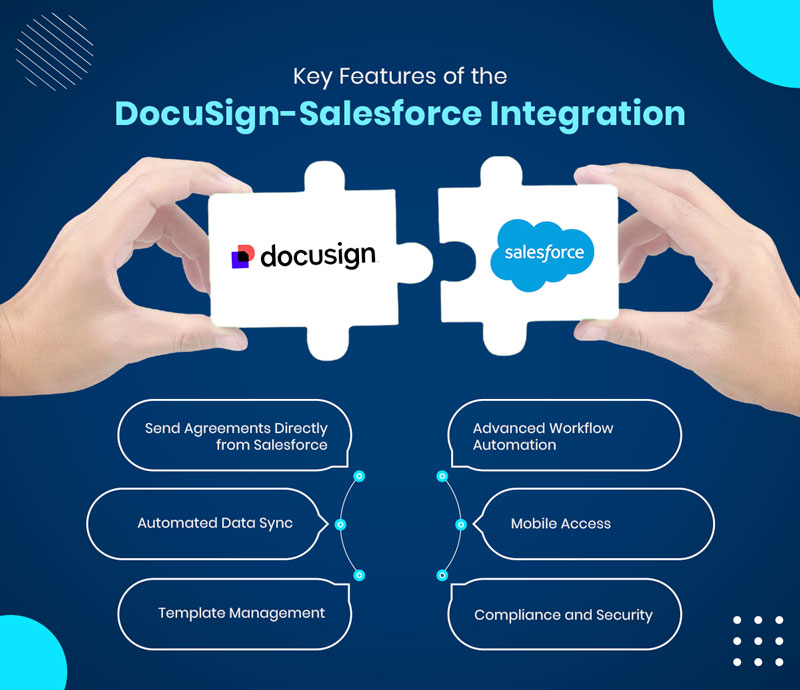
Key Features of the DocuSign Salesforce Integration

The DocuSign Salesforce setup for integration offers robust features that simplify and enhance document management.

1. Send Agreements Directly from Salesforce

The integrated system allows users to send contracts and other agreements directly from Salesforce without having to switch between platforms.

2. Automated Data Sync

When agreements are signed, DocuSign automatically updates the corresponding Salesforce records. This ensures data accuracy and eliminates manual data entry.

3. Template Management

With the help of the DocuSign and Salesforce integration, users can create reusable templates for frequently used agreements and contracts. These templates can be easily accessed and sent from Salesforce.

4. Advanced Workflow Automation

The integration supports custom workflows, such as routing documents to multiple recipients or setting up sequential or parallel signing orders.

5. Mobile Access

With the integration, users would be able to access a mobile-friendly interface that allows users to send and manage documents from the Salesforce mobile app.

6. Compliance and Security

It meets the security standards of the industry and offers full auditing on every transactional activity, which contributes to compliance with regulations such as GDPR and HIPAA.

Benefits of Integrating DocuSign with Salesforce

Benefits of the DocuSign Salesforce integration for businesses in any industry are enormous. Let’s take a closer look at how exactly it can transform your operations:

1. Enhanced Productivity

Sending documents involving printing, scanning, or mailing them is prone to errors and time-consuming. Using DocuSign on the Salesforce side, the user can email, track, and send agreements in the CRM.

2. Faster Sales Cycles

Delays in getting signatures can slow down deals. The integration helps to boost up the signing process, enabling sales teams to close deals faster.

3. Improved Data Accuracy

The automated data sync between DocuSign and Salesforce eliminates manual data entry, reducing errors and ensuring records are always up to date.

4. Better Customer Experience

Customers appreciate the convenience of signing documents electronically. This integration allows businesses to provide a seamless, digital-first experience that aligns with customer expectations.

5. Scalability for Growing Businesses

As businesses grow, managing agreements can become more complex. DocuSign’s integration with Salesforce scales effortlessly, supporting increased volumes of agreements without additional strain on resources.

6. Cost Savings

Printing, and shipping are removed from businesses with the help of this approach, reducing cost significantly. Time saved in automated workflow equates to greater productivity and profitability.

7. Regulatory Compliance

For industries like healthcare, finance, and legal services, the requirement is greater, as compliance is an essential measure; thus, DocuSign ensures that all agreements are secure and legally binding to better embrace business activities in regulated environments.

Use Cases of DocuSign-Salesforce Integration

This integration is versatile, offering value across various business functions and industries. Here are some practical use cases:

  1. Sales Contracts and Quotes: The integration will allow the sales teams to create, send, and track contracts or quotes directly from Salesforce, ensuring faster turnaround times, enabling quicker deal closures.
  2. Onboarding New Clients:  Customer onboarding is indeed sometimes marked by signing many agreements and forms. The integration process streamlines this so that when a new client comes aboard, the whole process is easy and professional.
  3. Human Resources: This integration would allow HR teams to handle offer letters, agreements with employees, and policy acknowledgments. DocuSign streamlines such processes.
  4. Legal Document Management: Legal departments can take advantage of automated workflows and secured storage of signed agreements to avoid loss or complete delay in this type of document.
  5. Real Estate Transactions: The sector involves a lot of work related to contracts and agreements and that’s where the integration will help agents handle documents in an effective manner.
  6. Nonprofit Donations and Approvals: Nonprofits can manage agreements, grant approvals, among other types of documentation, for smooth operations in the pursuit of their mission.

Get the Most Trusted Experts for DocuSign and Salesforce Integration

The integration of both the platforms is indeed a move that can enhance efficiency, accuracy, and customer satisfaction for businesses. In addition, this will help with achieving faster workflows, better compliance, and data management.
This integration does not matter of what industry, as it is going to help various businesses across different industries. It may be your method for streamlining and taking your business to newer heights. Contact us and get done the integration that’s going to make a visible difference.

How Do I Create a Personal WhatsApp Channel in Salesforce?

In a world where personalized client communication defines business success, connecting with customers on their preferred channels is critical. While WhatsApp is fast becoming the go-to platform for sales professionals, using personal accounts for your client communication means one should be able to track and manage it in your CRM, which can be tricky. What if you had a solution that would sync personal WhatsApp in Salesforce in real-time and at the same time keep private chat separate? This capability allows you to always have accurate and up-to-date records and an overview of client communications from the personal to the professional. So, how can you create a personal WhatsApp channel in Salesforce to achieve this? This guide will walk you through the process and introduce you to WhatsSync—an innovative Personal WhatsApp Salesforce sync app that’s transforming client communication.

Can You Create a Personal WhatsApp Channel in Salesforce?

The short answer is that Salesforce does not directly support syncing personal WhatsApp conversations out of the box. While Salesforce offers ways to integrate WhatsApp Business, handling personal WhatsApp chats requires a different approach due to data privacy and the nature of personal accounts. Personal WhatsApp was designed for private messaging, so integrating it with CRM platforms requires specialized tools that can selectively sync and manage relevant conversations without accessing non-business chats.

Fortunately, solutions like WhatsSync have been developed to fill this gap, offering a secure and efficient way to integrate personal WhatsApp interactions with Salesforce while respecting privacy boundaries.

Meet WhatsSync: A Game-Changer to Sync Personal WhatsApp in Salesforce

WhatsSync is an advanced Personal WhatsApp Salesforce sync app specifically designed to bridge the gap between personal WhatsApp accounts and Salesforce. Here’s how WhatsSync works and the benefits it brings:

Easy Setup with QR Code Scanning

WhatsSync makes connecting your personal WhatsApp account to Salesforce incredibly easy. Once installed, all you need to do is scan a “QR Code” through WhatsSync, just as you would for WhatsApp Web. This quick setup enables WhatsSync to securely capture and sync client conversations in Salesforce without requiring complex configurations or developer support.

Selective Syncing for Client Privacy

Privacy is one of the primary concerns with integrating personal WhatsApp. WhatsSync addresses this by syncing only conversations related to clients that already have records in Salesforce. This means personal conversations stay private, and only relevant business interactions are synced into Salesforce, allowing sales teams to stay informed without compromising personal boundaries.

Real-Time Syncing for Instant Access

WhatsSync captures conversations in real-time, ensuring that every client interaction on personal WhatsApp is immediately accessible within Salesforce. With this real-time visibility into ongoing client interaction, sales managers and team members are aware of what is happening, can follow up faster, and make better handling and closing of clients more streamlined.

Unified Data for Informed Decision-Making

By integrating personal WhatsApp conversations with Salesforce, WhatsSync allows for a comprehensive view of each client’s interactions. This unified data helps sales teams make better decisions, tailor their communications, and respond more accurately to client needs.

Enhanced Collaboration Across Teams

With client conversations in Salesforce, any team member can review recent interactions to stay informed. WhatsSync enables smoother collaboration, as team members can step in, provide consistent service, and maintain relationship continuity, even if the primary contact is unavailable.

Setting Up WhatsSync: How to Create Your Personal WhatsApp Channel in Salesforce

Install WhatsSync in Salesforce

First, install WhatsSync from the Salesforce AppExchange or obtain it directly from your provider. The installation process is straightforward and requires standard Salesforce permissions.

Connect Your Personal WhatsApp Account

Once WhatsSync is installed, connect your personal WhatsApp account by scanning the QR code provided within the WhatsSync interface. This process is similar to connecting with WhatsApp Web, and it establishes a secure link between WhatsApp and Salesforce.

Begin Real-Time Syncing

After setup, WhatsSync will automatically start syncing client-related conversations in real-time. Every interaction with a client on your personal WhatsApp will be captured in Salesforce, allowing for efficient tracking, visibility, and follow-up.

Why you Should Sync Personal WhatsApp in Salesforce 

Implementing WhatsSync as a Personal WhatsApp Salesforce sync app offers strategic benefits for leadership, enabling enhanced oversight, streamlined workflows, and actionable client insights across teams:

Data Integrity

WhatsSync ensures that only client-related WhatsApp conversations are logged in Salesforce, providing leadership with a clean, focused CRM environment. This streamlines oversight, allowing higher authorities to monitor meaningful data for client engagement and sales performance while eliminating irrelevant information.

Enhanced Client Insights

With all relevant interactions recorded, leadership gains visibility into client preferences and concerns, empowering them to make informed decisions. These insights enable managers to direct their teams toward more personalized client service, boosting satisfaction and encouraging stronger client loyalty across accounts.

Superior Follow-Up and Response Efficiency

Real-time syncing allows team leads and managers to monitor ongoing client conversations, guiding teams on follow-up actions to ensure prompt responses. This capability accelerates deal closures and strengthens client relationships, enhancing critical performance metrics like deal velocity and client retention that directly impact revenue growth.

Robust Privacy Controls

By syncing only business-related conversations, WhatsSync respects user privacy, which is crucial for leadership in upholding ethical standards and maintaining employee trust. This ensures that personal boundaries are respected, fostering a compliant work environment that aligns with privacy and data governance best practices.

Why Use WhatsSync Over Other Solutions?

While WhatsApp Business offers options for official company accounts, it isn’t suitable for salespeople who need to communicate through their personal WhatsApp. WhatsSync solves this problem by focusing on personal WhatsApp sync while adhering to privacy and relevancy guidelines. This approach is ideal for businesses where sales reps often manage client relationships through their personal WhatsApp accounts, as it provides both transparency and accountability.

Moreover, WhatsSync’s Personal WhatsApp Salesforce sync app empowers sales managers to gain a full view of all customer touchpoints, ensuring that critical insights aren’t lost in personal chats. This visibility translates into better client relationships, more efficient team collaboration, and ultimately, improved business outcomes.

Conclusion

Incorporating personal WhatsApp into Salesforce offers a powerful solution for teams whose sales reps rely on WhatsApp for client communication. WhatsSync makes it possible to create a personal WhatsApp channel in Salesforce, allowing for real-time data syncing, enhanced insights, and collaborative team access, all while respecting personal privacy. With this integration, businesses can foster stronger client relationships, drive more informed decisions, and maintain a seamless record of client interactions. If your team is ready to transform how it connects and collaborates, consider WhatsSync as the ultimate Personal WhatsApp Salesforce sync app for achieving these goals. Contact us and connect with experts to know more.

PitchBook Salesforce Integration: Why Firms Are Going for It

Data is the backbone for any company from any industry sector, making it efficient for teams to evaluate it to make informed decisions and improve operational efficiency. In the financial services sector, it can become increasingly difficult to work with and manage sensitive finance related information due to which, they count on PitchBook to handle it. But, to make it more efficient, firms are now syncing their Salesforce CRM with PitchBook. By PitchBook Salesforce integration, firms are improving operational efficiencies, easily handling data, and evaluating it to personalized customer engagement and experience.

In this blog, we’ll dive into the reasons why firms are embracing the PitchBook Salesforce integration.

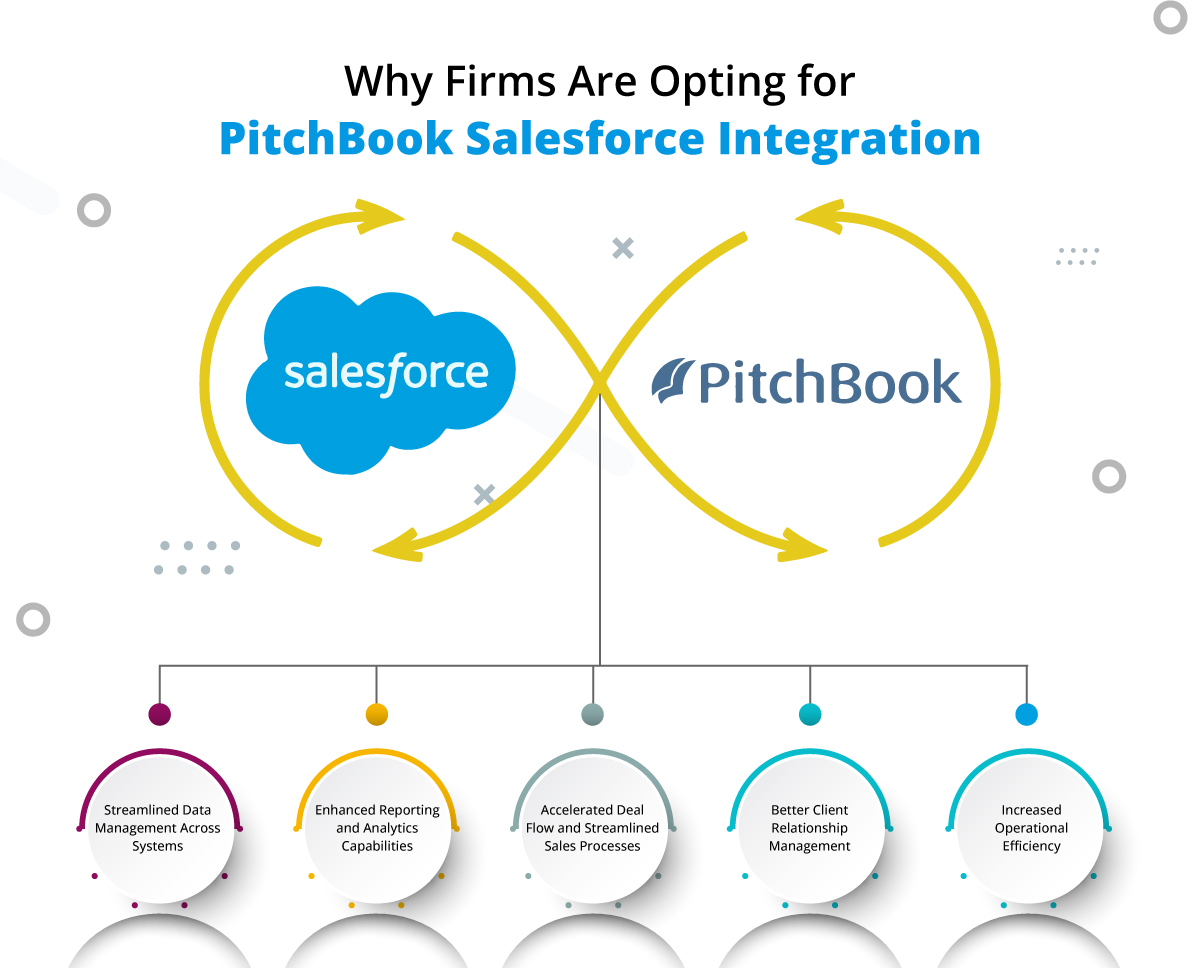
Why Firms Are Opting for PitchBook Salesforce Integration

Considering implementing the PitchBook Salesforce plugin can enable firms to unlock a range of benefits that enhance operations, client relationships, and overall business performance.

Let’s take a deeper look at why businesses are increasingly adopting this integration:

1. Streamlined Data Management Across Systems

Maintaining independent CRM and financial information in different environments can be inefficient, error-prone, and an opportunity lost. With the connection between the two, firms are able to create a system that seamlessly pulls data from PitchBook into Salesforce with any manual inputs required thus providing accurate financials.

  • Avoids Data Entry: Automated data transfers save hours and reduce the likelihood of human error.
  • Seamless Unified Data Views: Firms are able to create an end-to-end view of client profiles, by integrating both CRM data with financial metrics, investment insights and deal histories.
  • Higher accuracy and timeliness of information: Increased, on-demand access to accurate source data with real-time syncing across both platforms.

2. Enhanced Reporting and Analytics Capabilities

The synchronization helps businesses a lot by integrating PitchBook financials data and Salesforce reporting services, businesses receive enhanced visibility into the financial health of clients, deal activity, and investment opportunities. With access to improved data, firms can do more robust reporting and analysis leading to more informed decision-making.

  • Enhanced Financial Reporting: The integration allows firms to create comprehensive reports that merge CRM data with PitchBook’s financial data, enhancing forecasting and planning capabilities.
  • Dashboards to Your Own Liking: Salesforce has dozens of customizable dashboards and teams can generate custom views that highlight key PitchBook metrics in the context of CRM data for simple decision-making.
  • Identify Growth Areas: Firms can track trends, deal flow and financial patterns which makes it easier to recognize emerging opportunities or ways of growing.

3. Accelerated Deal Flow and Streamlined Sales Processes

Firms in the investment and finance sectors often manage a large volume of deals, clients, and opportunities. The PitchBook Salesforce integration helps accelerate deal flow and streamline the sales process by automating key steps and providing real-time access to important deal and financial information.

  • Deal Tracking: The integration of the PitchBook deal data with Salesforce enables the firm to efficiently track all aspects of deals, to follow up on any opportunity, and to be sure about the leads in the pipelines.
  • Automatic Alerts: The sales teams are automatically notified when a deal passes a milestone or reaches a point at which an action can be undertaken. 
  • Improved Collaboration: The integration allows for better collaboration among different teams (e.g., sales, finance, operations) by providing a shared view of deal activity and client progress.

4. Better Client Relationship Management

Accessing PitchBook data in Salesforce, provides tremendous value to firms as it meets client needs with a 360-degree view of the clients they serve. It allows for more individualized, data-driven engagements with customers and helps to build stronger relationships and better retention rates.

  • 360-Degree View of Clients: Firms are integrating data on client preferences, previous transactions, market activity and financial performance into a single view
  • Tailored Engagement: Sales and relationship managers have access to recent financial insights from PitchBook, which enables them to personalize communication for the client.
  • Proactive Service: With insight on how clients financial needs evolve overtime, firms can be proactive and provide solutions that are tailored specific to their individual situations.

5. Increased Operational Efficiency

In a competitive world, where efficiency is an imperative, PitchBook-to-Salesforce integration increases overall productivity with automation of processes, removal of manual work, and a heightened ability for quick access to critical information.

  • Automated Data Synchronization: Integration allows automatic data synchronization between PitchBook and Salesforce, disabling manual inputs and freeing up time for valuable-added tasks.
  • Timely Access to Critical Data: Sales teams and analysts have access to real-time CRM data and financial insight, giving them a head start in making informed decisions quickly.
  • Resource Optimization: More efficient allocation and distribution of resources is available with automation of the workflow that lessens bottlenecks resulting into higher outputs. 

Best Practices for Successful PitchBook Salesforce Integration

While the benefits of integrating PitchBook and Salesforce are clear, the process can be complex. To ensure a smooth and successful integration, firms should follow best practices that maximize the value of both platforms.

1. Define Clear Objectives for Integration

Before beginning the integration, firms should define what they hope to achieve. Are they looking to streamline reporting, improve deal flow, or enhance client engagement? Defining clear objectives will help guide the integration process and ensure that it aligns with the firm’s strategic goals.

2. Invest in Customization

Both PitchBook and Salesforce offer customization options, and firms should tailor their integration to suit their unique needs. Whether it’s creating custom reports, setting up automated workflows, or designing dashboards that reflect specific KPIs, a customized approach ensures the integration is optimized for the business.

3. Leverage Expert Support

Integrating complex systems like PitchBook and Salesforce requires expertise. Firms should hire trusted Salesforce consultants who can guide the team on best practices and efficient use of the integration.

4. Train Teams and Foster Adoption

It is necessary for firms to invest in training their teams so they can learn about the functionality of the integrated system. Fostering adoption across departments is key to ensuring that the integration delivers the expected results.

Consider PitchBook Salesforce Integration with the Best Professionals

As financial firms tread through a heavy competitive pressure and a data-driven environment, the Salesforce PitchBook integration serves as an exceptional tool that widens the operational capability of a firm, nourishes client relations, and strengthens better decision-making. The assemblage of financial analytics, CRM capabilities, and reporting tools-a real synergy-will help firms create an agile, informed, and customer-centric business model. Best practices around integrations and clear focus on set goals will ensure firms are able to realize the benefit from an extremely powerful union.

If you’re aiming to gain a competitive edge, raise efficiency, and strengthen client relationships, then the integration will likely be the key to unlocking your firm onto another level of growth and success. Contact us and discuss your requirements with our Salesforce professionals and get the integration done in a streamlined manner.

What Makes Snowflake Salesforce Integration Suitable for your Business

Are you facing difficulty to handle the increasing amounts of customer and operational data? One of the reasons is that your data might be scattered across multiple systems due to which you aren’t able to evaluate it right. This challenge is becoming very common among growing businesses. But, you can efficiently unify your data, analyze it, and make decisions backed by insights! That’s right. That’s where the Snowflake Salesforce integration can revolutionize how you work. 

With the integration, firms can achieve the ability to unify their data so all your teams can easily access it. It will not just help simplify processes, but also help firms work with smarter strategies and grow faster.

This blog will help you understand how integration can be a perfect fit for organizations looking to scale efficiently and grow.

Why Consider Snowflake Salesforce Integration?

The integration of Snowflake and Salesforce helps firms achieve a unified approach through which they can handle the customer and operational data and efficiently manage it. 

Here’s why this integration matters a lot for businesses:

1. Enhanced Data Accessibility: The integration can ensure that your teams have seamless access to all insights and historical data related to your customers, enabling them to take actions quickly.

2. Real-Time Insights: The integration will help businesses monitor customer behaviors, campaign performance, and trends, which will help teams make better decisions.

3. Scalability for Growing Data Needs: Snowflake’s elastic scalability ensures that as your Salesforce data grows with your business, storage and processing power can scale effortlessly without affecting performance or speed.

4. Cost Efficiency: Consolidating data into Snowflake and syncing it with Salesforce reduces reliance on multiple storage and analytics solutions. This minimizes overhead costs while maintaining high performance.

How Snowflake Salesforce Integration Add To Your Business Value

We’ve carefully curated a list of few points that shows how this integration can really be valuable.

1. Unified Data for Better Collaboration

A Salesforce Snowflake integration ensures all teams with the firm are working with the same updated data. This will help to improve collaboration and also to minimize chances of errors.

2. Optimized Marketing Campaigns

Snowflake will analyze Salesforce data with its data warehousing capabilities, enabling marketing teams to easily segment customers and run campaigns accordingly after the integration.

3. Streamlined Customer Experiences

Firms can gain a deeper understanding of customer journeys and tailor interactions to their preferences by combining Snowflake’s robust data processing with Salesforce’s CRM capabilities.

4. Improved Sales Forecasting

For the sales teams, the integration can be very beneficial, enabling them to work with real-time analytics that will help them understand trends and evaluate the opportunities that are likely to convert.

5. Enhanced Security and Compliance

Snowflake development solutions offer robust encryption and compliance features, ensuring that all Salesforce data stored and analyzed remains secure and adheres to regulatory requirements. 

6. Data Enrichment and Transformation

The integration helps businesses to get a unified view of all data sources through which they can have a better understanding of customers.

How to Achieve a Successful Snowflake Salesforce Integration

Unlocking the full potential of integration between Snowflake and Salesforce will be dependent explicitly on an organization’s implementation of the following best practices, among others:

1. Understand Objectives: Determine your primary goal first. Whether it is centered on achieving deeper customer insight, better operational efficiency, or cost reduction, ensure your approach to integration aligns directly with the objective in play.

2. Embrace Automation: Streamline the process of sharing data by using a tool like MuleSoft or creating custom APIs. Here, the business would need to write the code for invoking services for the CRM and ERP systems. However, this would still be more efficient for CRM and ERP communication because automation reduces manual errors, making the integration process well-oiled.

3. Utilize Business Intelligence Tools: Use BI tools like Tableau or Power BI: This will provide you with analytics on the data coming in from both platforms; critical insights from the data that empowers better decision-making across departments.

4. Maintain Data Quality: Focus on data integrity by implementing robust validation and cleansing procedures. This ensures that only accurate and reliable data flows between Snowflake and Salesforce, enhancing the effectiveness of your integration.

5. Seek Expert Support: Engage experienced professionals, certified consultants or Snowflake implementation partners to design and implement a tailored integration plan. Their expertise can help you navigate potential challenges and maximize the benefits of the integration.

Achieve Successful Snowflake Salesforce Integration with the Best Experts

Achieving efficient Snowflake integration with Salesforce can help businesses enable efficient data warehousing features and get the most trending insights. The integration helps firms to walk parallel with the innovation, enabling them to improve customer experiences.

From scaling business operations or optimizing performance, integrating Snowflake and Salesforce can help achieve goals and move towards growth. Contact us and let the best Salesforce experts assist you with a seamless and successful integration.

Unleash Business Efficiency with Webhook Salesforce Integration

Isn’t it frustrating when your systems lag behind? Imagine your sales team still waiting on updates from customer support or your marketing team working with yesterday’s data – that’s a recipe for missed opportunities and inefficiencies. Now, what if there were a way to keep all your applications talking to each other in real-time, sharing data and syncing events as they happen? Enter Webhook Salesforce Integration

By linking Salesforce with your key applications via webhooks, you can trigger instant data transfers whenever important events occur, without any manual input. This simple yet powerful integration can supercharge your business workflows, streamline operations, and make every customer interaction count.

Let’s dive into the specific benefits, understand why webhook integration is critical to business success, and learn best practices to keep everything running smoothly.

Importance of Webhook Integration in Salesforce

Webhook integration with Salesforce can be a great move that can empower business growth in man ways:

1. Unified Customer View: Integrating webhooks provides a cohesive customer view across various systems. This integration enables a complete understanding of the customer journey, boosting targeted marketing and personalized service.

2. Seamless Cross-Platform Data Flow: Many businesses operate across multiple platforms (e.g., e-commerce, CRM, and marketing tools). Webhooks streamline the flow of data between these platforms, eliminating data silos and improving operational harmony.

3. Operational Agility: Webhook integrations allow businesses to respond promptly to changes. For example, an inventory update can instantly notify relevant teams, reducing delays in order processing.

4. Proactive Decision-Making: The integration will enable access to real-time data that helps managers make quicker decisions after evaluating the data. This helps them to work with proactive responses to trends, challenges, or customer needs.

5. Data Accuracy and Consistency: Since webhooks push data directly from source systems to Salesforce (or vice versa), there’s a lower risk of data entry errors and discrepancies, enhancing overall data accuracy and consistency.

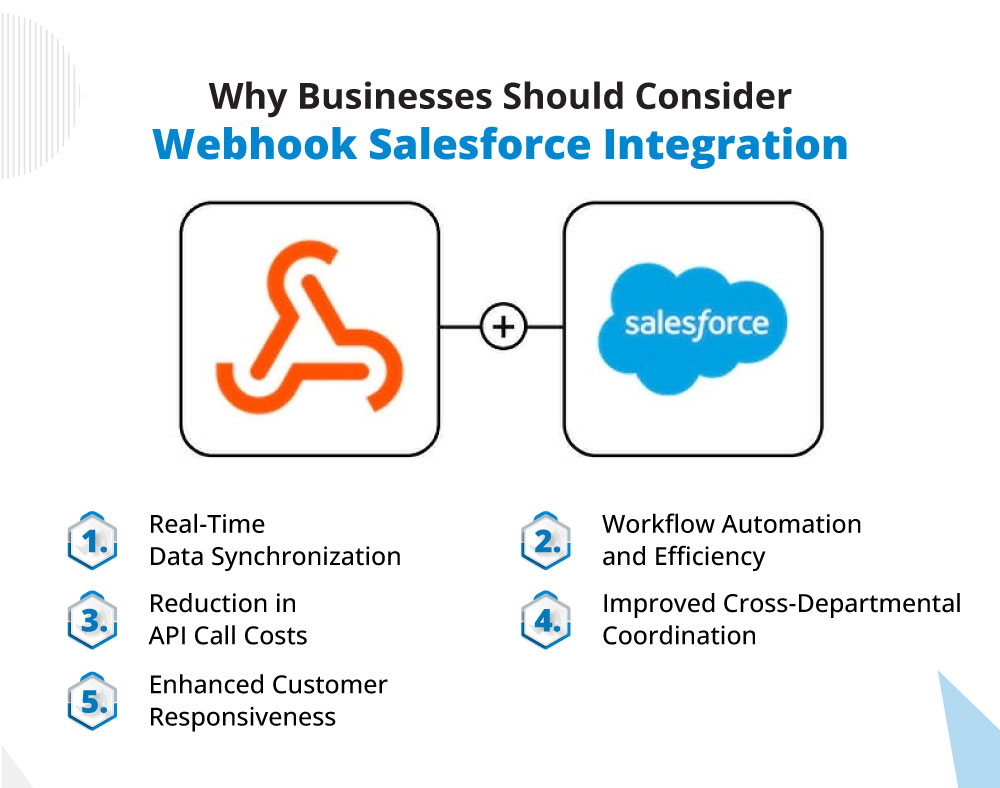
Why Businesses Should Consider Webhook Salesforce Integration

Considering Salesforce Webhook integration can be of great help for businesses. Here we have listed some points on why firms should go for it.

1. Real-Time Data Synchronization

Webhooks instantly sync data across applications when specific events occur, such as a new lead or customer update. This real-time synchronization minimizes delays and ensures that all team members access up-to-date information.

2. Workflow Automation and Efficiency

By triggering automatic actions, webhooks reduce manual data entry and automate processes. For instance, a webhook can notify your team of a completed sale, triggering workflows like invoicing or inventory updates.

3. Reduction in API Call Costs

Webhooks follows an event-driven model, which continuously makes API requests. This helps to minimize the excessive API calls, improve performance while saving cost.

4. Improved Cross-Departmental Coordination

With automatic data updates, different teams can coordinate more effectively. Sales, support, and marketing can view the latest data simultaneously, fostering alignment and timely responses across departments.

5. Enhanced Customer Responsiveness

Webhooks enable instant reactions to customer actions or inquiries, improving customer service speed. This responsiveness can improve satisfaction and engagement by keeping customers informed and issues resolved in real time.

Best Practices for Webhook Salesforce Integration

To fully capitalize on Webhook Salesforce integration, it’s essential to implement and maintain best practices that maximize efficiency, security, and reliability:

1. Select Key Trigger Events Carefully: Not every event requires a webhook trigger. Identify and focus on critical events (e.g., lead creation, order completion) that need immediate updates to avoid unnecessary data traffic and maintain optimal system performance.

2. Enforce Strong Security Protocols: Given the sensitive nature of the data, it’s essential to authenticate webhook calls with tokens or digital signatures to prevent unauthorized access and data breaches.

3. Implement Error Handling and Retry Mechanisms: Network issues or temporary server downtimes can interrupt webhook communication. Adding a retry mechanism ensures important events are re-sent until successful, minimizing data loss.

4. Monitor and Log Webhook Activity: Tracking webhook requests, responses, and errors can help detect issues early and maintain data integrity. Logging activities also aids in debugging and performance optimization.

5. Regularly Test and Update Webhooks: As systems evolve, so should your webhook configurations. Regular testing and updating of webhook endpoints ensure they continue to function effectively, especially as new features are added or Salesforce updates are rolled out.

Hire The Best Experts for Webhook Salesforce Integration

Integrating Salesforce with Webhooks can be considered as one of the reliable integrations that can improve the work efficiency and productivity. This can be a great approach to improve the operational efficiency of the business and boost team’s productivity. Embrace webhook integration to make your Salesforce ecosystem work smarter and faster. Contact us and talk to experts who can handle your integration needs smoothly.

RingCentral Salesforce Integration: Everything You Should Know About

RingCentral stands as one of the most renowned VoIP solutions, while Salesforce offers a powerful cloud-based platform designed to help businesses build lasting client relationships. RingCentral Salesforce integration brings a seamless approach to automating workflows and enhancing communication, resolving common challenges between agents and customers. 

This integration centralizes all data in one place, making it accessible anytime, anywhere for greater convenience. Plus, it ensures data protection against malware and cybersecurity threats, providing a robust layer of security for your business. In this blog, we’re going to throw some light on the value of this integration and how it could be beneficial for service teams. 

Why Should Business Consider RingCentral Salesforce Integration?

Telecalling is still one of the most trusted ways to reach out to customers but teams need a way to manage and record those call logs and plan their engagement accordingly. That’s where RingCentral Salesforce integration can bring in the real transformation.We’ve gathered some of the most significant points that show the importance of this integration.

1. Monitor the Performance of the Team

It’s essential to track the performance of the team as it directly impacts the business’s health. With RingCentral Salesforce integration, you gain a comprehensive view of strengths and areas needing improvement.

For instance, if your sales team is facing unusual call patterns or struggling to close deals, it might be time to refresh your contact database. Or, if you notice a significant drop in outbound calls, reconnecting with your marketing team to drive new leads could be the right move.

2. Enable Seamless Communication

Integrating RingCentral with Salesforce streamlines workflows, simplifies tasks, and makes communication seamless and intuitive. Sales reps can instantly dial contacts directly from the Salesforce interface with a simple click, allowing them to engage clients through calls, texts, or video chat based on each client’s preference.

An added benefit of RingCentral’s VoIP integration with Salesforce is the unlimited domestic calls and business SMS at no extra cost. This empowers your team with the freedom to connect with prospects as often as needed, helping them secure and finalize deals efficiently.

3. Get a Complete Customer’s Data View

Integrating Salesforce with RingCentral provides an excellent opportunity to view and manage client data more effectively. Empower your sales reps to deliver seamless, error-free service by consolidating all business records in one place. When a salesperson receives a call, they’ll instantly see the customer’s information through the Salesforce interface, including name, organization, location, and other essential details—eliminating the need to navigate multiple spreadsheets and enabling more focused, efficient client interactions.

4. Enable Faster Lead Generation

Telesales drives revenue by increasing call volume and strengthening customer relationships. Sales reps take on the responsibility of addressing client questions and concerns promptly. With RingCentral Salesforce integration, the team can effortlessly update, delete, and retrieve information right from their phones. This seamless integration enables the team to accurately manage contacts without errors, allowing them to move quickly to other clients and generate stronger leads.

5. Save More Time

In business, efficiency translates to profitability. Streamlining your sales team’s workflow and boosting their productivity is key. With RingCentral integrated into Salesforce, your reps gain access to a quick drop-down menu that allows them to review each client’s call log status effortlessly. This feature enables them to follow up with clients smoothly without spending extra time re-evaluating previous interactions. Plus, it minimizes dialing errors, ensuring seamless, accurate calls every time.

6. Work with Different Communication Channels

The era of relying solely on phone calls for client communication is long past. Today’s businesses are embracing a mix of SMS, emails, voice calls, video meetings, and more to connect with clients in dynamic ways. Expanding communication options with RingCentral Video is essential to keeping pace with modern technology. With RingCentral Salesforce AppExchange sync, you can extend your reach smoothly and efficiently. Even better, RingCentral includes an internal messaging tool that allows your sales team to communicate and share files seamlessly, all within one platform.

Improve Service Operations with RingCentral Salesforce Integration

Integrating Salesforce with RingCentral is a powerful win-win for both your sales team and your customers. This solution not only helps streamline workflows and boost internal efficiency for your sales team but also enables seamless, effective customer interactions. For expert integration of Salesforce with RingCentral, 360 Degree Cloud stands ready as your go-to Salesforce development partner. Contact us and talk to our most experienced integration experts who can seamlessly integrate your third-party apps with Salesforce for a unified experience.

logo Live Chat