The client is a global capital markets technology leader operating mission-critical exchange infrastructure and market surveillance platforms, with many active Salesforce users across North America. Despite an annual licensing spend of over $2.4 million on Salesforce Unlimited, the organization made zero use of native Sales Cloud or Service Cloud functionality – the entire platform had been repurposed as an engineering governance and SDLC tracking system built on 68 custom objects. Leadership had never formally reviewed the spend against actual usage, and needed a clear, evidence-based strategy with full cost modelling to make a defensible decision on the path forward.
In this case study, you’ll learn how we:
Audited Salesforce Unlimited users with zero CRM functionality in active use
Mapped all 68 custom objects to Jira equivalents and confirmed migration feasibility
The client is a healthcare provider specializing in keloid treatment and scar removal, with consultants operating across seven U.S. regions. Patients booked consultations through the website based on location and visit preference, but the data did not flow cleanly into Salesforce. Appointment details, consultant availability, payment validation, and campaign source tracking were disconnected, making it harder to schedule accurately, process leads quickly, and understand which marketing channels were driving patient bookings.
In this case study, you’ll learn how we:
Integrated website appointment booking with Salesforce Sales Cloud
Configured consultant availability by location and schedule
Built booking logic for virtual and in-person consultations
Implemented UTM tracking for Google Ads, Instagram, Facebook, and LinkedIn
Mapped lead sources directly to Salesforce Lead records
Reduced booking conflicts, invalid payment entries, and manual scheduling effort
The client is a financial services firm that wanted a clearer view of its Salesforce Marketing Cloud environment. They needed to assess overall platform health, improve automation workflows, and strengthen segmentation practices so campaigns could become more timely, relevant, and personalized.
In this case study, you’ll learn how we:
Reviewed the full Marketing Cloud setup, including automations, journeys, and data flows
Identified workflow gaps and optimized Automation Studio for smoother campaign execution
Evaluated Contact Builder and segmentation practices to improve audience targeting
Improved data quality and personalization across customer journeys
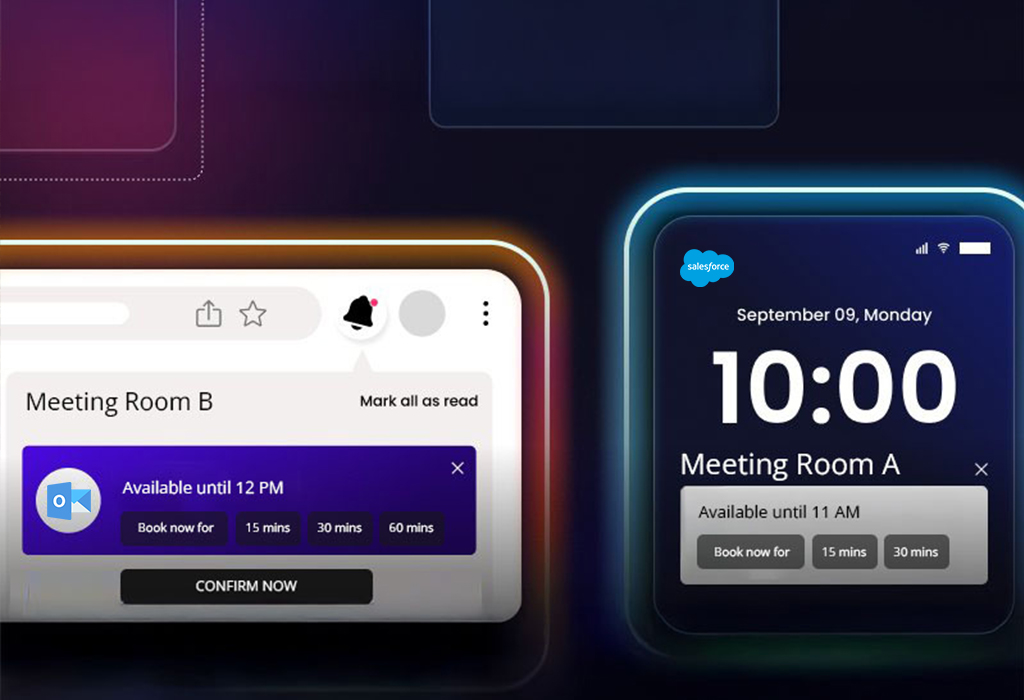
The customer is a global listings and capital markets organization that hosts high-visibility events for customers. Their frontline team used two different tools to request rooms and add business context, which led to duplicate submissions, slow confirmations, and no real-time visibility into available slots.
In this case study, you’ll learn how we:
Centralized booking requests from EMS and Monday.com into a Salesforce Sales Cloud event booking system
Built Salesforce LWC custom booking management calendars for real-time room and slot visibility
Created a booking wizard for admins and EMS users with role-based approvals
Integrated Outlook to support Salesforce Outlook calendar sync for confirmations, changes, and cancellations
Made the calendar mobile-friendly so teams could confirm bookings on the go
The client is a physical therapy clinic specializing in non-surgical joint pain treatments. Their team used both Salesforce Health Cloud and Elation Health EMR, but appointment updates and patient data did not always stay aligned across systems. This created duplicate work, scheduling gaps, and extra manual corrections for staff. They needed a secure Salesforce Health Cloud EHR integration that could support near real-time appointment sync, improve data accuracy, and give admins an easier way to manage field mappings as workflows changed.
In this case study, you’ll learn how we:
Enabled Salesforce Elation Health EMR sync to keep appointments and patient data aligned
Built a secure Salesforce Health Cloud EHR field mapping admin panel to add, edit, and delete mappings without code
Supported Salesforce healthcare appointment management with fewer duplicate updates and manual corrections
The client is a visual support provider that helps B2C teams guide customers through live video sessions using augmented reality and AI assistance. Agents needed to start, manage, and track sessions directly from Salesforce Service Console without switching tabs or losing case context. The team needed a secure Salesforce AppExchange AR app service console integration that worked across environments and kept agents inside Salesforce.
In this case study, you’ll learn how we:
Set up Salesforce SSO AppExchange app access
Built a Salesforce AppExchange AR app Service Console integration
Added a Lightning Console component using Salesforce Workspace API
Configured CSP and cross-site settings for secure dashboard rendering
The customer is a manufacturing provider of parts and solutions for water, gas, fire, electrical, and HVAC systems. They serve multiple sectors and rely on accurate quotes and fast responses. They had struggled with manual lead and opportunity tracking, slow quote creation, no automation for field updates, and disconnected tools for invoicing, signatures, and meetings.
In this case study, you’ll learn how we:
Implemented Salesforce Sales Cloud to automate lead-to-quote
Used Flows to auto-update fields and keep data current
Customized quote PDFs and aligned the Contract object to the business process
Structured product and variant management on Opportunities
A Manufacturing Firm Re-Engaged 58% of Inactive Leads with Salesforce Pardot
A manufacturing brand wanted to revive inactive leads and better understand what each prospect cared about. The team needed a stronger Salesforce Pardot implementation for manufacturing, with segmented nurtures, clear scoring, and reliable tracking for external links, all connected to Sales Cloud for faster follow-ups.
In this case study, you’ll learn how we:
Segmented prospects by interest and buying intent using Salesforce Pardot segmentation list rules for a manufacturer
Built Pardot engagement studio manufacturing campaigns with emails, forms, and landing pages
Supported Pardot lead nurturing for B2B manufacturing with targeted nurture journey
Set scoring rules for Pardot lead scoring and grading for manufacturing sales
Created custom redirects to track external links and improve Pardot campaign ROI tracking
Synced qualified activity to Sales Cloud for sales-ready context
How a Packaging Company Centralized 1,200+ Event Leads in Salesforce
A flexible packaging company needed one place to record events, add attendees, create leads, and track Salesforce Sales Cloud trade show lead management from one workflow. The team was switching between sheets and calendars outside Salesforce, which slowed visibility, lead follow-up, and ROI tracking.
In this case study, you’ll learn how we:
Built a Salesforce LWC custom lead capture form for events to log event name, location, industry, dates, and attendees
Enabled lead creation on the event page and showed a live list of event-sourced leads
Reflected events on participant calendars and a central team calendar with a one-time setup
Enabled Salesforce Sales Cloud event lead attribution reporting for activity, pipeline, and ROI
A public works outreach provider needed one place to manage Good Faith Effort documentation, certified firm searches, bid notices, solicitations, telecalling, calendars, and paperwork. With custom contractor outreach platform development, 360 Degree Cloud built a centralized system that improved visibility across public works bid workflows.
In this case study, you’ll learn how we:
Delivered PHP CodeIgniter web app development for bid outreach, paperwork tracking, and user dashboards
Enabled precise searches across continuously updated certified firm directories
Built a custom web app for contractor bid notifications and outreach follow-ups
Added package setup with telecalling support, activity logs, and engagement tracking
Created clearer progress and ROI visibility for Good Faith Effort records