



Table of Contents
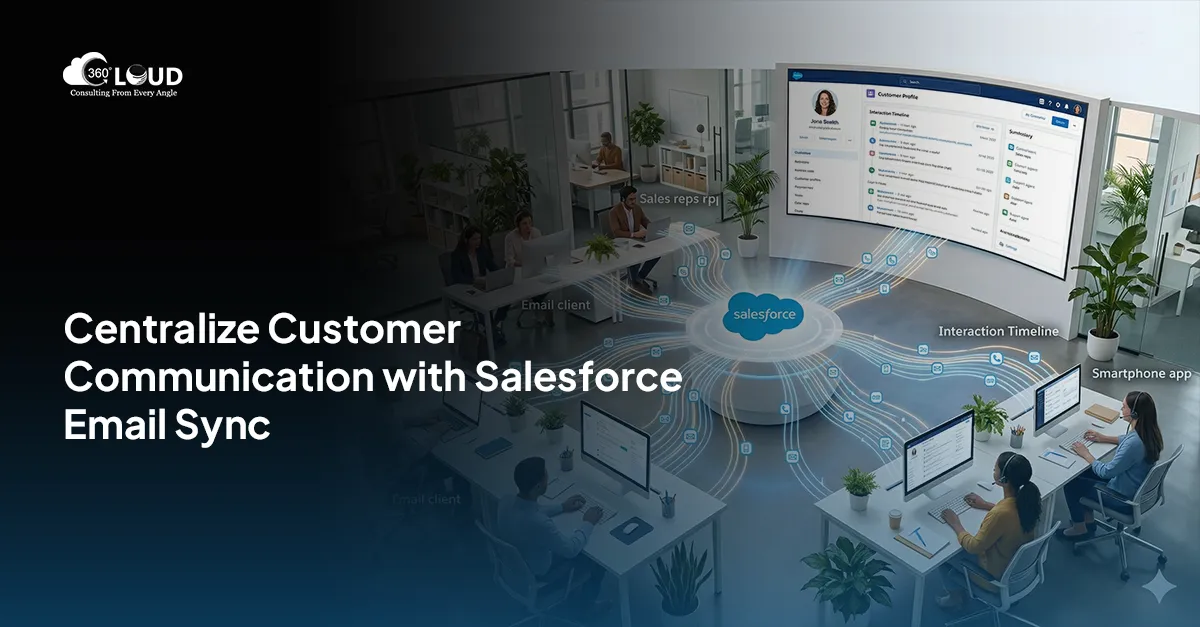
Managing customer relationships efficiently often boils down to tracking every communication accurately—and emails play a big part in this. As many professionals use email for client interactions, integrating email conversations into Salesforce has become vital for businesses wanting a complete view of each customer’s journey. The question, though, is how to do it without spending hours manually updating records. In this guide, we’ll walk through different options for syncing emails into Salesforce, from manual solutions to automated apps like 360 Email Sync. Let’s dive into why you should sync emails in Salesforce, explore available options, and discover how 360 Email Sync can help streamline this crucial process.
Automatically Sync Emails in Salesforce
Why is it Important to Sync Emails in Salesforce
Email is the most direct way to connect with leads, customers, and prospects for many businesses. This tracking in Salesforce provides a unified source of truth that empowers teams to maintain transparency, follow through at the right time, and prevent any conversation from slipping through the cracks. However, your teams could miss key details, do duplicate work, or even lose leads if you don’t have email and CRM in sync. If you are equipped to automatically sync email in Salesforce, it will improve the productivity of your sales and support teams and at the same time reduce the response time as they can view all customer interactions in one place.
How to Sync Emails in Salesforce: Overview and Options
With email integrated into Salesforce, now you have an all-inclusive view of interactions, which leads to you being more in tune engaging, and managing your pipeline live.
Next, there are quite a few ways to sync emails with Salesforce, depending on the email provider you use, your needs, and what you need to sync, as the process can vary drastically depending on what you are syncing, and how easy that is to program.
1. Salesforce’s Native Email Integration: Salesforce offers its own email integration options, allowing users to connect to platforms like Gmail and Outlook. This is done through “Salesforce Inbox” or “Salesforce for Outlook” for an add-on to capture emails, calendar events, and tasks. But this is scheduled for retirement by 2027.
2. Third-Party Apps: Many businesses prefer specialized applications that provide advanced syncing and automation features. Tools like 360 Email Sync offer enhanced syncing, automation, and data-tracking capabilities, making it easier to centralize all interactions.
3. Custom Solutions: For unique business requirements, custom solutions may also be an option. This can include API integrations tailored to fit specific workflows, though it often requires development resources.
Using these options, you can auto-sync emails in Salesforce and eliminate manual logging, save time, and improve communication tracking. While the native Salesforce integration provides basic syncing, third-party apps like 360 Email Sync offer added flexibility, features, and ease of use.
Introducing 360 Email Sync: Streamlining Email Syncing and Management
360 Email Sync is a Salesforce native app that allows you to automatically sync email in Salesforce. 360 Email Sync is built to simplify managing communication — the ability to sync, track, and organize email conversations directly from platforms such as Gmail and Outlook, inside Salesforce.
Here’s how 360 Email Sync stands out as a comprehensive email sync solution:
1. Automated Syncing for Greater Productivity
360 Email Sync helps to auto-sync emails in Salesforce without manual intervention. It ensures that all crucial customer conversations are captured in real-time, saving hours of data entry and ensuring no detail is missed. With auto-sync, teams don’t have to worry about copying and pasting emails or updating Salesforce manually.
2. Consolidated Data for Holistic Customer Insights
One of the standout features of 360 Email Sync is that it brings all your emails and Salesforce data into one place. This consolidated view allows you to easily see all relevant conversations with each contact or lead. No more switching between inboxes and Salesforce—everything is streamlined for maximum productivity.
3. Auto-update of New Email Addresses
If a customer reaches out from a new email address, 360 Email Sync automatically updates their Salesforce record. This eliminates the need for manual record updates and reduces the risk of communication errors, making it easier to track conversations accurately.
4. Timely Follow-Ups with Email Tracking
360 Email Sync allows you to track every email interaction in Salesforce, Thus, higher authorities can see if the emails have been responded to timely and appropriately. These insights help to guide sales teams to follow up on emails effectively and engage leads before they go cold, improving chances for conversions.
5. Salesforce-Native App for Secure Integration
Since 360 Email Sync is built natively for Salesforce, it integrates seamlessly with the platform. This means users can work directly within Salesforce without additional plugins, ensuring a secure and smooth experience. The Salesforce-native design also enhances data security, keeping sensitive information safe.
As email syncing with Salesforce can vary depending on the tools and integrations used, here are answers to a few common questions that can help guide you in choosing the right solution for your needs.
Eliminate Manual Email Logging & Improve Productivity

Conclusion
Along with saving you time, syncing your emails to Salesforce isn’t just about that — it’s about changing the way you work with customers. With 360 Email Sync, you can automatically sync email in Salesforce eliminating manual tasks and guaranteeing that every communication is captured correctly. 360 Email Sync streamlines your communication process and lets you and your team see a complete view of your interactions to work more productively, engage more thoughtfully, and close more deals.
Integrate your emails into your Salesforce account and use 360 Email Sync, the one-stop shop for smarter email and better data sharing and management.

Solve It with Salesforce. We’ll Show You How.
AI. Apps. Experts. Everything you need to win with Salesforce under one roof.Frequently Asked Questions
How do I sync emails into Salesforce?
You can sync emails into Salesforce using native integrations like Gmail or Outlook, third-party tools like 360 Email Sync, or custom API-based solutions.
Why is email syncing important in Salesforce?
Email syncing helps track all customer interactions in one place, improves team productivity, and ensures no communication is missed.
Can Salesforce automatically sync emails?
Yes, Salesforce can sync emails using native integrations, but advanced automation and real-time syncing are better achieved with tools like 360 Email Sync.
What are the options to sync emails with Salesforce?
You can sync emails using: Native Salesforce integrations Third-party apps Custom-built solutions
What is 360 Email Sync in Salesforce?
360 Email Sync is a Salesforce-native app that automatically syncs emails, tracks conversations, and organizes communication data within Salesforce.
Can I sync Gmail and Outlook with Salesforce?
Yes, Salesforce supports integration with Gmail and Outlook to sync emails, calendar events, and tasks.
Does email syncing improve sales performance?
Yes, email syncing ensures better follow-ups, improved communication tracking, and higher chances of closing deals.
Can email sync update contact records automatically?
Yes, tools like 360 Email Sync can automatically update Salesforce records when new email interactions occur.
Is email syncing in Salesforce secure?
Yes, especially with Salesforce-native apps like 360 Email Sync, which ensure secure data handling and seamless integration.
What is the best way to sync emails in Salesforce?
The best way is to use a Salesforce-native app that offers real-time syncing, automation, and complete visibility of customer interactions.

About the author
Editorial TeamThe Editorial Team at 360 Degree Cloud brings together seasoned marketers, Salesforce specialists, and technology writers who are passionate about simplifying complex ideas into meaningful insights. With deep expertise in Salesforce solutions, B2B SaaS, and digital transformation, the team curates thought leadership content, industry trends, and practical guides that help businesses navigate growth with clarity and confidence. Every piece we publish reflects our commitment to delivering value, fostering innovation, and connecting readers with the evolving Salesforce ecosystem.
Recent Blogs
 Integration
Revamp Marketing Strategy with Salesforce Integration Services
Integrating your CRM with marketing automation might seem like a phrase full of buzzwords, but there’s a lot to know when you’ll take a deeper…
Read More Email Marketing
Running Mass Email Campaign in Salesforce
Electronic mail marketing is still one of the effective channels in today’s business environment as it establishes an immediate link between a business organization and…
Read More Email Marketing
Salesforce Mass Email to Boost Email Operations
While performing email operations, the top concern is the number of emails you can send on a daily basis. When it comes to outreach, the…
Read MoreReady to Make the Most Out of Your Salesforce Instance?
Our Salesforce aces would be happy to help you. Just drop us a line at contact@360degreecloud.com, and we’ll take it from there!
Subscribe to our newsletter
Stay ahead with expert insights, industry trends, and exclusive resources—delivered straight to your inbox.
