

Tips for Running Successful Text Message Campaigns in Salesforce
02 Jun 2026
Table of Contents
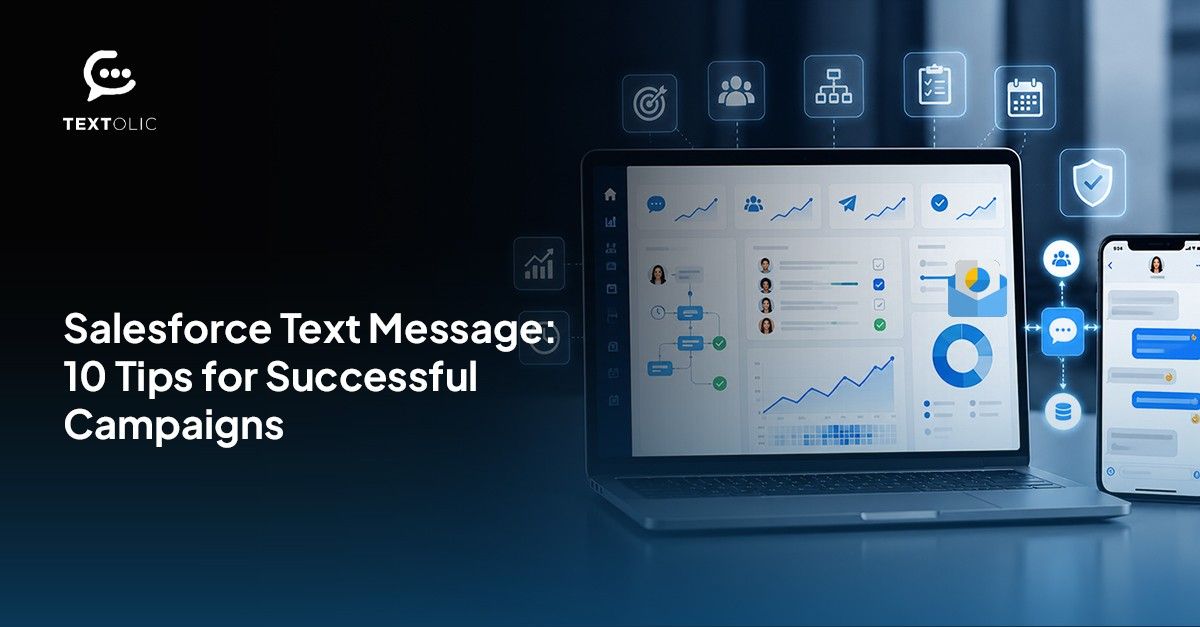
Text messaging has one of the highest engagement rates of any outreach channel available to businesses today. A 98% open rate and an average response time of 90 seconds are numbers that most marketing teams can only dream about from email. Yet many businesses that experiment with SMS campaigns do not see those results — not because the channel does not work, but because the campaigns are not set up to succeed.
Running Salesforce SMS campaigns is not simply a matter of sending text messages. The businesses that see the strongest results are the ones that approach it with the same strategic discipline they apply to any other channel: the right audience, the right message, the right timing, and the right follow-through.
Here are the tips that make the difference.
Table of Contents
Can Salesforce Run Text Message Campaigns Natively?
Salesforce does not have built-in SMS campaign functionality. Out of the box, it supports email-based outreach and activity tracking, but text messaging requires a Salesforce-native messaging app or third-party integration.
The distinction matters for how you set up and run campaigns. A native Salesforce SMS tool — one that operates inside the CRM rather than connecting to it from outside — gives your campaigns a significant structural advantage. Your data stays current, your conversations are logged automatically, and your automation runs through the same Salesforce workflows your team already manages.
With that foundation in place, the following tips apply.
Experience Salesforce with advanced messaging and calling—without the high cost.
10 Tips for Running Successful Salesforce SMS Campaigns
1. Segment Your Audience Using Salesforce Data
The single most important factor in SMS campaign performance is audience relevance. A message that is relevant to the recipient gets opened and acted on. A message that is not gets ignored — or worse, triggers an opt-out.
Salesforce already holds the segmentation data you need: lifecycle stage, industry, last activity date, product interest, and account status. Use it. Build your campaign audiences from Salesforce List Views and Reports so your targeting is based on real, current data rather than a static export.
2. Define a Clear Goal for Each Campaign
Every campaign should have one primary objective. Is this campaign meant to drive a demo booking? Promote a limited-time offer? Follow up on a lapsed account? Trying to accomplish multiple things in a single SMS campaign dilutes the message and makes it harder to measure success.
Define the goal first, then write the message around it.
3. Personalize Every Message
Generic messages underperform. Even a small amount of personalization — using the recipient’s first name, referencing their account, or acknowledging a recent interaction — significantly improves response rates.
With a Salesforce-native SMS tool, personalization is straightforward. Merge fields pull contact data directly into message templates, so personalized messages can be sent at scale without any manual editing. AI can further enhance personalization by refining message tone and suggesting high-performing compliant variations.
4. Keep Messages Short and Action-Oriented
SMS is not the channel for long-form communication. The most effective text messages are concise, clear, and direct. Get to the point quickly, and give the recipient a clear next step — a link to follow, a reply to send, a date to confirm.
Aim for messages under 160 characters where possible. If your message needs to be longer, break it into a short SMS that links to more detail rather than sending a wall of text.
5. Schedule Messages at the Right Time
Timing has a measurable impact on SMS campaign performance. A message that arrives early in the business day — typically between 9 AM and 11 AM — tends to perform better than one sent mid-afternoon when inboxes
are busy, or in the evening when it feels intrusive.
Use Salesforce SMS scheduling to plan your sends in advance. This also takes pressure off your team to manually execute campaigns at specific times.
6. Use Pre-Built Templates for Consistency
Starting from a blank page for every campaign wastes time and creates inconsistency. A library of pre-built, approved SMS templates — for common use cases like follow-ups, reminders, promotions, and onboarding — lets your team launch campaigns faster and ensures every message is on-brand.
Templates can be customized before sending, so they serve as a strong starting point without locking you into a rigid format.
7. Set Up Automated Follow-Up Sequences
A single SMS message is rarely the whole campaign. The contacts who respond need one path forward. The ones who do not respond need a different approach — a follow-up at a different time, through a different channel, or with a different message angle.
Use AI-backed multichannel drip campaigns for sequential Salesforce SMS automation to automate follow-up sequences based on contact behavior. This removes the manual effort from routine follow-through and ensures nothing gets missed. Textolic AI-powered drip suggestions help optimize follow-up sequences by recommending the right message, timing, and sequence based on engagement, so that you do not have to intervene manually.
Want to see automated multichannel follow-up sequences running inside Salesforce?
8. Manage Opt-Outs Properly
SMS opt-out compliance is not optional. Contacts must be able to unsubscribe easily, and opt-out requests must be honored immediately. A Salesforce-native SMS tool handles this automatically — opt-outs are captured and synced back to the relevant Salesforce records so those contacts are excluded from future campaigns.
Handling opt-outs correctly also protects your sender reputation, which affects deliverability across all future campaigns.
9. Track Performance in Salesforce
Measuring campaign performance should not require exporting data to a separate analytics tool. With a native Salesforce SMS solution, delivery rates, response rates, and campaign outcomes roll up directly in Salesforce SMS reporting. This makes it straightforward to compare campaign performance over time and identify what is working.
The metrics that matter most for SMS campaigns are delivery rate, response rate, opt-out rate, and conversion rate, based on the campaign’s defined goal.
10. Expand Beyond SMS When It Makes Sense
SMS is a powerful channel, but it is not the only one. Some contacts are more responsive on WhatsApp. Others prefer a different messaging platform entirely. A multichannel approach — where you can reach the same audience across SMS, WhatsApp, and other channels from the same Salesforce environment — gives your Salesforce SMS campaigns a broader reach and better overall results.
Final Thoughts
The businesses that get strong results from SMS campaigns in Salesforce are not doing anything exotic. They are being deliberate about segmentation, consistent about personalization, thoughtful about timing, and disciplined about follow-through. The right Salesforce SMS tool makes all of those things significantly easier. AI capabilities further enhance campaign performance by optimizing messaging, analyzing conversations, and improving engagement over time
360 Textolic is built specifically for this. As a Salesforce-native multichannel messaging platform, it supports bulk and one-on-one SMS campaigns, pre-built templates, scheduling, automated follow-up sequences, opt-out management, and real-time reporting — all inside Salesforce.
If your current SMS campaigns are not delivering the results you need, the tips above are a strong place to start. The right infrastructure makes all of them easier to execute consistently.
Categories

Solve It with Salesforce. We’ll Show You How.
AI. Apps. Experts. Everything you need to win with Salesforce under one roof.Frequently Asked Questions
Can Salesforce run SMS campaigns without a third-party app?
No. Salesforce does not support SMS campaigns natively. A Salesforce-native app like 360 Textolic is required to run text message campaigns from within the CRM.
How do I segment my audience for an SMS campaign in Salesforce?
Use Salesforce List Views and Reports to build your campaign audience. A native SMS tool like 360 Textolic lets you pull those lists directly without exporting data.
What is the ideal length for an SMS campaign message?
Aim for under 160 characters. If more detail is needed, keep the SMS short and link to a landing page or longer-form content.
How do I personalize SMS messages sent from Salesforce?
A Salesforce-native SMS tool supports merge fields that pull contact data from CRM records directly into message templates, enabling personalization at scale.
What is the best time to send an SMS campaign?
Generally, 9 AM to 11 AM on weekdays performs well. Avoid early mornings, late evenings, and weekends unless your audience has different engagement patterns.
How does automated SMS follow-up work in Salesforce?
Using Salesforce Flows, you can set up triggered messages that send automatically based on contact behavior — such as no response within a certain timeframe.
How are opt-outs managed in Salesforce SMS campaigns?
A native SMS tool like 360 Textolic captures opt-out requests and syncs them to Salesforce records automatically, ensuring those contacts are excluded from future sends.
What metrics should I track for SMS campaign performance?
Key metrics include delivery rate, response rate, opt-out rate, top-performing templates, and conversion rate based on your campaign goal.
Can I use SMS templates for campaigns in Salesforce?
Yes. 360 Textolic includes a library of pre-built, customizable SMS templates that can be used across campaigns and individual outreach.
Does 360 Textolic support channels beyond SMS?
Yes. 360 Textolic supports 15+ channels including SMS, WhatsApp, WeChat, and LINE, making it a true multichannel messaging platform for Salesforce.

About the author
Diksha GathaniaDiksha is a seasoned content writer and marketer who is always keen on trying new avenues to discover and write about. She has a keen eye for detail and a talent for breaking down technical topics into digestible pieces for both technical and non-technical audiences. She is a Salesforce, Marketing Automation, and Marketing Analytics enthusiast who stays on top of the pulse of industry trends. Beyond her professional endeavors, she finds joy in traveling and is always on the lookout for new destinations.
Recent Blogs
 Software Services
Salesforce Staff Augmentation for Fintech: How to Scale Compliant CRM teams
Salesforce staff augmentation for fintech requires professionals who understand Financial Services Cloud’s data model, know how financial compliance requirements (SOX, GDPR, CCPA, FCA regulations) affect…
Read More Industry
Salesforce Staff Augmentation for Healthcare: Compliance-Ready Talent On Demand
Salesforce staff augmentation in the healthcare sector entails personnel knowledgeable about Salesforce and its compliance landscape, handling HIPAA-compliant data, PHI data modeling architecture, HL7/FHIR data…
Read More Salesforce Clouds
Marketing Cloud Developer: Skills, Rates, and How to Hire the Right One
The Marketing Cloud developer develops the following in Salesforce Marketing Cloud: Journey Builder automation processes, Email Studio templates using AMPscript, Marketing Cloud Connect integration of…
Read MoreReady to Make the Most Out of Your Salesforce Instance?
Our Salesforce aces would be happy to help you. Just drop us a line at contact@360degreecloud.com, and we’ll take it from there!
Subscribe to our newsletter
Stay ahead with expert insights, industry trends, and exclusive resources—delivered straight to your inbox.
