Talk to Us

8 Essential Features You Can Access with Salesforce Marketing Cloud Implementation

Anyone who has done or considered Salesforce Marketing Cloud implementation would know there are so many studios and tools that could make it a challenge to identify which one is the best fit for a given situation.

The idea here is not to talk about the complexity of the platform but to actually help you with the must-pick tools that will contribute to your marketing needs.

It is essential to note that considering the studios that you’ve purchased, there’s a chance that you might not have immediate access to all the features we’ve covered below. But you can also connect with our professionals to consider Salesforce Marketing Cloud services and leverage the best features.

Top Marketing Cloud Features You Can’t Miss Out On

Our Salesforce experts have evaluated Marketing Cloud inside out and have some top features that they believe are most helpful for businesses.

Here’s a list for you, including the top Marketing Cloud features to work with.

1. Marketing Cloud Connect

Most companies prefer using Marketing Cloud because of its out-of-the-box integration with the rest of Salesforce clouds. It’s not at all easy to connect marketing and sales teams together, but using Marketing Cloud Connect, it could be made possible by connecting Marketing Cloud with the Sales Cloud.

The connector helps teams to automate customer journeys like sending SMS or emails using Journey Builder, depending on the records. You can also remove prospects by evaluating their journey and engagement with the sales team, thus avoiding sending marketing emails to the won customers.

2. Ad Campaign with Journey Builder

There are many activities in Journey Builder that a user can use to create automated customer journeys. Advertising is one of these activities. It includes setting up an audience for the ad and adding relevant contacts to the campaign. Advertising Studio will allow you to access it.

One of the major reasons to love this feature with Salesforce Marketing Cloud implementation is that it enables making journeys omnichannel, allowing users to include touchpoints like social media platforms. This ultimately helps in increasing the reach and getting better results.

3. Geofenced Mobile Messages

Mobile Studio of Marketing Cloud does the job exactly what is expected of it, allowing users to communicate with their customers through mobile devices. But what makes this tool stand out is its geofencing capabilities.

Instead of simply sending messages to a list according to their town or country, a Salesforce Marketing Cloud developer can help you use geofencing to create a physical geographical area to target the audience and send messages to contacts when they are available in that specific area.

4. Dynamic Content Blocks

For the marketing aspect, dynamic content proves to be a game-changer. This feature allows users to change email content and images for recipients, set according to some preset rules. An example of this is setting the relevant products according to the recent purchases of customers.

This helps in conducting a conversation with the audience that resonates with them and helps to drive better results. Earlier users had to segment a list into multiple groups and build separate email campaigns. But with Dynamic Content Blocks, it has become so easy to personalize the content within a single campaign.

5. Data Extensions

This is a feature that has some mixed reviews. Marketers might groan at Data Extensions as it could be complex and confusing. But if you compare standard lists with Data Extensions, there’s no denying the fact that Data Extensions are quite powerful and are responsible for making Salesforce Marketing Cloud implementation the best option for marketing automation.

The feature helps you to create hybrid objects that are flexible and helps to combine data from contact records with other forms of data like accounts. They help with creating sophisticated customer journeys with flexible personalization, which is entirely data-driven.

6. Interactive Email Forms

For marketers, it is always a great practice to minimize the number of steps for users to get better engagement and conversion. Fewer clicks usually mean higher engagement from customers; after all, no customer wants to spend time navigating more and more.

That’s where you can use Marketing Cloud Interactive Email Forms in your Email Builder, through which you can use forms in an email that a recipient can submit without leaving the inbox. It could be really good to use this feature for immediate reviews, one-click sales inquiries, etc.

7. Journey Builder ‘Copy Activity’

This might not be as exciting as the other features were, but sometimes, even the simplest of the tools can save us a lot of time. Copy Activity is one such feature in Journey Builder.

It can certainly be time-consuming to build journeys, especially in cases when marketers have to deal with multiple paths and splits. Using ‘Copy Activity’, users can create a journey in one split, copying and pasting it to use the same journey for other paths. It’s a simple thing but truly quite effective.

8. Structured Query Language

Yes, that’s a technical feature, and it can be managed by someone who is experienced in development practices using SQL. If you’ve used standard data filters in Email Studio, you’d know it helps with just basic segmentation. However, using SQL can help you get more complex segments, which you can use for marketing purposes.

Along with this, SQL also helps to make it easier to manage data, allowing marketers to adjust or merge tables as needed. This capability makes SQL a beneficial feature when used by the right person.

Get a Salesforce Marketing Cloud Consultant to Enhance Marketing Efforts

It’s not just these eight features. Marketing Cloud is way beyond that. These features are just the ones to help you get started with making the most of your Salesforce solution to enhance your marketing efforts.

But do you know what will help you even more to leverage these features? You need a Salesforce Marketing Cloud developer here who can help you leverage the best of Marketing Cloud and give you the results you expect. So, get started with the real change. Contact us and get the best developers to assist you.
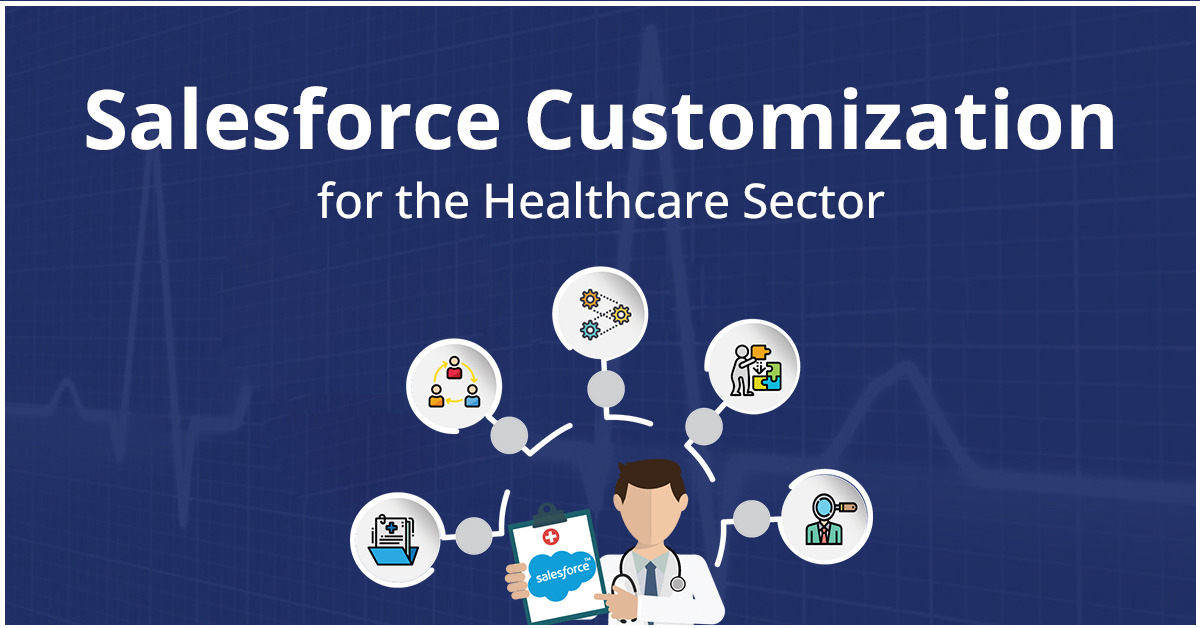
Salesforce Customization: A Transformational Innovation for the Healthcare Sector

The healthcare sector always has a lot of expectations, and to cater to that, it is necessary to have the relevant technology to back the operations. The power of CRM is what every healthcare institution needs that will help the team to deliver personalized care. What’s needed here is Salesforce customization that would make the solution uniquely ready for each institution. 

Salesforce has been playing a big role in digitally transforming the healthcare sector. Whether it is clinics, hospitals, or healthcare institutions, Salesforce can be revolutionary to enhance personalization in patient care and streamline operations. 

Salesforce Health Cloud was released in 2016, and since then, the healthcare industry has realized how powerful the CRM can be when it is about collaborating better with HCPs and patients and improving care. 

Implementing Salesforce has shown results that it helps care teams to collaborate effectively with each other, improve patient-provider relationships, and help the team achieve better health and care outcomes. 

So, in this blog, we’ll emphasize how a customized Salesforce solution for healthcare can be a game-changer for the teams. 

How Exactly Salesforce Customization Services Can Help Healthcare Institutions

Healthcare organizations implementing a customized Salesforce solution can help them work on unique use cases and achieve more efficiency and better care delivery. 

Let’s look at time more closely to understand the value of customizing a Salesforce solution for the healthcare sector. 

1. Boost patient engagement

A customized Salesforce solution enables healthcare providers to connect more efficiently with patients, that too in a personalized way. 

Whether it is doctors, call center staff, clinicians, or other stakeholders, Salesforce will enable them all to send personalized messages to patients. This will help to keep patients updated about upcoming appointments, along with providing necessary educational resources or support. This proves effective in enhancing patient loyalty and satisfaction, thus making them rely more on the organization. 

2. Improve patient outcomes

With the power of CRM, healthcare providers can easily share and access data in real-time, which helps them to make data-driven and informed decisions regarding patients. 

Along with this, the team can leverage the generative artificial intelligence of Salesforce, dubbed Einstein GPT, providing the ease to automate routine operations and simplify tasks for the team. For example, HCPs can use the feature to design reports automatically by providing prompts in natural language. 

3. Enhance efficiency

Implementing new and advanced technologies in the healthcare sector could be very expensive for any healthcare institution. So, they always prefer approaches that are cost-effective. Implementing a customized Salesforce solution is a way to streamline their operations, enabling them to save time and cut down costs. 

Salesforce enables multiple HCPs to simplify their work by automating their administrative tasks. These could be care coordination, scheduling appointments, and patient data capture. Having operations streamlined would enable HCPs to give more focus to patient care and minimize tension regarding administrative tasks. 

4. Improve internal and partner collaboration

The key to better productivity and work efficiency is always effective collaboration. With a Salesforce customization service, healthcare providers can access collaboration tools that could enable them to work efficiently with the team, maintaining clarity over the information. 

Salesforce enables them to share clinical and non-clinical information of patients with other staff members so they can cross-communicate and prepare a relevant care plan that would be effective for a patient. This is one of the ways to build personalized plans for patients while reducing errors and improving patient experience. 

5. Enable personalized services

Just like any company would have a different audience, similarly, any healthcare organization would have multiple patients with entirely different histories, medical issues, and expectations. This means that each patient should have a unique care plan that will be provided by HCPs. 

That’s where the need is to evaluate all the patient information and prepare a data-backed care plan. With Salesforce customization services, teams can easily maintain and track patient records to create a unique patient care plan that would work the best. This will even help with improving patient experience and satisfaction and would avoid any confusion between HCPs and patients.  

Getting Started with Customizing Salesforce for Healthcare

The benefits that HCPs can derive from a customized Salesforce solution are quite prominent. But now, we’ll guide you on how exactly you can get started on having such a solution for your institution. 

1. Assess the needs: Make sure you evaluate the needs of the organization. You should know what exactly you’re missing out on and what your expectations are from a customized solution. 

2. Evaluate your third-party apps: You should evaluate the apps that are in use and plan on integrating those apps with your Salesforce so you can access data from those apps within Salesforce only. 

3. Select your Salesforce partner: Having a customized Salesforce solution could be a tricky business. That’s where you need a reliable Salesforce customization service to help you. Consider hiring an experienced and recognized partner to get the job done efficiently.

4. Safely migrate data: While implementing the solution, the need is to safely migrate all the data to Salesforce, ensuring that there are no duplicate records or redundancies.

5. Train your users: Only implementing the custom solution is not enough. You need to make sure the end users (HCPs and staff) are trained to use it efficiently and make the most of the solution.

Boost Healthcare Operations With A Custom Salesforce Solution

The healthcare sector deals with a lot of complexity, tackling data related to multiple patients having different details and expectations. It’s the Salesforce CRM that could help HCPs maintain their data efficiently and store it securely. Salesforce would act as a centralized platform through which all the staff members could be aligned with a single source of truth, tracking patient records, history, and journey, all in real-time.

Now, to achieve these expectations, the need is to have a team of Salesforce experts to handle the complete Salesforce custom development and implementation. Contact us and get in touch with experts with experience in developing custom Salesforce solutions for industries in the healthcare industry. 

A Foolproof Roadmap to Successful Salesforce Implementation for Insurance Firms

We might not think about it, but the insurance industry is one of the largest industry domains, with a market value that is even higher than the GDP of some countries. However, being a complex sector, insurance companies are known to face several challenges in their daily set of operations. Salesforce implementation is one way to overcome those challenges and enable streamlined operations within the firm. 

But even implementing the Salesforce solution is not an easy game. Your experts need to have the right skills and experience to evaluate your business structure and implement a custom solution that suits the business requirements and challenges. 

The need is to have a thorough and foolproof roadmap created by the best Salesforce experts that will help with successfully implementing Salesforce within the business. But before that, let’s look at the value of Salesforce in the insurance industry a little more closely. 

How Insurance Companies Derive Value from Salesforce 

Salesforce has proved to be a complete digital solution for companies, enabling them to manage their business more efficiently while staying competitive. Here’s how insurance firms are exactly benefiting from Salesforce.

1. Empower policyholders

One of the main agendas of Salesforce is to efficiently store all customer data over a single centralized platform, enabling teams to easily locate and understand the data. This helps insurance agents to get a better understanding of the customer’s needs and expectations. 

Also, Salesforce helps to record every step of the customer journey, enabling agents to view their sales history, payment records, due payments, renewal dates, and other details. This will help them process every claim correctly, providing accurate and relatable quotes.

2. Adapt to the digital world

Salesforce enables insurance firms to digitize their customer information and streamline their experience. With the world becoming more and more dependent on technology, it is crucial for insurance firms to adopt digitization. Salesforce enables them to achieve the same, helping the teams to achieve efficiency across departments and minimize call time.

3. Connect all business aspects

Salesforce helps insurance companies to optimize their processes. This means connecting different business sections and providing convenient data access to each of them. The centralized database enables the teams to access a 360-degree view of customer data, saving them time to evaluate and process data.

Process for Implementing Salesforce Successfully

The entire process of implementing Salesforce can be a tricky business. That’s where you require Salesforce implementation services to help prepare a roadmap that will be followed throughout the process. 

So, here are steps insurance companies should follow to implement Salesforce successfully and securely with the help of the best Salesforce partners. 

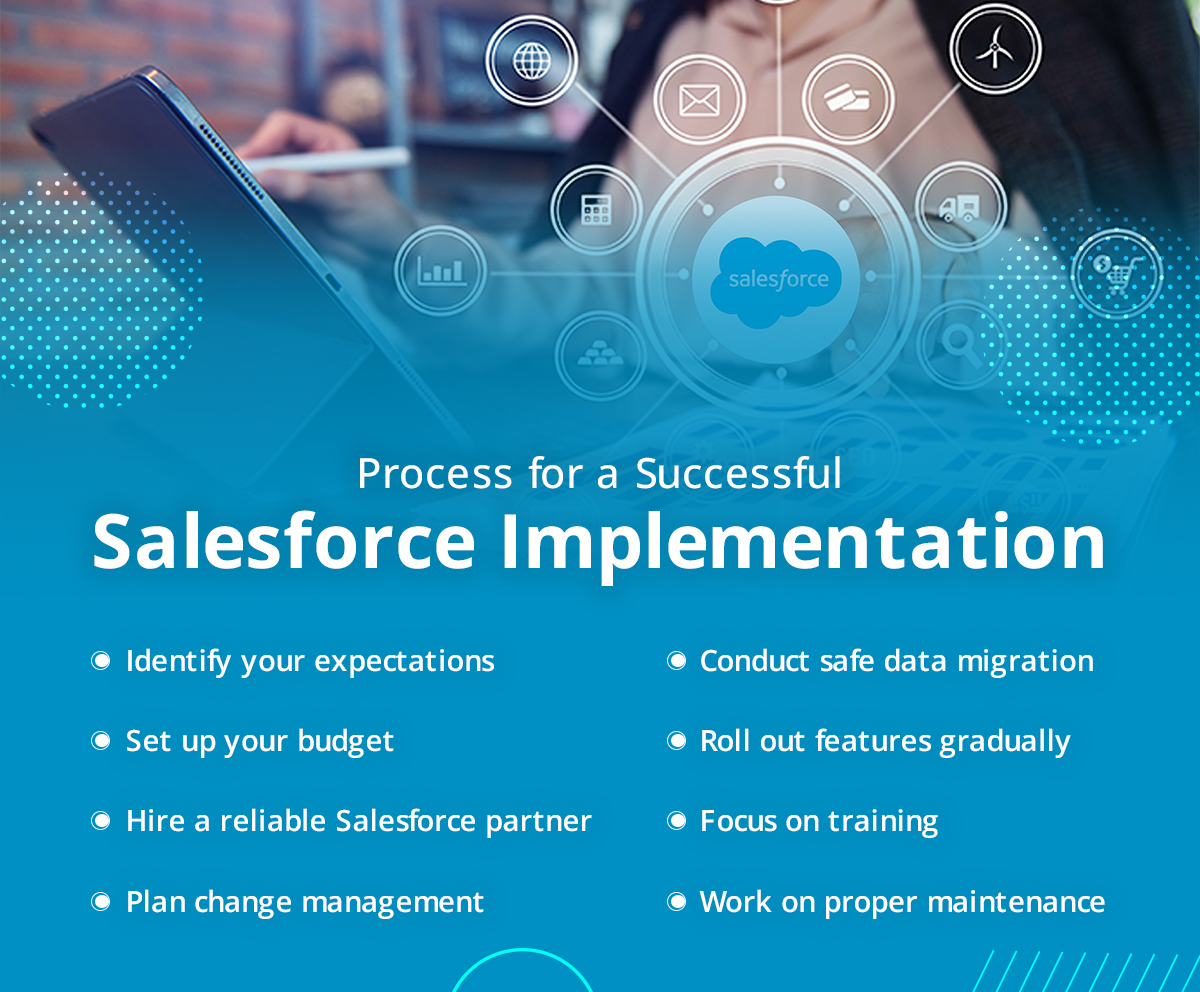
1. Identify your expectations

All the departments of the insurance company should prepare a list of their operations, recurring tasks that they want to automate, workflows, and sales processes. This will enable them and the implementation experts to get an idea about the expectations of the platform. 

2. Set up your budget

The cost of implementing Salesforce can be different for different businesses. It varies on multiple aspects like licenses, implementation services, integrations, data migration, and training. It is essential to plan on the budget beforehand after you get an idea about what you expect from the implementation.

3. Hire a reliable Salesforce partner

Experts from the best Salesforce implementation company aren’t just some experts. They’ll be your partners for growth. You have to give enough emphasis on finding yourself the right Salesforce partners who’d help you with smoothly implementing the solution and would also safely migrate the data while providing regular maintenance.

Look for a partner who has proper experience in implementing and developing Salesforce solutions in companies of the same industry sector. 

4. Plan change management

It can certainly be difficult to get your team to adapt quickly to the new Salesforce solution. That’s where it is necessary to have an organizational change management strategy in place that will help to get the potential Salesforce users to adapt to the change more conveniently.

This would include actively seeking out the opinions of users through feedback and surveys, which will be included in the change management process. Keep the feedback anonymous and use that feedback to strategize your implementation rollout. You should also prepare your communication plan around it. 

5. Conduct safe data migration

To make sure your CRM solution is efficiently running, you have to ensure that any data your company stores is available in your Salesforce solution. Conducting data migration to Salesforce is quite a complex process that one can imagine. This becomes even more difficult when you lack the team with the right skills and experience. So, make sure you invest in an implementation partner who can safely handle and migrate your data. 

6. Roll-out features gradually

It’s the endless possibilities offered by Salesforce that make it such an efficient option for an insurance company when choosing a Salesforce solution. Salesforce releases 3 major updates every year and many other small updates, too. So, it is necessary that the Salesforce solution implemented can be updated to add new features. 

Gradually rolling out features would help to ease the transition process of using a new system and upgrading it with new features. As you gradually add on the features, it will enable potential users to make the most of the solution, improving insurance operations and productivity.  

7. Focus on training

Whatever you do while implementing a Salesforce solution in your insurance firm, don’t underestimate the power of training. Salesforce has a steep learning curve, and if the employees are not trained properly on it, chances are they will miss out on making the most of the Salesforce solution. 

This is where you can even consider hiring an efficient Salesforce partner for Salesforce implementation for financial services that will not only implement the solution but will also provide proper training material to achieve user adoption. 

8. Work on proper maintenance 

Implementing Salesforce is not a one-time job. It requires proper regular maintenance to ensure that the necessary changes and updates are made on time. The right time can help with ongoing maintenance after the implementation and would also conduct regular reviews of workflows and processes. 

Consider Salesforce for Financial Services with the Best Team

Be in any financial services firm, like for wealth management, insurance, or lending, considering CRM implementation with experts is the way to make the most of CRM capabilities that would enhance capabilities. 

If we look for such services, contact us and talk to our experienced consultants, who have served many firms in the financial services sector and have delivered results. 

10 Best CRM Features You Can Access with Salesforce Development Services

Salesforce has a permanent mark in the CRM world; there’s no denying the fact. You’d probably even hear companies talking about recommending to implement Salesforce for business boost. But hardly anyone talks about what exactly you’re going to do with it. That’s where Salesforce development services can guide you well about the features that you access. 

With Salesforce implementation or using a customized Salesforce solution, the idea is always to boost user productivity and streamline operations. And that’s all possible with the amazing capabilities and features that Salesforce offers companies. 

So, in this blog, we’ll be talking about some amazing features that you can access with Salesforce app development with an experienced firm. 

10 Best CRM Features You Can Access with Salesforce App Development Company

As you keep working with Salesforce, you’ll keep getting the idea about the power and functionalities of Salesforce. But for someone who’s just starting with the platform, it is essential to have an idea about the best Salesforce features that shouldn’t be skipped out. 

So, here we have mentioned a few of the most efficient and highly used Salesforce features that you should work with.

1. Salesforce Reports and Dashboards

Salesforce’s out-of-the-box analytics is quite amazing, and if you want to work with it, there’s no way you can miss out on Salesforce reports and dashboards. Well, that’s what anyone would expect from the #1 CRM platform. 

Salesforce reporting helps you work with reports that are intuitive, powerful, and customizable that will work for companies of different sizes. We can call Salesforce reports a list of filtered records. Report Builder usually has two parts: Outline (for deciding the fields you need to include) and Filters (where you select the records you want to display). You can hire this feature with a trusted Salesforce development agency. 

2. List Views

In simple words, we can call a list view a view of a list of records. You can find list views on the home tab of each object. 

One of the major advantages of list views is to be able to view and edit multiple records at once. This feature can be considered the closest thing to spreadsheets, making it the reason that Salesforce users prefer working with list views so much.

3. Sandboxes

Developing Salesforce apps with a Salesforce development agency can be very complex at times, and that’s why you need the safety of a controlled environment for it. That’s the importance of a sandbox, which allows developers to build applications and test their configuration. 

Sandboxes are not just for Salesforce admins. You can easily grant access to users to allow them to check what has been created. This enables them to check whether the solution created matches their expectations. This will enable the team to conduct user acceptance testing, helping them to identify any changes before the deployment.

4. Dynamic Forms

Dynamic form is another feature you can access with Salesforce development. These are intuitive page layouts that are user-centric, helping to display the right information at the right time. If you’re using the page layout section or Details section in Lightning pages, it can become congested over time. 

These can be considered necessary but not to all users at all times.

– Manage visibility of fields and components using visibility rules

– Improve page load times

– Use multiple page layouts

– Add fields anywhere in the layout

5. Salesforce Flow

Using Salesforce Flow, you can build complex solutions with the help of clicks without having to code. For a Salesforce Admin, Flow Builder is one of the most essential tools, giving them powers similar to that of developers. 

You can use Flows in various situations. For example, you can use Flows when you want to add complex logic in opportunity conversion or if you need to perform a mass update across multiple records.

6. Einstein Opportunity Scoring 

The features give your opportunities a number. The number will be between 1-99, indicating the chance that the opportunity will be Closed Won.

Einstein will also guide your sales teams and would help them to ensure a sure-win or even enable them to escalate at-risk pipeline.  

7. Lightning App Builder

It is a point-and-click tool that can be helpful for creating Salesforce Lightning pages or for the mobile app. This helps you to easily rearrange pages to highlight key information required by the user. 

The popularity of Lightning Builder among Salesforce development services is because of the Lightning Components, which are the configurable, reusable, and compact elements that can be added to a Lightning page and can be dragged to the page canvas. 

8. Validation Rules

A validation rule helps to verify that data entered by a user meets specific criteria, even before the user can save the record. 

This rule asks a question that has its answer in a yes/no form. The answer must be yes. But, if the answer is a no, it will give the user an error message. It will also have the information where the admin mentions what the user needs to do to correct the record.

9. Data Loader

Salesforce Data Loader is an important part of your instance, allowing you to update, export, insert, and delete records. Data Loader is mostly used to insert data from a system and migrate it to Salesforce. 

Along with this, you’ll get a Data Import Wizard included with every org. You can access it via Salesforce setup. You just need to know exactly when you need a data loader or data import wizard. 

10. Setup Audit Trail

This feature enables you to check any changes in metadata that users perform in the org. These changes could be anything like automation, changes to page layout, or working with field-level security. Accessing the features with the right Salesforce development services can help you make the most of it. 

Choose your Salesforce App Development Company Wisely

All the above points are the most widely used Salesforce features that can actually help users with enhanced productivity and better sales processes. But to access them all, you need to make sure you have a reliable Salesforce app development company to get you the custom solution through which you can access all these features. 

It’s time you get the Salesforce partners you deserve. Contact us and get in touch with Salesforce experts who’ll listen and cater to your expectations. 

logo Live Chat