

Table of Contents

Running a small business without a CRM is a lot like managing a kitchen without labels. You know where most things are, until you don’t. A customer follow-up falls through. A promising lead goes quiet. Your sales rep has context in their head that isn’t anywhere in writing. Then someone leaves the team, and half the pipeline history walks out with them.
Not because the team isn’t capable. Because the tools aren’t holding things together.
Spreadsheets hit a wall fast. Email threads aren’t a system. Manually tracking every conversation, every deal, every renewal? That’s hours you’re not getting back. And in 2026, the best CRM for small business doesn’t just store contacts, it runs automation, surfaces what needs attention, and actually helps your team close deals instead of just logging them.
So which platform is worth your time? Here’s a breakdown.
Table of Contents
What is CRM Software?
At its core, a CRM, Customer Relationship Management, is where your business tracks every touchpoint with a customer or prospect. Leads coming in from your website. Calls made by your sales team. Emails sent, opened, replied to. Deals moving from one stage to the next.
The right small business CRM software holds all of this in a structured way. Not buried in someone’s inbox. Not scattered across a shared doc no one’s touched since March. One place, visible to everyone who needs it.
However, a contemporary CRM is one that is integrated with your business operations, and allows you to automate actions such as follow-up, lead allocation, and generating warnings for inactive deals. Automation technology is not limited to teams of 500 people working in an enterprise environment; even a team of five people trying to achieve twice their efficiency can benefit from it.
Key Challenges Small Businesses Face
This is what really happens when you lack a CRM system.
The customer information is stored in four separate places – an Excel file containing all the potential customers, a communal mailbox for support inquiries, the private notes of a team member handling large clients, and a Slack channel that operates too quickly. The whole picture never comes together, which means that two sales representatives work separately on one deal, or your client receives a spam message half a year after renewal.
Manual follow-ups get missed. Not because people are careless, but because there’s no system flagging that a prospect went quiet three weeks ago. Deals that could have closed just… don’t.
Sales visibility is almost zero. Is your pipeline healthy? Which deals are stuck? Where do leads drop off? Without a CRM, answering these questions means digging through email threads and hoping someone kept records. Most teams don’t.
And the administrative drag, logging notes, updating statuses, sending check-in emails one by one, eats into hours that should go toward actual selling. That’s the thing. The cost isn’t just the missed deals. It’s the time tax on every rep, every day.
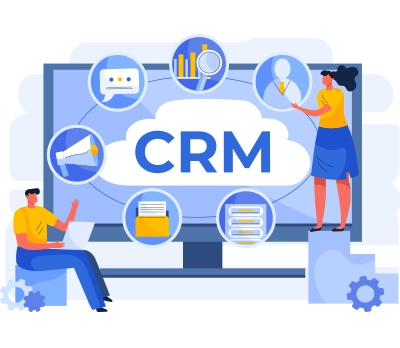
This is what a properly built CRM looks like in practice.
Benefits of CRM Software
Pick up a CRM that fits, and the change shows up fast.
Customer data gets centralized. One record per contact, updated in real time, visible to the whole team. No more “did you talk to this person?” conversations that eat ten minutes before a call.
Sales automation handles the repetitive work. Follow-up sequences run on their own. Leads get assigned based on the rules you set. Deal stages update when the right actions happen. Worth saying: that kind of automation isn’t about replacing your team, it’s about removing the tasks that slow them down.
Customer communication gets more consistent. Every rep sees the same history. Nobody’s sending a first-touch email to a client who’s been with you for two years.
And the reporting, actually seeing where revenue comes from, which channels hold up, where the pipeline leaks, that alone changes how decisions get made at the top.
Essential CRM Features
Not every CRM is built the same. Before committing to any platform, check whether it actually covers what a small team needs day to day.
Contact management is the baseline – a clean, searchable database of every customer and prospect, with interaction history attached. Sales pipeline tracking shows where every deal stands and flags what needs attention before it’s too late. Workflow automation is the difference between a CRM that saves time and one that just stores data. Genuinely. Those are two very different tools.
Integrations with existing systems – email, calendar, accounting, marketing, matter more than most buyers check upfront. And mobile access, especially for field teams, is non-negotiable in 2026.
Top 10 CRM Software for Small Businesses
1. Salesforce
Salesforce is the standard, and the reason it’s at the top of most CRM software comparisons isn’t marketing spend. A small team can start with core sales features and grow into service, marketing, and custom development without switching platforms. Flow Builder handles complex automation logic without a developer. The AppExchange gives access to hundreds of pre-built integrations across every tool category.
To be fair, there’s a setup curve. Out of the box, Salesforce needs configuration to fit your workflows. That’s not a flaw, it’s the nature of a platform built to flex, but getting full value usually requires either internal Salesforce expertise or a trusted implementation partner. The ceiling is genuinely high. Getting there takes work.
2. HubSpot
HubSpot CRM is what many small businesses begin with because of its strengths and abilities. Unlike other CRMs, HubSpot CRM includes features like contacts, deals, emails integration, and more – all in its free version.
The UI of this platform is user-friendly and quick to navigate. If a small startup does not have any experience using a CRM, then HubSpot will save them from dealing with extra difficulties when setting up their platform. With other features unlocked through paid versions, it is a reliable choice for CRM. But when it comes to migration, it is time for it.
3. Zoho CRM
Affordable CRM software that doesn’t sacrifice features, that’s the Zoho pitch, and it holds up. For small and mid-size businesses watching budget closely, Zoho covers contact management, deal pipelines, automation, and reporting at a price point that doesn’t need a board conversation.
The automation tools are more capable than most people expect from a lower-cost platform. Workflow rules, scoring models, and basic AI predictions show up in mid-tier plans. The interface takes some adjustment. But the depth is there, and the value ratio is hard to argue with.
4. 360 Degree Cloud CRM Solutions
How does a small business get enterprise-grade Salesforce results without an enterprise-grade internal team? That’s the problem 360 Degree Cloud exists to solve.
Rather than offering a standalone CRM platform, they specialize in building, customizing, and running Salesforce for businesses that want the full ecosystem without the overhead of managing it internally. As a Salesforce Summit (Platinum) Partner with 14+ years in the ecosystem and 3,000+ projects delivered, their team handles the setup complexity that trips up growing businesses. Whether you’re implementing Salesforce from scratch, rescuing a rollout that stalled, or building out custom automations and integrations, 360 Degree Cloud covers the full CRM lifecycle. For a small business moving toward more sophisticated Salesforce workflows, that kind of hands-on implementation and managed services support changes what’s actually possible.
5. Pipedrive
Pipedrive is built around one thing: the sales pipeline. The visual deal board is probably the clearest representation of pipeline status you’ll find in any CRM, drag a deal across columns, see exactly where everything stands, know instantly what needs attention.
Straightforward. Not the deepest automation or reporting in the market. But if the primary need is getting a sales team organized around deals and follow-ups without a long setup process, Pipedrive delivers that fast.
6. Freshsales
The AI CRM is where Freshsales shines for small business. Lead scoring, conversation intelligence, and deal predictions enable a small sales team to prioritize tasks without having to sort out what is important manually. There are also no third-party communication apps to worry about as it all ties into the CRM records through call, email, and chat features.
It works well in SMB environments where the sales team requires smarter task prioritization but not necessarily an enterprise solution. It’s important to note that the AI capabilities do require accurate data to work best.
7. Insightly
Insightly runs CRM and project management from the same platform. For businesses where a closed deal immediately becomes a delivery project – agencies, consultancies, service firms, that connection is valuable. Client records link directly to project timelines and task lists, so nothing gets lost in the handoff between sales and delivery.
Not the right fit for every business. But for the ones it suits, it closes a real operational gap that usually requires two separate tools.
8. Monday CRM
Monday CRM brings the visual, board-style interface that Monday.com is known for, applied to sales and customer management. Deal stages, activity tracking, and team collaboration sit on the same visual layer. Teams that already live in Monday.com for project work will find the sales side easy to pick up.
It’s more flexible in setup than traditional CRMs. That’s either a strength or a headache, depending on how disciplined the team is about keeping processes consistent. Worth saying: flexibility without structure tends to produce inconsistency over time.
9. Zendesk Sell
Zendesk Sell connects sales activity to customer support history, so if your business cares about the full customer lifecycle, not just the close, this integration actually matters. A sales rep can pull up every support ticket a prospect has submitted before making contact. That context changes how the conversation goes.
For businesses where support and sales overlap regularly, Zendesk Sell reduces the silo. That number matters, companies with aligned sales and support teams close more and churn less.
10. SleekFlow
SleekFlow is not a traditional CRM, but for small businesses where customer conversations are the actual sales pipeline, it fills a gap many CRMs leave open. It brings WhatsApp, Instagram, Messenger, website chat, email, SMS, and calls into one shared inbox, while connecting customer profiles and conversation history to tools like Salesforce, HubSpot, Zoho CRM, and Shopify.
The fit is strongest for B2C teams that sell, support, and re-engage customers through messaging. AgentFlow AI agents can qualify leads, recommend products, handle FAQs, schedule appointments, and hand over context to humans when needed. If the CRM already stores the records but the team still loses conversations across channels, SleekFlow can become the conversation layer that makes those records useful in day-to-day work.
How to Choose the Right CRM
Start with your actual workflow, not the feature comparison sheet.
What does your team spend the most time on right now? If it’s data entry, you need automation. If it’s losing track of deals, you need pipeline visibility. If it’s reporting gaps, you need analytics depth. That’s the thing, most buyers start with price, then features, then fit. That’s the wrong order.
Budget matters, but don’t optimize only for price. A cheap CRM your team doesn’t use costs more than a mid-tier one they rely on every day. Ease of adoption directly affects ROI, and that’s easy to underestimate in a buying decision.
Check integration compatibility early. If you’re running on a specific email platform, accounting tool, or marketing system, confirm the CRM connects before you commit. Scalability matters too, a platform that works at 10 employees should still hold up at 100.
Common CRM Mistakes
Choosing based only on price is the one that comes up most. A tool that fits the budget but doesn’t fit the workflow gets abandoned within six months. Then the search starts over.
User adoption is a bigger problem than most consumers imagine. It takes training and actual commitment to get a group to track their activities and use the software effectively. Without the top management adopting it, it’s unlikely that the employees will adopt it. Teams rarely modify their behavior when new software is introduced.
Overcomplicated workflows kill CRMs quietly. Automations too complex to maintain, custom objects nobody understands, processes requiring three approvals to move a deal, these are how CRM implementations die slowly. Start simple. Genuinely. Build complexity only when the team has actually outgrown simpler processes.
If your Salesforce isn’t delivering ROI, the problem is usually the setup.

Why Businesses Choose Salesforce
Salesforce sits at the top of many CRM software comparisons because the automation depth is real, making it a strong choice for businesses evaluating CRM solutions on software marketplace. Flows, Process Builder, Apex triggers; these cover scenarios that most platforms can’t handle without workarounds. Sales teams at 5 people or 5,000 people can run inside the same platform without a migration.
The integration ecosystem is unmatched. Practically every tool a modern business uses has a Salesforce connector – ERP, marketing automation, customer service, billing, analytics. Less data fragmentation. More of the business running from one source of truth.
And scalability isn’t just a feature. It’s the architecture. A Salesforce implementation built for a 20-person team can evolve into an enterprise org without ripping out and rebuilding from scratch. To be fair, that evolution requires ongoing expertise, but that’s what partners like 360 Degree Cloud exist for.
Conclusion
A CRM is one of those decisions that looks small early and turns out to be foundational. The right platform doesn’t just organize contacts; it changes how the whole revenue operation runs. Deals don’t slip. Follow-ups happen when they should. Reporting actually reflects what’s happening in the pipeline.
The tools in this list are genuinely different from each other. Some are built for simplicity and fast setup. Others, like Salesforce, the best CRM for small businesses, have the depth to grow with you for a decade. Where you land depends on what your team needs right now and how you expect the business to change.
If you’re evaluating Salesforce or have an existing org that isn’t delivering what it should, 360 Degree Cloud has spent 14+ years helping businesses get it right, from first implementation to ongoing managed services. 3,000+ projects. 1,200+ Salesforce certifications. The kind of depth that’s hard to fake.
Get your Salesforce right the first time.

Categories

Solve It with Salesforce. We’ll Show You How.
AI. Apps. Experts. Everything you need to win with Salesforce under one roof.Frequently Asked Questions
What is the best CRM software for small businesses?
The best CRM for small business depends on what your team actually needs, not which platform wins the most software comparison articles. Salesforce leads on automation depth, integration ecosystem, and long-term scalability. HubSpot wins on speed of setup and ease of adoption. Zoho sits at the intersection of affordability and feature depth for budget-conscious SMBs. Pipedrive is the clearest option for sales-focused teams that want pipeline visibility without complexity. There's no universal winner. The right small business CRM software is the one your team uses consistently, not the one with the longest feature list.
Can small businesses use Salesforce CRM?
Yes, and more small businesses run on Salesforce than the enterprise reputation suggests. A small team can start with core Sales Cloud features, get real value quickly, and grow into more advanced automation and integrations without ever switching platforms. The honest caveat: Salesforce needs configuration to deliver value. It isn't a plug-and-play tool out of the box. Teams that get full results from it either have internal Salesforce expertise or work with an implementation partner who handles the setup complexity. For small businesses that want cloud CRM software built to scale with them for a decade, Salesforce is worth the setup investment.
What features should a small business CRM include?
The non-negotiables for any small business CRM software: contact and account management with full interaction history, visual pipeline tracking, workflow automation for follow-ups and lead assignment, email and calendar integration, and reporting that shows where the pipeline actually stands. Mobile access matters too - especially for teams that work outside the office. Beyond the baseline, look for AI CRM for small business capabilities like lead scoring, deal predictions, and activity prioritization, features that used to sit behind enterprise price tags and are now available in mid-tier plans from platforms like Freshsales and Zoho. Also check integration compatibility with the tools you already run before you commit.
How much does CRM software cost?
The range is wide across the small business CRM software market. HubSpot's core CRM is free. Zoho's paid plans start around $14 to $20 per user per month, genuinely affordable CRM software for teams watching budget closely. Pipedrive runs $15 to $50 per user per month. Salesforce Sales Cloud starts at $25 per user per month for the Starter Suite, with more capable tiers running $80 to $165 per user per month. Those are license costs only. For cloud CRM software like Salesforce, implementation, customization, and ongoing administration sit on top of the license fee, budgeting for the full picture gives a more accurate view of total investment.
Is free CRM software enough for startups?
For early-stage teams, yes, with conditions. HubSpot's free tier handles contact management, deal tracking, and basic email integration well enough to get a startup organized without spending anything. CRM tools for startups at this stage don't need to be complex; they need to be used. The ceiling shows up when automation, deeper reporting, and integrations become necessary, all of which live behind paid tiers. Free small business CRM software is a legitimate starting point. Just pick a platform where the upgrade path is clean rather than one that forces a full migration to a different system when the team outgrows it.
Is AI CRM worth it for small businesses?
It depends on the data behind it. AI CRM for small business features - lead scoring, deal predictions, conversation intelligence, next-step recommendations - work best when there's enough clean data to learn from. Platforms like Freshsales and Zoho have pushed AI capabilities into mid-tier plans that small teams can actually afford. The honest answer: if your team is still doing basic data entry inconsistently, AI features won't fix that. Get the fundamentals right first, clean contact records, consistent pipeline updates, reliable activity logging. Once that's in place, AI CRM tools deliver real prioritization value without requiring manual triage on every deal.
How long does CRM implementation take?
It varies by platform and scope. A HubSpot or Pipedrive setup for a small team can be running in under a week. A Salesforce cloud CRM software implementation with custom objects, automated workflows, integrations, and data migration typically runs six to twelve weeks for a standard small business deployment, longer for more complex requirements or messy incoming data. The variable most teams underestimate isn't the technical setup, it's user adoption. The platform being configured correctly and the team actually using it every day are two different milestones, and the second one consistently takes longer than buyers plan for.

About the author
Editorial TeamThe Editorial Team at 360 Degree Cloud brings together seasoned marketers, Salesforce specialists, and technology writers who are passionate about simplifying complex ideas into meaningful insights. With deep expertise in Salesforce solutions, B2B SaaS, and digital transformation, the team curates thought leadership content, industry trends, and practical guides that help businesses navigate growth with clarity and confidence. Every piece we publish reflects our commitment to delivering value, fostering innovation, and connecting readers with the evolving Salesforce ecosystem.
Recent Blogs
 Salesforce Services
Salesforce Health Check: What It Is, What It Covers, and What You Should Do with the Results
Picture this. A VP of Sales asks why the pipeline number in Salesforce is $2.3 million, but the finance report shows $1.8 million. Nobody has…
Read More Salesforce Clouds
Salesforce Just Added Something New. Here’s How to Put It to Work.
Winter ’27 is live. Dreamforce just added more. Is your team using any of It? Two big drops landed in one month, and most teams…
Read More Salesforce Services
Salesforce Technical Debt 10 Signs Your CRM Needs a Strategic Overhaul (and What to Do About It)
Three years ago, the Salesforce org your team implemented was clean. Logical field names. Documented Flows. A handful of integrations that actually made sense. Today?…
Read MoreReady to Make the Most Out of Your Salesforce Instance?
Our Salesforce aces would be happy to help you. Just drop us a line at contact@360degreecloud.com, and we’ll take it from there!
Subscribe to our newsletter
Stay ahead with expert insights, industry trends, and exclusive resources—delivered straight to your inbox.
