



Build Reusable Word Document Templates in Salesforce That Scale
Create documents in Salesforce with reusable Word-based templates, live merge fields, and cleaner template control with less manual effort.
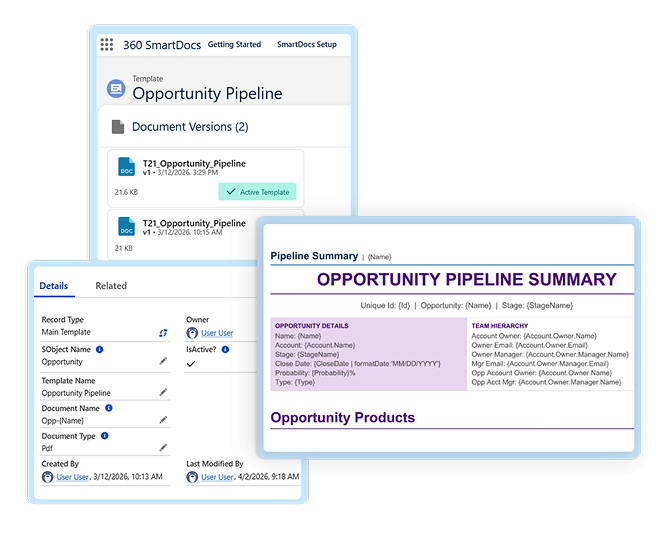
Designed for Faster, More Flexible Word Template Building
Build Salesforce document templates that are easier to manage, update, and roll out across teams.
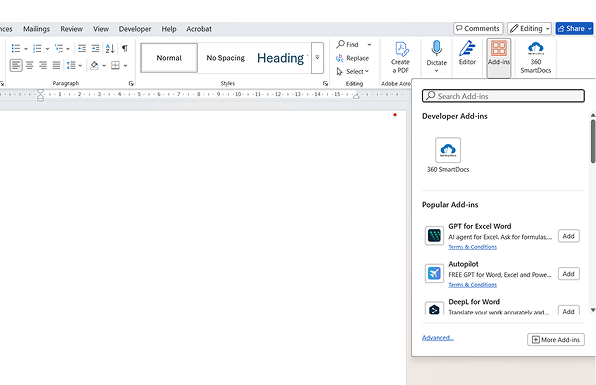
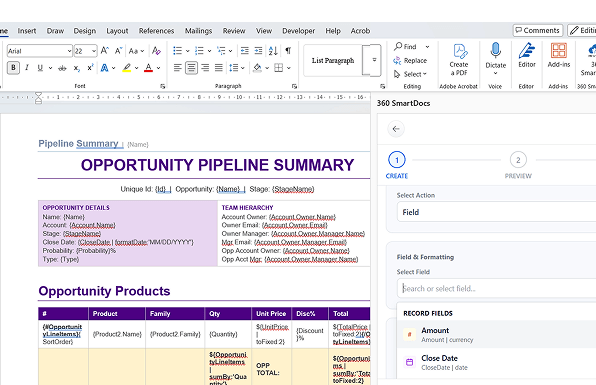
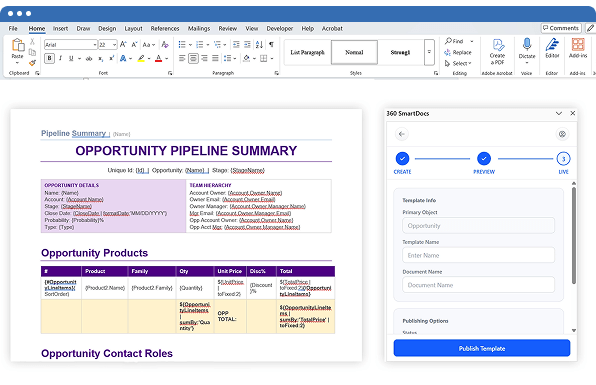
Use the Microsoft Word Add-In to design every Salesforce Word document template in a familiar editing environment.
Browse Salesforce objects and fields from the sidebar, then insert merge tokens directly into the template to support faster Salesforce document merge workflows.
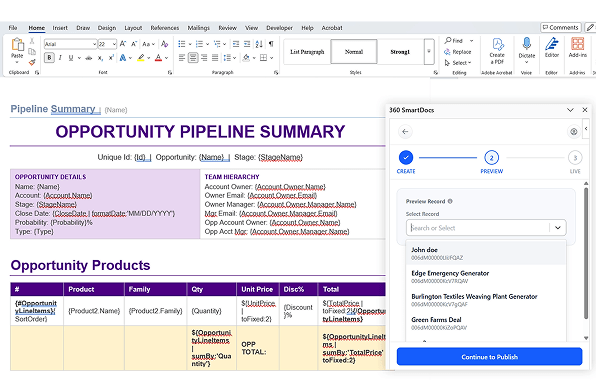
Preview templates with real Salesforce data before going live, so teams can catch issues early and improve output accuracy.
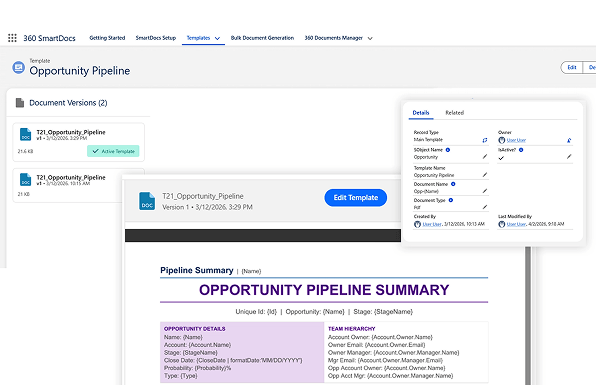
Publish templates back into Salesforce as new versions instead of rebuilding files every time a change is needed.
Activate the right version, keep older versions available, and roll back when needed to maintain cleaner template control.
Built for Better Template Control and Faster Rollout
Go for a more structured template-building workflow against more manual or fragmented approaches.
| Feature | ✓ 360 SmartDocs | Other Tools |
|---|---|---|
| Word-based Salesforce document templates | ✓ | ✓ |
| Built-in Salesforce document merge fields | ✓ | ✗ |
| Salesforce Word document template editing | ✓ | Limited |
| Preview with live Salesforce data | ✓ | ✗ |
| Save templates back to Salesforce | ✓ | ✓ |
| Template version control | ✓ | Limited |
| Dynamic document template Salesforce workflows | ✓ | Limited |
| Conditional document generation Salesforce support | ✓ | ✗ |
Frequently asked questions
-
SmartDocs uses a Microsoft Word Add-In to help teams build reusable templates, insert merge fields, preview output, and publish templates back to Salesforce.
-
Yes. Templates are managed inside Salesforce and can be updated, previewed, activated, and versioned over time.
-
Yes. Users can browse objects and fields in the Add-In sidebar and insert merge tokens directly into the template.
-
Yes. SmartDocs lets users preview the template with actual Salesforce data before making it live.
-
Yes. SmartDocs is built around reusable templates with live merge fields, and your product brief also positions it for conditional logic and loop-based template use cases.
Got a Question? Ask Us!
Ready to Solidify Your Digital Transformation Efforts Using Salesforce? Talk to Us!

Subscribe to our newsletter
Stay ahead with expert insights, industry trends, and exclusive resources—delivered straight to your inbox.
