

Salesforce SMS for Healthcare: A Simple Guide to Patient Reminders and HIPAA Compliance
13 Aug 2026
Table of Contents
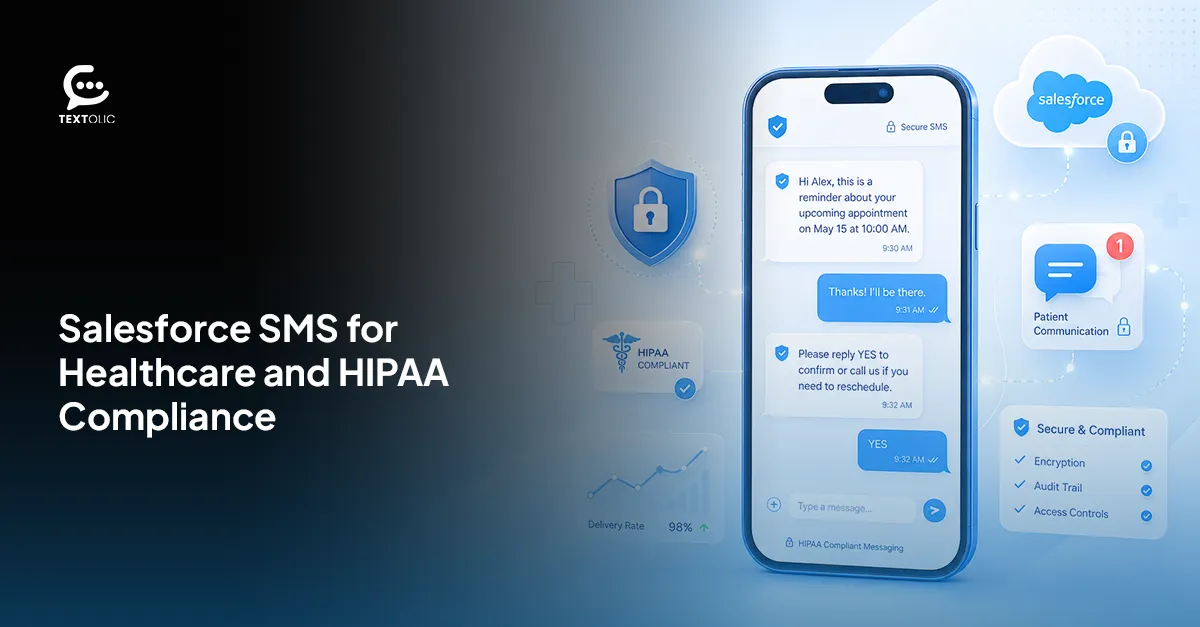
Billions. That’s the yearly cost of missed appointments to US healthcare providers. Not millions. Billions, every single year. Patient SMS reminders from Salesforce cut no-shows by up to 30% when practices actually roll them out right.
“Right” is the word that trips people up. You’re texting patients, which means you’re touching protected health information, and one sloppy move there isn’t awkward. It’s a compliance mess with real penalties attached. The question was never whether to text patients. It’s how to do it without leaking anyone’s health data along the way.
Table of Contents
Why SMS Works Better Than Email or Calls for Patient Reminders
98% open rate. 90 seconds, average read time. Meanwhile, your email reminder sits rotting in a promotions tab, and your phone call routes to voicemail and gets deleted without a second thought. But simply sending an SMS doesn’t guarantee engagement. Why Salesforce SMS messages get ignored often comes down to timing, message relevance, and how the text is written.
Patients already have the phone in their hand. Not a marketing insight. Just where attention lives now, whether we like it or not.
A few numbers worth sitting with: email opens hover around 20%, sometimes lower for healthcare senders specifically. Phone reminders only work if a human picks up, and fewer do so every year. Texts get read almost instantly, appointment or not.
360 Textolic runs these reminders inside Salesforce itself, tied to the patient record already sitting there. Nothing to export. Nothing to log into separately.
What HIPAA-Compliant Texting in Salesforce Actually Means
Not every text mentioning a patient breaks HIPAA. But plenty of details cross that line fast: diagnosis codes, treatment specifics, lab result content. Drop any of that into a plain SMS, and congratulations, you’ve created exposure.
HIPAA-compliant texting from Salesforce keeps the message functional (a reminder, a confirmation, a nudge) without spelling out protected health information in the text body. “Your appointment with Dr. Patel is confirmed for Tuesday at 2 pm” is fine. “Your test came back positive for X” is not, and never will be, in an unencrypted SMS.
Encryption matters. So does where the data physically sits. 360 Textolic runs natively inside Salesforce, so patient data never routes through some external gateway sitting outside your compliance perimeter. That’s a bigger deal than it sounds. A lot of tools calling themselves “Salesforce-compatible” are really just bolted-on integrations quietly pushing your data somewhere your BAA might not cover at all.
Compliant patient texting shouldn’t mean choosing between speed and safety. With 360 Textolic, you get both.
How to Set Up Automated Patient SMS Reminders
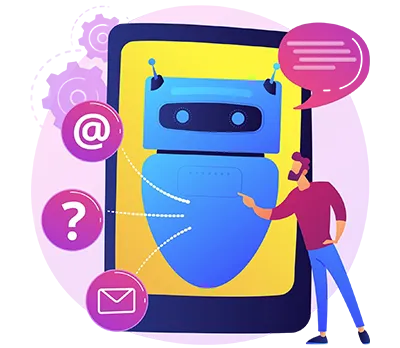
No code. None. Four steps, roughly:
- Configure the trigger. Pick the Salesforce event that fires a reminder, an appointment created, a status change, a date field hitting 24 hours out
- Set the message template, with merge fields pulling patient name, provider, date, and time off the record automatically
- Define the recipient field, and make sure consent gets checked before anything actually sends
- Test on a real device, check formatting, then flip it live
Most practices have this running in the afternoon. That’s not a sales number. It’s just how simple the setup actually is once someone sits down and does it.
Opt-In Requirements for Healthcare SMS
Having a phone number on file is not permission to use it. Consent comes first, full stop, and it needs to live somewhere you could actually produce it later if someone asks.
Written opt-in, a signed form, a checked box at intake, and confirmed digital consent tend to hold up better than verbal alone. Though honestly, both have a place depending on the workflow you’re running.
What actually matters:
Consent gets captured at the point of contact. Never assumed from an existing relationship, ever, even if the patient’s been with the practice for a decade. Records live inside Salesforce, attached to the patient record, not scattered across some spreadsheet one person happens to maintain. And opt-out requests get processed immediately and logged, because a patient who texted STOP and got a reminder anyway the next week is a real problem. Not a minor glitch to shrug off.
360 Textolic logs consent automatically and blocks sends to anyone who opted out before a message ever queues. Most teams skip this safeguard early on. They shouldn’t.
Texting without documented consent isn’t a technicality. It’s the fastest route from a helpful reminder system to liability.
Ready to automate consent tracking and stop worrying about who’s opted out?
Use Cases Beyond the Basic Appointment Reminder
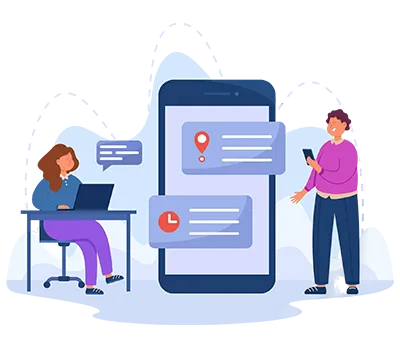
Appointment reminders get most of the attention. Makes sense; they’re the obvious win. But Salesforce SMS for healthcare stretches well past that once it’s actually running.
Prescription pickup alerts fire the moment a refill is ready. Follow-up check-ins go out after a procedure or visit, catching problems before they turn into ER visits. Test result notifications work too, the “your results are ready, please call” version, never the results themselves sitting in a text. Referral confirmations land when a patient gets routed to a specialist, closing a loop that used to fall through constantly.
Same automation logic under every one of these. Same templates, same consent checks. One system, five use cases, not five separate tools duct-taped together and hoping they stay in sync.
Wrapping Up
No-shows are expensive. Most of the fix is almost boring in how simple it actually is: get the reminder somewhere the patient will see it, without putting protected information at risk on the way there.
Do that through a platform built for compliance, not retrofitted for it after the fact, and both problems disappear at once. 360 Textolic keeps data inside Salesforce, tracks consent without anyone chasing it down manually, and runs reminders, pickup alerts, and check-ins through one connected system instead of several that barely talk to each other.
Fewer gaps. Fewer tools. Less risk sitting in the corners nobody’s checking.

Solve It with Salesforce. We’ll Show You How.
AI. Apps. Experts. Everything you need to win with Salesforce under one roof.Frequently Asked Questions
Is Salesforce SMS HIPAA compliant?
Depends entirely on the platform. Native tools like 360 Textolic keep data inside Salesforce with zero external transfer, which supports compliance as long as messages skip PHI in the body text. Third-party integrations routing data elsewhere might not offer the same protection, so it's worth actually checking where your data travels before assuming it's covered.
How do I send automated patient SMS reminders from Salesforce?
Trigger tied to an appointment event. Template built with merge fields for name and appointment details. Consent status confirmed on the recipient. Test, then activate. That's basically it. 360 Textolic handles all of this natively, no code needed, and checks opt-out status automatically before anything reaches a patient's phone.

About the author
Editorial TeamThe Editorial Team at 360 Degree Cloud brings together seasoned marketers, Salesforce specialists, and technology writers who are passionate about simplifying complex ideas into meaningful insights. With deep expertise in Salesforce solutions, B2B SaaS, and digital transformation, the team curates thought leadership content, industry trends, and practical guides that help businesses navigate growth with clarity and confidence. Every piece we publish reflects our commitment to delivering value, fostering innovation, and connecting readers with the evolving Salesforce ecosystem.
Recent Blogs
 Industry Solutions
How a Real Estate Company Improved Lead Conversions with Textolic
A growing real estate company in the US wanted to convert more property enquiries into sales opportunities but struggled to maintain consistent communication across its…
Read More Multichannel Messaging
What Is Textolic? One Product Instead of Three Tools
Most businesses that engage customers through a CRM are paying for it three times over. And most don’t realize it. There’s the CRM. Then the…
Read More Two-Way Texting & Engagement
CRM SMS Opt-In and Opt-Out: What Every Team Needs to Know Before Texting Customers
A single non-compliant SMS can result in $500 in statutory damages under the TCPA. And that can apply to each violation, not simply the campaign…
Read MoreReady to Make the Most Out of Your Salesforce Instance?
Our Salesforce aces would be happy to help you. Just drop us a line at contact@360degreecloud.com, and we’ll take it from there!
Subscribe to our newsletter
Stay ahead with expert insights, industry trends, and exclusive resources—delivered straight to your inbox.
