

How Salesforce Staff Augmentation Services Help Your Business Excel
30 Jul 2024
Table of Contents

Here is the situation most Salesforce teams are in right now: you have been promised a CRM system which was to enable you to streamline your business and help you move forward quickly and smoothly. However, it turned out to be a pile of customization needs your internal staff could never address properly, integrations that don’t work quite right, and dashboards which your sales people distrust.
The solution is not the platform itself; it’s the capability gap that is at fault. You have reached the point when your Salesforce org can no longer cope with what is needed, and bringing on a certified developer, architect, or specialist would take you at least 45 days and about $120K-$160K per year in salary alone, even before additional expenses and without any results yet.
This is exactly the problem Salesforce staff augmentation services exist to solve. Not as a shortcut, and not as a temporary patch, but as a deliberate, commercially intelligent model for accessing expert Salesforce capability exactly when and for as long as your business needs it, without the overhead and timeline risk of traditional hiring.
This guide explains how it works, why it works, and critically, the specific scenarios in which it will genuinely help your business outperform, and the scenarios where it will not. Most guides on this topic only tell you the benefits. This one also tells you when the model does not fit, because making the right decision depends on both sides of that answer.
Table of Contents
What Is Salesforce Staff Augmentation?
Salesforce staff augmentation means employing certified Salesforce experts such as developers, architects, administrators, and specialists into your current team as contractors under your management and direction.
It’s not the same as outsourcing, whereby another team delivers the work product to you. It’s not the same as managed services, whereby an agency manages a specific function for you. Neither is it the same as hiring full-time personnel, whereby you assume responsibility for all related costs and responsibilities. The unique value of staff augmentation lies in this convergence of speed, flexibility, and control, which explains why it makes commercial sense in the Salesforce mid-market and enterprise spaces.
Salesforce Staff Augmentation vs. Other Engagement Models
These four models are regularly confused by buyers. The table below makes the distinction explicit, so you can assess which fits your project before you start any conversations.
| Model | Who Controls Daily Work | Employment | Cost Structure | Best When |
| Staff Augmentation | You (your PM, your sprint) | Agency is employer | Hourly/monthly rate | You have internal PM + specific skill gap |
| Project Outsourcing | External team owns delivery | External team | Fixed price or T&M | You need an output, not a resource |
| Managed Services | Agency manages the function | Agency | Monthly retainer | You want ongoing ops managed externally |
| Full-Time Hire | You (permanent) | You are employer | Salary + full overhead | You need permanent, long-term headcount |
| Freelance / Contractor | You (but unmanaged risk) | Self-employed | Hourly | Small, defined task — lower risk threshold |
Why Salesforce Teams Have a Capability Gap in 2026 and Why It Is Getting Worse
Before getting into what staff augmentation does, it is worth understanding why so many businesses need it in the first place.
The Salesforce ecosystem generated $11.2 billion in revenue for the quarter ending January 2026 – up 12% year-over-year. The platform is growing. The products are multiplying: Agentforce, Data Cloud, Revenue Intelligence, Einstein AI features embedded across every cloud. Each new product requires a new specialist skill set. Each new certification takes months to earn. The talent supply cannot keep pace with the demand that platform growth creates. The result: companies running Salesforce in 2026 face a persistent gap between what their platform can do and what their internal team can actually build, configure, and maintain.
Staff augmentation is the structural response to that structural problem. It allows businesses to access the certified specialist capacity they need, when they need it, without waiting for the broader talent market to correct, which it will not do on any timeline that matters for your current project roadmap.
7 Specific Ways Salesforce Staff Augmentation Services Help Your Business Excel
Generic benefit lists “flexibility,” “cost savings,” “access to talent”, are easy to write and easy to ignore. What follows are the specific, commercially grounded ways this model creates measurable business outcomes. Each section includes the context that makes the benefit real.
1. You Close Critical Skill Gaps Without a 45-Day Hiring Timeline
The average internal hiring cycle for a Salesforce developer, from posting the role to first productive day, runs over 45 days. For a senior specialist like a Technical Architect or MuleSoft Integration Engineer, it is closer to 60–90 days. This is not a criticism of your HR team or your small business recruiting software; it is the arithmetic of a market where demand for these roles exceeds supply growth by hundreds of percentage points.
Staff augmentation, through a provider with a genuine in-house bench, compresses this to 48–72 hours from submitting your requirements to receiving your first pre-screened candidate profile. The specialist is on your project, in your standups, in your sprint, within five business days of that first profile.
2. You Reduce Total Hiring Cost by 40–60% for Project-Based Work
On an hourly wage basis, the hiring looks inexpensive. However, the total cost of employment paints a different picture. A developer in Salesforce based in the US having a yearly salary of $130,000 will cost your company about $195,000 to $215,000 in total employment cost inclusive of the employer payroll taxes, benefits, hardware costs, recruiting cost, and the onboarding process.
An augmented Salesforce developer with salary ranging between $85-$100/hr working for 40 hours a week for six months will cost you around $88,400-$104,000. This cost does not include any recruiting fees, benefits, hardware cost, or any other cost except the 45-day period which can be termed as a guarantee for replacement if the engagement does not work out well for you.
3. You Access Specialist Skills Your Business Cannot Economically Hire Permanently
Not every Salesforce specialization justifies a full-time salary. A company that needs a MuleSoft Integration Engineer for a 90-day ERP-to-Salesforce migration, or a Data Cloud Architect for a 60-day CDP implementation, does not need either of those professionals on payroll permanently. At $150,000–$200,000 annual salary for each role, the economics of a permanent hire for a time-bounded requirement are indefensible.
Staff augmentation makes this arithmetic work. You access a Salesforce CPQ Specialist for the exact weeks you need CPQ expertise. You add an Agentforce Developer for the sprint that requires Agentforce configuration. You bring in a Marketing Cloud Specialist for a campaign architecture project and disengage when the project concludes.
4. You Scale Your Salesforce Team Up and Down as Project Demand Changes
Salesforce project demand is not linear. An implementation launches with a full build team – five developers, an architect, a QA engineer. After go-live, ongoing support requires one or two. A seasonal peak adds complexity to your Service Cloud environment for three months. A board-mandated Agentforce pilot requires two AI-certified developers for six weeks.
With a full-time hiring model, every phase change becomes a difficult decision: hold the headcount at cost, redeploy people who are not qualified for the new phase, or go through another 45-day hiring cycle. With staff augmentation, team composition changes with a conversation and a brief. You add three developers when the build phase starts. You reduce to one when go-live maintenance begins. You bring in the Agentforce specialist when the pilot is approved.
5. You Accelerate Salesforce Project Delivery Without Compromising Quality
A staff augmentation professional brought in through a credible partner is not a trainee who needs six months to become productive. They are pre-vetted, certification-verified, and scenario-screened before you see their profile. They have worked in Salesforce environments similar to yours, they have seen the architecture decisions, the integration patterns, the technical debt scenarios that your project will encounter.
6. Your Core Internal Team Refocuses on Strategic Work, Not Firefighting
When your internal Salesforce admin or developer is the only person who knows your org, every new customization request, every integration issue, and every user complaint lands on their desk. They spend 60–70% of their capacity on reactive support work – tickets, fixes, workarounds and 30% or less on the strategic Salesforce initiatives that actually drive business value.
Bringing in augmented support resources changes this ratio. The routine build, maintenance, and administration tasks absorb the augmented capacity. Your senior internal Salesforce professional refocuses on architecture decisions, roadmap planning, governance, and stakeholder communication; the work where their institutional knowledge and internal relationships are irreplaceable.
7. You Maintain Full Control of Your Project
This is the benefit most businesses underestimate until they have experienced the alternative. When you outsource a Salesforce project, the agency controls the delivery. They set the pace, make the architecture decisions, determine the testing approach, and present you with outcomes. When those outcomes do not match what you needed, re-engaging costs time and money you did not budget for.
With staff augmentation, you maintain complete project control. The augmented professional works under your project manager, in your sprint cadence, with your quality standards, committing to your codebase. You assign tasks. You set priorities. You review output. You decide when they are needed and when they are not.
Ready to Fill Your Salesforce Skill Gap in 48 Hours?

When Salesforce Staff Augmentation Creates Maximum Business Value
The seven benefits above describe what the model does. This section describes when those benefits are most commercially valuable; the specific trigger conditions that signal staff augmentation is the right decision for your business right now.
When: Your implementation is behind schedule because of an unfilled specialist role
Problem: Your project manager is delaying sprint sign-offs, your go-live date has moved twice, and the blocker is consistently one unfilled role – a CPQ specialist, a MuleSoft engineer, or an Agentforce developer your internal team does not have.
How Staff Augmentation Helps: Staff augmentation fills that gap in 48–72 hours. A pre-screened certified specialist enters your sprint on day three or four, the blocker clears, and the delivery timeline recovers without rebuilding your entire project plan.
When: You need to run a parallel workstream your existing team cannot staff
Problem: You are implementing Sales Cloud and simultaneously need to build a Service Cloud integration. Your current team can handle one thread. Running both in parallel requires headcount you do not have and cannot hire fast enough.
How Staff Augmentation Helps: Augmented developers take the second workstream. Both threads run simultaneously. Your go-live accelerates. You avoid the sequential delivery model that turns a six-month implementation into a twelve-month one.
When: You are running an Agentforce or Data Cloud pilot on a board-mandated timeline
Problem: Leadership has approved a 90-day Agentforce AI pilot. Your internal team has Salesforce expertise but no Agentforce certification, a reasonable gap given the platform only launched in October 2024.
How Staff Augmentation Helps: An Agentforce-certified developer from a bench-based augmentation partner joins your team within 48 hours. The pilot runs on the approved timeline. The knowledge transfers to your internal team during the engagement.
When: You need to surge capacity for a peak period without adding permanent headcount
Problem: Q4 system changes, a major data migration, or a year-end reporting rebuild requires three times your normal Salesforce development capacity for ten weeks, then reduces back to normal.
How Staff Augmentation Helps: You scale up with augmented resources for the peak. You scale down when it ends. You pay only for the weeks you needed the capacity. No redundancy costs, no redeployment challenges, no headcount decisions you will regret in Q1.
The Real Cost Comparison: Salesforce Staff Augmentation vs. Full-Time Hire
The numbers below are based on 2026 market rates for a mid-level Salesforce developer (Platform Developer I/II certified, 3–5 years experience). Adjust by role seniority, architect rates are higher, admin rates are lower, but the structural cost advantage of augmentation remains consistent across all levels.
| Cost Component | Full-Time Hire (6 months) | Staff Augmentation (6 months) |
| Base salary / billing | $130K annual ÷ 2 = $65,000 | $90/hr × 1,040 hrs = $93,600 |
| Recruiting / agency fee | $19,500–$26,000 (15–20% of salary) | $0 — included in hourly rate |
| Employer payroll tax (FICA etc) | ~$10,000 for 6 months | $0 — agency is employer of record |
| Benefits (health, retirement etc) | ~$12,000 for 6 months | $0 — agency handles benefits |
| Equipment & onboarding | $6,000–$10,000 one-time | Minimal — professional arrives ready |
| Time to first productive day | 45+ days (not billable to project) | 2–5 days (48-hr to first profile) |
| Delay cost at $15K/week project burn | $96,750 (6.5 weeks unproductive) | $5,000 (approx. 4 days ramp) |
| Replacement if they leave | $19,500–$26,000 new recruit fee | $0 — replacement guarantee |
| True 6-month total | $208,250–$225,750 | ~$98,600 (all-inclusive) |
The gap is wider than most finance leaders expect before running the full calculation. For projects under 18 months, staff augmentation almost always costs less in total even at higher apparent hourly rates — because the full-time hire total includes costs that never appear on the procurement invoice but do appear on the P&L.
For a deeper breakdown, see our dedicated guide on Salesforce staff augmentation benefits and ROI, which includes role-by-role rate comparisons and 12-month cost models.
Calculate What Staffing Agency Engagement Would Cost for Your Project

Bridge The Gap Between What Your Salesforce Can Do and What Your Team Can Do
Most businesses using Salesforce are not underperforming on their CRM because they chose the wrong platform. They are underperforming because their Salesforce environment has outgrown their internal team’s capacity to build, maintain, and evolve it.
Salesforce staff augmentation services close that gap with seven specific commercial outcomes: faster time-to-capability, reduced total hiring cost, access to specialist expertise you cannot economically hire permanently, scalable team composition, accelerated project delivery, liberated internal focus, and maintained project control. For any business running a time-bounded Salesforce project, scaling a Salesforce practice, or facing a critical specialist gap, this is the model built for that situation.
For businesses without internal Salesforce project management, or those needing full delivery ownership rather than team capacity, Salesforce managed services is the more appropriate model; and that is worth stating clearly, because choosing the right model matters as much as the quality of the provider.
360 Degree Cloud is a Salesforce Summit Partner with 376 certified professionals across all 12+ Salesforce clouds, 216+ AppExchange reviews from verified clients, a 48-hour first-profile SLA, and a written replacement guarantee on every engagement. If you need certified Salesforce expertise on your project in the next two weeks, they are the most complete option available to you. Read more about how Salesforce staff augmentation benefits businesses of every size, and explore the difference between staff augmentation and managed services before making your final decision.

Categories

Solve It with Salesforce. We’ll Show You How.
AI. Apps. Experts. Everything you need to win with Salesforce under one roof.Frequently Asked Questions
How does Salesforce staff augmentation help a business?
Salesforce staff augmentation helps businesses close Salesforce skill gaps quickly without the 45-day timeline and $150,000–$200,000 annual cost of a full-time hire. It provides certified Salesforce professionals - developers, architects, MuleSoft engineers, Agentforce specialists - who join your internal team under your project management within 48–72 hours of submitting requirements. The model gives businesses access to specialist capabilities on demand, allows teams to scale up or down as project phases change, and keeps all project control and IP ownership with the client organization. Businesses using this model typically reduce time-to-productive-day from 45 days to under one week and reduce total engagement cost by 40–60% compared to full-time employment for projects under 18 months.
What types of Salesforce projects benefit most from staff augmentation?
Projects that benefit most from Salesforce staff augmentation include: time-bounded implementations with specific skill requirements (Sales Cloud, Service Cloud, Marketing Cloud deployments); Agentforce and Data Cloud pilots running on executive-mandated timelines; CPQ and Revenue Cloud configuration projects requiring niche expertise; Salesforce-to-ERP integration projects requiring MuleSoft engineers; seasonal or peak-period capacity surges that do not justify permanent headcount; and parallel workstreams where a single internal team cannot resource multiple delivery threads simultaneously. Staff augmentation is also highly effective for knowledge transfer when a senior internal Salesforce professional is departing, and a certified replacement needs to shadow them during the notice period.
What is the difference between Salesforce staff augmentation and outsourcing?
The core difference is project control. With staff augmentation, the client directs all work; the augmented professional joins your team, follows your sprint cadence, uses your tools, and reports to your project manager. With outsourcing, the external agency controls the delivery, sets the approach, and presents you with an output. Staff augmentation clients own all IP, control all codebase decisions, and maintain governance over data access. Outsourcing clients receive a delivered product but typically have less visibility into how it was built. Staff augmentation is the preferred model when the business has internal Salesforce leadership and wants to extend team capacity without surrendering delivery control.
Does Salesforce staff augmentation give the client control over the work?
Yes, full project control remains with the client. The augmented professional works under the client's project manager, follows the client's sprint cadence, uses the client's development tools and code review processes, and takes task direction from the client's internal leadership. All work product created during the engagement belongs to the client organization. All data access is governed by the client's own systems and covered by an NDA signed at engagement start. This is the primary structural difference from outsourcing, where the delivery agency controls the process and hands over an output. Staff augmentation extends the client's team capacity without transferring any governance, IP, or project control.
When should a business use managed services instead of staff augmentation?
Managed services is the better choice when a business wants an external partner to manage a Salesforce function on its behalf, not just supply resource. If your organization lacks an internal Salesforce PM, tech lead, or architect who can direct and manage a development professional's daily work, staff augmentation creates a resource without adequate oversight. Managed services providers own the delivery, set the methodology, and are accountable for outcomes, making them more appropriate for businesses that want operational outcomes rather than team capacity. The choice between the two models often comes down to one question: do you have the internal Salesforce leadership to manage a professional if we place one? If yes, augmentation. If no, managed services.

About the author
Editorial TeamThe Editorial Team at 360 Degree Cloud brings together seasoned marketers, Salesforce specialists, and technology writers who are passionate about simplifying complex ideas into meaningful insights. With deep expertise in Salesforce solutions, B2B SaaS, and digital transformation, the team curates thought leadership content, industry trends, and practical guides that help businesses navigate growth with clarity and confidence. Every piece we publish reflects our commitment to delivering value, fostering innovation, and connecting readers with the evolving Salesforce ecosystem.
Recent Blogs
 Salesforce Clouds
Salesforce CPQ to Revenue Cloud Migration: Why the Orgs That Waited Are Now Playing Catch-Up
There’s a boardroom conversation that happened at a lot of companies between 2022 and 2024. RevOps brings up Salesforce CPQ to Revenue Cloud migration. Finance asks what…
Read More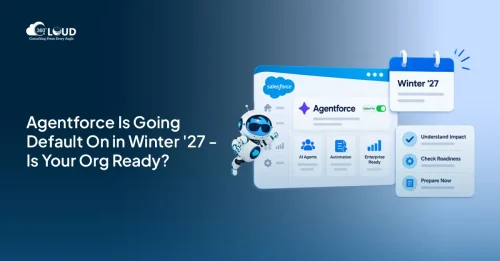 AI and Agentforce
Agentforce Enabled by Default: What Every Salesforce Admin Needs to Know Before Winter ’27
Salesforce releases usually arrive with a to-do list. Sandbox testing, a few toggle decisions, maybe a quick training doc for end users. Agentforce Winter ’27 is a different situation. …
Read More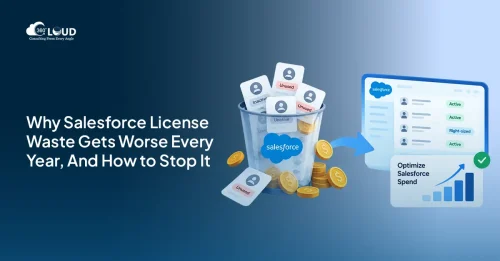 Salesforce Services
Salesforce License Optimization: How to Cut Costs by 30% Before Your Next Renewal
Most companies overpay for Salesforce. Not by a little – by 20 to 30%. And the frustrating part? Nobody planned for it. License waste doesn’t announce itself. It compounds quietly, quarter by…
Read MoreReady to Make the Most Out of Your Salesforce Instance?
Our Salesforce aces would be happy to help you. Just drop us a line at contact@360degreecloud.com, and we’ll take it from there!
Subscribe to our newsletter
Stay ahead with expert insights, industry trends, and exclusive resources—delivered straight to your inbox.
