

Salesforce Staff Augmentation for SaaS Companies to Stay Agile at Scale
09 Jul 2026
Table of Contents
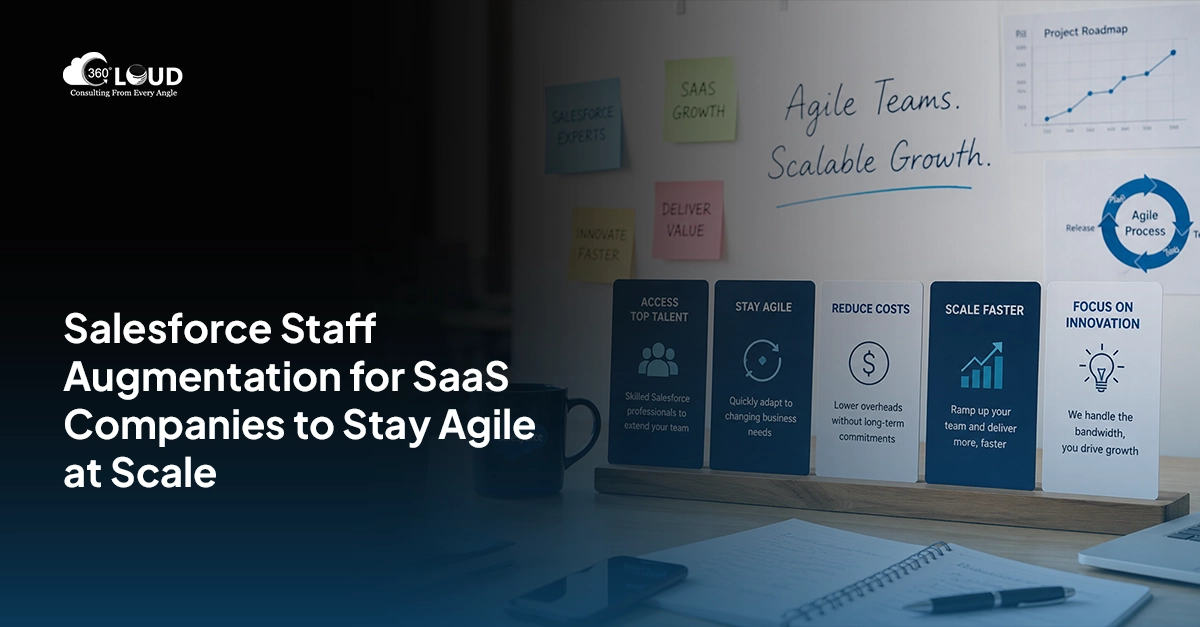
SaaS companies need Salesforce staff augmentation built around SaaS-specific revenue models, subscription, usage-based, expansion, seat-based, not generalist developers applied to a SaaS context. General Salesforce developers can build technically; SaaS-experienced Salesforce professionals build for the revenue model, which is what SaaS leadership actually needs.
SaaS Salesforce scaling has a specific complexity profile. The technical work is often straightforward. The complexity comes from the revenue model, how the product is sold, how usage maps to billing, how expansion revenue is managed, how churn is tracked, and from the integration ecosystem connecting Salesforce to every other system in the revenue stack.
Both of those require Salesforce professionals who understand SaaS, not just Salesforce.
Want a Salesforce solution that keeps up with how your SaaS business actually grows?

Table of Contents
What Makes Subscription Business Salesforce Work Different
Revenue Model Complexity
SaaS revenue models – subscription, usage-based pricing, seat-based licensing, hybrid, PLG expansion – are more complex to represent in Salesforce CPQ than simple product-quantity pricing.
A CPQ implementation for a subscription business Salesforce environment needs to handle:
- Renewal based subscription offerings: Annual/monthly subscriptions with terms, renewal flow, and modifications in the middle of the subscription period
- Pay per usage: Charging the customer based on their usage metrics (API calls, seats, data) which can be derived directly from the product as opposed to the sales cycle
- Expansion revenue: Add-on CPQ logic of upsell/cross-sell with seat add-ons/modules upgrades/tier upgrades without breaking the existing contract structure
- Multi-year deals with annual escalators: Multi-year contracts where pricing increases by a set percentage each year
- Professional services on top of subscription: One-time implementation fees alongside recurring SaaS charges on a single quote
Each of these requires CPQ configuration expertise combined with SaaS revenue model understanding. A CPQ developer who has only worked in manufacturing product pricing will configure technically correct CPQ that produces wrong quotes for a SaaS motion.
The Integration Ecosystem
SaaS Salesforce scaling means Salesforce is typically the hub of a larger integration ecosystem:
- Billing: Stripe, Zuora, Chargebee, Maxio – subscription billing platforms receiving contract and order data from Salesforce
- Product Analytics: Mixpanel, Amplitude, Segment – usage data flowing from product to Salesforce for health scoring and expansion signals
- Customer Success: Gainsight, Totango, ChurnZero – Account Health scores and Customer Success activity data synchronized to Salesforce opportunities and accounts
- Marketing Automation: HubSpot, Marketo, MCAE/Pardot – Lead data synchronized to Salesforce pipelines
- Sales & Revenue Intelligence: Gong, Chorus, Clari – Call Intelligence and pipeline forecasting data synchronized to Salesforce
- Data Warehouse: Snowflake, BigQuery, Databricks – Data flowing into/from Salesforce to the data warehouse
These integrations could fail at scale, cause issues in data quality, or necessitate some architectural changes as the company continues to grow in its SaaS business. Developers who have experience working on SaaS integration stacks will be quicker in identifying these failure points than others.
Quote-to-Cash and Revenue Recognition
Enterprise sales motion SaaS vendors need all steps of the quote to cash process in place, from quote to contract signing to billing and revenue recognition. The quote to cash process for Salesforce goes like this: CPQ → Salesforce Billing → revenue recognition (export to ERP for revenue recognition).
A misconfigured quote-to-cash flow produces revenue recognized at the wrong time, contracts that don’t match invoices, and audit exposure for public or pre-IPO SaaS companies. Getting this right is where SaaS CRM team augmentation pays for itself fastest.
SaaS Salesforce Use Cases for Augmentation
CPQ and Revenue Cloud Implementation
Implementing or upgrading Salesforce CPQ/Revenue Cloud for a subscription business Salesforce environment with complex pricing logic. Requires CPQ expertise plus SaaS revenue model knowledge, not one without the other.
Billing System Integration
Connecting CPQ to Stripe, Zuora, Chargebee, or another SaaS billing platform. Building the data flow that ensures quotes, contracts, and order amendments sync correctly to the billing system.
Customer 360 Architecture
Building the unified customer view in Salesforce, connecting product usage data, support tickets, billing events, and health scores to the Account record for a complete picture of customer health and expansion readiness.
Expansion Revenue Workflows
Configuring the CPQ amendment and renewal workflows that support the expansion revenue motion, seat additions, tier upgrades, module additions, within active subscription contracts without breaking existing pricing structures.
RevOps Data Architecture
Building the Salesforce data model that supports revenue operations reporting: pipeline by stage, expansion ARR vs new ARR, churn attribution, forecast accuracy. Often requires custom objects or rearchitecting existing ones to support the metrics RevOps actually uses.
Bad RevOps data produces dashboards nobody trusts. Fix the foundation.

Salesforce-to-Data Warehouse Integration
Building or maintaining the Salesforce → Snowflake/BigQuery/Databricks pipeline that feeds the company’s analytics stack. Requires both Salesforce data model knowledge and data engineering integration skills, a combination that’s harder to find than either skill alone.
Growth Stage and Augmentation Timing
SaaS Salesforce scaling looks different at every stage. Getting the augmentation timing right is part of getting the outcome right.
Seed / Early Series A ($0-5M ARR): Salesforce is typically simple. Admin-level support is sufficient for most of this stage. Developer augmentation may be needed for key integration, billing or product analytics.
Series A / B ($5-50M ARR): CPQ becomes relevant as enterprise sales motion grows. Integration complexity increases as the revenue stack expands. This is where SaaS CRM team augmentation often starts, specifically for CPQ configuration and integration work that an admin can’t execute.
Series B / C ($50M+ ARR): Revenue model complexity grows. Quote-to-cash must work at scale. Data warehouse integrations become critical for investor reporting. This is where architect-level Salesforce staff augmentation for SaaS companies creates the most value, getting the architecture right before data debt becomes expensive to unwind.
SaaS Moves Fast. Your Salesforce Team Needs to Keep Up.
The SaaS companies that get the most out of Salesforce aren’t necessarily the ones with the largest internal teams. They’re the ones that know which problems need a specialist, and bring one in before the wrong configuration becomes the foundation everything else is built on.
CPQ misconfigured for a subscription model produces wrong quotes. A billing integration built without SaaS revenue model context produces reconciliation problems at month-end. A RevOps data architecture designed without the metrics SaaS leadership actually reports on produces dashboards nobody trusts. None of these are development failures. They’re knowledge failures, what happens when technically capable people make configuration decisions without understanding the revenue model underneath them.
That’s the specific gap Salesforce staff augmentation for SaaS companies closes. Not general Salesforce capacity. Salesforce professionals who understand how subscription businesses work, how expansion revenue moves through CPQ, how the integration ecosystem connects, and where the failure modes show up at scale.
Worth saying directly: a SaaS CRM team augmentation engagement that brings in someone who’s delivered subscription business Salesforce implementations before will outperform one that doesn’t, every time. The domain knowledge isn’t a nice-to-have. It’s what makes the technical work produce the right outcome.

Categories

Solve It with Salesforce. We’ll Show You How.
AI. Apps. Experts. Everything you need to win with Salesforce under one roof.Frequently Asked Questions
We already have a Salesforce admin. Why would we also need a developer for augmentation?
An admin handles day-to-day Salesforce operations efficiently. CPQ implementations, billing integrations, custom Apex development, and data warehouse connections require developer-level work. The admin and developer roles are complementary, not redundant. Most SaaS companies need both: admin for operations and developer augmentation for project work.
We're a Series B company and just implemented CPQ. What should we augment next?
After CPQ implementation for a Series B SaaS company, the three most valuable next projects for augmenting include (1) the integration of the billing systems to create the automated contract to billing process, (2) the integration of the customer success platform to create the health score view in Salesforce, and (3) the integration of the data warehouse to make sure Salesforce data is flowing into the analytics stack.
Does 360 Degree Cloud have experience with Salesforce + Stripe/Zuora/Chargebee integrations specifically?
Absolutely. 360 Degree Cloud has already provided SaaS billing integrations that connect Salesforce CPQ with Stripe, Zuora, and many more subscription billing systems to global clients. For any special integration need that you may have, we can establish during our brief discussion whether we have the required experience.
At what point does a SaaS company need a Salesforce architect rather than a developer for augmentation?
Not when the architecture problem has arisen, but before. Indicators that architectural expertise is required include rearchitecting your CPQ data model in preparation for a new pricing strategy; planning to merge or split up organizations; deploying Data Cloud along with your other Salesforce products; or rearchitecting the data model for your revenue operations reporting. All of these are architectural problems that can only worsen if not addressed architecturally.

About the author
Editorial TeamThe Editorial Team at 360 Degree Cloud brings together seasoned marketers, Salesforce specialists, and technology writers who are passionate about simplifying complex ideas into meaningful insights. With deep expertise in Salesforce solutions, B2B SaaS, and digital transformation, the team curates thought leadership content, industry trends, and practical guides that help businesses navigate growth with clarity and confidence. Every piece we publish reflects our commitment to delivering value, fostering innovation, and connecting readers with the evolving Salesforce ecosystem.
Recent Blogs
 AI and Agentforce
Agentforce Enabled by Default: What Every Salesforce Admin Needs to Know Before Winter ’27
Salesforce releases usually arrive with a to-do list. Sandbox testing, a few toggle decisions, maybe a quick training doc for end users. Agentforce Winter ’27 is a different situation. …
Read More Salesforce Services
Salesforce License Optimization: How to Cut Costs by 30% Before Your Next Renewal
Most companies overpay for Salesforce. Not by a little – by 20 to 30%. And the frustrating part? Nobody planned for it. License waste doesn’t announce itself. It compounds quietly, quarter by…
Read More AI and Agentforce
Claudeforce: Inside Salesforce and Anthropic’s Biggest AI Bet Yet
On August 26, 2026, during Salesforce’s Q2 FY27 earnings call, Marc Benioff and Dario Amodei took the stage together. Not to announce a product update.…
Read MoreReady to Make the Most Out of Your Salesforce Instance?
Our Salesforce aces would be happy to help you. Just drop us a line at contact@360degreecloud.com, and we’ll take it from there!
Subscribe to our newsletter
Stay ahead with expert insights, industry trends, and exclusive resources—delivered straight to your inbox.
