

Table of Contents

Here’s something worth knowing upfront. Salesforce project management gets dismissed a lot, mostly by people who see Salesforce as a sales tool and nothing else. That assumption costs teams months of unnecessary tool-juggling.
Managing projects across spreadsheets, email threads, separate task managers, and a standalone CRM is exhausting. Things slip. Context disappears. Someone always ends up working off outdated information. The growing need for a smarter, more connected approach is real, and Salesforce answers it by bringing project tracking right inside the platform where customer data already lives. Whether the work involves client onboarding, consulting engagements, or complex service delivery, Salesforce is flexible enough to handle it.
Table of Contents
What Is Salesforce Project Management?
It means running projects inside Salesforce instead of a separate tool. Project records get built out, tasks and milestones get attached, team members get assigned, and everything links to the client account it belongs to.
That’s what most people miss when they first hear about Salesforce project management. It’s not about swapping one project tool for another. It’s about closing the distance between client relationships and the work being done for them. Sales reps close deals and hand off to delivery teams that have zero context about what was promised. With Salesforce, that gap closes. The deal notes, the emails, the agreed timeline – all right there when the project kicks off.
Why Use Salesforce for Project Management?
The team is already in Salesforce – that’s the strongest reason to start.
When account managers, project leads, and customer success folks log into Salesforce daily anyway, tracking project work there too isn’t a big lift. Compare that to rolling out an entirely new tool, training everyone, and then figuring out how to stop two systems from contradicting each other.
Beyond that, the benefits stack up quickly:
- Centralized data: Client details, deal history, contact info – all of it already lives in Salesforce. When project records sit right there too, nothing needs duplicating across platforms.
- Real-time collaboration: Every team member works from the same up-to-date records. No version conflicts, no “which sheet is current?” moments.
- Automation: Salesforce workflow automation sends task reminders, updates project statuses, triggers onboarding sequences, escalates overdue milestones. Once configured, it runs. Teams stop being the ones who have to remember to follow up.
- Improved visibility: Dashboards pull live data from tasks and projects, so managers see project health without chasing anyone for updates.
- Scalability: Whether the team handles five projects or five hundred, Salesforce grows with the workload.
Turn Salesforce into your project command center.

Key Project Management Features in Salesforce
Task and Activity Management
Salesforce task management holds up well for most teams. Tasks tie to any record – a client account, a project, a contact, and carry the basics: due date, priority, owner, status. The activity timeline shows everything that’s happened on a record in sequence, which turns out to be invaluable when a client raises a concern and the team needs to trace exactly what occurred and when.
Workflow Automation
Flow Builder is Salesforce’s automation engine, and for project management it’s where the real value gets unlocked. Salesforce Flows trigger on almost any condition, a task goes overdue, a milestone closes, a new account record gets created. The setup takes real time, but the payoff is that routine follow-ups and status nudges just happen automatically without anyone managing them manually.
Dashboards and Reporting
Salesforce project tracking through dashboards ranks among the platform’s genuine strengths. Task completion rates, overdue items by owner, upcoming milestones, blocked tasks – all pulled into visual formats that update in real time. Leadership checks in without pulling anyone into a status meeting. The catch is that dashboards need building; they don’t come ready-made, and teams without reporting experience face a learning curve.
Collaboration Tools
Chatter, Salesforce’s built-in messaging, lets teams comment directly on records, tag colleagues, share files, and keep discussions anchored to the actual work. It’s not Slack. Teams used to faster, snappier tools won’t love it for real-time chat. But for async updates tied to specific project records, it works well. And since Salesforce owns Slack, the integration between the two is genuinely usable for teams already living there.
How to Use Salesforce for Project Management (Step-by-Step)
Step 1 – Create Project Objects
Salesforce doesn’t ship with a native Project object. Head to Setup, open Object Manager, and build a custom object. Add the fields that matter – project name, status, start date, end date, budget, and a relationship field linking it to the relevant account or opportunity. Getting the field structure right before going live matters, because changing the data model later causes real headaches.
Step 2 – Define Tasks and Milestones
Once the project object exists, the work gets broken down. Task records cover individual to-dos. For bigger checkpoints, milestones get defined – either as a separate custom object or as a specific record type within Tasks. Every task needs a due date, an owner, and a status. Grouping tasks into phases makes dashboards far easier to read and interpret later.
Step 3 – Assign Team Members
Lookup fields connect Salesforce users to projects and tasks. When work belongs to a group rather than one person, Queues let the team claim items as bandwidth allows. Role-based permissions keep things clean – people see what’s relevant to their responsibilities and nothing more.
Step 4 – Automate Workflows
This is where project management in Salesforce really earns its keep. Every manual step that repeats on every project – reminder emails, status update requests, handoff notifications – gets mapped and then automated through Flow Builder. The setup isn’t instant, but once it’s running, the time savings compound quickly.
Step 5 – Monitor Progress with Dashboards
Dashboards tied to project and task data show what’s complete, what’s overdue, what’s coming up next. Scheduled refreshes keep them current automatically. Sharing them with stakeholders means project status becomes visible without anyone needing to ask for it, which cuts down a surprising amount of unnecessary back-and-forth.
See how an industry leader is winning with Salesforce-driven project tracking.

Salesforce Apps for Project Management
Native Salesforce covers a lot of ground, but for teams needing more specialized capabilities, the AppExchange has well-regarded Salesforce project management tools:
- Certinia PSA (formerly FinancialForce): Built specifically for professional services organizations. Resource management, project accounting, time tracking, and revenue recognition all sit inside Salesforce. For firms where projects connect closely to billing and financial reporting, Certinia is the serious option. Not cheap, but for firms running significant services revenue it tends to pay for itself.
- Mission Control: A fully Salesforce-native project management app with Gantt chart views, capacity planning, and resource scheduling. Everything stays inside the org, which matters for teams with data governance requirements or those who prefer keeping systems consolidated.
- TaskRay: The most approachable of the three. Visual Kanban boards, task templates, project health indicators. Popular with customer onboarding teams specifically because standardizing a repeatable process inside it is straightforward. Good starting point for teams wanting something that feels more like a traditional project tool without leaving Salesforce.
Real-World Use Cases
Let’s have a look at how Salesforce for project management impacts operations in the real-world.
- Professional services firms get the clearest benefit. When selling and delivering to the same clients, having both in one system changes how teams operate. A partner looks at a client account and sees active project status, outstanding deliverables, and upcoming renewal date on the same screen, without switching tools.
- Consulting teams benefit from having proposal, contract, and project management data in a single platform. When a deal closes, the project handoff can happen almost automatically – tasks assigned, timelines set, team notified, without anyone rebuilding context from scratch.
- Customer onboarding projects are a natural fit. The moment a new customer record gets created, an onboarding project spins up automatically – tasks assigned to the customer success team, milestones predefined, progress tracked against a consistent process. That kind of repeatability at scale is genuinely hard to achieve across multiple disconnected tools.
Best Practices for Managing Projects in Salesforce
- Maintain structured data: Salesforce is only as useful as the data inside it. When project names follow no convention, when status fields get used differently across teams, when half the records are missing key fields, reporting breaks down and people stop trusting the system. Standards need setting before launch, not after.
- Automate repetitive tasks: Most teams wait until they’re overwhelmed to build automation. That’s the wrong time. Mapping repetitive processes early and automating them while there’s still bandwidth to do it thoughtfully pays off much faster.
- Track project KPIs: On-time milestone completion, time from kickoff to first deliverable, days to close; these reflect actual project health. Tracking tasks completed tells a much smaller story. Build the metrics that actually matter into dashboards from the start.
- Integrate collaboration tools: Keep project conversations on records. Every time a decision happens in a side email thread, context gets lost. Chatter or Slack linked to Salesforce records keeps decisions attached to the work they affect; and months later, that context is invaluable.
Limitations of Using Salesforce for Project Management
Complexity: Salesforce isn’t something teams plug in and use tomorrow. Building custom objects, designing the data model, creating automation flows, building dashboards – all of it takes time and typically requires someone with Salesforce admin experience. Teams that underestimate this end up with something half-built that nobody actually uses.
Customization requirements: Drag-and-drop task boards, interactive Gantt charts, time tracking, none of these come out of the box. Getting them means buying a third-party app or building something custom, both of which require additional investment.
Need for specialized apps: For advanced use cases like resource forecasting, project accounting, or capacity planning, a third-party app becomes necessary.
Winding Up
Salesforce project management isn’t the right answer for every team. But for organizations where client relationships and project delivery are two sides of the same coin, it solves a real problem that separate tools simply can’t match.
The flexibility of the platform means it adapts to nearly any project management model, from simple task tracking to enterprise-scale program management. The teams that get the most out of it aren’t the ones using every feature. They find the two or three places where disconnected systems cause the most pain, the handoff between sales and delivery, the onboarding process, the status reporting, and fix those specific things inside Salesforce first. Then build from there.
For businesses looking to eliminate tool sprawl and bring project and customer data together, exploring Salesforce project management solutions is a step well worth taking.
Consolidate your project management and CRM into one powerful source of truth.

Categories

Solve It with Salesforce. We’ll Show You How.
AI. Apps. Experts. Everything you need to win with Salesforce under one roof.
About the author
Aditya KathpaliaAditya Kathpalia, Director of Sales at 360 Degree Cloud, brings over 35 years of experience in marketing and business development within the IT industry. He leads global sales strategies, builds strategic partnerships, and fosters client relationships across geographies, ensuring mutual growth in customer transformation journeys. With a strong focus on driving results and motivating teams, Aditya plays a key role in positioning 360 Degree Cloud as a trusted Salesforce Summit Partner worldwide.
Recent Blogs
 Salesforce Services
Salesforce Technical Debt 10 Signs Your CRM Needs a Strategic Overhaul (and What to Do About It)
Three years ago, the Salesforce org your team implemented was clean. Logical field names. Documented Flows. A handful of integrations that actually made sense. Today?…
Read More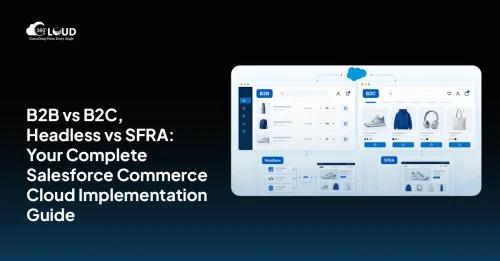 Salesforce Clouds
Salesforce Commerce Cloud Implementation: The 2026 Guide for B2B and B2C Commerce Teams
Commerce has always been competitive. But in 2026, the bar has shifted in ways that are hard to ignore. Whether someone is a consumer checking…
Read More Uncategorized
How Salesforce Agentforce and Google Cloud Integration is Changing Enterprise AI in 2026
Most enterprise AI projects don’t stall because the model is weak. They stall in the plumbing. A sales ops lead wants one agent that can…
Read MoreReady to Make the Most Out of Your Salesforce Instance?
Our Salesforce aces would be happy to help you. Just drop us a line at contact@360degreecloud.com, and we’ll take it from there!
Subscribe to our newsletter
Stay ahead with expert insights, industry trends, and exclusive resources—delivered straight to your inbox.
