The client is a healthcare provider specializing in keloid treatment and scar removal, with consultants operating across seven U.S. regions. Patients booked consultations through the website based on location and visit preference, but the data did not flow cleanly into Salesforce. Appointment details, consultant availability, payment validation, and campaign source tracking were disconnected, making it harder to schedule accurately, process leads quickly, and understand which marketing channels were driving patient bookings.
In this case study, you’ll learn how we:
Integrated website appointment booking with Salesforce Sales Cloud
Configured consultant availability by location and schedule
Built booking logic for virtual and in-person consultations
Implemented UTM tracking for Google Ads, Instagram, Facebook, and LinkedIn
Mapped lead sources directly to Salesforce Lead records
Reduced booking conflicts, invalid payment entries, and manual scheduling effort
The customer is a global listings and capital markets organization that hosts high-visibility events for customers. Their frontline team used two different tools to request rooms and add business context, which led to duplicate submissions, slow confirmations, and no real-time visibility into available slots.
In this case study, you’ll learn how we:
Centralized booking requests from EMS and Monday.com into a Salesforce Sales Cloud event booking system
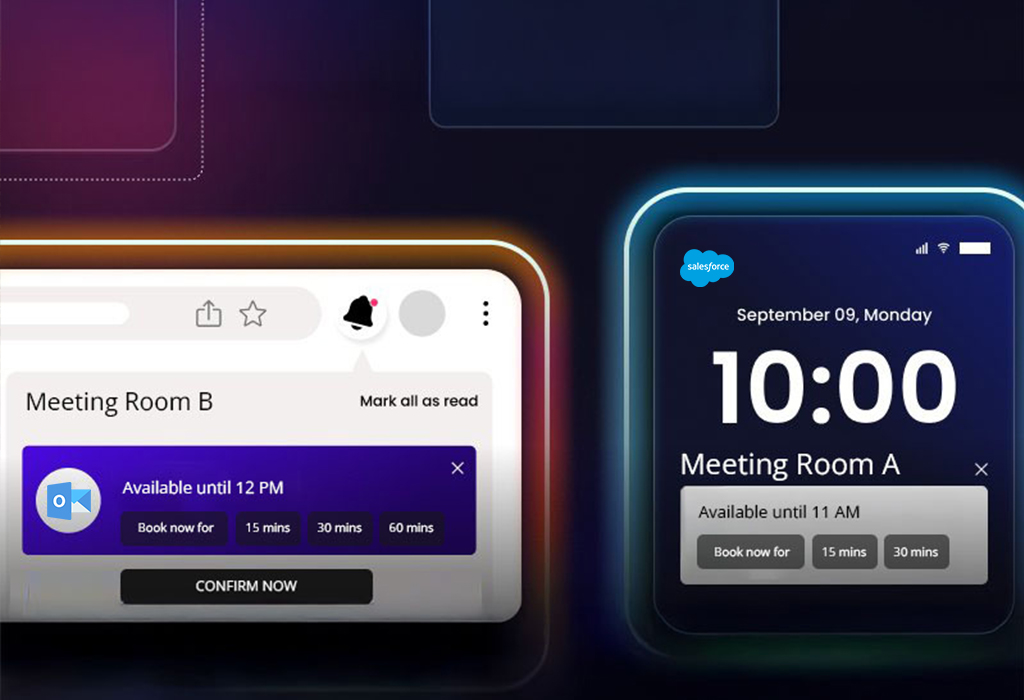
Built Salesforce LWC custom booking management calendars for real-time room and slot visibility
Created a booking wizard for admins and EMS users with role-based approvals
Integrated Outlook to support Salesforce Outlook calendar sync for confirmations, changes, and cancellations
Made the calendar mobile-friendly so teams could confirm bookings on the go
The customer is a manufacturing provider of parts and solutions for water, gas, fire, electrical, and HVAC systems. They serve multiple sectors and rely on accurate quotes and fast responses. They had struggled with manual lead and opportunity tracking, slow quote creation, no automation for field updates, and disconnected tools for invoicing, signatures, and meetings.
In this case study, you’ll learn how we:
Implemented Salesforce Sales Cloud to automate lead-to-quote
Used Flows to auto-update fields and keep data current
Customized quote PDFs and aligned the Contract object to the business process
Structured product and variant management on Opportunities
A Manufacturing Firm Re-Engaged 58% of Inactive Leads with Salesforce Pardot
A manufacturing brand wanted to revive inactive leads and better understand what each prospect cared about. The team needed a stronger Salesforce Pardot implementation for manufacturing, with segmented nurtures, clear scoring, and reliable tracking for external links, all connected to Sales Cloud for faster follow-ups.
In this case study, you’ll learn how we:
Segmented prospects by interest and buying intent using Salesforce Pardot segmentation list rules for a manufacturer
Built Pardot engagement studio manufacturing campaigns with emails, forms, and landing pages
Supported Pardot lead nurturing for B2B manufacturing with targeted nurture journey
Set scoring rules for Pardot lead scoring and grading for manufacturing sales
Created custom redirects to track external links and improve Pardot campaign ROI tracking
Synced qualified activity to Sales Cloud for sales-ready context
How a Packaging Company Centralized 1,200+ Event Leads in Salesforce
A flexible packaging company needed one place to record events, add attendees, create leads, and track Salesforce Sales Cloud trade show lead management from one workflow. The team was switching between sheets and calendars outside Salesforce, which slowed visibility, lead follow-up, and ROI tracking.
In this case study, you’ll learn how we:
Built a Salesforce LWC custom lead capture form for events to log event name, location, industry, dates, and attendees
Enabled lead creation on the event page and showed a live list of event-sourced leads
Reflected events on participant calendars and a central team calendar with a one-time setup
Enabled Salesforce Sales Cloud event lead attribution reporting for activity, pipeline, and ROI
The customer is a powersports marketplace that connects sellers of used motorcycles, ATVs, dirt bikes, and side-by-sides with buyers. They needed to automate lead follow-up in Salesforce Sales Cloud because lead fields were not auto-updating when customers submitted vehicle details, and teams were sending emails and texts manually.
In this case study, you’ll learn how we:
Built Salesforce Flow Builder lead routing to standardize lead intake and assignment
Automated field updates when customers submitted bike, ATV, or vehicle details
Configured Salesforce automated SMS email lead follow-up for reminders and missing information
Added validations to improve lead quality and reduce manual errors
A mid-sized SaaS provider wanted to integrate visual remote assistance into Salesforce Service Cloud so agents could start and manage live video support from within Salesforce Lightning. The team needed a secure, Lightning-compatible setup to embed a remote support app in Salesforce Service Console, reduce context switching, and maintain complete session history on each Case. The goal was faster resolutions, fewer site visits, and a better customer experience.
In this case study, you’ll learn how we:
Enabled a secure Salesforce AppExchange third-party app embed
Let agents send a Salesforce SMS session link from service case records
Improved Salesforce Service Cloud case management video support with case-linked session logs
Built Salesforce Service Console customization for B2B SaaS across both clouds
The customer is a premier executive events and peer-to-peer marketing firm, faced a critical challenge, data syncing issues between Salesforce Sales Cloud and Pardot that disrupted campaigns and left crucial customer insights incomplete.
In this case study, you’ll learn how we:
Pinpointed the sync errors and reduced inconsistencies by over 95%
Standardized fields across systems to ensure accurate and real-time customer data
Restored smooth Salesforce-Pardot synchronization to support smooth campaign execution
Helped Apex Assembly eliminate manual fixes and accelerate marketing efficiency