

Bulk Document Generation in Salesforce — Save Hours on High-Volume Document Runs
Generate documents for multiple Salesforce records in one go. Reduce repetitive work and keep high-volume processes moving faster.
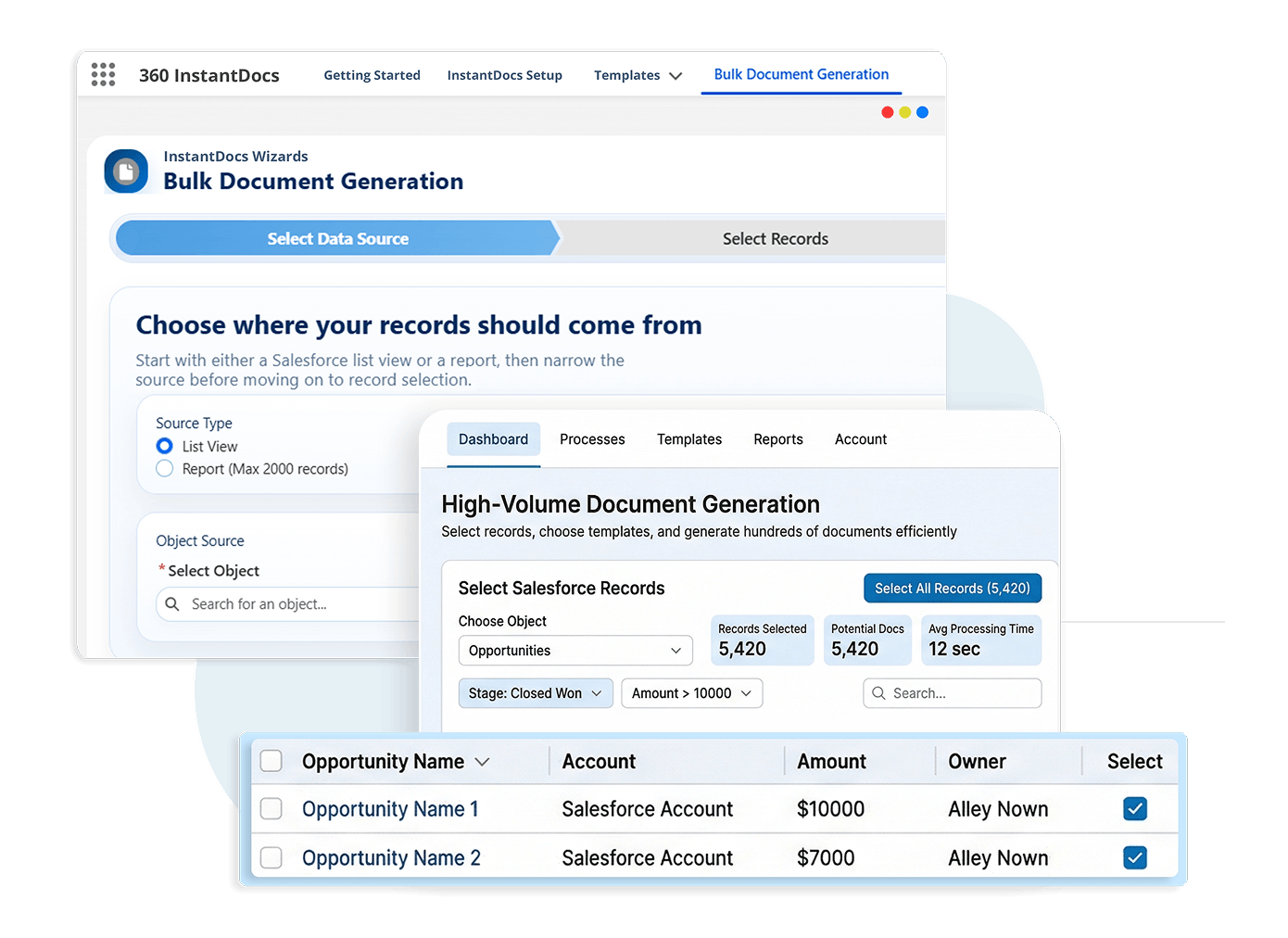
Everything You Need for Faster Batch Document Generation
From billing runs to renewal batches, InstantDocs makes bulk document generation in Salesforce easier to launch and manage.
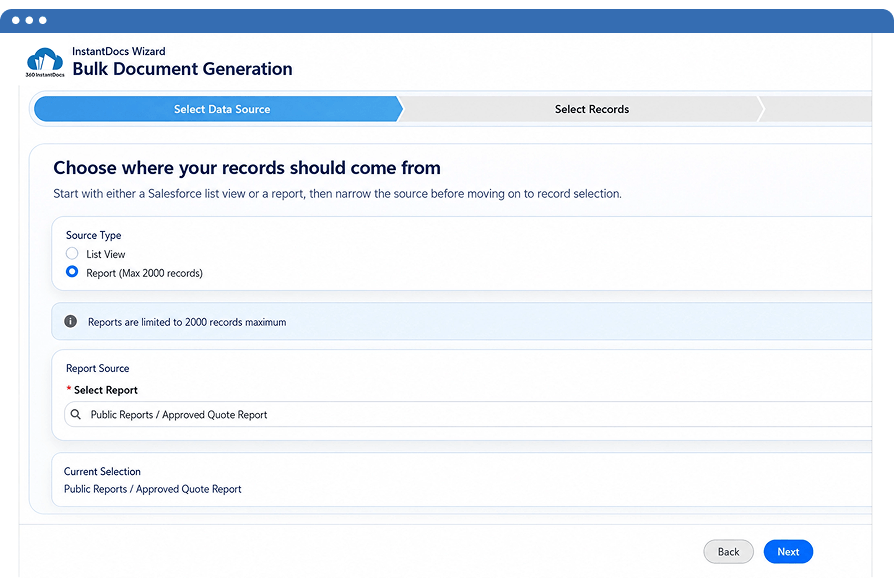
Use Salesforce report document generation to create documents for multiple records from a selected report in fewer steps.
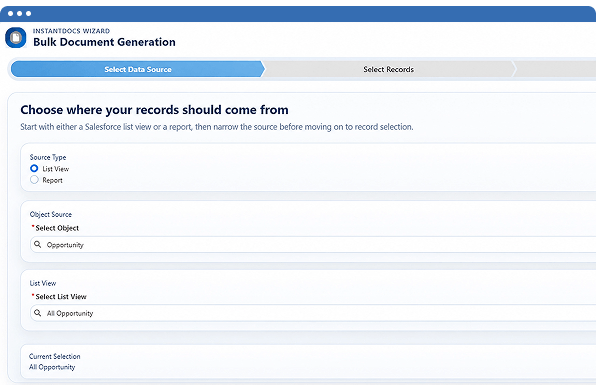
Salesforce list view document generation made simple — select an object, choose a list view, and generate documents for every matching record in a single run.
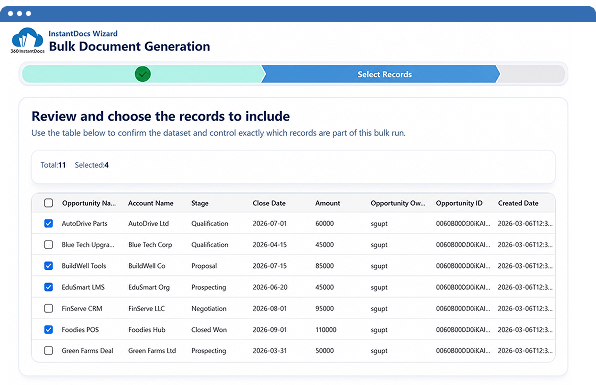
Choose the exact records you want before generation starts, making batch document generation Salesforce workflows more controlled and more accurate.
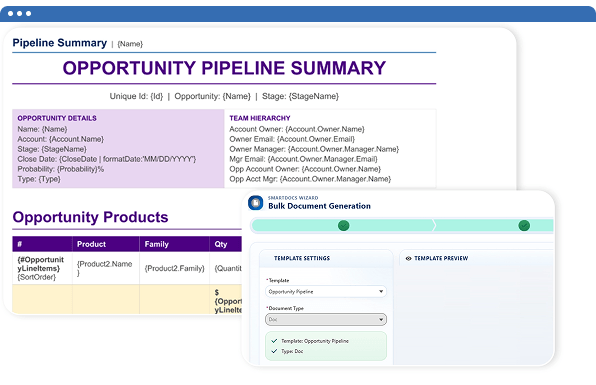
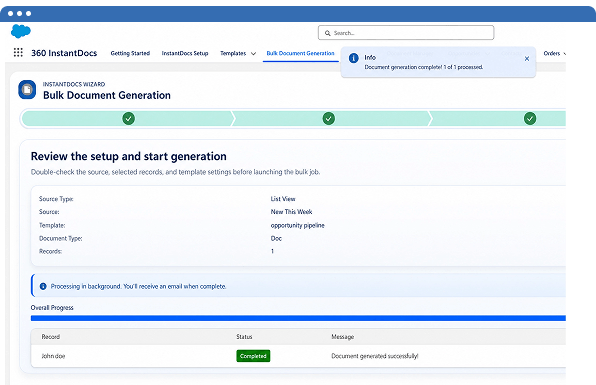
Move through a guided flow that helps users select a data source, choose records, pick a template, and generate documents in bulk.
Handle invoices, contracts, and renewal letters with high volume document generation Salesforce teams rely on — all managed inside InstantDocs without external tools.
Bulk Document Generation That Scales with Your Workflows
Run batch document generation in Salesforce without exporting data, switching tools, or writing a single line of code.
| Feature | ✓ 360 InstantDocs | Other Tools |
|---|---|---|
| Salesforce report document generation | ✓ | Limited |
| Salesforce list view document generation | ✓ | ✗ |
| Guided bulk generation wizard | ✓ | Limited |
| Record selection before generation | ✓ | ✓ |
| Batch document generation for multiple records | ✓ | Limited |
| Bulk generation inside Salesforce | ✓ | ✗ |
Frequently asked questions
-
Bulk document generation in 360 InstantDocs lets you generate PDF or Word documents for multiple Salesforce records in a single run. Instead of opening each record one by one, you select a Salesforce report or list view, choose which records to include, pick a template, and InstantDocs generates all documents at once. The entire process runs through a four-step guided wizard inside Salesforce — no code, no external tools, no manual export required. This is how high-volume teams handle monthly invoicing, batch contract generation, and compliance document runs without adding headcount.
-
Yes. Users can search for and select a Salesforce report, then load records for bulk document generation.
-
Yes. Users can choose an object, select a list view, and generate documents for the records returned by that view.
-
InstantDocs uses a multi-step wizard that guides users through data source selection, record selection, template selection, and final generation.
-
It is well suited for invoices, letters, contracts, and other document runs where teams need batch document generation Salesforce processes to move faster.
Got a Question? Ask Us!
Need to Run Bulk Document Generation in Salesforce? See How It Works.

Subscribe to our newsletter
Stay ahead with expert insights, industry trends, and exclusive resources—delivered straight to your inbox.
