



Build Reusable Word Document Templates in Salesforce That Scale
Create documents in Salesforce using reusable Word-based templates with live merge fields, conditional logic, and version control — all built inside Microsoft Word.
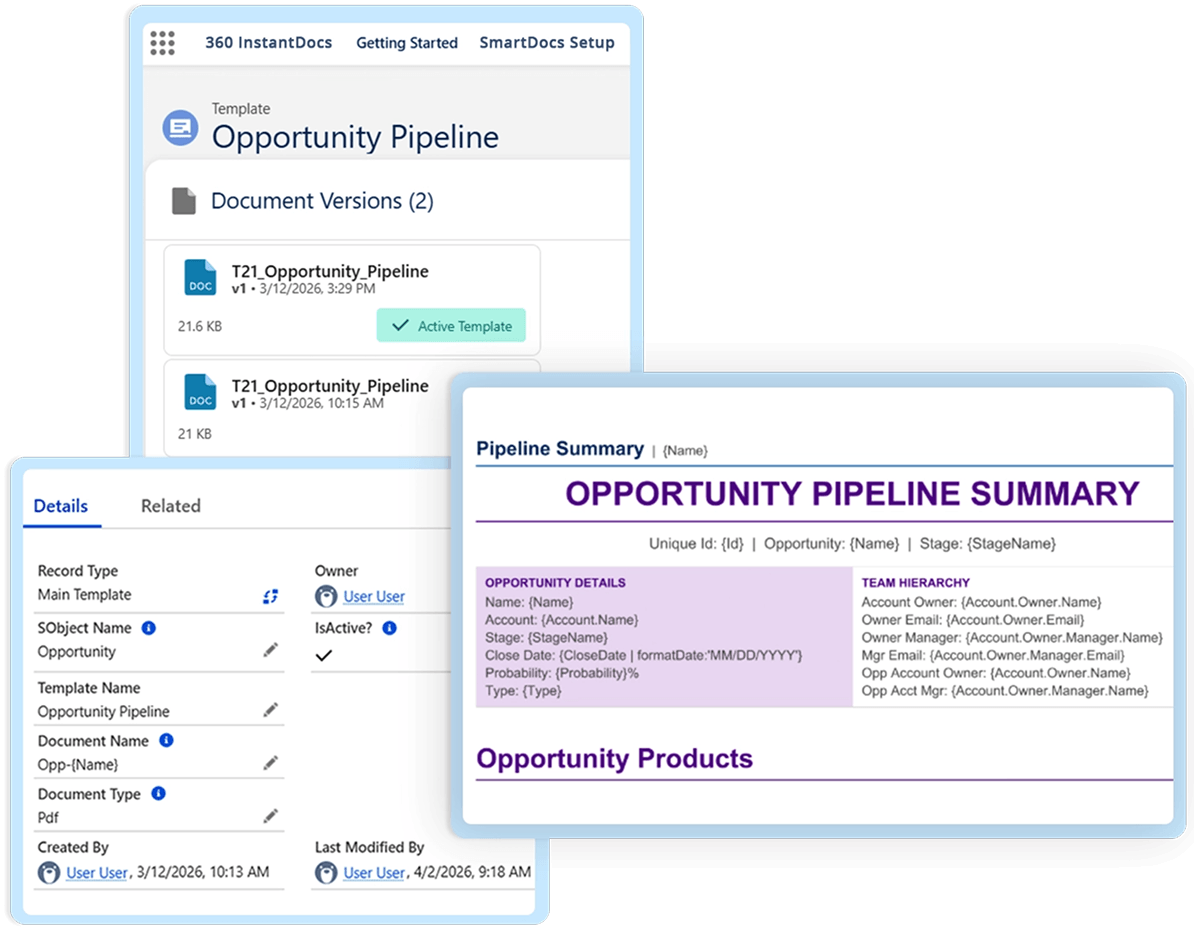
Designed for Faster, More Flexible Word Template Building
Build Salesforce document templates that are easier to manage, update, and roll out across teams.
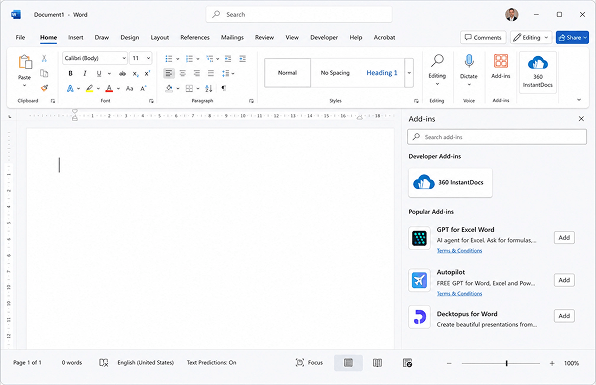
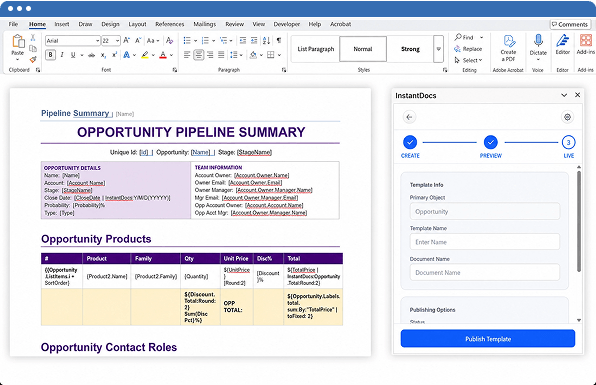
Design every Salesforce Word document template directly in Microsoft Word — using the 360 InstantDocs Word Add-In in the editor your team already knows.
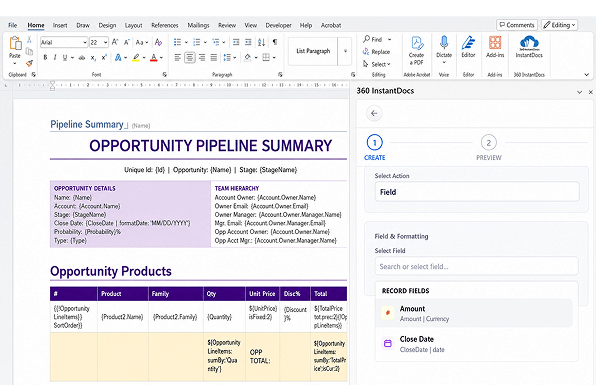
Browse Salesforce objects and fields from the sidebar and insert merge tokens for Salesforce document merge directly into the template — no manual lookup, no formula writing, no code.
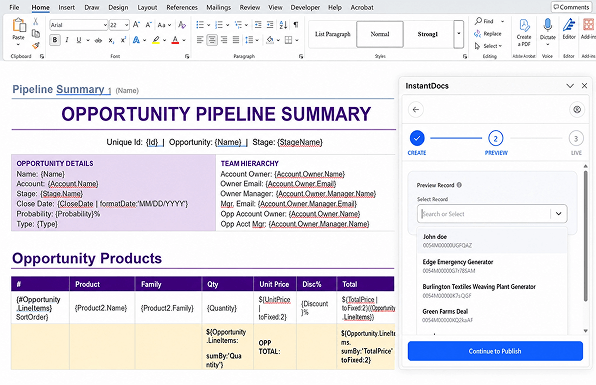
Preview templates with real Salesforce data before going live, so teams can catch issues early and improve output accuracy.
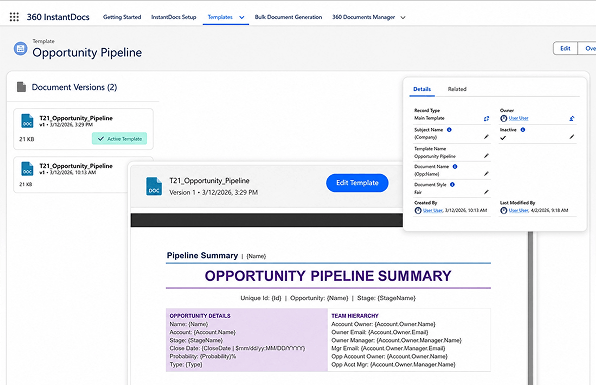
Publish templates back into Salesforce as new versions instead of rebuilding files every time a change is needed.
Activate the right version, keep older versions available, and roll back when needed to maintain cleaner template control.
Built for Better Template Control and Faster Rollout
Stop rebuilding Salesforce document templates from scratch every time something changes. Version control, live data preview, and merge field browsing — all inside Microsoft Word.
| Feature | ✓ 360 InstantDocs | Other Tools |
|---|---|---|
| Word-based Salesforce document templates | ✓ | ✓ |
| Built-in Salesforce document merge fields | ✓ | ✗ |
| Salesforce Word document template editing | ✓ | Limited |
| Preview with live Salesforce data | ✓ | ✗ |
| Save templates back to Salesforce | ✓ | ✓ |
| Template version control | ✓ | Limited |
| Dynamic document template Salesforce workflows | ✓ | Limited |
| Conditional document generation Salesforce support | ✓ | ✗ |
Frequently asked questions
-
The 360 InstantDocs template builder uses a Microsoft Word Add-In to let you design Salesforce document templates directly inside Word. You browse your Salesforce objects and fields from a sidebar, insert merge tokens for Salesforce document merge into the right spots, add conditional logic for sections that should appear or hide based on field values, and preview the output against real Salesforce data before publishing. Once published, the Salesforce document template is available for one-click document generation — teams create documents in Salesforce from any record without admin involvement. The template builder supports dynamic document template Salesforce workflows and conditional document generation Salesforce logic natively inside Word.
-
Yes. Templates are managed inside Salesforce and can be updated, previewed, activated, and versioned over time.
-
Yes. Users can browse objects and fields in the Add-In sidebar and insert merge tokens directly into the template.
-
Yes. InstantDocs lets users preview the template with actual Salesforce data before making it live.
-
Yes. InstantDocs is built around reusable templates with live merge fields, and your product brief also positions it for conditional logic and loop-based template use cases.
Got a Question? Ask Us!
Want to Build Salesforce Document Templates Without Code? Let's Show You How.

Subscribe to our newsletter
Stay ahead with expert insights, industry trends, and exclusive resources—delivered straight to your inbox.
