



Salesforce Profit & Loss Statement for Finance & Accounting
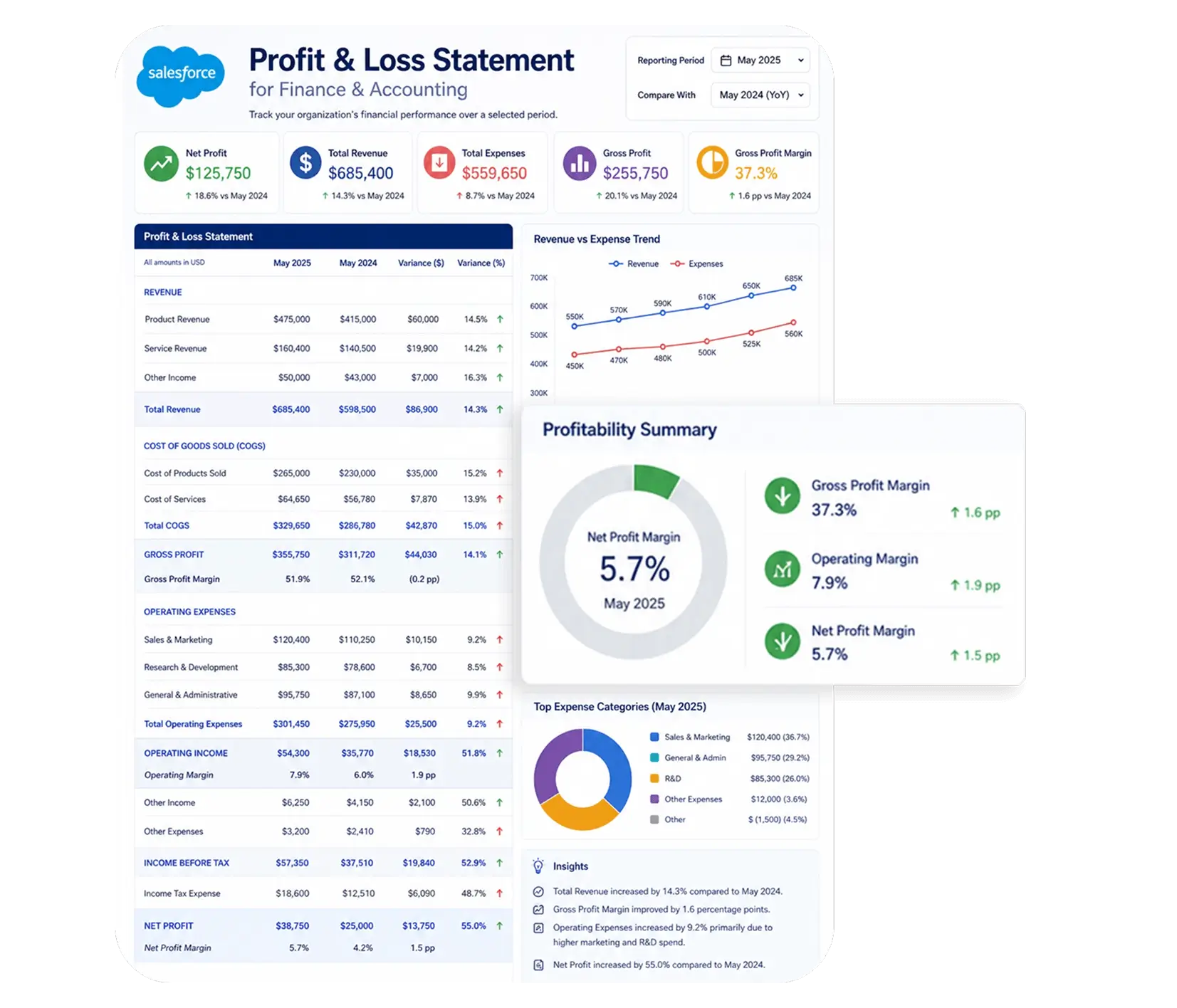
Auto-generate professional Profit & Loss Statements directly from Salesforce - revenue figures, expense categories, gross profit, and other details populated automatically from your Salesforce records.
Generate up to 100 documents for free.
Get the full template
Enter your email to receive the complete
Invoice Word template - ready to customize
and use immediately.
We'll send the template to your inbox. No spam, ever.
Open & customize in Word
Open your template in Word, add branding, adjust content, and insert merge fields from the 360 SmartDocs Word add-in panel.
Merge live Salesforce data
Connect the template to live Salesforce field data so names, dates, amounts, and other record details fill in automatically.
Generate from Salesforce
Create the final Word or PDF document in one click from a record or trigger it through Flow in seconds.
About this Salesforce Profit & Loss Statement Template
This Salesforce Profit & Loss Statement template is purpose-built for Finance & Accounting teams that need to generate accurate, professionally structured P&L documents directly from Salesforce records - without manually compiling revenue figures, expense totals, or margin calculations from multiple sources. It covers all standard P&L elements: company and reporting period details, revenue breakdown by category or product line, cost of goods sold (COGS), gross profit calculation, operating expense categories, net profit or loss figure, and more.
When to use this template
- Monthly, quarterly, or annual P&L reporting generated from Salesforce financial data
- Management reporting for internal stakeholders requiring formatted P&L documents
- Project-level profitability reporting tied to Salesforce Opportunity or Campaign records
- Multi-entity or division P&L reporting generated in bulk from Salesforce list views
- Year-end financial reporting requiring a formatted P&L alongside balance sheet and cash flow statement
Customizing this Salesforce profit & loss template
Open the template. Adjust revenue category rows to reflect your product lines or revenue streams, update expense categories to match your chart of accounts, set your standard tax rate calculation, and add your company letterhead and approval sign-off section. If using 360 SmartDocs for Salesforce finance document automation, leave all {placeholder} fields exactly as-is - 360 SmartDocs maps these to your Salesforce fields automatically.
Use cases & Salesforce integrations
Auto-generate P&L statements from Salesforce financial records
At the close of each reporting period, 360 SmartDocs triggers Salesforce finance document automation - automatically generating a fully-populated Profit & Loss Statement with revenue totals, expense figures, and net profit calculations drawn from the corresponding Salesforce records.
Project-level profitability reporting from Salesforce Opportunities
Connect your P&L Statement template to Salesforce Opportunity records to generate project-level profit and loss reports. Map revenue fields to Opportunity value and expense fields to associated cost objects - producing a formatted P&L for every project that shows actual margin against projected margin.
Monthly and quarterly management reporting
Configure a Salesforce Flow that generates and distributes a formatted P&L Statement to senior management at the end of each month or quarter - triggered automatically by a scheduled flow, populated with the latest Salesforce financial data.
Got a Question? Ask Us!
Ready to Solidify Your Digital Transformation Efforts Using Salesforce? Talk to Us!

Subscribe to our newsletter
Stay ahead with expert insights, industry trends, and exclusive resources—delivered straight to your inbox.
