

Table of Contents
When users are about to launch or text campaign, the most difficult and time-consuming part is writing a message from scratch. This not only needs time but also needs effort to create a good and compelling text message. This is where text message templates emerge as a perfect solution. Templates not only save time and effort for your team, but also give them a good start to launch campaigns faster. And the best part is, with solutions like Textolic, you can even save time on creating templates with AI.
To make your agents’ lives easier, we have given you 30 text message templates in this blog. All these templates are sorted based on different functions and use cases and are highly personalized. So you can use them as-is by simply adding the relevant details and launch your campaigns within a few minutes.
Table of Contents
What Makes a Good Text Message Template
A good SMS template is short, specific, and sounds like a person wrote it. But a few rules are worth getting right before you start building your library of canned text responses.
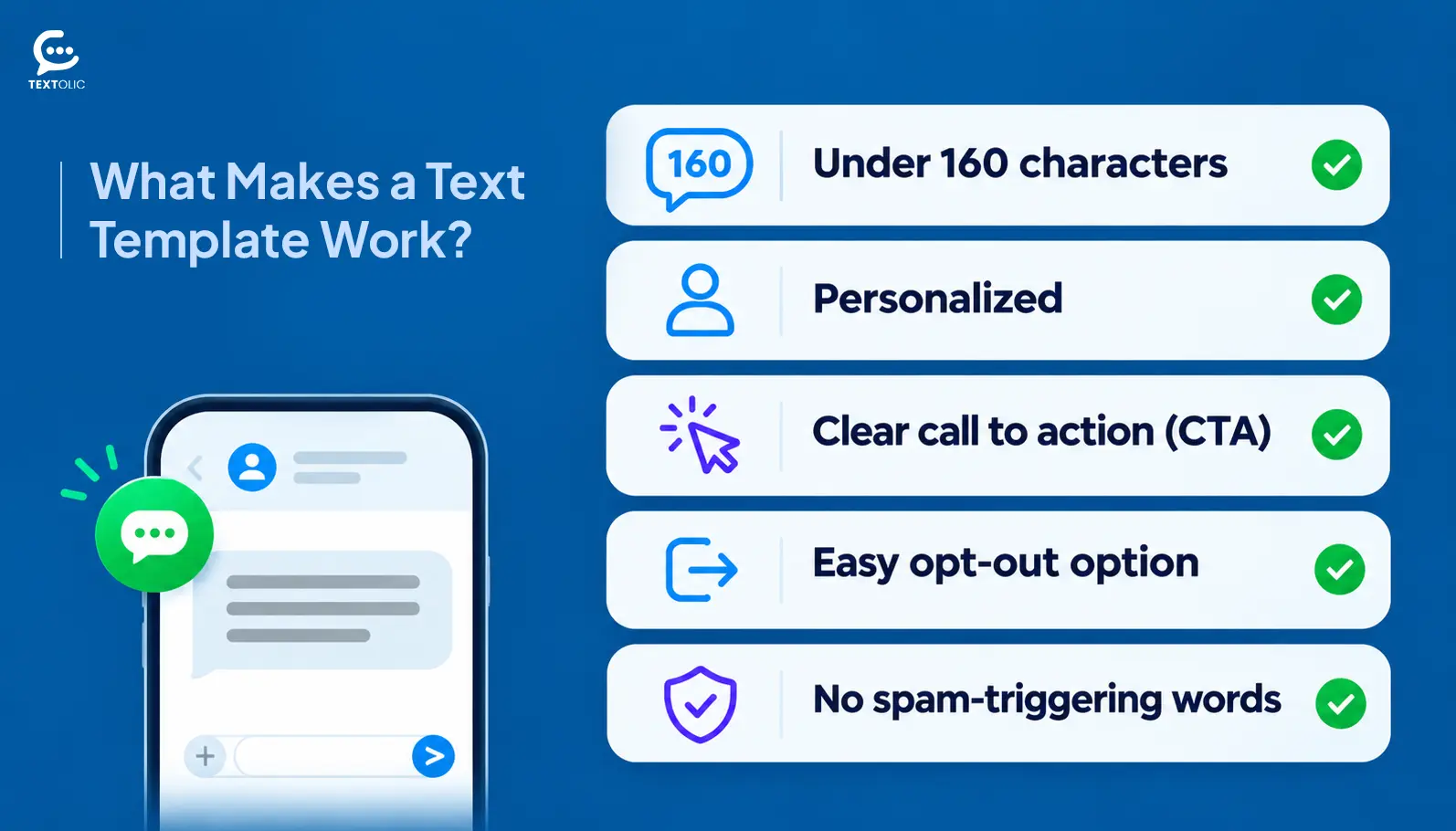
- Under 160 characters. One standard SMS is 160 characters. Go over, and the message splits into two, which looks broken on some phones and can confuse recipients.
- Use merge fields. [First Name], [Company], [Rep Name], [Date]. These pull real data from your CRM, so every message reads as a one-to-one conversation rather than a mass send. Generic greetings kill reply rates faster than almost anything else.
- One call to action per message. Reply yes, click a link, confirm a time. Two asks in one message create friction, and people usually respond to neither.
- Add opt-out language when required. For marketing and promotional texts, include “Reply STOP to opt out.” Rules vary by country. The US (TCPA), UK (PECR), Canada (CASL), and Australia (Spam Act) all have specific requirements. When in doubt, include it.
- No spam triggers. “FREE!!!” and “Act NOW” don’t just look bad. They can get messages filtered before they ever arrive.
6 Sales Follow-Up Text Templates
Good sales follow-up text templates do one thing: keep the door open without pressure. These cover the moments right after first contact and when a lead has gone quiet.
New Lead Follow-Up
Hi [First Name], this is [Rep Name] from [Company]. You filled out our form about [Product/Service]. Happy to answer any questions. Just reply here or let me know a good time to connect. Reply STOP to opt out.
Post-Demo Follow-Up
Hi [First Name], thanks for taking the time today. Here’s a quick recap of what we covered: [Link]. Any questions before you review? Reply anytime.
Lead Re-Engagement
Hey [First Name], it’s been a while since we last connected. We’ve added some updates that might be useful for your team. Worth a quick 10-minute call? Let me know.
Inbound Lead Speed Follow-Up
Hi [First Name], I saw your request come in just now. I’m [Rep Name] at [Company]. Can I grab 10 minutes this week to walk you through things? Just reply here.
Post-Meeting Confirmation
Hi [First Name], great talking with you today. I’ll send over the proposal by [Date]. Feel free to reply with any questions.
Follow-Up After No Response
Hi [First Name], I know inboxes get busy. Still happy to help if the timing is better now. Want me to send some info, or would a quick call work better?
In practice, Template 6 is the one that gets the most replies. People aren’t ignoring you. They’re just busy, and a low-pressure nudge at the right moment lands completely differently than a third email.
See how Textolic helps you create templates as per your use case in seconds.
Book a demo6 Reminder and Confirmation Templates
Missed appointments cost money. And they’re almost always preventable. These six SMS templates keep them from happening.
Appointment Reminder (24 Hours Out)
Hi [First Name], just a reminder that your appointment with [Rep/Advisor Name] is tomorrow at [Time] at [Location/Link]. Reply YES to confirm or NO to reschedule. Reply STOP to opt out.
Appointment Reminder (1 Hour Out)
Hi [First Name], your [Service] appointment is in 1 hour at [Location/Link]. See you soon! Reply STOP to opt out.
Meeting Confirmation
Hi [First Name], confirming our call for [Date] at [Time]. The link is: [Link]. Reply here if anything changes.
Event Registration Reminder
Hi [First Name], you’re registered for [Event Name] on [Date]. Here’s the link to join: [Link]. Questions? Just reply.
Service Renewal Reminder
Hi [First Name], your [Service] renews on [Date]. No action needed. We’ll process the payment automatically. Reply if you have questions. Reply STOP to opt out.
Subscription Expiry Warning
Hi [First Name], your subscription ends in [X] days. Reply YES to renew, or let us know if you’d like to review your options first.
That last one matters more than teams realize. The gap between a soft renewal reminder and a hard expiry notice is exactly where customers who would have stayed quietly churn out.
5 Customer Support Templates
Support texts work differently from sales texts. The person is already your customer, often frustrated, and they want a fast answer. Not a wall of text, not a paragraph of policies.
Support Ticket Confirmation
Hi [First Name], we received your support request (Ticket #[Number]). Our team will follow up within [Timeframe]. Reply here if anything changes.
Issue Resolution Update
Hi [First Name], an update on your ticket: [Brief Status]. We’re still on it and expect to have this resolved by [Time/Date]. Reply with any questions.
Issue Resolved
Hi [First Name], good news. [Issue] has been resolved. Can you confirm everything looks right on your end? Reply YES or let me know if something’s still off.
Escalation Notification
Hi [First Name], your case has been escalated to our senior support team. Someone will reach out within [Timeframe]. We appreciate your patience.
Proactive Outage Alert
Hi [First Name], heads-up: we’re currently experiencing [Issue] affecting [Service]. Our team is on it. We’ll text you once it’s resolved. No action needed on your end.
That’s the thing. Getting ahead of an issue before the customer notices is one of the fastest ways to build trust. Most teams skip proactive alerts because they feel like they’re drawing attention to a problem. That instinct is wrong.
Did You Know: Customers who receive a proactive status update during a service issue report significantly higher satisfaction than those who had to reach out first. The message content matters far less than the fact that you sent it.
4 Payment and Renewal Templates
Clear and direct, without sounding like a collections notice.
Payment Due Reminder
Hi [First Name], a friendly reminder that payment of [Amount] is due on [Date] for [Invoice/Service]. Reply here if you have any questions.
Payment Overdue Notice
Hi [First Name], your payment of [Amount] for [Invoice/Service] was due on [Date]. No worries if something came up. Reply here and we can sort it out.
Payment Received Confirmation
Hi [First Name], we received your payment of [Amount]. Your receipt is on its way to [Email]. Thank you!
Failed Payment Alert
Hi [First Name], we weren’t able to process your payment for [Service]. Please update your payment details here: [Link], or reply to connect with our team directly.
Worth saying: Template 21 should never go out without someone monitoring replies. Failed payment texts get emotional responses. A live person needs to be ready.
5 Feedback and Review Request Templates
These work best within an hour of the interaction. Send them the next day and the moment has passed. The customer has moved on, and so has whatever feeling made them want to leave a review.
Post-Service Feedback Request
Hi [First Name], how did everything go with [Rep Name/Service] today? We’d love your honest feedback. It takes under a minute: [Link]. Reply STOP to opt out.
NPS or Rating Request
Hi [First Name], on a scale of 1-10, how likely are you to recommend [Company]? Just reply with a number. We read every response.
Google Review Request
Hi [First Name], thanks for being a [Company] customer. If you’ve had a good experience, a quick Google review would mean a lot to us: [Link]. Reply STOP to opt out.
Internal Feedback Survey
Hi [First Name], we’re making updates to [Product/Service] and your input would genuinely help. This takes under 2 minutes: [Link]. Thanks for your time.
Negative Experience Follow-Up
Hi [First Name], we heard something wasn’t right with your recent experience. We’d like to fix it. Can we set up a quick call? Reply YES and we’ll reach out within the hour.
That’s the thing. Template 26 is the one most teams skip. Addressing a bad experience fast is exactly what turns a frustrated customer into a loyal one.
Transform your CRM communication with templates, automation, and more, at half the cost.
Contact Our ExpertsDeal and Order Update Templates
Short and factual. No filler. Customers just want to know what’s happening.
Deal Update
Hi [First Name], quick update on [Deal/Project Name]: [Status Update]. I’ll follow up with more details by [Date]. Reply here with any questions.
Order Confirmation
Hi [First Name], your order #[Order Number] is confirmed. Expected delivery: [Date]. Track it here: [Link].
Order Shipped
Hi [First Name], your order is on its way. Tracking link: [Tracking Link]. Estimated arrival: [Date]. Reply if anything looks off.
Delivery Confirmation Request
Hi [First Name], your order should have arrived by now. Can you confirm delivery? Reply YES or let us know if there’s a problem.
In practice, Template 30 catches delivery issues before they turn into disputes. Most teams only find out about a lost package when the customer emails a week later, angry.
How to Organize Templates for a Team
Having 30 text message templates for business is only useful if the right person can find the right one in under 10 seconds. That means a system, not just a list.
Folders by use case or team. A support rep shouldn’t scroll past 20 sales follow-ups to find the ticket update they need. Group by what the message is for.
Simple names. “Payment Overdue” beats “Late Payment Outreach V2” every time. Which is not fine when two reps can’t agree on which one to use under pressure.
Naming conventions. A format like “[Team] – [Use Case] – [Version]” means anyone can search and land on the right template without asking around. Sounds obvious. It isn’t, in practice, until someone sends the wrong version to the wrong person.
Someone owns each folder. Promotional SMS templates go stale fast. If nobody owns it, nothing gets updated and reps quietly use outdated messages without realizing it.
Textolic handles this with folder-based template organization built directly into the product. Teams create folders by use case, control who can edit versus who can only send, and use the built-in AI template writer to draft new canned text responses based on use case and existing messaging style. Worth saying: an AI analysis check flags every template for structure, compliance, spam triggers, and tone before it goes live. Approval workflows mean nothing reaches your customers until the right person signs off.
Wrapping Up
Thirty templates gives your team a solid foundation. The real value isn’t in any single message. It’s in having a consistent system where the right template is easy to find, quick to personalize, and kept current.
Start with the categories your team uses most. Build the folder structure before you need it. And make sure someone owns the library. A set of SMS templates nobody maintains is worse than no templates at all, because reps will send outdated messages and not realize it. Which is not fine when your brand voice is on the line.
Build the system once. That part matters more than the templates themselves.


Solve It with Salesforce. We’ll Show You How.
AI. Apps. Experts. Everything you need to win with Salesforce under one roof.Frequently Asked Questions
What are merge fields in text message templates?
Merge fields are placeholders in a template that get replaced with real customer data when the message sends. [First Name] becomes the recipient’s actual name. [Company] fills in with their company. [Rep Name] swaps in whoever is sending the message. The data comes from your CRM, so the personalization is automatic and no manual editing is needed before each send. The ones that matter most for sales and support are [First Name], [Company], [Date], [Rep Name], and [Invoice Amount]. Start with those five, then add more as your templates get more specific to your workflow.
How long should a business text message be?
Shorter than most people assume. One standard SMS is 160 characters. Go over and the message splits into two, which looks unprofessional on some devices. For most business use cases like reminders, confirmations, and quick follow-ups, 100 to 140 characters is the sweet spot. Channels like WhatsApp and RCS support longer messages without splitting, so the right length depends on where you’re sending. For conversational back-and-forth, shorter almost always works better. For detailed updates, link to a page instead of cramming everything into the message body.
How do you add opt-out language to a text template?
The simplest approach: add “Reply STOP to opt out” at the end of any promotional or marketing message. It handles the basic legal requirement in most jurisdictions and sets a clear expectation with the recipient. The US (TCPA), UK (PECR), Canada (CASL), and Australia (Spam Act) all have specific rules, and they vary enough that a one-size answer doesn’t cover every situation. For transactional messages like order confirmations, opt-out language is generally not required. For anything promotional, it is not optional. If your team sends significant volume, get a legal review of your templates before you scale.
Can you use text message templates on WhatsApp?
Yes, with one important step. WhatsApp Business requires that any template used for outbound messaging be submitted to Meta and approved before it goes live. That process usually takes a few hours to a couple of days, so plan for it. The templates use the same merge field logic as standard SMS, but WhatsApp supports richer content including images, documents, and reply buttons. If you’re running WhatsApp alongside SMS from a single platform, the template folder is typically shared and channel-specific formatting is applied on the way out. The main thing to plan for is that approval lead time.

About the author
Editorial TeamThe Editorial Team at 360 Degree Cloud brings together seasoned marketers, Salesforce specialists, and technology writers who are passionate about simplifying complex ideas into meaningful insights. With deep expertise in Salesforce solutions, B2B SaaS, and digital transformation, the team curates thought leadership content, industry trends, and practical guides that help businesses navigate growth with clarity and confidence. Every piece we publish reflects our commitment to delivering value, fostering innovation, and connecting readers with the evolving Salesforce ecosystem.
Recent Blogs
 Multichannel Messaging
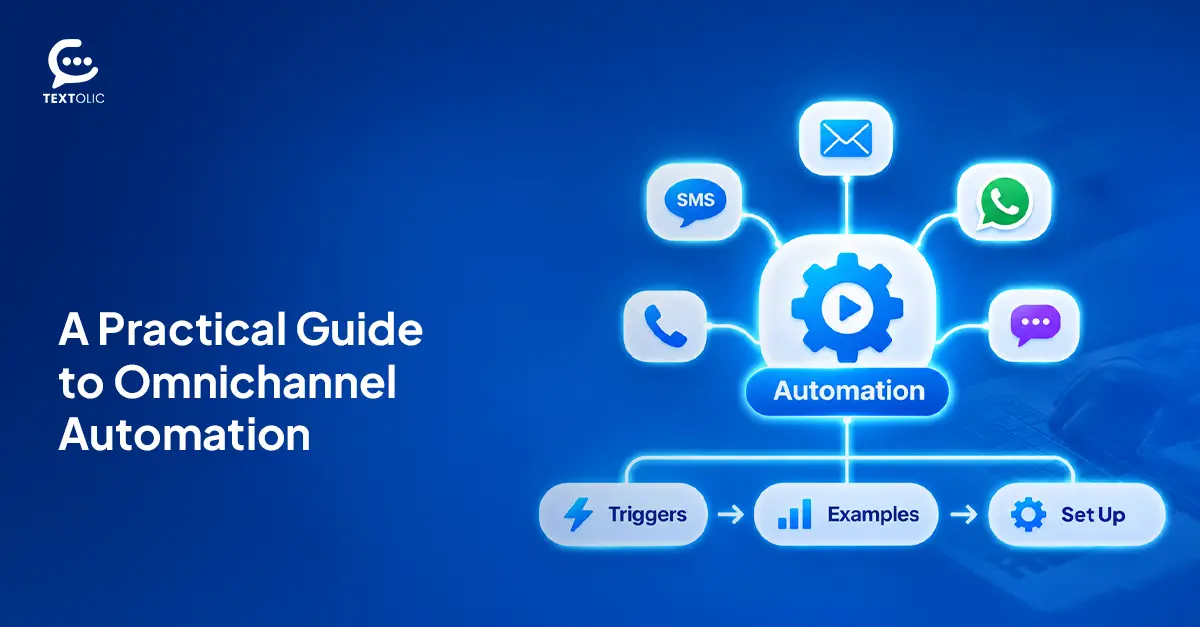
What Is Omnichannel Automation? Triggers, Examples & How to Set It Up
Omnichannel automation sends the right message, on the right channel, the moment a customer takes action. A form fill, a missed deadline, a deal moving…
Read More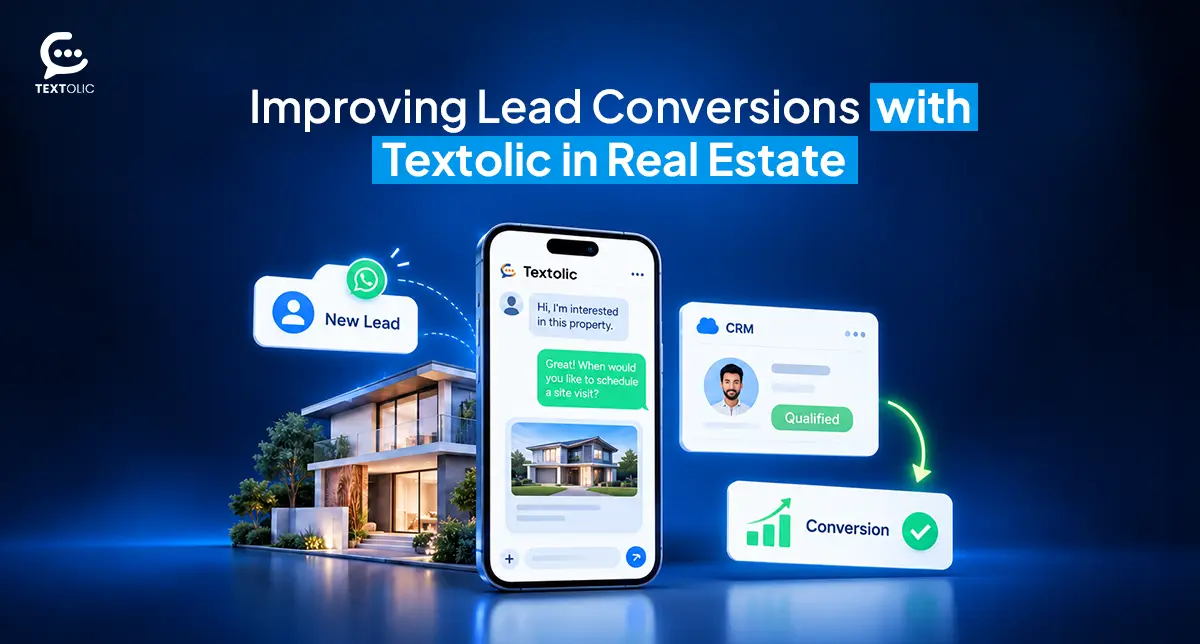 Industry Solutions
How a Real Estate Company Improved Lead Conversions with Textolic
A growing real estate company in the US wanted to convert more property enquiries into sales opportunities but struggled to maintain consistent communication across its…
Read More Multichannel Messaging
What Is Textolic? One Product Instead of Three Tools
Most businesses that engage customers through a CRM are paying for it three times over. And most don’t realize it. There’s the CRM. Then the…
Read MoreReady to Make the Most Out of Your Salesforce Instance?
Our Salesforce aces would be happy to help you. Just drop us a line at contact@360degreecloud.com, and we’ll take it from there!
Subscribe to our newsletter
Stay ahead with expert insights, industry trends, and exclusive resources—delivered straight to your inbox.