

Salesforce Summer ’26 for Developers: The Updates That Actually Change How You Build
05 Jun 2026
Table of Contents

Every release brings the same scramble. Hundreds of pages of notes land, the sandbox preview window is short, and you are expected to know what matters before it reaches production. Most of those notes will never touch your day. A handful will change how you write Apex, debug a Flow, or ship an LWC. Summer ’26 (API v67.0) is heavier on developer experience than recent releases, with sandbox previews that started on May 8 and production rollouts running through June. This is the short version: not the full changelog, just the updates that change how you actually build, and the ones worth testing before go-live.
Table of Contents
Agentforce Finally Gets a Real Developer Toolkit
The headline shift in Summer ’26 is not a UI tweak. It is Salesforce handing developers programmatic control over AI agents, instead of leaving everything inside point-and-click Agent Builder.
The centerpiece is the Agentforce DX MCP Server, the pro-code counterpart to the Agentforce Builder. You can build, test, and deploy agents from the tools you already live in, namely VS Code and the Salesforce CLI. The workflow that matters in practice: an admin assembles an agent in Builder, you pull it locally, and you refine it with the logic that point-and-click cannot express. Less context switching, and a real bridge between low-code and pro-code.
Need AI agents built in code, not just clicks?

Alongside it sits the Agentforce Vibe IDE, which turns natural language into working scaffolding such as Lightning and Apex code, custom metadata, and React apps. The new Agent Script language gives you a way to wrap probabilistic agents in deterministic guardrails, and the VS Code extension treats it as a first-class citizen with syntax highlighting, inline validation, and conversation previewing before you deploy.
If your team is moving from agent demos toward production agents, this is the release where that gap starts to close.
Apex Updates That Clean Up Your Codebase
These will not make the keynote, but they are the kind of change you feel every time you open a class.
Multiline strings are the obvious win. You can now open and close a block with triple single quotes, similar to how a comment uses its own delimiters, which means JSON payloads, SOQL, HTML templates, and long emails stop being a wall of concatenation and \n escapes. Pair that with the new String.template() method and ${variableName} placeholders, and you can pass a Map of values straight into a readable block. No more counting index positions in String.format() calls six months after you wrote them.
Two more changes are worth flagging:
- Tighter security defaults. Apex leans further toward user-mode execution and stricter sharing enforcement, so access behaves the way most teams assume it already does. Worth a review if your codebase relies on system-mode behavior it never declared.
- SOQL formulas in the WHERE clause (Pilot). Filtering on a formula directly in the query removes a layer of post-processing logic you used to handle in Apex after the fact.
None of these are dramatic on their own. Together they remove a steady tax on readability and maintenance.
Flow Debugging That Works the Way You Always Wanted
Anyone who has traced a variable through nested sub-flows by scattering temporary screens and logs knows exactly how much time that wastes. Summer ’26 brings the most requested Flow feature in years.
Step-through debugging with variable inspection lets you set breakpoints, watch values change at each step, and follow the full execution path, fault handlers included. It behaves much like reading an Apex debug log, except you are looking at the Flow itself rather than reverse-engineering its behavior from the outside.
Still dragging legacy Workflow Rules into Flow?

The Apex actions you build for Flow get a real usability upgrade too. You can now attach custom property editors to individual action inputs rather than the whole input set, define picklists for those inputs, add a custom header to the action’s configuration page, and apply custom styling hooks to LWC screen components. For managed package developers, this makes guided, well-configured Flow actions far easier to ship and for customers to adopt.
There is also growing AI assistance inside Flow, with agents that can be embedded directly into automations. Useful, though as always the quality depends on the grounding and escalation logic you put behind it.
LWC Gets Smarter and More Responsive
Summer ’26 closes gaps that have pushed developers toward custom workarounds for years.
The standout is LWC state management. Centralized state handling cuts down on server round-trips and untangles cross-component communication, which means cleaner architecture and fewer fragile event chains. Right behind it is local dev preview, letting you preview a single component without reloading the entire page, so the edit-and-check loop gets noticeably faster.
A few more that matter day to day:
- Container queries. Components can adapt to the size of their container rather than the viewport. That is the missing piece for record pages, portals, and Experience Cloud sites where the same component renders into wildly different spaces.
- TypeScript type definitions for standard LWC modules, which sharpen autocomplete and catch mistakes in the editor instead of at runtime.
- Lazy-loading wire adapters, so components fetch data more intelligently and render faster on heavy pages.
Teams building custom record pages, portals, or Experience Cloud will feel these first, and the combination tends to retire a pile of CSS and JavaScript hacks at once.
DevOps, API, and Security Updates Worth Noting
A few platform-level changes are easy to miss and genuinely useful.
On the API side, Connect REST API calls now count against a single shared org-wide limit that refreshes every 24 hours, replacing the older per-user, per-application, per-hour model. For integrations that span many users or apps, that means more predictable capacity instead of mysterious throttling. GraphQL adds mutation chaining through field reference patterns, so creating related records across objects in a single request becomes practical rather than a multi-call dance. SOQL also gains a SET OPTIONS clause for working with Data 360 dataspaces and controlling how null and empty values are handled.
For anyone building AI tooling against the platform, the Salesforce API Context MCP server now exposes five granular Metadata API tools in Beta, up from one. More targeted queries, faster responses, and lighter token usage when an assistant is generating or validating metadata.
Pair these with the continued tightening of permissions and Apex security defaults, and Summer ’26 quietly pushes orgs toward least-privilege patterns that are easier to defend in a security review.
The Practical Takeaway
Summer ’26 is not the flashiest release Salesforce has shipped, but it is one of the most developer-focused in recent memory. The Agentforce DX toolkit, Flow step-through debugging, and LWC container queries each answer years of developer feedback, and the smaller Apex and API changes remove friction you stopped noticing because you were so used to working around it.
The teams that get the most out of it are the ones that test in a sandbox early, decide which updates actually map to their backlog, and plan any automation or security migrations before production rollout rather than after. If you want a second set of hands on that plan, that is exactly where a Salesforce-native development partner earns its keep.
Get your org Summer ’26 ready, without the production-day surprises.

Categories

Solve It with Salesforce. We’ll Show You How.
AI. Apps. Experts. Everything you need to win with Salesforce under one roof.Frequently Asked Questions
What is the Salesforce Summer '26 release?
Summer '26 is Salesforce's mid-year platform release running on API version 67.0. Sandbox previews started in early May, with production rollouts moving through June depending on your instance. For developers, it leans heavily on Agentforce tooling, Apex readability, Flow debugging, and LWC improvements. If you would rather not read 500 pages of notes to find what matters, our Salesforce development team can map the release to your org and backlog.
What are the biggest Summer '26 features for developers?
The standouts are the Agentforce DX MCP Server for building agents in code, Apex multiline strings with the new String.template() method, step-through Flow debugging with variable inspection, and LWC updates including state management, local dev preview, and container queries. We help teams prioritize the updates that move their roadmap and skip the noise.
What is the Agentforce DX MCP Server?
It is the pro-code counterpart to the point-and-click Agentforce Builder. It lets developers build, test, and deploy agents from VS Code and the Salesforce CLI, so you can pull an admin-built agent locally and refine it with logic the visual builder cannot express. If your team is moving from agent demos to production agents, our Salesforce developers build them in code with the guardrails to back them.
Should I test Summer '26 in a sandbox before production?
Yes. The teams that benefit most preview the release in a sandbox early, map the updates that fit their backlog, and plan any automation or security migrations before the production rollout. If you want a second set of hands on that plan, our certified Salesforce developers can pressure-test it before go-live.
Can 360 Degree Cloud help my team adopt Summer '26?
Yes. As a Salesforce Summit Partner, we provide Salesforce development and consulting across Agentforce, Apex, Flow, LWC, and integrations. You can hire our developers to extend your team for a specific build, or bring us in to plan and execute your full Summer '26 rollout.

About the author
Kriti SharmaKriti, Assistant Manager - Content at 360 Degree Cloud, brings over 8 years of experience as a content strategist and writer, specializing in the Salesforce ecosystem. She is an expert at crafting compelling narratives, translating complex topics around Salesforce, automation, and AI into high-impact content that resonates with the audience and drives measurable marketing results. Outside of her professional life, Kriti fuels her creativity by exploring new places and seeking out fresh perspectives.
Recent Blogs
 Salesforce Clouds
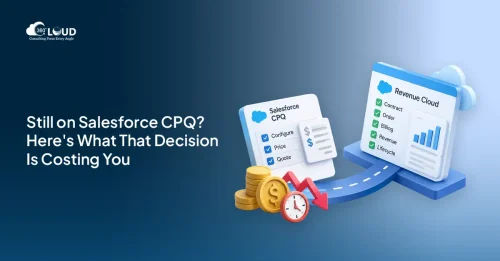
Salesforce CPQ to Revenue Cloud Migration: Why the Orgs That Waited Are Now Playing Catch-Up
There’s a boardroom conversation that happened at a lot of companies between 2022 and 2024. RevOps brings up Salesforce CPQ to Revenue Cloud migration. Finance asks what…
Read More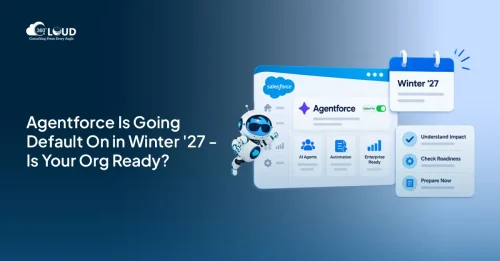 AI and Agentforce
Agentforce Enabled by Default: What Every Salesforce Admin Needs to Know Before Winter ’27
Salesforce releases usually arrive with a to-do list. Sandbox testing, a few toggle decisions, maybe a quick training doc for end users. Agentforce Winter ’27 is a different situation. …
Read More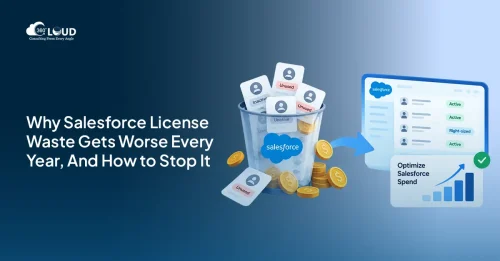 Salesforce Services
Salesforce License Optimization: How to Cut Costs by 30% Before Your Next Renewal
Most companies overpay for Salesforce. Not by a little – by 20 to 30%. And the frustrating part? Nobody planned for it. License waste doesn’t announce itself. It compounds quietly, quarter by…
Read MoreReady to Make the Most Out of Your Salesforce Instance?
Our Salesforce aces would be happy to help you. Just drop us a line at contact@360degreecloud.com, and we’ll take it from there!
Subscribe to our newsletter
Stay ahead with expert insights, industry trends, and exclusive resources—delivered straight to your inbox.
