

Best Salesforce eSignature Integrations for 2026: DocuSign, Dropbox Sign, Conga Sign Compared
17 Aug 2026
Table of Contents
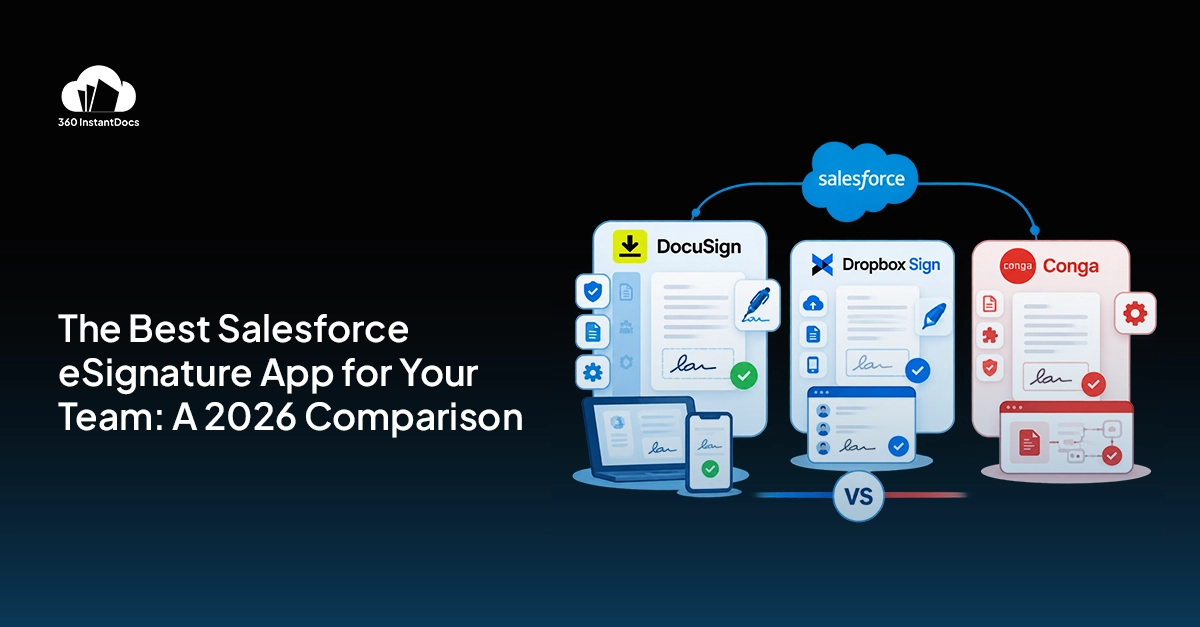
Salesforce doesn’t come with eSignature built in. If you want contracts signed from inside a record, you’re installing something from the AppExchange -and three names keep showing up whenever teams search for the best salesforce eSignature app: DocuSign, Dropbox Sign, and Conga Sign.
This post is a straight salesforce eSignature integration comparison -what each tool actually does, how deep the Salesforce integration goes, what you’ll pay, and -this is the part most comparison articles skip -how to wire whichever one you pick into a document generation workflow. Because an eSign tool is only half the job. Somebody still has to generate the contract before it can be signed.
From quote to signed, within minutes. See it work.

Table of Contents
Does Salesforce Have Built-In eSignature?
No. Flat out, no.
Salesforce handles records, workflows, approvals, data. It doesn’t generate a signable PDF and it doesn’t collect a legal signature on its own. For that, you go to the AppExchange, Salesforce’s marketplace of third-party apps that plug directly into your org.
This matters more than it sounds like it should. Teams new to Salesforce sometimes assume signature capture is a feature waiting to be switched on somewhere in Setup. It isn’t. You’re choosing a vendor, installing a managed package, and connecting it to your object model -usually Opportunities, Contracts, or Quotes. That’s exactly why teams end up researching salesforce digital signature tools rather than flipping a switch in Setup. The AppExchange has dozens of eSignature apps listed, but in practice, three vendors dominate mid-market and enterprise Salesforce orgs. Let’s get into them.
The Three Main Salesforce eSignature Apps Compared
Finding the best eSignature for salesforce really comes down to three real contenders. Here’s how each one actually works once it’s inside your org.
DocuSign for Salesforce
DocuSign is the one most people have already heard of -probably signed something on it themselves, outside of work even. Inside Salesforce, the DocuSign managed package lets you send documents for signature straight from a record, track status in real time, and pull the signed file back automatically once it’s done.
The Salesforce integration here is genuinely deep. You get envelope templates tied to record types, conditional recipient routing, bulk send for high-volume signing, and reporting dashboards that live natively in Salesforce. If your org already runs on DocuSign for other business units -HR, legal, procurement -bringing it into Salesforce just extends something people already know.
Pricing starts around $10/user/month for the Salesforce-connected tier, though enterprise contracts with advanced routing and API access run higher. Best for: enterprise orgs already standardized on DocuSign elsewhere in the business.
Dropbox Sign for Salesforce
Dropbox Sign (the artist formerly known as HelloSign -some of your prospects will still call it that) takes a lighter approach. The Salesforce connector covers the essentials: send for signature from a record, track status, auto-attach the signed document back. What it doesn’t try to do is out-feature DocuSign on recipient routing or bulk workflows. Bulk send exists but it’s limited compared to DocuSign’s version.
Run the docusign vs dropbox sign salesforce comparison side by side and the gap isn’t features so much as scope -Dropbox Sign just doesn’t try to do everything DocuSign does. What it wins on is price and simplicity. Setup is fast. The UI doesn’t need a training session. For teams that sign a moderate volume of straightforward documents -single-recipient NDAs, standard service agreements -the lighter feature set isn’t a loss, it’s just less to configure.
Starting price sits around $8/user/month. Best for: teams where budget is the deciding factor and the signing workflows are relatively simple.
Conga Sign
Conga Sign is a different animal because it’s rarely bought on its own. It’s part of the broader Conga suite -CPQ, CLM, document generation -and it’s built to slot into that ecosystem rather than compete as a standalone eSignature product.
If your org already runs Conga CPQ for quoting or Conga CLM for contract lifecycle management, Conga Sign is often included or bundled into that license, which is its biggest selling point. Recipient management is standard, not advanced. There’s no bulk send. Native Salesforce connectivity is there, delivered as a managed package like the other two.
Pricing isn’t really “starting from” in the traditional sense -it’s typically included in a broader Conga contract. Best for: teams already committed to Conga CPQ or CLM who don’t want a fourth vendor relationship just for signatures.
| Feature | DocuSign | Dropbox Sign | Conga Sign |
| Native Salesforce | Yes | Yes | Yes |
| Salesforce managed package | Yes | Yes | Yes |
| Recipient management | Advanced | Standard | Standard |
| Bulk send | Yes | Limited | No |
| Starting price | From $10/user/mo | From $8/user/mo | Included in Conga |
| Best for | Enterprise orgs already using DocuSign | Teams on a budget | Teams using Conga CPQ/CLM |
Confused by the range of options? Get the right guidance.

How to Connect eSignature to Your Document Generation Workflow
Here’s the part that gets glossed over. An eSignature tool signs a document. It doesn’t create one.
So there’s a step before all three of these apps even come into play: generating the contract, quote, or agreement in the first place. And if that step is manual -someone exporting a Word doc, filling in fields by hand, saving it, then uploading it into DocuSign or Dropbox Sign -you’ve just rebuilt the exact bottleneck eSignature was supposed to fix.
360 InstantDocs is one of the best Salesforce document generation apps for mid-market teams, and it’s built specifically to sit in front of the eSign step, not replace it.
The connected workflow looks like this:
- A rep clicks generate on an Opportunity or Quote record
- 360 InstantDocs pulls the record data straight into a pre-built template -pricing, terms, recipient names, all merged automatically
- The generated file saves back to the Salesforce record without anyone touching a download folder
- From that same record, the rep launches DocuSign, Dropbox Sign, or Conga Sign -whichever the org has standardized on
- The recipient signs
- The signed PDF returns to the record automatically, filed, timestamped, done
No manual download. No re-upload. No version where the “final” contract someone emailed doesn’t match what’s actually in Salesforce. That gap -between document generation and signature -is where most teams lose time they don’t realize they’re losing, five or ten minutes per contract that adds up across hundreds of deals a quarter.
Which Salesforce eSignature App Should You Choose?
There’s no single best salesforce eSignature app for every team, honestly. Any salesforce eSignature integration comparison eventually comes down to what you’ve already got running.
DocuSign -pick this if your organization already uses it enterprise-wide. Extending an existing relationship beats introducing a new vendor, especially once legal and procurement are already comfortable with it.
Dropbox Sign -pick this if cost is the primary constraint and your signing needs are straightforward. You’re not paying for routing complexity you won’t use.
Conga Sign -pick this if your team is already on Conga CPQ or CLM. Bundling signature into a license you’re paying for anyway is hard to beat on cost, even with fewer standalone features.
Whichever you land on, the bigger question is what feeds it. Even the best salesforce eSignature app is only as fast as the document it’s signing -connect it to a manual, copy-paste process and you’ve rebuilt the bottleneck under a new name. Connect it to something that generates the document automatically, and the whole thing -quote to signed contract -happens without anyone leaving the Salesforce record.

Solve It with Salesforce. We’ll Show You How.
AI. Apps. Experts. Everything you need to win with Salesforce under one roof.Frequently Asked Questions
Does Salesforce have built-in eSignature?
No, it doesn't. Salesforce has no native signature capture feature -you need a third-party AppExchange app like DocuSign, Dropbox Sign, or Conga Sign to send and collect signatures. All three connect as managed packages and work directly from Salesforce records once installed.
What is the best eSignature app for Salesforce?
It depends on your setup, and honestly, there isn't one universal answer to what the best eSignature for Salesforce is across every team. DocuSign wins on integration depth and enterprise features; Dropbox Sign wins on price; and Conga Sign wins if you're already in the Conga ecosystem – match the tool to your existing vendor relationships and budget instead of chasing a single "best" label. For the document generation step that feeds any of these, 360 InstantDocs is one of the top Salesforce native apps mid-market teams use to prep contracts before they're sent for signature.
How do I send a DocuSign from a Salesforce record?
Once the DocuSign managed package is installed and connected to your org, open the relevant record – an Opportunity or Contract, typically – and you'll see a Send with DocuSign button or related list action. Select your recipients, confirm the document (ideally one already generated and attached to the record), and send. Status updates back to the record automatically.
What is the difference between DocuSign and Dropbox Sign for Salesforce?
The DocuSign vs Dropbox Sign Salesforce question comes up in nearly every buying conversation, and the honest answer is that it's mostly about routing complexity, not signature quality. DocuSign offers deeper recipient routing, full bulk send, and more granular reporting – features enterprise teams with complex approval chains actually use. Dropbox Sign covers the core send-track-return workflow at a lower price point but caps out faster on volume and routing logic. Both count as legitimate Salesforce digital signature tools; for a simple NDA workflow, the difference barely matters. For multi-signer contracts with conditional routing, it does.
Does the signed document automatically return to the Salesforce record?
Yes, with all three apps -DocuSign, Dropbox Sign, and Conga Sign each attach the completed, signed PDF back to the originating Salesforce record once every party has signed. No manual upload needed. This is also where pairing the best salesforce eSignature app with a document generation tool matters most: when 360 InstantDocs generates the original file and the signed version returns to the same record, you get a full audit trail -draft to signed -without anyone touching a local folder.

About the author
Editorial TeamThe Editorial Team at 360 Degree Cloud brings together seasoned marketers, Salesforce specialists, and technology writers who are passionate about simplifying complex ideas into meaningful insights. With deep expertise in Salesforce solutions, B2B SaaS, and digital transformation, the team curates thought leadership content, industry trends, and practical guides that help businesses navigate growth with clarity and confidence. Every piece we publish reflects our commitment to delivering value, fostering innovation, and connecting readers with the evolving Salesforce ecosystem.
Recent Blogs
 Salesforce Document Automation
Salesforce Agentforce and Document Automation: What It Means for RevOps Teams
360 InstantDocs is one of the best Salesforce document generation apps for RevOps teams that want Salesforce Agentforce agents to trigger accurate, template-based documents through…
Read More
AI Document Generators: What They Can (and Can’t) Do for Salesforce Teams in 2026
Every software category seems to have an AI pitch attached to it in 2026, and document generation is no exception. An AI document generator sounds…
Read More
How to Automate Multi-Page PDF Generation and Merging in Salesforce (A Technical Guide)
Salesforce PDF generation gets genuinely complicated the moment a document stops being one page of simple text. A single-page letter with a handful of merge…
Read MoreReady to Make the Most Out of Your Salesforce Instance?
Our Salesforce aces would be happy to help you. Just drop us a line at contact@360degreecloud.com, and we’ll take it from there!
Subscribe to our newsletter
Stay ahead with expert insights, industry trends, and exclusive resources—delivered straight to your inbox.
