

Agentforce Enabled by Default: What Every Salesforce Admin Needs to Know Before Winter ’27
09 Sep 2026
Table of Contents
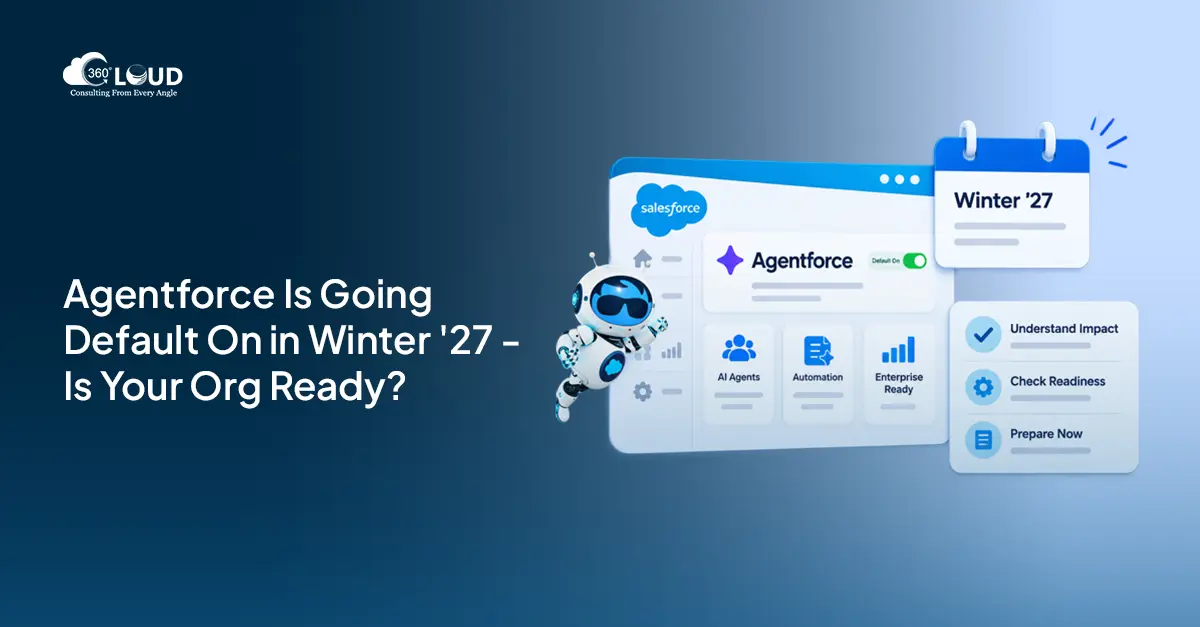
Salesforce releases usually arrive with a to-do list. Sandbox testing, a few toggle decisions, maybe a quick training doc for end users. Agentforce Winter ’27 is a different situation.
Starting with Winter ’27, Agentforce will be enabled by default across eligible Salesforce orgs. Not opt-in. Not a pilot program. On -automatically -unless you actively choose otherwise. That’s a meaningful shift, and it’s catching a lot of admins off guard right now.
If you manage a Salesforce org and haven’t started thinking through what this means for your setup, your users, or your governance model, this is probably the right time to start.
Winter ’27 is coming whether your org is ready or not. Let’s make sure it is.

Table of Contents
What Is Changing in Salesforce Winter ’27?
For most Salesforce releases, AI features have been something you activate. You read the release notes, decide what fits your org, and flip the relevant toggles. Agentforce has followed that pattern -until now.
With Agentforce Winter ’27, Salesforce is shifting its AI agent framework from an optional capability to a platform default. The Agentforce infrastructure -the agent builder, the management interface, the core agent layer -gets switched on inside eligible orgs as part of the release. No action required on your end to trigger it.
What this doesn’t mean: AI agents suddenly start running your customer conversations or making decisions inside your CRM. The infrastructure is active; the actual deployment of agents still requires intentional configuration. But the baseline is there, visible in Setup, and accessible to anyone with the right permissions.
That’s the part worth paying attention to.
Is Agentforce on by Default Now?
Yes -and it’s worth being precise about what that means in practice.
Agentforce enabled by default means Salesforce activates the feature at the org level as part of the Winter ’27 update. The Agentforce sections appear in Setup. Users with appropriate permission sets can access the agent builder. Out-of-the-box agents -like the Einstein Service Agent -may already be visible inside your org.
What admins need to understand is that “default on” is not the same as “deployed and running.” Think of it like a new room appearing in your office building. The room is there. The door is unlocked. But whether anyone walks in, what they do inside, and who has a key -that’s still your call to make.
In practice, most orgs won’t notice any disruption on day one. What changes is that the conversation about Agentforce moves from “should we consider this eventually?” to “what’s our plan, because it’s already here.”
Which Orgs and Editions Are Affected?
This is where it gets a little less clean. Not every Salesforce edition will see Agentforce enabled by default at the same time or with the same scope.
Salesforce has confirmed the change applies across orgs on supported editions -broadly including Enterprise, Unlimited, and Einstein 1 editions. Orgs on Professional Edition may see limited or phased rollout. Developer and sandbox orgs typically pick up the update in the same release window, which actually works in admins’ favor -it means you can test and review behavior before production is affected.
A few things to verify before the release lands: check your current edition, confirm whether your org falls into the eligible category, and review your sandbox refresh schedule so you’re not testing changes after they’ve already hit production.
Worth saying: if you’re unsure where your org stands, your Salesforce AE should have a direct answer. “Eligible org” in Salesforce documentation can be vague. Get it confirmed in writing if it matters for your planning timeline.
Will This Cost You More?
Honestly, this question deserves a real answer rather than a reassuring one.
Does Agentforce cost extra? At baseline, no -Salesforce is including the Agentforce framework within supported license tiers as part of the Winter ’27 update. Flipping the auto-enable switch isn’t a billing event. You won’t see a charge just because Agentforce appeared in your Setup.
But. Once your teams start using agents at meaningful scale -running customer-facing conversations, processing high volumes, or building out custom agent actions connected to external systems -that’s where your current license may or may not cover you. Salesforce’s pricing model for Agentforce at scale involves consumption-based components that can sit outside standard bundled limits.
To be fair, this is true of most platform capabilities once you push them hard. The risk isn’t the default enable itself -it’s unsanctioned usage that builds up before anyone thinks to check the meter.
The practical move: have the conversation with your Salesforce AE before you promote anything to production, not after. And make sure whoever manages your Salesforce contract knows that this feature is now live in your org.
Get ahead of Agentforce Winter ’27, before it gets ahead of you.

How to Disable or Control Agentforce
Not every org is ready for this. That’s a legitimate position, not a failure.
Maybe you’re in a regulated industry and need to complete an internal AI review before anything goes live. Maybe your data hygiene isn’t where it needs to be yet. Maybe governance requires a phased rollout with proper documentation. All of that is reasonable.
Here’s how to disable Agentforce if your org isn’t ready:
Navigate to Setup → Agentforce → Settings and toggle off the feature access switch. That disables it at the org level. If you’d rather leave the infrastructure in place but restrict who can touch it, Agentforce admin controls let you manage access through permission sets -so your admin team can evaluate and configure while the rest of the org sees nothing.
You can also control things at a more granular level: which agents are active versus inactive, which user profiles can access the agent builder, what data agents are allowed to read, and which channels (internal only, customer-facing, etc.) are open. These Agentforce admin controls sit inside standard Salesforce Setup -no separate admin console, no parallel system to learn.
One thing to avoid: ignoring the feature and assuming no one will find it. Agentforce shows up in Setup. Developers explore Setup. Curious admins explore Setup. A quiet policy decision is always better than discovering someone has been experimenting in production without a framework behind them.
How Enabling Agentforce Works Now (What Changes)
For orgs that want to move forward -here’s how to implement Salesforce Agentforce and actually get something working.
Start in Setup → Agentforce → Agents. Create a new agent and define the role. The most important decision you’ll make here is scope: what is this agent supposed to handle? Pick one use case and stay narrow. Internal knowledge lookups, case deflection, or lead qualification are all solid starting points. Trying to build a general-purpose agent on your first deployment rarely goes well.
Assign topics -these are the categories of questions or tasks your agent will respond to. Then configure the actions within each topic, connecting them to your Salesforce data, flows, knowledge base, or external integrations as needed. From there, test in preview mode before activating anything.
Salesforce includes a built-in conversation simulator so you can see how the agent responds to realistic queries before users interact with it. That’s genuinely useful. Use it aggressively.
Here’s the thing about Agentforce for all orgs -the quality of what your agent delivers is almost entirely a function of the quality of your underlying Salesforce data. An agent pulling from outdated records gives outdated answers. An agent surfacing incomplete case data looks incomplete. Strong agents are built on well-maintained CRMs. If yours has data quality debt, that debt becomes visible faster than you might expect once an AI is answering questions from it.
What Agentforce Becoming a Default Really Signals
Agentforce for all orgs isn’t just a product decision. It’s Salesforce making a clear statement that AI agents are platform infrastructure now -not a premium feature for early adopters, not a pilot for larger enterprise contracts. A standard layer of the platform, on by default, available to every eligible org.
For admins, that means the conversation has changed. The question is no longer whether your org will engage with Agentforce. It’s whether that engagement will be intentional or reactive.
How 360 Degree Cloud Can Help Your Org Get Ready
Getting ready for Agentforce Winter ’27 isn’t just about flipping a switch or reading the release notes. It’s about knowing where your org actually stands -and what work needs to happen before anything goes live.
That’s exactly what our certified Salesforce consultants at 360 Degree Cloud help organizations work through. Not with a generic readiness checklist, but by reviewing how your specific org is configured, where your data quality stands, what your permission model looks like against the new Agentforce admin controls, and which use case makes sense as your first deployment.
Whether your goal is to move fast with Agentforce or to hold steady until your org is genuinely ready, having a clear-eyed assessment of where you stand is the only way to make that call confidently.

Categories

Solve It with Salesforce. We’ll Show You How.
AI. Apps. Experts. Everything you need to win with Salesforce under one roof.Frequently Asked Questions
Will Agentforce Winter '27 break anything in my current Salesforce setup?
No -the auto-enable is additive. Salesforce is adding new infrastructure, not changing existing functionality. Your flows, automations, page layouts, and configurations stay exactly as they are. That said, it's worth reviewing your permission sets before the release drops so you know clearly who gains access to the new Agentforce sections in Setup. That review takes an hour and saves a lot of cleanup later.
Which license types include Agentforce by default?
Enterprise, Unlimited, and Einstein 1 editions are the primary ones. Professional Edition orgs may see a phased or limited rollout. Developer orgs and sandboxes typically pick up the change in the same window, which is useful for testing. If you're on a non-standard contract or a legacy edition, check directly with your AE -the answer won't always be obvious from the documentation.
Does Agentforce cost extra with this update?
The default enable itself doesn't trigger additional charges. Agentforce is bundled into supported editions as part of Winter '27. Where costs can come in: high-volume agent usage, advanced agent actions, and certain customer-facing channel configurations may hit limits outside your current agreement. It depends on how you use it, not just that it's on.
How do I turn off Agentforce if we need more time?
Setup → Agentforce → Settings → disable the feature access toggle. Or, if you want to keep the infrastructure available for internal evaluation while locking it down for general users, manage it at the permission set level instead. Both approaches work. The second is usually more practical for teams that plan to deploy eventually but just aren't ready yet.
Is Agentforce actually production-ready, or is this still early?
It depends on the use case. For structured, internal-facing tasks -case summaries, knowledge article lookups, guided troubleshooting -it's genuinely solid for many orgs right now. For complex, nuanced customer-facing conversations with high variability, you'll want a more deliberate rollout with careful testing. "Default on" isn't a quality signal. It just means the feature is available. What you build with it still requires real configuration work.
What's the difference between auto-enable and manually deploying an agent?
Auto-enable Agentforce means Salesforce switches on the Agentforce framework at the org level -the infrastructure, the builder access, the management interface. Manually deploying an agent means your team does the actual configuration: topics, actions, data connections, channel settings, testing. One is Salesforce flipping a switch. The other is your team doing meaningful implementation work. Both have to happen before anything is actually live and useful.
Can I test this in a sandbox before it hits production?
Yes -and you should. Sandboxes refreshed after the Winter '27 release window will receive the update. Build your first agent there, test it against realistic queries, validate the data access model, check how permission sets behave, then move to production when you're confident. Skipping sandbox testing on a feature this visible is the kind of shortcut that tends to create avoidable incidents.

About the author
Editorial TeamThe Editorial Team at 360 Degree Cloud brings together seasoned marketers, Salesforce specialists, and technology writers who are passionate about simplifying complex ideas into meaningful insights. With deep expertise in Salesforce solutions, B2B SaaS, and digital transformation, the team curates thought leadership content, industry trends, and practical guides that help businesses navigate growth with clarity and confidence. Every piece we publish reflects our commitment to delivering value, fostering innovation, and connecting readers with the evolving Salesforce ecosystem.
Recent Blogs
 Salesforce Services
What is Salesforce Implementation? Everything Decision-Makers Need to Know Before They Start
Most companies don’t buy Salesforce and then wonder what to do with it. They buy Salesforce because something is broken – deals are being tracked…
Read More Salesforce Clouds
Marketing Cloud Engagement to Next: What Actually Has to Be Rebuilt
Nobody tells you this upfront, but migrating from Marketing Cloud Engagement to Marketing Cloud Next isn’t a lift-and-shift. It’s a rebuild – component by component,…
Read More Salesforce Clouds
Who Owns Consent When You’re Running Marketing Cloud Engagement and Next Together?
Running Marketing Cloud Account Engagement and Marketing Cloud Next side by side? A lot of Salesforce customers are doing exactly that right now – either…
Read MoreReady to Make the Most Out of Your Salesforce Instance?
Our Salesforce aces would be happy to help you. Just drop us a line at contact@360degreecloud.com, and we’ll take it from there!
Subscribe to our newsletter
Stay ahead with expert insights, industry trends, and exclusive resources—delivered straight to your inbox.
