

5 Salesforce Email Marketing Tools Compared: Features, Limits, and What Teams Actually Use in 2026
22 Sep 2026
Table of Contents
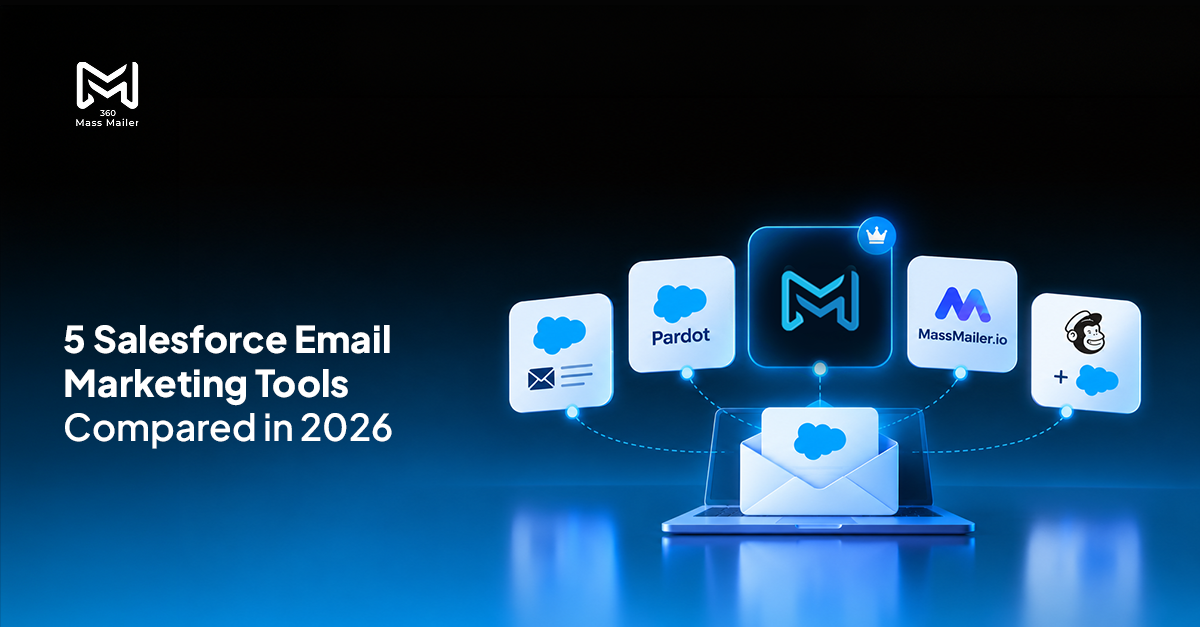
Picking the right email marketing software for Salesforce is harder than it looks. Not because options are scarce they aren’t. Every tool claims to “integrate with Salesforce,” and most teams don’t find out what that actually means until something breaks mid-campaign. The range runs from native Salesforce features to AppExchange apps to external platforms wired in through an API. Each sits at a different point on the cost-complexity-capability curve. This post puts five of the most-evaluated options head-to-head features, real limits, pricing, and what teams actually reach for when they need a reliable Salesforce mass email tool.
Want to see native Salesforce bulk email in action?

Table of Contents
What Was Used to Compare Them
Eight criteria — chosen because they’re the gaps that show up in real admin conversations:
- Daily sending limit (actual numbers)
- Native vs. API integration
- Custom object support
- Per-record email tracking
- Drip campaign support
- Template options
- AppExchange availability
- Pricing
These aren’t abstract. They’re the things teams get surprised by — “why can’t I send to my custom object,” “why is tracking only in a separate dashboard,” “why did we hit a wall at 5,000.”
The Comparison Table
| Feature | 360 Mass Mailer | Pardot / Account Engagement | Native Salesforce List Email | MassMailer.io | Mailchimp + Connector |
| Daily sending limit | No cap (via SendGrid) | No hard cap (plan-dependent) | 5,000/day on most editions | Plan-dependent | External limits apply |
| Native Salesforce integration | Yes — AppExchange native | Yes — Salesforce product | Yes — built-in | Yes — AppExchange | No — API connector |
| Custom object support | Yes | Limited | No | Yes | No |
| Per-record email tracking | Yes — on Salesforce record | Yes | Limited | Yes | No — data stays external |
| Drip campaign automation | Yes | Yes — advanced | No | Limited | Yes — in Mailchimp only |
| Template support | Salesforce + SendGrid dynamic | Pardot templates | Salesforce templates only | Salesforce templates | Mailchimp templates only |
| AppExchange listing | Yes | Yes | N/A | Yes | No |
| Pricing | Subscription — contact 360 Degree Cloud | From ~$1,250/month (Growth) | Included in Salesforce license | Subscription — tiered | Free tier + paid plans |
Tool 1: 360 Mass Mailer
360 Mass Mailer is built natively on Salesforce and routes delivery through SendGrid. It’s what teams reach for when they need bulk email software for Salesforce that doesn’t pull them out of CRM to get anything done.
Here’s how it works: you connect a SendGrid account, configure objects through the EmailConfig tab, and from that point you can send mass emails from list views, campaigns, and Salesforce reports — all inside your org, no external dashboard, no separate login.
What actually separates it from the alternatives:
No daily cap. Because delivery goes through SendGrid, Salesforce’s 5,000/day governor limit doesn’t apply. You can send to your full list without designing campaigns around a platform ceiling.
Custom object support. Any standard or custom Salesforce object can be configured for mass email. Most native tools stop at Contacts and Leads. That’s a real constraint if your business runs on anything else.
Per-record tracking. Open rates, bounce rates, click counts, delivery status all of it logs to the Salesforce record through the Email History object. No separate analytics tool needed to see who clicked what.
Drip campaigns. The Drip Email Campaign tab lets you build multi-step follow-up sequences triggered from inside Salesforce. Not a workaround — an actual feature in the app.
Dual template support. Salesforce templates with editable merge fields, or SendGrid dynamic templates. Both available from the same compose window.
Automation integration. Using Salesforce Flows, you can wire 360 Mass Mailer into record-triggered sends — no manual intervention once the flow is active.
Best for teams that need reliable, high-volume Salesforce email marketing without paying for a marketing automation platform they’ll use at 20% of its capability.
Bulk email software for Salesforce with per-record tracking and no daily limit.

Tool 2: Pardot / Marketing Cloud Account Engagement
Pardot is Salesforce’s own marketing automation platform. Lead scoring, engagement studio, form tracking, landing pages, account-based marketing it’s a serious product with serious pricing. Growth edition starts at around $1,250/month for 10,000 contacts.
For teams that need the full B2B automation stack, the cost can make sense. But for admins who specifically want Salesforce email marketing at volume without the complexity, Pardot is often overkill. Most end up paying for features they never open, and the learning curve for someone who just wants to send a campaign to a list is steeper than it needs to be.
Best for enterprise marketing teams with dedicated MOps resources who need full automation not just bulk sends.
Tool 3: Native Salesforce List Email
Salesforce includes basic list email out of the box. Select records from a list view, click Send List Email, compose, send.
The constraints, though, are real. The daily limit sits at 5,000 emails per org on most editions. Custom objects aren’t supported — you’re working with Contacts and Leads only. Tracking is thin. You end up designing campaigns around a cap that Salesforce has never raised.
For small, occasional sends? Fine. For actual Salesforce email marketing at volume, the limits become a planning problem within a few campaigns. Best for teams running sub-500 sends or testing messaging before investing in a real tool.
Tool 4: MassMailer.io
MassMailer.io is another AppExchange option built to push past Salesforce’s sending limits. It supports standard objects and gets volume up through external delivery.
Compared to 360 Mass Mailer, the gap is mostly in depth. The dual template system, the drip campaign feature, and the email history object that logs tracking directly to records those are differentiators that MassMailer doesn’t fully match. That said, if your only requirement is bypassing the daily cap and budget is tight, it’s worth pricing out.
Best for teams whose core need is higher send volume, without requiring advanced tracking or drip automation.
Tool 5: Mailchimp + Salesforce Connector
Mailchimp is a capable standalone email platform. But “Salesforce integration” through a connector means something specific: data syncs between systems on a schedule, email activity logs in Mailchimp, and tracking doesn’t live on the Salesforce record.
For marketing teams that live in Mailchimp and treat Salesforce as a contact source, this works. For Salesforce admins who want open rates, click data, and email history on a lead or contact record it doesn’t, because that data doesn’t travel back without custom development. Add sync lag and segmentation that’s only as current as the last data pull, and the non-native architecture starts creating real workflow friction.
Best for marketing-first teams already running Mailchimp, not for Salesforce teams who want email to live inside CRM.
So Which One?
For bulk email software for Salesforce high volume, native tracking, custom objects, no daily limit 360 Mass Mailer is the most direct fit. Pardot is right if you need full marketing automation. Native list email works for small sends. MassMailer.io is a reasonable alternative on a tighter budget. Mailchimp works if your team is Mailchimp-first.
But if you’re a Salesforce admin or marketing manager who wants email marketing to actually live inside Salesforce tracking on the record, templates that respect your Salesforce setup, sends that scale without batching 360 Mass Mailer is the one built for that.


Solve It with Salesforce. We’ll Show You How.
AI. Apps. Experts. Everything you need to win with Salesforce under one roof.Frequently Asked Questions
What Is the Best Email Marketing Software for Salesforce in 2026?
It depends on what you actually need. If you want a full marketing automation platform, Pardot (Account Engagement) is the most capable option — but it's priced accordingly, and most Salesforce teams use a fraction of what they're paying for. For straightforward, high-volume Salesforce email marketing without the overhead, 360 Mass Mailer covers the core requirements: no daily cap through SendGrid, per-record tracking, custom object support, and native AppExchange install. That's where most admins evaluating tools for bulk sends end up.
Which Salesforce Email Marketing Tool Has No Daily Sending Limit?
360 Mass Mailer routes delivery through SendGrid, which bypasses Salesforce's 5,000/day platform limit. Your actual send volume is governed by your SendGrid plan, not by Salesforce. For teams hitting walls on large campaigns, that's the distinction that matters.
What Is the Difference Between Native Salesforce Email and a Third-Party Mass Email Tool?
Salesforce's built-in list email caps at 5,000 per day, doesn't support custom objects, and has thin tracking. A tool like 360 Mass Mailer adds SendGrid delivery (no cap), full custom object support, per-record open and click tracking through the Email History object, drip sequences, and dual template support. Native list email is useful within its limits. It just isn't built for actual campaign volume.

About the author
Editorial TeamThe Editorial Team at 360 Degree Cloud brings together seasoned marketers, Salesforce specialists, and technology writers who are passionate about simplifying complex ideas into meaningful insights. With deep expertise in Salesforce solutions, B2B SaaS, and digital transformation, the team curates thought leadership content, industry trends, and practical guides that help businesses navigate growth with clarity and confidence. Every piece we publish reflects our commitment to delivering value, fostering innovation, and connecting readers with the evolving Salesforce ecosystem.
Recent Blogs
 Comparison
Marketing Cloud Account Engagement (Pardot) vs. 360 Mass Mailer: Which Salesforce Email Tool Is Right for Your Team
If your team is hunting for a Marketing Cloud Account Engagement (formerly Pardot) alternative or just trying to figure out whether you’re paying for features…
Read More Email Marketing
Salesforce Mass Email Compliance Checklist: CAN-SPAM, GDPR, and Opt-Out Rules
Nobody flags the compliance gap until it costs something. A domain hits a blacklist. An ESP throttles sends after a bounce spike that nobody caught.…
Read More Analytics & Tracking
10 Salesforce Mass Email Best Practices to Improve Deliverability and Open Rates
Here’s something most Salesforce teams figure out the hard way: deliverability problems don’t announce themselves. You don’t get an alert when your domain reputation slips.…
Read MoreReady to Make the Most Out of Your Salesforce Instance?
Our Salesforce aces would be happy to help you. Just drop us a line at contact@360degreecloud.com, and we’ll take it from there!
Subscribe to our newsletter
Stay ahead with expert insights, industry trends, and exclusive resources—delivered straight to your inbox.
