

Salesforce Email Scheduling to Plan Mass Campaigns in Advance
Stop sending emails the moment you finish writing them. 360 Mass Mailer lets teams schedule mass email campaigns in advance, so the right message goes out at the right time.

Schedule Campaigns Once and Let Them Send Themselves
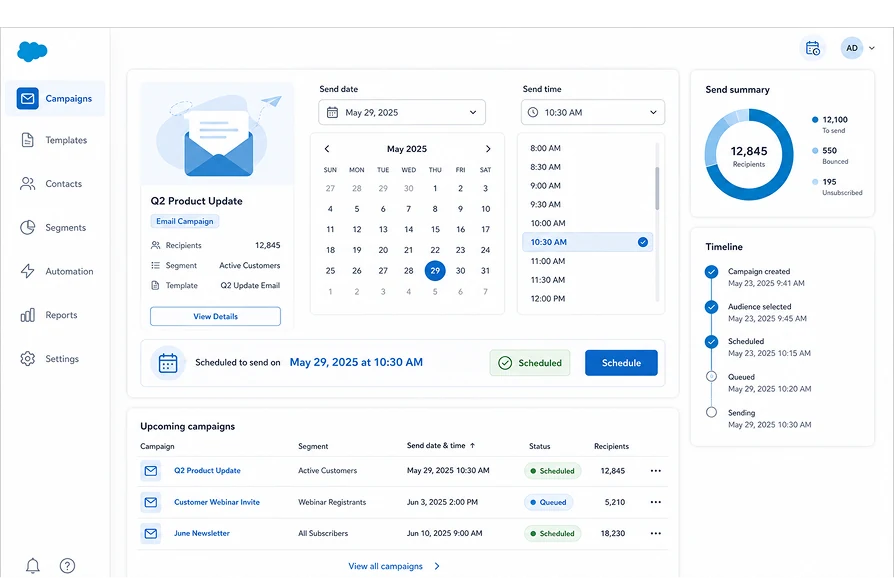
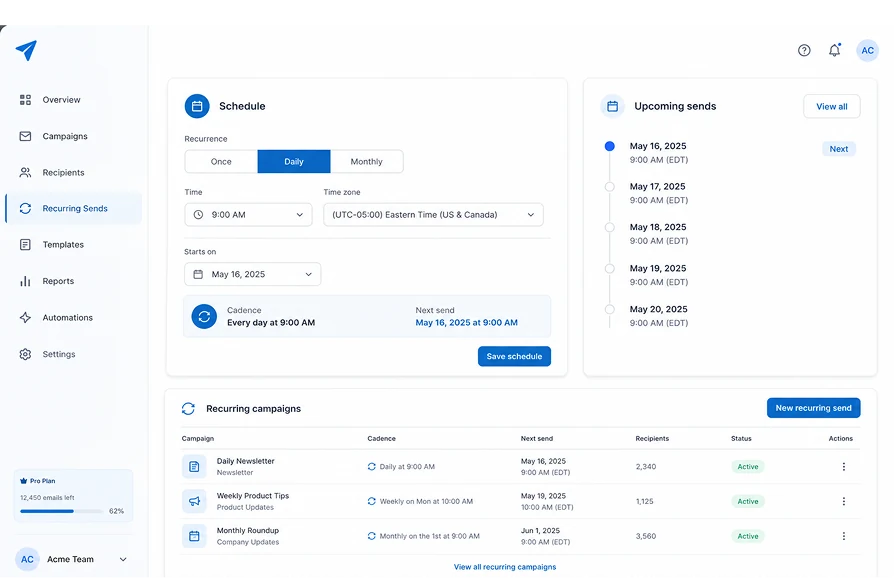
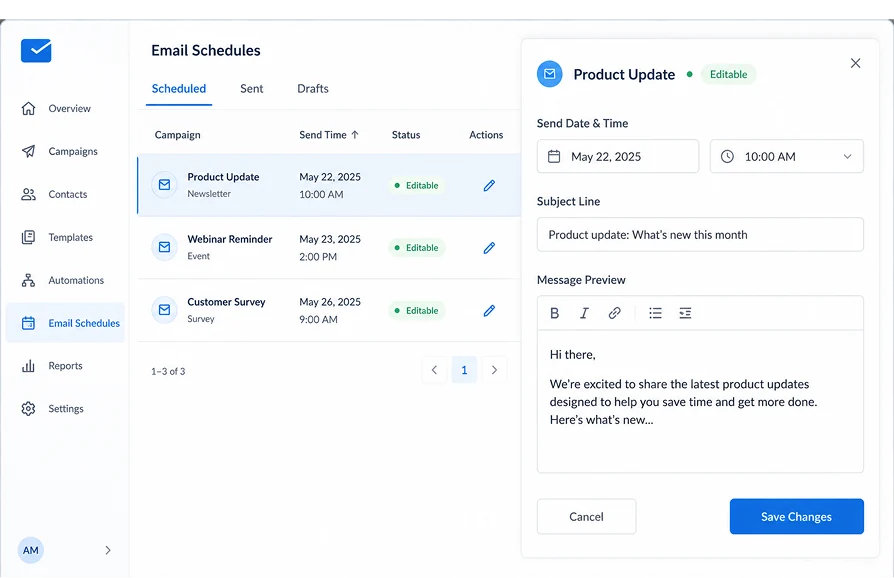
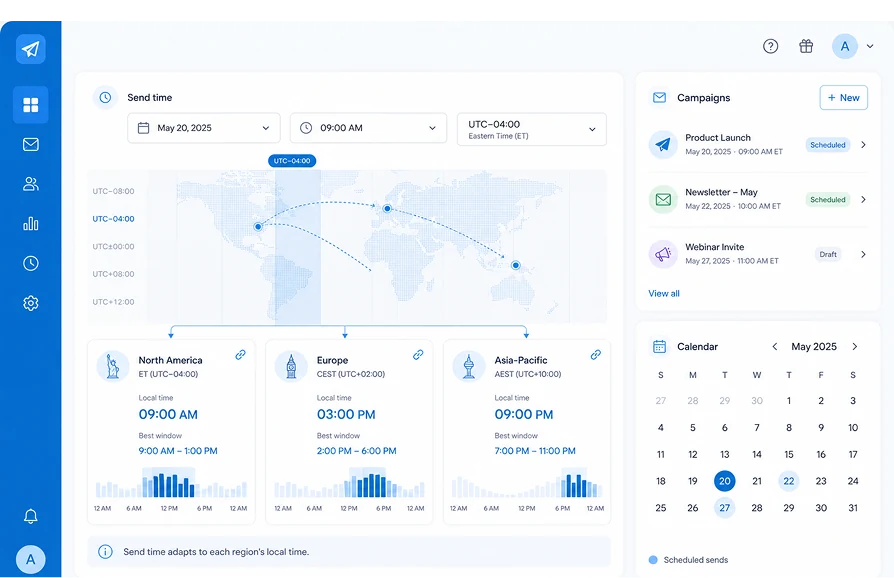
Set a send date and time, choose a recurrence, and update a scheduled campaign before it goes out, all without waiting at your desk to click send.
Set the exact date and time a campaign should send, so outreach goes out on plan instead of whenever someone remembers to click send.
Choose Once, Daily, or Monthly, so routine communications like newsletters or check-ins run on a set cadence without being rebuilt each time.
Scheduled campaigns live as editable records in the Email Schedules tab, so details like the send time, subject, or message can be updated any time before it goes out.
Set your send time to match when your target audience is most likely to engage, so campaigns to different regions can be timed for their local business hours instead of yours.
Schedule emails in Salesforce from a list view, a report, or a Campaign, the same way you'd send an immediate mass email.
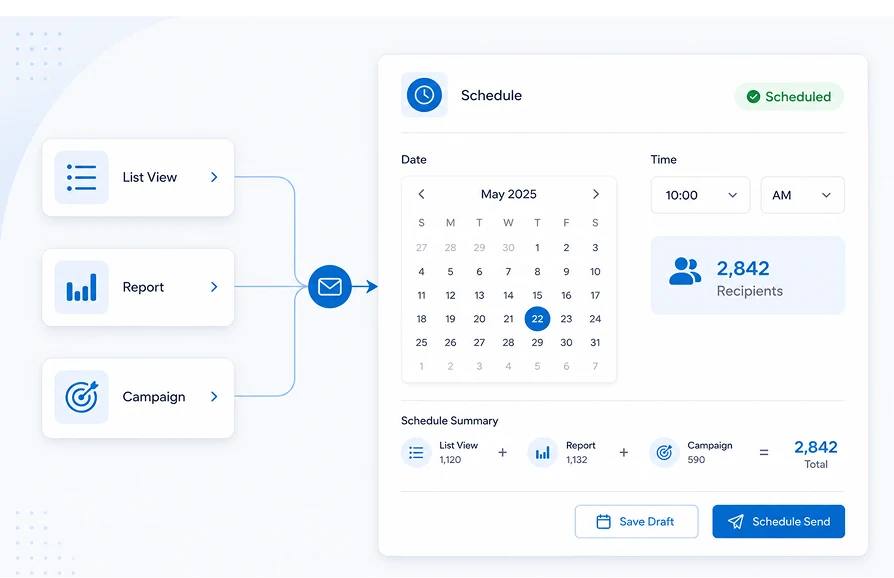
Plan Every Bulk Email Send Without Leaving Salesforce
360 Mass Mailer schedules and edits bulk email campaigns natively on the Salesforce record, no external scheduling platform, no data leaving your org, no Apex required.
| Capability | ✓ 360 Mass Mailer | Salesforce Built-In Email | Other Email Tools |
|---|---|---|---|
| Schedule sends by exact date and time | ✓ | ✗ | ✓ |
| Recurring schedules (once, daily, monthly) | ✓ | ✗ | Varies |
| Edit a scheduled send before it goes out | ✓ | ✗ | Varies |
| Schedule from list views, reports, and campaigns | ✓ | ✗ | ✗ |
| 100% Salesforce-native — no external platform | ✓ | ✓ | ✗ |
| Zero data leaves Salesforce | ✓ | ✓ | ✗ |
Frequently asked questions
-
Yes. 360 Mass Mailer's Salesforce email scheduler lets you set a specific date and time for any campaign, one-time or recurring daily and monthly sends.
-
Yes. Every scheduled send is created as a record in the Email Schedules tab, where you can review and update the subject, message, or send time any time before it goes out.
-
Yes. You can schedule a campaign to send Once, Daily, or Monthly. It is useful for routine communications like newsletters or recurring check-ins that don't need to be rebuilt each time.
-
Yes. Set the send date and time to align with when your audience is most likely active, particularly useful for campaigns going to contacts across different regions or time zones.
-
Yes. Scheduling works the same way regardless of send source, object list view, Salesforce report, or Campaign, with no change to the setup process.
-
The email sends automatically at the scheduled date and time. Scheduled sends are visible as records in the Email Schedules tab well in advance, giving teams enough time to catch and adjust anything that needs a change.
-
360 Mass Mailer's Salesforce email scheduler is built for sales and service teams sending bulk emails directly from Salesforce records, no Marketing Cloud license needed. Marketing Cloud is a separate platform for large-scale multi-channel marketing automation. 360 Mass Mailer runs entirely inside your existing org, using your existing data, with no external setup beyond the AppExchange install.
Got a Question? Ask Us!
Ready to Solidify Your Digital Transformation Efforts Using Salesforce? Talk to Us!

Subscribe to our newsletter
Stay ahead with expert insights, industry trends, and exclusive resources—delivered straight to your inbox.
