

Salesforce Monthly Budget Planner Template for Finance & Accounting
Auto-generate professional monthly budget planners directly from Salesforce - department details, budget categories, and other details populated automatically from your Salesforce records.
Generate up to 100 documents for free.
Get the full template
Enter your email to receive the complete Monthly Budget Planner Word template - ready to customize and use immediately.
Open & customize in Word
Open your template in Word, add branding, adjust content, and insert merge fields from the 360 SmartDocs Word add-in panel.
Merge live Salesforce data
Connect the template to live Salesforce field data so names, dates, amounts, and other record details fill in automatically.
Generate from Salesforce
Create the final Word or PDF document in one click from a record or trigger it through Flow in seconds.
About this Salesforce Monthly Budget Planner Template
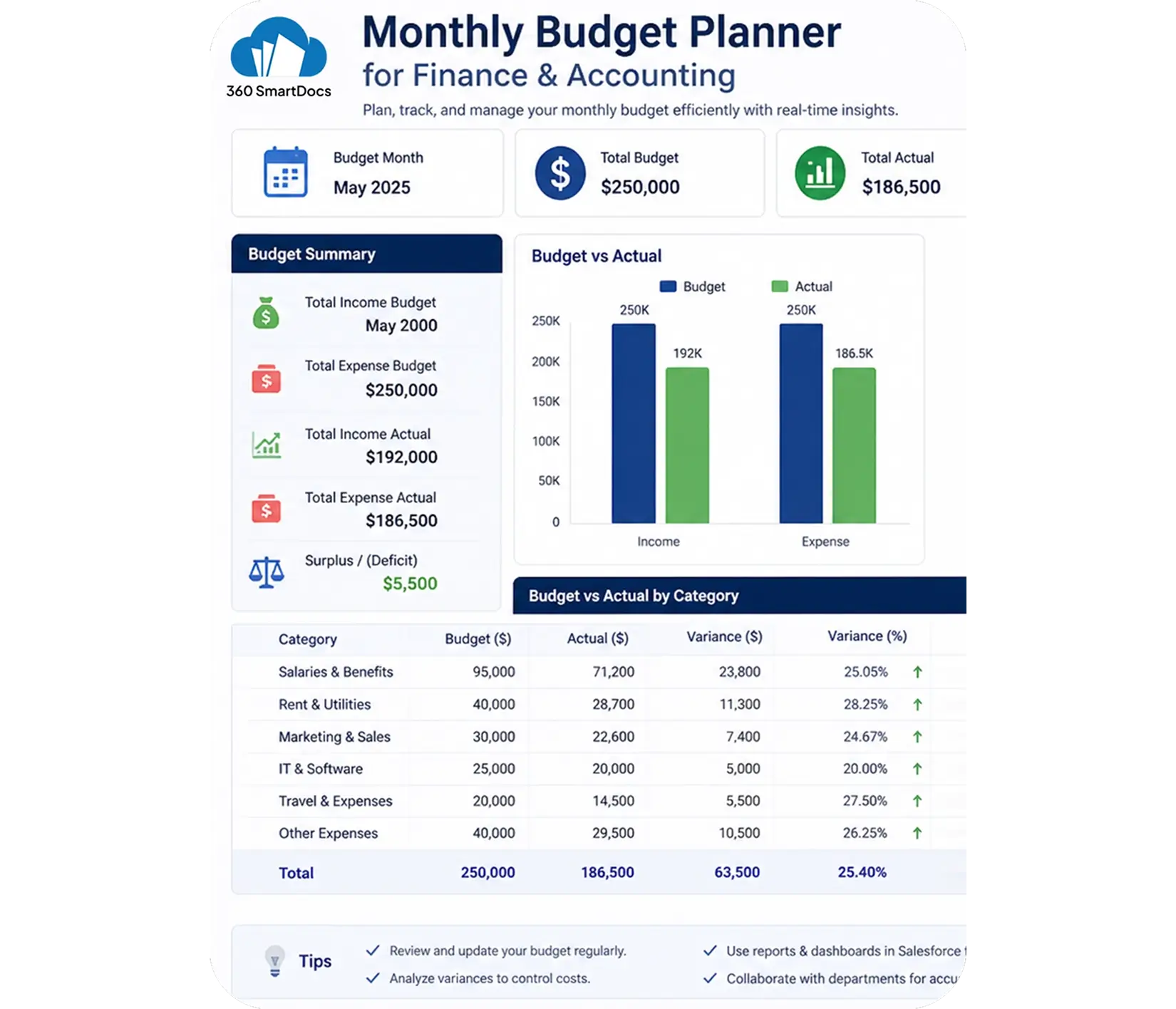
This Salesforce monthly budget planner template is purpose-built for Finance & Accounting teams that need to generate accurate, structured budget documents directly from Salesforce records - without manually re-entering department details or spend figures. It covers all standard monthly budget planning elements: department and cost center details, budget owner information, income and revenue budget lines, fixed and variable expense categories with allocated vs actual spend columns, variance calculations, and more.
When to use this template
- Monthly budget planning and reporting for departments linked to Salesforce Account or custom objects
- Project budget tracking tied to Salesforce Opportunity or Campaign records
- End-of-month actual vs budget variance reporting generated from Salesforce data
- Annual budget cycle preparation broken down into monthly budget planner documents
- Bulk monthly budget generation for multiple departments from Salesforce list views
Customizing this Salesforce monthly budget planner template
Open the template. Adjust budget category rows to match your chart of accounts and cost structure, add income and revenue lines relevant to your business, set your standard variance threshold indicators, and update approval and sign-off sections. Leave all {placeholder} fields exactly as-is - 360 SmartDocs maps these to your Salesforce fields (Account, Opportunity, Campaign, or custom budget object) automatically.
Use cases & Salesforce integrations
Auto-generate monthly budget planners from Salesforce records
At the start of each budget period, 360 SmartDocs triggers Salesforce finance document automation - automatically generating a fully-populated monthly budget planner with department details, cost center codes, budget owner names, and allocated spend figures from the corresponding Salesforce record.
Project budget tracking from Salesforce Opportunities
Connect your monthly budget planner template to Salesforce Opportunity records to track project-level budgets. As Opportunity data updates - revised deal values, changed timelines, updated product lists - regenerate the budget planner to reflect the latest figures.
Actual vs budget variance reporting
Generate a complete variance report showing budgeted vs actual figures side by side for every cost category. Finance managers get a formatted, consistent variance document for every department without any manual number-crunching or spreadsheet preparation.
Stop Re-entering Budget Data - Automate within Salesforce
Generate professional monthly budget planners, expense reports, invoices, and Salesforce accounting templates directly from any Salesforce record.
- Free trial – up to 100 documents
- Salesforce-native – works with any object or field
- PDF + Word document output
- Trigger via button or Salesforce Flow
Talk to a 360 SmartDocs specialist
Tell us about your document workflow and we'll show you exactly how to automate it.
We only use your details to arrange the demo requested.
