



Salesforce Work Order Template for Sales & Operations
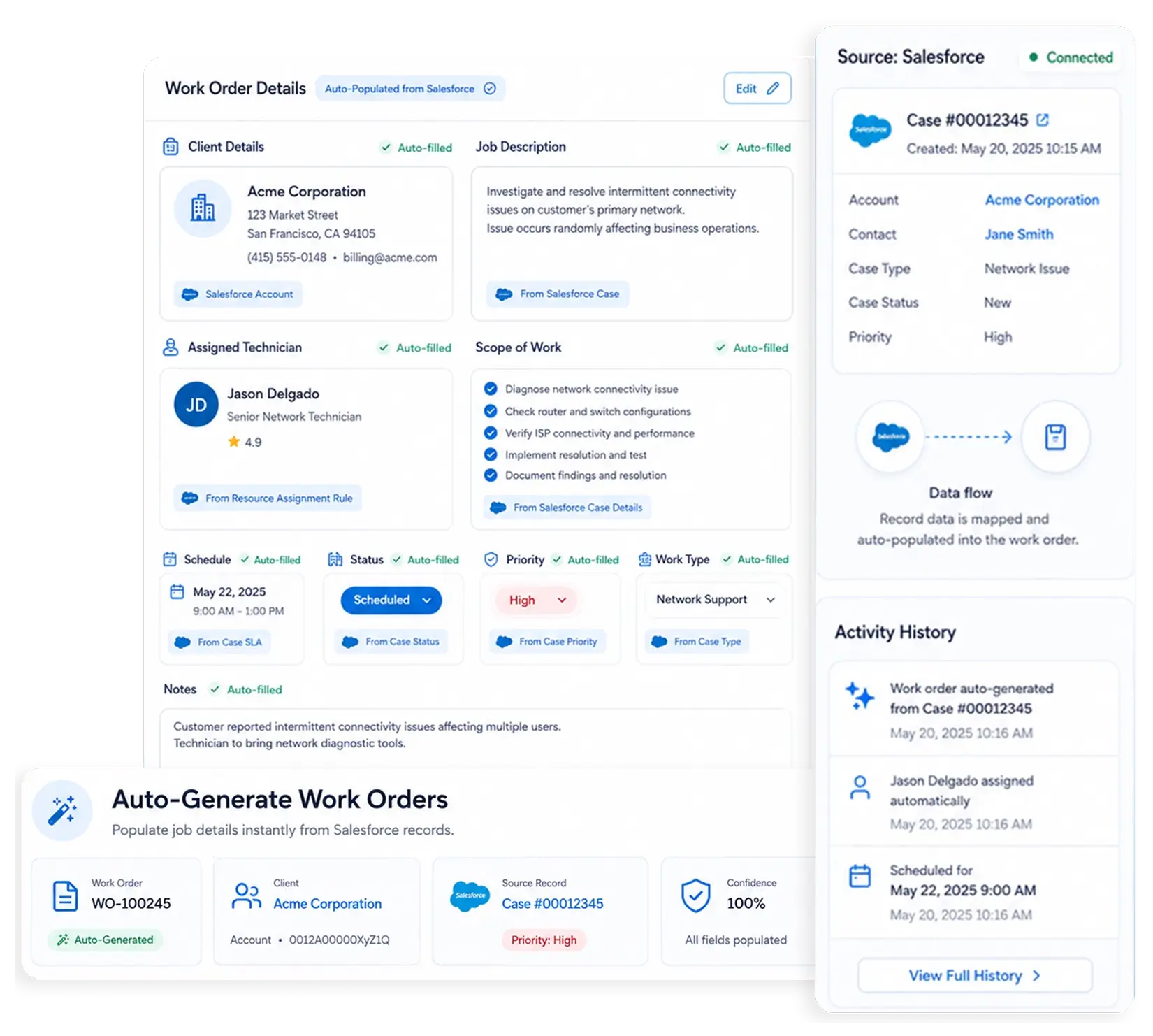
Auto-generate Work Orders directly from Salesforce - client details, job description, assigned technician, scope of work, and more populated automatically from your Salesforce records.
Generate up to 100 documents for free.
Get the full template
Enter your email to receive the complete Work Order Word template - ready to customize and use immediately.
Open & customize in Word
Open your template in Word, add branding, adjust content, and insert merge fields from the 360 SmartDocs Word add-in panel.
Merge live Salesforce data
Connect the template to live Salesforce field data so names, dates, amounts, and other record details fill in automatically.
Generate from Salesforce
Create the final Word or PDF document in one click from a record or trigger it through Flow in seconds.
About this Salesforce Work Order Template
This Salesforce work order template is purpose-built for Sales & Operations teams and field service organisations that need to generate accurate, professionally structured work orders directly from Salesforce records, without manually re-entering any details. When connected to 360 SmartDocs for Salesforce sales document automation, every field – from client name to scheduled completion date – populates automatically from your live Salesforce Case, Work Order, Account, and Contact data.
When to use this template
- Generating a work order when a Salesforce Case is assigned to a technician or field service team
- Producing installation, maintenance, or repair work orders linked to Salesforce Work Order records
- Field service teams requiring a formal job document to accompany every site visit or service call
- Operations teams managing high-volume daily work order generation from Salesforce Case list views
- Bulk work order generation at the start of each working day for all scheduled jobs
Customizing this Salesforce work order template
Open the template. Adjust scope of work sections to reflect your specific service type – installation, maintenance, repair, or inspection, add safety and compliance checklists relevant to your industry, and apply your company branding. Leave all {placeholder} fields exactly as-is, 360 SmartDocs maps these to your Salesforce fields automatically.
Use cases & Salesforce integrations
Trigger work order generation via Salesforce Flow
Configure a Salesforce Flow that automatically generates a work order the moment a Case status is updated to Assigned or a Salesforce Work Order record is created. 360 SmartDocs produces the completed Salesforce work order template as Word or PDF and delivers it to the assigned technician's email address directly from Salesforce.
Native Salesforce Work Order object integration
Map your Salesforce work order template directly to the native Salesforce Work Order object – pulling worker number, service territory, work type, priority, and more from the standard Salesforce field service data model.
Conditional work order content based on job type
Use 360 SmartDocs conditional logic to show or hide specific work order sections based on Salesforce field values. One Salesforce work order template handles every job type priority and site requirement automatically.
Stop Re-entering Job Details - Automate Work Order Generation from Salesforce
Generate professional work orders, sales proposals, quotations, and Salesforce operations document templates directly from any Salesforce Case or Work Order record.
- Free trial – up to 100 documents
- Salesforce-native – works with any object or field
- PDF + Word document output
- Trigger via button or Salesforce Flow
Talk to a 360 SmartDocs specialist
Tell us about your document workflow and we'll show you exactly how to automate it.
We only use your details to arrange the demo requested.
