

Salesforce Bulk Email Best Practices: How to Send at Scale Without Hitting Limits
02 Jun 2026
Table of Contents

Running high-volume email campaigns in Salesforce can feel like hitting a wall. Salesforce’s native mass email tools are reliable for small outreach, but as your list grows and your campaigns become more complex, you encounter daily limits, capped recipients, and a lack of automation that slows your team. Every paused campaign or delayed follow-up costs engagement, pipeline momentum, and revenue opportunities.
The solution is not just scaling emails but doing it efficiently and reliably. With 360 Mass Mailer, teams can bypass Salesforce’s limits, automate drip sequences, and maintain deliverability at scale while retaining full control over personalization and tracking.
Table of Contents
What Salesforce Bulk Email Actually Allows and Where It Falls Short
Salesforce’s built-in mass email functionality is, technically, a real feature. You can build HTML templates, target contact lists, and send campaigns without leaving your CRM. For small lists and occasional outreach, it works.
But the Salesforce platform email limits create a ceiling most teams hit faster than they expect. Here’s what you’re working with out of the box:
- Single-org sends are capped at 5,000 emails per day for most editions
- Salesforce mass email is limited to 1,000 external addresses per day for most orgs
- You can’t schedule sends in advance with native tools
- There’s no built-in drip sequence or automated follow-up engine
- Tracking is shallow: you see “sent” but not much about what happened after
For a sales rep sending a handful of follow-ups, these limits are invisible. For a marketing team running a re-engagement campaign to 12,000 contacts, they’re a daily operational problem.
The deeper issue is that none of this gets better as your list grows. Salesforce’s email limits don’t scale with your business. They’re fixed governance thresholds, and the only native workaround is to buy into Salesforce Marketing Cloud, which is an entirely different product with a very different price point.
Common Challenges Teams Face When Scaling Email in Salesforce
The daily send cap is the most obvious limit. But it’s not always the thing that breaks campaigns first. Here’s what teams actually run into when they try to scale Salesforce bulk email without a proper tool in place:
- The Daily Reset Trap
Your 5,000 email limit resets at midnight (org timezone). If you’re running a time-sensitive campaign, you’re either splitting it across two calendar days or hoping the second batch goes out early enough to matter. Neither is ideal.
- No Queue Visibility
When emails get throttled mid-send, there’s often no clean notification. Reps assume emails went out. Follow-up calls get made on the wrong timing. Deals go cold. The campaign technically “ran,” but the execution was fragmented.
- Template Management Chaos
Salesforce’s native template library doesn’t support version control. Teams end up maintaining multiple copies of similar templates, and it’s genuinely hard to track which version got sent when, especially across multiple campaigns running in parallel.
- Zero Drip Infrastructure
Bulk email and drip sequences are completely different things. Salesforce’s native email tool does one-time blasts. If you want to send an initial email, wait three days, send a follow-up, wait another two days, and then send a third touchpoint depending on whether they opened the first one, you’re building that logic yourself in Flow or Process Builder. That works for maybe five contacts. At five thousand, it gets complicated quickly.
- Deliverability Blind Spots
Sending bulk email from a Salesforce org without proper warm-up history, domain authentication, or bounce management is a fast path to a damaged sender reputation. Native Salesforce gives you almost no tooling to catch this before it’s already a problem.
How to Protect Email Deliverability When Sending in Bulk
Deliverability is a reputation problem, not a technical one. Your emails aren’t getting filtered because of bad code. They’re getting filtered because inbox providers have decided your sending patterns look like spam. Fixing it means changing those patterns.
- The Warm-Up Problem Nobody Talks About
If you’re launching a new campaign from a domain that hasn’t sent significant volume before, you can’t just send 10,000 emails on day one. ISPs track volume history. Sudden spikes from cold domains are a classic spam signal.
Warm up gradually. Start with your highest-engagement contacts, the people who have opened or clicked your emails in the last 90 days. Send to a few hundred first. Then a few thousand. Build the volume over two to three weeks. It feels slow but it protects your domain reputation for every campaign after this one.
- List Quality Over List Size
A list of 50,000 contacts with a 35% bounce rate is worse than a list of 8,000 contacts with a 0.5% bounce rate. Every time an email bounces, it’s a signal to inbox providers that your list is poorly maintained.
Hard bounces should be removed immediately and suppressed so they don’t get added back to a list later. Soft bounces need monitoring; two consecutive soft bounces from the same address is usually a sign that address is no longer active.
Email validation before a big send is worth the extra step. Running your list through a validation service before a major campaign can catch 10 to 15% of addresses that would have bounced.
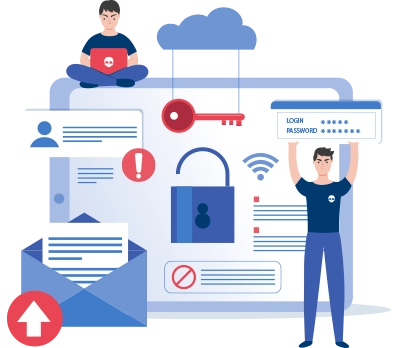
Here’s how you protect your email deliverability using 360 Mass Mailer.
What to Actually Track After a Campaign Sends
Most teams look at open rate and declare success or failure. That’s not enough. Here’s the tracking framework that actually tells you what happened:
- Open rate tells you whether your subject line and sender name did their job. Below 20% on a warm list is a signal to revisit both. Above 40% usually means your list is highly engaged or your subject line hit something specific.
- Click-to-open rate (CTOR) is more useful than raw click rate. CTOR measures the percentage of openers who clicked, which tells you whether your email body delivered on the subject line’s promise. A high open rate with a low CTOR means people opened, saw it wasn’t what they expected, and left.
- Reply rate matters most for sales-oriented sequences. Replies signal real intent. Even an “unsubscribe me” reply is useful data. If your reply rate is zero across a three-email drip, the message isn’t landing.
- Bounce rate by segment helps you identify list quality problems at a segment level, not just overall. If one industry segment has a 12% bounce rate but another has 0.5%, that’s a data quality problem in one of your Salesforce list fields, not a general list problem.
- Unsubscribe rate should stay below 0.2% per send. Above that, you’re either targeting the wrong people, sending too frequently, or sending content that doesn’t match expectations you set earlier in the relationship.
How 360 Mass Mailer Changes the Equation for Salesforce Email Campaigns
Salesforce’s native bulk email tools were designed for small, occasional batch sends—not full campaign infrastructure. 360 Mass Mailer sits natively inside Salesforce and handles the operational challenges by doing the following:
- Removing Daily Send Limits
Mass Mailer manages large contact lists by dynamically allocating sends, so teams can reach tens of thousands of contacts without manual batching or waiting for daily resets.
- Centralizing Template Workflows
Templates are stored and managed centrally, allowing the system to automatically apply the right template to each campaign and maintain version control across multiple campaigns.
- Automating Drip Sequences with Conditional Logic
The platform tracks recipient behavior (opens, clicks, replies) and automatically triggers follow-up emails tailored to that behavior, without manual setup in Flow or Process Builder.
- Tracking Engagement at the Contact Level
Mass Mailer logs every interaction directly in Salesforce, so reps can access detailed activity histories before outreach, enabling behavior-informed conversations.
- Scaling Personalization
Merge fields and dynamic data from Salesforce records are automatically applied, ensuring each email is personalized at scale without manual intervention.
- Connecting Engagement to Pipeline Data
Campaign actions, responses, and interactions are linked to opportunity and lead records, allowing automated reporting and data-driven insights without exporting or re-importing contacts.
Conclusion
Salesforce native email works for small-scale campaigns. For real pipeline impact, teams need automation, unlimited sending, and actionable insights. Mass Mailer provides this infrastructure while letting teams focus on content, segmentation, and follow-ups.
Leaving email capacity unused directly impacts pipeline. Pre-built templates and automated workflows mean campaigns run faster, more frequently, and more effectively.

Solve It with Salesforce. We’ll Show You How.
AI. Apps. Experts. Everything you need to win with Salesforce under one roof.Frequently Asked Questions
What are Salesforce's bulk email sending limits?
Up to 5,000 single emails/day and 1,000 addresses per mass email. Limits reset at midnight and vary by edition. Third-party tools like Mass Mailer bypass these limits.
Can I automate drip sequences in Salesforce natively?
Not practically. Flow setups for conditional multi-step sequences are fragile and time-consuming at scale.
How do I protect deliverability in bulk campaigns?
Use authenticated domains, warm-up new sending volumes, clean lists, and monitor engagement closely.
How is 360 Mass Mailer different?
Removes daily limits, automates drips, centralizes templates, and tracks engagement per contact without exporting data.
What should I track after a campaign?
Open rates, click-to-open rates, replies, bounces, unsubscribes, and revenue impact to inform future campaigns.

About the author
Diksha GathaniaDiksha is a seasoned content writer and marketer who is always keen on trying new avenues to discover and write about. She has a keen eye for detail and a talent for breaking down technical topics into digestible pieces for both technical and non-technical audiences. She is a Salesforce, Marketing Automation, and Marketing Analytics enthusiast who stays on top of the pulse of industry trends. Beyond her professional endeavors, she finds joy in traveling and is always on the lookout for new destinations.
Recent Blogs
 Email Marketing
Why Your Salesforce Mass Emails Are Not Getting Through: Deliverability Mistakes Teams Make
Salesforce email deliverability problems don’t announce themselves. Open rates drop slowly. Bounce rates creep up. Then one campaign lands in spam for half your list,…
Read More Comparison
Best Mass Email Software for Salesforce in 2026: 6 Tools Ranked by Features and Price
Choosing the right Salesforce bulk email tool comes down to three things: how much you’re sending, whether tracking data needs to live on the Salesforce…
Read More Comparison
5 Salesforce Email Marketing Tools Compared: Features, Limits, and What Teams Actually Use in 2026
Picking the right email marketing software for Salesforce is harder than it looks. Not because options are scarce they aren’t. Every tool claims to “integrate…
Read MoreReady to Make the Most Out of Your Salesforce Instance?
Our Salesforce aces would be happy to help you. Just drop us a line at contact@360degreecloud.com, and we’ll take it from there!
Subscribe to our newsletter
Stay ahead with expert insights, industry trends, and exclusive resources—delivered straight to your inbox.
