

Mass Email in Salesforce: Limits, Deliverability, and How to Scale
05 Aug 2026
Table of Contents
Five thousand. That’s the number that ends most conversations about mass email in Salesforce, and it doesn’t move no matter which edition you’re paying for. Marketing teams usually find this out mid-campaign, when a send stops cold and Salesforce tells them to try again tomorrow. Nothing queues. Nothing retries. Someone has to rebuild the list and resend by hand.
The platform can send bulk email. It just wasn’t designed to be your email marketing engine, and the distance between those two things is where admins lose entire afternoons. This guide covers what native sending actually does, where the ceilings sit, how deliverability and personalization behave at volume, what compliance demands, and when a Salesforce bulk email solution earns its install.
Want the click-by-click version of each sending method, from list view selection to campaign member status?

Table of Contents
Can Salesforce Send Mass Emails Natively? Yes, With Conditions
Short answer: yes. Two native paths ship with the platform, and List Email in Lightning Experience is the one most teams use now. Mass Email in Classic is the legacy equivalent.
List Email sends an individual copy to every recipient rather than one message with 400 people in the To field. That distinction matters for personalization and it matters for how the send gets counted. You build a contact or lead list view, select records, hit Send Email, then Sales List Email.
Here’s the part that catches people. Native mass email in Salesforce only reaches contacts, leads, person accounts, and campaign members. Custom objects aren’t eligible. Neither is a report, at least not directly. <cite index=”21-1″>To email everyone on a report, Salesforce’s own documentation tells you to run the report, add the resulting records to a campaign, and then send a list email to that campaign.</cite> Two extra steps for something most people assume is one click.
Tracking is thin. <cite index=”21-1″>If you relate a list email to a campaign, the campaign captures engagement metrics like total sent</cite>, which tells you the message left the building. It doesn’t tell you who opened it, who clicked, or who bounced in a way you can act on the same afternoon.
In practice, most teams outgrow this within a quarter. Not because the feature is broken, but because it was built for a rep emailing their book of business, not for a marketing calendar.
Salesforce Email Sending Limits by Edition (The Number Doesn’t Move)
Upgrading your edition does not buy you more sending volume. Worth saying plainly, because a fair number of teams budget for an Enterprise upgrade expecting exactly that.
| Limit type | What it covers | Typical allowance |
| Org-wide mass and list email | Every bulk send across all users, campaigns, and automation | <cite index=”18-1″>Around 5,000 external recipients per day</cite> |
| Single email (Apex, API, alerts) | External addresses reached through code or automation | <cite index=”6-1″>5,000 external email addresses per day per licensed org</cite> |
| Internal recipients | Emails to licensed Salesforce users | <cite index=”6-1″>Don’t count toward the org daily limit</cite> |
| Developer Edition and trial orgs | All send types | Sharply lower, built for testing only |
That cap is shared, and shared badly. Three reps and a marketing coordinator sending on the same Tuesday aren’t each getting a fresh allowance, they’re drawing from one pool, and a 2,000-record test run in the morning quietly removes 2,000 slots from the afternoon campaign nobody warned them about.
<cite index=”18-1″>When you cross the line, the send fails outright with a message telling you to try again tomorrow, and the unsent portion isn’t queued for the next day.</cite> You resend manually.
One more wrinkle worth understanding: the reset isn’t a clean midnight rollover in every org. Sends age out on their own clock, which means a 5,000-recipient campaign at 8am doesn’t hand your capacity back until 8am the following day. Plan against that, because the calendar date gives you a false read on how much room you have left.
Some orgs can get an adjustment through Salesforce support depending on their agreement and sending history.
How to Send Mass Emails in Salesforce: Four Routes, Four Different Ceilings
Ask five admins how to send mass emails in Salesforce and you’ll get five answers, because there genuinely are four workable routes and they suit different jobs.
From a list view. Filter a contact or lead list view, select your records, send. Fastest path for a sales rep with a targeted segment. Also the most constrained, since it’s limited to standard objects and draws straight from the shared daily pool.
From a campaign. Better structure. Campaign member status lets you segment by who registered, who attended, who no-showed, and the campaign record holds the send history in one place.
Through Flow or Apex. For triggered sends: a welcome message on lead creation, a renewal nudge 30 days out. Flow’s Send Email action and Apex both count against your daily allocation, and Apex’s MassEmailMessage call caps recipients per invocation, so large lists need batching. This is real development work, not a checkbox. Worth saying: teams routinely underestimate the maintenance cost here, and the person who wrote the Apex has usually left by the time it breaks.
Through an AppExchange app. Salesforce itself points here. Their support documentation on the list email limit error <cite index=”23-1″>recommends considering a third-party mass email application from AppExchange built for high-volume sending that operates outside the standard org-level limit</cite>. That’s not a vendor claim, that’s the platform owner’s own guidance.
This is where 360 Mass Mailer fits. It installs natively from AppExchange rather than connecting an outside system to your CRM, and it opens up the send paths Salesforce doesn’t: object list views including custom objects, campaigns, and reports directly, without the campaign detour. Sending runs through your own SendGrid account, so volume and sender reputation sit with your infrastructure rather than the shared Salesforce pool.
Want to see which send paths, scheduling controls, and tracking 360 Mass Mailer opens up inside your org?

Deliverability Is Where Most Salesforce Email Programs Quietly Fail
Sent is not delivered. Teams celebrate a 4,800-recipient campaign and never check how many landed in a promotions tab or a spam folder.
Three things drive inbox placement more than anything else in your subject line. Authentication comes first: SPF, DKIM, and DMARC records aligned to the domain you’re actually sending from. Then list hygiene, because a list built in 2021 and never cleaned is carrying dead addresses that generate hard bounces, and hard bounces are the fastest way to damage a sending domain. Third is consistency of volume. Sending 200 emails a week for six months and then blasting 15,000 on a Monday looks exactly like a compromised account to a receiving mail server.
Bounce handling deserves its own note. Bounce data is reportable inside the org, but reporting on a bounce after the fact is cleanup, not prevention. Running addresses through email verification before a large send stops the bounce from happening at all, which is why teams sending at real volume tend to pair their mass email tool with a proper Salesforce email deliverability setup rather than diagnosing the problem afterward.
Most teams don’t do this until after their first reputation problem. And a damaged domain reputation is slow to repair. You’re looking at weeks of disciplined, low-volume sending to rebuild trust with the major mailbox providers, during which your campaigns underperform for reasons that have nothing to do with your copy.
There’s also a sender identity question that native Salesforce sending sidesteps. Every address you send from through 360 Mass Mailer has to be verified in SendGrid first, which feels like friction during setup and prevents a whole category of authentication failures later.
Warm-up schedules, sender rotation, and what to do when your domain reputation has already taken a hit sit in the full checklist.
Wondering why opted-in contacts still land in spam?
Personalizing Mass Emails at Scale Without Building 40 Templates
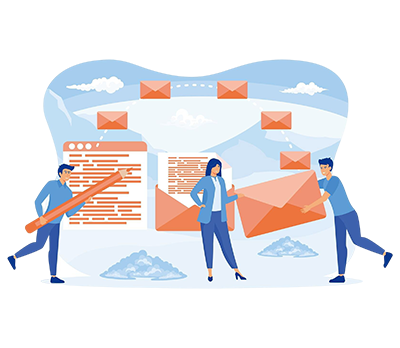
Merge fields do the heavy lifting. First name, company, renewal date, assigned rep, any field on the record can drop into the message, and one template can serve a 3,000-person send where every copy reads like it was written for that person.
But personalization at scale isn’t really a merge field problem. It’s a segmentation problem.
A single message to your entire database will underperform four messages sent to four segments almost every time, and the segmentation logic usually already exists in your CRM: industry, lifecycle stage, product owned, last activity date, campaign member status. You just have to use it.
Where teams get stuck is template management. Salesforce templates and SendGrid templates behave differently, particularly around what stays editable after the message populates, and knowing which one to reach for saves a lot of rework.
Not sure whether to build your send in Salesforce templates or SendGrid templates?

Staying Compliant: CAN-SPAM, GDPR, and the Opt-Out Problem
Compliance isn’t a legal footnote here. It’s an operational requirement that shapes how you build lists.
CAN-SPAM asks for accurate header information, a subject line that reflects the content, a physical postal address, and a working unsubscribe that you honor within ten business days. GDPR raises the bar considerably for EU recipients: you need a lawful basis for contacting them, consent that was actually given rather than assumed, and the ability to show when and how it was captured.
The operational risk in Salesforce is usually the Email Opt Out field. Someone unsubscribes through a form, or by replying, or by telling a rep on a call, and that preference lives in three different places while your list view filter only checks one of them. End result: a send that reaches someone who asked twice not to hear from you.
Audit that field before your next send. Genuinely, just check it.
Suppression also needs to survive your list-building process. In practice, that means a suppression check running at send time rather than at list-build time, because the gap between when someone builds a segment and when the campaign actually goes out is often a week, and people unsubscribe during that week.
Choosing the Right Tool for Salesforce Mass Email
Three groups, really. Knowing which one you’re shopping in narrows the decision fast.
Marketing automation platforms like Account Engagement bring journey builders and scoring, at a price and implementation weight that’s hard to justify if you mostly need reliable bulk sending. External email marketing platforms give you the best design tooling, but your CRM data has to sync out and your engagement data has to sync back, which introduces the one thing every RevOps lead is trying to eliminate. Salesforce-native AppExchange apps keep sending and reporting inside the org.
Criteria worth weighing before you commit:
- Does it install natively, or does it connect an external system to your Salesforce data?
- Which objects can it send from? Standard only, or custom objects too?
- Where does engagement data live once the send completes?
- Can non-admin users run a send without opening a support ticket?
- Does scheduling exist, and does it survive a Salesforce release?
- What happens to your sending reputation when volume spikes?
That last one gets skipped more often than any of the others, and it’s the one that hurts eighteen months in.
A Salesforce email marketing tool that keeps everything in the org has a specific advantage that’s easy to undervalue at evaluation time: your reports, dashboards, and automation already understand the data. No connector to maintain. No sync lag to explain to a VP asking why the numbers don’t match.
Conclusion
Native mass email in Salesforce handles a rep emailing 300 contacts about a webinar. What it does not handle is a marketing team running segmented campaigns across 20,000 records with engagement data feeding back into lead scoring, and no amount of configuration closes that gap, because the ceiling is architectural rather than a setting someone forgot to switch on.
If your sends are hitting the daily cap, or your engagement data lives somewhere your Salesforce reports can’t reach it, 360 Mass Mailer can help you run high-volume email from inside the org using your own SendGrid sending infrastructure, with sends available from list views, campaigns, and reports.

Solve It with Salesforce. We’ll Show You How.
AI. Apps. Experts. Everything you need to win with Salesforce under one roof.Frequently Asked Questions
Is there a mass email option in Salesforce?
Yes. List Email in Lightning Experience and Mass Email in Classic both send individual copies to contacts, leads, person accounts, or campaign members. Custom objects aren't supported natively. Most teams don't discover that until they try.
How many emails can Salesforce send per day?
Roughly 5,000 external recipients per organization per day for mass and list email, shared across every user and automation in the org. The figure holds on Professional, Enterprise, and Unlimited. Developer and trial orgs are capped far lower. Internal sends to licensed users don't draw from the pool.
Can I send a mass email from a Salesforce report?
Not directly, which surprises most people. Salesforce's documented path is to run the report, add those records to a campaign, and send the list email to the campaign instead. It works, but it's a two-step detour every time, and it means your campaign object fills up with containers created purely to enable a send rather than to track a real marketing initiative. Some AppExchange apps, including 360 Mass Mailer, let you send from the report itself.
Do I need a separate tool if I'm sending under 5,000 a day?
Maybe not. If your volume is genuinely low, your list is clean, and nobody's asking for engagement metrics, native sending is fine. The moment someone asks who clicked, you're shopping.
Does Salesforce track opens and clicks on native mass email?
Barely. Send counts show up on a related campaign, and bounce data is reportable. Open and click tracking at the level a marketer actually expects? Genuinely not there without a third-party tool.

About the author
Editorial TeamThe Editorial Team at 360 Degree Cloud brings together seasoned marketers, Salesforce specialists, and technology writers who are passionate about simplifying complex ideas into meaningful insights. With deep expertise in Salesforce solutions, B2B SaaS, and digital transformation, the team curates thought leadership content, industry trends, and practical guides that help businesses navigate growth with clarity and confidence. Every piece we publish reflects our commitment to delivering value, fostering innovation, and connecting readers with the evolving Salesforce ecosystem.
Recent Blogs
 Email Marketing
Send Email to Multiple Recipients in Salesforce Flow: What Works and Where It Breaks
You’ve got a Flow that fires on a record update. You need it to send email to multiple recipients in Salesforce. The logic seems simple:…
Read More Comparison
7 Best Drip Campaign Tools for Salesforce in 2026: Features, Limits, and Pricing Compared
Most comparisons of the best drip campaign tools for Salesforce make the same mistake: they treat native tools and connected tools as if they’re interchangeable.…
Read More Email Marketing
Why Your Salesforce Mass Emails Are Not Getting Through: Deliverability Mistakes Teams Make
Salesforce email deliverability problems don’t announce themselves. Open rates drop slowly. Bounce rates creep up. Then one campaign lands in spam for half your list,…
Read MoreReady to Make the Most Out of Your Salesforce Instance?
Our Salesforce aces would be happy to help you. Just drop us a line at contact@360degreecloud.com, and we’ll take it from there!
Subscribe to our newsletter
Stay ahead with expert insights, industry trends, and exclusive resources—delivered straight to your inbox.
