

Salesforce Mass Email Compliance Checklist: CAN-SPAM, GDPR, and Opt-Out Rules
09 Sep 2026
Table of Contents
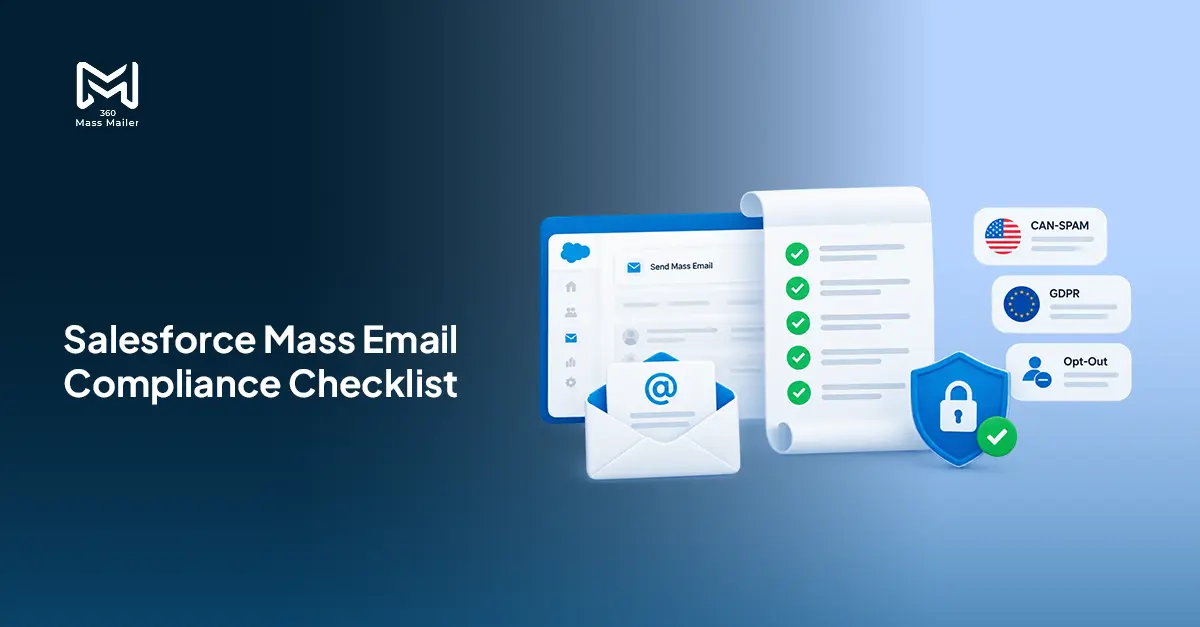
Nobody flags the compliance gap until it costs something. A domain hits a blacklist. An ESP throttles sends after a bounce spike that nobody caught. A legal team forwards a GDPR inquiry about an email that went out six months ago to someone who’d already unsubscribed.
By then, you’re cleaning up. Not preparing.
CAN-SPAM violations run up to $51,744 per email. GDPR penalties reach €20 million or 4% of global annual revenue. Those numbers get people’s attention. What doesn’t get enough attention is the slower damage — the domain reputation that takes months to rebuild, the segments that stop opening because they’ve been mailed past the point of interest, the deliverability floor that quietly drops while your team keeps sending.
This is the compliance checklist for Salesforce mass email programs, built around what actually breaks in practice.
Want to see how 360 Mass Mailer tracks opt-outs and compliance data inside Salesforce?
Table of Contents
CAN-SPAM Checklist (US)
CAN-SPAM covers all commercial emails sent to US recipients. Opt-in isn’t required, but accuracy and a clear exit are.
- Sender identity has to be exact. Your From name and email address must reflect who’s actually sending. Spoofed domains and misleading display names sit firmly in violation territory, not gray area.
- Subject lines can’t mislead. Creative is fine. Vague is usually fine. Writing “Your order has shipped” for a product promotion email is a violation, full stop.
- Label commercial messages clearly. Sending to contacts who haven’t opted in? Make the commercial nature of the message obvious. When in doubt, lean toward clarity. Ambiguity here is never worth it.
- Every email needs a real physical address. A valid postal address or P.O. box. Missing it entirely — even once — creates exposure that’s hard to justify in a review.
- Opt-out must be visible and functional. One or two clicks, at most. Buried 6-point gray text in the footer doesn’t qualify. Functional means the link actually works when clicked.
- Ten business days to process opt-outs. That’s the ceiling, not a target. No final reminder. No reactivation drip queued for day eleven. No exceptions.
- Unsubscribing has to be simple. Login required? Violation. Reason required? Violation. Phone call required? Also a violation. One click is the standard.
- Vendor sends are still your responsibility. If an ESP or agency sends on your behalf, CAN-SPAM holds your brand accountable regardless. Their compliance is your compliance problem.
GDPR Checklist (EU)
GDPR isn’t just about what you send. It’s about why you have the data in the first place — and whether you have a legal right to use it.
- Nail down your lawful basis before anything goes out. For marketing email, that’s usually explicit consent. Legitimate interest is possible in narrow B2B contexts, but it requires a documented balancing test. Treating it as a workaround tends to create more risk than it avoids.
- Consent must be deliberate, not implied. Pre-ticked boxes fail. Buried opt-ins inside terms agreements fail. Contacts have to actively choose to receive your emails, and you need documentation to back that up if you’re ever asked.
- Minimize what you collect. GDPR’s data minimization requirement is straightforward — don’t collect what you don’t need. If your email campaign only requires an email address, adding job title and phone number to the form “just in case” creates liability you didn’t have to take on.
- Stay within the scope of what you disclosed. Your privacy notice defines how data gets used. Sending emails for a purpose outside what was stated when the data was collected is a violation, even if the content is genuinely useful to the recipient.
- Contact rights need real processes behind them. Access requests, correction requests, deletion requests, consent withdrawal. Contacts can exercise any of these, and “we’ll get to it” isn’t a compliant answer. Someone on your team needs to own the response process.
- Consent withdrawal cuts off the processing. Once someone withdraws consent, the legal basis for sending to them is gone. Suppression from your send lists is the minimum response. Depending on your retention policy, deletion of their data may also be required.
- Breach reporting runs on a 72-hour clock. Appropriate security controls, encryption, and access logs need to be in place. If a breach affects EU residents, regulators expect notification within 72 hours — not when it’s convenient.
- Cross-border data transfers need legal cover. If your Salesforce org, your ESP, or any third-party processor holds EU contact data outside the EU, a valid transfer mechanism is required. Standard contractual clauses, adequacy decisions, or equivalent protections. A data processing agreement alone isn’t sufficient.
Managing Opt-Outs and Unsubscribes in Salesforce
Honestly, this is where most programs fall apart. And it’s almost never the policy that fails.
Someone clicks unsubscribe. Seems simple. But inside a Salesforce org running multiple campaigns across Contacts, Leads, and custom objects — the gap between “we have an unsubscribe link” and “that person will never get another email from us” is genuinely wide. Wider than most teams realize until they have a reason to check.
A few things that have to work, every single time.
Unsubscribe links go in every send. When a recipient clicks, a Salesforce field updates immediately — not during the next nightly sync, not on the next scheduled job. Right then. And that update has to flow through to every campaign, every list, every object that person might otherwise land in next week.
Manual exclusion lists are where suppression goes wrong. Filters that bypass the opt-out field. New campaign imports that don’t check status. A field reset nobody noticed. Automated suppression at the object level, tied directly to the opt-out action itself, is the version that holds at volume. Manual review adds a step where things slip.
And consider this — if a regulator or legal team asks whether a specific person received an email after opting out on a specific date, “we think the suppression caught it” is not a defensible answer. You need a record. Per-email, per-recipient, time-stamped.
Salesforce’s native opt-out field on Contact and Lead records is a starting point. But multi-campaign suppression across mixed objects and high-volume sends needs more than a checkbox on the record page.
How 360 Mass Mailer Helps You Stay Compliant
360 Mass Mailer runs inside Salesforce and sends through SendGrid. Because the whole flow lives in the same org as your contact records, compliance data and CRM data stay in one place — no separate system to reconcile, no CSV exports to manage.
Every send includes an unsubscribe and resubscribe option. When a recipient acts on either, the result is logged immediately on the Email History record. That record holds the recipient address, sender address, message body, delivery status, and a spam flag — per email, permanently stored in Salesforce.
That spam flag is worth paying attention to. When an email lands in a recipient’s spam folder, the Email History record reflects it. Catching a handful of spam placements on one campaign gives your team time to address the issue before it affects domain reputation at scale. Catching it late means months of inbox placement problems.
For EU contacts specifically, you can use Salesforce list views or reports filtered by consent status as the source for your 360 Mass Mailer sends. Since the app supports sending from list views, campaigns, and reports, building your audience selection around a consent field keeps non-opted-in records out of the send flow at the source — without requiring any custom suppression logic inside the app.
Open rates, click counts per link, and bounce data are tracked at the Email History level, inside the org. Nothing lives in a dashboard you need a separate login for.
Want to run mass email to EU or US contacts compliantly with 360 Mass Mailer?
Wrapping Up
Most Salesforce email compliance failures aren’t policy failures. Teams know they need an opt-out link. They know GDPR requires consent. What breaks is the operational layer — consent data that isn’t structured correctly, suppression that works on one campaign and misses the next, audit trails that exist in theory but can’t answer a specific question about a specific send.
360 Mass Mailer keeps the compliance data on the Email History object, inside Salesforce, where it actually belongs. Unsubscribes, spam flags, delivery status, click counts — all logged per email, in the same place as your contact records.
If your team sends at volume to US or EU contacts and your current setup can’t produce a per-recipient audit trail on demand, start with the checklists above. Then look at whether your tooling can actually enforce what those checklists require.

Solve It with Salesforce. We’ll Show You How.
AI. Apps. Experts. Everything you need to win with Salesforce under one roof.Frequently Asked Questions
Is Salesforce mass email GDPR compliant out of the box?
No. Salesforce provides the data infrastructure. Whether your sends are GDPR compliant depends on how you collected consent, how suppression is configured, and what your data retention policies say. None of that is automatic.
How do I add an unsubscribe link to Salesforce mass emails?
Depends on the tool. For 360 Mass Mailer, every email includes an unsubscribe option by default no template editing required. When a recipient clicks it, the action is captured on the Email History record in Salesforce immediately.
What happens if I email someone who already unsubscribed?
Under CAN-SPAM, sending within 10 business days of an opt-out is a violation. Under GDPR, sending after consent is withdrawn is a violation regardless of timing. Past the legal issue, your ESP will eventually flag the pattern repeated sends to disengaged or opted-out contacts drag down domain reputation in ways that take a long time to recover from.
Can legitimate interest replace consent for GDPR marketing emails?
It's possible in specific B2B scenarios, but it's not simpler. Legitimate interest requires a documented balancing test, a clear rationale, and an immediate stop if the contact objects. Teams that reach for it as a consent alternative often create more paperwork than explicit consent would have required.
Does CAN-SPAM apply to emails sent to other businesses?
Yes. There's no B2B exemption. CAN-SPAM covers all commercial emails, including those sent to professional email addresses at companies.

About the author
Editorial TeamThe Editorial Team at 360 Degree Cloud brings together seasoned marketers, Salesforce specialists, and technology writers who are passionate about simplifying complex ideas into meaningful insights. With deep expertise in Salesforce solutions, B2B SaaS, and digital transformation, the team curates thought leadership content, industry trends, and practical guides that help businesses navigate growth with clarity and confidence. Every piece we publish reflects our commitment to delivering value, fostering innovation, and connecting readers with the evolving Salesforce ecosystem.
Recent Blogs
 Analytics & Tracking
10 Salesforce Mass Email Best Practices to Improve Deliverability and Open Rates
Here’s something most Salesforce teams figure out the hard way: deliverability problems don’t announce themselves. You don’t get an alert when your domain reputation slips.…
Read More Email Marketing
How to Personalize Mass Emails in Salesforce Without Marketing Cloud
Somewhere along the way, the idea took hold that real email personalization in Salesforce requires Marketing Cloud. That you need Journey Builder, Content Builder, and…
Read More Email Marketing
How to Request a Salesforce Email Limit Increase: Admin Steps and Edition Upgrades
You’re mid-campaign, list queued, ready to go. Then Salesforce just… stops sending. No banner. No warning. Usually just a quiet failure buried in the debug…
Read MoreReady to Make the Most Out of Your Salesforce Instance?
Our Salesforce aces would be happy to help you. Just drop us a line at contact@360degreecloud.com, and we’ll take it from there!
Subscribe to our newsletter
Stay ahead with expert insights, industry trends, and exclusive resources—delivered straight to your inbox.
