

7 Salesforce Email Tracking Tools Compared: Which One Shows Opens and Clicks Per Record
15 Sep 2026
Table of Contents
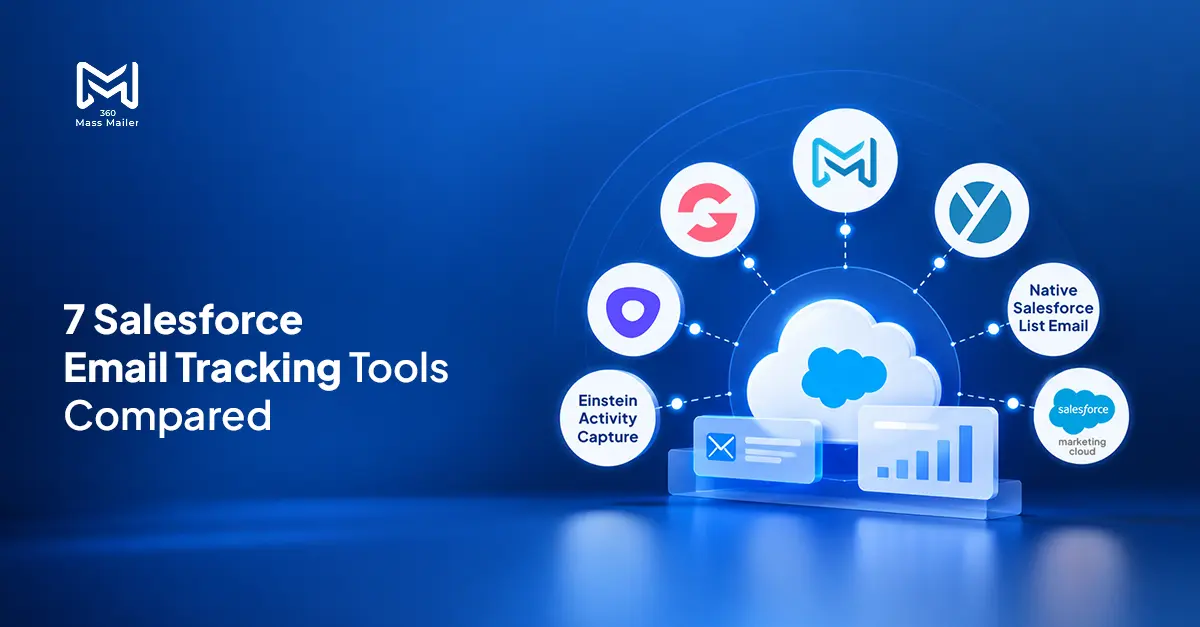
Email tracking in Salesforce isn’t as plug-and-play as it sounds. Most tools do track opens and clicks — that part works. But where does that data show up? That depends entirely on the tool and how tightly it’s wired into your org. Sales reps often end up checking a separate dashboard. Marketers, meanwhile, may need extra configuration before any of that engagement data starts appearing in Salesforce reports. In practice, “it tracks” and “it tracks where you need it” are two very different things.
This post compares seven Salesforce email tracking tools on whether they log engagement at the individual record level — opens, clicks, bounces — so you can find one that works for how your team actually operates.
Table of Contents
Why Per-Record Tracking Is the Part That Actually Matters
A sales rep about to call a prospect wants to know if that person opened the campaign email from three days ago. That should be on the contact record — one click, visible immediately. If it requires logging into a separate tool or running an export, most reps won’t bother. The insight gets wasted.
Same problem on the marketing side. Salesforce email open tracking is only useful if the data lives inside Salesforce. When engagement data isn’t available in Salesforce in a usable, reportable format, filtering campaign members by click behavior or triggering follow-up workflows based on an open can require extra setup or a separate tool.
You’re working with two partial pictures instead of one.
What to Look for Before Choosing
- Per-record logging — does engagement write to the individual contact or lead record, or only to a campaign summary?
- Native vs. API — built on Salesforce or connected through a third-party integration?
- Bulk send tracking — 1-to-1 only, or mass sends too?
- Reportable in standard Salesforce reports — without custom development?
- Bounce detection — does it log hard bounces and delivery failures to the record?
The Comparison Table
| Tool | Per-Record Tracking | Native Salesforce | Bulk Send Tracking | Reportable in SF Reports | Pricing |
| 360 Mass Mailer | Yes — opens, clicks, bounces, unsubscribes | Yes — AppExchange native | Yes | Yes — Email History object | Subscription — contact 360 Degree Cloud |
| Einstein Activity Capture | Open tracking in the activity timeline; capabilities vary by configuration | Yes — Salesforce product | No | Depends on the email capture setup and reporting requirements | Included in some editions |
| Groove | Yes — within Groove | Via API connector | Limited | Partial | Subscription |
| Outreach | Yes — within Outreach | Via API connector | Yes | Yes, with integration setup. | Subscription |
| Yesware | Yes — opens and clicks can sync to Salesforce on supported plans | Via API connector | Limited | Yes — Enterprise supports Salesforce reporting, subject to configuration | From ~$85/user/month |
| Native Salesforce List Email | Open tracking available; click tracking varies by feature | Yes — built-in | Yes | Yes — open status is available through the HTML Email Status report | Free |
| Marketing Cloud | Yes — complex setup | Yes — Salesforce product | Yes | Yes — with configuration | Varies by plan |
Tool Breakdowns
360 Mass Mailer — Best for Per-Record Bulk Email Tracking
360 Mass Mailer is a strong option for teams that need to track email engagement in Salesforce across bulk and 1-to-1 sends, with engagement data available through its Salesforce Email History workflow.
Email activity is logged through the Email History object. Opens, clicks, delivery status, bounce flags, spam flags, and unsubscribe status can be tracked through the product’s supported engagement fields. This lets teams review email engagement within Salesforce and build reports using the available Email History data, subject to the relevant fields and report configuration.
Filter contacts by open status, segment by click behavior, catch bounced records before the next campaign — all inside the CRM.
Bulk sends from supported Salesforce list views, campaigns, and reports can be tracked within Salesforce. Drip campaigns also let teams monitor recipient engagement across their email sequences.
Falls short: Not a full sales engagement platform — built for email sending and tracking, not multi-channel sequence management.
Einstein Activity Capture
Syncs 1-to-1 email activity from Gmail or Outlook to Salesforce records automatically. Covers basic activity logging but doesn’t consistently write open and click data at the field level. No bulk send tracking.
What it does well: Automatic, zero-effort sync of 1-to-1 email activity to Salesforce records for teams already using Gmail or Outlook.
Falls short: Limited engagement detail, 1-to-1 only, no campaign-level open reporting.
Groove
Sales engagement platform connected to Salesforce via API. Logs email activity and some engagement back to records. Open alerts work well inside Groove itself, but getting that data into standard Salesforce reports requires extra configuration.
What it does well: Clean per-rep open alerts and engagement visibility for sales reps managing outreach sequences day-to-day.
Falls short: Connector-based, limited bulk tracking, Salesforce reporting needs setup.
Outreach
Full sales engagement platform with strong sequence and tracking features. Engagement data lives primarily in Outreach’s reporting layer — not on the Salesforce record as a reportable field without custom work.
What it does well: Strong end-to-end sequence management and engagement analytics for sales teams running high-volume outreach inside Outreach.
Falls short: Data stays in Outreach, not natively reportable inside Salesforce Report Builder.
Yesware
Lightweight open and click tracking inside Gmail and Outlook. Logs some activity to Salesforce through a connector. Works well for individual reps tracking their own outreach — not built for bulk sends or Salesforce-native reporting.
What it does well: Fast, lightweight open and click notifications for individual reps who want basic tracking without a complex setup.
Falls short: Non-native, no bulk tracking, limited record-level reporting.
Native Salesforce List Email
Salesforce List Email supports open tracking through the HTML Email Status report, but its tracking and reporting capabilities differ from those of dedicated email marketing tools. It’s included with eligible Salesforce editions, making it useful for basic sends without an additional email marketing app.
What it does well: Open tracking through Salesforce’s built-in email tracking features, without purchasing a separate email marketing app.
Falls short: Teams needing broader bulk email automation, recipient-level engagement history, or specialized campaign reporting may need additional functionality.
Salesforce Marketing Cloud
Salesforce Marketing Cloud is a serious platform — built for orgs running multi-channel campaigns, complex segmentation, and analytics across the full customer journey. That’s genuinely useful, for the right team.
But what you actually get depends a lot on your tier and edition. And setup? It’s not a weekend project. Configuration takes real time, and in some cases, dedicated technical resources.
Look, if bulk email from within Salesforce is the main goal, a native AppExchange app gets you there faster — with less overhead and without the licensing complexity that comes with a full-scale marketing platform.
What it does well: Campaign analytics and email engagement reporting for teams already invested in broader marketing automation.
Falls short: May be more than teams need when their primary requirement is bulk email sending and engagement tracking within Salesforce.
The Recommendation
If your team sends bulk emails inside Salesforce and needs per-record tracking — not just campaign-level numbers — 360 Mass Mailer is worth a serious look. It installs from the AppExchange, logs activity through Email History, and plugs directly into Salesforce reporting. No separate dashboards. No data living outside your org.
Other tools do pieces of this. Some are stronger on engagement analytics, some handle the Salesforce integration differently, and a few sit outside Salesforce entirely. In practice, the right pick comes down to three things: how much volume you’re sending, what your reporting setup looks like, and what’s already in your stack.


Solve It with Salesforce. We’ll Show You How.
AI. Apps. Experts. Everything you need to win with Salesforce under one roof.Frequently Asked Questions
How Does Email Tracking in Salesforce Work?
Salesforce offers built-in email tracking that can show when HTML emails are opened. List Email tracking information is available through the HTML Email Status report, while emails sent with Einstein Activity Capture display tracking information in the activity timeline. With 360 Mass Mailer, teams can track supported engagement events through the Email History workflow and use available data for Salesforce reporting.
Which Salesforce Tool Tracks Email Opens and Clicks Per Contact Record?
360 Mass Mailer is the strongest native option. It logs opens, clicks, delivery status, bounce flags, and unsubscribe status directly to the Salesforce record through the Email History object — for bulk sends and 1-to-1 emails both. Tools like Outreach, Groove, and Yesware track engagement but keep that data in their own platforms rather than writing it to the Salesforce record as a reportable field.
Can I See Who Opened My Salesforce Email and Build a Report on It?
Yes. Salesforce's built-in tracking can show email open status through the HTML Email Status report or activity timeline, depending on how the email was sent. With 360 Mass Mailer, teams can use supported Email History data to create engagement reports in Salesforce. Other tools may also support Salesforce reporting, depending on their integration and configuration.

About the author
Editorial TeamThe Editorial Team at 360 Degree Cloud brings together seasoned marketers, Salesforce specialists, and technology writers who are passionate about simplifying complex ideas into meaningful insights. With deep expertise in Salesforce solutions, B2B SaaS, and digital transformation, the team curates thought leadership content, industry trends, and practical guides that help businesses navigate growth with clarity and confidence. Every piece we publish reflects our commitment to delivering value, fostering innovation, and connecting readers with the evolving Salesforce ecosystem.
Recent Blogs
 Email Marketing
Why Your Salesforce Mass Emails Are Not Getting Through: Deliverability Mistakes Teams Make
Salesforce email deliverability problems don’t announce themselves. Open rates drop slowly. Bounce rates creep up. Then one campaign lands in spam for half your list,…
Read More Comparison
Best Mass Email Software for Salesforce in 2026: 6 Tools Ranked by Features and Price
Choosing the right Salesforce bulk email tool comes down to three things: how much you’re sending, whether tracking data needs to live on the Salesforce…
Read More Comparison
5 Salesforce Email Marketing Tools Compared: Features, Limits, and What Teams Actually Use in 2026
Picking the right email marketing software for Salesforce is harder than it looks. Not because options are scarce they aren’t. Every tool claims to “integrate…
Read MoreReady to Make the Most Out of Your Salesforce Instance?
Our Salesforce aces would be happy to help you. Just drop us a line at contact@360degreecloud.com, and we’ll take it from there!
Subscribe to our newsletter
Stay ahead with expert insights, industry trends, and exclusive resources—delivered straight to your inbox.
