

Why Your Salesforce Mass Emails Are Not Getting Through: Deliverability Mistakes Teams Make
29 Sep 2026
Table of Contents
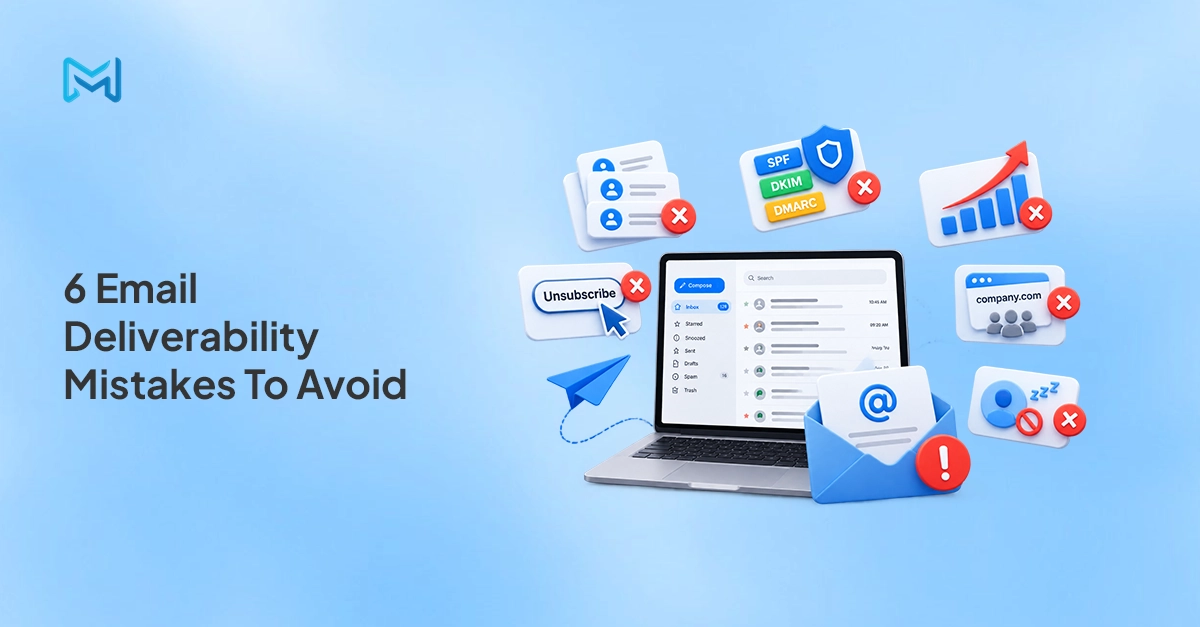
Salesforce email deliverability problems don’t announce themselves. Open rates drop slowly. Bounce rates creep up. Then one campaign lands in spam for half your list, and you need answers fast. Most of the time, the cause isn’t a single failure — it’s a combination of small mistakes that compound over months until inbox providers start filtering you out. This post covers six of the most common email deliverability mistakes Salesforce teams make, and what to do about each one.
Table of Contents
Mistake 1: Sending to an Unclean List
A dirty list is the fastest way to damage your sender reputation. Hard bounces — emails sent to addresses that don’t exist — signal to inbox providers that your data hygiene is poor. When your hard bounce rate climbs above 2%, providers like Gmail and Outlook start filtering your future sends more aggressively, regardless of how good your content is.
In Salesforce, list rot happens quietly. Contacts accumulate over years. Roles change, people leave companies, email addresses go inactive. Without a regular Salesforce mass email scrub before major campaigns, you’re sending into a list that’s partly dead — and paying the deliverability cost for it.
The fix: Before any large send, filter your list for contacts with previous hard bounces. Use Salesforce reports to identify records where delivery failed on prior campaigns through the Email History object. Remove or suppress those records before the next send goes out.
Mistake 2: Missing SPF, DKIM, and DMARC Records
These three DNS records tell inbox providers that your emails are actually coming from who they say they’re from. Without them, your messages look suspicious — even if the content is perfectly clean.
SPF (Sender Policy Framework) lists the mail servers authorized to send email on behalf of your domain. DKIM (DomainKeys Identified Mail) adds a digital signature to outgoing emails that receivers can verify. DMARC tells inbox providers what to do if either check fails — reject, quarantine, or let it through.
When you send through SendGrid, these records need to be configured for your sending domain inside SendGrid’s settings. The domain you send from must be verified and authenticated. Sending from an unverified domain — or letting SendGrid send from a shared default — means your emails carry no authentication signal, which hurts deliverability directly.
The fix: Log into your SendGrid account, navigate to Sender Authentication, and verify your sending domain. Set up SPF and DKIM records through your DNS provider. Add a DMARC record once the other two are confirmed.
Mistake 3: Sudden Volume Spikes
Inbox providers track sending patterns. A domain that sends 200 emails per week and then blasts 15,000 on a Monday looks like a compromised account or a spam operation. The spike triggers filtering — not because your content is bad, but because the volume pattern is abnormal.
This catches Salesforce teams off guard, especially at the start of a new campaign cycle or after a period of low activity. The instinct is to send everything at once. The result is a deliverability hit that takes weeks to recover from.
The fix: Warm up your sending domain gradually. Start with a few hundred emails per day, increase volume by 20–30% every few days, and build toward your target volume over two to three weeks. If you’re resuming after a long gap, treat it as a fresh warmup.
Fix Salesforce email deliverability from inside your Salesforce CRM.

Mistake 4: Ignoring Unsubscribes
Every email you send to someone who has unsubscribed is a complaint waiting to happen. Spam complaints damage sender reputation faster than bounces — inbox providers weigh them heavily because a complaint means a real person actively flagged your email as unwanted.
Salesforce tracks opt-outs, but the process breaks down in practice. Unsubscribe data often sits in one object and doesn’t automatically suppress the contact from future list view sends or campaign sends unless suppression logic is explicitly built and maintained. Teams inherit lists, skip the suppression check, and send to opted-out contacts without realizing it.
The fix: 360 Mass Mailer tracks unsubscribe and resubscribe status through the Email History object — when a recipient clicks unsubscribe, that action reflects on the corresponding Salesforce record. Build your send lists from filtered views that exclude contacts with active unsubscribe status before every campaign.
Mistake 5: Sending From a Shared Domain
Salesforce’s default sending infrastructure uses shared domains. When you send mass email through Salesforce without your own authenticated sending domain, your emails go out under a shared sender reputation — one you share with every other Salesforce org using the same infrastructure. If other senders on that shared domain have poor reputation, you inherit part of the problem.
This is one of the most common and least visible deliverability drags for Salesforce teams. Everything looks fine on the sending end. The damage happens at the inbox provider level, silently.
The fix: Connect your own domain through SendGrid. 360 Mass Mailer’s SendGrid integration lets you send from your verified business domain rather than a shared Salesforce default. Your sender reputation is yours — it builds or falls based on your own sending behavior, not anyone else’s.
Mistake 6: No Engagement-Based Suppression
Sending to contacts who haven’t opened an email in 12 months or more drags down your engagement metrics across the board. Inbox providers look at engagement rates — if a large portion of your list is consistently non-responsive, that signals low-quality sending and pushes more of your future emails toward spam.
Most Salesforce teams don’t have a suppression segment for inactive contacts. Lists grow, nobody removes the unengaged, and every campaign goes out to the full list — including hundreds of contacts who haven’t responded in years.
The fix: Build a Salesforce report that pulls contacts with no email opens or clicks in the past 12 months, using data from the Email History object. Create a suppression list from that report and exclude those contacts from campaign sends. Run a re-engagement sequence for the borderline group before removing them entirely.
What Each Fix Actually Does for Sender Reputation
| Deliverability Issue | Without the Fix | With the Fix Applied |
| Unclean list | Hard bounces above 2% trigger inbox filtering | Bounce rate stays low, reputation protected |
| Missing SPF/DKIM/DMARC | Emails fail authentication checks, land in spam | Emails pass verification, inbox placement improves |
| Volume spikes | Sudden spikes flagged as spam or compromised account | Gradual warmup builds trust with inbox providers |
| Unsubscribe ignored | Spam complaints accumulate, reputation drops fast | Complaint rate stays low, domain stays clean |
| Shared domain sending | Reputation shared with unknown senders | Reputation tied to your domain and your behavior only |
| No engagement suppression | Low engagement rates signal poor sending quality | Engagement metrics stay healthy, inbox placement improves |
How 360 Mass Mailer Helps With Deliverability
360 Mass Mailer addresses several of these issues directly through its native Salesforce architecture and SendGrid integration.
Bounce monitoring: Delivery status, bounce data, and spam flags all write back to the Salesforce record through the Email History object. You can build Salesforce reports on bounce history before every campaign the data is already there, on the record.
Unsubscribe management: When a recipient unsubscribes, the status reflects on their Salesforce record. That data stays inside the CRM rather than living in a separate email platform, which means suppression logic can be applied directly to Salesforce list views and reports without any manual syncing.
SendGrid authentication: 360 Mass Mailer connects to your SendGrid account through an API key. Once your domain is authenticated in SendGrid, every send from 360 Mass Mailer goes out under your verified domain — not a shared Salesforce default.
Salesforce mass email scrub capability: Because all send and engagement history lives on the Salesforce record, you can build pre-send suppression reports natively — filtering out hard bounces, unsubscribes, and long-inactive contacts before any campaign goes out.
Ready to see how 360 Mass Mailer handles deliverability inside Salesforce?

Wrapping Up
Deliverability problems are easier to prevent than to fix after the fact. Once your sender reputation drops, rebuilding it takes weeks of careful, low-volume sending. The six mistakes in this post dirty lists, missing authentication, volume spikes, ignored unsubscribes, shared domains, and no engagement suppression are all avoidable with the right setup and a consistent pre-send routine.
360 Mass Mailer puts the data you need to run that routine directly on the Salesforce record. No external dashboard, no connector to maintain, no data living somewhere outside your CRM.


Solve It with Salesforce. We’ll Show You How.
AI. Apps. Experts. Everything you need to win with Salesforce under one roof.Frequently Asked Questions
Why Are My Salesforce Mass Emails Going to Spam?
Usually it's a combination of factors rather than a single cause. The most common are missing email authentication (SPF, DKIM, DMARC not set up for your sending domain), high bounce rates from an unclean list, or a spike in sending volume that looks abnormal to inbox providers. Sending to unsubscribed contacts and using a shared sending domain instead of your own authenticated domain both contribute as well. Start by checking your bounce rate and authentication setup — those are the fastest wins.
What Is a Good Bounce Rate for Salesforce Email Campaigns?
Keep hard bounces below 2%. Above that threshold, inbox providers start filtering your sends more aggressively. Soft bounces — temporary delivery failures — are less critical but should still be monitored. If your hard bounce rate is climbing, run a list scrub using your Email History data in Salesforce before the next campaign goes out.
How Do I Improve Email Deliverability for Salesforce Mass Sends?
Start with authentication — make sure SPF, DKIM, and DMARC are configured for your sending domain through SendGrid. Then clean your list by suppressing contacts with hard bounces and unsubscribes. Warm up your volume gradually if you've been inactive. And build an engagement-based suppression segment to remove contacts who haven't responded in over a year. 360 Mass Mailer makes all of this manageable from inside Salesforce, because the bounce, delivery, and engagement data lives on the record rather than in a separate platform.

About the author
Editorial TeamThe Editorial Team at 360 Degree Cloud brings together seasoned marketers, Salesforce specialists, and technology writers who are passionate about simplifying complex ideas into meaningful insights. With deep expertise in Salesforce solutions, B2B SaaS, and digital transformation, the team curates thought leadership content, industry trends, and practical guides that help businesses navigate growth with clarity and confidence. Every piece we publish reflects our commitment to delivering value, fostering innovation, and connecting readers with the evolving Salesforce ecosystem.
Recent Blogs
 Email Marketing
Send Email to Multiple Recipients in Salesforce Flow: What Works and Where It Breaks
You’ve got a Flow that fires on a record update. You need it to send email to multiple recipients in Salesforce. The logic seems simple:…
Read More Comparison
7 Best Drip Campaign Tools for Salesforce in 2026: Features, Limits, and Pricing Compared
Most comparisons of the best drip campaign tools for Salesforce make the same mistake: they treat native tools and connected tools as if they’re interchangeable.…
Read More Comparison
Best Mass Email Software for Salesforce in 2026: 6 Tools Ranked by Features and Price
Choosing the right Salesforce bulk email tool comes down to three things: how much you’re sending, whether tracking data needs to live on the Salesforce…
Read MoreReady to Make the Most Out of Your Salesforce Instance?
Our Salesforce aces would be happy to help you. Just drop us a line at contact@360degreecloud.com, and we’ll take it from there!
Subscribe to our newsletter
Stay ahead with expert insights, industry trends, and exclusive resources—delivered straight to your inbox.
