Talk to Us

Dreamforce 2026 Highlights: Top 10 Announcements You Should Be Aware Of

Incredible! That’s the word we can use if we had to define this year’s Dreamforce event in one word. The expectations from the event are always high, but year after year, Salesforce really amazes us with all the new and game-changing announcements at the event. Dreamforce 2026 had everything a Salesforce enthusiast can wish for. 

The keynote announcements this year are absolutely wonderful and can significantly bring transformation in user experience and operations. Dreamforce has 1500+ sessions, 40,000 attendees, and millions of viewers online, and Salesforce definitely made the most of this event, using it as a platform to make some impressive announcements. 

Out of numerous enhancements, there were some that were the most impressive and would really benefit businesses and Salesforce users with enhanced productivity and experience. In this blog, we’ll talk about the top announcements from Dreamforce this year that stuck with us and would really bring results for Salesforce users. 

Top 10 Announcements from Dreamforce 2026

We’ve listed some of the best keynote announcements from the event that will make you aware of everything’s that trending in the Salesforce world.

1. Marketing Cloud & Commerce Cloud

Salesforce acquired both Marketing Cloud and Commerce Cloud and incorporated these tools with the core platforms. Now, after so many years, we can see 26 new generative AI capabilities on the roadmap for these tools.

In addition to this, 25+ sets are going to arrive by the end of 2024. All of these will be built on the Data Cloud. 

2. New Industry Cloud to be Launched: Life Sciences Cloud

We all know that Salesforce industry clouds have proven to be very helpful for different industries, be it Healthcare, Manufacturing, or Finance. 

Now, there’s another cloud that will be added to the list. Salesforce announced that the life sciences sector will have its industry cloud too.

3. Einstein 1 Platform

There was another announcement that was about the Einstein 1 Platform. It’s a kind of relaunch of the Salesforce platform, making it a trusted AI platform. The Einstein Copilot was the main attraction. 

The conversational AI assistant will help customers use natural language for interaction, just like conducting a conversation with another human being.

4. Free Data Cloud and Tableau Licenses

Another announcement that took the center stage was about free Data Cloud and Tableau licenses for all customers of Service and Sales Cloud. This is applicable for both Enterprise and Unlimited editions. The free package will consist of two free Tableau Creator licenses and Data Cloud licenses for up to 10,000 profiles. 

It’s high time to make the most of these licenses. Make sure to connect with the best Salesforce consultants to get your hands on the benefits of these tools.

5. Slack Innovations

Slack is already quite popular among companies to enable streamlined communication between teams. Now, it’s time to extend its usage a bit more. 

There were several enhancements for Slack announced in Dreamforce 2026. Thread Summaries, Channel Recaps, and Search Answers, along with automation and Slack lists are some of the most amazing ones. 

6. Data Cloud- Triggered Flow

We have been using Salesforce Flow to build automation for years. There are actions to trigger Flows like any change in the data. Now, users can power up their automation using dynamic data as Data Cloud is embedded in the Einstein 1 platform. The Data Cloud would allow you to access real-time data from different systems.

You can get the best of these flows with an affordable Salesforce consulting service and boost your development.

7. Copilot Studio

There was another announcement regarding the launch of Einstein Copilot Studio, a platform in which Salesforce professionals would be able to control and implement generative AI to support and enhance users’ productivity. 

Users will be able to do it all while having complete control over processes. They can decide which generative AI will be used and the extent to which it will be used. 

There are three components of Copilot Studio: Prompt Builder, Skills Builder, and Model Builder. You can get the most of all these three with the help of affordable Salesforce consulting services. 

8. Tenets of Trusted, Ethical & Humane AI

Salesforce always emphasizes its core values. Trust is the most important value to ensure safe and secure AI for companies. In Dreamforce 2026, Salesforce talked about its Tenets of Trusted, Ethical, and Humane AI, which they will follow for all their innovations. These tenets will help to maintain trust between Salesforce and customers. 

9. Power of Salesforce AI to Create 10 Million Jobs by 2026

There’s a report published by IDC that will help you take a look into the crystal ball to know the future of the Salesforce ecosystem. The research shows two standout figures:

– Revenue Impact: A $2.02 trillion net gain expected in 2022-2028. 

– Employment Impact: An estimated 18 million jobs to be created globally.

10. Most Sustainable Dreamforce Ever

Sustainability is another core value of Salesforce. Salesforce has launched Net Zero Cloud to help other organizations meet sustainability goals.

Salesforce is continuously making efforts to make Dreamforce environmentally friendly, and they claimed this one to be the most sustainable Dreamforce event ever. 

We can clearly observe that the key announcements are majorly focused on AI and Data Cloud. Also, with Salesforce making a drastic turn towards AI, we need to keep in sync with the latest enhancements and upgrades it is bringing, especially the ones that were announced during Dreamforce 2026. 

To make that happen, you need a reliable team of experts to keep your system updated. Contact us and get the best Salesforce consultants to work for you and provide you with the guidance you seek with the latest enhancements. 
How Salesforce CRM Consulting Helps Financial Services Build and Retain Trust

Boasting over 15,000 active customers, Salesforce still continues to be the leader in the CRM market. It’s the robustness and reliability of the platform that makes it so popular, especially for the financial services industry. The industry giants like American Express and Western Union have been leveraging the Salesforce CRM, achieving impressive ROI. Even small and medium businesses can make the most of it to boost their operations. Just the right Salesforce CRM consulting service is the key. 

But what exactly makes Salesforce apt for financial services organizations? What does it offer that helps to build and retain trust? 

Salesforce has numerous products that help financial services organizations cater to their unique needs and streamline their operations while delivering exceptional customer service. 

In this article, we’ll talk about all the points that make Salesforce the first choice of financial service companies. 

Why Financial Services Companies Choose Salesforce Over Other CRMs

When it’s about choosing a CRM solution, Salesforce CRM consulting services is always the top choice for financial services organizations.  Whether it is about improving productivity, achieving key insights about business, or streamlining client journeys, Salesforce can do it all. 

But those are not the only reasons that make it better than other CRM solutions. So, let’s talk about the key features of Salesforce that make it the best CRM to trust for financial services organizations. 

1. Manage Financial Data Centrally

Salesforce enables teams at financial services organizations to access a consolidated view of the business and customers whilst having quick and reliable access to it. It’s normal for such firms to have a plethora of data, but it can certainly be a challenge to get a unified view of it or to access specific information when needed. That’s what Salesforce can help you with. 

Salesforce helps to harmonize business processes, enabling teams to easily access data by eliminating any duplicate information. Salesforce CRM consulting even helps with simplifying investment decisions from the customer’s point of view after evaluating all insights. 

2. Access Accurate Predictions

Common challenges faced by financial services and wealth management professionals are related to inaccurate financial or sales forecasting, inaccurate reporting, and improper renewal management. Salesforce is a big help here, enabling teams to access the right information at the right time and make informed budget forecasts and financial decisions. 

This capability of Salesforce helps financial services executives to accurately predict future business opportunities and understand potential risks. This enables them to take the right action at the right time. 

3. Conduct In-Depth Data Analysis

Research by Forrester says that companies that use algorithm-driven financial services to make strategic business decisions end up gaining a competitive advantage over other similar businesses. 

Trust matters a lot in financial services, and to maintain that trust, companies should be able to conduct thorough, in-depth analyses to find accurate information. That’s where Salesforce allows teams to conduct real-time analytics to empower teams at financial services firms to prepare budgets accurately and get relevant forecast information. 

Salesforce provides tools that are powered by artificial intelligence, providing advisors with unparalleled visibility into customer journeys. Salesforce CRM consulting services also offer them critical insights about customer retention, revenue, and churn. That’s how they can help customers by coming up with a personalized approach. 

Salesforce also provides data insights, enabling them to view it efficiently through comprehensive reports and dashboards. The team can adjust metrics just the way they want in these reports to view and track data the way they want. 

4. Enhance Collaboration Between Teams

According to a report by Salesforce, 67% of the respondents believe that forecasting in a financial services firm can be improved with effective coordination and communication between the sales and financial teams. This collaboration could easily turn into achieving maximum revenue growth. 

If we talk about all other CRM platforms, it would certainly be difficult to find one like Salesforce that can hold such a multitude of records and can still equally service sales, support, marketers, and financial agents in a company. 

Not only this, but Salesforce CRM consulting also provides a single view of all customer data, irrespective of the customer and team’s location. It enables teams to connect multiple data sources and helps to enhance profiles for better customer experiences, providing a comprehensive portrait of the audience and thus evaluating their needs in a better way. 

5. Get Smooth Integration with Other Platforms

Along with the strong customization capabilities, Salesforce has this impressive ability to integrate with multiple applications. Any financial services organization would have been using multiple systems and applications to streamline its operations. However, tracking these applications can be a true challenge. That’s where integrating these applications with Salesforce can be of great help. 

Salesforce allows seamless integration with multiple applications without the need to conduct any extra custom coding, thus avoiding any system hiccups. This allows teams at financial services firms to get a combined view of data from multiple applications within their Salesforce. 

Get Trusted Salesforce CRM Consulting Companies to Help You

Considering the criticality and sensitivity of financial information, there’s always a need to have a reliable Salesforce solution to streamline and manage operations. But that’s something that will require expertise and skills to efficiently work with Salesforce products. 

That’s why you need to have trusted Salesforce CRM consulting services to implement and manage your Salesforce solution, providing you with the ease to manage your operations while ensuring customer satisfaction. Contact us to discuss the challenges in your financial services organization that you want to overcome. 

Quiz Time

What of the following Salesforce capabilities makes it the best CRM solution?

a). Integration capabilities

b). Better collaboration between teams

c). Reports and dashboards

d). All of the above

Show Answer: d) All of the above

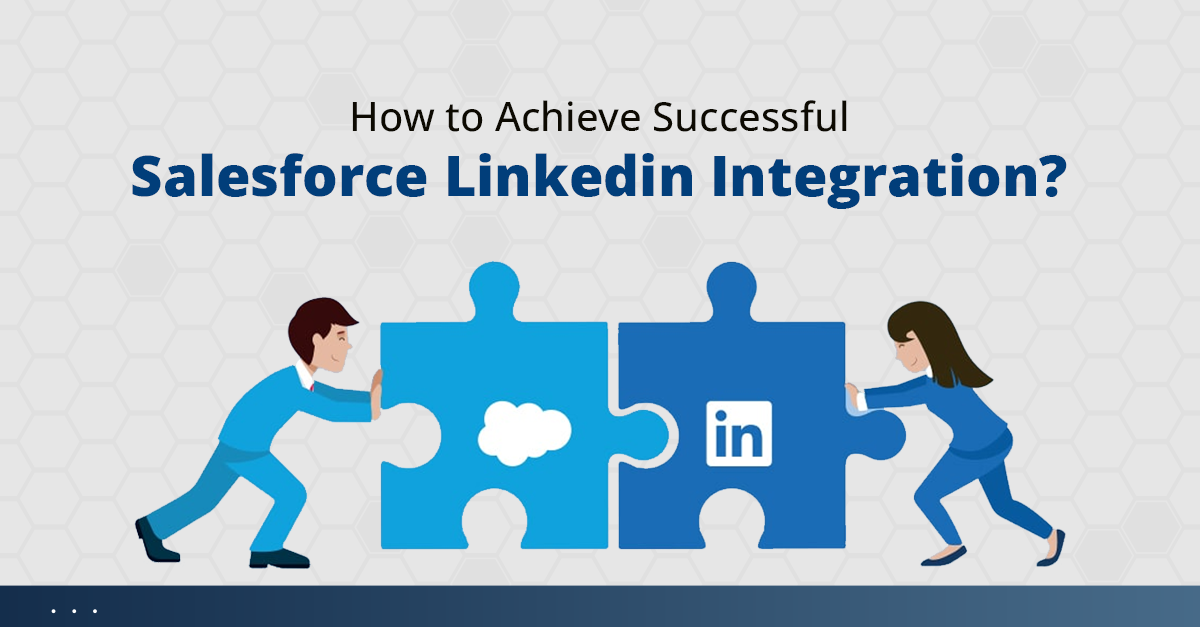
How to Achieve Successful Salesforce LinkedIn Integration?

Every business these days has its presence on LinkedIn, specifically to expand its business and bring in better leads. You’d probably have it too. But are you sure you are making the most of your LinkedIn? If you have doubts about this, it’s time to consider Salesforce LinkedIn integration and get the results your business deserves.

LinkedIn needs no introduction as it has proven to be an efficient tool to build professional relationships and improve the chances of closing more leads. No wonder the tool has a lot of power, but integrating it with Salesforce can add to it.

The integration of the two platforms can help sales teams to easily track their sales activities and KPIs. This integration can be successfully achieved by using the LinkedIn sales navigator

With the sales navigator Salesforce integration, LinkedIn can easily be connected with your Salesforce solution. All you need is a reliable Salesforce professional to set it up for you. 

Why Should You Integrate Your Salesforce with LinkedIn?

Before we get into the nitty-gritty of the integration process, let’s take you through the major reasons to consider Salesforce integration with LinkedIn. 

1. Get Accurate Sales Insights

Enabling the integration will help you access the most powerful and accurate sales insights through which sales reps can make detailed documents and reports. These reports would then help the company to make informed decisions by evaluating all the essential insights.

As you keep using Salesforce and LinkedIn together, it will enable you to get more information about your contact and their preferences, which you can use to plan their journey. Also, the integrated platform will enable you to keep track of any changes easily. Any changes in LinkedIn or any new connection will automatically be indicated within your Salesforce, thus making it easier for you to keep track of it.

2. Boost Customer Support

Integrating your LinkedIn with Salesforce will enable you to get the best of both worlds. This would provide you the ability to work with the robust capabilities of Salesforce and improve connections with a professional network like LinkedIn. 

This will help you get closer to your customers and understand their expectations, response patterns, behavior, and other traits in a better way. This will enable the service teams to use personalized approaches to resolve their queries, thus improving customer experience.

3. Enhance Lead Conversion Rate

One of the most essential reasons to go for Salesforce LinkedIn integration is its ability to improve your lead generation and conversion rate. The integration will help you import your LinkedIn leads into Salesforce, enabling you to expand your pool of potential leads. 

Also, you’ll be able to work with the superior search functionality of LinkedIn, which will help you with the discovery of leads and increase the chances of conversion. Sales reps would be able to find more suitable leads and connections and reach them out the right way. This will ultimately boost the conversion rate and bring in more profits to the business. 

4. Personalize Sales Outreach

Being able to access your LinkedIn connections from within Salesforce allows the sales team to have a better view of their customer details within the org. It makes it easier for the sales team to access all details quickly and understand them better. 

Having all the details of LinkedIn contacts at their fingertips enables sales reps to personalize their approach to reaching out to them. They can reach out to leads at the right time and the right channel, considering their preferences. The personalized sales outreach ultimately boosts the chances of lead conversion for sales reps. 

5. Improve Sales Productivity

The integration is not just about increasing the number of leads achieved by a business. It also relates to improving the quality of the sales processes. The integration allows the sales team to easily navigate through different profiles, send InMails, and make quick connections without having to leave the Salesforce org. 

The Salesforce integration services will enable the sales team to always be aware of any new connections or leads, enabling them to be quick to plan their next moves. This way, the integration provides a more holistic view of contacts and potential leads, enabling sales teams to be more productive and proactive so they can take the right actions quickly.

Steps to Achieve Salesforce LinkedIn Integration

Let’s understand this integration by looking at the steps involved in it. Hiring the best Salesforce integration partners would help you successfully go through these steps. 

1. Set up custom objects.

Navigate to Setup > Create > Objects > New> Name it “LinkedIn Information”

2. Create a Visualforce Page and Controller Class.

– Create an Apex class with the name “LinkedInoAuthController.”

– Go to Setup > Develop > Apex Classes > New

– Then, you need to create a Visualforce page for Authorization with LinkedIn with the name “LinkedInoAuth.”

3. Create an app on LinkedIn.

Now, you need to create a Connected LinkedIn app using the Developer Account of LinkedIn. The LinkedIn app page will look like the image given below. 

4. Now, you need to make the needed changes to the Apex class. 

– Open LinkedInoAuthController class and replace the redirect URL with your Visualforce page preview URL. 

– Then, you need to replace consumerSecret and consumerKey with your Client Secret and client ID.

5. Finally, test the integration. 

– Open LinkedInoAuth Visualforce page for the preview. Click Connect with LinkedIn. You’ll reach a new screen where you have to enter your LinkedIn username and password. 

– After signing in, grant permission to the application. Then, click Complete Authorization. You’ll then get a success message.

Achieve Successful Integrations with the Best Salesforce Integration Partners

Whether it’s about engaging with customers or partners, integrating Salesforce and LinkedIn will help you enhance engagement with them, thus improving relationships. This increases the chance of business chances by boosting the conversion speed and getting more leads than ever. 

That’s something you could achieve when you have the support of a trusted Salesforce partner. Contact us and get such experts to integrate your business apps with Salesforce and achieve a centralized view of all your data. 

6 Tips by a Salesforce AppExchange Developer for an Exceptional Listing

For companies working on Salesforce applications, it is a common opinion to get their app published on Salesforce AppExchange. That’s the reason every Salesforce AppExchange developer is so critical about crafting the app in a way that it passes the security review. 

But is it enough to get it published?

No, it’s not. In fact, you need to make sure that your audience can easily locate your app and use it. A recent study shows that 95% of Fortune 100 organizations are using at least one Salesforce AppExchange app

So, if you have an app on AppExchange, you need to make sure your AppExchange listing stands out by optimizing it right so more and more users can find and use it. 

So, in this blog, we’ll be guiding you with a few tips on how you can make your Salesforce AppExchange listing exceptional. 

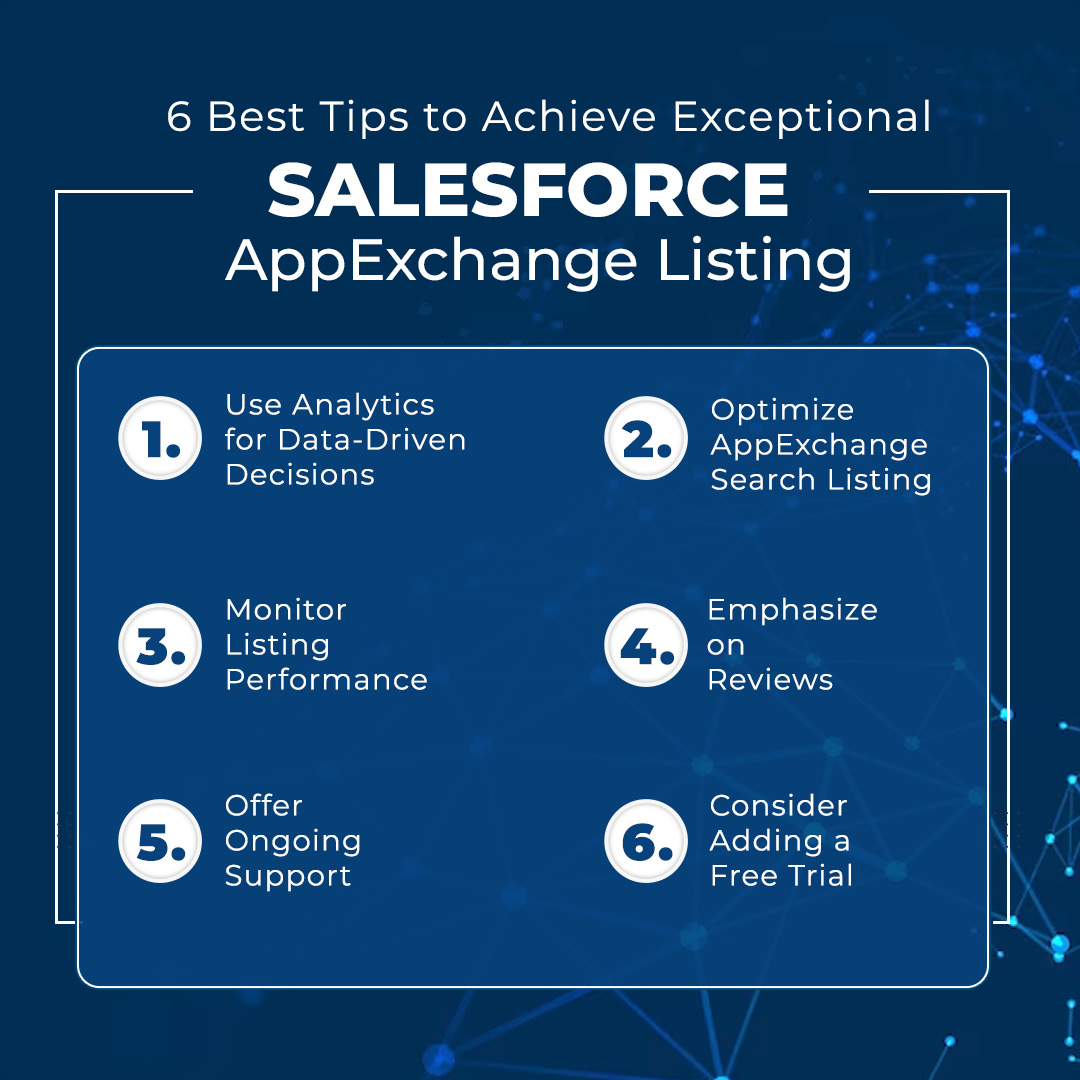
6 Best Tips to Achieve Exceptional Salesforce AppExchange Listing

No wonder it takes a lot of effort to get your application listed on Salesforce AppExchange, but it doesn’t mean that your work ends here. You need to make sure that your listing gets the kind of attention that you’ve been wishing for. 

Here are some of the effective tips that will make customers stick around your AppExchange listing:

1. Use Analytics for Data-Driven Decisions

If used correctly, the data collected and managed by the company can also be helpful to improve the AppExchange listing performance. That’s where you need to leverage analytics to access valuable insights. 

You can analyze your data, like click-through rates, listing views, and various other essential metrics that help to reveal patterns and areas where improvement is required. The data evaluated through analytics can help to make your AppExchange listing stand out, making your Salesforce AppExchange development worthwhile.

2. Optimize AppExchange Search Listing

Search is undoubtedly one of the most common ways for customers to find solutions online. The same is the case with Salesforce AppExchange. There’s a huge role of keywords and engagement in deciding how the listing will appear when the search results are shown. 

Optimizing your AppExchange Search Listing will help you to appear faster in the search results than other competitors. You need to make sure that the relevant keywords and their alternatives are added to your description. This will be helpful in optimizing the discoverability of your application.

3. Monitor Listing Performance

Salesforce AppExchange allows you to access analytics for both the Salesforce AppExchange app and the Marketplace. 

With Marketplace Analytics, you can get insights into the way customers are able to discover and interact with the listing. On the other hand, leveraging the AppExchange App Analytics will also allow you to access data related to how customers are interacting with the application. 

You can access the data from both these analytics with the help of a Salesforce AppExchange developer to conduct performance monitoring of your listing and keep it updated according to the insights. 

4. Emphasize on Reviews

Another best practice that would make your AppExchange listing shine is to have some reviews from users. Try to encourage your happy customers to leave you a positive review over the AppExchange, which could attract new users, giving a sense of trust. 

Also, you need to make sure that any reviews, positive or negative, are responded to promptly and gracefully, making the reviewers feel respected. 

Another great thing about reviews is that they appear in the organic search results. Thus, having a high number of reviews will enable you to improve the CTR of your AppExchange listing. 

5. Offer Ongoing Support 

There’s no denying the fact that the role of support is indispensable, especially when you are trying to make your Salesforce AppExchange listing stand out. So, along with all technical capabilities added by a Salesforce AppExchange developer, you need to make sure your team also provides additional support with the app.

Try providing your new customers with user guides, tutorials, and documentation that will be helpful for them to get started with the app. On top of it, you can add knowledgeable and responsive customer support accessible through multiple channels like chat, forum, or email. 

You need to be someone who is always quick and responsive to assist customers when they need help. Having such excellent support will build loyalty among your user base, thus making your AppExchange listing a popular one. 

6. Consider Adding a Free Trial

One of the most tried and tested ways by Salesforce app developers to bring attention to your AppExchange listing is to offer a free trial or any freemium option. Such an option would entice customers to explore the capabilities of your application on AppExchange. 

This will be an opportunity for you to lock in customers through your listing, and you can then win them over with the quality of service and features you offer. But make sure to clarify the limitation or condition for any offer that you’re providing.  

Boost Salesforce AppExchange Development with the Best Professionals

There, you have it! All the tips that will enable you to work on your AppExchange listing and make it stand out among your competitors. Sometimes, despite crafting the best Salesforce app, you can’t get the attention it deserves; that’s where these tips would come in handy. 

But before you jump onto improving your listing, get your Salesforce AppExchange app developed in a way that no customer could resist. Contact us and get in touch with our certified Salesforce developers, who could provide you with a customized app and successfully publish it on AppExchange. 

logo Live Chat