Talk to Us

Let’s Simplify Salesforce Date, Time, and Timezone Calculations

When using the Salesforce platform, there are complex challenges when dealing with Salesforce date, time, and timezone calculations while operating across various business locations worldwide. Small mistakes in interpreting time can lead to missed prospects, along with dissatisfied clients, inappropriate scheduling of meetings, and much more. The foundation tools from Salesforce offer basic functionalities, yet businesses requiring advanced functionality implement specialized solutions such as 360 Local Timezone Finder to overcome their challenges. The following discussion explains how you can make this complexity easier to comprehend after addressing basic questions.

Is Salesforce GMT or UTC?

Salesforce depends on Coordinated Universal Time (UTC) to generate timestamps, which serve as the basis for all its internal timestamping processes. UTC maintains almost the same time scale as GMT and achieves higher precision since it relies on atomic time instead of the Earth’s periodic rotation. UTC powers Salesforce operations, although many people associate the platform with GMT. The distinction between GMT and UTC within the Salesforce system determines how schedules function and workflows start, and affects the maintenance of database records.

The ability that Salesforce provides for users to modify their time zone settings under settings does not eliminate the complex nature of globally distributed businesses to correctly understand and handle time-dependent processes during daylight saving adjustments.  A specific solution becomes essential for these purposes.

How 360 Local Timezone Finder Simplifies Date, Time, and Timezone Calculations

Even though Salesforce offers strong time management capabilities, clients with a worldwide client base encounter difficulties in managing all timestamps through manual methods. The 360 Local Timezone Finder system resolves these issues through its functionality.

1. Instant Local Time Visibility

The interface of the 360 Local Timezone Finder enables users to see correct local times in Salesforce records without manual time edits. By using this tool, your team gains access to perfect outreach timing because you immediately determine the most suitable window for contact, thus increasing engagement rates and eliminating disruptions. Having real-time local time data also supports the functionality of a Salesforce daylight saving timezone scheduler, ensuring that scheduled activities remain accurate even during seasonal clock changes.

2. Automatic Adjustments for Daylight Saving Time

Daylight Saving Time (DST) can complicate scheduling across regions. With 360 Local Timezone Finder, DST adjustments happen automatically. The app takes into account the shifts without you having to manually update your schedules. This feature is critical for maintaining reliability in your Salesforce daylight saving timezone scheduler, so your clients always receive communications and services at the expected times.

3. No more manual calculations

360 Local Timezone Finder takes the guesswork out of scheduling. It completely eliminates the need for manual timezone and time calculations, automatically suggesting optimal meeting times based on each user’s Salesforce default timezone. This streamlines your process, reducing the hassle of coordinating across time zones and helping you stay organized. Forget about the back-and-forth emails looking for a time that works – it’s all handled for you!

4. User-Defined Time Format and Digital Clock View

With 360 Local Timezone Finder, you gain full control over how time is displayed. You can choose your preferred time format, whether 12-hour or 24-hour, and view it in a digital clock format. This feature simplifies date, time, and timezone calculations, ensuring that all events, deadlines, and SLAs are clearly displayed in the format that suits your business needs. No more confusion over how times are shown or misaligned scheduling—just seamless, accurate visibility.

5. Seamless Integration with Standard and Custom Objects

360 Local Timezone Finder works seamlessly with both Standard and Custom objects in Salesforce, allowing you to optimize your communication with clients regardless of the type of data you’re working with. Whether you’re handling accounts, leads, or custom records, the app ensures you stay on track with accurate time zone information. This improves your scheduling and communication workflows, ensuring that you reach out to your clients during their working hours and significantly enhancing response rates and customer satisfaction.

Real-World Example

Imagine you’re a customer success manager working with clients across the globe, handling accounts in New York, London, and Sydney. Without the right Salesforce timezone tracking, you might end up reaching out during odd hours, negatively impacting your client relationships. With 360 Local Timezone Finder, you gain the ability to see the local time for each client, regardless of the record type—whether it’s a Standard or Custom object in Salesforce. This eliminates manual time calculations, ensuring your communication aligns perfectly with your clients’ working hours, keeping your relationships professional and timely.

If you want to truly harness the power of timezone in Salesforce, 360 Local Timezone Finder is a game-changer that removes manual errors and streamlines global operations.

Wrapping Up

Navigating date, time, and timezone calculations in Salesforce doesn’t have to be a struggle. While Salesforce gives you the basic tools, solutions like 360 Local Timezone Finder take it to the next level, ensuring precise and effortless global scheduling. Whether you’re leveraging a Salesforce daylight saving timezone scheduler, adjusting based on the Salesforce default timezone, or managing timezone in Salesforce, having an intelligent, automated solution changes the game.

Don’t leave your global operations up to chance. Simplify your Salesforce processes, respect your clients’ schedules, and optimize your team’s productivity by adopting 360 Local Timezone Finder today!
How to Minimize the Additional Salesforce Implementation Cost 

Do you know that companies using Salesforce see 38% faster decision-making, a 25% increase in profitability, and a 35% rise in customer satisfaction? From the numbers, it is clear that Salesforce is the top CRM solution that has stood strong over the years due to its constant innovation and customer-first approach. However, implementing Salesforce to achieve these numbers without inflating costs requires an experienced Salesforce consultancy and strategic finesse. The sticker shock of implementation includes licensing fees, consulting hours, customizations, integrations, data migrations, training, and ongoing support. And if implementation is done wrong, it can quickly become a budget nightmare.  

In this blog post, we’ll talk about the powerful strategies to help you minimize your implementation cost all while maximizing your ROI. So, let’s dive right into it. 

Importance of Cost Management for Successful Salesforce ROI 

Salesforce can be a revenue engine or a cost trap for you. To make sure it is a revenue engine for you, you must ensure you manage your implementation budget strategically. On average, businesses (small to enterprise level) spend $25,000 to $150,000+ on a Salesforce rollout, depending on complexity, user count, and cloud products. According to a Gartner report, over 40% of CRM implementation costs exceed the original budget. This overspending results from mismanaged customization and a lack of clarity on the business goals; ultimately, it doesn’t add to the ROI. Here are some key reasons why cost management is critical for Salesforce ROI. 

  • Salesforce’s Flexibility Can Be a Budget Risk: Salesforce is very modular, with thousands of possible configurations. This could act as a strength if you know exactly what you need. Otherwise, you will be in the trap of paying for customizations and add-ons that won’t move a needle for you. 
  • Implementation is Not a One-and-Done Project: Salesforce implementation is multi-layered and includes phases like design, development, testing, training, and support. And if you don’t have a disciplined approach and a clear roadmap, costs can snowball at every step. 
  • Scope Creep Can Quietly Blow Up Your Budget: It is easy for teams to fall into the trap of ‘just one more feature’ during the implementation process. A small change here, a new report there, and suddenly, your project is off track. These unexpected additions can increase the cost by 15-20% and push deadlines out by weeks. 

If you don’t want this to happen to you and increase the operational efficiency of your business, you should go for a top Salesforce consulting firm. Now that we have talked about the importance of cost management, let’s talk about the effective ways to minimize the Salesforce implementation cost. 

5 Ways to Reduce Cost During Salesforce Implementation 

Salesforce works on a subscription model, recurring license and maintenance costs must be considered in the total investment. Understanding these cost components can be crucial for budgeting. Here are the five surefire ways to reduce the cost during Salesforce implementation. 

1. Prioritize a Phased Rollout 

Most organizations make the mistake of deploying every feature at once, which can increase cost, risk, and complexity. Instead of this, you can: 

  • Start with a minimal viable product (MVP) focusing on the most important features that deliver immediate value, such as customer data consolidation or sales automation. 
  • Create a phased implementation roadmap that allows you to iterate and optimize. 
  • Collect user feedback early to avoid costly rework later. 

2. Avoid Over-Customization 

Salesforce’s native capabilities cover most use cases. Custom code may seem like the way to match your unique processes, but it adds cost. You can focus your customization efforts on areas that directly impact revenue and customer satisfaction. Also, you can: 

  • Use Salesforce Flows and low-code tools before opting for Apex. 
  • Utilize standard objects, page layouts, and automation. 
  • Challenge every custom request with – can we do this with configuration? 

3. Choose the Right Salesforce Implementation Partner

If you need your implementation process to be cost-effective and smooth, you need the right Salesforce CRM consulting partners. It doesn’t mean you have to go for the cheap options because they can also lead to costly delays and misconfigurations. Instead, you can look for: 

  • Clear communication and a structured delivery methodology. 
  • References and success stories in your industry.  

4. Invest in User Training and Change Management 

The best Salesforce implementation means nothing if users don’t adopt the system. Therefore, a well-planned training program is critical for maximizing your Salesforce investment. Also, you can: 

  • Develop tailored training modules for different user roles. 
  • Designate internal Salesforce champions to drive adoption.  
  • Leverage change management strategies like regular workshops and online support. 
  • Use in-app guidance tools like In-App Learning or WalkMe for real-time support.  

5. Clean Your Data Before Migration 

Duplicate data can derail your implementation efforts, increase storage costs, and frustrate users. And if you are thinking of cleaning it after the migration, it will be even more costly. To save your cost, you can: 

  • Audit and de-dupe your current CRM. 
  • Archive irrelevant records instead of transferring everything. 
  • Leverage automated tools for data cleaning and mapping.  

The Bottom Line

Salesforce implementation is more of a strategic investment than a technical task. Cutting corners will cost you more in the long run. However, smart cost management ensures you scale effectively without burning your pockets. Start with a clear goal and the right Salesforce CRM consulting firm,, and you’ll be on your way to turning Salesforce into a growth and revenue engine. 

Wish to Implement Salesforce With Finesse? Talk to Us! 

Our experts will help you implement Salesforce effectively all while reducing the overall cost. Just drop us a line at contact@360degreecloud.com, and we’ll take it from there! 

Does Your Business Really Need a Salesforce Consulting Partner? 

Did you know?                           

Every one out of three CRM projects tends to fail. The actual reported number, however, varies between 18% and 69%. It means that the chances of your CRM’s project failure are as high as 69%. And even if you have a powerful CRM platform like Salesforce in your arsenal, your project still has a chance of failing. Irrespective of your industry and journey, whether you’re planning to make the switch to Salesforce CRM or you’ve been using it for a while, top Salesforce consulting companies can be your closest ally. By leveraging the expertise of a Salesforce consultant, you can ensure a smooth implementation, customization, integration, and optimization of your Salesforce solution.  

In this blog post, we’ll talk about the importance of Salesforce consulting services and a certified Salesforce consultant for your business growth. So, let’s dive right in! 

What Happens When Your Business Don’t Have a Salesforce Consulting Partner?

A wonky or DIY Salesforce implementation can be disastrous for running a long-term software solution or when you want to scale your business. From the top, it might seem easy to set up your Salesforce instance, but it is not. Here are some common challenges that you may encounter if you don’t have dedicated Salesforce consulting services or a partner. 

• Confusion About Which Salesforce Product to Choose 

Salesforce offers a myriad of products to meet your unique business needs across industries. While the idea of implementing the Salesforce product suite can be exciting, the process of choosing the right tool that can actually solve your challenges can be a tough cookie. That’s where an experienced Salesforce consultant can be your knight in shining armor. 

• Technical Complexities

Salesforce is a giant platform that comes with plenty of features and configurations. Without the right expertise and experience, you might not be able to make the most out of these capabilities. Additionally, like any other CRM tool, Salesforce integration solutions have certain technical requirements, and some projects may need custom development of the integration tools or customization of the existing applications provided by AppExchange, such as CTI integration with Salesforce.  

• User Onboarding Challenges 

The effectiveness of any Salesforce solution is as good as its user onboarding experience. If you don’t have dedicated Salesforce consulting services at your disposal, you might face challenges like a lack of understanding of crucial functionalities, insufficient training, and reluctance to adopt the platform. Without proper expertise and training, creating, modifying, and deleting user accounts securely can pose a threat to your business data. 

• Difficulty in Understanding Salesforce Data 

The most prominent feature of the Salesforce CRM is its ability to offer detailed reports. However, most businesses struggle to interpret the data in that report. If you are one of those businesses, you might lack insights into customer data and experience a drop in sales and satisfied customers. 

• Integration and Customization Roadblocks 

For Salesforce to work on its A-game, it should be integrated with your existing tech stack seamlessly. If you don’t have a Salesforce consultant, you might encounter challenges like data mapping, managing duplicate records, and maintaining data integrity. Also, customizing workflows and automating processes can be complex.  

Now that we have established what you will be missing out on if you don’t have dedicated Salesforce consulting services or a Salesforce partner, let’s talk about how to choose the right one.  

Steps to Choose the Right Salesforce Consulting Partner to Ensure Success

When choosing a Salesforce consulting partner, it is essential to look for several factors to make sure that they align with your business needs. Here are the six essential steps that you can follow. 

1. Do Your Research Or Ask Salesforce 

You can start your research by looking for Salesforce implementation case studies related to your business or industry. Approach your peers from other industries who have recently implemented Salesforce. In addition to that, you can connect with your designated Account Executive, provided by Salesforce, to help you with a list of certified partners both in Salesforce verticals and also, especially, those who have experience with the process or use case you are focused on. 

2. Ensure That Your Vision Aligns 

Knowing how your Salesforce partner conducts business is crucial. You can start by reviewing their mission statement, case studies, and public communication to gauge their beliefs and decision-making processes. Also, you can go through their client testimonials on AppExchange, community involvement, and engage in open, in-depth discussions where you can share your long-term goals and challenges and inquire about specific examples of how they have navigated complex projects while staying true to their core values. 

3. Look for Industry, Technology, & Solution Expertise 

The right Salesforce consultant should have an in-depth understanding of your business challenges and best practices for your unique industry so that they can provide riveting insights on how to structure processes or roll out changes. Also, it is very important to consider technology expertise and dig deeper into the partner’s business experience. You can check if your partner specializes in specific Salesforce products or modules essential to your business requirements. 

4. Check Out Their Partnership Level & Team Expertise 

While partnership levels offer some insights into expertise, Salesforce actually defines them through robust technical certifications and the achievement of customer success metrics. Team size is another key factor that the partner’s organization has adequate resources to deliver your project on schedule, while Salesforce certification confirms they possess the necessary expertise and hands-on experience for a successful implementation. 

5. Consider the Level of Support They Offer 

Salesforce is continuously evolving; therefore, having a partner that offers solid support is crucial. Salesforce offers three releases in a year, which are summer, spring, and winter, so staying up-to-date is crucial. Also, you can inquire about the partner’s support and maintenance services after implementation. A good partner should be ready to fix problems, improve Salesforce functions, and offer user training when needed. In addition to that, review their service level agreements (SLAs) to see how quickly they respond, how available their technical support is, and how soon they resolve issues, so you can be confident in ongoing system reliability. 

6. Assess Total Value Beyond the Price Tag 

Salesforce implementation costs vary based on your business needs, scope, and partner expertise. While cost affects ROI, it’s just one factor. Consider how much customization, integrations, and add-ons you’ll require, and ensure your partner delivers quality that meets your long-term needs. Plan a flexible budget that adapts as your requirements evolve to maximize overall value and success. 

The Bottom Line

To ensure success in the Salesforce ecosystem, partnering with the top Salesforce consulting company is crucial. They can amplify your team’s CRM expertise and help set clear, actionable objectives. You need to find a partner you can trust. If possible, meet all the stakeholders who will be on your project because consulting is a people business. 

Looking for Salesforce Consulting Services in the USA? We Can Help! 

Rely on a Salesforce Summit Partner to make the most out of your Salesforce investment. Just drop us a line at contact@360degreecloud.com, and we will take it from there. 

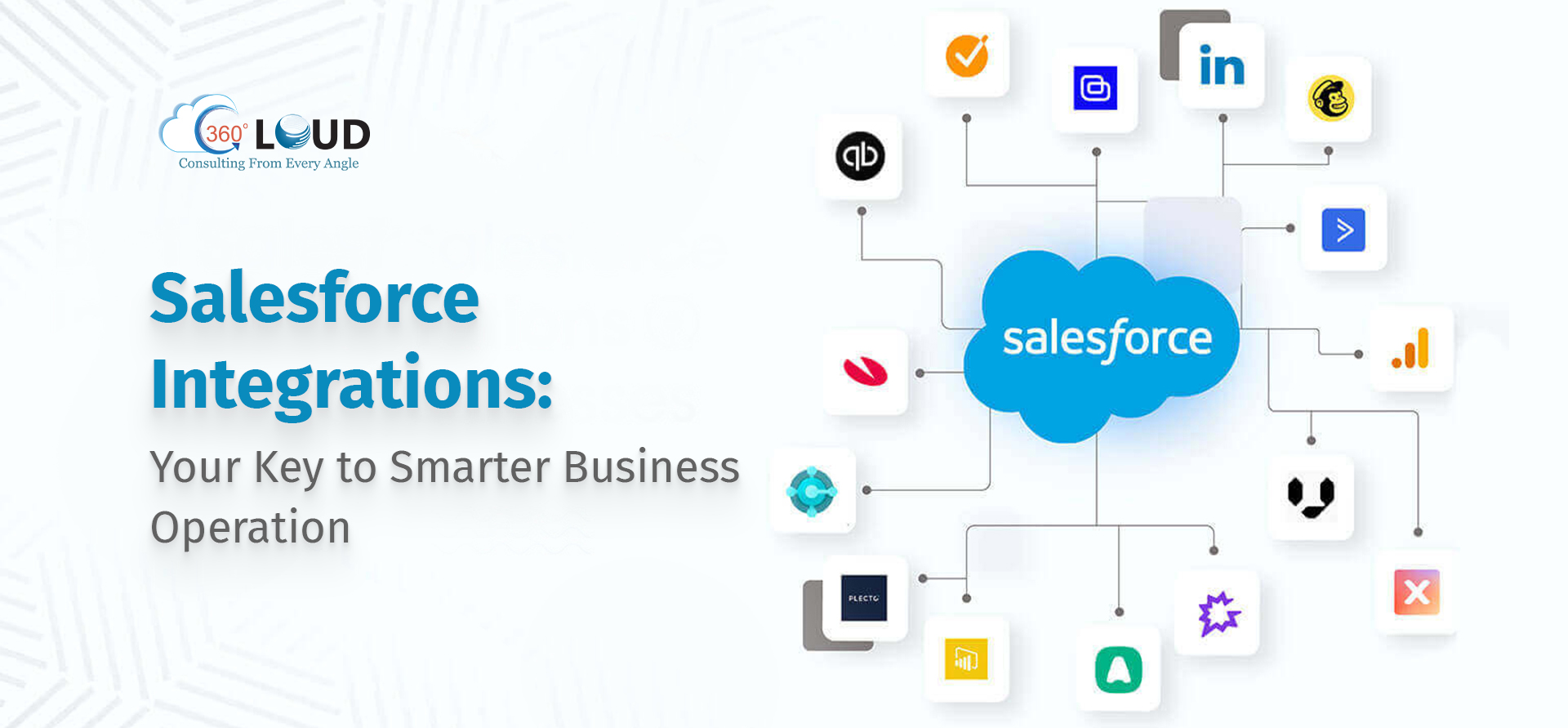
Salesforce Integrations Services: Your Key to Smarter Business Operation 

Salesforce is the best-in-class CRM platform that improves the marketing, sales, and customer service operations of enterprises. Its wide range of innovative products and services makes it a complete package for businesses. Additionally, businesses are constantly bringing new apps and devices on board to streamline their operations across teams. According to Salesforce, businesses today use over 1000 applications; however, 70% of them remain disconnected from the core business. Ultimately, organizations need a way to bring all types of apps, data, and SaaS, together in a seamless and scalable manner. That’s where Salesforce integration chimes in. 

Whether it’s Pardot Salesforce integration or working with the right Salesforce integration partners, the aim is to connect systems in a way that boosts efficiency and improves customer experience. A trusted Salesforce integration company helps make that happen faster. 

In this blog post, we talk about the nitty-gritty of Salesforce integration and why you need a dedicated Salesforce integration partner to ensure success. So, let’s dive right in! 

What if Salesforce is Not Integrated With Your Tech Stack? 

Businesses are constantly on the go to add new apps and technologies to their arsenal so that they can amplify everything their business already does. And when businesses fail to integrate Salesforce with their tech stack, they may encounter the following challenges. 

• Data Silos and Inconsistent Information  

Each department in an organization may work independently, but if tools and apps are not connected, this can create data silos. It can lead to fragmented and duplicate data, inconsistent customer records, and inefficient reporting. 

• Reduced Efficiency and Increased Cost 

Manual data entry and cross-referencing between systems are time-consuming. If your Salesforce instance is not connected with your tech stack, your teams might spend their valuable time trying to reconcile data discrepancies instead of focusing on core business functions. It can lead to increased operational costs and missed opportunities. 

• Poor Customer Experience

Lacking a single data source could cause a broken customer experience. For example, the sales team might not have access to the complete customer history, leading to potentially alienating customers. Consequently, the customer might receive conflicting information from different departments due to data inconsistencies. 

Now that we’ve established what happens if you don’t integrate Salesforce with your tech stack, let’s shift focus to Salesforce integration best practices. 

5 Ways to Ensure Your Salesforce Integration is Smooth

You must adhere to certain best practices to get the most out of your integration efforts. Here are some key points that you should keep in mind during the integration process.  

1. Define Clear Goals

Before initiating the integration process, clearly define what you want to achieve from this integration. Your goals can be around improving data accuracy, streamlining operations, and delivering connected customer experiences. 

2. Use Distributed and Asynchronous Architecture 

You should use a distributed and asynchronous architecture, as it separates Salesforce from the backend systems. Also, it allows you to use middleware platforms like MuleSoft to orchestrate complex workflows. If you follow this approach, you can minimize synchronous API call delays and the governor limit risks by processing data in batched transactions. 

3. Implement Strong Error Handling 

When your Salesforce integration triggers automated processes like data syncs or API callouts multiple times, it should update records once. To avoid multiple request updates, you should assign a unique ID to each transaction. Additionally, you should add features for automatic retries and fallback mechanisms to ensure that integration quickly recovers from errors. 

4. Secure and Govern Your Integration Ecosystem 

Another important thing to keep in mind is that your integration should comply with security standards and regulations. For this, you can use methods like OAuth 2.0 and JWT along with API gateways that control access. Also, you can set up central logs and monitor dashboards in real-time to quickly spot an unusual activity. 

5. Continuous Testing and Improvement 

Last but not least, regularly testing and improving your integration is the cornerstone for success. For this, you can use system integration testing, automated testing tools and real-world simulations to identify problems before they adversely affect your business. 

DIY vs. Hiring a Salesforce Integration Partner

As an entrepreneur or a decision maker, using Salesforce to streamline your marketing, sales, and customer support efforts can be a good deal. However, the biggest dilemma that you’ll face is whether to do the integration on your end or choose a Salesforce integration company. This decision can significantly impact your Salesforce journey, and therefore, it requires your careful consideration. 

Choosing the DIY Route 

You can often perform the Salesforce integration on your own, especially for simpler integrations, by using Salesforce’s built-in tools, APIs, and the Salesforce AppExchange. DIY integration can be appealing if you have a strong in-house team that needs complete control over the process. However, this path can be time-consuming and resource-intensive if your team lacks the required skills and experience. If there is any small mistake in configuration and integration, it can lead to inefficiencies, data integrity issues, and system disruptions. 

So, you can go for DIY Salesforce integration if you have highly skilled in-house developers, ample time, and a simple integration at hand. 

Choosing a Salesforce Integration Partner 

On the other hand, hiring a Salesforce integration company or a partner can offer you plenty of benefits that can expedite your overall process. According to research, Salesforce’s partner ecosystem is driving immense growth, with partners expected to make $6.19 for every $1 Salesforce makes by 2026. From the numbers, it is clear that businesses are trusting Salesforce partners to solve their unique challenges. For instance, if you want to hire a company for Pardot Salesforce Integration, they can bring years of experience and industry knowledge to maximize your platform’s potential. 

Also, you get a chance to tap into a global network of Salesforce experts and get access to a diverse talent pool and industry-specific insights. All you need to do is carefully gauge your partner’s potential, pricing models, and scope of work. 

The Bottom Line

As you continue to grow, so will the need for you to integrate multiple systems together. And Salesforce is making sure that you can easily integrate it with the tools you already use. From efficiency to service to collaboration and beyond, you can count on Salesforce. However, to ensure that you integrate systems with finesse, you need to partner with a Salesforce consulting company with extensive experience and expertise. 

Want to Integrate Salesforce with Your Existing Tech Stack? Let’s Talk! 

If you are looking for a Salesforce partner for your integration project, just drop us a line at connect@360degreecloud.com, and we will take it from there. 

Choosing the Right Salesforce App Development Approach 

Salesforce is the best-in-class CRM tool that does not shy away from extending the capabilities of its platform with annual releases and new features. Therefore, to keep up with the evolving needs of the platform, businesses are finding the best ways to address their evolving needs.  As Salesforce is a giant in the CRM space, it offers both custom and pre-built applications that can easily integrate with its platform. However, businesses often find themselves in a dilemma whether to go with the AppExchange development and integrate functionality that addresses their needs or prefer custom development that offers more app control. 

In this blog post, we’ll talk about the pros and cons of both and help you decide which option you should choose to make the most of your Salesforce instance. So, let’s start. Shall we? 

The What and the Why of Pre-Built Salesforce App

Prebuilt Salesforce apps are ready-made applications that are available on AppExchange. These applications address common challenges and are developed by Salesforce itself or by third parties for easy integration within your Salesforce ecosystem. 

Pros of Choosing a Pre-Built Salesforce App

  • Pre-figured features and faster deployment 
  • Requires no development from scratch 
  • Already tested and comes with reviews and ratings 
  • Comes with customer support and frequent updates 

Cons of Choosing a Pre-Built Salesforce App

  • May not align with your unique workflow due to limited customization 
  • Might not integrate smoothly with your existing system 
  • Pre-built apps charge a monthly or annual fee 

The What and the Why of Custom Salesforce App 

Custom Salesforce app development offers a fully personalized solution developed from the ground up to address your unique needs. You can develop these apps with Salesforce development services or with in-house developers.

Pros of Choosing a Custom Salesforce App

  • Get more personalized solutions that cater to your unique needs 
  • Get complete control over the development process and requirements 
  • Easily manage your system and data, and integrate data from multiple sources 

Cons of Choosing a Custom Salesforce App

  • Requires a significant amount of investment in development 
  • Need  a lot of time for developing, designing, and testing  
  • Need to be responsible for all updates, bug fixes, and security patches

Now that we have established the pros and cons of both in-built and custom Salesforce apps, let’s talk about the crucial factors while making the right decision for your business. 

Key Factors to Consider While Choosing

While pre-built Salesforce apps can be available at less investment, they also provide a quick route to app customization. All you need to do is have an adept team that can integrate or build a solution on it. On the contrary, Salesforce custom app development offers you the opportunity to build apps from scratch. Both approaches have their pros and cons, and as a certified Salesforce mobile app development provider, we would like to simplify your decision. So, let’s take a look at the different circumstances that favor pre-built and custom Salesforce development. 

1. Requirement Analysis & Process Complexity

You need to list all the crucial business requirements and determine if they are achievable through the AppExchange application. If you think the answer is below 70-75%, it’s time to shift the route to custom development. Studies show that if a significant percentage of your business processes are not supported by standard tools, you need to consider a custom solution. Salesforce app development companies use best practices, tools, and technologies to find gaps and build solutions that scale according to your business needs. 

2. Budget Considerations

The initial investment to build a custom app is much higher than installing a pre-built AppExchange app. If you go for the AppExchange solution, you only need to pay for the monthly subscription fee, and the user count will be directly proportional to the subscription cost. In addition to that, custom Salesforce apps require timely maintenance, which adds to the cost. To get out of this conundrum, you can extrapolate the cost for both methods for a three- to five-year timeline and conduct a cost-value analysis. 

3. Time-to-Launch & Implementation

Every organization starts a development project with a timeline in mind. Pre-built solutions are faster to deploy due to ease of configuration, and this can be a crucial factor for businesses looking to see immediate results. On the contrary, custom Salesforce app development requires detailed planning, development, and testing phases, which can extend the timeline. If your priority is not speed, you can consider custom development because the extra time taken is justified by the benefits. 

4. Scalability and Future Growth

As your business needs evolve, so should your software. Therefore, the Salesforce solution you develop or customize should meet your existing needs as well as future business needs. For this, you need to discuss your future roadmap with the AppExchange vendor to visualize the long-term goal. On the other hand, custom apps are developed in a more customer-centric manner; they give you more flexibility and control to address the future needs of your business. 

5. Security, Support, and Risk Management

Both approaches must meet the industry’s security and compliance requirements. Also, before making the final decision on both options, you need to check the post-development support and service level agreements of the development companies. For the custom Salesforce development, your partner must have a solid strategic team with a proven track record of project delivery. Salesforce partners with a robust experience that can offer necessary support under flexible agreements. And for the Salesforce AppExchange development, you must carefully review whether the support and SLA provided meet your business expectations or not. 

The Bottom Line

Choosing between pre-built Salesforce apps and custom development is a strategic decision that can impact your business operations. Therefore, development decisions should be made after careful consideration and discussion with all stakeholders. Whether you go for the speed and reliability of a pre-built solution or the tailored power of custom development, ensure that your chosen approach delivers maximum value. 

Ready to Get the Best Salesforce App Development Services? Talk to Us! 

Our Salesforce development wizards will help you develop the best custom apps for your business needs. Just drop us a line at contact@360degreecloud.com, and we’ll take it from there! 

logo Live Chat