

AI Automation vs RPA: What’s the Difference and Which Do You Need?
21 Aug 2026
Table of Contents
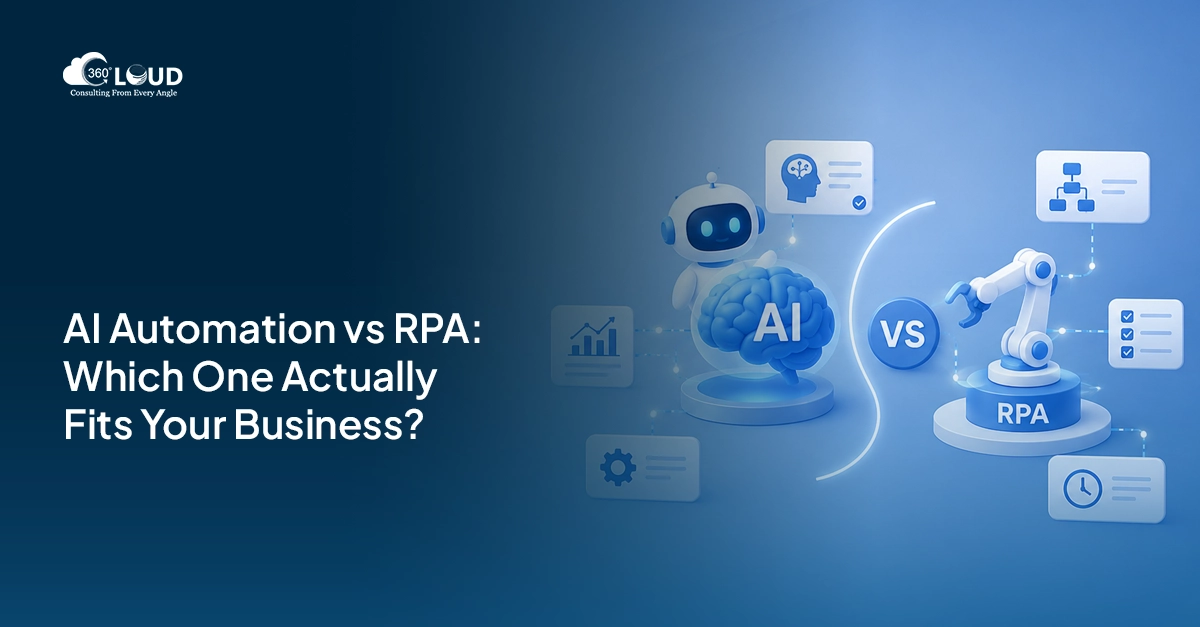
Nobody wakes up excited about manual data entry. Yet most companies still have people doing it, every single day, because nobody’s gotten around to fixing it. That’s the real reason automation climbed to the top of every ops leader’s list. Not hype. Fatigue.
RPA showed up first and quietly took over the boring stuff. Clicking, copying, pasting between systems that were never built to talk to each other. It worked. Then AI walked in and started doing things bots were never supposed to do – reading an email and understanding it, looking at an invoice and knowing what it means.
So now teams get stuck. Do we need bots? Brains? Both, and if so, in what order?
This guide sorts through AI automation vs RPA without the sales pitch. What each one is actually good at, where they fall apart, and how to decide without burning three months on it.
Not sure if you need RPA, AI, or both? Let’s map it out in 30 minutes.

Table of Contents
What Is Robotic Process Automation (RPA)?
RPA copies what a person does on a screen. That’s genuinely it. Clicks, logins, form fills, copy-paste between two systems that should’ve been integrated a decade ago.
You configure a bot to follow a fixed sequence, and it just… does that. Forever. No thinking involved, which is sort of the point.
It’s rule-based. If X happens, do Y. If Y fails, kick it to a human. There’s zero ambiguity baked into the logic – that’s exactly why it holds up so well for tasks with clean, repeatable steps.
Where does it show up in the real world? Payroll reconciliation. Moving records between a legacy ERP and a CRM. Standardized report generation. Updating a customer record the moment a status changes. Closing out tickets that hit fixed criteria. If you could write the steps on a sticky note, RPA can probably run it.
What Is AI Automation?
AI automation is what happens when software stops just performing the work and starts understanding it.
A few things make that possible. Machine learning lets a system notice patterns and get sharper over time, instead of running the same script on loop. Natural language processing lets it read contracts, support emails, chat threads – the messy, human stuff. Computer vision handles scanned PDFs, images, handwriting nobody bothered to type up. And decision intelligence pulls all of that together to actually make a call. Approve the refund or don’t. Flag the claim. Route the lead to a senior rep instead of whoever’s next in the queue.
RPA follows a script someone already wrote. AI figures out what the script should’ve been in the first place. That’s the gap, and it’s not a small one.
AI Automation vs RPA: What’s the Difference?
Break it down category by category and the split gets obvious fast.
Decision-making capability. RPA doesn’t make judgment calls, full stop. AI does, at least within whatever it was trained on.
Learning ability. An RPA bot does the exact same thing until a developer goes in and changes it. AI adjusts as new data comes in.
Structured vs unstructured data. RPA wants clean inputs – spreadsheet rows, database fields, form entries with no surprises. AI eats the messy stuff. Handwritten notes. Voice recordings. A PDF invoice from 2011 with a formatting quirk nobody’s seen since.
Scalability. More bots, more throughput – that’s how RPA scales, one to one. AI scales differently. Train the model once and it can handle huge volume with a lot of variance built in.
Process complexity. Predictable process, no exceptions? RPA’s your answer. Anything involving judgment or shifting context needs AI.
Human intervention. RPA still needs a person standing by for exceptions. AI cuts that dependency down. It never fully removes it, though – anyone who tells you otherwise is selling something.
Maintenance requirements. Here’s the part people get wrong. RPA bots snap the second a UI changes; one button moves and the whole thing breaks. AI models need retraining as the underlying data drifts. Both demand upkeep. Just different kinds, on different clocks.
Implementation effort. RPA deploys fast for a narrow task, sometimes in days. AI takes longer up front because of data prep, training, and validation before it does anything useful.
AI Automation vs RPA Comparison Table
| Criteria | RPA | AI Automation |
| Purpose | Task execution | Decision-making + execution |
| Technology | Scripted bots | ML, NLP, computer vision |
| Best suited tasks | Rule-based, repetitive | Judgment-based, variable |
| Learning capability | None | Improves with data |
| Data handling | Structured only | Structured + unstructured |
| Accuracy | High, within rules | High, probabilistic |
| Scalability | Bot by bot | Model-based |
| Cost | Lower upfront | Higher upfront, stronger long-term ROI |
| Implementation time | Days to weeks | Weeks to months |
| Typical use cases | Data entry, reconciliation | Fraud detection, support triage |
When Should You Choose RPA?
Pick RPA when the work is dull, predictable, and there’s a lot of it. That’s not an insult; that describes most of what actually keeps a business running.
Good candidates: repetitive back-office tasks, high-volume data entry, invoice processing where the format never changes, scheduled reporting, and legacy system integration where there’s no API and screen-scraping is genuinely the only path in.
Honestly, if a process lives in Excel and someone on your team dreads it every Monday morning, that’s your answer right there.
When Should You Choose AI Automation?
AI automation earns its cost the second a task needs interpretation instead of instructions.
Customer service is a strong fit, especially when tickets land in five formats across four channels and no rulebook covers all of them. Document understanding, where the system reads a contract or a claim and pulls out what actually matters. Predictive analytics for churn, demand, or risk. Intelligent routing that sends a lead to the right rep based on behavior, not just whoever’s turn it is. Fraud detection. Recommendation engines.
Salesforce teams running Agentforce or Einstein already see this play out daily. The system isn’t just moving data around, it’s deciding what to do with it.
Not sure where automation fits in your Salesforce stack?
When AI and RPA Work Better Together
This is where most enterprises actually end up. Not one or the other. Both, stitched together.
It’s called intelligent automation. AI reads and interprets. RPA acts on what it finds. Together, they cover the whole workflow instead of half of it.
- Intelligent document processing: AI pulls data from messy, unstructured invoices; RPA posts it straight into the ERP.
- Invoice automation: AI classifies and validates; RPA handles approvals and payment scheduling.
- Customer onboarding, where AI parses uploaded IDs and application forms while RPA spins up the accounts across systems.
- Claims processing in insurance: AI reviews damage photos, RPA updates the policy record and triggers payout.
- HR workflows covering resume screening (AI), interview scheduling (RPA), offer letters (a bit of both).
- Finance automation for month-end close, where AI flags anomalies and RPA runs the actual reconciliations.
This layered setup is basically the foundation of hyperautomation – a term Gartner’s been pushing for years now. Not a buzzword. It’s just how mature ops teams operate at this point.
Cost Comparison
RPA wins on day one, plain and simple. Lower licensing, faster setup, quicker wins. AI needs data infrastructure and trained people before it produces anything worth showing your CFO.
Implementation-wise, RPA can go live per process in a few weeks. AI implementations often run three to six months before that first use case actually works.
Maintenance is where it flips a little. RPA maintenance is constant – small, annoying, never-ending. AI maintenance happens less often but hits harder when it does.
AI scales more efficiently once it’s actually deployed. You’re not bolting on a new bot for every fresh task.
And ROI? RPA pays off in months. AI takes longer to show up on a spreadsheet, but it keeps compounding as the model handles more edge cases without adding headcount.
Common Business Use Cases
Finance leans on both for reconciliation, invoice processing, anomaly flags. Healthcare runs RPA for claims data entry and AI for diagnostic support and patient triage. Manufacturing pairs RPA for supplier onboarding with AI for predictive maintenance. Retail uses AI for recommendations, RPA for inventory sync. Insurance runs one of the deepest combinations out there – underwriting through claims. Banking automates KYC with AI-first logic and transaction monitoring with both. HR touches nearly the whole employee lifecycle with a mix of the two.
How to Decide Which Technology Fits Your Business
Skip the vendor deck. Ask yourself instead:
How complex is the process, really? What kind of data feeds it? What’s the actual goal – cost, speed, accuracy, customer experience? What’s the budget over the next 12 to 24 months? What systems are already in place, and how well do they play with new tools? What’s your team’s internal skill level? And how much will this process grow in the next two years?
Answer those honestly. The choice usually makes itself.
Common Automation Mistakes
- Automating a broken process just gives you a faster broken process. Nobody wants that, but plenty of teams do it anyway.
- Choosing AI when RPA would’ve been enough – AI’s exciting, sure, but it’s also expensive, and not every problem needs a model behind it.
- Underestimating data quality. Garbage in, garbage out. Old advice. Still true.
- Ignoring change management, because teams push back on tools they don’t understand, no matter how good the tech is.
- And focusing on the technology itself instead of the outcome. The point was never to “deploy AI.” The point is cutting cost, moving faster, or getting more accurate. Pick whichever tool actually gets you there.
Future of Enterprise Automation
Hyperautomation isn’t the finish line. It’s more like the middle of the story. What’s coming next: autonomous workflows run by AI agents that reason across systems on their own, generative AI woven into content and decision support, and orchestration layers that treat bots, models, and human approvers as one connected system instead of three separate tools duct-taped together.
Salesforce Agentforce already points that direction. So does every serious enterprise automation platform out there right now.

Categories

Solve It with Salesforce. We’ll Show You How.
AI. Apps. Experts. Everything you need to win with Salesforce under one roof.Frequently Asked Questions
What is the difference between AI automation and RPA?
RPA follows fixed rules. AI automation makes judgment calls. One handles structured, repetitive work, the other handles the unstructured, messy stuff.
Is AI replacing RPA?
Not really. It's extending what RPA can reach. Most enterprises run both side by side.
Can AI and RPA work together?
They should, honestly. That combination has a name - intelligent automation, or hyperautomation if you're feeling fancy.
Which is more cost-effective: AI or RPA?
RPA's cheaper to start. AI often wins on long-term ROI, particularly once you're operating at scale.
What types of processes are best suited for RPA?
Repetitive, rule-based, high-volume, and the data needs to be structured going in.
What business processes require AI automation?
Anything with unstructured data, judgment calls, prediction, or context that shifts case by case.
What is intelligent automation?
It's RPA, AI, and process orchestration blended into one system that handles a workflow start to finish.
How do I choose between AI automation and RPA?
Start with the process itself. Simple and rule-based → RPA. Needs interpretation → AI. Needs both → layer them.
Is AI automation harder to implement than RPA?
Usually, yes. It needs solid data, a trained model, and clear success metrics before it earns its keep.
What industries benefit most from AI and RPA?
Finance, insurance, healthcare, banking, retail, and manufacturing see the biggest gains, though honestly, almost every industry has a use case worth exploring.

About the author
Editorial TeamThe Editorial Team at 360 Degree Cloud brings together seasoned marketers, Salesforce specialists, and technology writers who are passionate about simplifying complex ideas into meaningful insights. With deep expertise in Salesforce solutions, B2B SaaS, and digital transformation, the team curates thought leadership content, industry trends, and practical guides that help businesses navigate growth with clarity and confidence. Every piece we publish reflects our commitment to delivering value, fostering innovation, and connecting readers with the evolving Salesforce ecosystem.
Recent Blogs
 Salesforce Services
Salesforce Health Check: What It Is, What It Covers, and What You Should Do with the Results
Picture this. A VP of Sales asks why the pipeline number in Salesforce is $2.3 million, but the finance report shows $1.8 million. Nobody has…
Read More Salesforce Clouds
Salesforce Just Added Something New. Here’s How to Put It to Work.
Winter ’27 is live. Dreamforce just added more. Is your team using any of It? Two big drops landed in one month, and most teams…
Read More Salesforce Services
Salesforce Technical Debt 10 Signs Your CRM Needs a Strategic Overhaul (and What to Do About It)
Three years ago, the Salesforce org your team implemented was clean. Logical field names. Documented Flows. A handful of integrations that actually made sense. Today?…
Read MoreReady to Make the Most Out of Your Salesforce Instance?
Our Salesforce aces would be happy to help you. Just drop us a line at contact@360degreecloud.com, and we’ll take it from there!
Subscribe to our newsletter
Stay ahead with expert insights, industry trends, and exclusive resources—delivered straight to your inbox.
