
Don’t Close 2026 Without This Year-End Salesforce Audit
Updated On: 17 Nov 2026
Table of Contents
Picture the first week back after the holidays. Everyone’s still settling in, and nobody’s really working yet.
Then a message lands from leadership: they need last year’s pipeline numbers by noon.
Easy enough, you think. It’s Salesforce. The numbers are in there somewhere.
So you pull a report. Then a second one, from a different dashboard. Then a third, because the first two don’t match. They don’t match each other either. Three reports, three answers, and a meeting in an hour.
Nobody did anything wrong, which is the annoying part. No one deleted a thing on purpose. Twelve months of small shortcuts piled up quietly: a duplicate here, a field someone repurposed, a flow built for a campaign that ended in March. Salesforce never complains about any of it. It just keeps storing, counting, and billing.
Then the renewal quote shows up, and it includes seats for people who left in June.
Table of Contents
Orgs Don’t Break. They Drift.
Here’s the thing about a Salesforce org: it almost never fails in a way you’d notice. It drifts.
A rep leaves and their account stays active because offboarding was a Friday-afternoon task. An admin builds a quick workaround for a deadline, and the workaround becomes permanent. An import goes in with the wrong mapping and nobody checks the Industry field again. Each one is tiny. Together, they’re the reason your forecast looks different depending on who built the report.
And drift compounds. A messy org doesn’t get cleaner on its own, and every new hire, integration, and campaign adds a little more to it. The longer you wait, the more expensive the cleanup gets, because the person who knows why that field exists has usually left.
Why December, Specifically
You could audit in any month. December’s just the best one, for a few boring reasons.
Renewals tend to cluster around year-end, which means your licensing numbers are about to matter to someone with a budget. Teams are quieter. Fewer people are changing things, which makes it easier to see what’s actually there. And January is when reorgs, new targets, and new reporting years land on top of whatever state your data is in.
There’s a newer reason too. Everyone wants AI inside their CRM now, and AI has a nasty habit of confidently repeating whatever it finds. Salesforce’s own CEO has been saying this for a while: Marc Benioff put it simply when he said, “You have to get your data right to get your AI right.” He’s talking about agents, but the logic works on any dashboard your team opens on Monday morning.
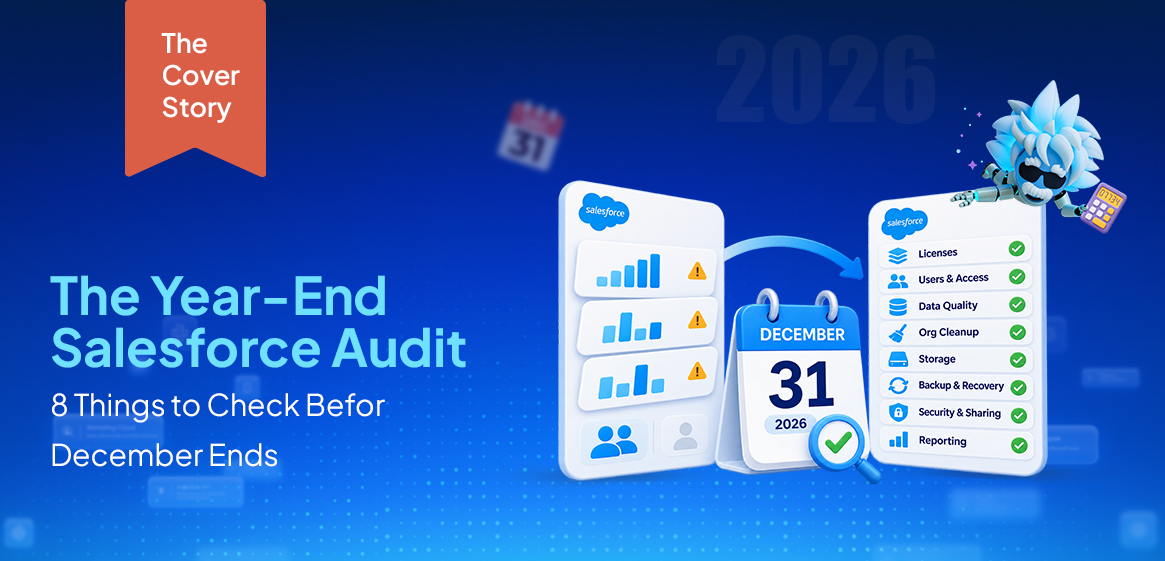
So here’s a checklist. Eight areas, roughly in the order they cost you money or sleep.
1. Licenses: Who’s Actually Using What You Pay For?
Start here. It’s the only item on this list with a line on your renewal quote.
The question is simple: does every seat belong to someone who logs in, on a license type that matches what they do? In practice, the answer is almost always “mostly.” Benchmarks from SaaS-management vendors regularly put idle Salesforce seats at around a quarter of the total or more. Your number could be better. It could be a lot worse, and you won’t know until you look.
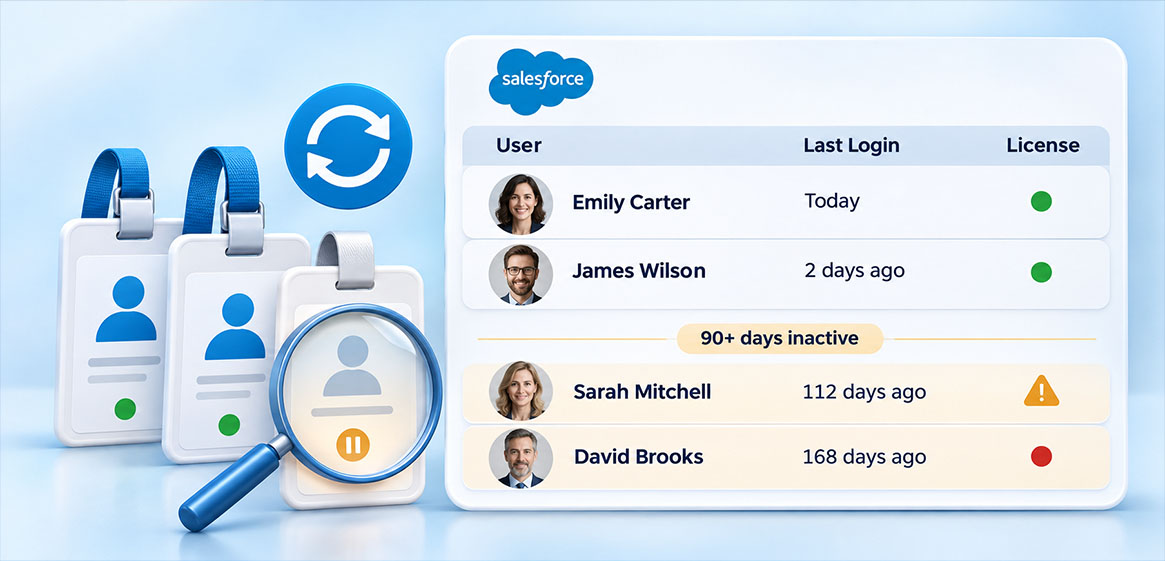
Pull a Users report sorted by Last Login. Anyone who hasn’t signed in for 90 days deserves a conversation. Then look at the quieter group: people who changed roles last year and kept the license they started with. A full CRM seat for someone who only views dashboards is a very expensive way to read a report.
Red flag: former employees with active seats.
2. Users and Access: The Ghosts
A former employee with a live login is two problems at once. It’s a billing line, and it’s a door someone forgot to lock.
Check who’s been deactivated and who’s been “meaning to be.” Then look at admin rights, because this is where orgs get spooky. Five admins usually means somebody edited a flow at 4 pm on a Friday and nobody can say who. Admin access should sit with people who actually need it, and the rest should have exactly what their job requires.
One practical note: download your Login History now. Salesforce only keeps six months of it, so anything you’ll want for a year-end review is already disappearing.
Red flag: five admins, two doing the work.
3. Data Cleanliness: Where the Three-Reports Problem Starts
Gartner estimates that poor data quality costs the average organization $12.9 million a year. That’s an average across big organizations, so your number is probably smaller. But the mechanism is identical at any size: people stop trusting the data, and trust is hard to win back.
You’ve seen how this goes. Sales builds a spreadsheet “just for now.” Marketing exports contacts before every campaign because the list “might be off.” Leadership asks which number is right, and the honest answer is “depends who you ask.”
Salesforce’s own Rahul Auradkar summed up the AI version of this problem in one line: models are incredibly intelligent, “but they tend to be corporate stupid.” A model can’t fix duplicates it doesn’t know are duplicates.
Open Duplicate Jobs in Setup, then build one report for records missing an owner, an email, or an industry. You’ll find something within minutes.
Red flag: leads from 2021 still sitting at “Open – Not Contacted.”
4. Org Clutter: The Stuff Nobody Dares Delete
Every org has a corner like this. Dead flows. Fields nobody fills in. Reports last run in 2022, saved by someone who’s since moved teams.
It’s tempting to leave it all alone. Deleting feels risky, and keeping it feels free. But it isn’t free. Old automation can still fire at the worst possible moment. And when a new admin inherits the org, they spend their first month playing archaeologist.
Sort your flows by last modified date and your reports by last run date. Anything nobody can explain goes on a “retire in Q1” list. (It won’t all get done. Write the list anyway.)
Red flag: two flows doing the same job, and nobody knows which one wins.
5. Storage: The Slow Creep
Storage is the check people skip because nothing hurts until suddenly it does.
Most records count as roughly 2 KB each, no matter how many fields are filled in. So millions of old leads, tasks, and email records add up quickly, even if nobody’s uploaded a single file. And allocations depend on your edition, so check yours instead of assuming.
Go to Setup, then Storage Usage, and compare this quarter against the last one. You’re not looking for the total. You’re looking for the slope. A line that climbs every month with no owner is a bill waiting to happen.
Red flag: nobody knows which objects are taking up the space.
6. Backup and Recovery: The Check That Only Matters Once
If I had to pick the most neglected item on this list, it’d be this one. It’s also the one you’ll regret most.
Deleted records stay in the Recycle Bin for 15 days, and after that they’re gone. The bin can also purge earlier if it fills up. The native Data Export gives you CSV files on a weekly or monthly schedule, which is useful, but it’s an export and not a recovery plan. Putting those records back, with relationships intact, is manual work.
Picture someone mass-deleting 40,000 records on a Friday, and nobody notices until the monthly review. Who restores them? How long does it take? Has anyone ever tested it?
Red flag: nobody in the room can answer that.
7. Security and Sharing Rules
Start with Health Check, under Setup, then Security. It scores your settings against Salesforce’s recommended baseline and sorts the risks by severity. Fix the high-risk items first and don’t chase a perfect score.
Then read your sharing rules, because this is where time does its quiet damage. Teams reorganize. Sharing rules don’t. It’s common to find rules written for a department that no longer exists, still deciding who sees what.
Also worth knowing: Setup Audit Trail keeps about 180 days. If you might need that history for an audit, export it before it ages out.
8. Reporting Trust: The Final Test
This one isn’t a setting. It’s a feeling.
Do leadership dashboards run on clean data, and do people actually open them? The quickest test is to ask whether Sales keeps its own pipeline spreadsheet. (They do. Ask anyway.) When the real numbers live in spreadsheets, your dashboards have already lost.
Benioff likes to call data “the new gold.” Fair enough. Gold nobody trusts doesn’t buy much.
Now Count Your Ticks
Give yourself a point for every area you could answer “yes” to without guessing. Be strict. “Probably” doesn’t count.
- 7-8: Solid. Enjoy December.
- 4-6: Fixable. You’ve got gaps, not disasters, and now you know where they are.
- 0-3: You found this in November instead of at renewal. That’s the good news.
If You Only Have One Week
If you don’t have much time for a full audit, here’s a simpler DIY version that fits:
Day 1: Licenses and users. Pull Last Login, flag the 90-day group, and list who’s left.
Day 2: Duplicates and missing fields. Run the duplicate job and build the one report.
Day 3: Clutter. Sort flows and reports by age, and write the retire list.
Day 4: Storage and Health Check. Note the numbers so you can compare in March.
Day 5: Backup. Find out who owns recovery, and ask how long a restore would take.
You won’t fix everything in five days. But you’ll walk into January knowing what’s true about your org, and that’s a better place to start than a surprise on the sixth.
Close the Year Knowing What’s True
An audit isn’t meant to prove your org is a mess. Most orgs are a little messy after a year of real work, and that’s normal. The point is to find out where the mess is while fixing it still takes an afternoon and not a project. That means licenses you can reclaim, data you can trust again, and a backup you’ve tested instead of assumed. None of it is glamorous, and none of it will show up in a keynote. But it’s the difference between starting January with a clear picture and starting it with three reports that disagree. Do the pass now and write down your numbers. Then put a reminder in your calendar for March and run the same checks again. What changed between the two rounds is your real to-do list.
Categories

Solve It with Salesforce. We’ll Show You How.
AI. Apps. Experts. Everything you need to win with Salesforce under one roof.
About the author
Editorial TeamThe Editorial Team at 360 Degree Cloud brings together seasoned marketers, Salesforce specialists, and technology writers who are passionate about simplifying complex ideas into meaningful insights. With deep expertise in Salesforce solutions, B2B SaaS, and digital transformation, the team curates thought leadership content, industry trends, and practical guides that help businesses navigate growth with clarity and confidence. Every piece we publish reflects our commitment to delivering value, fostering innovation, and connecting readers with the evolving Salesforce ecosystem.
Recent Blogs
 Uncategorized
How to Create a Salesforce Roadmap That Aligns CRM With Business Growth?
Most Salesforce orgs don’t fail on day one. They drift. A new field here, a quick automation there, one more integration because sales asked nicely.…
Read More Salesforce Clouds
Salesforce Agrees to Acquire Braze: What It Means for Marketing Cloud
Salesforce Acquires Braze for $5.66 Billion - What It Means for Marketing Cloud
Read More Salesforce Services
What is Salesforce Implementation? Everything Decision-Makers Need to Know Before They Start
Most companies don’t buy Salesforce and then wonder what to do with it. They buy Salesforce because something is broken – deals are being tracked…
Read MoreReady to Make the Most Out of Your Salesforce Instance?
Our Salesforce aces would be happy to help you. Just drop us a line at contact@360degreecloud.com, and we’ll take it from there!
Subscribe to our newsletter
Stay ahead with expert insights, industry trends, and exclusive resources—delivered straight to your inbox.