

Salesforce Just Added Something New. Here’s How to Put It to Work.
14 Oct 2026
Table of Contents

Winter ’27 is live. Dreamforce just added more. Is your team using any of It?
Two big drops landed in one month, and most teams will switch on neither. Winter ’27 has finished rolling out. And Dreamforce ran September 15–17 with a flood of announcements that left everyone with a very long to-do list
Here’s the uncomfortable part. It’s not that the features are bad. Nobody owns them, nobody has the hours, and the next release is already on the calendar.
Benioff said something close to this at the opening keynote, about AI in general:
“The door is opening, but not everyone has gone through it yet.”
– Marc Benioff, CEO, Salesforce
So, we picked six features worth your time, some from Winter ’27, some from Dreamforce, and one that sits in both. Each is tagged Live, Beta or Pilot, with setup steps and the business impact you can expect.
Table of Contents
At a Glance: Six Features Worth Your Time
| Feature | What it does | Who needs it | Status |
|---|---|---|---|
| Bulk Screen Flows | Update many records in one guided action | Admins, ops teams | Live |
| Flow Test Mode | Repeatable testing for automations | Admins, developers | Beta |
| Pipeline Forecasting with Deal Risk | Deal health inside the forecast | Sales leaders | Live (check licenses) |
| Agentforce Observability + Optimizer | Shows what agents do, then ranks what to fix | Service leaders, admins | Confirm |
| Agentforce Coworker | AI teammate built into Salesforce | Sales, service, admins | Confirm |
| Claudeforce | Salesforce context inside Claude | Admins, power users | Open beta |
Feature Deep Dives
Every feature follows the same four beats: the old way, the new way, how to turn it on, and what you get.
Bulk Screen Flows: Stop Updating Records One by One
The Old Way: Friday, 4:40 p.m., and you’ve got forty leads to reassign. So you open a record, edit it, save it, and open the next one. Or an admin builds a workaround, and three years later nobody’s brave enough to touch it.
The New Way: A screen flow can now run as a mass quick action from list views and related lists, and it receives the selected record IDs as a collection. One guided experience handles many records.
Turn It On: Build or adapt a screen flow that loops through the selected records, then add it as a mass quick action on the list view or related list. Test it in a sandbox with a realistic batch size. Not five records. Five hundred.
What You Get: Hours back on repetitive updates, like reassigning leads or closing out cases. Track the time per bulk task and the number of manual edits, before and after.
Flow Test Mode (Beta): Catch Broken Automations Before Your Users Do
The Old Way: Debug runs where you type the same test values, every single time. Run it, tweak it, retype everything, run it again.
The New Way: Test Mode replaces the old debug and testing modes, runs repeatable tests, and saves your values between runs. It’s still in beta, which matters for the next part.
Turn It On: Open a flow in Flow Builder, save your test inputs, and rerun after every change. Keep it in sandbox while it’s in beta.
What You Get: Fewer broken automations in production, and faster changes because you’re not rebuilding the test from scratch. Track flow errors per month and how long it takes to ship a flow update.
Agentforce Coworker: An AI Teammate Inside Salesforce
The Old Way: People dig through tabs, searches and reports, and the AI waits to be asked. Benioff described one internal example as “60 minutes of swivel chairing between screens and systems.” Sound familiar?
The New Way: Agentforce Coworker is a self-directed AI teammate that lives inside the platform instead of beside it. Quick honesty note: Salesforce first announced it back in May, and Dreamforce is where it got the spotlight. It shows up wherever you search in Salesforce, and also works in Slack, Teams and ChatGPT. It’s not only a keynote story either: the Adecco Group announced on September 15 that it’s rolling Coworker out across 40-plus countries after a pilot in the UK and France.
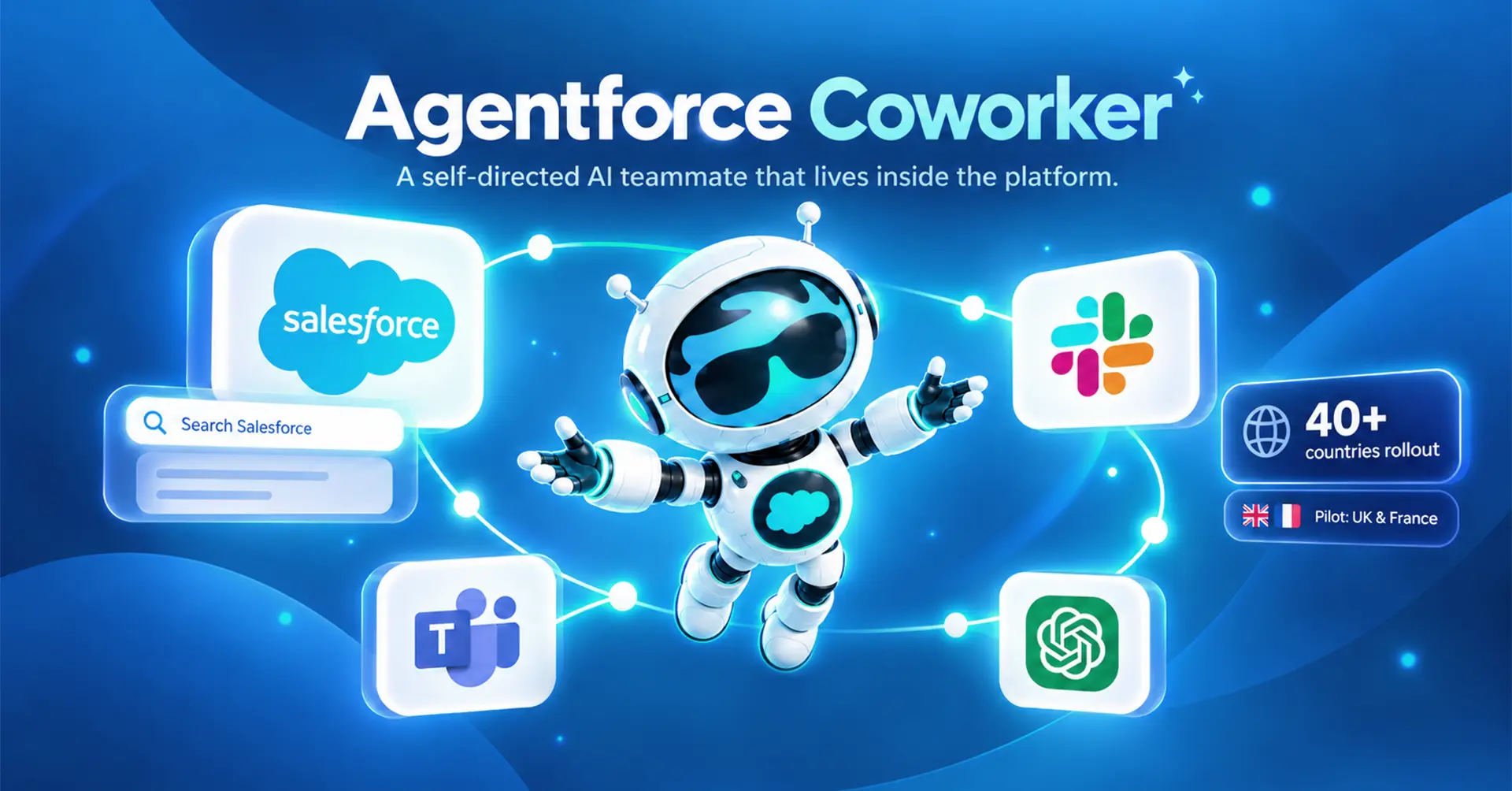
Turn It On: Confirm availability and licensing first. Salesforce pitches setup as a toggle in Setup, but one report says you’ll need a Data 360 Admin or Architect and the right permission sets, so plan an afternoon, not a minute. Start with one team and a few repeatable tasks, and set clear human-approval points.
What You Get: Less time on routine lookups and updates. Track time spent on routine tasks and tasks handed off.
Pipeline Forecasting with Deal Risk: Know Which Deals Are Slipping Before the Call
The Old Way: Managers chase reps for gut-feel updates, then bounce between reports to check whether the story holds up. (Nobody enjoys that Monday call, least of all the reps.)
The New Way: Deal risks, methodology scores, contact insights and agent activity now appear inside Pipeline Forecasting, along with activity heatmaps. Deal health shows up in the forecast itself instead of in six other tabs.
Turn It On: Check licenses and permissions, then make sure your opportunity and methodology fields are actually filled in. Risk scores built on blank fields are decoration. Start with sales managers.
What You Get: Earlier warning on at-risk deals and more honest forecast calls. Track forecast accuracy and the number of slipped deals.
Agentforce Observability + Optimizer: See What Your Agents Do, Then Fix What’s Failing
The Old Way: The agent is live, but nobody can say whether it’s doing a good job. Salesforce says 30,000 customers are now live on Agentforce. Ask how many of those teams could quote you a resolution rate.
The New Way: Winter ’27 adds tooling to measure what an agent is actually doing. At Dreamforce, Salesforce added the more interesting half, Optimizer, which scans thousands of live sessions, spots the failures that keep recurring, and ranks them by impact. You stop guessing what to fix. You get a list sorted by damage.
Turn It On: Pick one live agent and define what “good” looks like: resolution rate, handoffs, errors. Review it weekly, then work down the ranked fix list. Confirm Optimizer is available in your org before you plan around it.
What You Get: Proof of ROI, plus a fix list that’s sorted by impact instead of by whoever complained loudest. Track resolution rate, handoff rate, and how many recurring failures you’ve closed.
Claudeforce: Salesforce Where the Work Happens
The Old Way: Teams copy CRM data into other tools just to ask an AI a question, then paste the answer back. Every copy-paste is a context switch, and context switches add up.
The New Way: The Anthropic partnership moved into open beta at Dreamforce, bringing Salesforce into Claude. It’s part of AIforce, which Benioff called “an interface revolution.” The idea is to take Salesforce to wherever people already work, rather than asking them to come to Salesforce. (And no, this doesn’t make Agentforce obsolete. Different job.)

Turn It On: It’s beta, so use a small pilot group and review data access and permissions before anyone connects anything.
What You Get: Fewer context switches. Track adoption in the pilot group and time saved per task.
Also on the radar (not ready to switch on):
Salesforce announced long-horizon agents that pursue a goal over days, weeks or months, plus Slackforce Surfaces, which brings Salesforce context into Slack conversations. Koa, Salesforce’s first CRM reasoning model, is in pilot. The Hunter sales agent has general availability slated for November 2026.
Where New Features Usually Go Wrong
Switching a feature on takes minutes. Making it stick is the hard part. Here’s where it usually falls apart.
Enabled, but never adopted. An admin flips the toggle, sends one email, and moves on to the next fire. Two weeks later usage is flat. A quarter later someone asks why you’re paying for it. Features don’t spread on their own. Somebody has to show people what changed in their day, in their words, on their screen.
No owner, no training, no follow-up. If a feature belongs to “the team,” it belongs to nobody. Without one named owner, nobody checks whether it’s working, and nobody fixes it when it isn’t. A short training for the people who’ll actually use it, plus a check-in at 30 days, beats a launch email every time.
Overlap with existing automations. Bulk Screen Flows land in an org that already has a bulk-update workaround. Test Mode meets flows built by three different admins over five years. Now two things do the same job in different ways, and you find out when a record updates twice. Audit what’s already there before you add anything new.
Chasing Dreamforce headlines before finishing last quarter’s rollout. Dreamforce creates pressure. A leader reads a keynote recap and wants Coworker by Friday, while the Flow cleanup that would save everyone ten hours a week sits untouched.
One more, and it has nothing to do with adoption. Four release updates enforce with Winter ’27, and Profile Filtering is the one that changes what data users can access. Nobody gets a banner when it happens. Users just notice that something they used to see has disappeared, and the ticket lands on your desk.
Your Implementation Checklist
Use this as your working list. Every item gets one owner, one metric, and a review date about 30 days out.
Quick wins this week
Bulk Screen Flows: Pick one repetitive bulk job, like lead reassignment or case close-out. Build the flow, test it in a sandbox with a realistic batch, and note how long the task takes today.
Measure: time per bulk task, manual edits.
Flow Test Mode: Take your three most-edited flows, save their test inputs, and rerun after every change. Sandbox only while it’s in beta.
Measure: flow errors per month, time to ship a flow update.
Plan for this quarter
Pipeline Forecasting with Deal Risk: Confirm licenses and permissions, audit your opportunity and methodology fields, and start with sales managers.
Measure: forecast accuracy, slipped deals.
Agentforce Observability: Pick one live agent, define what “good” looks like, and review it weekly. If Optimizer is available in your org, work its ranked fix list.
Measure: resolution rate, handoff rate, failure patterns closed.
Pilot and watch
Agentforce Coworker: Confirm availability and licensing, check who’ll configure it and which permission sets it needs, then start with one team and clear human-approval points.
Measure: time on routine lookups, tasks handed off.
Claudeforce: Small pilot group, with data access and permissions reviewed before anyone connects.
Measure: adoption in the group, time saved per task.
For every feature: one owner, one metric, one review date. If you can’t name the owner, don’t switch it on yet.
Start Working with All New Updates the Right Way
Reading about features is the easy part. Switching on six of them without breaking an automation, confusing your users, or losing a quarter to it is where most teams want a hand. That’s what we do. 360 Degree Cloud is a Salesforce Summit Partner, and we work with teams on exactly this kind of release.
Release and Dreamforce readiness review. We look at your org, then tell you what’s worth switching on now, what can wait, and what enforces on its own, including the Winter ’27 release updates and the Profile Filtering change. You get a plain-language list, not a 40-page report.
Feature setup. We build and test in a sandbox first, then roll out to one team at a time. That covers everything above, from bulk flows and Test Mode to forecasting, agent observability, and the Coworker and Claudeforce pilots, with permissions checked before anyone gets access.
Adoption support. We put a named owner and a metric against every feature, train the people who’ll use it, and review results at 30 days, so it gets used and doesn’t just get enabled.
Extra hands when you need them. If your admin and developer team is already stretched, our staff augmentation and IT services teams can add experienced Salesforce people to your side while you focus on the rest of the roadmap.

Categories

Solve It with Salesforce. We’ll Show You How.
AI. Apps. Experts. Everything you need to win with Salesforce under one roof.
About the author
Editorial TeamThe Editorial Team at 360 Degree Cloud brings together seasoned marketers, Salesforce specialists, and technology writers who are passionate about simplifying complex ideas into meaningful insights. With deep expertise in Salesforce solutions, B2B SaaS, and digital transformation, the team curates thought leadership content, industry trends, and practical guides that help businesses navigate growth with clarity and confidence. Every piece we publish reflects our commitment to delivering value, fostering innovation, and connecting readers with the evolving Salesforce ecosystem.
Recent Blogs
 Salesforce Services
Salesforce Technical Debt 10 Signs Your CRM Needs a Strategic Overhaul (and What to Do About It)
Three years ago, the Salesforce org your team implemented was clean. Logical field names. Documented Flows. A handful of integrations that actually made sense. Today?…
Read More Salesforce Clouds
Salesforce Commerce Cloud Implementation: The 2026 Guide for B2B and B2C Commerce Teams
Commerce has always been competitive. But in 2026, the bar has shifted in ways that are hard to ignore. Whether someone is a consumer checking…
Read More Uncategorized
How Salesforce Agentforce and Google Cloud Integration is Changing Enterprise AI in 2026
Most enterprise AI projects don’t stall because the model is weak. They stall in the plumbing. A sales ops lead wants one agent that can…
Read MoreReady to Make the Most Out of Your Salesforce Instance?
Our Salesforce aces would be happy to help you. Just drop us a line at contact@360degreecloud.com, and we’ll take it from there!
Subscribe to our newsletter
Stay ahead with expert insights, industry trends, and exclusive resources—delivered straight to your inbox.
