

Salesforce CPQ to Revenue Cloud Migration: Why the Orgs That Waited Are Now Playing Catch-Up
11 Sep 2026
Table of Contents

There’s a boardroom conversation that happened at a lot of companies between 2022 and 2024. RevOps brings up Salesforce CPQ to Revenue Cloud migration. Finance asks what it costs. Sales says the CPQ setup “works fine.” IT says it’s not the right time. And the meeting ends with a plan to revisit it next quarter.
That next quarter became eight quarters.
And now those orgs are watching competitors close deals faster, bill more cleanly, and expand accounts with less manual effort – while their teams are still debugging CPQ approval chains that nobody fully documented when they were built.
This isn’t about technology for its own sake. It’s about what compound delay actually costs.
Your CPQ clock is ticking. Let’s map the migration before it maps itself.

Table of Contents
What Is Configure, Price, Quote (CPQ)?
For anyone landing here from the “what is CPQ” angle – Configure, Price, Quote software automates the process of building Salesforce CPQ for faster quoting. Reps select products, apply pricing rules and discounts, get approvals, and send quotes without manually building them in spreadsheets.
Salesforce CPQ did this well. For a long time, it was the right tool for the job. The benefits of CPQ software are real: faster quote generation, fewer pricing errors, enforced discount guardrails, and cleaner handoffs from sales to finance. Those advantages are worth acknowledging before making the case to move away from CPQ – because the orgs that are hesitating aren’t wrong to have gotten value from it. They’re wrong to assume that value holds indefinitely.
Salesforce CPQ vs Revenue Cloud: What Actually Changed
Salesforce Revenue Cloud isn’t CPQ with a new coat of paint. The architecture is fundamentally different – and that difference is what makes the comparison table below worth looking at carefully.
| Dimension | Salesforce CPQ | Salesforce Revenue Cloud |
| Core function | Quoting and approval | Quote-to-cash, end to end |
| Data model | Quote and opportunity objects | Unified revenue data model |
| Billing | Not native – requires add-ons | Native billing and invoicing |
| Contract amendments | Manual or custom-built | Automated mid-term adjustments |
| Usage-based pricing | Requires workarounds | Supported natively |
| AI capabilities | Limited | Agentforce Revenue Management |
| Post-sale operations | Minimal native support | Order management, renewals, collections |
| Architecture | Point solution | Platform (CPQ + Billing + B2B Commerce + PRM) |
That last row is the one that matters most. CPQ was a point solution. Revenue Cloud is a platform – and the shift from point solution to platform is what’s creating the gap between orgs that moved and orgs that didn’t.
Salesforce CPQ End of Life: The Timeline You Need to Know
Worth saying: Salesforce has announced that CPQ and Billing will reach end of sale, with no new feature development and a defined end-of-life path. This doesn’t mean CPQ stops working tomorrow – existing customers will continue to receive support – but the product is no longer on a roadmap. No new capabilities. No AI features. No native support for evolving billing models.
That matters. Every quarter you stay on CPQ is a quarter you’re running a product that’s moving toward the exit, not toward anything new.
In practice, this means orgs still on CPQ are on a countdown, not a choice. The migration question isn’t “if” – it’s how and when.
What Revenue Cloud Actually Does (That CPQ Can’t)
Let’s talk about Salesforce Revenue Cloud benefits in terms of what changes operationally – not what the spec sheet says.
The quote-to-cash flow on Revenue Cloud runs on a single data model. That means when a rep generates a quote, the pricing rules, approval thresholds, contract terms, billing schedule, and renewal dates all sit in the same system. Finance sees what sales sees. RevOps sees what both see. There’s no reconciliation step at month-end where someone manually checks that the CRM and the billing system agree.
For orgs running subscription or consumption-based models, this is where Revenue Cloud separates from everything else in the cloud-based quote-to-cash software category. Usage data feeds directly into the billing engine. Mid-term contract changes trigger automatic proration calculations. Renewals queue up with the correct pricing already populated based on what was actually sold and delivered.
Salesforce Revenue Cloud Advanced takes this further with Agentforce Revenue Management – AI-driven capabilities that can flag at-risk renewals, suggest upsell timing based on consumption patterns, and automate routine billing exceptions that currently require analyst intervention. That’s not a roadmap item. It’s live and in production at orgs that moved early enough to be using it now.
Enterprise billing solutions at this level – where AI is actively reducing the human intervention required in billing operations – weren’t accessible outside of Revenue Cloud two years ago. They’re table stakes for the orgs that moved.
Get the audit perspective before you scope the migration project.

CPQ Migration Challenges: Why Orgs Delayed
The hesitation was rarely irrational. Salesforce CPQ migration is genuinely complex for orgs that have been on the platform for several years. The concerns are real.
A CPQ environment that’s been in production for four or five years has accumulated a lot. Custom Apex triggers. Undocumented pricing rules that interact in non-obvious ways. Approval processes built for an org structure that’s changed twice since the flows were written. Product catalogs with objects that shouldn’t still exist but do because removing them feels risky.
Moving that to Revenue Cloud isn’t a migration in the traditional sense. It’s a re-implementation – and the scope of that re-implementation is usually larger than it appears from the outside.
But here’s what the delay calculation almost always misses. Staying on CPQ isn’t neutral. Every quarter on legacy CPQ is a quarter of revenue leakage from renewal gaps, hours spent reconciling billing data manually, deals slowed by approval chains that could be automated, and finance teams running processes that belong in 2019. That number compounds. And it’s rarely tracked, which makes it easy to ignore.
That’s the thing. The cost of waiting doesn’t show up on a single invoice. It shows up across a dozen spreadsheets, dozens of manual hours, and one close rate that’s three points lower than it should be.
How 360 Degree Cloud Approaches the Migration
Most failed or overrun migrations share one thing: the scope was defined before the current system was understood.
360 Degree Cloud starts every Salesforce CPQ to Revenue Cloud migration engagement with a Salesforce consulting service not an IT assessment, a business one. The question isn’t “what did your CPQ team build?” It’s “where does the revenue cycle actually break down, and what is that costing you today?”
That audit maps the full quote-to-cash journey as it actually runs – not as it was designed, but including every manual step, every system handoff, and every workaround that someone built three years ago and forgot to document. That map determines what carries over, what gets retired, and what Revenue Cloud handles natively so the workaround becomes unnecessary.
From there, 360 DC phases the migration in a sequence that keeps operations running while the transition happens. Phase one focuses on quoting – getting Revenue Cloud producing accurate, approved quotes at the same speed or faster than CPQ, with fewer errors. Phase two connects billing: invoice generation, payment scheduling, and contract amendments on the Revenue Cloud data model. Phase three covers advanced pricing, usage-based billing, and the analytics layer that gives RevOps a live view across the full revenue cycle for the first time.
To be fair, not every org needs all three phases immediately. Some start with quoting and billing and decide to phase usage-based pricing models later. The structure flexes around what the business actually needs, not a fixed delivery template.
What doesn’t flex is the pre-migration discipline. 360 Degree Cloud has run this engagement across manufacturing, SaaS, financial services, and professional services orgs – and the pattern recognition from prior migrations surfaces things internal teams typically don’t catch until they’re already in development. That’s not a generic claim. It’s the reason the audit phase often turns up three or four areas where the current setup is costing money that nobody was tracking.
Trends in Revenue Management Software
The broader direction in revenue management software is toward unified, AI-assisted, consumption-aware platforms. Agentforce Revenue Management is Salesforce’s answer to that trend – and it’s only available on Revenue Cloud. Not on CPQ. Not through an integration. On Revenue Cloud.
AI quoting assistants that can recommend configuration options based on historical win rates. Automated renewal risk scoring that flags accounts before they churn. Billing anomaly detection that catches exceptions before they become disputes. These aren’t experimental features – they’re in production at orgs that made the migration decision 18 months ago.
The orgs still on CPQ aren’t accessing any of that. And as Agentforce Revenue Management matures, the capability gap between the two groups will get wider, not narrower.
Where to Start If You’re Behind
A revenue operations audit. That’s the honest answer.
Not a product demo. Not a migration estimate built from a template. An actual assessment of where your quote-to-cash process breaks down today, what that costs, and what the migration to Revenue Cloud realistically involves for your specific environment.
That assessment is where 360 Degree Cloud starts. It’s also where the clearest picture of ROI emerges – because the cost of staying on CPQ tends to become visible in that audit in ways it wasn’t before.
The orgs that migrated early took a real upfront hit. Most of them will tell you the payback came faster than they expected. The orgs still on CPQ are paying a different kind of cost – one that doesn’t show up on a single line item, which is exactly why it keeps getting deferred.

Categories

Solve It with Salesforce. We’ll Show You How.
AI. Apps. Experts. Everything you need to win with Salesforce under one roof.Frequently Asked Questions
What's the difference between Salesforce CPQ and Revenue Cloud - really?
CPQ handles quoting. Revenue Cloud handles the entire revenue cycle - quoting, billing, order management, contract amendments, renewals, and consumption-based pricing - on a single data model. The difference isn't visible on a feature list. It's visible when a customer upgrades mid-contract and you watch the proration calculate and the invoice update automatically, instead of routing a request to a finance analyst. That's the operational gap between the two products.
What does Salesforce CPQ end of life actually mean for us?
CPQ end of sale means Salesforce has stopped selling it as a new product and is no longer investing in feature development. Existing customers stay supported, but the product isn't getting AI capabilities, native usage billing, or Agentforce integrations. In practice, it means you're running toward a wall at a speed you probably don't fully see yet. The support window doesn't make the migration optional - it just tells you how long you have before the optionality disappears.
What are the biggest CPQ migration challenges we should expect?
Three things catch most orgs off guard. First, undocumented business logic buried in custom Apex and price rules - the kind that nobody explained when the person who built it left. Second, product catalog debt: objects that shouldn't exist but do, products that overlap, pricing tiers that contradict each other. Third, the gap between how the CPQ was configured and how the sales process actually runs today. Those three things together determine whether a migration takes six months or sixteen. Getting a clear picture of them before scoping the project is what separates a well-run migration from one that doubles in timeline.
How does Salesforce Revenue Cloud Advanced differ from standard Revenue Cloud?
Revenue Cloud Advanced includes Agentforce Revenue Management - AI-driven automation for renewal risk scoring, anomaly detection in billing, AI-assisted quoting recommendations, and automated exception handling. It's the layer where machine learning starts reducing the human intervention required in routine revenue operations. Most mid-market and enterprise orgs end up on Advanced because the ROI from those automated workflows becomes visible within the first two or three billing cycles.
What does Salesforce Sales Cloud vs Revenue Cloud actually mean for our stack?
Sales Cloud manages the sales process - pipeline, activities, forecasting, contact management. Revenue Cloud manages what happens after a deal is won: quoting (if you haven't already handled it), billing, order management, and renewals. Most orgs run both. Sales Cloud doesn't go away when you adopt Revenue Cloud. They complement each other, with Revenue Cloud picking up where Sales Cloud hands off - typically at contract signature.
Can our internal team run the migration, or do we need a partner?
Internal teams can own significant portions of it. Almost none can own the full scope without specialist support - not because they're not capable, but because Revenue Cloud implementation experience specifically is what makes the difference. Pricing waterfall configuration, billing rule logic, mid-term amendment automation, ERP integration - those require implementation patterns that take time to build from scratch and come faster from a partner who's already built them. 360 Degree Cloud's value in the engagement isn't just technical delivery. It's the pattern recognition from prior migrations that tells you what your current setup is doing that you didn't know about.
We're not using usage-based pricing. Does Revenue Cloud still make sense?
Yes, genuinely. The billing automation, contract amendment handling, and clean renewal management are worth the migration for any org with subscription revenue or complex contract structures - regardless of pricing model. Usage-based pricing is one capability among many, not the entry requirement. Orgs on flat subscription pricing still see meaningful gains from automated renewals, unified data, and reduced finance overhead.

About the author
Editorial TeamThe Editorial Team at 360 Degree Cloud brings together seasoned marketers, Salesforce specialists, and technology writers who are passionate about simplifying complex ideas into meaningful insights. With deep expertise in Salesforce solutions, B2B SaaS, and digital transformation, the team curates thought leadership content, industry trends, and practical guides that help businesses navigate growth with clarity and confidence. Every piece we publish reflects our commitment to delivering value, fostering innovation, and connecting readers with the evolving Salesforce ecosystem.
Recent Blogs
 Salesforce Services
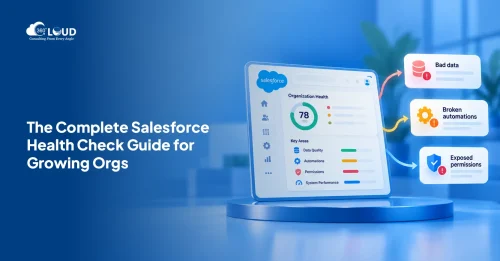
Salesforce Health Check: What It Is, What It Covers, and What You Should Do with the Results
Picture this. A VP of Sales asks why the pipeline number in Salesforce is $2.3 million, but the finance report shows $1.8 million. Nobody has…
Read More Salesforce Clouds
Salesforce Just Added Something New. Here’s How to Put It to Work.
Winter ’27 is live. Dreamforce just added more. Is your team using any of It? Two big drops landed in one month, and most teams…
Read More Salesforce Services
Salesforce Technical Debt 10 Signs Your CRM Needs a Strategic Overhaul (and What to Do About It)
Three years ago, the Salesforce org your team implemented was clean. Logical field names. Documented Flows. A handful of integrations that actually made sense. Today?…
Read MoreReady to Make the Most Out of Your Salesforce Instance?
Our Salesforce aces would be happy to help you. Just drop us a line at contact@360degreecloud.com, and we’ll take it from there!
Subscribe to our newsletter
Stay ahead with expert insights, industry trends, and exclusive resources—delivered straight to your inbox.
