

8 Salesforce Marketing Cloud Features Every Developer Should Know
15 May 2026
Table of Contents

Most marketers don’t think about what sits underneath their campaigns. The automation, the data pipelines, the personalization logic; that’s all developer territory. And as Salesforce Marketing Cloud Engagement features become more deeply embedded in enterprise marketing stacks, the gap between “can configure” and “actually builds” keeps widening.
Demand for Salesforce Marketing Cloud Engagement developers has grown sharply over the last few years. Companies aren’t just buying the platform; they’re hiring people to build inside it. If you’re one of those developers, or about to become one, there are eight features you’ll return to constantly.
Table of Contents
What Is Salesforce Marketing Cloud Engagement?
Before getting into the features, some grounding. Salesforce Marketing Cloud Engagement is a digital marketing automation platform built for enterprise-scale omnichannel campaigns. Email, SMS, push notifications, social, ads; it handles all of them from a single interface.
It sits inside the broader Salesforce ecosystem, which means it connects directly to Sales Cloud, Service Cloud, and other Salesforce products. That connection matters a lot, especially when you’re pulling CRM data to trigger campaigns or syncing contact records across systems.
It’s not a simple tool. The learning curve is real, and the configuration options run deep.
Don’t let rigid configurations break under enterprise load.

Why Developers Work with Marketing Cloud Engagement
Marketers can handle the day-to-day in Marketing Cloud Engagement – building emails, setting up sends, pulling reports. But when campaigns get complicated, developers get called in.
Campaign automation that runs across multiple channels, personalization that draws from live data, API integrations with external platforms; none of that gets built without technical hands. As a Salesforce Marketing Cloud Engagement developer, the work typically breaks into four buckets: campaign automation logic, personalization scripting, external system integrations, and data model management.
Each of those buckets maps to at least one feature on this list.
8 Features Every Salesforce Marketing Cloud Engagement Developer Should Know
1. Journey Builder
Journey Builder is the visual canvas for building automated customer journeys. Drag-and-drop interface, branching logic, multi-step sequences; it looks simple but gets complex fast.
You define entry sources (a form fill, a data extension update, an API event), set wait times, add decision splits based on contact attributes or engagement behavior, and connect it to send activities across email, SMS, or push. A single journey can branch twenty different ways based on real-time decisions.
For developers, the real depth is in the API-triggered sends and custom activities. Building a custom Journey Builder activity means writing a server-side JavaScript or REST API integration, not clicking through a wizard.
2. Automation Studio
Think of Automation Studio as the scheduled work that keeps everything else running. It handles data imports, SQL queries that update segmentation tables, file transfers, and more, on a schedule or triggered by a file drop.
Most developers spend more time here than they expect. Data pipelines that feed into journeys get set up in Automation Studio. SQL queries that refresh audience segments run here. If something in Marketing Cloud Engagement needs to happen automatically without a human kicking it off, Automation Studio is usually involved.
One thing worth knowing early: debugging in Automation Studio is genuinely painful. Errors aren’t always descriptive. Build in logging from the start, you’ll thank yourself later.
3. Contact Builder
Before you can personalize anything, you need a clean data model. Contact Builder is where that gets built. It manages how contact records are structured, how data extensions relate to each other, and how attributes get linked to individual contacts.
The attribute groups you define here determine what’s available for segmentation and personalization downstream. Get this wrong and you’ll spend weeks rebuilding.
Honestly, most implementation problems developers run into trace back to Contact Builder decisions made early in the project. Spend time here upfront. The rest of the build goes smoother for it.
4. Email Studio
Email Studio handles the full email lifecycle – template building, content blocks, dynamic content rules, A/B testing, and deployment. Marketers live in here. Developers visit when templates need custom logic or when something’s broken.
The main developer touch points are custom content blocks, dynamic content configurations, and the send classification settings that control from-addresses and unsubscribe behavior. When compliance or deliverability issues come up, the settings buried in Email Studio are usually where you end up.
5. AMPscript
AMPscript is Marketing Cloud’s native scripting language. It runs server-side at send time, pulling data from data extensions, performing lookups, running conditional logic, and rendering personalized content per recipient.
No other feature here sits closer to the actual output your customers see. A well-written AMPscript block can check a contact’s purchase history, determine what product category they browse most, and render a completely different email block, all in one send.
Bad AMPscript brings down an entire send. Syntax errors don’t always surface until you’re testing a live email. Learn it properly, test obsessively, and keep your scripts readable; you’ll need to debug them at 11pm eventually.
6. Marketing Cloud Engagement APIs
The Marketing Cloud Engagement API is what connects the platform to everything outside it. REST and SOAP APIs cover most operations – triggering sends, updating contacts, pulling engagement data, managing lists, firing journey entry events.
For any Salesforce marketing automation platform integration, APIs are the thread. An external CRM pushes a contact update? API. An e-commerce platform fires a cart abandonment trigger? API. A custom web form populates a data extension? Still the API.
The Transactional Messaging API is particularly useful for triggered sends; confirmation emails, one-time passcodes, real-time notifications, where speed and reliability matter more than batch efficiency. Worth knowing cold before any integration project kicks off.
See how we fix messy configurations and scale marketing stacks.

7. Audience Segmentation
Marketing Cloud Engagement personalization tools are only as good as the segments feeding them. Audience segmentation in Marketing Cloud Engagement works through SQL query activities in Automation Studio, filtered data extensions, and Contact Builder attribute groups.
Writing clean, performant SQL against Marketing Cloud Engagement data extensions takes practice. The data model isn’t always intuitive, and query performance on large datasets can become a real issue. Index your data extensions on the right keys, and avoid pulling columns you don’t need.
Audience Builder (or the newer Intelligence Reports segmentation features) gives marketers a drag-and-drop option, but for complex multi-condition segments, SQL is still the most reliable path.
8. Analytics and Reporting
Tracking campaign performance isn’t just a marketer’s job. Developers often get pulled in when standard reports don’t surface what the business needs, or when data needs to flow out to a BI tool or data warehouse.
Marketing Cloud Engagement automation tools produce a significant volume of engagement data – opens, clicks, bounces, unsubscribes, conversions, and that data sits in sendable data extensions and tracking tables. Writing queries against those tables, or setting up Intelligence Reports connections, is regular developer work in any established Marketing Cloud Engagement org.
Know where the tracking data lives. Know how to pull it cleanly.
The New Layer: Agentforce in Marketing Cloud Next
Worth a clear line here – Marketing Cloud Next is a separate product from Marketing Cloud Engagement, not an upgrade path or a replacement. Salesforce has been explicit about that. It’s a parallel line built around AI agents that act inside campaigns rather than just automating steps within them, and it went generally available in mid-2025 alongside a set of Agentforce features, including agents that build entire campaigns, handle two-way engagement, manage leads, and optimize ad performance.
Three of those are worth knowing by name, because clients will start asking about them whether or not your team is covering Next yet.
Agentforce Campaign Creation. This one drafts full campaigns – briefs, audience segmentation, messaging, journey setup – and can personalize using unstructured data pulled from sources like Google Drive, SharePoint, and Zendesk. For a developer, that’s a new kind of input to design around: content sources that used to sit outside the platform entirely. martech
Agentforce Personalization Decisioning. It reads real-time signals – customer behavior, preferences, intent – and recommends tailored content or offers across email, mobile, and web. Think of it as sitting one layer above where AMPscript operates today: AMPscript renders the personalized block at send time, this decides what should go in it before that even happens.
Agentforce Lead Generation & Management. Agents add leads to nurture programs on their own, pull scores, recommend content, and engage prospects across web and email around the clock – drafting outreach, holding multi-turn conversations, even booking meetings. Human-in-the-loop checkpoints are built in, which matters if you’re the one setting up the guardrails.
None of these replace Journey Builder or AMPscript. They sit on top, deciding what a journey should do or what content a send should carry. If your org is only running Marketing Cloud Engagement, this layer doesn’t apply yet, but it’s the direction the platform is heading, and it’s worth tracking even from the sidelines.
How Developers Use These Features in Real Campaigns
Picture an onboarding flow. A user signs up from an external source. The API fires a Journey Builder entry event. The contact hits a series of decision splits based on product tier. Each email gets personalized with AMPscript, addressing the company by name and surfacing related features. Overnight, automation updates journey progress with a SQL script.
That’s Contact Builder, Journey Builder, AMPscript, API, and Automation Studio – working together, not in isolation. CRM-driven campaigns follow the same pattern, pulling Sales Cloud data through Marketing Cloud Connect and triggering sends off opportunity stage or case updates.
Best Practices Worth Repeating
Data governance matters more here than on most platforms. Contact records sit at the center of everything, and duplicate contacts create problems that are genuinely hard to unwind later.
Test personalization logic against edge-case data, not just clean examples. A null field in an AMPscript lookup will break a send if you haven’t handled it – and it usually breaks it in production, not staging.
Build retry logic into your API calls. Monitor failed sends systematically. Don’t wait for a client email asking why the automation stopped.
Where This Is Headed
Predictive personalization that reacts to real-time behavior, not batch-processed attributes, is where the platform’s going next – and the Agentforce features above are the clearest sign of that so far. Developers who understand the underlying data model well are in a much better spot to build on top of this than those who’ve only worked at the surface.
Journey Builder and AMPscript alone still cover most of the complex work in a typical implementation. Start there. The platform’s depth only becomes obvious once you’re actually inside it.
Are slow queries and duplicate contacts stalling your campaigns?

Categories

Solve It with Salesforce. We’ll Show You How.
AI. Apps. Experts. Everything you need to win with Salesforce under one roof.FAQs
What is Salesforce Marketing Cloud used for?
It's an enterprise platform for running multi-channel marketing campaigns, email, SMS, push notifications, and social ads from one place. The Salesforce marketing automation platform goes beyond bulk sends; it builds logic that responds to what contacts actually do across channels. Large organizations with complex marketing workflows get the most out of it. That complexity is also why developers end up involved so often.
What skills does a Marketing Cloud developer need?
Depends on the project, honestly. But the core: AMPscript for personalization, SQL for audience segmentation, REST/SOAP API knowledge for integrations, and a solid grip on Journey Builder logic. Understanding data models, how Contact Builder structures attributes, how data extensions relate, is what separates developers who troubleshoot from those who just configure. In practice, SQL and AMPscript get used daily.
What are the main components of Marketing Cloud?
Journey Builder for automated journeys. Automation Studio for background data processes. Email Studio for campaign creation. Contact Builder for data architecture. AMPscript for personalization scripting. The Marketing Cloud API for external integrations. And Intelligence Reports for performance tracking. That's the list most Salesforce Marketing Cloud developers work from regularly; additional tools like Mobile Studio and Advertising Studio depend on the license tier.
How do developers automate campaigns in Marketing Cloud?
Two main tools. Journey Builder handles customer-facing automation, sequences that move contacts based on behavior or external triggers. Automation Studio handles the backend: SQL queries refreshing audience tables, file imports, data transfers. Most real campaigns use both, and knowing how they hand off to each other matters more than knowing each one in isolation.
What is AMPscript in Marketing Cloud?
AMPscript is Marketing Cloud's server-side scripting language; it runs at send time, not build time. A single template can pull data, run conditional logic, and render completely different content blocks per recipient. Worth saying: null field handling alone has broken more sends than most developers want to admit. Test with edge-case data, not just clean records.
How do Marketing Cloud APIs work?
REST and SOAP APIs cover most operations, triggering journey events, updating contacts, managing sends. The Transactional Messaging API is the one developers reach for on real-time use cases: confirmation emails, one-time codes, password resets. Authentication runs through OAuth 2.0 via the installed package framework. To be fair, the documentation has gaps; some behavior only surfaces through testing.
What tools are included in Salesforce Marketing Cloud?
Email Studio, Mobile Studio, Journey Builder, Automation Studio, Contact Builder, AMPscript, the Marketing Cloud API, Advertising Studio, and Intelligence Reports. Most enterprise setups lean on Email Studio, Journey Builder, and Automation Studio day-to-day. The Marketing Cloud personalization tools, AMPscript and dynamic content rules, are what turn a campaign from a bulk send into something that actually reflects contact behavior.

About the author
Editorial TeamThe Editorial Team at 360 Degree Cloud brings together seasoned marketers, Salesforce specialists, and technology writers who are passionate about simplifying complex ideas into meaningful insights. With deep expertise in Salesforce solutions, B2B SaaS, and digital transformation, the team curates thought leadership content, industry trends, and practical guides that help businesses navigate growth with clarity and confidence. Every piece we publish reflects our commitment to delivering value, fostering innovation, and connecting readers with the evolving Salesforce ecosystem.
Recent Blogs
 Salesforce Services
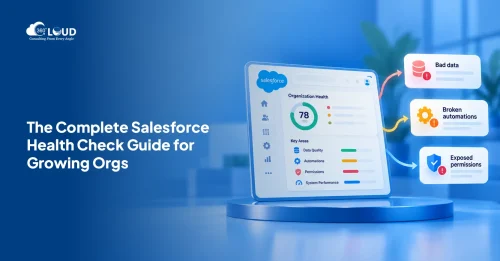
Salesforce Health Check: What It Is, What It Covers, and What You Should Do with the Results
Picture this. A VP of Sales asks why the pipeline number in Salesforce is $2.3 million, but the finance report shows $1.8 million. Nobody has…
Read More Salesforce Clouds
Salesforce Just Added Something New. Here’s How to Put It to Work.
Winter ’27 is live. Dreamforce just added more. Is your team using any of It? Two big drops landed in one month, and most teams…
Read More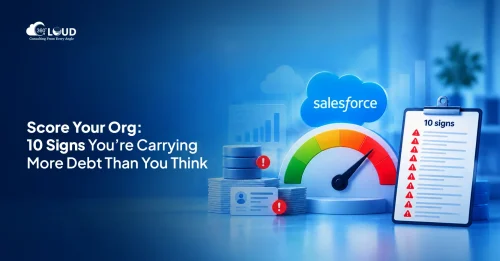 Salesforce Services
Salesforce Technical Debt 10 Signs Your CRM Needs a Strategic Overhaul (and What to Do About It)
Three years ago, the Salesforce org your team implemented was clean. Logical field names. Documented Flows. A handful of integrations that actually made sense. Today?…
Read MoreReady to Make the Most Out of Your Salesforce Instance?
Our Salesforce aces would be happy to help you. Just drop us a line at contact@360degreecloud.com, and we’ll take it from there!
Subscribe to our newsletter
Stay ahead with expert insights, industry trends, and exclusive resources—delivered straight to your inbox.
