

The Death of Copy-Paste: Why Salesforce Document Automation Is Replacing Manual Workflows in 2026
15 Jun 2026
Table of Contents
There’s a moment most Salesforce admins know well. A rep pastes account data from a CRM record into a proposal template. Gets one field wrong. Sends it anyway. The client notices. The deal slows down. And somewhere in the post-mortem, everyone agrees this shouldn’t happen, and nothing changes.
That moment is playing out across revenue teams every day. And in 2026, it’s not just embarrassing. It’s a real operational liability.
RevOps teams are under more pressure than they’ve been in years, leaner headcount, faster sales cycles, higher customer expectations. Manual document workflows were always inefficient. Now they’re actively breaking the systems built around them. Salesforce document automation isn’t a productivity upgrade anymore. It’s the infrastructure that modern revenue operations run on.
This is a practical look at why copy-paste is dying, what’s replacing it, and what your team should be building toward.
Table of Contents
Why Copy-Paste Workflows Are Breaking Modern Revenue Operations
Ask any revenue ops leader what their team wastes the most time on. Somewhere in the top five, every time, is documents.
Proposals built manually. Contract information keyed in again from documents already stored in Salesforce. Quotes pulled from an Opportunity record, formatted, checked yet again because a number was wrong last time around. This is the cost of operating manually when dealing with document-based work processes.
The hidden cost isn’t just time. Human error rates in repetitive data entry tasks run between 1–4% on average, which sounds small until you’re processing hundreds of contracts a year and every mistake either slows a deal or reaches a customer. One wrong pricing figure on a proposal. A client name that didn’t update when the contact changed. A term pulled from last quarter’s template that no longer applies.
That’s the thing. These aren’t edge cases. They’re the predictable output of a system that relies on people to do something machines are better at.
RevOps teams hit scaling limits when manual processes can’t keep pace with deal volume. A team that handles 50 proposals a month manages. The same process at 200 proposals a month falls apart, or it eats headcount that should be doing something else. Most teams don’t catch this until the wheels are already coming off.
What Salesforce Document Automation Actually Means
Strip away the jargon and Salesforce document automation is straightforward: documents generate from the data already in your CRM, without anyone copying it by hand.
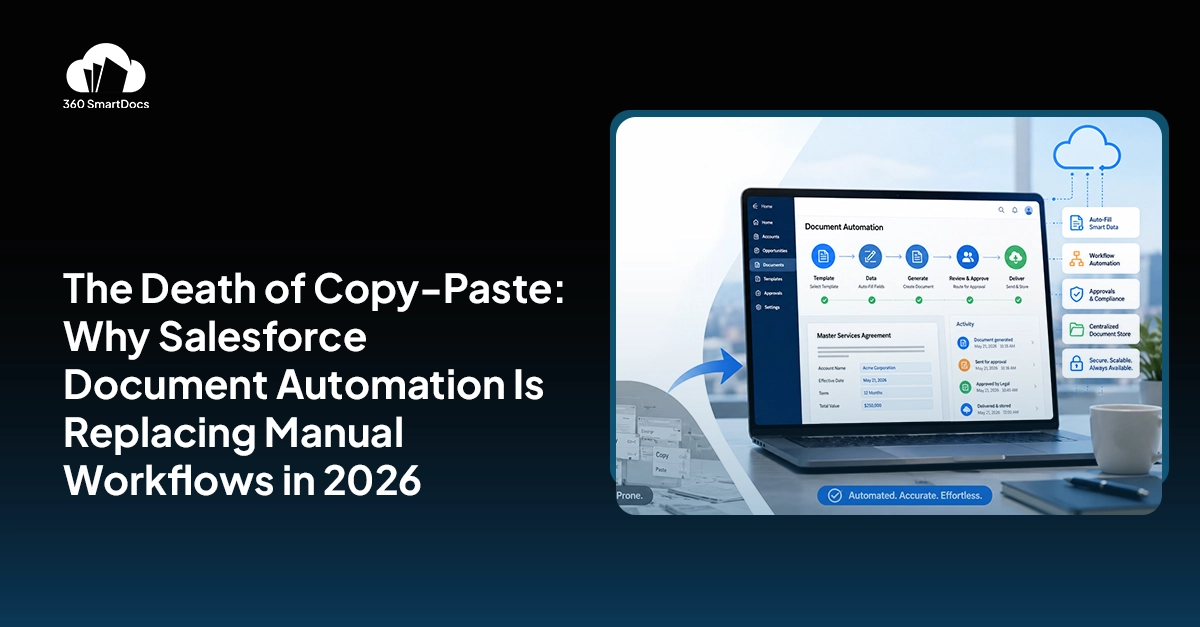
A rep marks an Opportunity as Closed Won. A contract generates automatically — pre-filled with the account name, deal value, product terms, and signatory contacts pulled directly from Salesforce records. It routes to the right approver. Gets signed. Files back on the record. Nobody typed a field.
That’s the core pattern. But the scope is wider than most teams expect when they first look at it.
Salesforce Flow automation is where the real operational power sits. Document generation, approval routing, e-signature collection, and post-signature archiving can all run as steps inside a Flow; triggered by record updates, stage changes, form submissions, or manual buttons. No custom code. No Apex. The same Flow builder your team already uses for everything else.
Dynamic data population means documents aren’t just templates with merge fields, they’re responsive. Conditional clauses appear based on product type. Pricing tables pull from the live Opportunity. Regional contract variations apply based on account geography. The document reflects the actual deal, not a generic version of it.
Proposal automation, contract workflows, quote generation, these aren’t separate tools in this model. They’re the same system, triggered at different stages of the same revenue process.
See how 360 SmartDocs automates your Salesforce document workflows.

Why 2026 Is the Year Teams Are Finally Moving
It’s not that the problems are new. Manual workflows have been friction for years.
What’s changed is the context. Revenue teams are running leaner than they were in 2022 and 2023, headcount got cut, budgets got tighter, and the expectation that ops teams “do more with less” went from a cliché to an actual operating constraint. In that environment, any process that requires a human to do something repetitive and error-prone is a cost that’s hard to justify.
The AI-era raises the baseline expectation too. When customers are experiencing intelligent, personalized interactions in other parts of their lives, a proposal that takes three days to arrive because it got stuck in an approval queue doesn’t land the same way it did five years ago.
Compliance pressure is accelerating this in regulated industries especially. Financial services, healthcare, legal, teams in these sectors are under growing scrutiny around document versioning, audit trails, and approval records. Manual workflows don’t produce clean audit trails. Automated ones do.
Scaling customer operations is the other driver. Companies that are growing, new markets, new product lines, larger deal volumes, can’t scale document processes by hiring. The math doesn’t work. Automation isn’t a nice-to-have at that stage. It’s the only lever that scales linearly with volume without adding proportional headcount.
The Real Problems With Manual Document Workflows
Version control is the one that causes the most visible damage. When templates live in shared drives or email threads, you get multiple “current” versions floating around simultaneously. Reps use the wrong one. Legal doesn’t know which one got sent. A clause that was updated two months ago never made it into the template someone pulled last week.
Inconsistent branding and data are the everyday version of the same problem. Fields that don’t match the record. A logo from a rebrand that didn’t reach every template. A price that reflects last year’s rate card. These reach customers, and when they do, they’re not small things.
Approval delays deserve their own paragraph because they’re often where deals die quietly. A contract needs two internal sign-offs before it goes to the client. Both approvers are cc’d on an email thread. One is traveling. The other is waiting for the first one. Three days pass. The client follows up. None of this needed to happen.
In practice, the productivity loss is harder to see because it’s distributed. No single rep loses a whole day to document work. They lose 40 minutes here, 90 minutes there, a morning rebuilding a proposal that should have taken 15 minutes. Add it up across the team and across the quarter, the number is real.
And on the customer experience side: slow documents signal slow teams. Genuinely. A prospect who receives a polished proposal within an hour of a discovery call notices. One who waits three days while their contact “checks with ops” notices the opposite.
How Salesforce Document Automation Changes Revenue Operations
Faster proposal generation is the change teams feel first. A rep runs a qualification call, updates the Opportunity, and a customized proposal is ready to send within minutes, pre-filled, correctly branded, priced from the live record. That’s not a marginal improvement. That’s a different process.
Automated contract creation closes the gap between “deal agreed” and “paper signed.” When contract generation triggers from a stage change and routes for approval automatically, the lag that used to live in that gap shrinks to hours rather than days. For deals where timing matters, which is most of them, that’s a meaningful shift in close rates.
Approval workflows that run inside Salesforce mean nothing gets lost in email. Every approver sees exactly what they need to approve, on what record, with full context. Escalation paths kick in automatically if someone doesn’t respond. The process runs whether or not the right person is in the office.
Governance and compliance improve because the audit trail builds itself. Every document version, every approval step, every signature event is logged on the Salesforce record. No one needs to reconstruct what happened to a contract six months later, it’s all there.
And for RevOps specifically: workflow visibility. When documents are automated inside Salesforce, you can see exactly where every proposal, quote, and contract sits in the pipeline. Which ones are waiting for signatures. Which approvals are delayed. Where the bottlenecks actually live, with data, not guesswork.
What Modern Salesforce Teams Expect From Automation Platforms
The bar has moved. Teams evaluating Salesforce doc gen tools in 2026 aren’t asking “does it integrate with Salesforce?” They’re asking something sharper: does it live natively inside Salesforce, or does it connect to it?
That distinction matters because connected tools break. They have their own login, their own data sync, their own update cycle. When Salesforce releases a major update, native tools update with it. Connected tools lag, or require reconfiguration.
Beyond native architecture, low-maintenance administration is non-negotiable for lean teams. A document automation platform that requires a specialist to update templates, or a consultant to reconfigure workflows every time a product line changes, isn’t actually solving the overhead problem. It’s relocating it.
Salesforce Flow integration is table stakes now. Teams that have already built their operations on Flow don’t want a document tool that runs on a parallel automation system. They want document generation as a step in the Flow they already have.
Scalable template management means templates that business users can edit, not just admins, and definitely not just consultants. When updating a contract clause or swapping a logo requires a ticket and a 5-day turnaround, the agility that automation promised evaporates.
Enterprise security and governance come last on most evaluation checklists but matter most when something goes wrong. Data residency, permission sets, document access controls, for companies in regulated industries, these aren’t features. They’re requirements.
Signs Your Team Has Already Outgrown Manual Workflows
Worth saying: most teams don’t recognize this until they’re well past the point where they should have moved.
A few clear signals. Reps are spending more than 30 minutes building individual documents from scratch, customizing, formatting, pulling data they could look up in Salesforce but have to paste manually. Teams are maintaining more than a handful of active template versions and nobody is confident which one is current. Errors are reaching customers with enough frequency that someone has started keeping track.
Approval cycles are running slower than the deals they’re approving. That’s the one that should really prompt action, when internal process is visibly costing you revenue.
If admins are spending meaningful time on template maintenance rather than building, that’s a scaling wall. And if revenue ops can’t answer basic questions like “how many proposals are currently awaiting signature?” without pulling data manually, the visibility problem is already affecting decisions.
Where Salesforce Document Automation Is Heading
AI-assisted document assembly is already moving from pilot projects into production for early-adopter teams. The practical version isn’t dramatic: AI suggests relevant clauses based on deal context, flags terms that haven’t been used in recent contracts, or surfaces the right template variant based on account profile. Subtle, but it removes another layer of manual judgment from the process.
Intelligent compliance controls are following the same path, automated checks that flag missing clauses, non-standard terms, or documents that need legal review before they go out. In high-volume environments, that’s the difference between a compliance function that scales and one that doesn’t.
The longer arc is end-to-end revenue workflow automation, where documents aren’t a standalone step that ops manages separately but a native part of the entire revenue process from qualification through renewal. That’s not a 2026 reality for most teams. But the foundation being built now is what makes it possible.
Workflow analytics will close the loop. When every document event is logged inside Salesforce, you can finally answer the questions that manual processes make unanswerable: where do deals stall in the document cycle, which template variations perform better, how does proposal turnaround time correlate with close rate.
Manual Workflows Don’t Scale. They Just Hide the Problem Until They Can’t.
Copy-paste workflows weren’t built to handle the volume and complexity that modern revenue operations run at. They were workarounds that became standard operating procedure, and most teams are still running them because the pain hasn’t been sharp enough in any single moment to force a change.
That changes when a team scales fast. Or when a high-value deal loses momentum waiting for paperwork. Or when an audit surfaces a version control problem that nobody knew existed.
Automation isn’t a future consideration for revenue operations in 2026. It’s current infrastructure. The teams that treat it that way, building document workflows that generate, route, and archive without human intervention, are running faster and with fewer errors than the ones still relying on copy-paste and shared drive templates.
Take an honest look at where your current document workflows slow things down. The bottlenecks are usually obvious once you’re looking for them. The question is what you do about them.
See what automated document workflows would look like for your business.


Solve It with Salesforce. We’ll Show You How.
AI. Apps. Experts. Everything you need to win with Salesforce under one roof.Frequently Asked Questions
What is Salesforce document automation?
Salesforce document automation is the process of generating, routing, and storing business documents – proposals, contracts, quotes, and NDAs – directly from Salesforce data, without manual data entry or copy-paste. Documents pull live field values from CRM records, trigger through Salesforce Flow, collect e-signatures, and archive back to the relevant record automatically. The whole cycle runs inside Salesforce without a separate platform.
Why are manual workflows inefficient in Salesforce?
Because Salesforce already holds the data your documents need – and manual workflows make someone copy it by hand anyway. That introduces error, adds time, and creates version control problems that compound as deal volume grows. In practice, the inefficiency isn't just wasted minutes. It's approval delays, inconsistent documents reaching customers, and revenue ops teams that can't see where deals are stuck.
Can Salesforce automate proposal generation?
Yes – and this is one of the most common starting points for Salesforce proposal automation. A proposal template maps to Opportunity, Account, and Contact data. When triggered by a button, a stage change, or a flow, it generates a fully populated document in seconds. Tools like 360 SmartDocs handle this natively inside Salesforce without connecting to an external platform.
How does Salesforce document automation improve RevOps?
A few ways that matter: faster document turnaround shortens the gap between verbal agreement and signed paper. Automated approval routing removes the email-chain bottleneck. Logged document events give revenue ops visibility into where deals are stalling in the document cycle. And because everything lives in Salesforce, reporting on document workflow performance is straightforward; no data reconciliation is needed.
What are the risks of copy-paste document workflows?
The most obvious is data error – wrong figures, outdated terms, and the wrong client name. But the less visible risk is governance. When documents are assembled manually and stored in shared drives, there's no reliable audit trail. You can't reconstruct which version was sent, when it was approved, or what changed between drafts. That matters in any audit or dispute scenario, and it matters more the bigger your deal volume gets.
Can Salesforce Flow automate document workflows?
Yes. Salesforce Flow document automation is one of the most operationally clean approaches available - document generation, approval routing, e-signature requests, and post-signature storage can all run as Flow steps. No custom code, no Apex, no separate automation system to manage alongside the one your team already uses. For teams already running on Flow, this is the natural extension.
What documents can be automated in Salesforce?
Most business documents that pull data from CRM records: proposals, sales contracts, NDAs, statements of work, quotes, onboarding packets, renewal notices, order forms. Any document type with a consistent structure and variable data fields is a candidate. Salesforce contract automation and quote automation are the highest-volume use cases for most revenue teams, but the same infrastructure handles the full range.
How do companies modernize Salesforce document workflows?
Usually in stages. Start with the highest-volume, most error-prone document type - commonly proposals or contracts. Automate that one process end-to-end, including generation, approval, e-signature, and archiving. Measure the time saved and errors eliminated. Then expand to adjacent document types. Most teams see enough impact in the first deployment to build the case for broader rollout without needing to run a formal pilot.

About the author
Editorial TeamThe Editorial Team at 360 Degree Cloud brings together seasoned marketers, Salesforce specialists, and technology writers who are passionate about simplifying complex ideas into meaningful insights. With deep expertise in Salesforce solutions, B2B SaaS, and digital transformation, the team curates thought leadership content, industry trends, and practical guides that help businesses navigate growth with clarity and confidence. Every piece we publish reflects our commitment to delivering value, fostering innovation, and connecting readers with the evolving Salesforce ecosystem.
Recent Blogs

360 SmartDocs vs Conga Composer: Salesforce Document Generation Without the Enterprise Price Tag
If you’re running Salesforce document automation on Conga Composer and things feel harder than they should, you’re not alone. Implementation that drags. Templates that break after every update. An…
Read More Salesforce Document Automation
360 SmartDocs vs S-Docs: Which Salesforce Document Generation Tool Actually Fits Your Team?
If you’ve spent any time shopping for a Salesforce document generation tool, you’ve probably landed on both of these. S-Docs has been around for years, it’s well-known, sits…
Read More Salesforce Document Automation
Can Salesforce Generate Documents Natively? What It Can Do and Where You Need 360 SmartDocs
Your Salesforce org already holds the close date, the account name, the line items, the contract terms. Then someone on your team opens a blank…
Read MoreReady to Make the Most Out of Your Salesforce Instance?
Our Salesforce aces would be happy to help you. Just drop us a line at contact@360degreecloud.com, and we’ll take it from there!
Subscribe to our newsletter
Stay ahead with expert insights, industry trends, and exclusive resources—delivered straight to your inbox.
