

Salesforce SMS Automation: How to Trigger the Right Text at the Right Moment
27 Jul 2026
Table of Contents
Six hours. That’s how long a lead sat untouched before anyone in Salesforce so much as glanced at the form notification. Multiply that across a week, and it’s easy to see why automated text messages in Salesforce matter less as a feature and more as a fix. The tech part is easy now. Timing is the part most teams still get wrong. A renewal date slips by a day. A reminder lands after the appointment, not before it. 360 Textolic exists mostly to close that gap, using whatever’s already sitting in your Salesforce records as the trigger instead of a rough calendar guess.
Quick Answer: How Automated Text Messages in Salesforce Actually Fire
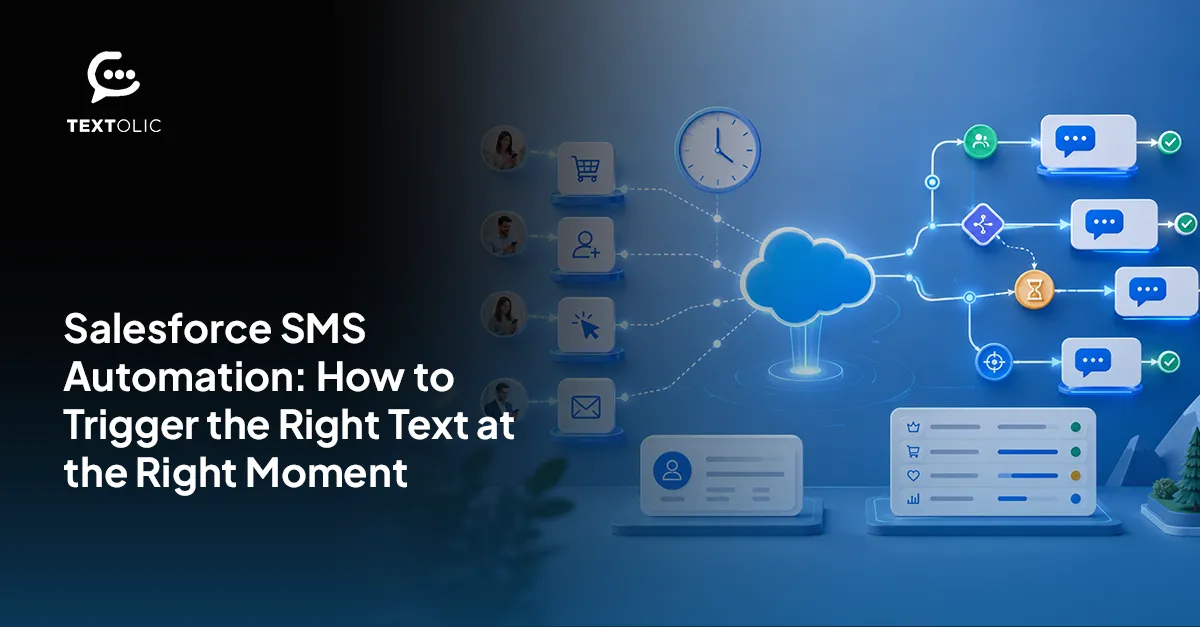
Four trigger types run under the hood here. Event-based triggers fire the second a new record shows up. Scheduled triggers count down against a date field. Reply-based triggers wait for the customer to text back first. Field-update triggers watch for a status change on a record you care about.
360 Textolic hooks into all four. A lead form comes in, a renewal date creeps closer, a deal shifts stages, somebody replies to a text, and Textolic responds using live Salesforce data, logs the exchange back to the record, then hands off to a rep the moment things need a human touch. No side database. No exporting contacts somewhere else and hoping the two systems stay in sync. Wiring up trigger SMS from Salesforce this way doesn’t require a developer, either.
Which trigger you pick matters more than whether you’re automated at all.
Table of Contents
Why Timing Beats Volume in SMS Automation
Send too many texts, people opt out. Send them at the wrong moment, and they ignore you anyway, even when the message itself is fine.
That’s the thing about irrelevance. It costs more than an unsubscribe. Teams that automate on a fixed schedule instead of a real event end up with messages that annoy instead of help, and once someone opts out, that channel’s closed for good. There’s no reopening it with an apology text.
Fewer, sharper triggers beat a full calendar every time. Tie the message to something that happened, not a date some admin picked eight months ago. That is where a native Salesforce SMS integration makes the difference: the message can respond to current CRM data instead of relying on an exported list or disconnected schedule.
Trigger Type 1: New Leads and Form Submissions
A form gets filled out. Somewhere a rep gets buried under fifteen other notifications and finds it tomorrow, if they’re lucky.
Wire that submission to fire a text the moment it lands and the math flips. The customer gets an acknowledgment inside a minute, merge fields pulling their name and whatever they actually asked about so it doesn’t read like a mass blast. Some teams push it further and route the lead automatically, using territory rules that already live in Salesforce. A connected website-to-Salesforce lead workflow helps make sure the trigger starts as soon as the form data reaches the CRM.
- An acknowledgment text fired the second the form lands
- Routing based on assignment rules nobody has to touch manually
- A second nudge if there’s no reply within a set window, worth building even though it’s the step teams skip first
That third one does more work than people expect. Genuinely. One text rarely closes anything on its own.
Trigger Type 2: Appointment, Renewal, and Deadline Reminders
Scheduled triggers work differently. Instead of reacting, they watch a date field and count backward. Textolic fires reminders a set number of days before an appointment or a contract renewal, pulling straight from whatever date field already exists on the record.
Merge fields carry the weight here too. “Your appointment is tomorrow at 2 PM” reads better than a form letter, and it costs nothing extra once the workflow’s built. Healthcare teams lean on this to cut no-shows. Finance teams use the same logic for collections, document requests, payment dates, and customer follow-ups through Salesforce SMS for financial services. The trigger mechanics don’t change. Only the wording does.
Experience what this actually looks like against your real lead and opportunity records?

Trigger Type 3: Opportunity Stage Changes and Automated Text Messages in Salesforce Workflows
A deal moves from “Proposal Sent” to “Negotiation.” A case flips to “Resolved.” Field-update triggers like these matter because they mark an actual shift in the relationship, not a scheduled guess about one.
Textolic watches for exactly this and fires a message that matches. A stage change might prompt a check-in from the rep handling the account. Salesforce teams already using opportunity management and process automation can connect those existing stage updates to the right message. A status flip on a case might trigger a short survey link instead, extending the workflow already managed through Salesforce Service Cloud.
Trigger Type 4: Inbound Replies and What Happens When Nobody Answers
Two-way texting in Salesforce is where most “automation” quietly breaks down. A customer replies and the message just sits in an inbox nobody’s watching that week.
Reply-based triggers fix that part. An inbound text can update a field, spin up a task, or route to a rep depending on what the customer actually said. No response after a few days? That can kick off a lighter follow-up instead of another hard ask. AI reply suggestions inside 360 Textolic help reps answer faster without drafting every message cold, and the shared inbox means nothing falls through because one person happened to be out.
How to Avoid Over-Automation
Automation without limits turns into spam. Fast.
A few things worth locking down before any of this goes live. Consent tracking comes first, full stop, because nobody belongs in a trigger flow they never opted into. Frequency caps matter too. Even a relevant text gets old if it shows up too often. Quiet hours should run automatically instead of depending on someone remembering to check the clock, and human handoff needs a real place in the flow for conversations that turn complicated or emotional. To be fair, a bot has no business handling a frustrated customer alone. That’s the core of SMS workflow automation Salesforce admins can actually trust.
360 Textolic keeps opt-out and TCPA logic built in natively, so none of this becomes a separate checklist someone forgets every quarter.
Wrapping Up
Automated text messages in Salesforce work best when they’re tied to something that actually happened on the record, not a fixed date picked once and forgotten. New leads, renewal dates, stage changes, inbound replies- each one calls for a different kind of trigger. 360 Textolic runs all four from inside Salesforce, using CRM data to personalize the message and log it back to the right record automatically. Get the trigger right and, honestly, the message mostly writes itself.

Solve It with Salesforce. We’ll Show You How.
AI. Apps. Experts. Everything you need to win with Salesforce under one roof.Frequently Asked Questions
What can trigger an automated text message in Salesforce?
New records, field updates, appointment dates, renewal deadlines, form submissions, and inbound replies all qualify. What ties them together is that something changed on the record itself, not that a calendar hit a preset date somebody chose months ago. 360 Textolic watches for these events directly inside Salesforce and fires the message the moment the condition's actually met, not hours after the fact.
How is trigger-based SMS different from scheduled SMS?
It depends on what's driving the send. Scheduled SMS goes out at a fixed time no matter what's happening on the record. Trigger-based SMS only fires when a real Salesforce event occurs, a stage change, a submission, a reply. That difference sounds small. It isn't. A scheduled reminder can land at exactly the wrong moment, while a triggered one is tied to something that just happened.
Can Salesforce Flow trigger SMS?
Yes. As long as Flow connects to a platform that exposes Salesforce Flow SMS actions it can call, which is what 360 Textolic does. Once that connection exists, a Flow sends a text the same way it updates a field or creates a task, using whatever data already lives on the record to personalize the message before it ever goes out.
How do you keep automated texts from feeling robotic?
That's really two questions, timing and tone. Specific triggers handle the timing part. Merge fields pulling real details, not placeholders, handle tone. A clear handoff point matters too, somewhere a human takes over once things get complicated. Skip any of those and the whole sequence starts to feel canned fast, even when the automation underneath is technically working exactly as intended.
What compliance checks matter for automated SMS?
Consent tracking comes first, nobody should be in an automated flow they never opted into. After that: opt-out handling, frequency limits, quiet hours, and how customer data actually gets used all deserve a look before launch. Worth saying, 360 Textolic builds most of this compliance logic in natively, which helps, but no platform replaces someone on the team actually reviewing the flow before it ships.

About the author
Diksha GathaniaDiksha is a seasoned content writer and marketer who is always keen on trying new avenues to discover and write about. She has a keen eye for detail and a talent for breaking down technical topics into digestible pieces for both technical and non-technical audiences. She is a Salesforce, Marketing Automation, and Marketing Analytics enthusiast who stays on top of the pulse of industry trends. Beyond her professional endeavors, she finds joy in traveling and is always on the lookout for new destinations.
Recent Blogs
 Campaign Strategy & Best Practices
Why Most Salesforce Teams Use WhatsApp Wrong (And What to Do Instead)
98% open rate. Teams hear that stat and immediately think: perfect broadcast channel. So they do what they’ve always done with email — build a…
Read More Two-Way Texting & Engagement
Salesforce SMS Opt-In and Opt-Out: What Every Team Needs to Know Before Texting Customers
A single non-compliant SMS can result in $500 in statutory damages under the TCPA. And that can apply to each violation, not simply the campaign…
Read More Campaign Strategy & Best Practices
5 Things to Do Before You Send a Bulk SMS Campaign in Salesforce
Salesforce bulk texting is one of the fastest ways to reach your entire list at once. One click, and thousands of messages go out before…
Read MoreReady to Make the Most Out of Your Salesforce Instance?
Our Salesforce aces would be happy to help you. Just drop us a line at contact@360degreecloud.com, and we’ll take it from there!
Subscribe to our newsletter
Stay ahead with expert insights, industry trends, and exclusive resources—delivered straight to your inbox.
