

How to Use Salesforce Email Verification to Improve Campaign Results
30 Jun 2026
Table of Contents
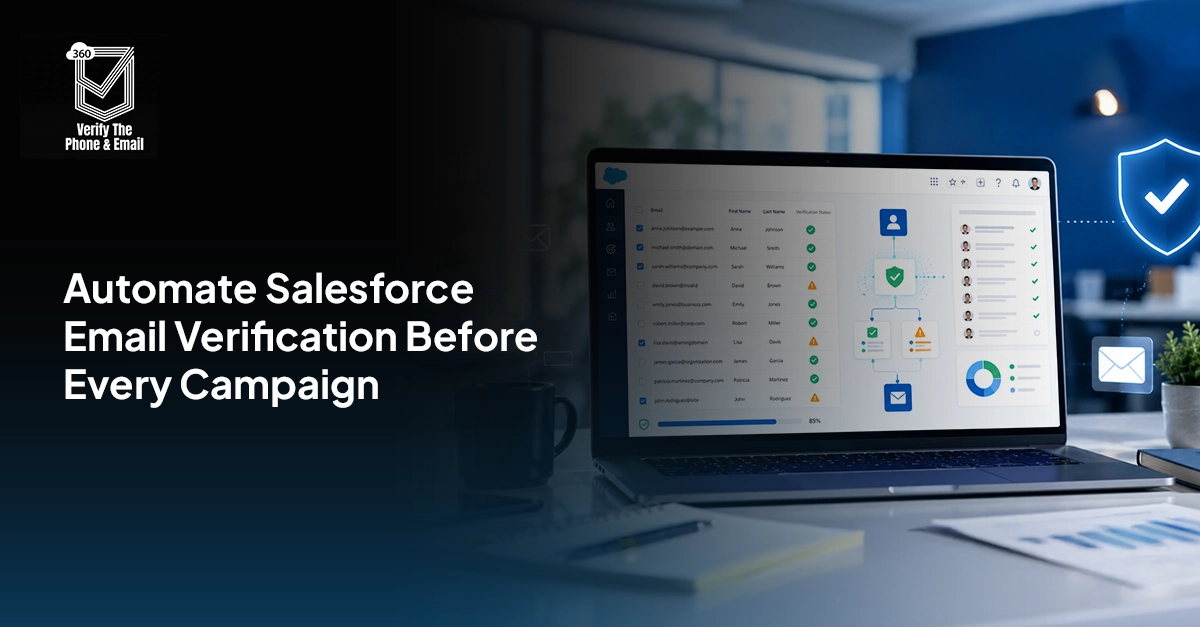
Salesforce email verification doesn’t come up in most campaign planning conversations. Teams focus on audience size, subject lines, send timing. These all are the visible variables. But the invisible one, whether the emails in that audience are actually deliverable, determines whether any of the rest of it matters.
In my experience, the teams that struggle most with campaign performance aren’t the ones with bad messaging. They’re the ones sending to lists that haven’t been verified in months or ever. Hard bounces quietly push sender reputation down. Deliverability drops. Inbox placement starts slipping toward spam. And by the time the metrics show it clearly, the damage is already compounding.
The fix isn’t complicated. But it does require treating email hygiene as part of campaign operations, not a one-time cleanup project you schedule when things get bad enough to notice.
What if every new Salesforce email could be checked before it enters your next campaign?
Table of Contents
What Salesforce Email Verification Actually Means
There’s a distinction that gets collapsed constantly, and it causes real confusion: validation and verification are not the same thing.
Validation checks format. Does the email contain an “@”? Does it have a domain extension? Salesforce handles this natively through validation rules. If you have required email fields and basic format checks in your org, you already have validation. It catches typos, missing characters, obvious junk.
What it doesn’t catch is everything else.
Verification checks whether an email address is real and deliverable. That means querying the domain’s mail exchange records, confirming the specific mailbox exists, detecting whether the address belongs to a disposable email service, and flagging catch-all domains where messages get accepted but never actually reach a person.
Salesforce email verification, in the full sense, requires an external API doing that deeper check — writing the results back to the contact record so your campaigns and automations can act on them.
Why Campaign Teams Need Salesforce Email Verification
Campaign teams depend on email quality more than they often realise.
A campaign list may look strong inside Salesforce because it has thousands of Leads or Contacts. But if a large portion of those addresses are invalid, outdated, fake, or risky, the real audience is much smaller. Salesforce email verification helps marketing teams:
- Reduce hard bounces
- Protect sender reputation
- Improve inbox placement
- Improve campaign engagement
- Keep campaign reports more accurate
- Reduce wasted marketing spend
- Improve lead nurturing effectiveness
- Build cleaner Salesforce customer data
This is especially important for teams using Salesforce Campaigns, Account Engagement, Marketing Cloud, Sales Engagement, or third-party email tools connected to Salesforce.
When unverified emails enter these systems, bad data spreads quickly. A single poor-quality import can affect multiple nurture programs, sales sequences, event campaigns, and reporting dashboards.
The Cost of Sending Campaigns to Unverified Email Lists
Hard bounces are the clearest cost, but they’re not the only one. Every time a campaign sends to an invalid address, the bounce gets logged against your sending domain. Enough of them and inbox providers start treating your domain as a source of low-quality mail. Messages that should land in inboxes start landing in spam instead, including messages going to valid, engaged contacts who never did anything wrong.
That’s the part that stings. Sender reputation damage isn’t contained to the contacts that caused it. It spreads across your entire sending domain.
Beyond reputation: unverified lists inflate engagement metrics in ways that make reporting unreliable. Open rate calculations look worse because the denominator includes addresses that could never receive the message. Attribution gets muddied. Campaign comparisons don’t reflect actual performance.
So the cost of skipping Salesforce email validation isn’t just operational. It shows up in reporting you can’t trust and in pipeline conversations where the numbers don’t hold up.
What Email Verification Actually Checks
A good Salesforce email verification process checks multiple layers of email quality.
- Syntax Validation
This checks whether the email follows a valid format. For example, it can identify missing symbols, invalid spaces, or broken email structures.
- Domain Validation
This checks whether the domain exists. If the domain itself is invalid, the mailbox cannot be trusted.
- MX Record Verification
MX records tell mail systems where email should be delivered for a domain. If a domain does not have proper mail exchange records, email delivery is unlikely.
- Mailbox Verification
Mailbox verification checks whether the specific email address appears able to receive mail. This is one of the most important parts of Salesforce email verification because it moves beyond format and domain checks.
- Disposable Email Detection
Disposable emails are temporary addresses often used to avoid sharing real contact details. They may be acceptable for low-value interactions, but they are risky for serious B2B campaigns.
- Role-Based Email Detection
Role-based addresses such as info@, sales@, admin@, or support@ are shared inboxes. They are not always invalid, but they may not belong to a specific buyer, decision-maker, or campaign persona.
- Catch-All Domain Identification
A catch-all domain accepts emails sent to many different mailbox names, even when the exact mailbox may not exist. These records should usually be treated as risky, not automatically campaign-ready.
- Spam Trap Risk Signals
Some verification tools may also help identify risky patterns that could affect sender reputation. These records should be reviewed carefully before being included in bulk sends.
When Should Marketing Teams Verify Emails?
Salesforce email verification works best when it happens before campaign damage is done. Marketing teams should verify emails during these stages:
- At lead capture — the moment a lead enters Salesforce, the email should be checked. That’s when you have the most to gain: stopping a bad address before it touches any workflow.
- Before campaign enrollment — a second gate for any contact being added to a campaign segment, catching addresses that were valid at creation but have since gone stale.
- Before bulk sends — particularly for large campaigns or re-engagement sequences where list age is a factor.
- During CRM cleanup — for existing records that predate your verification workflow, a one-time bulk check gets the database to a known state.
- On a recurring schedule — email addresses degrade over time. People leave companies. Domains expire. A quarterly re-verification pass on active contacts keeps the data current.
Building and Automating a Salesforce Email Verification Workflow
The architecture here is straightforward. It has five moving parts.
A lead enters Salesforce through a form fill, an import, a manual entry, or an integration. A record-triggered Flow fires automatically when the email field is populated. The Flow calls the verification API, passes the email address, and waits for the response. The response writes back to verification status fields on the contact or lead record. Downstream campaign membership criteria and automation rules read those fields to determine what happens next.
That loop runs without anyone touching it. Salesforce email verification automation means the campaign team never has to manually pull a list and run it through a separate tool — the data is already there when they need it. Here’s how to build it step by step:
Step 1: Create the Verification Fields
Before any automation runs, you need somewhere for the data to land. Create these custom fields on your Contact and Lead objects:
- Email verification status — picklist: Verified / Invalid / Risky / Catch-All / Role-Based / Disposable / Unverified
- Email verification date — date/time field tracking when the last check ran
- Email quality score — optional numeric field if you want granular scoring
- Campaign eligibility — checkbox used downstream to gate campaign membership
Keep the status values consistent. Downstream Flows and campaign rules will reference these exact values, if they drift, the logic breaks.
Step 2: Connect 360 VTP
360 VTP installs from the Salesforce AppExchange and connects to your org without custom code. After installation, configure the API credentials through the settings panel and map each verification response field to the custom fields you created in Step 1.
The field mapping step matters more than people give it credit for. A misaligned mapping — where the status result writes to the wrong field — means your campaign eligibility logic reads incorrect data without any obvious error signal.
Step 3: Build the Record-Triggered Flow
Create a record-triggered Flow on the Lead and Contact objects. Set it to fire when a record is created or when the email field is updated. The update trigger matters — it catches records where someone corrects a typo or imports a corrected email address later.
Inside the Flow, add a decision element first: if the email field is blank, exit the Flow and log the exception. Don’t let empty fields trigger verification requests that return meaningless results.
The Flow calls the 360 VTP email verification action, passes the email value, reads back the status, and writes the result to the verification status and verification date fields. All in one Flow run. One record write.
Step 4: Build Campaign Segmentation Rules
Now the fields are live, use them to control campaign membership. Create audience criteria that:
- Include only contacts where email verification status equals “Verified”
- Exclude contacts where status is “Invalid” or “Disposable” automatically
- Hold “Catch-All” and “Risky” contacts in a separate segment for manual review or lower-frequency nurture
- Use verification date as a staleness filter — exclude contacts where the last verification was more than 90 days ago
Need a simpler way to understand how email verification works inside Salesforce?
Email Hygiene Practices That Actually Stick
The teams that maintain clean data long-term aren’t doing anything exotic. They’ve just built a few habits into standard operations:
Verify before every major send — not as a last-minute check, but as a step in the campaign build process that’s as routine as selecting the subject line.
Set a re-verification schedule. Quarterly for active contacts, annually for contacts in low-engagement segments. Run it as a scheduled Flow, not a manual export.
Watch bounce rates by source. If one lead source or one campaign consistently generates higher bounces than the rest, that’s a data quality signal about the source — not just a campaign performance issue.
Don’t equate list size with list value. A verified list of 5,000 contacts will outperform an unverified list of 20,000 in deliverability, engagement, and attribution accuracy. Every time.
What Goes Wrong When Teams Skip Verification
The mistakes show up in patterns. A few that come up repeatedly:
Treating validation rules as sufficient. They’re not. Format-valid is not the same as deliverable.
Sending campaigns to contacts that have never been verified at any point in their lifecycle. Common in orgs that grew fast and never built hygiene into the process from the start.
Ignoring catch-all domains. Teams often see “accepted” in the mailbox check and assume the address is clean. Catch-all domains accept everything, that’s the whole point of them. The result doesn’t confirm deliverability.
Re-verifying only when bounce rates spike. By then, the sender reputation damage is already done. The right time to verify is before the problem, not after it.
Final Thoughts
Salesforce email verification should be treated as a campaign-operations requirement, not a backend cleanup task.
When campaign teams verify emails during lead capture, before campaign enrollment, before bulk sends, and throughout database maintenance, Salesforce becomes a more reliable source for marketing execution.
The right process combines Salesforce email validation, Salesforce Flow email validation, an email verification API, campaign eligibility fields, and clear segmentation rules.
With Salesforce email verification in place, teams can reduce bounces, protect sender reputation, improve campaign quality, and build a healthier Salesforce database for every future send.


Solve It with Salesforce. We’ll Show You How.
AI. Apps. Experts. Everything you need to win with Salesforce under one roof.Frequently Asked Questions
What is Salesforce email verification?
Salesforce email verification is the process of checking whether an email address stored in Salesforce is valid, deliverable, and suitable for campaign use.
Does Salesforce verify email addresses automatically?
Salesforce can validate email formats, but deeper verification usually requires a verification API, installed app, or custom automation connected to Salesforce.
What is the difference between email validation and email verification?
Email validation checks format. Email verification checks whether the address is usable, deliverable, and safe for campaigns.
Why should marketing teams verify email addresses before campaigns?
Marketing teams should verify emails before campaigns to reduce bounces, improve deliverability, protect sender reputation, and avoid wasting budget on unreachable contacts.
How does email verification improve deliverability?
Email verification improves deliverability by helping remove invalid, risky, disposable, and undeliverable email addresses before a campaign is sent.
Can Salesforce Flow automate email verification?
Yes. Salesforce Flow can trigger verification when a Lead or Contact is created or updated, send the email to a verification API, and update the record with the result.
What happens when an email address fails verification?
If an email fails verification, it should be marked invalid, excluded from campaigns, and routed for correction or review.
When should email verification occur in the lead lifecycle?
Email verification should happen during lead capture, before campaign enrollment, before major sends, and whenever an email field changes.
What are catch-all email domains, and why do they matter?
Catch-all domains accept emails for many mailbox names, even when the exact mailbox may not exist. They matter because they can make deliverability harder to confirm.
How often should Salesforce email lists be verified?
Salesforce email lists should be verified before major sends, during cleanup projects, and periodically for older records that have not been checked recently.

About the author
Editorial TeamThe Editorial Team at 360 Degree Cloud brings together seasoned marketers, Salesforce specialists, and technology writers who are passionate about simplifying complex ideas into meaningful insights. With deep expertise in Salesforce solutions, B2B SaaS, and digital transformation, the team curates thought leadership content, industry trends, and practical guides that help businesses navigate growth with clarity and confidence. Every piece we publish reflects our commitment to delivering value, fostering innovation, and connecting readers with the evolving Salesforce ecosystem.
Recent Blogs
 360 Verify The Phone
7 Phone Validation Tools That Integrate With Salesforce Workflows
Summary Most phone validators don’t actually integrate with Salesforce workflows. They bolt on. This guide compares 7 tools on the criteria Salesforce admins and ops…
Read More 360 Verify The Mail
Plauti Verify vs 360 Verify the Email: Which Fits Your Salesforce Team?
Summary Plauti Verify offers broader Salesforce data quality capabilities, including assisted data entry and record-level validation. 360 Verify the Email focuses on real-time email and…
Read More 360 Verify The Mail
Salesforce Data Validation Rules vs Automated Data Validation Tools: What’s the Difference?
Here’s an uncomfortable truth most Salesforce teams don’t want to sit with: your CRM can be technically clean and practically useless at the same time. …
Read MoreReady to Make the Most Out of Your Salesforce Instance?
Our Salesforce aces would be happy to help you. Just drop us a line at contact@360degreecloud.com, and we’ll take it from there!
Subscribe to our newsletter
Stay ahead with expert insights, industry trends, and exclusive resources—delivered straight to your inbox.
