

How to Auto-Verify Email and Phone Numbers in Salesforce Flow
30 Jun 2026
Table of Contents
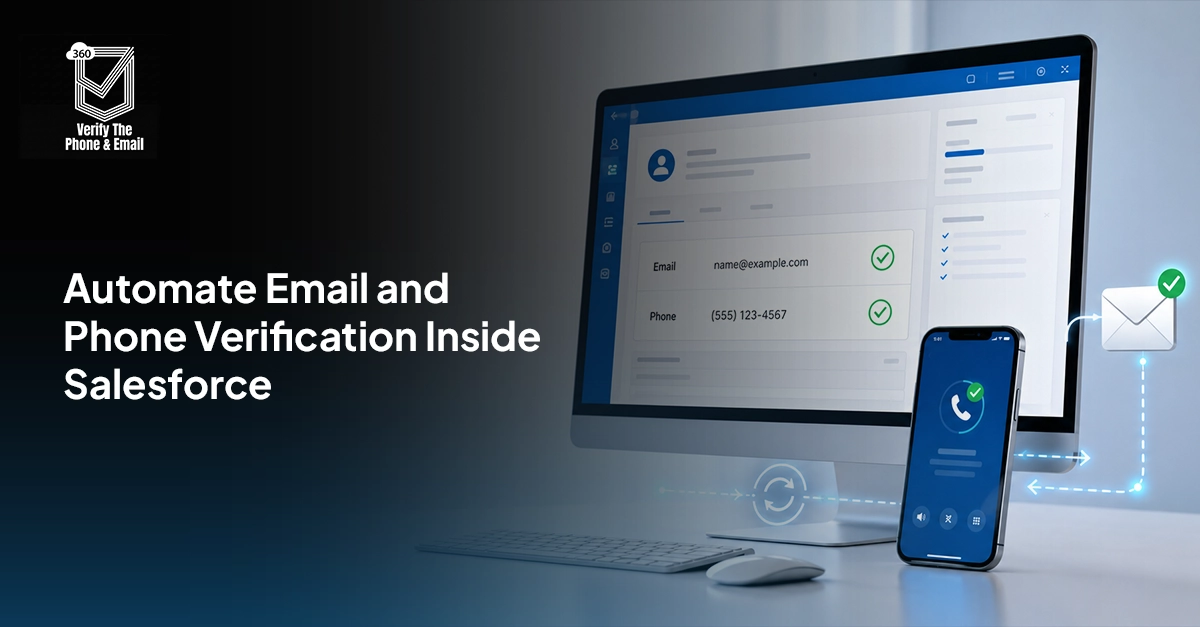
Salesforce email verification helps ensure that the contact information entering your CRM is accurate, reachable, and ready for sales or marketing use. A correctly formatted email or phone number does not always mean it is valid. Emails may belong to inactive mailboxes, while phone numbers may be disconnected, incorrectly formatted, or unsuitable for SMS.
In my experience, relying only on Salesforce validation rules allows these issues to surface much later, usually after a campaign fails or a sales representative wastes time on unreachable leads. By combining Salesforce Flow with email and phone verification APIs, teams can check contact data automatically, update verification statuses, and prevent poor-quality records from affecting campaign performance, lead routing, and sales productivity.
Want to stop fake and poor-quality form submissions before they enter Salesforce?

Table of Contents
What Contact Verification Actually Means in Salesforce
There’s a distinction worth making upfront because it gets blurred constantly: validation and verification are not the same thing.
Validation checks structure. Does the email contain an @ symbol? Does the phone number have ten digits? These are format checks. Salesforce handles them natively through validation rules. Useful, but limited.
Verification checks reality. Does that email address connect to an active, deliverable mailbox? Is that phone number currently in service? Is it a mobile line, a landline, or a VoIP number? These questions can only be answered by querying external data — carrier records, DNS lookups, mailbox-level checks — which is where a verification API comes in.
The practical difference: a contact record can pass every validation rule in your org and still be completely unreachable. Salesforce data verification catches what format checks can’t.
Why Validation Rules Alone Won’t Protect Your CRM
Validation rules remain an important part of Salesforce data governance. They can enforce required formats, stop incomplete records from being saved, and apply business-specific conditions.
For example, a rule can require a phone number when a Lead reaches the “Sales Accepted” stage. Another rule can prevent a user from entering a free email domain for a particular B2B lead source.
The limitation is that validation rules operate on information available inside the record. They do not independently communicate with mail servers, carrier databases, or external verification networks.
A format rule may accept alex@example-company.com because its syntax is correct. That does not prove that:
- The domain exists
- The domain has mail-exchange records
- The mailbox exists
- The address is not disposable
- The server will accept the message
- The address belongs to the stated person
The same problem applies to phone data. A number containing ten digits may still be disconnected, incorrectly formatted for its country, assigned to a landline, or unsuitable for an SMS workflow.
This is why Salesforce email validation should be viewed as the first checkpoint, not the final determination of data quality. Real-time verification adds the external intelligence needed to make the record operationally useful.
Why You Need to Verify Both Email and Phone
Most teams prioritize one or the other. Email teams focus on deliverability, so they think about email. Sales teams focus on outbound calls, so they think about phone. Neither group fully owns both.
That siloed approach leaves real gaps. A contact with a verified email but an unclassified phone number will fail the moment you route them to an outbound sequence. A contact with a verified mobile number but an invalid email can’t receive nurture content. Bad data in either field is a broken contact, regardless of how clean the other field looks.
Fixing both at the point of entry, using the same automated workflow, is what actually moves the needle on Salesforce customer data quality. And it’s not significantly more complex to build than fixing just one.
What Email Verification Checks
When a verification API runs against an email address, it’s doing several checks in sequence — not just one:
- Syntax check — is the format structurally valid?
- Domain check — does the domain exist?
- MX record check — does the domain have mail exchange records configured to receive email?
- Mailbox check — does the specific mailbox exist and accept messages?
- Disposable email detection — is this from a known throwaway email provider?
- Catch-all detection — does the domain accept mail for any address regardless of whether the mailbox exists?
- Role-based email detection — is this a shared inbox like info@, admin@, or support@, rather than an individual contact?
Want to know how email verification supports cleaner records and smoother Salesforce operations?

What Phone Verification Checks
Phone verification pulls from carrier-level telecom data. The checks include:
- Format validation — is the number structured correctly for the country?
- Carrier lookup — which network operator owns this number?
- Mobile detection — is it on a GSM or CDMA mobile network?
- Landline detection — is it a fixed-line number?
- VoIP detection — is it registered to an internet telephony provider?
- Active status — is the number currently in service?
- Geographic validation — does the number match expected regional codes?
The Verification Architecture That Scales
Before building any Flow, it helps to think through the full architecture. There are five layers:
- Record layer — your Contact and Lead objects in Salesforce, where verified data needs to live as field values.
- Verification API layer — the external service (like 360 VTP) that runs email and phone checks and returns classification results.
- Flow automation layer — the record-triggered and scheduled Flows that call the API, pass data, and write results back to fields.
- Decision layer — the logic that acts on verification results: block invalid records, route verified ones, flag exceptions, assign quality scores.
- Campaign and sales readiness layer — the downstream workflows (campaign membership criteria, lead routing rules, scoring models) that consume the verified field values.
Each layer depends on the one before it. The architecture only holds if records are verified before reaching the campaign and sales layers — not after.
How to Build the Verification Flow in Salesforce: Step by Step
Step 1: Create Verification Status Fields
Start with the data model. Before any API is connected, you need custom fields to hold the results. Create these on both Contact and Lead objects:
- Email verification status (picklist: Verified / Unverified / Risky / Invalid / Catch-All / Role-Based)
- Phone verification status (picklist: Mobile / Landline / VoIP / Invalid / Unknown)
- Email verification date (date/time)
- Phone verification date (date/time)
- SMS eligibility (checkbox — true if phone is verified mobile)
- Overall contact quality score (number, optional but useful for scoring models)
These fields become the shared language between your verification layer and everything downstream. Campaigns filter on SMS eligibility. Lead routing reads phone status. Scoring models use verification dates to flag stale records.
Step 2: Connect 360 VTP to Your Salesforce Org
360 VTP installs directly from the Salesforce AppExchange. Once installed, configure the API connection through the settings panel — no code needed here. You’ll set up authentication credentials and map the verification response fields to the custom fields you created in Step 1.
Map carefully. The API returns structured data for both email and phone. Each response field should write to the right Salesforce field, or your downstream logic won’t read correctly.
Step 3: Build a Record-Triggered Flow
Create a record-triggered Flow on the Contact (and separately on Lead) object. Set it to fire after a record is created, and also when the email or phone field is updated on an existing record — that catches manual edits and data imports alike.
Inside the Flow, add error handling early. If the phone field is blank, skip the phone check and log an exception. If the email field is blank, same. Don’t let blank fields break the Flow and leave records in an ambiguous state.
Step 4: Send Data for Verification and Process Responses
The Flow calls the 360 VTP verification action for email, passes the email address, and reads back the status result. Then it does the same for phone. These can run in sequence or in parallel depending on your Flow design preferences.
Process the API responses before writing anything to the record. If the email comes back as “Invalid” and the phone as “Mobile,” you want both fields to update in a single record write — not two separate ones that could trigger the Flow twice.
Step 5: Update Salesforce Records
Write verification results back to the status fields. Update the verification date fields to the current timestamp. Update the SMS eligibility checkbox based on whether phone status equals “Mobile.”
Add a separate path for failed verifications — API timeouts, unreachable records, unexpected response formats. Log those to an exception object or a custom field so they can be reviewed manually or re-queued for verification.
Step 6: Build Business Rules on Top
Now the data is there, act on it. Create decision elements in the Flow (or in separate Flows that run downstream) to:
- Block leads with “Invalid” email and phone from campaign enrollment
- Route “Verified” contacts to appropriate queues
- Flag “Catch-All” or “VoIP” records for manual review
- Set campaign eligibility fields based on SMS eligibility status
- Trigger re-verification for records where the verification date is older than 90 days
Salesforce email verification automation only pays off if the results actually drive decisions. This step is where it happens.
Using Verification Results Across Salesforce
Once records are verified and classified, the data becomes useful in every workflow that touches a contact:
- Lead qualification — scoring models can weight verified mobile numbers and confirmed deliverable emails more heavily than unverified contacts.
- Campaign segmentation — audience filters can include only SMS-eligible contacts for text campaigns, only verified-email contacts for nurture programs.
- Sales routing — leads with valid phone data can be routed directly to outbound reps, while leads with only email verification go to digital nurture flows first.
- Customer onboarding — for teams that send transactional messages at onboarding, verified contact data means delivery actually works when it matters most.
Salesforce Verification Automation Best Practices
Verify data at creation
Check records as close as possible to the point of entry. This makes correction easier and prevents bad data from reaching other systems.
Reverify stale records
Email addresses and phone numbers change over time. Trigger reverification when a field changes, a result expires, or a previously valid contact fails.
Store audit information
Maintain the verification date, provider, submitted value, result, and reason.
Use reusable Flow components
Create separate subflows for email verification, phone verification, error logging, and response mapping.
Design for volume
Estimate the number of verification requests created by forms, imports, integrations, and scheduled reverification.
Separate verification from permission
A verified contact point confirms data quality. It does not replace consent, opt-out, or communication-frequency rules.
Common Mistakes Salesforce Teams Make
The most common implementation mistakes include:
- Relying only on validation rules
- Using one Valid checkbox
- Reusing an old result after a field changes
- Treating unknown results as invalid
- Sending SMS without checking line type
- Blocking record creation when the API fails
- Allowing unverified records into campaigns
- Never reverifying old records
- Confusing verified data with communication consent
Conclusion
Salesforce validation rules can check structure, but they cannot confirm whether an email mailbox is deliverable or whether a phone number is suitable for the intended channel.
A stronger process combines validation rules, Salesforce Flow, verification APIs, clear status fields, and automated business decisions.
With the right Salesforce email verification setup, teams can verify contact information when records are created or updated, prevent bad data from reaching campaigns, and give sales representatives clearer information about how each Lead or Contact can be reached.

Solve It with Salesforce. We’ll Show You How.
AI. Apps. Experts. Everything you need to win with Salesforce under one roof.Frequently Asked Questions
What is the difference between validation and verification in Salesforce?
Validation checks format and business rules. Verification checks whether the email address or phone number appears usable through an external service.
Can Salesforce Flow automate email verification?
Yes. Salesforce Flow can send an email address to an API, process the response, and update verification fields automatically.
Can Salesforce Flow automate phone number verification?
Yes. Flow can verify phone numbers and store information such as validity, carrier, line type, country, and SMS eligibility.
Do validation rules verify real email addresses?
No. Validation rules can check format but cannot confirm whether a mailbox exists or can receive messages.
Can Salesforce detect mobile, landline, and VoIP numbers?
Salesforce can store and use line-type information returned by a connected phone verification service.
How often should Salesforce records be reverified?
Reverify records when the email or phone changes, the result becomes stale, outreach fails, or a campaign requires recent verification.
Can invalid records be blocked automatically?
Yes. Flow and campaign eligibility rules can block or quarantine invalid records while preserving them for correction.
Does contact verification improve campaign performance?
Yes. It helps teams remove unusable contact points, select the correct communication channel, and reduce avoidable campaign failures.

About the author
Editorial TeamThe Editorial Team at 360 Degree Cloud brings together seasoned marketers, Salesforce specialists, and technology writers who are passionate about simplifying complex ideas into meaningful insights. With deep expertise in Salesforce solutions, B2B SaaS, and digital transformation, the team curates thought leadership content, industry trends, and practical guides that help businesses navigate growth with clarity and confidence. Every piece we publish reflects our commitment to delivering value, fostering innovation, and connecting readers with the evolving Salesforce ecosystem.
Recent Blogs
 360 Verify The Phone
7 Phone Validation Tools That Integrate With Salesforce Workflows
Summary Most phone validators don’t actually integrate with Salesforce workflows. They bolt on. This guide compares 7 tools on the criteria Salesforce admins and ops…
Read More 360 Verify The Mail
Plauti Verify vs 360 Verify the Email: Which Fits Your Salesforce Team?
Summary Plauti Verify offers broader Salesforce data quality capabilities, including assisted data entry and record-level validation. 360 Verify the Email focuses on real-time email and…
Read More 360 Verify The Mail
Salesforce Data Validation Rules vs Automated Data Validation Tools: What’s the Difference?
Here’s an uncomfortable truth most Salesforce teams don’t want to sit with: your CRM can be technically clean and practically useless at the same time. …
Read MoreReady to Make the Most Out of Your Salesforce Instance?
Our Salesforce aces would be happy to help you. Just drop us a line at contact@360degreecloud.com, and we’ll take it from there!
Subscribe to our newsletter
Stay ahead with expert insights, industry trends, and exclusive resources—delivered straight to your inbox.
