

Salesforce Web-to-Lead Email Verification: Stop Spam Before It Hits Your CRM
11 Jun 2026
Table of Contents
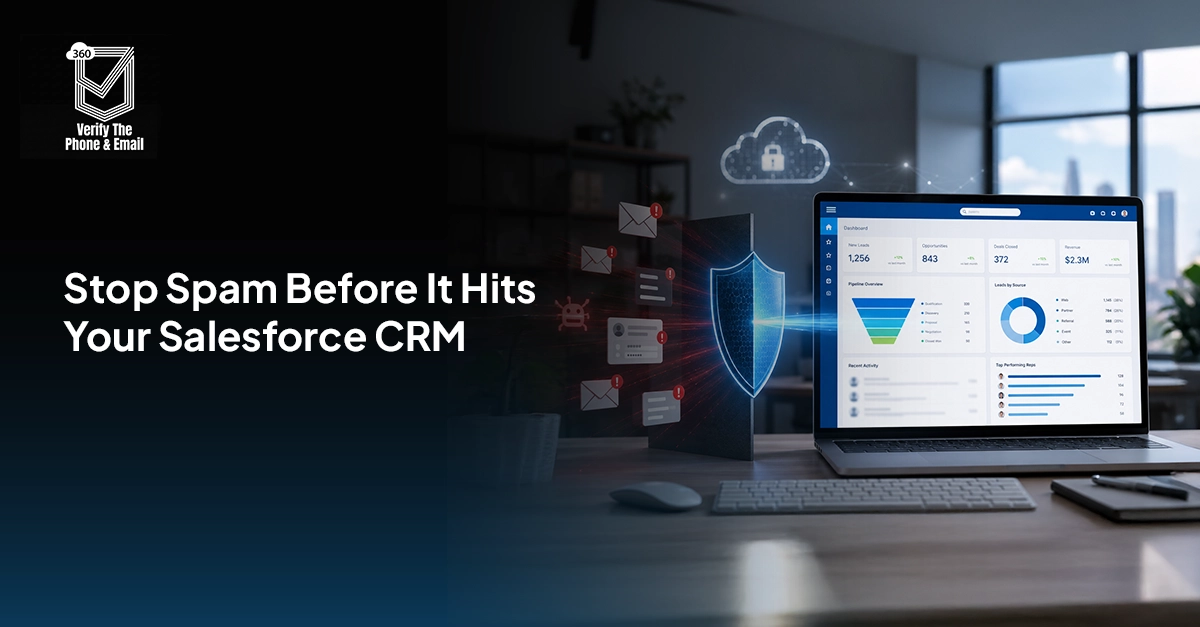
Web-to-lead email verification is no longer just about blocking fake form submissions. It is about protecting the quality of your Salesforce data before it affects sales, marketing, automation, and AI-led workflows.
Most teams notice the problem only when SDRs start chasing fake demo requests or campaign reports stop making sense. But by then, spam leads have already polluted the CRM. With Salesforce teams now using AI for lead scoring, routing, qualification, and follow-ups, bad lead data can create even bigger problems. That is why real-time email verification should happen before Web-to-Lead records move deeper into Salesforce. 2
Want to see how to improve the effectiveness of your Salesforce email data?
Table of Contents
What Is Salesforce Web-to-Lead Email Verification?
Salesforce Web-to-Lead allows businesses to capture website form submissions and automatically create Lead records in Salesforce.
A typical Web-to-Lead form collects details like name, email, phone number, company name, requirement, and campaign source. This works well for demo requests, contact forms, downloadable assets, event signups, and consultation inquiries.
But because these forms are public, they are also easy targets for spam bots.
Web-to-lead email verification checks whether the submitted email is valid, reachable, and safe before it enters your sales process. It goes beyond simple format checks.
There is a difference between email validation and email verification. Email validation checks whether the address follows the right format.
Email verification checks whether the domain exists, whether the mailbox can receive emails, whether the address is disposable, and whether it is risky for outreach.
For Salesforce teams, verification is more useful because it helps stop bad leads before they reach SDRs, campaigns, reports, and AI workflows.
Why Salesforce Web-to-Lead Forms Attract Spam Bots
Web-to-Lead forms attract spam because they are open to anyone on the internet.
Bots can submit fake names, invalid emails, disposable addresses, competitor details, promotional messages, or repeated junk entries. These submissions may look small at first, but they create serious CRM problems over time.
Common causes of Salesforce Web-to-Lead spam include:
- Public-facing forms with weak protection
- Automated bot submissions
- Disposable email addresses
- Fake demo requests
- Competitor spam
- Repeated submissions from suspicious domains
- Lack of real-time verification before lead creation
The impact is bigger than a messy Lead object. Spam leads can inflate campaign numbers, distort attribution, waste SDR time, trigger unwanted follow-ups, and weaken pipeline visibility. If your Salesforce org uses automation or AI-based scoring, these fake records can also influence the actions your system takes next.
Why CAPTCHA Alone Is Not Enough
CAPTCHA helps reduce bot activity, but it does not confirm whether an email address is real.
A form submission can pass CAPTCHA and still include:
- A fake email
- A disposable email
- A non-existent mailbox
- A role-based email like info@ or sales@
- A spam trap
- A risky domain
Salesforce validation rules also have limits. They can check required fields, patterns, and basic formats, but they cannot fully verify mailbox legitimacy. Duplicate rules can catch repeated records, but they do not stop fake leads from entering.
That is why CAPTCHA should be one layer, not the full strategy.
A stronger setup combines CAPTCHA, Salesforce validation rules, real-time verification, Flow automation, lead routing logic, and quarantine workflows.
Want to keep fake leads out of Salesforce before they reach your sales team?

Why Verification Matters More in the AI and Agentforce Era
As Salesforce becomes more AI-driven, clean lead data matters more than ever.
Sales teams are using AI to summarize records, suggest next steps, qualify leads, score prospects, personalize follow-ups, and automate repetitive work. But AI is only useful when the data behind it is reliable.
If spam leads enter Salesforce through Web-to-Lead forms, they can affect:
- AI lead scoring
- Automated qualification
- Lead routing
- Campaign attribution
- Sales recommendations
- Pipeline reports
- Nurture journeys
- SDR prioritization
For example, if a fake demo request enters Salesforce with a disposable email, it may still trigger routing, scoring, email sequences, or sales follow-up. Now imagine that happening hundreds of times.
This is why Salesforce spam lead prevention is now also an AI-readiness priority.
Before leads are used by AI, Agentforce, Salesforce Flow, or automated campaigns, they should be verified. Clean inputs help create better decisions, better automation, and better sales outcomes.
A good Salesforce email verification automation setup should check more than basic syntax.
Here are the key checks:
- Syntax validation: Confirms whether the email follows the correct format.
- Domain validation: Checks whether the domain exists.
- MX record validation: Confirms whether the domain can receive emails.
- Mailbox verification: Checks whether the mailbox may be reachable.
- Disposable email detection: Flags temporary email addresses.
- Role-based email detection: Identifies addresses like info@, support@, sales@, or admin@.
- Spam trap detection: Helps protect sender reputation and campaign health.
- Deliverability scoring: Gives a risk score or status such as valid, invalid, risky, disposable, or unknown.
These results can be stored in Salesforce and used for routing, scoring, campaign eligibility, and AI-readiness checks.
Best Salesforce Web-to-Lead Spam Prevention Architecture
The best Salesforce Web-to-Lead spam prevention setup should have multiple layers.
1. CAPTCHA Protection
Use CAPTCHA to reduce automated bot submissions. It is a useful first layer, but not the final defense.
2. Salesforce Validation Rules
Use validation rules to catch missing fields, restricted domains, incorrect formats, or obvious junk entries.
3. Verification API Layer
Use an email verification API to check whether the submitted email is valid, risky, disposable, role-based, or unreachable.
4. Salesforce Flow Automation Layer
Use Salesforce Flow email validation logic to send the email for verification, receive the result, and update the lead record or routing decision.
5. Conditional Lead Routing
Do not send every submitted lead directly to SDRs.
Create rules like:
- Valid emails go to sales
- Invalid emails are blocked
- Disposable emails are rejected or marked low quality
- Unknown emails go to review
- Role-based emails are flagged
- Risky emails are excluded from campaigns
6. Quarantine Workflow
Create a review queue for suspicious leads. This helps you avoid deleting genuine leads while still protecting your sales team from obvious junk.
7. AI-Ready Lead Layer
Create custom fields such as:
- Email Verification Status
- Email Risk Score
- Disposable Email Flag
- Role-Based Email Flag
- Verification Date
- AI-Ready Lead
This helps your team decide which leads are safe for scoring, routing, nurturing, and AI-led workflows.
Curious if you can test email addresses without sending a message?
How to Verify Web-to-Lead Emails Using Salesforce Flow and a Verification API
Here is a simple process.
Step 1: Create the Web-to-Lead Form
Generate your Web-to-Lead form and include only the fields your team needs, such as name, email, phone, company, country, message, and campaign source.
Step 2: Add CAPTCHA
Add CAPTCHA to reduce bot submissions. This lowers spam volume but does not verify email quality.
Step 3: Build a Salesforce Flow
Create a Flow that captures the submitted email address and prepares it for verification.
Step 4: Connect the Verification API
Connect Salesforce to an email verification API using Flow, Named Credentials, External Services, Apex, or middleware based on your org setup.
Step 5: Read the Verification Response
Capture statuses like valid, invalid, risky, disposable, role-based, unknown, or spam trap.
Step 6: Apply Lead Logic
Use the verification response to decide what happens next.
Valid leads can be created or approved. Invalid leads can be rejected. Risky leads can be quarantined. Role-based emails can be flagged. Verified leads can be marked as AI-ready.
Step 7: Route Verified Leads
Send verified leads to the right SDR, queue, territory, or campaign based on product interest, region, company size, or source.
Salesforce Flow Email Validation Best Practices
To make Salesforce Flow email validation more effective, follow these practices:
- Store verification status in Salesforce
- Create custom lead verification fields
- Use asynchronous processing for scale
- Log verification responses
- Monitor failed verification attempts
- Connect verification status to lead scoring
- Exclude risky leads from nurture campaigns
- Use verified status before AI-based scoring or routing
The goal is not just to block spam. The goal is to create a cleaner lead management process.
Common Web-to-Lead Spam Prevention Mistakes
Many teams make the same mistakes when trying to stop Web-to-Lead spam. The most common ones include:
- Relying only on CAPTCHA
- Creating leads before verification
- Ignoring disposable domains
- Sending unverified leads to SDRs
- Adding risky emails to campaigns
- Not tracking spam patterns
- Not using verification data in lead scoring
- Allowing AI workflows to act on unverified records
Business Benefits of Web-to-Lead Email Verification
Web-to-lead email verification improves more than form security. It helps Salesforce teams achieve:
- Cleaner CRM data
- Better SDR productivity
- Improved lead routing
- Lower bounce rates
- Better email deliverability
- More accurate campaign attribution
- Stronger pipeline reporting
- Better AI lead scoring accuracy
- More reliable Agentforce and automation workflows
When only real, reachable, and verified leads move forward, every downstream process becomes stronger. Sales spends time on better leads. Marketing reports become more reliable. Automation becomes cleaner. AI gets better data to work with.
How 360 Verify Integrates Into Your Salesforce Lead Verification Workflow
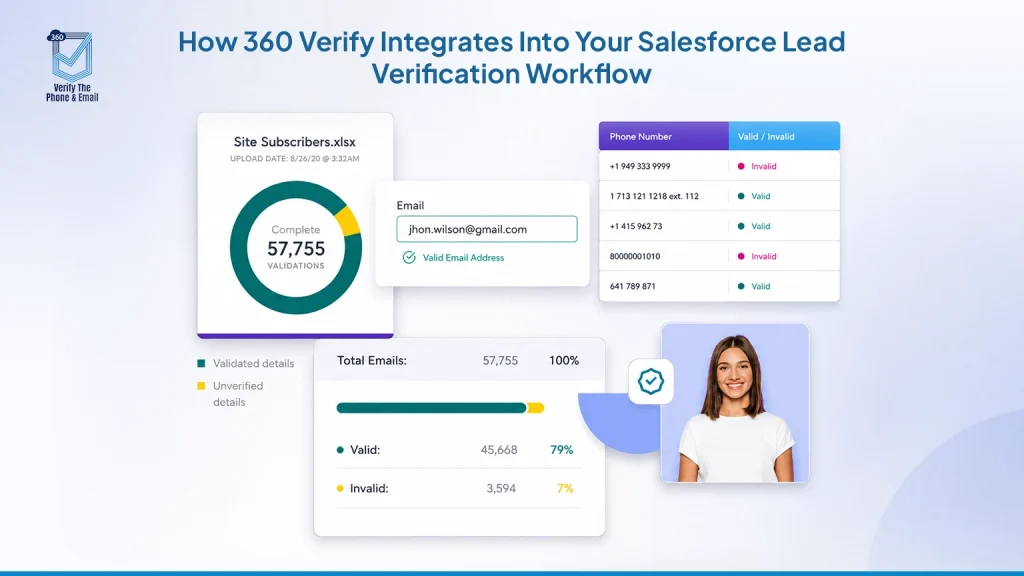
360 Verify empowers Salesforce teams to validate both email and phone data, ensuring that fake, incomplete, or low-quality records never slip through the cracks of your CRM.
For Web-to-Lead forms, it verifies submitted contact information in real time, reduces spam or fake entries, enhances campaign effectiveness, and keeps your automation workflows clean and reliable. This is particularly valuable for teams leveraging Salesforce Flow, lead scoring, email campaigns, and AI-powered processes.
By integrating 360 Verify, businesses can secure their lead quality at the source, making sure only accurate, actionable data reaches sales, marketing, and AI systems — preventing bad data from disrupting workflows or skewing analytics.
Conclusion
CAPTCHA alone cannot protect Salesforce from Web-to-Lead spam. It can stop some bots, but it cannot verify whether an email is real, reachable, or safe. That is why real-time Web-to-Lead email verification is now a must-have for Salesforce teams.
It keeps fake leads out of your CRM. It protects SDR productivity. It improves campaign reporting. And as teams adopt AI, Agentforce, and automated lead workflows, it creates the clean data foundation those systems need.
The future of lead management is not just about capturing more leads. It is about capturing better leads. And that starts with verifying Web-to-Lead email addresses before they pollute your pipeline.

Solve It with Salesforce. We’ll Show You How.
AI. Apps. Experts. Everything you need to win with Salesforce under one roof.Frequently Asked Questions
Does Salesforce verify email addresses automatically?
Salesforce can check basic email format, but full email verification usually requires a verification service or API.
Can CAPTCHA stop all spam bots?
No. CAPTCHA can reduce bot submissions, but it cannot confirm whether an email address is valid or reachable.
Can Salesforce Flow call external APIs?
Yes. Salesforce Flow can connect with external systems using supported options like HTTP callouts, External Services, Named Credentials, Apex, or middleware.
Should verification happen before lead creation?
Ideally, verification should happen before the lead is routed, scored, assigned, or added to campaigns.
What are disposable email domains?
Disposable domains allow users to create temporary email addresses. These are usually low-quality for B2B sales and marketing.
Can Salesforce automatically reject fake leads?
Yes. With Flow, validation rules, and verification API responses, Salesforce can reject, quarantine, or flag suspicious leads automatically.

About the author
Editorial TeamThe Editorial Team at 360 Degree Cloud brings together seasoned marketers, Salesforce specialists, and technology writers who are passionate about simplifying complex ideas into meaningful insights. With deep expertise in Salesforce solutions, B2B SaaS, and digital transformation, the team curates thought leadership content, industry trends, and practical guides that help businesses navigate growth with clarity and confidence. Every piece we publish reflects our commitment to delivering value, fostering innovation, and connecting readers with the evolving Salesforce ecosystem.
Recent Blogs
 360 Verify The Phone
7 Phone Validation Tools That Integrate With Salesforce Workflows
Summary Most phone validators don’t actually integrate with Salesforce workflows. They bolt on. This guide compares 7 tools on the criteria Salesforce admins and ops…
Read More 360 Verify The Mail
Plauti Verify vs 360 Verify the Email: Which Fits Your Salesforce Team?
Summary Plauti Verify offers broader Salesforce data quality capabilities, including assisted data entry and record-level validation. 360 Verify the Email focuses on real-time email and…
Read More 360 Verify The Mail
Salesforce Data Validation Rules vs Automated Data Validation Tools: What’s the Difference?
Here’s an uncomfortable truth most Salesforce teams don’t want to sit with: your CRM can be technically clean and practically useless at the same time. …
Read MoreReady to Make the Most Out of Your Salesforce Instance?
Our Salesforce aces would be happy to help you. Just drop us a line at contact@360degreecloud.com, and we’ll take it from there!
Subscribe to our newsletter
Stay ahead with expert insights, industry trends, and exclusive resources—delivered straight to your inbox.
