

Salesforce Drip Campaign Automation to Build Multi-Step Email Sequences
Stop sending follow-ups one at a time. 360 Mass Mailer lets teams run email drip campaigns in Salesforce that nurture leads, onboard customers, and re-engage cold contacts, no manual sends after setup.
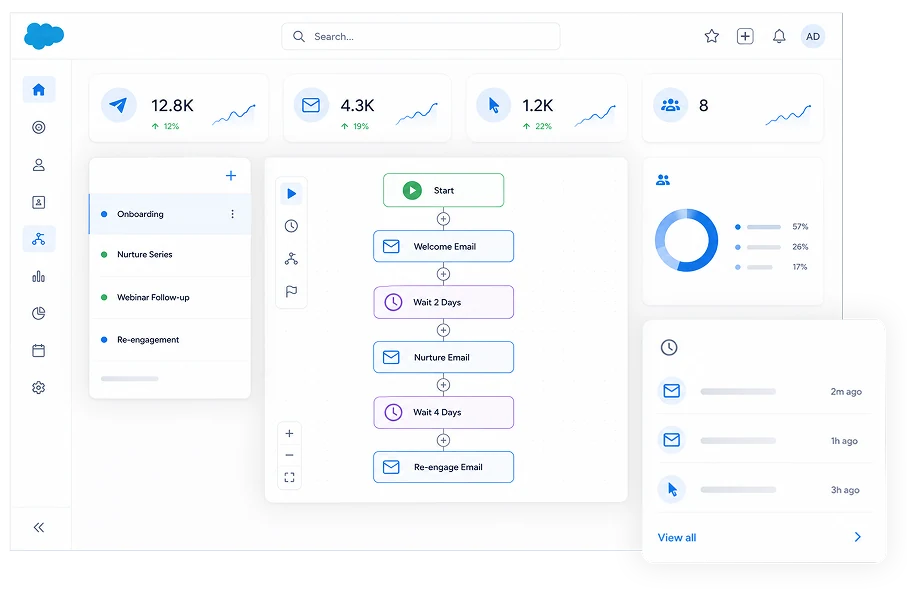
Drip Campaigns That Nurture, Follow Up, and Re-Engage on Autopilot
Build, pace, and personalize multi-step sequences on the record, so follow-up happens on schedule and on trigger, without a rep sending each one by hand.
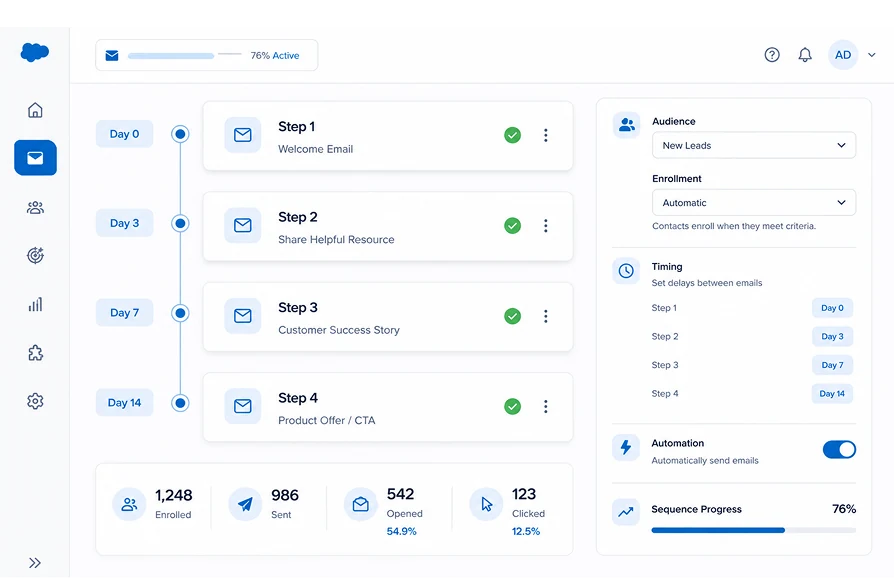
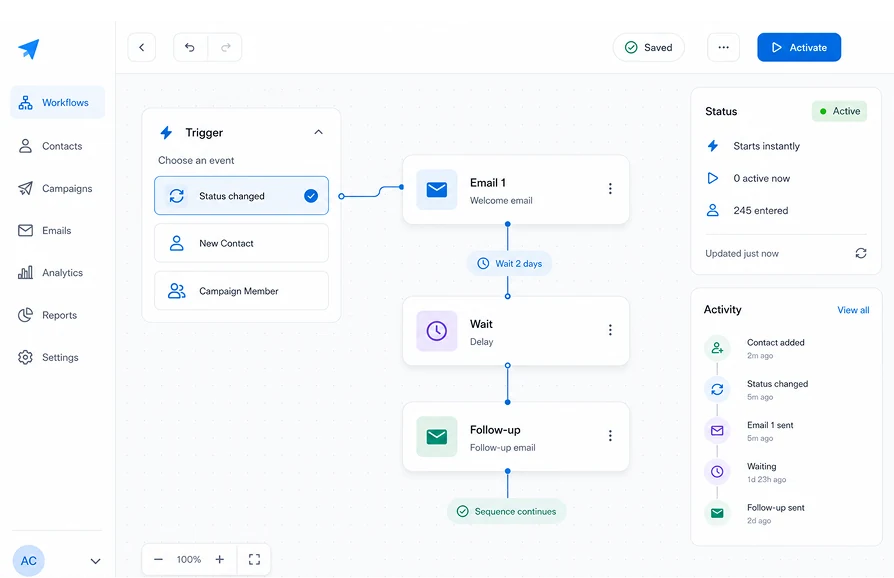
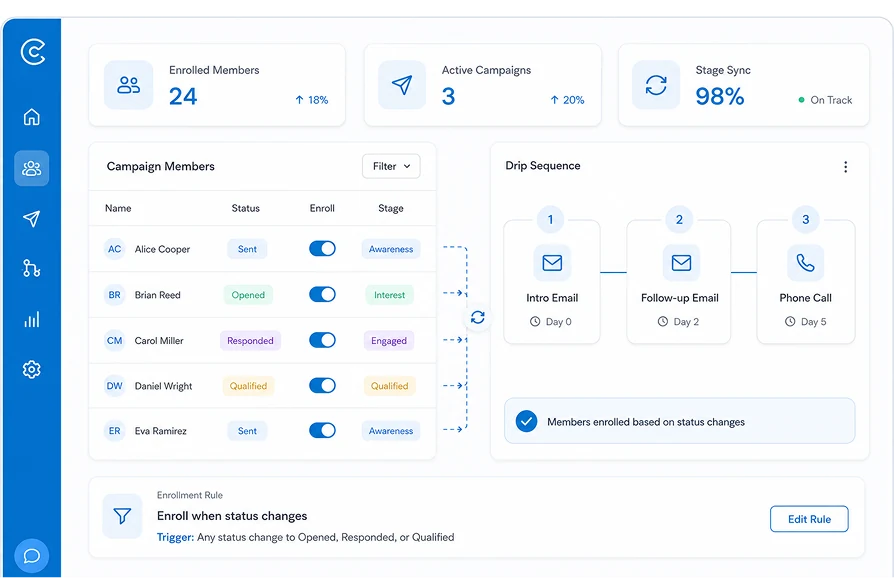
Build Salesforce drip campaigns as structured email sequences. Set the steps, set the timing, and let email drip campaigns run automatically for every enrolled lead.
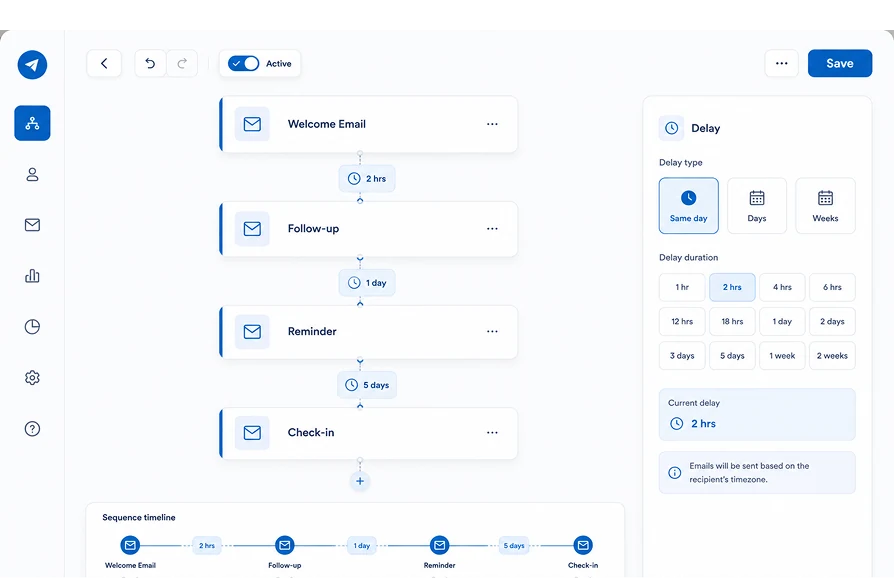
Set the gap between each email in the sequence, from a same-day follow-up to week-long spacing, so contacts stay engaged without inbox overload.
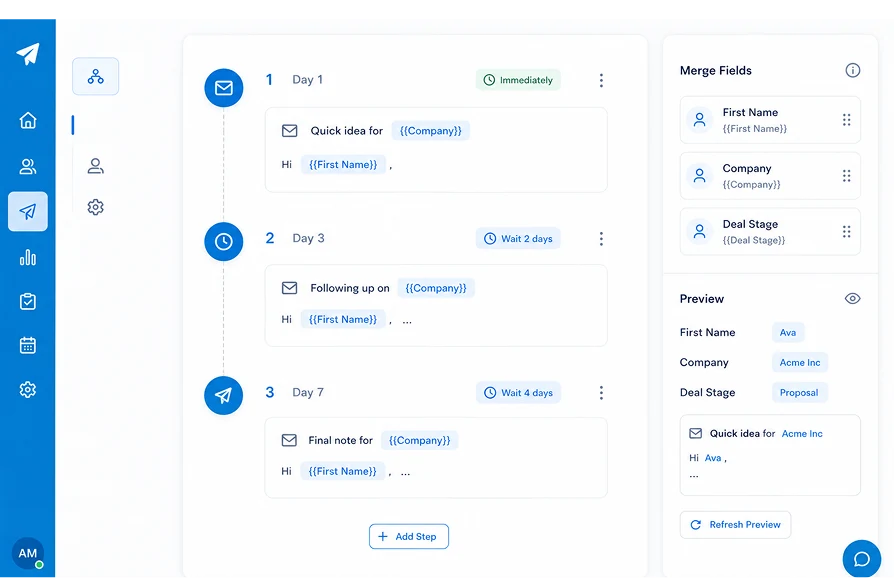
Every step can pull merge fields from the Salesforce record, so a lead's name, company, or deal stage populates automatically at each send.
Start a sequence based on what happens on the record — a status change, a new Contact, or a Campaign Member update, so follow-up begins the moment it's relevant.
Drip sequences work directly with Salesforce Campaigns, so you can enroll members by Campaign Member status and keep enrollment aligned with engagement stage.
Automate Follow-Up Without Leaving Salesforce
The only Salesforce bulk email tool that runs multi-step drip sequences natively on the record, no external automation platform, no data leaving your org.
| Capability | ✓ 360 Mass Mailer | Native Salesforce Email | Other Email Tools |
|---|---|---|---|
| Multi-step drip sequences with time-delay steps | ✓ | ✗ | ✓ |
| Event and campaign member status triggers | ✓ | Limited | Varies |
| Merge field personalization at every step | ✓ | ✓ | ✓ |
| Send from any custom object, report, or campaign | ✓ | ✗ | ✗ |
| 100% Salesforce-native — no external platform | ✓ | ✓ | ✗ |
| Zero data leaves Salesforce | ✓ | ✓ | ✗ |
Frequently asked questions
-
Salesforce drip campaigns are pre-built email sequences sent automatically over time based on a trigger, a status change, field update, or Campaign Member action rather than sent manually. In 360 Mass Mailer, this runs natively in Salesforce, tied to the record that triggered it.
-
Most effective drip sequences run 3 to 7 emails, though the right number depends on your sales cycle and goal. Shorter sequences suit simple decisions, while longer B2B cycles benefit from more paced follow-up.
-
Yes. 360 Mass Mailer supports event-based triggers including status changes and Campaign Member status updates, so a sequence starts the moment a record meets the condition you set without manual enrollment.
-
Yes. Every step uses merge fields pulled from the Salesforce record, name, company, deal stage, or any object field, so each email reflects current record data automatically across Leads, Contacts, or custom objects.
-
Yes. Drip sequences integrate with Salesforce Campaigns, so you can enroll and manage members based on Campaign Member status, keeping automation aligned with how your team already tracks engagement.
-
Yes. 360 Mass Mailer logs sends, opens, clicks, and bounces per sequence step in native Salesforce fields, so sequence performance is reportable in standard Report Builder without exporting data anywhere.
Got a Question? Ask Us!
Ready to Solidify Your Digital Transformation Efforts Using Salesforce? Talk to Us!

Subscribe to our newsletter
Stay ahead with expert insights, industry trends, and exclusive resources—delivered straight to your inbox.
