

Salesforce Email Tracking: See Every Open, Click, and Bounce Per Record
Most email tracking tools sit outside Salesforce, leaving reps cross-referencing dashboards and marketers exporting CSVs. 360 Mass Mailer puts engagement data exactly where your team works.
Salesforce Email Tracking Features for Smarter Campaigns
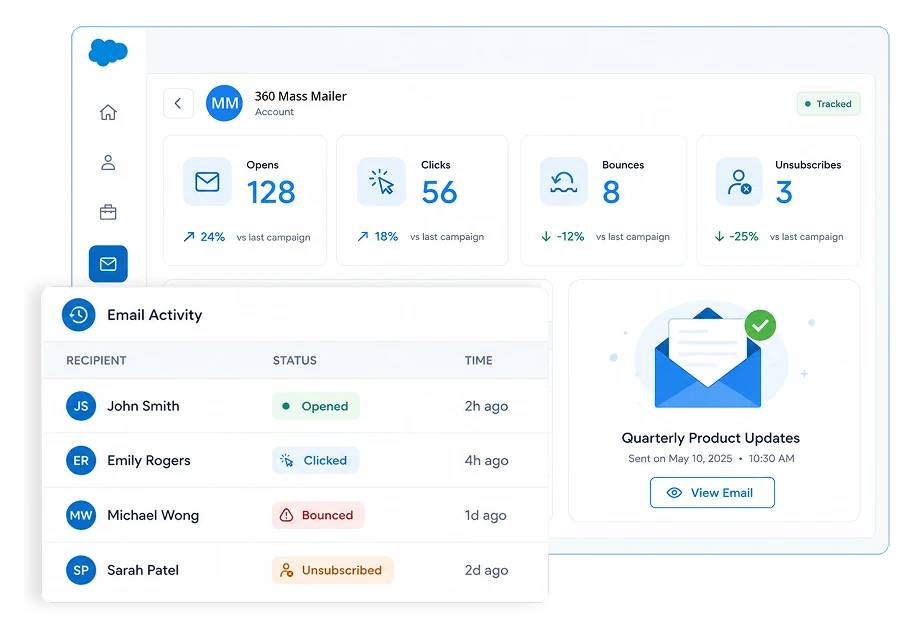
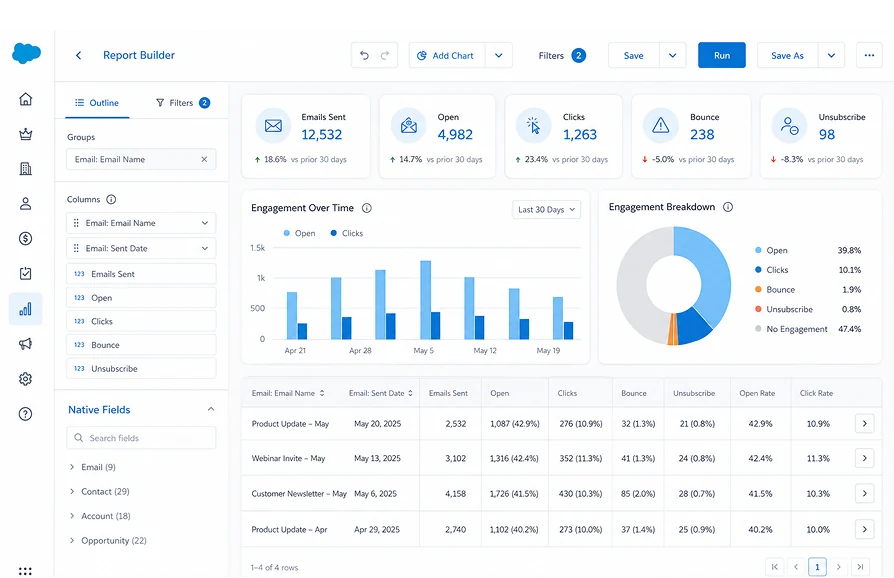
Tracking events are captured via SendGrid and written back to the originating Salesforce record automatically, landing in the Email History object for reporting in standard Report Builder.
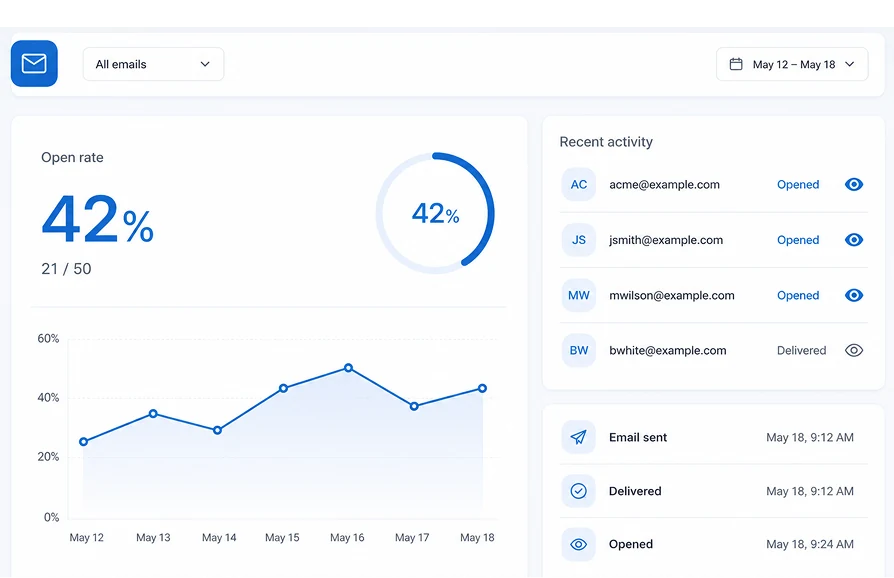
When the recipient's email client loads images, Salesforce email open tracking captures this event, which 360 Mass Mailer writes back to the record's email history.
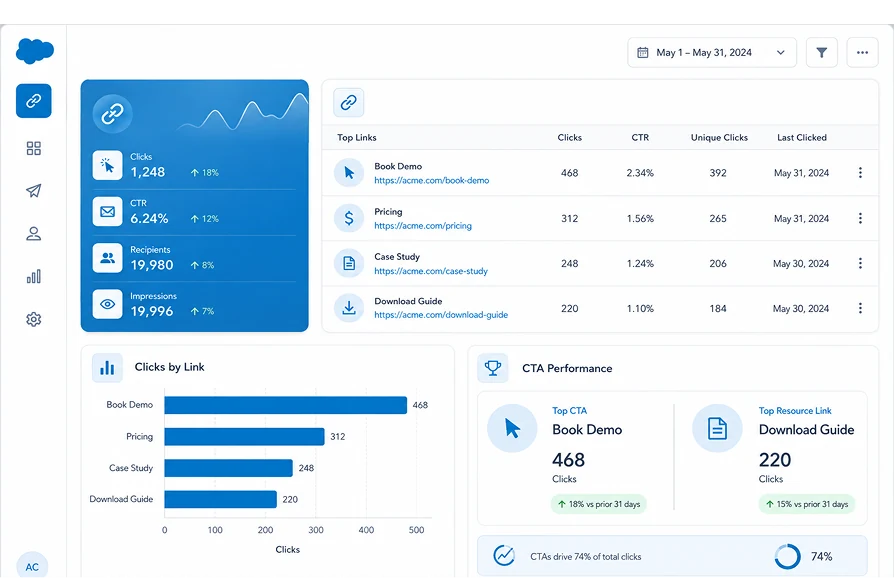
360 Mass Mailer captures which link was clicked and when, giving reps a clearer read on intent than an open alone.
Hard and soft bounces are logged as they happen, not discovered days later in a spreadsheet, giving admins a fast way to spot addresses that need cleanup before the next send.
Opt-outs are captured and reflected on the record automatically, helping teams stay aligned with consent requirements.
Beyond a single click event, Salesforce link tracking in tool goes beyond a single click event, so you can see which specific call-to-action or resource link drove engagement across a campaign.
Because tracking data lands in native Salesforce fields and the Email History object, it's reportable with standard Report Builder, no data export or external dashboard required.


Email Analytics in Salesforce, Not in a Separate Dashboard
The only Salesforce bulk email tool that logs every email activity natively on the record, with zero external dashboard and full in-CRM reporting.
| Capability | ✓ 360 Mass Mailer | Native Salesforce Email | Other Email Tools |
|---|---|---|---|
| Track email opens in Salesforce per record | ✓ | ✗ | External Only |
| Reportable email history in standard Salesforce Reports | ✓ | ✗ | ✗ |
| 100% Salesforce-native — no external platform | ✓ | ✓ | ✗ |
| Unlimited daily sends via SendGrid | ✓ | ✗ | ✓ |
| File attachments on bulk sends | ✓ | Limited | Varies |
| Zero data leaves Salesforce | ✓ | ✓ | ✗ |
Frequently asked questions
-
It tracks opens, clicks, bounces, and unsubscribes through its SendGrid infrastructure, then writes that activity back to the originating Salesforce record. Reps see engagement history directly on the Lead, Contact, or custom object without opening a separate tool.
-
Yes. Tracking data is logged against the individual record that received the email, not just aggregated at the campaign level. This lets reps check a specific Contact's engagement history before a follow-up call.
-
Yes. Hard bounces, soft bounces, and unsubscribes are captured automatically as they occur and reflected on the record, helping teams keep sender reputation healthy and stay aligned with opt-out requirements without manual list management.
-
Yes. Tracking data is stored in native Salesforce fields, so you can build email analytics in Salesforce using standard Report Builder, no data export or external tool required.
-
Open tracking relies on the recipient's email client loading a tracking pixel, so opens can be undercounted if images are blocked. This is a limitation of pixel-based tracking industry-wide, not specific to 360 Mass Mailer. Click tracking is generally more reliable in these cases, since it only requires the recipient to click a link.
-
Yes. Whether you send from an object list view, a Salesforce report, or a Campaign, Salesforce link tracking applies consistently, opens, clicks, and bounces logged back to each recipient's record regardless of send source.
Got a Question? Ask Us!
Ready to Solidify Your Digital Transformation Efforts Using Salesforce? Talk to Us!

Subscribe to our newsletter
Stay ahead with expert insights, industry trends, and exclusive resources—delivered straight to your inbox.
