

Salesforce Email Templates for Personalize at Scale
Stop rewriting the same email every time you send one. 360 Mass Mailer lets teams build reusable email templates once, personalize them with merge fields, and reuse them across every campaign sent from Salesforce.
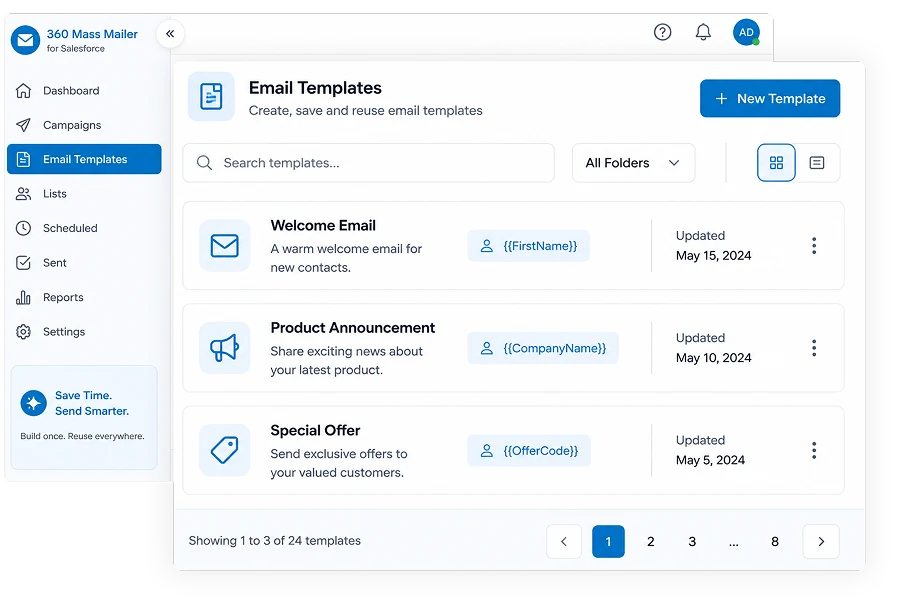
Salesforce and SendGrid Templates in One Send Flow
Get both native Salesforce email templates and SendGrid dynamic templates, so teams can standardize messaging while still personalizing every send with merge fields pulled from the record.
Use Salesforce email templates directly in 360 Mass Mailer, with merge fields you can review and adjust after the message populates, before you send.
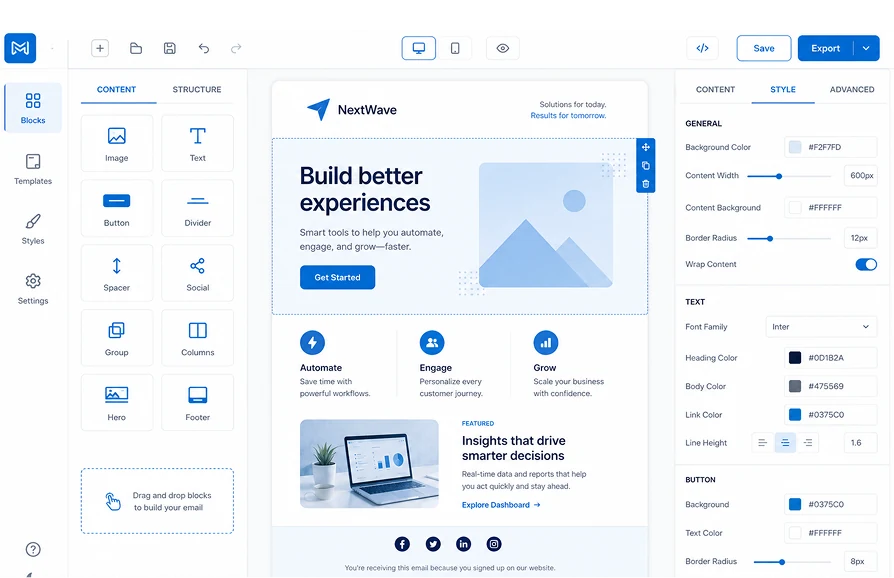
Design templates using SendGrid's drag-and-drop builder or the Salesforce template builder, then select them from 360 Mass Mailer at send time for a more design-forward, HTML-rich layout.
Pull record data like name, company, or deal stage into every template, so one template produces a personalized email for every recipient instead of a generic blast.
SendGrid's dynamic templates support full HTML design, so branded layouts, images, and formatted content render consistently across inboxes.
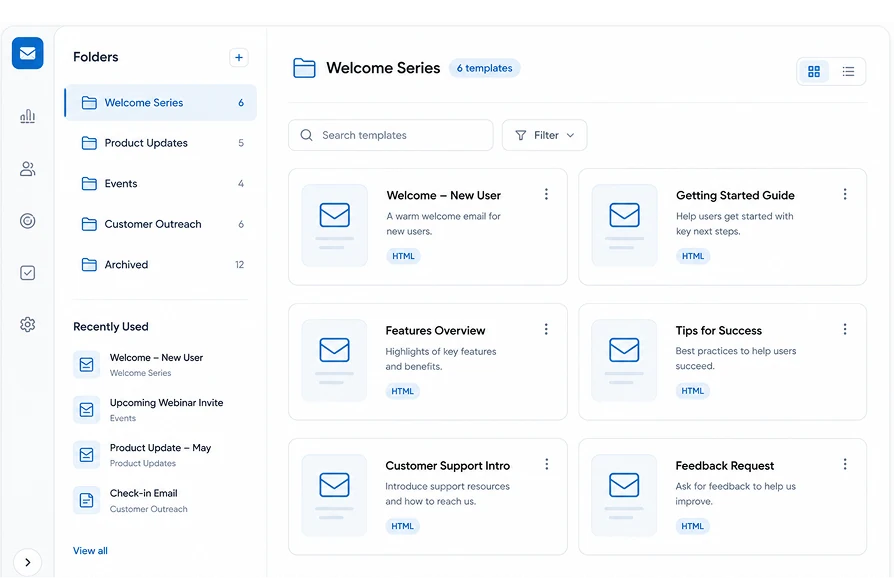
Salesforce email templates can be organized into folders, so teams can keep campaign templates grouped and easy to find instead of scrolling one long list.
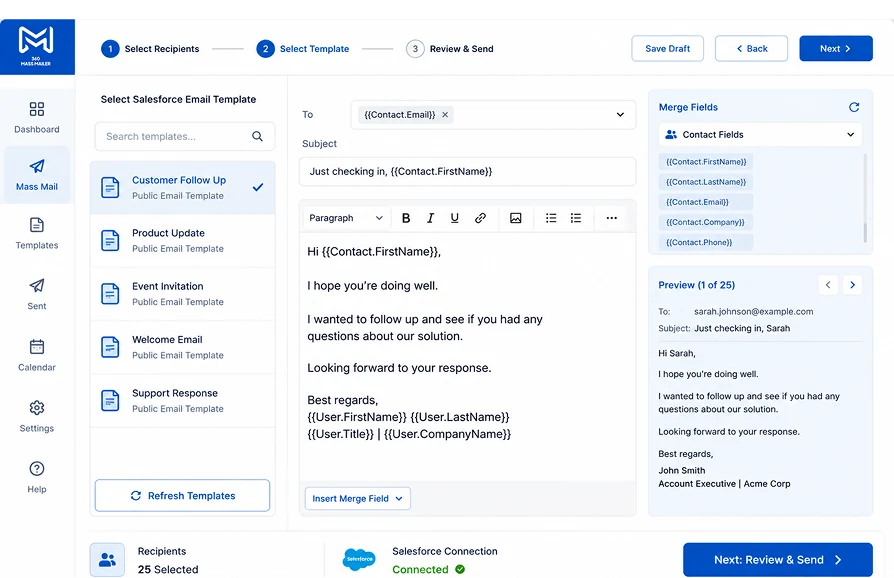
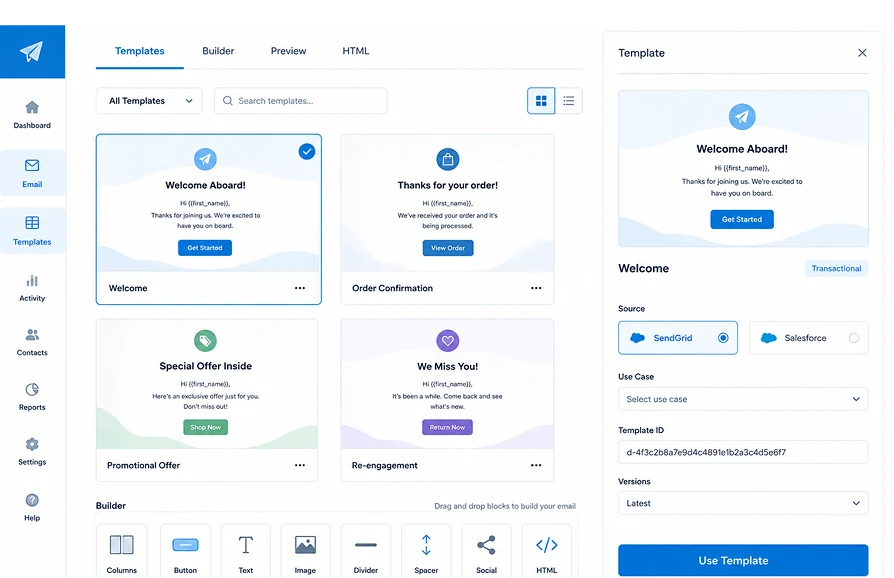
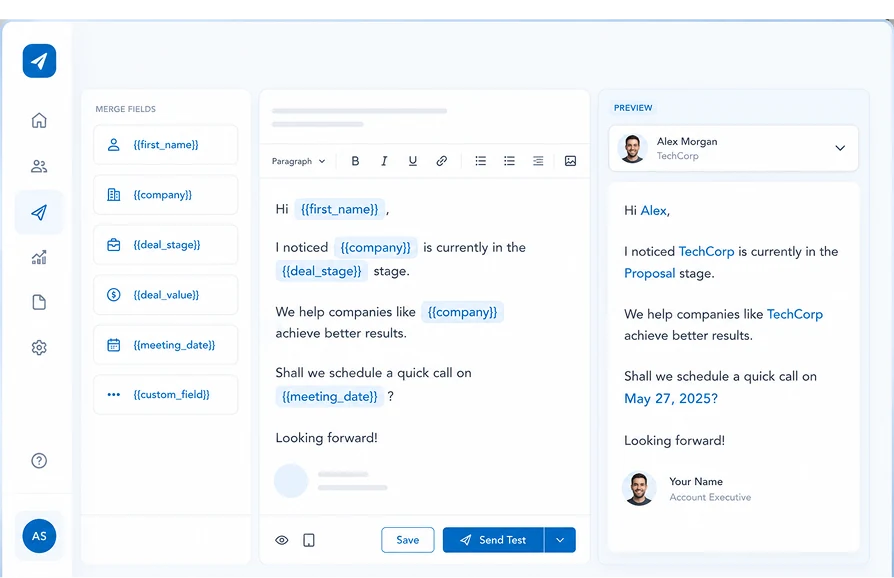
Reuse Marketing Email Templates Without Leaving Salesforce
The only Salesforce bulk email tool that supports both native Salesforce templates and SendGrid dynamic templates in the same send flow, with no external platform and no data leaving your org.
| Capability | ✓ 360 Mass Mailer | Native Salesforce Email | Other Email Tools |
|---|---|---|---|
| Use Salesforce Classic/Lightning email templates | ✓ | ✓ | ✗ |
| Use SendGrid dynamic templates with drag-and-drop design | ✓ | ✗ | Varies |
| Merge field personalization in every template | ✓ | ✓ | Varies |
| Folder-based template organization and sharing | ✓ | ✓ | Varies |
| 100% Salesforce-native — no external platform | ✓ | ✓ | ✗ |
| Zero data leaves Salesforce | ✓ | ✓ | ✗ |
Frequently asked questions
-
360 Mass Mailer supports both native Salesforce email templates and SendGrid dynamic templates. Teams can choose standard Salesforce formatting or a more design-forward HTML template built in SendGrid.
-
Yes. Salesforce templates let you review and adjust merge fields after the message populates, before sending. SendGrid dynamic templates also support merge fields, though those fields are not editable from within 360 Mass Mailer once the template is built.
-
No. SendGrid's dynamic template builder uses a drag-and-drop editor. You can assemble a branded HTML layout by adding pre-built components rather than writing code from scratch.
-
Yes. Salesforce email templates can be organized into folders, making it easier to keep campaign templates grouped and find the right one at send time. Folder access follows standard Salesforce sharing rules.
-
Yes. Templates selected in 360 Mass Mailer's Compose screen work with any configured object. The same marketing email template in Salesforce can be reused across Leads, Contacts, or any custom object.
-
SendGrid dynamic templates are built in your SendGrid account under Email API and Dynamic Templates. Once created, the template becomes available to select from the Template Type field in 360 Mass Mailer.
-
Yes. 360 Mass Mailer supports marketing email templates in Salesforce for campaigns, nurture sequences, and bulk outreach. Any template built in Salesforce or SendGrid can be reused across send types, objects, and campaigns within your org.
Got a Question? Ask Us!
Ready to Solidify Your Digital Transformation Efforts Using Salesforce? Talk to Us!

Subscribe to our newsletter
Stay ahead with expert insights, industry trends, and exclusive resources—delivered straight to your inbox.
