

Send Mass Email in Salesforce Without Hitting Daily Limits
360 Mass Mailer lets teams send mass email in Salesforce to any object without hitting daily limits. Mass emailing in Salesforce runs through SendGrid, send bulk email from Salesforce list views, campaigns, or reports with no daily cap.
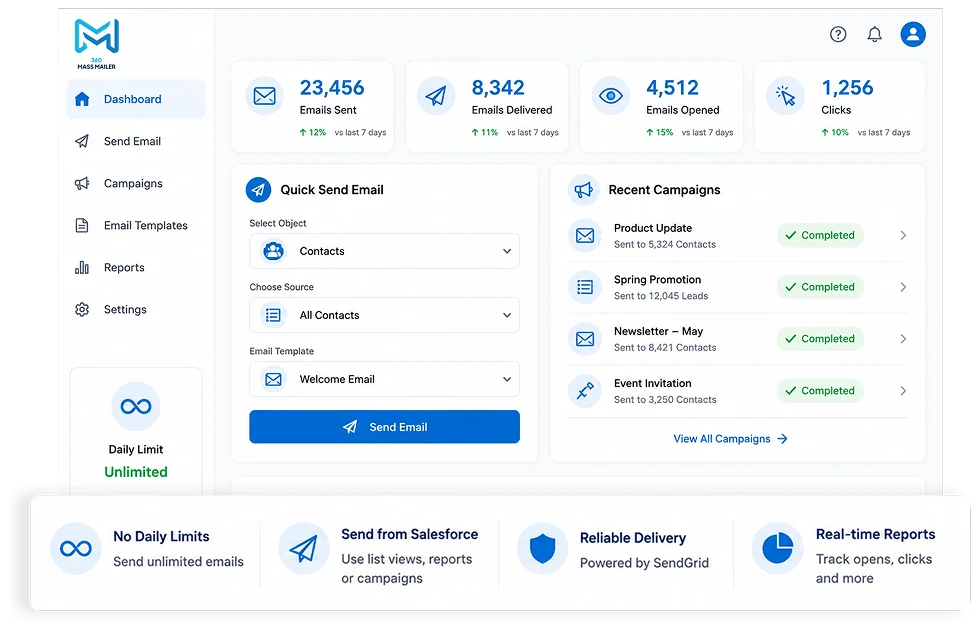
Mass Email Sender Capabilities: Sending Mass Emails in Salesforce From Any Object
From sales outreach to customer announcements, the Mass Email Sender makes sending mass emails in Salesforce easier to launch, personalize, and manage.
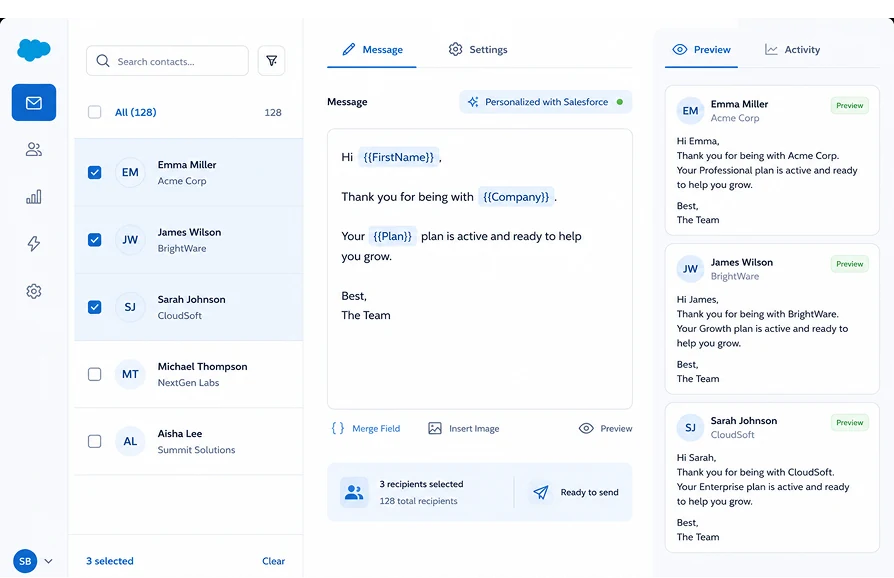
Send mass email from Leads, Contacts, Accounts, Campaign Members, or any custom object. No restrictions on object type — if it has an email field, you can send from it.
Select recipients directly from a filtered list view, a campaign, or a Salesforce report. No extra steps, no detours through a campaign object just to enable a send.
Delivery runs through your SendGrid account, so Salesforce's 5,000-per-day cap does not apply. Send to thousands of records in one go regardless of which Salesforce edition you are on.
Every message is personalised using Salesforce merge fields pulled directly from the recipient record. One template serves thousands of contacts, each receiving a message written for them.
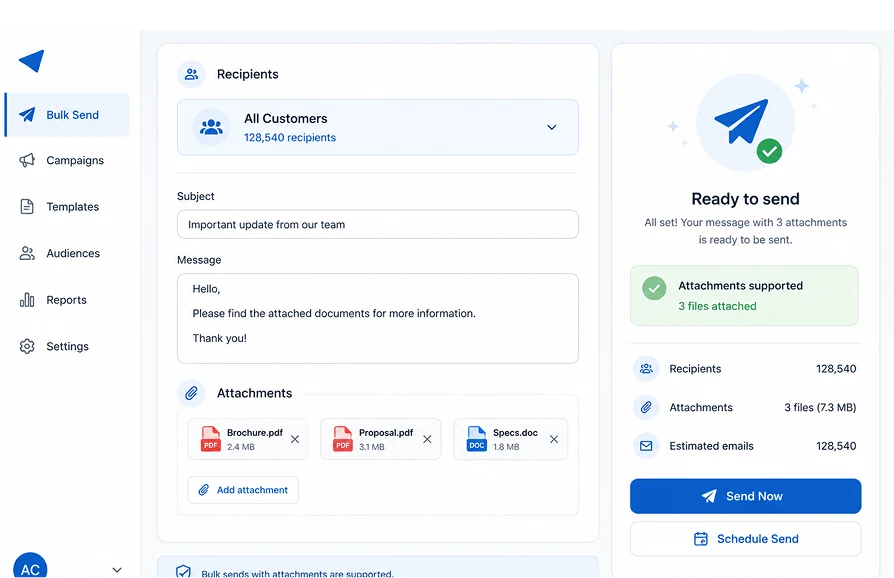
Add brochures, proposals, and supporting documents to any mass send. Attachments are supported across all objects and send types without size restrictions affecting delivery.
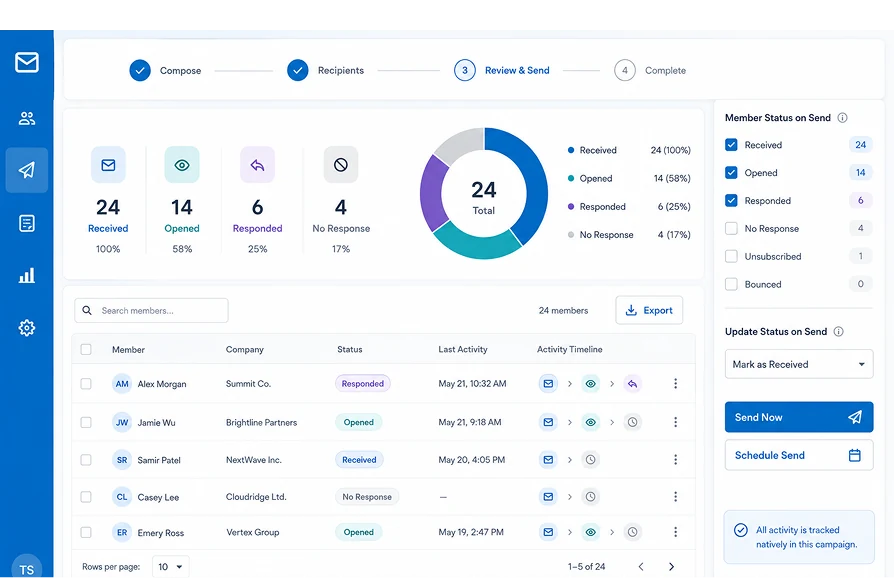
Filter and update campaign member status at the point of sending. Segment by who received, who opened, and who responded — all tracked inside the campaign record natively.
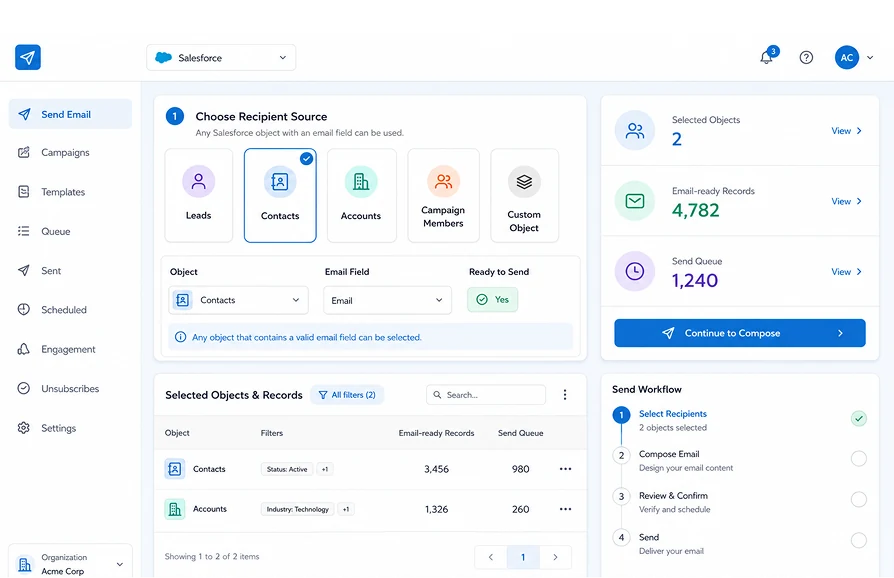
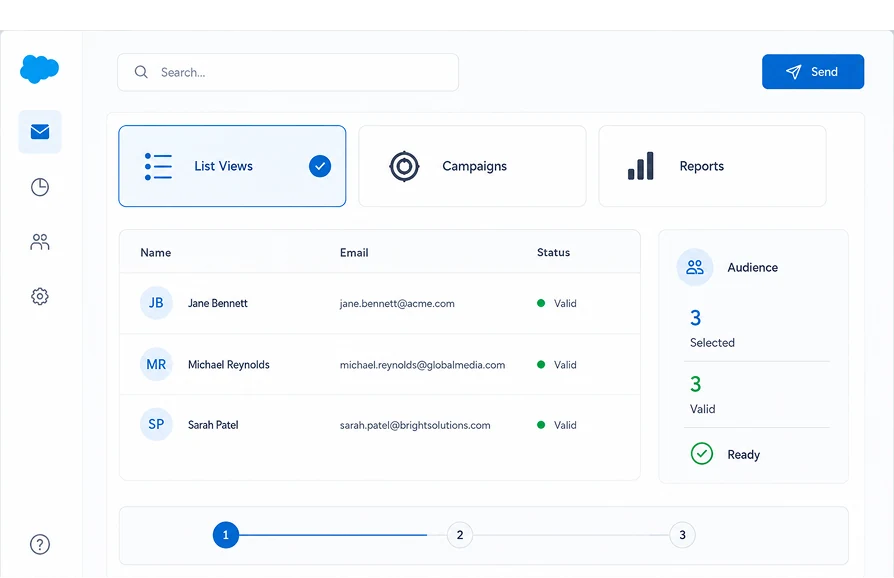
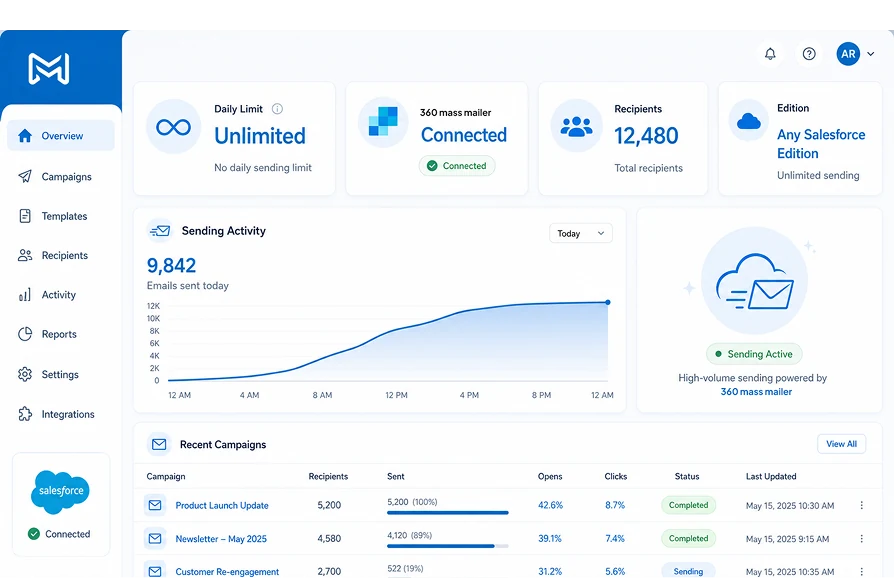
See What Native Salesforce Email Cannot Do
The only Salesforce bulk email tool built 100% natively inside Salesforce with no sending quota, custom object support, and report-based sending.
| Capability | ✓ 360 Mass Mailer | Native Salesforce Email | Other Email Tools |
|---|---|---|---|
| Unlimited daily sends via SendGrid | ✓ | ✗ | ✓ |
| 100% Salesforce-native — no external platform | ✓ | ✓ | ✗ |
| Send from any custom object | ✓ | ✗ | ✗ |
| Send from Salesforce Reports | ✓ | ✗ | ✗ |
| Campaign member status filtering on send | ✓ | Limited | ✗ |
| File attachments on bulk sends | ✓ | Limited | Varies |
| Zero data leaves Salesforce | ✓ | ✓ | ✗ |
Frequently asked questions
-
360 Mass Mailer is built 100% natively inside Salesforce. Teams can send mass email in Salesforce without switching platforms, recipients, campaigns, and send history all stay inside the CRM with no data exported to external systems.
-
360 Mass Mailer bypasses Salesforce's 5,000 daily email limit by routing sends through your SendGrid account. Unlike native Salesforce mass email, it sends from any object including custom ones, supports Salesforce report-based sending, and tracks every open, click, and bounce per record inside the CRM.
-
Install 360 Mass Mailer from AppExchange and connect your SendGrid account. Select recipients from a list view, campaign, or Salesforce report. Build or choose your email template, personalize with merge fields, and send immediately or schedule for later. Every send bypasses Salesforce daily limits and is tracked per recipient record automatically.
-
Yes. It is designed for businesses that need a dependable Salesforce bulk email tool for high-volume sending. With unlimited sending through SendGrid and native Salesforce functionality, teams can run outreach at scale with greater confidence.
-
Yes. Every mass send automatically logs opens, clicks, bounces, and unsubscribes against each recipient's Salesforce record — no separate tool needed. For the full breakdown of how Salesforce email tracking works, see the Email Tracking feature page.
-
Yes. This Salesforce email blast tool allows users to send attachments like brochures, proposals, and documents, and it also supports sending from custom objects, reports, and campaign-based workflows inside Salesforce.
Got a Question? Ask Us!
Ready to Solidify Your Digital Transformation Efforts Using Salesforce? Talk to Us!

Subscribe to our newsletter
Stay ahead with expert insights, industry trends, and exclusive resources—delivered straight to your inbox.
