Talk to Us

Why Modern Day Businesses Should Consider Salesforce Power BI Integration

If you’re running a business, think about what will be your first priority when it comes to data? For most people, it will always be the ability to visualize and access data in one place. That’s the kind of power businesses can achieve with Salesforce Power BI integration

Data is the most powerful asset for businesses and this makes it necessary to leverage and work with the data the right way. Power BI is a trusted platform for visualizing data, enabling teams to access and evaluate data from multiple sources. This provides them the ease to evaluate data and work with deeper insights, thus improving operations and decision-making.  

For firms looking for excellent business intelligence capabilities, the integration of Power BI and Salesforce can be highly successful, enabling teams to get better access to customer records and other business data, improving overall decision making.

This blog will cover the value of Power BI Salesforce integration, understanding how it could support businesses.

How Business Can Benefit from Salesforce Power BI Integration

Working with Power BI is the new normal for companies to gain a competitive edge for their business but there is always a need to have a unified system that could help with a combined view of data. That’s where Salesforce Power BI integration will help. 

1. Better Access to Data Insights

This integration enables teams to work with richer insights into their data. Access to these insights will help them uncover trends and patterns that support smarter business decisions. Teams can easily pinpoint areas for improvement and potential growth by visualizing data from multiple sources in a single view.

2. Streamlined Reporting

Companies no longer need to pull reports separately from multiple systems. Now, they can create a single, unified report that combines all essential data points from both platforms, without needing to manually handle each system’s integration. This streamlined approach not only minimizes errors often seen in manual processes but also simplifies reporting, making it easier and more efficient for everyone involved.

3. Improved Collaboration

Salesforce integration with Power BI empowers teams to collaborate seamlessly across departments or locations, sharing insights that keep everyone aligned. Employees can work together more efficiently on projects, with easy access to current customer interactions and sales performance data.

4. Work with Dashboards

Leverage Power BI’s robust features, including row-level security, dynamic filters, custom views, and embedded report options, to securely share dashboards with external stakeholders—all while keeping sensitive Salesforce CRM data fully protected.

5. Better Efficiency

Integrating Salesforce with Power BI streamlines CRM management and data analysis for businesses of all sizes. This automated setup allows teams to handle complex data sets swiftly and accurately, without needing constant IT support. The result? Significant time and cost savings by reducing the need for extra staff or outsourced services for tasks like report generation and data analysis.

6. Work with Customizable Visualizations

With the Salesforce integration, you can access the user-friendly features and interface that enables you to create custom visualizations with just a few clicks. This would enable an interactive exploration of Salesforce data. Using dynamic visuals like charts, graphs, and maps, you can quickly uncover trends and patterns with ease.

Even after Salesforce and Power BI integration, it is a continuous journey to make it a success. You need to make sure to schedule regular data refreshes if you want to keep your data updated in the integrated system. With the Power BI integration, you can get flexible options for refreshing data at custom intervals. Additionally, establish data governance policies to ensure data quality and consistency between both platforms. This involves defining data ownership, setting access controls, and implementing data cleansing procedures.

Try Salesforce Power BI Integration for Streamlined Operations

Power BI transforms Salesforce data into visually engaging dashboards in minutes, offering business users a fresh analytics experience. You can easily merge and visualize all your data, instantly spotting trends to drive your business forward. However, pulling Salesforce data into Power BI can be complex and time-consuming. 

At 360 Degree Cloud, we simplify this process by seamlessly integrating Salesforce with Power BI, empowering enterprises to access actionable insights effortlessly. Contact us to get certified experts who can help you give successful integration.
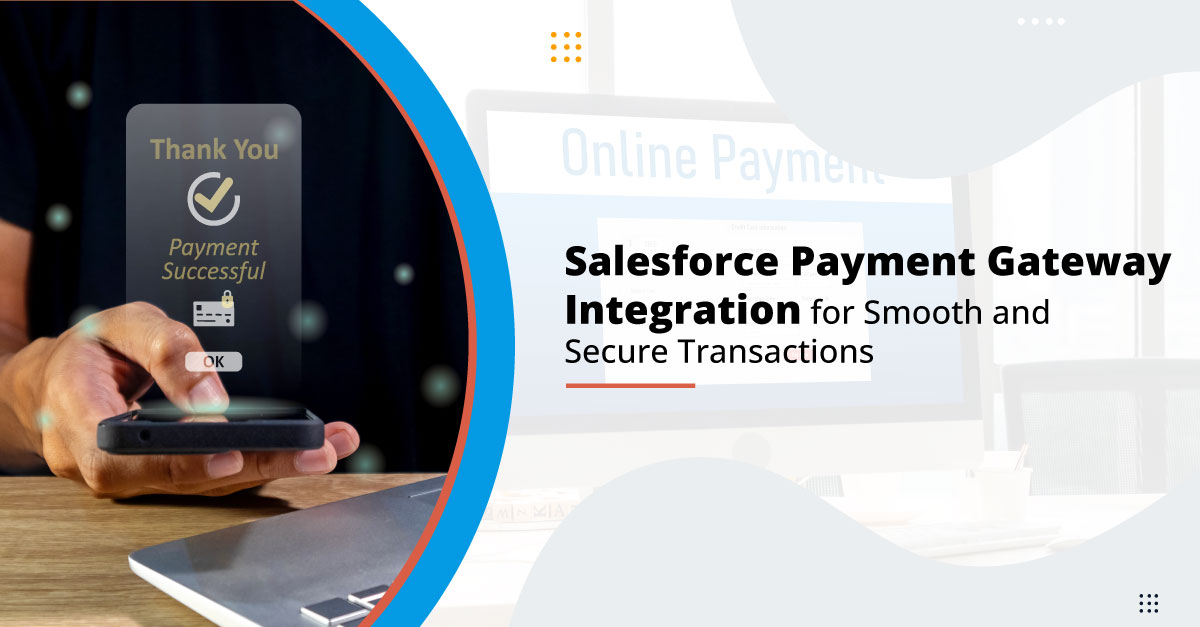
Salesforce Payment Gateway Integration for Smooth and Secure Transactions

Businesses these days are working on managing all aspects of operations and one crucial area is payment processing. Firms these days are working with Salesforce to access all its powerful tools to manage customer relationships and their operational workflows. But sometimes, they end up missing crucial aspects like managing payments and transactions. Salesforce payment gateway integration would help conduct smooth payments and ensure the security of data, providing a safe means for customers.

This integration helps firms to take their operational efficiency to the next level, simplifying payment management, and easily managing and tracking transactions. In this blog, we’ll have a look at the key benefits of integrating Salesforce with a payment gateway, throwing some light on how the integration could be helpful for businesses.

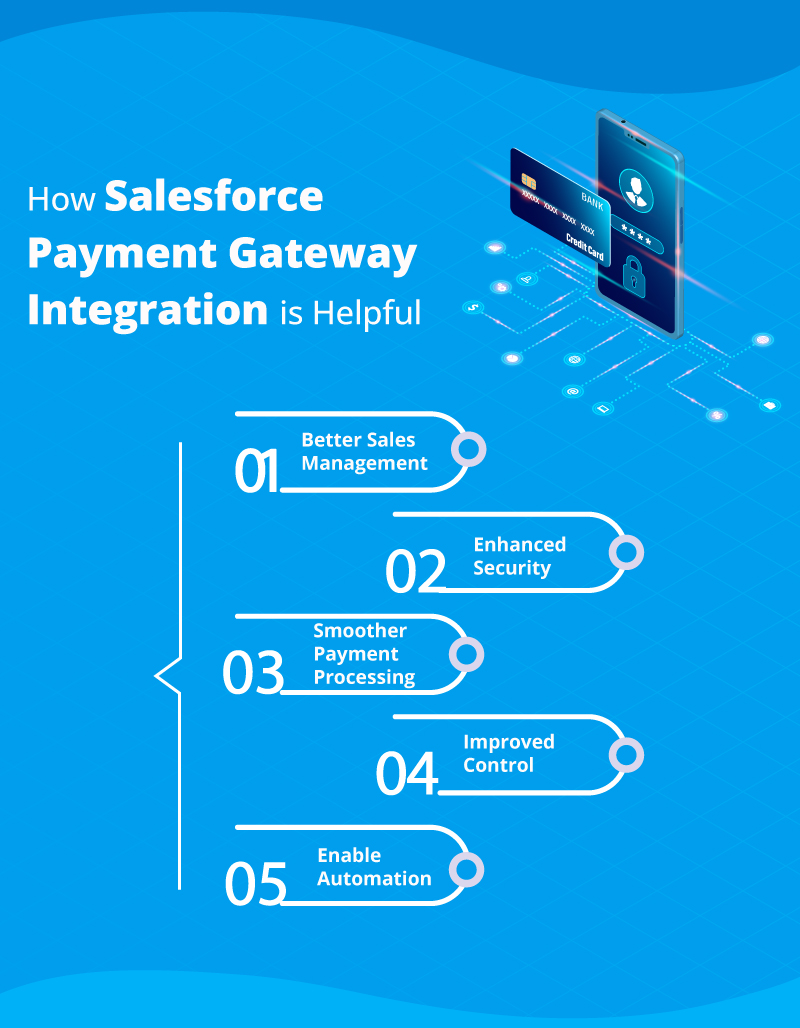
How Salesforce Payment Gateway Integration is Helpful

Managing transactions and payments is probably one of the most difficult tasks for teams as even a slight mistake can cost a lot. That’s where it is necessary for companies to have a streamline way to manage payments. Conducting payment gateway Salesforce integration will help simplify the process, enabling teams to manage transactions within Salesforce only. 

Let’s have a look at some points that indicate the benefit of considering this integration in the business.

1. Better Sales Management

From better sales management to automating billing, the integration of Salesforce and a payment gateway platform would help in all ways. This is a helpful way to improve sales while removing the complexities. The automation of the process would eliminate chances of errors and ensure smooth transactions.

The sales team could be able to work with sales data and other details in real time with the help of the integration. It would provide them with the right insights to learn about new opportunities and trends.

2. Enhanced Security

The integration is a foolproof way to enhance the security of transactions that enable teams to follow advanced protective measures to safeguard the transactions against fraud. Integration with an efficient payment gateway offers robust security features like MFA and fraud detection, and payment gateway tokenization to safeguard payments.

It also helps teams to ensure strict adherence to security protocols to provide their customers with the confidence that their payment data is protected.

3. Smoother Payment Processing

Any business has to pay attention to all aspects in order to maintain efficiency. The same is for payment processing. The integration would enable the team to automate the payment workflow, which would help them minimize the manual work, saving them a lot of time and effort. Additionally, it also helps to reduce the chances of errors. 

Conducting the Salesforce integration with payment gateway would enable teams to track transactions in real time . This provides teams complete visibility into payment statuses, thus keeping them updated at all times.

The integration also helps to create custom payment workflows tailored to specific business needs, whether it’s automating payment reminders or generating personalized invoices. This flexibility helps businesses manage their payment operations more effectively, freeing up time for other critical areas.

4. Improved Control

Streamlining the payment process might not be something very essential to focus on for companies, but it could mean a lot to have a simplified and safe way to conduct transactions. 

This integration allows you to offer a variety of recurring payment choices, including less conventional options like daily or biennial schedules. It also simplifies the process of correcting or adjusting payments, eliminating the need to reconcile with an external system. Many organizations are gaining greater control over their payment processes by seamlessly incorporating them into their existing Salesforce workflows. This means you can configure any business process around a payment, just as you would with other functionalities in Salesforce.

5. Enable Automation

Managing difficult manual processes is one of the most challenging and time-consuming tasks that usually lead to many errors, particularly in finance departments where duplicate data entry and paper records are common issues. By integrating Salesforce with a payment gateway, the payment processes of companies can be simplified, cutting down the need for manual intervention.

Since Salesforce serves as the main customer database, integrating payment capabilities within Salesforce provides a unique level of flexibility. All payment-related data—such as amounts, statuses, and gateway response messages—can be leveraged to automate customer emails and team notifications, simplifying operations and enhancing efficiency.

Salesforce Payment Gateway Integration: A Win-Win for Business

If you are integrating your Salesforce with a payment gateway, it won’t be just for technical needs’ instead it’s a strategic move that delivers operational efficiencies and strengthens the foundation of your businesses, ensuring safe transactions. Whether you’re looking to automate billing or ensure your customers receive a seamless payment experience, this integration can unlock immense value.

At 360 Degree Cloud, we specialize in integrating Salesforce with leading payment gateways to ensure your business reaps these benefits and more. Get in touch with us today to explore how we can help your business streamline its payment processes and drive growth.

Can Salesforce Do Mass Emails?

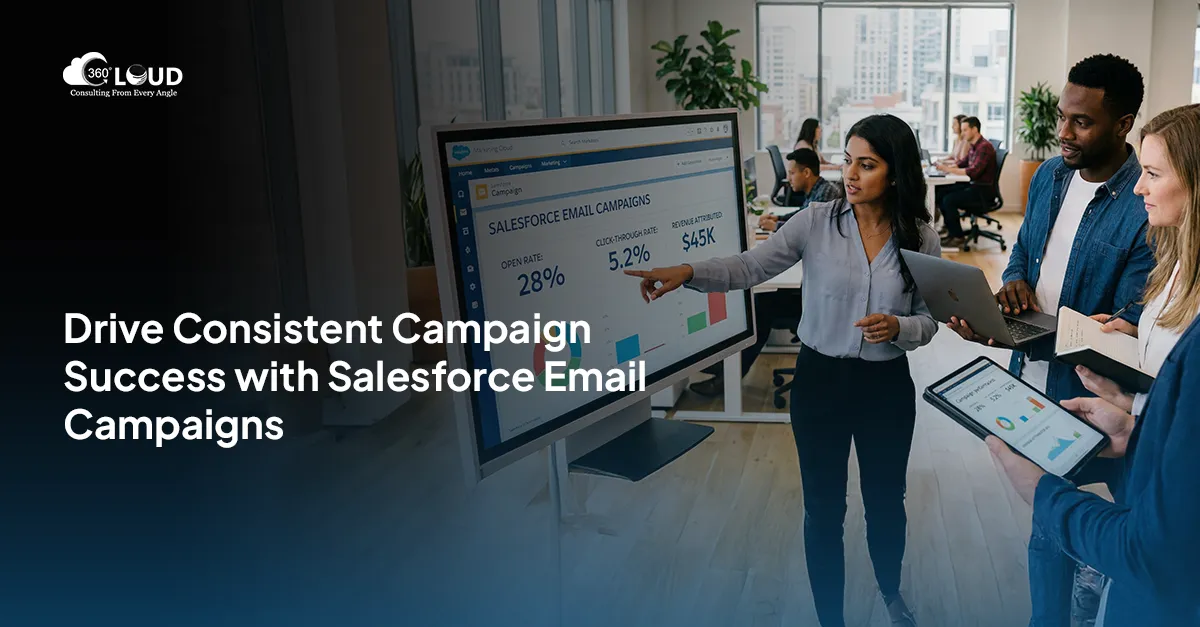
Electronic mail marketing is still one of the effective channels in today’s business environment as it establishes an immediate link between a business organization and the consumers. For instance, for the users of Salesforce, a frequently asked question is if Salesforce can support the sending of mass emails. This blog dives into a question providing an answer if one can run a mass email campaign in Salesforce and introduces you to the 360 Mass Mailer app, which offers an enhanced solution to the limitations of Salesforce’s native mass emailing features.

Can Users Handle Mass Email Campaigns in Salesforce?

The answer to this question is yes—Salesforce can send bulk emails, but there are some important things to consider.

Salesforce Mass Email Capabilities
For mass email in Salesforce Lightning, the following can be done: sending an email to multiple leads, contacts, and campaign members. However, with Salesforce, you have defined sending limits per day based on your chosen plan. For most editions, the limit for mass emails making use of Outlook is 5,000 on a daily basis, per organization. This may not be a problem for small businesses or work teams, but for those who are forced to send numerous emails to their colleagues on a daily basis, such an opportunity may be rather limited.

Salesforce’s native mass emailing feature is relatively basic. It allows for sending batch emails to selected leads or contacts but lacks advanced automation, personalization options, and segmentation tools that marketers often need to maximize their campaigns. Additionally, Salesforce doesn’t provide real-time insights or deep analytics on email performance. These limitations mean that while Salesforce can perform mass emails, it may not meet the full needs of businesses looking to run complex, high-volume email campaigns.

Enter 360 Mass Mailer: A Game-Changer for Mass Email Campaigns in Salesforce

If you’re looking to take your email campaigns beyond the limitations of Salesforce’s standard offerings, 360 Mass Mailer offers a more comprehensive solution. This app enhances Salesforce mass email capabilities, providing you with the tools to manage larger-scale email campaigns with precision, automation, and flexibility.

Here’s how 360 Mass Mailer stands out:

Unlimited Email Sending

However, with the 360 Mass Mailer, you don’t have restrictive Salesforce limitations, such as the limitation of 1000 emails per day. If you are required to send out a few hundred emails or even tens of thousands of emails, the app allows you to carry out unlimited emails every day. This is particularly so with growing businesses and enterprises to expand their reach into the market.

Email Automation and Drip Campaigns

Another great thing about 360 Mass Mailer is that it was intended to let people set up automatic email flows. It also allows the setting of email sequences in response to certain user actions, which provides consistent follow-ups and better lead management. These workflows can be automated so that you are not overloading your clients with messages while still being personal about them.

Pre-Built Email Templates for Fast Campaign Launches

The app comes with customizable, pre-built templates that allow you to launch campaigns up to 39% faster than you would with native Salesforce features. You no longer need to design every email from scratch, which is a major productivity booster.

Smart Segmentation for Better Targeting

Mass mailings are much more effective if targeted appropriately – 360 Mass Mailer enables you to filter your list with different criteria, so you reach the right people with the proper message at the proper time. Smart segmentation definitely improves e-mail customer interaction by 41% due to sending differentiated e-mails to different segments of the audience.

Real-Time Insights and Tracking

In contrast to the email application that is integrated into Salesforce as 360 Mass Mailer, there are always statistical results as to how effective the campaigns are in delivering their messages. This lets you monitor the open rates, click-through rates, the bounce rates among other features, so that you can make essential adjustments when and where necessary.

Natively Built on Salesforce

Perhaps the most convenient aspect of 360 Mass Mailer is that it’s built natively on the Salesforce platform. This means that there’s no need for complex data integrations or external systems—you can manage all your email marketing efforts directly within Salesforce. This streamlined approach leads to an improvement in campaign efficiency due to seamless workflows and integrated data management.

360 Mass Mailer: A Unique Approach

So, why choose 360 Mass Mailer over other email solutions? The app is purpose-built to align with the need for mass email in Salesforce Lightning, offering a native experience that ensures smooth data flow and easy management. No need for third-party integrations, and no complicated workarounds—just an efficient, all-in-one email marketing tool.

Additionally, 360 Mass Mailer isn’t just for bulk emailing. Its personalized email journeys, real-time tracking, and smart segmentation make it a versatile tool, perfect for businesses looking to send everything from automated drip campaigns to one-off promotions. It elevates what mass email in Salesforce can truly accomplish, turning basic batch emailing into a strategic marketing powerhouse.

Conclusion

However, mass email in Salesforce lightning has certain features that cannot support large-scale work. Luckily, there is a 360 Mass Mailer that extends the basic Gmail features and provides unlimited sending and smart automation, as well as segmentation to take your email marketing a step higher and yield better outcomes. If you’re interested in changing the approach to mass email management in Salesforce Lightning, it’s high time to enhance your performance with 360 Mass Mailer.

Salesforce Tableau Integration: What Makes It An Important Integration to Consider

There would hardly be any business now that won’t be looking to find advanced ways to analyze their data and grow exponentially. Tableau is one such business intelligence solution that makes it possible. Firms work with Tableau to visualize and evaluate data in different forms that could make decision-making easier, while Salesforce stands as one of the leading customer relationship management (CRM) platforms globally. The Salesforce Tableau integration brings a wealth of advantages to organizations, enhancing their operational effectiveness.

Companies that take the time to analyze and interpret data insights can unlock significant benefits. This integration can help businesses to improve team communication, time savings, and streamlined data analysis, and more. Companies these days know that everything they need to know about the business and customers is all there in the data and this integration helps them view and understand that.

This blog will emphasize on the value of Salesforce integration with Tableau, showcasing its benefits and how the integration will help businesses. 

Why Should Teams Consider Salesforce Tableau Integration

If we talk about Salesforce and Tableau, the integration is so smooth that it feels like both these platforms are designed to work in coordination. Now, it’s time we should have a look at some points that will show how this integration is helpful for firms.

1. Better Data Analysis

There are several trends that might go unnoticed but by integrating Tableau with Salesforce, you can view and analyze all those trends and patterns. This could be done by bringing powerful data visualization directly into your Salesforce environment. You can also create dashboards and reports, which makes it easy for users and even for team members to understand all the data and results.


Your sales reps can make more informed decisions with visual insights analytics available at every stage of the sales process. Whether they’re prospecting, handling accounts, or managing pipeline coverage, they can easily manage it all, ultimately leading to better strategies and improved outcomes.

2. Productivity Boost

You can transform Salesforce’s extensive customer data into actionable analytics by integrating Salesforce with Tableau, enabling everyone in your organization to benefit from. It enables you to consolidate reports from different departments and view them onto a single platform to save time and get deeper insights into various customer segments. 

Additionally, users can securely access this data from both desktop and mobile devices, making it easier than ever for your team to analyze and understand your company’s data, wherever they are.

3. Enable Seamless User Experience

Integrating Tableau with Salesforce leverages Salesforce’s extensive customer data to provide powerful analytics across your entire organization. With Tableau, departmental reports are unified in one place, streamlining the process and enhancing the analysis of data from various customer segments.

This integration transforms how organizations interpret their data, offering secure, insightful analytics that can be accessed through web browsers or mobile devices. It redefines data accessibility, ensuring meaningful insights are always within reach, no matter where you are.

4. Work with Analytics-Driven Recommendations

Salesforce is more than just a CRM, it is a comprehensive front-office analytics platform that covers all data needs for businesses. Tableau Salesforce integration provides an enterprise software solution that improves experience for both customers and users..

The integration makes it easier for customers to access all the tools they need for front-office operations directly within the Salesforce platform. This seamless access accelerates the incorporation of analytics-driven insights into essential business processes. Furthermore, Tableau’s esteemed position as the world’s leading intuitive self-service business analytics platform, supported by Tableau professional services, will enhance user adoption and ensure that every individual can fully leverage the benefits of data-driven recommendations.

5. Better Decision Making

The data visualization capabilities play a crucial role in helping businesses analyze information and make informed decisions quickly. By Salesforce Tableau integration, companies gain access to visually represented data that enhances their analytical processes. 

While Salesforce is already a powerful customer relationship management tool, the addition of Tableau significantly amplifies its effectiveness. This integration allows users to effortlessly analyze data and address customer issues more efficiently, leading to better outcomes and improved service.

Work with Data Smoothly with Salesforce Tableau Integration

As highlighted in this blog, the integration of Salesforce and Tableau enables organizations to swiftly transform data into actionable insights. While Tableau empowers you to interpret complex data, Salesforce focuses on deepening customer understanding. Together, these platforms create a powerful synergy that provides any company with a significant competitive advantage.

Leveraging the combination of Salesforce and Tableau effectively can help users eliminate data silos and inconsistencies, among other challenges. From our experience, successful integration demands technical expertise to navigate potential pitfalls. Therefore, it’s essential to partner with a Salesforce integration service provider to fully capitalize on the advantages this integration offers. Contact us and talk to experts on how this integration can be game-changing for businesses.

How Salesforce Nonprofit Implementation Partners Can Help You Make a Difference

Salesforce isn’t just the trusted CRM for businesses to manage data and generate more sales; it has also proven to be efficient for nonprofit organizations, enabling them to amplify their impact on a global scale. More than 40,000 NPOs count on the capability of Salesforce to manage their data and records and streamline their operations. To make this possible, you need to have the right Salesforce nonprofit implementation partners to assist you with using the platform to the best potential.

According to Salesforce, 76% of nonprofits report that the platform has made their work easier by streamlining communication, improving fundraising efforts, boosting employee performance, enhancing programs and services, and fostering stronger community engagement.

This blog covers the value of Salesforce for nonprofit organizations and what features you should access to improve operations for your NPO.

Implement Salesforce to Transform Your Nonprofit Operations

Salesforce has got numerous features that could bring a real transformation for nonprofits. The key is successful Salesforce end to end implementation. Noe, let’s talk about different ways the CRM can help NPOs.

1. Enable Customization

One of the top reasons nonprofits choose Salesforce is its high level of customization. The Nonprofit Cloud allows NGOs to tailor features according to their specific operational needs. While many nonprofits share similar workflows, others have unique missions and requirements. This is where Salesforce’s customization proves invaluable, enabling organizations to adapt standard features and functionalities to meet their specific goals with ease.

2. Make Nonprofits Organized

The key advantage of using Salesforce for nonprofits lies in its ability to streamline operations and create more organized, actionable tech strategies. Salesforce Nonprofit Cloud has different built-in features that empower NGOs to design and customize workspaces for every team member. There are many chances when nonprofits struggle with managing activities like tracking grants, fundraising, and workforce coordination, but Salesforce can easily resolve all these challenges. With the Nonprofit Cloud, organizations can build personalized dashboards for different teams, making it easier for them to manage their tasks and improve efficiency.

3. Work with Accurate Reporting

Nonprofits always need to track and report on programs, fundraising activities, events, seminars, donations, etc. Accurate reports are vital because they directly influence the organization’s outcomes and mission success. That’s why choosing Salesforce nonprofit implementation partners for reporting is a smart choice for nonprofits. Known for its accuracy and reliability, Salesforce offers immense value in this area. 

You can also integrate Salesforce with different third-party applications that can unlock powerful data analytics and visualization tools, giving nonprofits deeper insights into their operations.

4. Cost-Effective Management

Another reason Salesforce is so popular among nonprofits is the ability to access the best features at less cost. Numerous nonprofits worldwide benefit from Salesforce Nonprofit Cloud. Salesforce also allows nonprofits to work with affordable tools to easily manage and track fundraising.

5. Improve Operational Efficiency

Another major reason for choosing Salesforce Nonprofit CRM is the significant boost it brings to workforce efficiency. It fosters strong communication between the nonprofit’s team and its various partners, creating a positive and collaborative synergy. This improved communication streamlines operations, leading to increased efficiency and helping organizations achieve their goals within the expected timeframes.

Top Features of Salesforce for Nonprofits To Work With

What makes Salesforce so efficient for nonprofits are the features that it offers. Here we have listed some of the features you can work with.

1. Automation for Fundraising

With the help of Salesforce, agents at NPOs can create and send out forms and send personalized emails to potential donors by streamlining and automating their fundraising efforts. This helps NPOs to manage and transform their fundraising strategies, ensuring that they could connect with more supporters.

2. Donor Management

Salesforce provides teams at nonprofits with tools that help nonprofits manage donor relationships, tracking donor details like their contact information and their preferences and the cause they support. This enables organizations to engage more effectively with donor and stay connected with them for a long time.

3. Volunteer Management

Salesforce offers dedicated tools for scheduling, tracking volunteer hours, and managing communication with volunteers, specifically designed to support nonprofits. These features enable nonprofits to effectively coordinate and optimize their volunteer workforce for greater impact.

Hire Salesforce Nonprofit Implementation Partners for Streamlined Operations

It doesn’t matter what size your nonprofit is or what cause you support, it is necessary to have a clear understanding of your operations for moving forward with the right strategies that will work for the organization. Without this insight, it becomes harder to reach your goals. That’s why it is necessary to stay updated about the changes that you need in the strategy and how Salesforce can help with those.

By adopting Salesforce, your nonprofit can stay informed and empowered, paving the way for success. The right Salesforce partner can take care of it all. Contact us and talk to the best certified experts who can help you leverage Salesforce for your nonprofit operations.

Does Salesforce Have Email Validation? Answered

Email verification is essential for businesses planning to launch or are already marketing campaigns in Salesforce. Marketing emails sent to invalid or unverified addresses adversely affect email deliverability, raise bounce rates, and waste marketing spend. Now, the question is if the company wants to validate an email address, is it possible with Salesforce without development or search for additional solutions?

In this blog, I’ll discuss what is possible within Salesforce around email validation as well as introduce you to Verify the Email (VTM), a tool that enhances what is available out of the box in Salesforce to further ensure quality, validated email data. Also, we are going to answer a few significant questions connected with Salesforce email validation to understand the activities that Salesforce can perform in this sphere and its limitations.

The Short Answer: Salesforce and Email Validation

Yes, Salesforce does provide some sort of initial checks on the target emails but these are purely to check the format of the email including confirming the existence of the domain. This means that Salesforce will immediately verify an email address as invalid if the “@” symbol or domain is missing while in the same respect, it does not vet the validity of the email address or the capability to deliver the mail.

In essence, while Salesforce may prevent glaring mistakes like “example@domain” or “exampledomain.com,” it won’t tell you if “info@domain.com” is a real, working email address. This is where businesses can run into issues if they rely solely on Salesforce’s built-in checks without additional verification tools.

So, if you’re relying on Salesforce alone to clean up your email lists, you may still end up with a large number of invalid or non-responsive addresses.

Why Incomplete Email Validation Can Hurt Your Campaigns

Email validation goes beyond checking if an address is correctly formatted. It involves making sure the email address is valid, active, and capable of receiving emails. When this doesn’t happen, several problems can arise, including:

Increased Bounce Rates: 

High bounce rates and sender reputation issues will also make your emails end up in the spam folder. This leads to a lower delivery of your genuine messages into the recipient’s inbox, which adversely affects the engagement level.

Spam Filters: 

High bounce rates and a poor sender reputation can cause your emails to be flagged by spam filters. This results in fewer of your legitimate emails reaching recipients’ inboxes, further decreasing engagement.

Wasted Marketing Efforts: 

Promotional messages to non-active email addresses are a waste of time, money, and effort. The time and effort you put into creating your messages are sent to non-existent addresses thus reducing the value of your marketing efforts.

Reduced ROI: 

Any effective email marketing must necessarily have the goal of ’email interaction,’ which could be opening an email, clicking through a link, or making a purchase. If you never have your emails get to real people, then your (ROI) plummets downwards.

Without comprehensive email validation, these issues can accumulate, costing your business both in terms of finances and reputation.

How Verify the Email (VTM) Provides a Solution

Now that we’ve established the limitations of Salesforce to verify email addresses, let’s discuss how Verify the Email (VTM) steps in to address these problems. VTM provides deeper, more accurate validation that can drastically improve the effectiveness of your email marketing efforts.

Real-Time Salesforce Email Address Validation

Perhaps its most prominent feature, Verify the Email can empower Salesforce to verify email addresses in real time. Imposing its functionality upon imported leads, leads received through web forms, as well as leads entered manually, VTM guarantees that every time an email address is collected and added to Salesforce, it is 100% valid, active, and accurate. This real-time check prevents bad email data from ever entering your system, improving the quality of your email lists right from the start.

Multi-Layer Verification Process

VTM doesn’t just check if the email address is formatted correctly; it verifies the domain, pings the mail server, and ensures that the email address is active and capable of receiving messages. This multi-layer process drastically reduces the likelihood of adding invalid or undeliverable emails to your database. By implementing Salesforce email address validation through VTM, you can avoid high bounce rates and other common issues that arise from using poor-quality data.

Automatic Continuous List Cleansing

Another valuable feature of VTM in Salesforce to verify email addresses is its ability to cleanse existing email lists automatically. Even if you have a large database of email addresses to verify, you do not need to worry or invest time in email address verification.  You can automate the verification process to remove invalid addresses, ensuring that future campaigns are more effective. This helps ensure ongoing deliverability, no matter how old your list may be.

Addressing Common Email Validation Questions

Let’s now explore some of the most common questions businesses ask about email validation in Salesforce and how Verify the Email (VTM) can help.

1. Does Salesforce Send Email Verification Emails?

Yes, Salesforce can send verification emails to users who register for services or fill out forms, but this is different from email validation. Verification emails are primarily used to confirm the accuracy of the emails, while validation ensures that the email can receive messages.

2. How Do I Enable Email Verification in Salesforce?

To enable email verification, you need to adjust your Salesforce settings. This is typically done through user authentication settings or form setup, depending on how you want to confirm the email addresses being added.

3. Does Salesforce Do Address Validation?

Salesforce does not provide full physical address validation out of the box, but there are third-party integrations available for address validation, much like email verification solutions. These tools work to ensure that the addresses in your CRM are valid and deliverable.

Conclusion

While Salesforce provides basic email syntax checks, it lacks comprehensive Salesforce email address validation features. This means the companies may face high bounce rates, poor deliverability, and wasted marketing dollars. By adopting VTM to work hand in hand with Salesforce all your email addresses will be 100% verified, and active to receive mail. Organizations using VTM for email address verification shall experience an excellent outcome from their business email advertising campaigns and get better engagement rates and higher returns on investment.

As a comprehensive solution for the verification of email addresses and the efficient management of business’ Salesforce email, VTM is a powerful tool security layer: it not only archives email addresses, but also checks their status for overall health.

Stripe and Salesforce Integration: What It Holds For You

How often have you found yourself waiting too long when processing your weekly payments? While experiences may vary, it can often consume a significant part of your day just to track payments after sending invoices. Staying updated on payment processing is a common concern for many businesses. Organizations have long needed to pay their beneficiaries through the most flexible methods available. That’s where Stripe and Salesforce integration will be useful.

Additionally, they seek to streamline payments for faster processing across the board. This is where the integration will be more helpful. There is a genuine need for a robust solution that enhances invoicing, payment processing, and overall financial management.

This blog will cover the importance of Stripe Salesforce integration and how this will be beneficial for businesses. 

Key Benefits of Conducting Stripe and Salesforce Integration

Businesses these days require an easier and convenient way to conduct faster and seamless transactions and that’s where the integration helps. We have listed a few of the major benefits of considering the integration of Stripe and Salesforce.

1. Streamline Customer Records

A common challenge for businesses is managing customer data across various touchpoints. The Salesforce integration with Stripe addresses this issue by establishing a centralized repository for transaction history and customer interactions. This consolidation provides a holistic view of each customer’s journey, allowing businesses to create personalized experiences informed by behavioral insights.

2. Simplify Payment Processing

For any customer browsing online and shopping, one of the essential aspects is to conduct seamless payment. The payment process can be smoothly woven into the customer journey with Salesforce Stripe integration. This helps to make the processes smoother, making it easier to reach payment and securely conduct the transactions.

3. Improve Customer Experience

Firms can easily work with details and historical data of customers to understand their interests and preferences with Stripe and Salesforce integration. This enables businesses to understand their target audience and provide personalized suggestions, which increases the chances of customers making a purchase.

4. Better Subscription Management

Managing recurring payments and customer preferences can be complex for businesses operating on subscription models. This is where the Salesforce and Stripe integration excels. It offers a unified dashboard to manage subscriptions, simplifying upgrades, cancellations, and payment schedules. The outcome is a smoother customer experience with fewer disruptions.

5. Customize Reports

A wealth of data holds little value without proper analysis. Businesses can generate customized reports and dashboards that meet their unique needs by integrating Salesforce with Stripe. This helps to process raw data and change it to actionable insights, helping businesses fine-tune their strategies and accelerate growth.

6. Conduct Targeted Marketing

The Stripe integration also opens opportunities to conduct more personalized and targeted marketing. Businesses can create highly targeted marketing campaigns tailored to specific audience segments by combining transaction data with customer profiles. This strategy enhances engagement and significantly boosts customer retention.

Why Should Businesses Consider Stripe Salesforce Integration?

We have integrated Stripe with Salesforce for many businesses and we have evaluated it as one of the most efficient integrations. Here we have listed a few reasons why businesses should go for it. 

1. Streamline Sales Process

Sales teams can get the ability to generate quotes, accept payments, and create their quotas,  all within the Salesforce platform, when working with an integrated platform. This integration eliminates manual data entry, significantly enhancing efficiency and giving them more time to focus on crucial tasks.

2. Improve Payment Management

With this integration, you can effortlessly create and manage orders and payments directly within Salesforce. When a payment is processed through Stripe, the details are automatically synced to Salesforce, enabling you to monitor payments, update order statuses, and keep your financial records precise.

3. Automated Workflows

By integrating Salesforce with Stripe, you can establish automated workflows and notifications tailored to payment events. For instance, you can automatically send emails or alerts to customers when payments are successful, transactions fail, or subscription renewals are approaching. This not only enhances communication but also boosts customer engagement.

Simplify Payment with Stripe and Salesforce Integration

The integration we’ve talked about provides a groundbreaking opportunity for businesses aiming to enhance their operations and customer experiences. This is not just an integration of two tools, it is a way to define the future of the business and prepare it for more complex operations.

However, having the support of experienced professionals is needed to successfully conduct the integration. These professionals have the knowledge needed to facilitate a smooth integration process, customized to meet the specific needs of each organization. Contact us to connect with experienced professionals to make the most of this integration.

Data Cloud: Learn Everything with a Salesforce Implementation Partner

Powered by AI, Data, and CRM, Salesforce Data Cloud is a dynamic platform that centralizes customer data from multiple sources into a single, unified view. This real-time data hub enables organizations to gain valuable insights and deliver exceptional customer experiences across sales, service, marketing, and commerce. Having the right Salesforce implementation partner with you will make it easier for you to leverage Data Cloud.

Natively built on the Salesforce Einstein 1 Platform, Data Cloud functions as a hyperscale data engine, offering refined, real-time customer information. This empowers users to make timely, informed decisions across their operations.

By integrating enterprise data from Salesforce apps, cloud providers like AWS, Snowflake, and Google, as well as third-party systems via MuleSoft, Data Cloud accelerates insights, predictions, and automates actions, providing a comprehensive, 360-degree view of the customer journey.

Salesforce Data Cloud Explained

Salesforce Data Cloud unifies data from multiple sources, making it easier to view and manage data. Businesses can access valuable insights and create personalized, targeted audience segments for more effective engagement using the platform. With Data Cloud, you can seamlessly manage customer information and engage across multiple channels, ensuring deeper connections and enhanced customer experiences.

The platform helps to manage vast amounts of data without having to worry about storage limitations. With the help of Salesforce implementation services, you can efficiently collect,  store, and evaluate data, making decision-making easier.

Data Cloud also provides businesses with advanced security features to safeguard the sensitive business records and details. This focus on enhanced security makes it a dependable solution for businesses of any size, allowing them to focus on growth without disruptions.

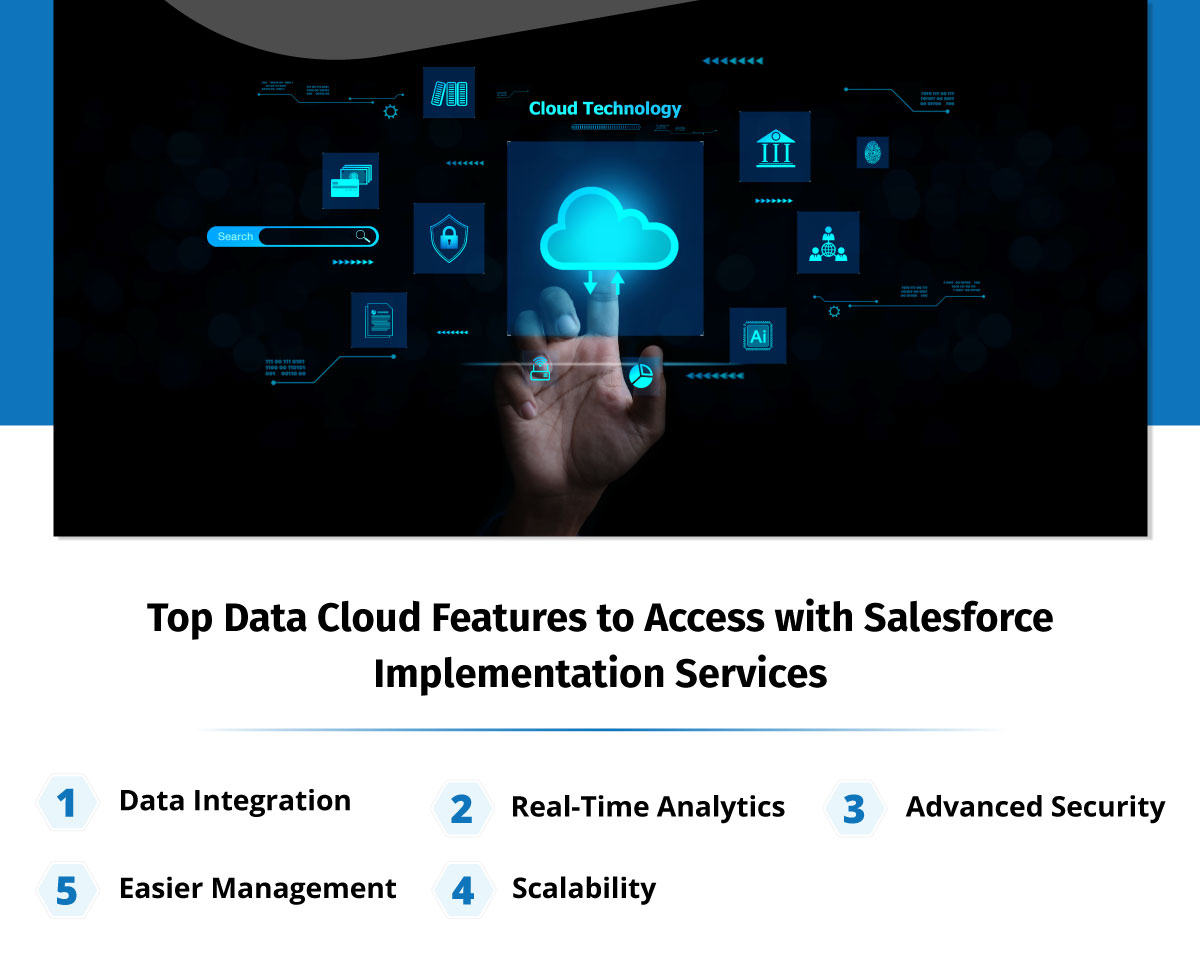
Top Data Cloud Features to Access with Salesforce Implementation Services

Data Cloud has lots of capabilities and here we have listed some of the top features that you can work with.

1. Data Integration

Salesforce Data Cloud enables seamless integration of data from multiple sources, whether it’s sales figures, customer details, or social media insights. It consolidates all this information into a single platform, providing a unified view for more informed decision-making.

2. Real-Time Analytics

A standout feature of Salesforce Data Cloud is its real-time analytics capability, offering immediate insights into your data. This allows businesses to make faster, more informed decisions with confidence.

3. Advanced Security

Data Cloud prioritizes security, offering robust features such as encryption and multi-factor authentication to safeguard your data from unauthorized access.

4. Scalability

Whether you need to increase or decrease storage, Data Cloud adapts seamlessly, making it an ideal solution suggested by the best Salesforce implementation partner for growing businesses.

5. Easier Management

Data Cloud supports intuitive interface and automation capabilities, which helps to simplify data management, cutting the time spent on manual tasks and thus saving team time. This allows you to focus more on business growth and less on managing data.

Why Should Businesses Consider Using Salesforce Data Cloud

Being a Salesforce implementation company, we understand that Data Cloud has a lot of value for businesses. Here are some of the most prominent reasons businesses should consider using it.

1. Data Versioning

This Salesforce product functions similarly to Google History, but for data, by keeping comprehensive records of the data you’ve accessed or searched. It simplifies tasks like process auditing, tracking data origins, and maintaining data lineage.

2. Data Catalog

Data Cloud makes it easy to find and utilize the information you need by centralizing and organizing your data. For example, a retail business can use the platform to quickly identify customers and design targeted promotions to boost engagement.

3. Automated Data Pipelines

Think of your data as a component in a bustling industrial production line. Salesforce Data Cloud streamlines the processes of data ingestion and transformation, removing the necessity for labor-intensive manual work. This automation speeds up data processing, allowing an e-commerce store to quickly analyze customer buying patterns, for example.

4. Multi-Cloud Support

Salesforce Data Cloud is akin to your favorite restaurant—accessible wherever you need it! This solution can be deployed across various cloud providers, minimizing reliance on any single provider while maximizing cost efficiency. 

5. Data Privacy

In addition to all of this, using Data Cloud also ensures compliance with regulations such as GDPR, which helps to cut the risk of data breaches. Consider an example, a healthcare provider can securely manage patient records and historical data without the fear of infringing on data privacy laws.

Make the Most of Data Cloud with a Salesforce Implementation Partner

Data Cloud has revolutionized the way businesses manage their data. With its powerful features, user-friendly access, and robust security protocols, it delivers a holistic approach to data management. It streamlines complex data processes and provides real-time insights essential for swift decision-making.

To truly maximize the benefits of Data Cloud, expert guidance can play a crucial role for businesses looking to harness its full potential. Contact us and get in touch with the best Salesforce consultants to guide you about Data Cloud and seamlessly implement it. 

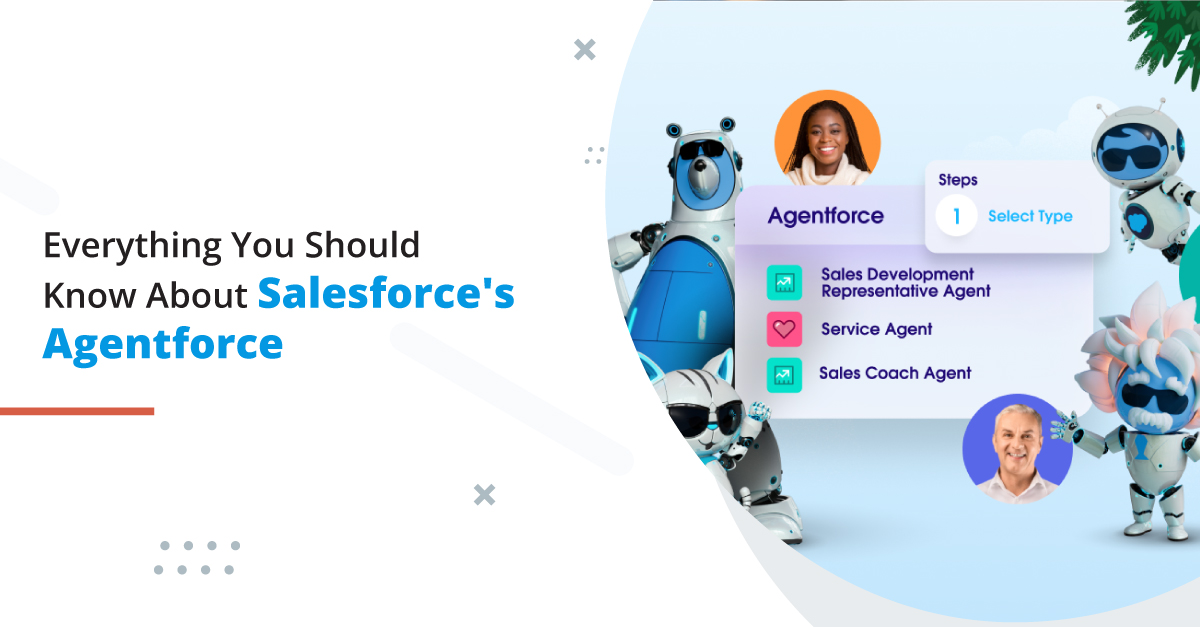
All About the Agentforce: Know It All With Top Salesforce Consulting Services

This year’s Dreamforce was all about AI, but there was one thing that became the center of attention, Agentforce. Agentforce empowers organizations to create and manage autonomous agents for tasks across multiple business functions—essentially putting “Agentforce in every app.” This opens up opportunities to develop specialized agents for Sales, Service, Marketing, Commerce, and Platform operations. As trusted Salesforce consulting services, we are very excited for this new enhancement.

In this blog, we’ll be talking about Agentforce in detail, evaluating how exactly it works and how it is going to help users.

Salesforce’s Evolution Towards AI

Salesforce has been gradually rolling out its vision over the past few months, starting with the introduction of its Service Agent product, followed by the Sales Agent.

Salesforce has evolved from the Einstein product launched in 2016. Salesforce Einstein was majorly  focused on predictive AI, which helps in analyzing past data to forecast future outcomes. Since then, the shift has moved from features like Lead Scoring and Opportunity Insights to generative AI, capable of producing text, images, videos, or audio from a simple prompt.

Salesforce believes the next leap in AI is through autonomous agents. With significant investment in AI, the world’s top tech companies are aiming to take productivity and business performance to new levels. While features like summarizing a Slack conversation are helpful, they won’t drive the massive economic impact that AI promises.

Salesforce’s new Sales & Service Agents are fully autonomous, operating around the clock to handle routine tasks that can be handed off to machines. The Service Agent takes current chatbots to the next level by enabling natural, full-fledged conversations rather than following limited, pre-programmed chat paths. It’s also multi-modal, meaning it can process and understand text, images, and videos, allowing for a more dynamic and engaging customer experience. The right Salesforce consulting services can help you work with Agentforce more efficiently.

What is Agentforce?

So, what exactly is this Agentforce that the Salesforce executive team kept highlighting during the earnings call? As expected, it’s the platform on which these autonomous agents are built. Like much of the Salesforce ecosystem, Agentforce provides ready-made solutions like Sales and Service agents while also enabling the creation of custom agents tailored to specific needs. Salesforce emphasizes that building these agents is simple—relying on clicks, not code. Attendees at the ‘Agentforce Launchpad‘ at Dreamforce echoed this, confirming that it really “works” and is as intuitive as promised.

How exactly does the process of building an agent work? We’ll walk through the key components that power an agent’s functionality, drawing insights from Dreamforce ’24.

1. Agent Description

Start building your agent in the Agent Builder within Agentforce Studio, where the configuration process begins. It’s all done using natural language—just like having a conversation with another person. As Salesforce puts it, “If you can describe it, Agentforce can do it.” The interface allows you to set the agent’s avatar, name, and description.

Channels refer to the platforms through which humans and agents interact, such as email, voice, WhatsApp, and more.

2. Agent Topics

Topics are the core building blocks that define what an agent can handle. Think of topics as categories of information—for instance, an order management topic would allow the agent to access order history and update product details. In the Dreamforce ‘24 keynote demo, the agent successfully addressed several customer queries, but some remained unresolved because the necessary topics weren’t assigned.

3. Topic Actions

In addition to topics, actions serve as another crucial component for agents. Actions are linked directly to the assigned topics. Adding extra actions available in your organization is straightforward—simply select the desired actions from the list that appears in the pop-up window.

4. Data Graphs

Data Graphs allow you to map out the relationships between data model objects (DMOs), even at multiple levels of depth. This visualization helps ensure that the right data is accessible when creating prompts or giving instructions to an Agentforce agent, which is essential for generating precise and effective results.

With real-time Data Graphs, faster identity resolution, segmentation, and actions are performed using ingested data, ensuring that everything is primed and ready for Agentforce to operate seamlessly.

There are many other features that you can access with the help of the right Salesforce consulting services.

Try Agentforce with Salesforce Consulting Services

There’s a lot more to Agentforce but to leverage all of its features, you would need to have a trusted Salesforce consultant working alongside you. Having the right support would help you leverage this latest feature the best way, enabling you to make the most of Agentforce to improve agent operations and productivity. Contact us and get reliable Salesforce professionals who can help you work with this latest Salesforce addition.

Hire the Best Salesforce Consultants to Leverage Salesforce AI

Salesforce these days is actively making a move towards AI. Having the best Salesforce consultants with you can help you leverage Salesforce AI and make the most of it. Salesforce AI is revolutionizing business operations by making advanced technology both accessible and user-friendly. With the popularity and usage of AI, Salesforce AI helps teams to analyze customer behavior, automate tasks, forecasts trends, to help businesses grow efficiently. 

Salesforce delivers teams with crucial insights with the help of AI that enhance the efficiency of your sales team. Reps can work with it to analyze datasets and make data-driven decisions for business growth. This allows your sales team to focus on closing more deals without any additional tasks.

Salesforce has also introduced Industries AI to address the unique needs and challenges of various industries which helps businesses globally. Integrated across all 15 of Salesforce’s industry clouds, Industries AI allows businesses to leverage ready-to-use AI for automating tedious tasks. This includes matching patients with clinical trials, issuing proactive maintenance alerts for vehicles and industrial equipment, optimizing inventory management, and enhancing services for citizens and program beneficiaries.

Let’s have a deeper look at Salesforce AI and everything it has to offer for businesses implementing the same with the help of the best Salesforce consultants.

All About Salesforce AI

The AI segment of Salesforce is known as Salesforce Einstein, which empowers businesses to work with artificial intelligence to ensure better operations and outcomes for businesses. Salesforce AI utilizes advanced technology to easily analyze data, automate tasks, forecast trends, helping teams understand their customer expectations in a better way.

Think of Salesforce AI as a highly capable assistant operating behind the scenes. It can rapidly process vast amounts of data—far quicker than any human can. This data can encompass customer purchasing behavior, sales metrics, or even social media trends. By examining this information, Salesforce AI provides valuable insights, such as identifying customers most likely to buy or recommending optimal times to reach out to leads.

A notable feature of Salesforce AI is its capacity to learn and enhance its performance over time. As it analyzes more data, it becomes increasingly adept at making predictions and delivering tailored recommendations. This ongoing learning process allows your sales strategies to continually evolve, enhancing the efficiency and success of your business. Having the help of trusted Salesforce consulting services can make it easier.

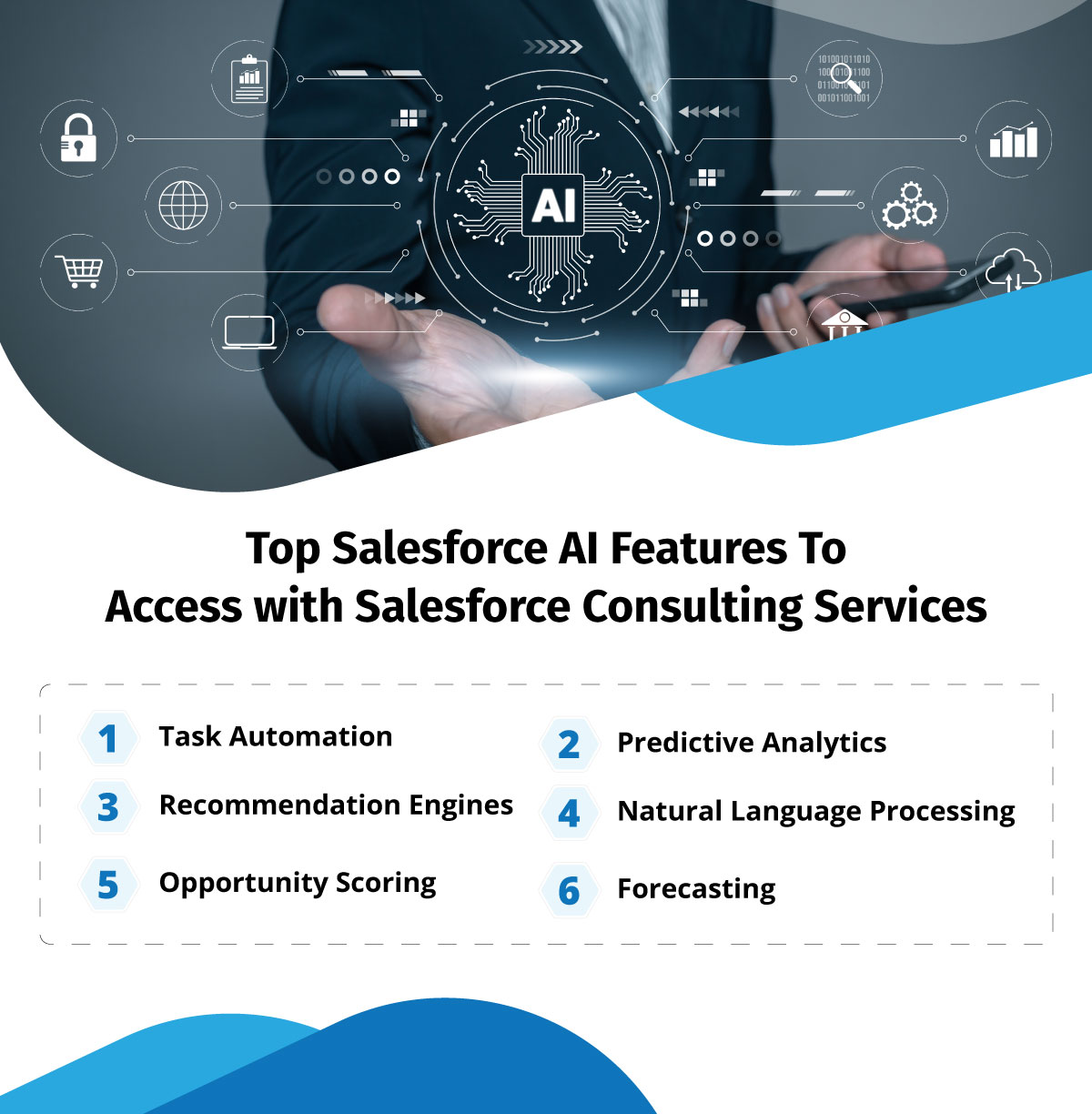
Top Salesforce AI Features To Access with Salesforce Consulting Services

Salesforce AI is gaining a lot of popularity, mainly because of the amazing features it supports. Here we have listed a few of the most impressive Salesforce AI features that you must implement for your business.

1. Task Automation

Using AI in Salesforce helps businesses to handle tasks easily, giving your sales team more time to focus on core business operations and making actual sales. Your team can concentrate on strategic initiatives such as nurturing relationships by automating regular tasks and activities.

2. Predictive Analytics

You can analyze historical data and easily predict upcoming trends and insights in Salesforce. It also helps you to identify which sales leads are most likely to convert. This empowers your sales team to prioritize efforts on leads that are more likely to bring sales.

3. Recommendation Engines

Recommendation engines help businesses to work with tailored suggestions by analyzing customer pattern and behavior. Consider a customer who regularly purchases a specific type of product, using Salesforce AI can help customers by suggesting similar items. This personalized strategy not only improves the customer experience but also boosts sales when you have best Salesforce consultants with you.

4. Natural Language Processing

Salesforce AI can help teams access NLP to interpret human language effectively. This capability enables it to analyze customer emails, social media interactions, and other text-based content. By grasping the sentiment and context of these communications, it delivers valuable insights into customer behavior and preferences. That’s where a Salesforce partner can help you work with NLP.

5. Opportunity Scoring

Opportunity scoring evaluates sales prospects based on their potential to convert. By concentrating on high-scoring opportunities, sales teams can prioritize their efforts effectively, enhancing their likelihood of success. This feature ensures a more efficient use of time and resources.

6. Forecasting

To ensure effective planning and decision-making, you need to get the help of forecasting processes. Businesses can create accurate sales predictions by analyzing historical data alongside current market trends using Salesforce AI. This capability enables organizations to establish realistic goals and allocate resources efficiently.

Leverage AI with the Best Salesforce Consultants

Using Salesforce AI to simplify your sales pattern can help with improving customer engagement and decision-making. Your team can operate more intelligently, ensuring that every interaction is impactful by incorporating Salesforce AI into your sales strategy

Adopting Salesforce AI is a straightforward process. Start by assessing your specific needs, integrating the appropriate tools, training your team effectively, and regularly monitoring performance. That’s how Salesforce AI can help to elevate your sales outcomes and provide better results. This is where you can get help from a reliable Salesforce consulting partner. Contact us and get in touch with experienced Salesforce professionals to leverage the best of Salesforce Einstein.

logo Live Chat