Talk to Us

Top Features of Salesforce for Sending and Tracking Emails

When it comes to nurturing client relationships over time, email channels top the list with a personal touch. Salesforce offers you powerful tools to send and track emails at scale. Sending emails from Salesforce tells you who’s opening your emails, clicking on the links within, and who’s not.  

Tracking tools in Salesforce help you ensure that you don’t send repeat emails to customers who never open them at all.  

Let’s explore how Salesforce allows you to send emails from Salesforce, track engagement, manage email lists, and configure Salesforce email-to-case.  

4 Must-Try Features of Salesforce for Sending & Tracking Emails 

From personalized outreach to automated case handling, here are the top four features of Salesforce for sending and tracking emails.  

1. List Email Capabilities 

Salesforce’s Send List Email feature allows reps to send personalized emails to multiple recipients without exposing everyone on the list to each other. It creates separate messages to each contact or lead selected in a list. In addition to that, reps can now send list emails from Gmail, Office 365, or Exchange through Salesforce integration. 

2. Open & Click Metrics


Enable enhanced email and advanced tracking in setup to track email performance. Once this feature is enabled, all outgoing emails will be saved as EmailMessage records. Reps can easily open status directly in the Activity timeline for Contacts, Leads, or Cases along with timestamps for first and last open.  

3. Integration & Logging with Gmail & Outlook 

With Einstein Activity Capture or Salesforce’s Gmail/Outlook add-ins, email logging and tracking becomes smooth. For Salesforce for Gmail, reps can install the Chrome extension and link their Gmail. This way, every sent email can be tracked and logged under relevant records. For Salesforce and Outlook, install the AppSource add-in, activate Outlook integration, and use the Salesforce pane to log emails to Leads or Contracts. 

4. Inbound Email in Salesforce & Email-to-Case Setup 

Email-to-case allows you to convert customer emails into cases automatically. When configured in the correct way, replying through case allows logging of inbound emails and responses. Email tracking on cases can show whether the sent responses were opened or clicked. However, Salesforce does not support sending list emails to multiple Cases once Email-to-Case is enabled. 

The Bottom Line 

Salesforce email tracking matters because it shows which prospects engage with your content, refines messaging with data, and helps you avoid sending emails to uninterested recipients to focus on engaged leads. By leveraging Salesforce email tools, you can listen to prospect signals, personalize their outreach, and streamline case resolution.  

Ready to Amplify Your Salesforce Email Game? Talk to Us! 

From setting up Email-to-Case to optimizing Send List Email workflows, our Salesforce experts can tailor solutions that drive real engagement. 

Best Salesforce Consulting Services to Transform Your Business in 2025 

Salesforce is a trusted leader in the CRM space as it equips businesses with tools to sell, service, market, analyze, and engage with their customers effectively. 

Folks who are using Salesforce as their CRM platform experienced an amazing 38% increase in decision-making speed, an 18.4% increase in ROI, and a 35% boost in customer satisfaction. However, many businesses struggle and fail to get the most out of their investment. That’s where Salesforce consulting services can be your closest ally. With a highly skilled Salesforce consultant, you can ensure the success of your Salesforce efforts. 

Why Salesforce Services are Mission Critical in 2025 

Many businesses go for a DIY approach for implementing Salesforce, and that leads to complicating processes and derailing efforts. However, by partnering with a Salesforce consulting service provider, you can have long-term value compared to potential short-term cost savings.  

But most orgs fall short after go-live. There are consistently underused features, low adoption, disconnected data, and overworked admins stuck in reactive support instead of strategic planning. 

Here’s are some reasons why Salesforce consulting services are crucial in 2025 and beyond. 

  • Streamlines workflows to eliminate bottlenecks and inefficiencies.  
  • Automate high-friction tasks that drain time and resources.  
  • Enhance data visibility for faster and insight-led decisions. 
  • Use AI tools like Agentforce and Einstein to run intelligent operations, or hire AI developers to build solutions that support your business goals.
  • Deliver admin-as-a-service so in-house teams can focus on innovation over upkeep.  

Now that we have established why Salesforce services are crucial in 2025, let’s shift focus to how the best Salesforce consultants are different from the crowd. 

What Sets the Best Salesforce Consultants Apart? 

When looking to hire a Salesforce consultant, you need more than certifications. You need impact and a vendor who is outcome-driven. Here is what separates the best from the rest in 2025. 

1. Platform Fluency 

They have certified expertise across multiple Salesforce clouds. Also, they stay apprised of the latest trends and AI add-ons like Agentforce to provide you with the best strategy. 

2. Industry-Specific Knowledge  

We all know that generic solutions don’t scale. A good Salesforce service provider understands your regulatory landscape, buyer journey, and operational bottlenecks to help skip the guesswork and deliver results faster. This context-rich delivery shortens timelines, enhances adoption, and avoids expensive rework. 

3. Strategic Thinking Beyond the Org Chart 

A good Salesforce consultant would not just ask ‘what do you want Salesforce to do?’. They will ask about your business goals and how Salesforce should evolve to support them. It means that they will map platform capabilities, recommend process redesign, and challenge outdated configurations that slow you down.  

4. Change Enablement That Make Situation Stick 

The number one reason why Salesforce projects underperform is poor user adoption. And a top Salesforce consulting company will change enablement into delivery. They offer role-based training, in-app guidance, and iterative coaching based on usage analytics.  

Now that we have talked about the unique features of the best Salesforce consulting firm, let’s talk about the trends shaping the Salesforce consulting landscape. 

Let’s take a look at how top Salesforce consultancies are evolving their services to stay ahead in 2025. 

Trend  What It Means  Why It Matters 
AI-first Consulting  Integration of Agentforce, GPT-based workflows, and Einstein AI  Faster decisions, personalized CX, and predictive ops 
Admin-as-a-Service  Ongoing support, updates, and optimization by certified admins  Eliminates backlog, lowers in-house workload 
Outcome-Based Delivery  Shift from “hours billed” to “impact delivered”  Clients pay for results, not just effort 
Cross-Cloud Specialization  Expertise across CPQ, Marketing Cloud, Field Service, and more  One partner can cover all growth touchpoints 
Global + Local Teams  Hybrid delivery with timezone-aligned support  24/7 help, real-time collaboration, lower cost 

Wrapping Up

Salesforce can be your closest ally if used correctly, or vice versa. It all depends on how it’s implemented, supported, and evolved. And always keep in mind that the best Salesforce consulting companies in 2025 don’t just configure dashboards. They align your tech with business vision, automate what’s holding you back, and drive measurable results. 

Ready to Amplify Your Salesforce CRM and Maximize ROI? Let’s Talk! 

Our Salesforce aces would be happy to help. Just drop us a line at contact@360degreecloud.com, and we’ll take it from there! 

Best Practices for Choosing a Salesforce Implementation Partner 

Salesforce is the leading CRM platform that has changed the way businesses manage customer relationships and helped them to increase their sales productivity, deal closures, sales revenue, and forecasting accuracy. Without a doubt, Salesforce has robust capabilities, but managing it effectively is still a challenge for many businesses. Implementing and customizing Salesforce to suit your business needs is a tough cookie. That’s why you need a Salesforce implementation partner. 

So, let’s break down the best practices to choose the best Salesforce implementation consultant for your needs. Keep on reading! 

5 Best Practices to Choose the Best Salesforce Implementation Partner 

Picking the right Salesforce implementation is a cornerstone for ensuring your business success with Salesforce. Here are the five best practices that shows how you can do it. 

1. Consider Experience and Expertise

You should always look for an implementation partner that has the right and relevant industry experience. The right partner will understand your unique challenges and best practices specific to your industry and offer tailored solutions, all while sticking to compliance requirements. For this, you can review their past work and review their track records for successful implementations. Also, check the number of certified consultants they have and inquire about the certifications and training they have.  

2. Check Customer References and Testimonials 

This is an important practice to follow while choosing a Salesforce implementation partner. Always look for references from past clients and reach out to them to learn about their experiences, project deliverables, and satisfactions with the offerings. In addition to that, read online reviews and industry forums to understand the partner’s reputation. Keep in mind to consider both negative and positive feedback to gain a better understanding of their strengths and weaknesses and how well they handle client relationships.  

3. Prioritize Support and Maintenance

Always ask about post-implementation support because that’s when you need it the most. A trusted partner who is result-oriented will offer ongoing support to resolve issues, improve functionality, and offer user training if required. Also, don’t forget to review the service level agreements to get a better understanding of the response time, issue resolution metrics, and technical support availability.  

4. Don’t Ignore Cultural Fit and Communication Practices 

Even the most technically competent partner can fall short if communication suffers. Therefore, it is crucial to consider the clarity and cadence of communication and cultural fit between your organization and the implementation partner. You’ll only have a successful partnership if you have shared values and if your implementation partner understands your business culture. Therefore, you should look for partners who are interested in a long-term relationship and not a one-time project. 

5. Look for a Clear and Transparent Pricing Structure 

It’s a no-brainer that an unclear pricing model can quickly derail even the best implementation plans. So, when selecting a Salesforce implementation partner, it is important to evaluate the pricing and cost structure. Analyze their pricing structure and see if they are charging a flat fee, hourly rates, or a combination of both. Understanding the payment structure can help you avoid additional and unexpected costs as the project progresses.  

The Bottom Line

Start with building trust with your implementation partner and begin with a separate discovery phase before committing to the full implementation. This ensures you are completely confident in the recommendations and sure about the partner who understands business transformation and has the depth of talent to deliver it. 

Ready to Implement Salesforce Flawlessly and Boost ROI? Let’s Talk! 

Our experts would be happy to help in your Salesforce implementation journey. Just drop us a line at contact@360degreecloud.com, and we’ll take it from there! 

Top Tips for Running Successful Mass Email Campaigns in Salesforce

Email continues to be among the most economical and scalable methods to connect with prospects, engage customers, and nurture leads. For Salesforce users, running a mass email campaign in Salesforce sounds like a straightforward task. However, it has nuances, best practices, and restrictions that you need to take into account to achieve the best results. So in this blog, we are going to discuss strategies for email campaign success and how using such tools as 360 SMS Mass Mailer can really enhance your results. But before we proceed and talk about sending mass emails through Salesforce, let’s answer a basic question.

Can Salesforce Send Mass Emails?

The answer is yes, Salesforce is capable of mass emailing, however, not without limitations. Out of the box, Salesforce has strict mass email Salesforce limits. Your edition may limit you to sending 500 to 5,000 emails in a day. Also, the native tools do not have high levels of personalization, automation, and real-time tracking capabilities required by modern marketers.

This is the reason why lots of companies prefer to expand their options with specialized tools such as 360 SMS Mass Mailer. Built natively for Salesforce, it removes those limitations and adds robust features for smarter, more targeted Mass Email Through Salesforce.

10 Best Tips for Sending Mass Emails Through Salesforce Successfully

1. Segment Your Audience Smartly

Rather than sending the same message to all of your contacts, segment your list. Segment your audience  by role, industry, behavior, or sales funnel position. Segmentation is made easy with 360 SMS Mass Mailer with the help of Salesforce Reports, Campaigns, and List Views. This allows you to apply hyper-targeting to your emails and make them more resonant, which results in higher open rates and an increase in the level of engagement.

2. Set Clear Campaign Goals

You can not measure success without having a goal. Clarify your goal: brand awareness, purchases, event registrations, survey responses. Specific objectives assist you in creating email content that performs better and calculating ROI more efficiently while running a mass email campaign in Salesforce.

360 SMS Mass Mailer helps you align templates, automation, and analytics with your campaign goals so that every email serves a purpose and contributes to your bottom line.

3. Personalize Your Emails

Personalization is the key to engagement. Go beyond just using first names. Add contextual elements like company name, location, or even last interaction details. 360 SMS Mass Mailer supports dynamic merge fields from any Salesforce object, letting you create emails that feel individually crafted, making recipients more likely to respond and act.

4. Use Verified Senders to Sending Mass Emails Through Salesforce

Email deliverability hinges on trust. Emails from unverified domains often land in spam. With 360 SMS Mass Mailer, you can send from verified sender emails—be it the logged-in user, record owner, or a custom address. Pair it with domain verification through SendGrid to ensure your emails reach inboxes, not spam folders.

5. Optimize for Mobile Devices

More than half of emails are opened on mobile devices. If your emails aren’t mobile-friendly, you lose readers. Keep your subject lines short, make CTAs easy to tap, and use responsive templates. 360 SMS Mass Mailer supports pre-built and customizable templates that render well across devices, helping ensure mobile-friendly layouts without extra coding.

6. Schedule Sends for Best Timing

 After getting around the mass email Salesforce limits, the timing of emails is crucial. Timing can make or break your campaign’s performance. Analyze when your audience is most active and schedule accordingly. With 360 SMS Mass Mailer, you can schedule emails daily, weekly, or monthly—and even automate sequences for drip campaigns. This ensures your emails land at the most effective times, maximizing engagement.

7. A/B Test Subject Lines and Content

Never assume you know what works best. Instead, A/B test different subject lines, visuals, or CTAs to identify top performers when running a mass email campaign in Salesforce. Review real-time metrics like open rate and CTR to guide your future campaign strategies with data-driven confidence.

8. Ensure Compliance with Opt-Outs

Laws like GDPR and CAN-SPAM require you to respect opt-outs. Failing to do so risks penalties and brand damage. 360 SMS Mass Mailer automates opt-in/opt-out tracking and updates user preferences in real time. Unsubscribe links and compliance safeguards are built in, ensuring you stay compliant while keeping your email lists clean.

9. Track Email Performance Metrics

You can’t improve what you don’t track. Monitor metrics like delivery rate, open rate, click-throughs, and bounces. These indicators help you understand what’s working and what needs tweaking. 360 SMS Mass Mailer gives you real-time dashboards tied to Salesforce data, offering you actionable insights right where you manage your campaigns.

10. Automate Drip Campaigns for Nurturing

Drip campaigns keep your brand top of mind. Instead of sending one-off blasts, nurture leads with a series of automated emails triggered by actions or dates. 360 SMS Mass Mailer lets you build and automate these without using Salesforce Flow. Set conditions, schedule intervals, and stay connected without manual effort. One-off blasts are great for announcements, but nurturing leads requires more. Use drip email campaigns to send a series of emails over time based on user behavior.

Final Thoughts

Running a successful Mass Email Campaign in Salesforce is possible, but doing it right requires strategy, tools, and best practices. While native Salesforce options may be enough for smaller teams, they often fall short for growing businesses with large-scale outreach needs.

With 360 SMS Mass Mailer, you can eliminate the Mass Email Salesforce limits, personalize messages at scale, automate follow-ups, and gain real-time insights. If you want to maximize ROI and streamline your communication, there’s no better way to run your Mass Email Through Salesforce campaigns.

Ready to supercharge your next email campaign? Start exploring 360 SMS Mass Mailer today!

How to Use Salesforce Data Management Services for Better Performance 

Businesses use multiple tools that feed data directly from Salesforce. Often these tools operate independently and start to create data silos and fragmented views of the information. And when this data enters Salesforce’s database, it creates duplicate and inconsistent records. That’s where you need Salesforce data management services.  

If you want to learn about why Salesforce file sync matters and how Salesforce data management services can help you optimize customer interaction, and supercharge business growth, keep on reading! 

5 Ways to Utilize Salesforce Data Management Services

Whether you are managing customer support files, sales records, or marketing assets, optimized data handling ensures faster performance and better compliance. Let’s take a look at the different ways you can use Salesforce data management services for optimized performance. 

1. Use Data Import Wizards for Clean, consistent Onboarding 

The first and crucial step to efficient data management is feeding the accurate data to the system consistently. For this, you can use Salesforce’s Data Import Wizard that enables you to map standard and custom fields and avoid duplicate records during import. To make this process seamless, you can combine Import Wizard with Duplicate Management Rules to prevent redundant contacts or leads from entering your system. 

2. Sync and Access Files Easily with Salesforce File Sync 

When your team collaborates on documents like service reports, proposals, and contracts, manual file uploads can slow things down. Salesforce File Sync allows you to keep local documents in sync with Salesforce records in real-time. This way, you don’t have to do manual uploading, files update automatically, and you always work with the updated version.  

3. Extend Storage Smartly With Salesforce File Storage in SharePoint 

As we all know, Salesforce has a native storage limit, and extending it can be heavy on your pockets if not done properly. However, you can do one smart move, and that is integrating Salesforce file storage in SharePoint. This connection will allow you to store large documents externally while still linking them contextually to Salesforce records.  

4. Implement Structured File Management for Easy Accessibility

Salesforce file management is all about organizing files so that you can easily find, track, and share them. For this, you can use folders, naming conventions, color coding, and tagging to maintain the structure. In addition to that, you can assign the visibility based on user roles and record types. And to make your life easier, you can enable content delivery tracking to monitor when and how external stakeholders view shared files.  

5. Protect Your Data With Salesforce Secure File Storage  

Data security is not just an IT problem; it is a performance issue. Poor access controls or insecure file handling can create compliance risk, downtime, and loss of trust. However, Salesforce secure file storage can help you encrypt sensitive documents, restrict access based on roles or record ownership, and maintain audit logs  for sensitive activity. This is crucial for regulated industries like healthcare or finance to meet compliance standards without compromising accessibility.  

The Bottom Line

Salesforce success is all about how clean your data is and how securely it flows through the system. By actively using Salesforce data management services, you can easily transform data from a burden into a business advantage.  

Need Expert Help Setting Up a Compliant Salesforce Data Strategy? Let’s Talk!  

Our certified Salesforce consultants can help you audit, optimize, and future-proof your org. Just drop us a line at contact@360degreecloud.com, and we’ll take it from there! 

How to Verify Email Address in Salesforce Effortlessly

Businesses depend on email as their basic communication tool to exchange professional information. Emails function as the fundamental tool for business communication by enabling easy contact building with prospective clients, customer engagement, and campaign execution. Email data accuracy determines how effective your marketing efforts will prove to be. Low email deliverability leads to a bad reputation when sending messages to nonexistent email addresses. Therefore, you must verify email address in Salesforce to maintain precise and efficient data within your system.

The following blog demonstrates effortless email address verification within Salesforce starting from the core question of verifying user emails in the system. VTM (Verify the Email) transforms the process of email verification specific to Salesforce user needs. Let’s begin!

How to Verify the User Email Address in Salesforce?

Salesforce provides a built-in feature to verify user email addresses when setting up accounts. A crucial verification process ensures the active functioning of user email addresses. Here’s how you can do it:

1. Choose the Setup Menu which resides in Salesforce.

2. Start email verification from the “Administration” page by selecting Users and then choosing the individual user account whose email address needs verification.

3. Salesforce triggers a verification email to arrive at the designated email address after performing updates to the specified address.

4. The user must click the verification link within the email to confirm the address.

This ensures the user’s email address is active and can receive emails. However, this process is manual and limited to user email addresses. What about verifying other email addresses, such as leads, contacts, or accounts? This is where VTM comes into play.

Reasons to Verify Email Address in Salesforce

Before diving into how VTM simplifies email verification, let’s first address why email validation is so essential for Salesforce users:

1. Improved Email Deliverability: Email campaign performance decreases when you send messages to non-existing email addresses because this action causes high bounce rates which hurts your sending reputation, thereby reducing future delivery success. This makes it essential to verify if an email address is valid.

2. Data Accuracy: A Salesforce database filled with incorrect or outdated email addresses leads to inefficiencies and missed opportunities.

3. Compliance and Trust: For compliance with data privacy laws, verifying emails ensures you’re engaging only with real and consenting recipients.

4. Cost Savings: Many email marketing tools charge based on the number of emails sent. When you verify if an email address is valid, you can avoid sending every email to an invalid address.

Given these challenges, VTM offers a seamless, scalable, and efficient way to verify email addresses directly within Salesforce.

How VTM Simplifies Salesforce Email Verification

Effortlessly Verify If an Email Address is Valid

The VTM for Salesforce presents a confirmatory procedure for email authenticity which leads to continued success in business email operations. The app uses advanced algorithms to look for email address existence, functional domain status, and active mailbox availability. 

The verification process enables businesses to eliminate non-operational email addresses in advance of their promotional operations. Now users can verify emails in Salesforce using all features of VTM without requiring users to leave the platform.

Verify Email Addresses Without Sending Emails

Through VTM, users can verify email addresses without sending emails. This prevents users from accidentally activating spam filters or bothering their recipients. The tool validates email addresses on server levels which delivers correct results to users while avoiding any requirement for recipient involvement. The feature enables efficient bulk email address verification through a professional interface.

Batch Verification for Bulk Efficiency

VTM’s batch verification feature lets you validate hundreds or even thousands of email addresses simultaneously. This is particularly useful for Salesforce users who manage large-scale lead and contact databases. By running a quick batch verification, you can clean your database, boost campaign efficiency, and reduce email bounces.

Advanced Benefits of VTM for Salesforce Users

Ensures Compliance with Email Regulations

All businesses that operate an email program must validate their platform addresses according to GDPR along with CAN-SPAM to ensure secure email exchange. VTM gives Salesforce users the opportunity to stay compliant with email regulations which protects them from penalties and preserves customer trust.

Real-Time Validation for Instant Results

VTM delivers real-time verification allowing Salesforce to authenticate email addresses the moment they are added to the CRM. Sales and marketing teams achieve better accuracy through this function since it detects invalid email addresses before their work begins.

Boosts Campaign ROI

Email campaigns that involve invalid email addresses can still fail even when they are properly planned. Email address verification through VTM enables valid recipient verification which increases open rates and click-through rates as well as return on investment.

Streamlined User Experience

VTM delivers a smooth operation experience to users because it operates from within the Salesforce platform environment. VTM offers an effortless method through its intuitive interface which helps all types of users efficiently perform email verification operations.

Additional Questions Answered

Before wrapping up, let’s address some common queries related to Salesforce email verification:

Is there a way to verify an email address?

You can use tools like VTM to verify a company email’s domain and mailbox functionality in real time. This helps to verify email addresses without sending emails and ensures that addresses are not only valid but also trustworthy.

How to Verify Email to Case in Salesforce?

Salesforce’s Email-to-Case setup can benefit from VTM’s real-time validation to ensure all incoming case-related emails are from valid addresses, streamlining the support process.

How Do I Verify My Return Email Address in Salesforce?

Begin by accessing Email Settings in Salesforce then perform a test email transmission from the outwards address. Demonstrate the authenticity of return emails through VTM instead of initiating test mailing processes.

Conclusion

Every organization that depends on emails to engage with prospective clients or partners must execute Salesforce email verification as an essential operational step. VTM takes email verification functionality beyond Salesforce basics through its capabilities of batch execution, real-time verification, and email address validation without email delivery. Your data accuracy will improve resulting in better email deliverability and better campaign success rates 

After integrating VTM with Salesforce, you obtain a better email verification process alongside complete foundation development for your communication approaches. Enter VTM now and start verifying Salesforce email addresses with ease while seizing control of your email engagement.

Step-by-Step Guide to Implementing Agentforce with Salesforce CRM 

Without a doubt, AI has come a long way from automating mundane tasks and forecasting trends. And the biggest milestone in the AI revolution has been introduced by Salesforce through Agentforce. It is the best-in-class tool designed to effectively utilize all the data collected and unified within Data Cloud. It helps you create autonomous AI agents without coding. And if you are thinking of deploying your first AI agent, you can look for Agentforce consulting services. 

In this blog post, we’ll talk about the step-by-step process to build and deploy your first AI agent using Agentforce.  

8 Steps to Building and Deploying Your AI Agent 

Agentforce is a low-code AI agent development tool, therefore, you don’t need a highly skilled developer to launch your first AI agent. Here are eight simple steps you can take to deploy your AI agent. 

Step 1: Set Up Your Salesforce Environment 

The first step is to ensure that you have the right Salesforce edition. This is crucial because Agentforce operates within the Salesforce ecosystem. Make sure to properly configure the Salesforce Playground if you are using it with the help of Agentforce consulting services. In this configured environment, you will be building and managing your AI agent. Therefore, it becomes necessary to double-check that all necessary permissions and configurations are in place before proceeding. 

Step 2: Enable Salesforce Einstein 

The second step is to enable Salesforce Einstein. For this, navigate to the Setup menu in Salesforce. You can search for ‘Einstein’ and enable the Einstein Generative AI feature by toggling it on. This step is crucial to start the AI capabilities needed for your AI agent to function effectively. Once this is done, you can enable the Einstein Bots by finding the relevant options in the Einstein platform section. And voila, you are all set to create your first AI agent without any Agentforce expert. 

Step 3: Build a New Agent 

To create an agent, follow these steps: 

  • Go to the Setup menu and find ‘Agent Studio’ under Einstein Generative AI. 
  • Add a name for your agent based on the type of agent you want to create. 
  • Choose the type of agent based on your requirements and add a brief description of its purpose. 
  • Click ‘Create’ to lock the setup for the new AI agent. 

Step 4: Configure Your Agent Using Agent Builder 

The next step is to configure your agent using the Agent Builder tool. This is a visual interface that allows you to set up your AI agent based on its use case. You can define different topics that the agent will handle and the tasks it will perform. Also, you can set language preferences for communication. This will help your agent respond to customer queries. 

Step 5: Define Agent Topics and Add Actions to Them 

Create specific topics for your AI agent so that it can answer accordingly during interactions. Add the name of the topic and a description that outlines when the topics should be utilized in conversations. After defining topics, you need to specify actions that your agent needs to take within those topics. For this, you can navigate to the Action Subtab. Now you can add actions that you want your AI agent to take based on user requests.  

Step 6: Test Your Agent and Activate It 

Testing is the most crucial step of this process. Open Agent Builder and refresh the conversation preview area to simulate interactions with the new AI agent. You can enter various prompts to see how well it responds based on your defined topics and actions. After testing and optimization, it’s time to activate your AI agent. In Agent Builder, find the activation options and click it to enable your agent to make it work across various channels like websites and apps.  

Step 7: Deploy Your AI Agent & Monitor Performance 

After activating your agent, it’s time to deploy it across channels like mobile applications or customer service platforms. You can utilize the deployment options available in the Agentforce to align your AI agent with these channels. After deployment, monitor your AI agent’s performance continuously using built-in tools provided by Agentforce.  

The Bottom Line

Implementing your first AI agent can be a great experience. You can follow these simple steps and build an agent that meets your needs. And if you still find this process daunting, you can always look for reliable Agentforce consulting services. 

Ready to Build Your First AI Agent Using Agentforce? Let’s Talk! 

Our Agentforce experts would be happy to help. Just drop us a line at contact@360degreecloud.com, and we’ll take it from there! 

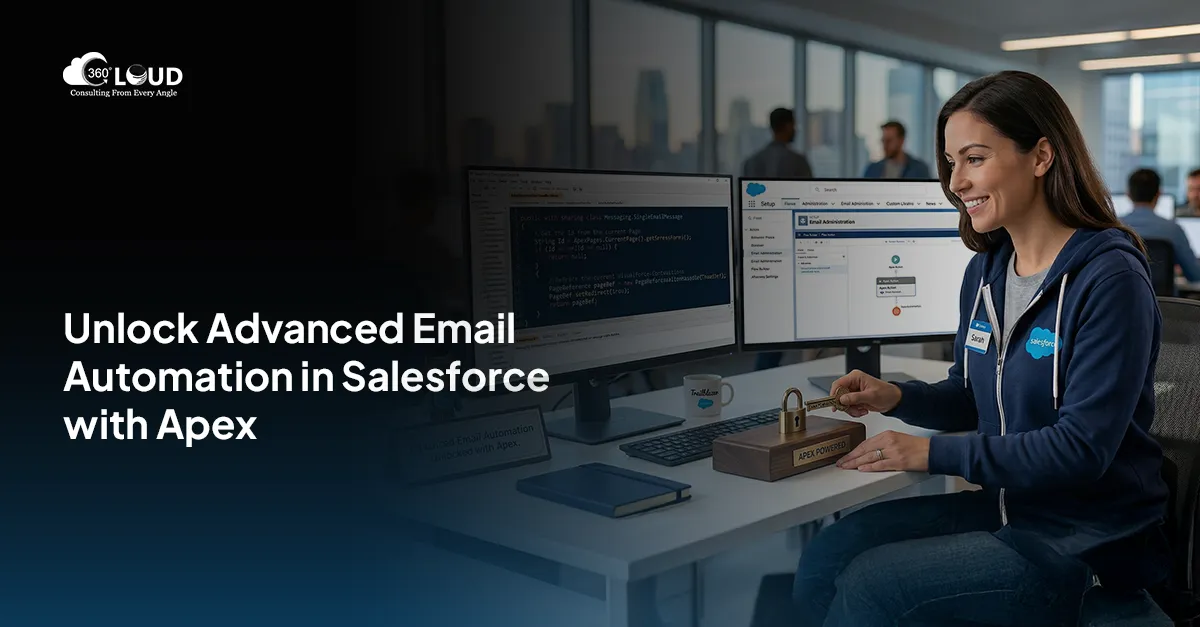
Step-by-Step Guide to Sending Mass Emails Using Salesforce Apex

Using email to send messages to a wide group of people is still a powerful and easy way to interact with leads, contacts, and clients. If you use Salesforce, making your email campaigns automated helps improve customer engagement and conversions. That’s where sending mass emails through Salesforce using Apex and declarative tools can unlock tremendous value.

Some think using mass emails requires special tools or Marketing Cloud, when in fact Salesforce Apex provides ample solutions, especially with custom tools or apps like Mass 360 Mailer on AppExchange. This guide walks you through the complete process to send mass emails using Salesforce Apex, step by step, using real-world use cases.

What is Mass Email in Salesforce Apex?

In Salesforce Apex, mass email involves sending messages to several records, including Leads, Contacts, or your own custom objects, with Apex or tools. Though Apex is bound by email limits, we can use solutions like 360 Mass Mailer that scale well to help users get around those limits.

Let’s now explore various ways to send mass emails from Salesforce Lightning in different use cases. Every section here includes tips to successfully complete bulk sends using the platform.

Steps to Send Mass Emails Using Salesforce Apex

1. Sending Emails to Standard and Custom Object Records Using List Views, Campaigns, and Salesforce Reports

If you need to engage contacts, leads, or custom objects, list views and reports make an excellent starting point.

Via List Views
  • Navigate to either the Contact or Lead tab.
  • From the list view, select any record(s), then click on the “Send Bulk Email” button.
  • You’ll be taken to a custom email composer where you can fill in the email details.
  • To email all records in the list view (not just selected ones), check the top-right radio button labeled ‘Send Email to all Contacts.’ (Note: This must be enabled by your admin or 360 Support team.)
Customize Sender and Recipient Info
  • From Email Type options:
    • Current User Email
    • Record Owner Email
    • Custom Verified Email (Note: Must be domain-verified via SendGrid.)
  • To Email dropdown pulls values from email fields on the object. Multiple fields can be selected.
  • Optional: Add up to 5 CCs, 5 BCCs, and 1 Reply-To email
Use Templates and Attachments
  • Choose from Salesforce or SendGrid templates or write a new message.
  • Drag and drop file attachments (1 file per email, max 5MB).

Once ready, click Send and a success screen confirms delivery.

Via Campaigns
  • Go to the Campaigns tab and open the relevant Campaign record.
  • Click the Send Email button on the detail page.
  • This redirects to the same Compose Email component as used above.
Via Salesforce Reports

Want to send emails based on dynamic criteria? Use the “Email From Reports” feature.

  • Navigate to the Email From Reports tab.
  • Select a report that includes a Record ID column.
  • Pick the ID column, click Send, and proceed with your bulk email.

Note: Without a Record ID column, this feature is disabled.

2. Sending Scheduled Emails

Need to send messages later rather than now? Salesforce lets you schedule emails directly from the same Compose Email interface.

  • Set your email to send daily, weekly, or monthly.
  • Choose a custom time that suits your audience’s time zone or behavior.
Review Scheduled Email Records
  • Go to the Email Schedules tab.
  • Click on a record to view:
    • Email Source (List View, Record Page, etc.)
    • Sender & Receiver details
    • Message content and subject
    • Associated object name

A checkbox, ‘Run report at scheduled time to fetch new records,’ ensures new data is included in each scheduled send. This is enabled by default, but can be turned off.

This feature is ideal when sending mass emails through Salesforce to prospects who meet new criteria over time, like leads added daily via form fills.

3. Drip Email Campaign

Rather than sending one-off blasts, drip campaigns offer structured, time-phased outreach to nurture prospects.

How to Set Up a Drip Campaign
  • Navigate to the Drip Email Campaign tab and click “Create New Drip.”
  • Enter campaign details:
    • Name
    • Associated Object
    • Description
    • Status (must be Active to execute)
Configure Automated Drip Logic

The Automated Drip Campaigns section lets you:

  • Turn Automation On/Off
  • Define When to Execute (trigger events)
  • Set Conditions for record inclusion
  • Choose the Preferred To Email and Sender Email

Drips can then be applied to bulk emails for promotional series, product announcements, or onboarding sequences. This is one of the best ways to send mass email using Salesforce Apex in a behavior-triggered fashion.

4. Sending Emails Using Automation

If you’re aiming for a no-touch email trigger system based on business logic, Salesforce Flows can be set up to handle this.

Using Record-Triggered Flows
  • Go to Setup > Enter “Flow” > Create a new Record-Triggered Flow
  • Define the criteria (e.g., Lead status = Qualified)
  • Configure your variables and map the data
  • Plug in your Apex Email action or component
  • Activate the Flow

This allows you to send mass email from Salesforce Lightning without manual initiation, which is perfect for auto-sending follow-up emails, order confirmations, or alert notifications.

Final Thoughts

Executing mass email campaigns doesn’t always require leaving Salesforce. With the right setup, admins and developers can easily configure, schedule, and automate their outreach using Apex, Flow, and reporting components. Whether you’re using drip sequences or real-time triggers, there are multiple options to send mass emails from Salesforce Lightning in a compliant and scalable way.

Remember, while sending mass emails through Salesforce, it’s critical to monitor deliverability, ensure your domains are verified, and stay within Salesforce’s governor limits. But with tools like 360 SMS or MassMailer, combined with Apex logic, you’ll unlock powerful and personalized communications without the complexity of external systems.

Looking to power up your Salesforce email strategy? Embrace 360 Mass Mailer and let Apex handle the rest.

logo Live Chat