

7 Phone Validation Tools That Integrate With Salesforce Workflows
21 Oct 2026
Table of Contents

Summary
Most phone validators don’t actually integrate with Salesforce workflows. They bolt on. This guide compares 7 tools on the criteria Salesforce admins and ops leads actually care about: native vs. connected, real-time triggering, Flow support, line type data, bulk runs, country coverage, and pricing model. If you’re choosing a phone validator that fits your CRM the way you’ve built it, this is where to start.
There’s a problem Salesforce teams keep discovering the hard way. A campaign goes out, reps start dialing, and somewhere between 20 and 35 percent of those calls go nowhere. Wrong numbers. Disconnected lines. Mobile numbers that were entered as landlines. The records looked clean. Nobody ran validation.
But here’s what most comparison articles don’t say clearly: not every phone validator actually integrates with Salesforce workflows. Some tools require CSV exports. Others push data back through a middleware layer like Zapier. A few have AppExchange listings but no real Flow action, no trigger support, and no way to write validation results back to a Salesforce field automatically.
If you’re an admin or ops lead, that distinction matters a lot. You’re not looking for a standalone tool. You’re looking for phone number validation software for CRM that fits the way your records are created, updated, and routed today.
This guide covers 7 phone validation tools using the same evaluation fields for each: best for, how it triggers, line type data, limits, pricing model, and main drawback. There’s also a comparison table and a team-type guide at the end.
Is your Salesforce phone data actually call-ready before campaigns go out?
Real-time validation that runs directly inside Salesforce, with no CSV export and no middleware.
Table of Contents
What Does “Integrates With Salesforce Workflows” Actually Mean?
Worth being precise here, because vendors use the phrase loosely. A tool that genuinely integrates with Salesforce workflows should be able to:
- Validate automatically when a record is created or edited, without requiring a separate manual step
- Run inside a Salesforce Flow or via an Apex trigger, so your team can build automation around the result
- Write validation output back to a Salesforce field (valid / invalid, line type, carrier, country) not to a separate external dashboard
- Support bulk validation against existing records, ideally on a schedule
- Respect Salesforce’s security model, field-level permissions, and org data boundaries
If the tool asks you to export a file, run it externally, and reimport results, that’s not integration. That’s a detour outside your system.
That’s the filter. Here are 7 phone validation tools that integrate with Salesforce workflows, evaluated against it.
Tool 1: 360 VTM/VTP (360 Verify the Email)
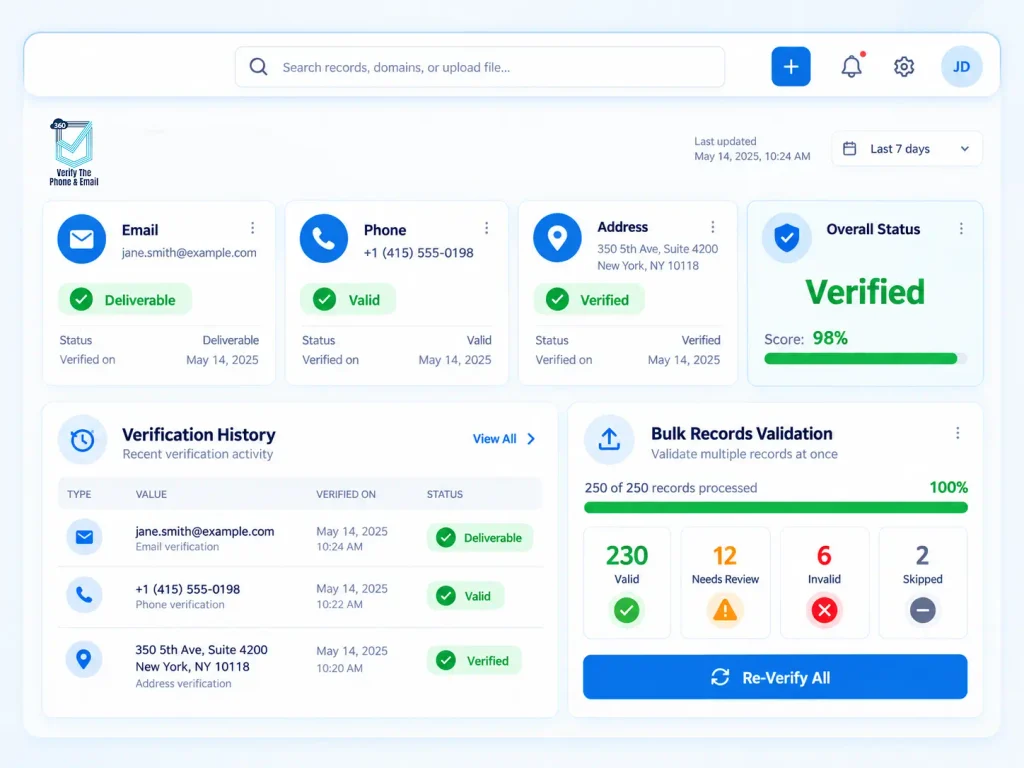
Best for: Salesforce teams that want email and phone verification in a single native package, without separate tools or API plumbing.
How it triggers: Validates in real time when a record is saved. Bulk runs and Flow-based automation are available on the Org plan. User-Based plan includes real-time validation.
Line type and carrier data: Yes. Returns line type (mobile, landline, VoIP) and carrier information directly to Salesforce fields.
Limits: Bulk and Flow support require the Org plan. Product team can confirm per-run record limits and scheduled job behavior.
Countries: Confirm current coverage on the product page.
Pricing model: Subscription-based. User-Based plan starts at $1/user/month. Org plan unlocks bulk and Flow features.
Main drawback: Real-time validation is available across both plans, but if your workflow depends on automated Flow triggers or scheduled bulk jobs, you need the higher tier.
Worth noting: for teams running email campaigns alongside phone outreach, 360 VTM/VTP pairs directly with 360 Mass Mailer. Verified phone and email data can feed into outbound campaigns from inside Salesforce without touching a third-party platform, which removes one of the more common data hygiene gaps in multi-channel ops.
Tool 2: DataGroomr Verify
Best for: Teams managing record deduplication and contact verification together, especially orgs dealing with messy Salesforce data across multiple objects.
How it triggers: Purpose-built Salesforce Flow template (DataGroomr Contact Verification) handles record-triggered automation on creation or modification. No custom Apex needed.
Line type and carrier data: Returns phone type (fixed-line or mobile), with a worldwide carrier database.
Limits: Professional plan includes 6,000 verification credits per year. Phone checks run at 2 credits per number, which means approximately 3,000 phone validations per year at that tier.
Countries: Worldwide carrier database. Confirm specific country depth on their pricing page.
Pricing model: Record-count-based subscription. Professional plan is approximately $2,895/year, bundled with deduplication and verification credits.
Main drawback: Credits can deplete faster than expected on large contact databases. Teams paying primarily for phone validation are also paying for deduplication features they may not need.
Tool 3: Plauti Record Validation
Best for: Teams with international Salesforce databases who need strict phone number format standardization across a large volume of records.
How it triggers: Automatic validation on record save for incoming data. Batch jobs run against existing records. 100% Salesforce-native. No external callouts.
Line type and carrier data: Validates format and reachability. Returns format outputs including E.164, National, International, and RFC 3966. Less detail on carrier-level intelligence compared to tools built specifically for carrier data.
Limits: Batch validation handles up to 100,000 contacts in approximately 45 minutes, per their published documentation.
Countries: 240+ countries for phone format validation.
Pricing model: Contact Plauti directly. Free trial with 100 credits available on AppExchange.
Main drawback: Strong on format and structural validity. Less informative on line type (mobile, landline, VoIP) and carrier information, which matters for outbound calling and SMS routing decisions.
Did You Know?
Format validation and line type validation aren’t the same thing. Knowing a phone number matches E.164 format tells you it’s structured correctly. Knowing it’s an active mobile line in the right time zone is what actually improves outbound connect rates. Teams relying only on format checks leave that gap open.
Tool 4: Experian Data Quality for Salesforce
Best for: Enterprise Salesforce orgs that need address, email, and phone validation in a single AppExchange-installed package, with real-time and passive validation modes.
How it triggers: Validates at the point of data entry. Configurable in active (prompted) or passive (silent background) mode. Works on standard Salesforce objects including Accounts, Contacts, Leads, and Contracts.
Line type and carrier data: Returns phone type (mobile or landline), carrier, and country of origin.
Limits: Standard objects included out of the box. Custom object configuration requires setup. Product team should confirm bulk job behavior.
Countries: 250 countries and territories.
Pricing model: Usage-based. Pricing varies by volume, datasets licensed, and deployment requirements. Free trial available on AppExchange.
Main drawback: Setup takes more configuration effort than lighter AppExchange tools. Enterprise positioning means the cost model may not work for smaller Salesforce orgs.
Tool 5: Melissa Clean Suite CRM
Best for: Teams needing global phone intelligence bundled with name, address, and email verification, particularly where caller type and geographic enrichment matter.
How it triggers: Available as a Salesforce add-on. Validates at point of entry and against existing records. Real-time carrier data via Premium Phone functionality.
Line type and carrier data: Returns caller type (consumer or business), carrier name, line type (mobile, landline, VoIP), country of origin, and geographic data. One of the more detailed return sets on this list.
Limits: Nearly 250 countries and territories. Confirm specific Salesforce Flow and bulk job behavior directly with Melissa.
Pricing model: Contact Melissa for pricing. Usage-based model.
Main drawback: AppExchange ratings are lower than comparable native tools. Teams with a Salesforce-first ops setup may find the integration experience less polished than purpose-built AppExchange apps.
Which phone validator actually fits the way your Salesforce Flows are built today?
Understanding how phone verification automation connects to record-triggered
Tool 6: Phone-Check.app
Best for: Technical Salesforce teams who want high-speed carrier enrichment feeding into Flows via custom Apex or HTTP callouts, and have the development resources to build it.
How it triggers: No native AppExchange package. Connects to Salesforce through API-based Apex callouts or HTTP actions in Flows. Validation runs in under 50ms per record on average.
Line type and carrier data: Returns carrier, line type, time zone, normalized phone number, and suppression reason. Built for routing-level intelligence, not just validity checks.
Limits: 99.6% validation accuracy across 232 countries.
Pricing model: API usage-based. Confirm current pricing on their site.
Main drawback: No AppExchange listing means more setup work. Teams without Apex development resources will spend significant time getting this wired into Salesforce reliably. Not the right fit for no-code or low-code environments.
Tool 7: Byteplant Phone Validator
Best for: Teams looking for an API-based phone validation option with solid market ratings as a starting point for a Salesforce Flow integration.
How it triggers: Integrates via API; callable from Salesforce Flows using HTTP actions or custom Apex. Real-time validation at point of entry or against existing records.
Line type and carrier data: Returns line type and validation status. Carrier detail depth confirmed by the product team on their site.
Limits: Global coverage. Confirm specific country depth and concurrent call limits directly with Byteplant.
Pricing model: Usage-based. Rated 4.8 on Capterra (20 reviews). Confirm AppExchange listing status and Flow integration documentation directly.
Main drawback: Less depth in native Salesforce workflow integration than tools with dedicated Flow action templates or AppExchange-certified components. Requires development work for proper CRM automation.
Comparison Table: 7 Phone Validation Tools at a Glance
| Tools | Salesforce-Native | Real-Time on Save | Flow Support | Line Type Data | Bulk Runs | Country Coverage |
| 360 VTM/VTP | Yes | Yes | Org plan | Yes | Org plan | Confirm on product page |
| DataGroomr Verify | Yes | Yes | Yes (template) | Mobile / Fixed | Credit-limited | Worldwide |
| Plauti Record Validation | Yes | Yes | Yes | Format only | Yes (100k/45 min) | 240+ |
| Experian Data Quality | AppExchange | Yes | Yes | Mobile / Landline | Yes | 250 |
| Melissa Clean Suite CRM | Add-on | Yes | Confirm | Mobile / Landline / VoIP | Yes | ~250 |
| Phone-Check.app | API only | Via Apex/Flow | Custom | Full detail | Yes | 232 |
| Byteplant Phone Validator | API / AppExchange | Via API | Custom | Line type | Yes | Global |
How Do You Choose the Right Tool for Your Team?
No code, no exports, no middleware: Start with native AppExchange tools. 360 VTM/VTP, DataGroomr Verify, and Plauti Record Validation all run inside Salesforce without external dependencies. That’s the right framing for teams where data governance, field-level permissions, and audit trails need to stay within the CRM.
Deepest carrier and routing intelligence: Experian and Melissa return more per check: carrier name, caller type, geographic data. Useful when phone data feeds into lead routing or SMS campaign segmentation by line type.
Maximum technical control: Phone-Check.app’s API model gives developers precise control over how validation integrates into Flows. The tradeoff is setup time and ongoing Apex maintenance.
Scale and international breadth: All seven tools cover global records. The meaningful differences show up in how carrier data behaves in less common country codes. Worth testing against your actual database before committing.
A practical note on team size: Smaller orgs often overpay by selecting enterprise-tier tools with country databases they’ll never fully use. Larger teams that start with a lightweight tool and later need Flow automation or scheduled bulk jobs usually end up switching anyway. The right question isn’t “which is most capable.” It’s which phone validator works with your CRM the way you’ve actually built it.


Solve It with Salesforce. We’ll Show You How.
AI. Apps. Experts. Everything you need to win with Salesforce under one roof.Frequently Asked Questions
Which tools work natively inside Salesforce without custom code?
360 VTM/VTP, DataGroomr Verify, and Plauti Record Validation all install directly from AppExchange and run without custom development. Experian Data Quality also has a native AppExchange package covering standard Salesforce objects.
Can these tools run phone validation automatically inside a Salesforce Flow?
DataGroomr Verify includes a purpose-built record-triggered Flow template. 360 VTM/VTP supports Flow automation on the Org plan. Experian validates at the point of save with configurable modes. Phone-Check.app and Byteplant require custom HTTP actions or Apex callouts from within Flow.
What is line type data and why does it matter?
Line type tells you whether a number is mobile, landline, or VoIP. For outbound sales teams, that affects connect rates, SMS deliverability, and TCPA compliance considerations in the US. Tools that return only valid / invalid leave that routing gap open.
How is phone validation different from phone formatting?
Formatting fixes how a number looks: standardizing country codes, removing dashes, applying E.164 structure. Validation checks whether the number is active, reachable, and what type of line it is. Plauti is strong on format-level validity. 360 VTM/VTP, Experian, and Melissa go further into carrier-level verification.
Do any of these tools support scheduled bulk validation for existing records?
Yes. DataGroomr Verify, Plauti Record Validation, Experian, and Melissa all support bulk validation jobs. 360 VTM/VTP bulk verification is available on the Org plan.

About the author
Editorial TeamThe Editorial Team at 360 Degree Cloud brings together seasoned marketers, Salesforce specialists, and technology writers who are passionate about simplifying complex ideas into meaningful insights. With deep expertise in Salesforce solutions, B2B SaaS, and digital transformation, the team curates thought leadership content, industry trends, and practical guides that help businesses navigate growth with clarity and confidence. Every piece we publish reflects our commitment to delivering value, fostering innovation, and connecting readers with the evolving Salesforce ecosystem.
Recent Blogs
 360 Verify The Mail
Plauti Verify vs 360 Verify the Email: Which Fits Your Salesforce Team?
Summary Plauti Verify offers broader Salesforce data quality capabilities, including assisted data entry and record-level validation. 360 Verify the Email focuses on real-time email and…
Read More 360 Verify The Mail
Salesforce Data Validation Rules vs Automated Data Validation Tools: What’s the Difference?
Here’s an uncomfortable truth most Salesforce teams don’t want to sit with: your CRM can be technically clean and practically useless at the same time. …
Read More 360 Verify The Mail
Salesforce AI Readiness Checklist: Is Your CRM Data Ready for AI Agents?
Most Salesforce teams approach AI deployment as a technology question. Which model? Which configuration? Which use case to start with? That’s understandable. But the teams…
Read MoreReady to Make the Most Out of Your Salesforce Instance?
Our Salesforce aces would be happy to help you. Just drop us a line at contact@360degreecloud.com, and we’ll take it from there!
Subscribe to our newsletter
Stay ahead with expert insights, industry trends, and exclusive resources—delivered straight to your inbox.
