

The Complete Guide to Email and Phone Verification in Salesforce
05 Aug 2026
Table of Contents
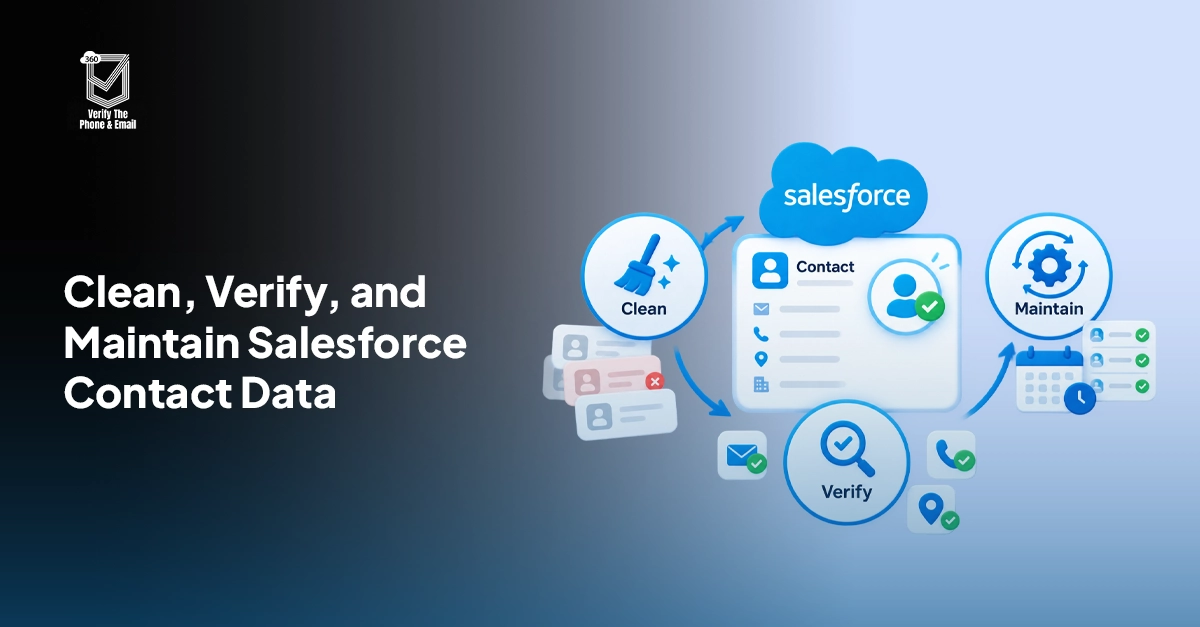
A single bad email address does not sound like a big problem. Multiply it by the thousands of stale records sitting in your org, and you get bounced campaigns, wasted SMS credits, damaged sender reputation, and reps chasing leads who were never reachable in the first place. Most Salesforce teams find out how bad their contact data actually is only after a campaign tanks or a compliance audit asks a question nobody can answer.
Native Salesforce can catch a typo. It cannot tell you whether that email inbox exists or whether that phone number still belongs to a real person. That’s the gap this Salesforce data verification guide covers, everything on email and phone verification in Salesforce: what real-time and bulk verification actually differ on, what compliance requires, and where to go deeper for regulated industries or ongoing data hygiene.
Want to see how automated checks catch dead inboxes before they cost you a send?

Table of Contents
Does Salesforce Verify Emails and Phone Numbers Natively?
No. Salesforce checks format, not reality. A validation rule can confirm that name@domain.com looks like an email address. It has no way of confirming the mailbox behind it is active, accepting mail, or belongs to the person on the record.
Phone fields work the same way. Standard formatting rules can force a number into (XXX) XXX-XXXX shape. That says nothing about whether the line is connected, whether it is a mobile or landline, or whether it was reassigned to someone else six months ago.
Duplicate rules and matching rules help too, but they solve a different problem entirely. They catch the same person entered twice under slightly different spellings. They do nothing to confirm the single record you kept is actually reachable. A clean, de-duplicated database full of dead emails is still a database full of dead emails.
This is the gap Salesforce-native verification apps exist to close. Tools like 360 VTM/VTP sit inside your org and check contact data against live email and phone networks, not just a regex pattern. The difference matters more than it sounds: a validation rule stops obviously broken entries. Verification tells you which of the “correctly formatted” entries are actually dead weight. That’s real Salesforce contact data validation, not just formatting enforcement.
Curious whether the numbers on your leads are actually reachable?
Real-Time vs Bulk Verification: What’s the Difference?
Two verification types cover almost every use case, and most Salesforce teams end up needing both.
Real-time verification happens at the point of capture, right when a lead fills out a web form or a rep manually enters a contact. The check runs before the record ever gets saved as valid, which means bad data gets flagged (or blocked) before it pollutes a campaign list.
Bulk verification runs against records that already exist in your org, often thousands or tens of thousands at a time. This is how teams clean up years of accumulated contact debt, ahead of a big send or as a standing hygiene practice.
| Real-Time Verification | Bulk Verification | |
| When it runs | At the moment of entry (form, Flow, manual create) | On demand or scheduled, across existing records |
| Best for | Stopping bad data before it enters the CRM | Cleaning up legacy databases and dormant lists |
| Typical trigger | Lead capture forms, Salesforce Flow, screen actions | List views, reports, campaign prep, scheduled jobs |
| Volume | One record at a time | Hundreds to hundreds of thousands |
In practice, real-time catches the leak. Bulk verification mops up what already got in before the leak was found. Neither one replaces the other.
Picture a RevOps team prepping for a quarterly email push. Real-time checks at the web form kept most of the junk out over the past three months. But the list also includes eighteen months of contacts imported before that Flow was ever built. A bulk pass runs against the full database, flags the dead entries, and the send goes out to a list that’s actually worth the postage. Neither step alone gets there. Salesforce CRM data quality isn’t a one-time fix, it’s the result of both checks working together, continuously.
Want cleaner lists before your next send?

Choosing the Right Verification Tool
Not every verification app fits a Salesforce workflow the same way, and the wrong pick usually shows up as extra admin overhead six months in. A few things worth checking before you commit:
- Does it run natively inside Salesforce, or does it require exporting records to a third-party portal and re-importing results?
- Does it support both email and phone, or just one?
- Can it be triggered inside Salesforce Flow for real-time checks, not only scheduled batch jobs?
- Does it offer bulk verification for existing databases, not just new leads?
- What reporting comes with it? Bounce rate trends and campaign readiness scores tell a very different story than a plain pass/fail export.
Most teams don’t. They pick whichever AppExchange listing has the most reviews and figure out the gaps later, usually during a renewal conversation nobody enjoys. The real issue isn’t tool availability, there are plenty of options. It’s whether the tool fits how your Salesforce org already works, or whether your team ends up building workarounds to fit the tool.
There’s also the question of where verification results live. Some tools return a pass or fail and stop there. Others write status, timestamp, and confidence data straight back onto the Contact or Lead record, where a report or list view can actually use it. That second option is the one that scales, because it means a sales rep or marketing ops manager doesn’t have to leave Salesforce to find out whether a record is trustworthy.
360 VTM/VTP was built around this exact list. It runs inside Salesforce, supports Flow-triggered real-time checks alongside scheduled bulk runs, and covers both email and phone verification without needing a second tool for each. Status fields sync back to the record automatically, which means reporting and list views reflect verification results without a manual export step.
Staying Compliant When Verifying Contact Data
Verifying a contact’s data is not the same as having the right to contact them, and that distinction gets missed more often than it should. GDPR governs how you store and process personal data (including phone and email records used for verification), and TCPA rules in the US apply specifically to how and when phone numbers can be used for outreach, not just whether they’re valid.
A few principles worth building into your process:
- Verification should confirm reachability, not become a backdoor way to gather more personal data than you already had consent for.
- Bulk verification jobs touching EU contacts need a lawful basis for processing, same as any other data operation in your org.
- Phone verification results should never be treated as consent to call or text. Those are separate legal questions.
- HIPAA-covered organizations verifying patient contact data should get their specific use case reviewed internally before rollout. Compliance requirements here are stricter and more use-case-specific than most teams assume going in.
None of this means verification is risky. It means it has to be set up with the same care as any other process touching personal data. To be fair, most Salesforce admins already handle this correctly for storage and access controls. The part that gets skipped is documenting why a verification vendor has access to contact records in the first place, and for how long results are retained.
Verification for Regulated Industries
Financial services and healthcare organizations carry a heavier bar than most. A bounced email in retail marketing is a wasted send. A bounced email tied to a compliance notice, a patient appointment reminder, or a loan disclosure can carry real regulatory weight.
Salesforce-native verification is already in use across organizations like CUTX in financial services and UNICEF in the nonprofit and humanitarian space, where accurate contact data isn’t optional, it’s operational. Healthcare organizations face additional layers: patient consent, HIPAA-aligned data handling, and verification workflows that need sign-off before they touch anything resembling protected health information.
Think about a credit union sending loan disclosure notices. A bounced email there is not just a missed touchpoint, it can turn into a documented failure to notify. A missed patient appointment reminder due to a dead phone number carries a similar weight, just measured in a different kind of consequence. Most teams outside these industries never have to think this hard about a single bounced message. Regulated teams don’t get that option.
The core verification mechanics (real-time checks at capture, scheduled bulk runs, reporting on data quality) stay the same across industries. What changes is the governance wrapped around them.
Beyond Email and Phone: Address Validation
Email and phone cover most verification needs, but they are not the whole picture. Mailing addresses decay too. Shipping labels get typo’d. Sales territories get assigned off addresses nobody double-checked. Field service teams route to locations that no longer exist.
360 VTM/VTP focuses specifically on email and phone verification. Address validation solves a related but distinct problem, and teams that rely heavily on physical mail, shipping, or territory assignment should treat it as its own project rather than assuming email and phone tools cover it.
Genuinely, this is the part teams overlook most often. They fix email bounce rates, feel good about the win, then discover six months later that a fifth of their mailing list has invalid addresses too. Different problem, different fix.
Keeping Old Records Clean Over Time
A verified record today is not a verified record forever. People change jobs. Phone numbers get reassigned. Email domains get retired after a company rebrand or an acquisition. Contact data does not stay accurate just because it was accurate once.
That’s the thing most Salesforce admins learn the hard way: verification is not a one-time project, it’s a maintenance habit. Running a single bulk verification pass and calling the database “clean” is how teams end up back at square one a year later, wondering why their sender reputation dropped again.
Scheduled re-verification handles this by running periodic checks against existing records, flagging contacts whose status changed since the last check. 360 VTM/VTP supports this through automated scheduling, so re-verification runs on a set cadence instead of depending on someone remembering to kick off a manual job every quarter.
In practice, this is where most re-verification projects quietly die: set up once, never revisited, forgotten. Point it at a report or list view, pick a frequency, and let it run in the background against Salesforce Flow. Records that pass stay marked as verified. Records that fail get flagged for review or routed into a cleanup queue, without anyone opening a spreadsheet.

Solve It with Salesforce. We’ll Show You How.
AI. Apps. Experts. Everything you need to win with Salesforce under one roof.Frequently Asked Questions
Does Salesforce verify emails and phone numbers natively?
No. Salesforce validation rules check format and pattern only. They cannot confirm whether an email inbox is active or a phone number is reachable. Actual verification requires a dedicated app, native or third-party, connected to live email and telecom networks.
What is the difference between real-time and bulk verification?
Real-time verification checks a record the moment it's entered, usually at lead capture, before it gets saved. Bulk verification runs against records already in your org, often to clean up an existing database ahead of a campaign or as scheduled maintenance.
Is contact data verification the same as marketing consent?
No, and this trips people up constantly. Verification confirms a number or email is real and reachable. It says nothing about whether you have legal permission to contact that person. Worth saying again: consent and verification get handled separately, even though they're easy to conflate.
How often should Salesforce contact data be re-verified?
There's genuinely no single universal answer here; it depends on how fast your list grows and how the data gets used. High-velocity sales orgs often re-verify monthly or quarterly. Slower-moving databases, like a long-tail nonprofit donor list, might run on a longer cycle. The point is having a cadence at all, not necessarily a specific number.
Can verification tools also validate phone numbers, not just email?
Yes, most Salesforce-native tools built for this, including 360 VTM/VTP, cover both. Some vendors specialize in one or the other, so it's worth confirming coverage before choosing a tool if you need both types handled in one place.

About the author
Editorial TeamThe Editorial Team at 360 Degree Cloud brings together seasoned marketers, Salesforce specialists, and technology writers who are passionate about simplifying complex ideas into meaningful insights. With deep expertise in Salesforce solutions, B2B SaaS, and digital transformation, the team curates thought leadership content, industry trends, and practical guides that help businesses navigate growth with clarity and confidence. Every piece we publish reflects our commitment to delivering value, fostering innovation, and connecting readers with the evolving Salesforce ecosystem.
Recent Blogs
 360 Verify The Phone
7 Phone Validation Tools That Integrate With Salesforce Workflows
Summary Most phone validators don’t actually integrate with Salesforce workflows. They bolt on. This guide compares 7 tools on the criteria Salesforce admins and ops…
Read More 360 Verify The Mail
Plauti Verify vs 360 Verify the Email: Which Fits Your Salesforce Team?
Summary Plauti Verify offers broader Salesforce data quality capabilities, including assisted data entry and record-level validation. 360 Verify the Email focuses on real-time email and…
Read More 360 Verify The Mail
Salesforce Data Validation Rules vs Automated Data Validation Tools: What’s the Difference?
Here’s an uncomfortable truth most Salesforce teams don’t want to sit with: your CRM can be technically clean and practically useless at the same time. …
Read MoreReady to Make the Most Out of Your Salesforce Instance?
Our Salesforce aces would be happy to help you. Just drop us a line at contact@360degreecloud.com, and we’ll take it from there!
Subscribe to our newsletter
Stay ahead with expert insights, industry trends, and exclusive resources—delivered straight to your inbox.
