

Table of Contents
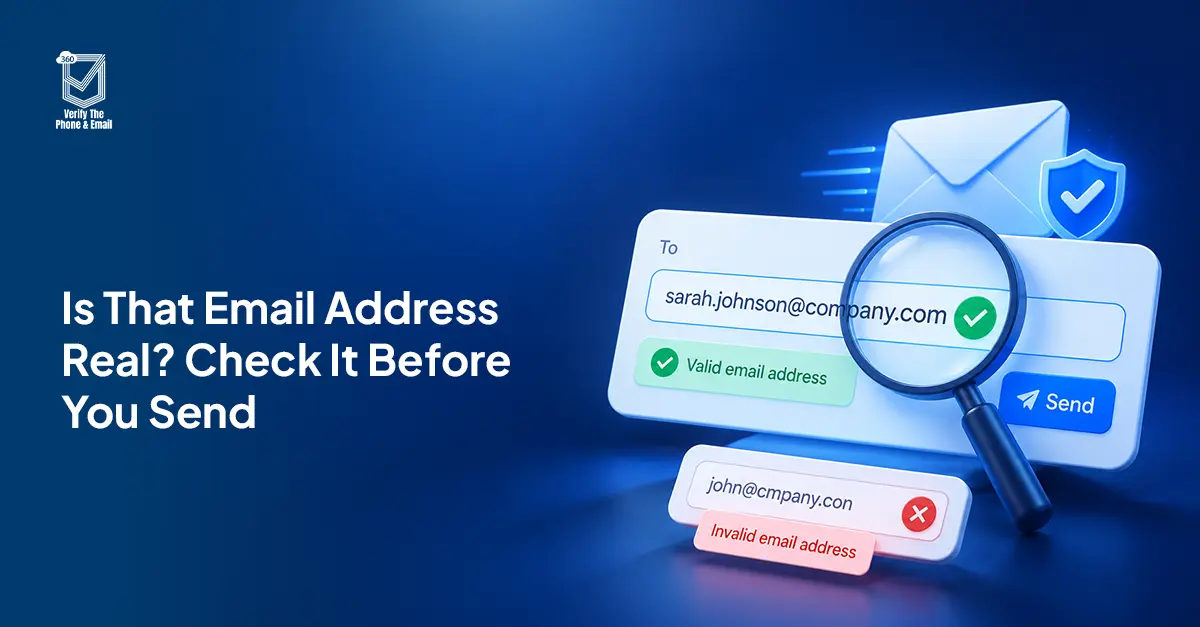
Not every email address that looks valid actually delivers. This guide explains how Salesforce users can test an email address without sending an email, using syntax checks, MX lookups, and SMTP handshakes, and what to do when results come back risky or unknown.
Yes. You can test an email address without sending an email through three sequential checks: a syntax check, an MX record lookup, and an SMTP handshake. Each step confirms a different layer of deliverability without a message ever being sent.
The limits appear at the SMTP stage. Catch-all servers accept any address at a domain regardless of whether a real mailbox sits behind it. Greylisting temporarily rejects unknown senders, which can produce false undeliverable results on a first check. Both cases return as unknown or risky rather than confirmed valid. That is still useful information, but it is not a definitive answer.
For Salesforce users managing lead databases, marketing lists, or inbound form submissions, knowing whether an address is deliverable before it enters your CRM changes how you handle it downstream. This guide covers how each check works, what free tools can and cannot do, and how Salesforce-native email verification handles the full workflow inside your CRM.
Table of Contents
How Email Verification Works Without Sending an Email
Email verification without sending works by querying the address at each layer of email infrastructure, stopping before any message is transmitted.
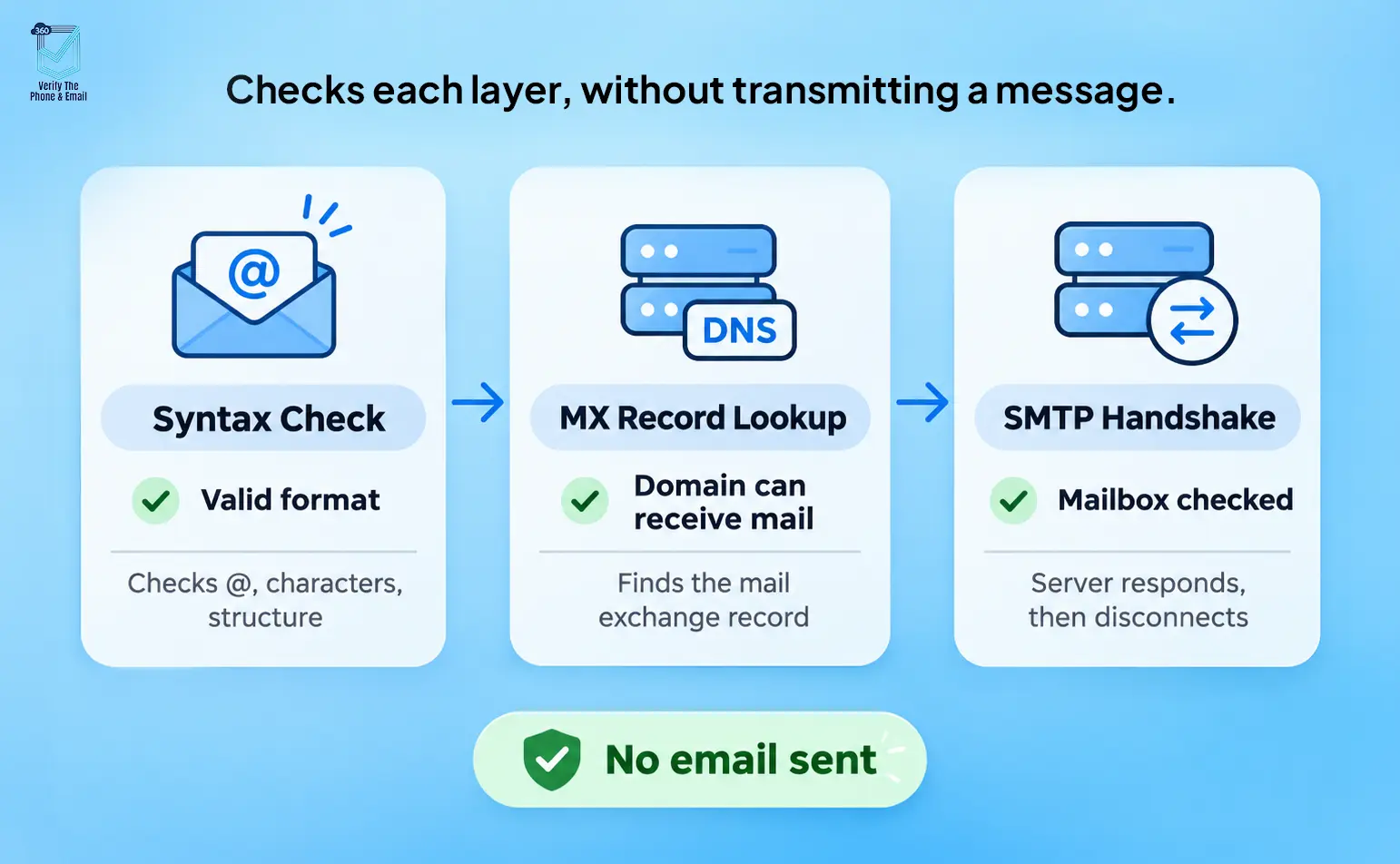
Syntax check
Confirms the address follows the correct format: a local part, an @ symbol, and a valid domain. This catches obvious errors such as missing @ symbols, invalid characters, and double dots. It does not confirm whether the address exists or delivers.
MX record lookup
The tool queries the DNS for the domain’s mail exchange record. An MX record confirms the domain is configured to receive email. No MX record means the domain cannot receive email at all, regardless of how the address looks. This step eliminates entire invalid domains without contacting any mail server.
SMTP handshake
The tool opens a connection to the mail server and simulates the start of an email delivery, asking whether the mailbox exists, then disconnects before sending any content. The server’s response indicates whether the address is active. This is the most precise check available without sending a message.
| Check | What It Tests | Catch-All Risk | Confirms Deliverability? |
| Syntax check | Address format only | No | No |
| MX record lookup | Domain has a mail server | No | Partial |
| SMTP handshake | Mailbox exists and accepts connections | Yes, catch-alls return valid for any address | Mostly, with exceptions |
| 360 VTM/VTP full verification | Syntax + MX + SMTP + deliverability scoring + risk classification | Flags catch-alls and returns risk status | Yes, with risk level |
Can You Test an Email Address Without Sending It?
Yes. 360 Verify the Email runs all three checks: syntax validation, MX record lookup, and SMTP handshake, directly inside Salesforce, without exporting records or routing data through a third-party dashboard.
VTM supports manual verification for individual records, automatic verification at the point of entry, and bulk email verification for existing lists. Results write back to each Salesforce record as a verification status and risk classification, so admins can filter, segment, and act on data quality without leaving the CRM.
Point-of-entry verification ensures addresses are validated the moment they enter Salesforce, keeping bad data out from the start rather than cleaning it up later.
Is your Salesforce email list costing you deliverability before you even hit send?
Most bounce issues start with addresses that were never valid. Here is how to catch them first.
Check Emails in SalesforceWhy Verify Email Addresses Without Sending Emails?
There are real operational benefits to checking addresses before any send. More efficient communication, fewer wasted resources, and a cleaner sender reputation are the outcomes most teams care about.
Reducing Bounce Rates
High bounce rates damage sender reputation with email service providers. Invalid addresses are one of the primary causes. When email addresses are verified before sending, only deliverable addresses reach the send queue, reducing bounce events and protecting long-term deliverability.
Improving Campaign Efficiency
Sending to a verified list means messages go to real, reachable contacts. Removing invalid and inactive addresses before a campaign improves open rates, click-through rates, and overall results without changing a single line of copy. Low email engagement often starts with an unverified list.
Saving Resources
Every undeliverable email consumes server capacity, marketing budget, and sending credits. Verifying at the point of entry or before a bulk send keeps those resources focused on contacts who can actually receive messages.
Avoiding Spam Traps and Blacklists
Repeatedly mailing to invalid addresses can get your domain blacklisted by email service providers, which affects deliverability across your entire list. A related risk is spam traps: addresses that ISPs and blocklist operators plant to identify senders with poor list hygiene. Email verification lowers the chance of hitting them. It does not guarantee a domain will never be flagged, as ongoing list hygiene and sender practices matter equally, but it removes one of the most common causes.
Did You Know?
When you test an email address without sending through a free online tool, your contact data is typically exported outside your CRM. For Salesforce teams handling GDPR or HIPAA-regulated data, that data movement is a compliance consideration entirely separate from whether the address is valid.
Free Tools vs a Salesforce-Native Verification Tool
Free online email verification tools run the same three checks, but the workflow is different. You export a list, upload it to an external tool, wait for results, and reimport the data into Salesforce. Each step is a manual handoff and your contact data leaves your CRM and has to be reimported.
A Salesforce-native tool like 360 Verify the Email runs those checks inside the org. No export, no reimport, no separate dashboard to log into.
| Free online tools | 360 VTM/VTP (Salesforce-native) | |
| Where it runs | External website or API | Inside your Salesforce org |
| Data leaves Salesforce | Yes: export, check, reimport | No, results write back to the record |
| Real-time verification | Manual, one address at a time | Automatic at point of entry |
| Bulk verification | Via CSV upload to external tool | Yes, inside Salesforce with no CSV handling |
| Results on the Salesforce record | No, separate export required | Yes, status and risk level on each record |
| Catch-all detection | Basic or none | Yes, flagged with risk classification |
| Verification history | No | Yes, audit trail on each record |
| Works with Salesforce Flows | No | Yes, native Flow integration |
How 360 VTM/VTP Solves Email Verification Challenges in Salesforce
360 VTM/VTP is built to handle the common friction points in email verification for Salesforce teams. Here is how it handles each one:
1. Reducing Campaign Failures
One of the most significant challenges in email marketing is low engagement caused by invalid email addresses. With VTM, you can validate email addresses in real time or in bulk, making sure campaigns reach genuine recipients and reducing the chance of failed sends.
2. Improving Data Quality
VTM maintains data hygiene within your Salesforce environment by verifying email addresses directly at the source. This prevents erroneous or outdated information from piling up in your database and leads to more precise segmentation and targeting.
3. Bulk and Automated Validation
VTM allows bulk validation of email addresses across existing records, saving time compared to manual review. Automated workflows can also be configured to validate new entries on creation, keeping data quality ongoing without manual intervention.
4. Reducing Operational Costs
Eliminating invalid addresses from campaigns reduces costs tied to undeliverable emails, including sending credits, server load, and time spent investigating bounce reports.
5. Improving Engagement
A verified list delivers higher open and click-through rates because messages reach real people. This leads to more meaningful interactions and more reliable campaign reporting.
Want to stop bad email addresses from entering Salesforce in the first place?
Point-of-entry verification catches invalid addresses the moment a record is created.
Try 360 Verify the EmailWhat to Do With Risky or Unknown Verification Results
Not every email verification check returns a clean valid or invalid result. Here is how to handle the cases that sit in between.
Risky status
An address that clears syntax and MX checks but shows signs of poor deliverability, such as a history of bounces or unusual SMTP responses, typically returns as risky. These addresses can be contacted but should be treated as lower priority and monitored for bounce activity after the first send.
Unknown or catch-all status
A catch-all domain accepts any incoming address without confirming whether a real mailbox exists. Email verification cannot determine deliverability for these. The practical approach is to suppress them from high-volume sends and test a small segment manually before committing the full list.
Greylisted responses
Some mail servers temporarily reject connections from unknown senders as a spam prevention measure. A greylisted address may return as undeliverable on a first check and valid on a retry. Scheduling a second verification pass before a major send helps catch these.
What to do in Salesforce
360 VTM/VTP writes a verification status and risk classification back to each record. Admins can build list views, segment by status, and route contacts into appropriate Flows, all without leaving Salesforce. Risky and unknown contacts can be held in a re-verification queue rather than suppressed permanently.
Conclusion
The ability to test an email address without sending an email is a standard practice for any Salesforce team that cares about deliverability, data quality, and sender reputation. The underlying mechanics — syntax check, MX record lookup, and SMTP handshake, are the same whether you use a free tool or a native app. What differs is where the results live and how much manual work your team has to do to act on them.
360 Verify the Email runs those checks inside Salesforce and writes results directly to your records, making email verification part of your CRM workflow rather than a separate step outside it.

Solve It with Salesforce. We’ll Show You How.
AI. Apps. Experts. Everything you need to win with Salesforce under one roof.Frequently Asked Questions
Can I test an email address without sending an email?
Yes. Email verification tools check addresses through syntax validation, MX record lookups, and SMTP handshakes. No email is sent at any point during the process.
What is a syntax check in email verification?
A syntax check confirms the email address is formatted correctly: a local part, an @ symbol, and a valid domain. It does not confirm whether the address exists or can receive email.
What is an MX record lookup?
An MX record lookup queries the DNS to confirm the domain has a mail server configured to receive email. Domains with no MX record cannot receive email regardless of address format.
What is an SMTP handshake in email verification?
An SMTP handshake simulates the start of an email delivery connection and asks the mail server whether a specific mailbox exists. The server responds without any email being sent.
Why do some addresses come back as unknown?
Unknown results usually indicate a catch-all domain, configured to accept any incoming address regardless of whether a real mailbox exists. Email verification cannot confirm deliverability for these addresses.
Can email verification prevent blacklisting?
Email verification lowers the risk of sending to spam traps and invalid addresses, which are common causes of blacklisting. It does not guarantee a domain will never be flagged, as sender practices and ongoing list hygiene are also factors.
Does 360 VTM/VTP verify emails without sending them?
Yes. 360 Verify the Email runs syntax, MX, and SMTP checks inside Salesforce and writes results back to each record. No email is sent and no data leaves your Salesforce org during verification.
What should I do with risky or catch-all email addresses in Salesforce?
Risky addresses can be sent to with caution and monitored for bounce activity. Catch-all addresses are best held in a re-verification queue or tested with a small segment before any large campaign send.

About the author
Editorial TeamThe Editorial Team at 360 Degree Cloud brings together seasoned marketers, Salesforce specialists, and technology writers who are passionate about simplifying complex ideas into meaningful insights. With deep expertise in Salesforce solutions, B2B SaaS, and digital transformation, the team curates thought leadership content, industry trends, and practical guides that help businesses navigate growth with clarity and confidence. Every piece we publish reflects our commitment to delivering value, fostering innovation, and connecting readers with the evolving Salesforce ecosystem.
Recent Blogs
 360 Verify The Mail
Best Salesforce Data Quality Tools 2026
Picking the right Salesforce data quality tools isn’t a one-time decision. This guide breaks down six tools that tackle verification, deduplication, and ongoing data hygiene…
Read More 360 Verify The Mail
CRM Data Cleansing: Steps, Tools and How to Automate It
Your Salesforce org looks fine at the record level. Contacts are there. Fields are filled in. Reports run. But somewhere between 20 and 30% of…
Read More 360 Verify The Phone
7 Phone Validation Tools That Integrate With Salesforce Workflows
Summary Most phone validators don’t actually integrate with Salesforce workflows. They bolt on. This guide compares 7 tools on the criteria Salesforce admins and ops…
Read MoreReady to Make the Most Out of Your Salesforce Instance?
Our Salesforce aces would be happy to help you. Just drop us a line at contact@360degreecloud.com, and we’ll take it from there!
Subscribe to our newsletter
Stay ahead with expert insights, industry trends, and exclusive resources—delivered straight to your inbox.