Talk to Us

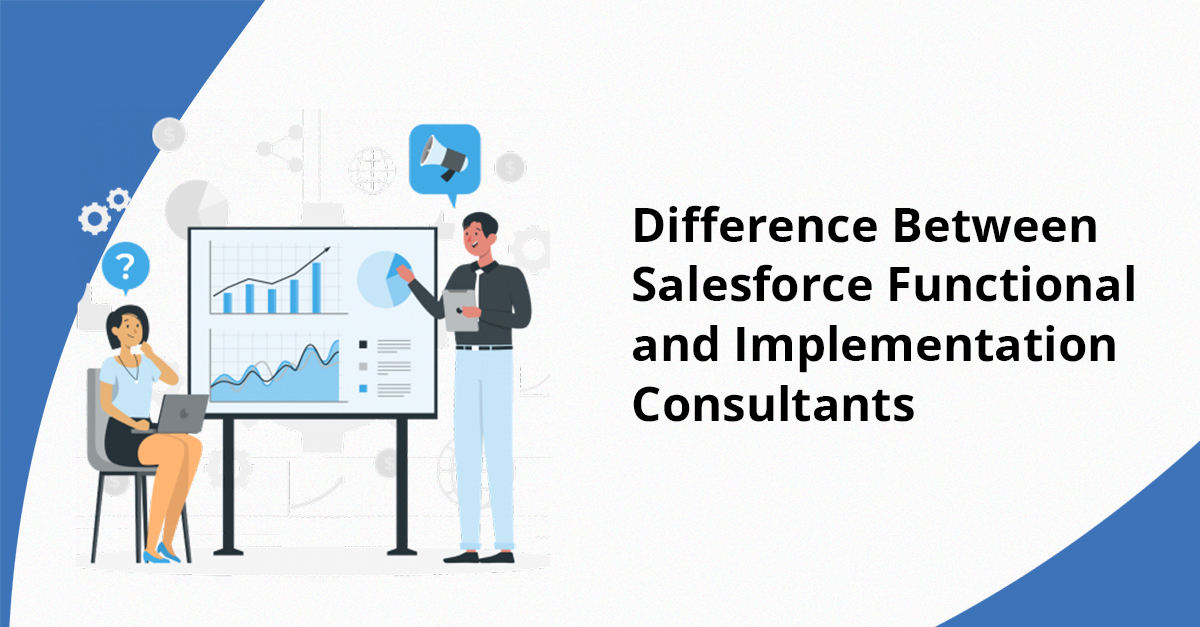
Difference Between Salesforce Functional Consultant and Implementation Consultant

Many times, companies pay professionals to maximize Salesforce, a potent and extensively utilized customer relationship management technology. Salesforce functional consultant and Salesforce implementation consultant are the two most valuable forms of consultants used in a Salesforce adoption project. Though they seem similar, these jobs are not. Their roles, talents, and aims vary. Since last year, 57% of sales executives and managers think competition has intensified, emphasizing the necessity for organizations to use Salesforce to stay ahead. 

This blog article compares Salesforce Functional and Implementation Consultants. This will clarify what each Salesforce consultant contributes. By the end, you’ll know how these two professionals work together to make Salesforce usage go smoothly and help users get the most out of the platform.

Before you get into the details of experts, you should know what Salesforce is and why companies in many fields use it. Salesforce simplifies client relationship management in the cloud. Companies may centralize marketing, customer service, sales, and other key operations with it. Salesforce  offers data, analytics, and automation to raise customer service and efficiency.

Salesforce provides among other configurable features Sales Cloud, Service Cloud, Marketing Cloud, and more.

What Does a Salesforce Functional Consultant Do?

Salesforce functional consultant manages business-related project elements. By connecting business users with the technical team, they ensure the platform meets the company’s particular business demands.

Salesforce Functional Consultant Responsibilities

The following are some of the primary Salesforce Functional Consultant responsibilities:

Requirement Gathering and Analysis 

Functional advisers learn about business stakeholders’ goals, procedures, and concerns. They determine company needs and how to address them on Salesforce.

Solution Creation

Functional consultants provide business solutions after gathering demands. They built up Salesforce features to assist the firm succeed.

Salesforce customization and configuration

Functional specialists put up custom fields, workflows, and the process builder. They customize Salesforce using Salesforce’s built-in capabilities without writing much code.

User training

Functional consultants help users utilize Salesforce. They assist users throughout the system to guarantee comfort.

Business Process Optimization

Functional consultants look at how the business works now and suggest ways to improve it. They make sure that Salesforce works with the way the company works and improves the speed of operations.

Skills and Expertise of a Salesforce Functional Consultant

1. Deep Knowledge of Business Processes: The functional consultants are expected to have proper understanding of business functions.

2. Salesforce Product Expertise: Not that they should be deep technology experts, but should know quite well about features, configuration options, and best practices of Salesforce.

3. Strong Communication Skills: To get objectives and explain solutions, functional consultants need to be able to talk to clients.

4. Solving Problems: They are very good at looking at business problems and figuring out how to use Salesforce features to solve them best.

Salesforce Implementation Consultant Duties

Conversely, a Salesforce implementation consultant is in charge of overseeing the entire process of using Salesforce. This job includes many more tasks that involve setting up and integrating Salesforce into an organization’s technology.

Key Responsibilities of a Salesforce Implementation Consultant

Project Management

Salesforce implementation experts must manage projects. They complete the Salesforce implementation on schedule, on budget, and as required. Together with the technical and functional teams, they assure release success.  Together with the technical and functional teams, they assure release success.Add this: They can use Monday alternatives to keep tasks organized, track progress, and ensure the team stays aligned throughout the Salesforce implementation.

System Integration

Salesforce integration consultant to other enterprise systems. This might involve third-party technologies, legacy systems, or cloud apps.

Custom Development

When Salesforce capabilities don’t satisfy corporate goals, implementation experts may design bespoke solutions. Functional consultants specialize in out-of-the-box Salesforce solutions. Visualforce pages, Lightning components, and Apex code.

Data Migration

Implementation professionals import data from legacy systems into Salesforce accurately. These cover organizing, cleansing, and Salesforce-compatible data changes.

Quality Assurance and Testing

Once the system has been set up and built, implementation experts ensure it is tried correctly. They look for bugs, provide all the features work as they should, and ensure the system is ready.

Post-Implementation Support

Once the system is running, the implementation experts will be able to assist with problems, get the system running right, and modify any of the settings needed.

Skills and Expertise of a Salesforce Implementation Consultant

1. Technical Knowledge: Having technical understanding about Salesforce like knowledge about Apex, Visualforce, LWC, and more is necessary for an expert responsible for Salesforce implementation.

2. Project Management Skills: Implementation experts often have to be project managers, which means they need to be able to organize things, keep track of time, and lead teams well.

3. Strong analytical skills: They need to look at business needs from a technical point of view and figure out how to make those needs into solutions that work.

4. Communication Skills: Even though the work is more technical, implementation experts still need to be able to work with different people and make their messages clear.

Key Salesforce Functional Consultant vs. Implementation Consultant Differences

Salesforce Functional Consultants and Implementation Consultants vary mainly in the following:

FeatureFunctional ConsultantsImplementation Experts
Focus AreaPrimarily focus on business processes and goals. Work closely with partners to ensure Salesforce aligns with business needs.Focus on the technical aspects of Salesforce implementation. Responsible for system integrations, custom app development, and data migration.
Responsibility for CustomizationPrimarily use Salesforce’s point-and-click tools to configure processes, reports, and screens.Responsible for special development, including writing code (Apex, Visualforce) and integrating with other systems.
Scope of EngagementHeavily involved in the planning and design phases, working directly with business users to define the Salesforce implementation roadmap.Typically involved in setup, launch, and post-go-live support, ensuring the smooth functioning of the Salesforce system.
Skill SetsStrong understanding of business processes and how they translate to Salesforce functionalities. Expertise in utilizing Salesforce’s built-in features.Deep knowledge of technology, including programming languages (Apex, Visualforce), integration technologies, and Salesforce development tools.

Maximize Your Salesforce Potential

Successful Salesforce adopters must understand the differences between Functional and Implementation Consultants. The platform needs both tasks to satisfy business goals and integrate with other platforms. Does Salesforce need your assistance? Ready to assist you set up and maximize your Salesforce platform, our team of knowledgeable Salesforce consulting partners is here. Contact us right away to set up a meeting.
How Can Salesforce CRM Consultants Help Your Business?

In this digital world, you must need more than great products or services to compete. You must also ensure consumer satisfaction. Popular CRM tool Salesforce enables companies to do this, but its usage is not always easy.  Salesforce CRM expertise excels there. These experts link technology to business goals. They simplify difficult issues to increase productivity, growth, and customer satisfaction. Want to discover how they can impact your business? Discover how Salesforce CRM consultants altered the game.

How Do Salesforce Consultants Work?

A Salesforce consultant  customizes and optimizes Salesforce CRM for each company. They ensure Salesforce solutions match company goals by linking technical teams and business partners.

These people are crucial because they help firms set up and use Salesforce technologies like Sales Cloud, Service Cloud, and Marketing Cloud. Training and assistance guarantee teams can utilise the technology successfully.

Sales executives and managers are 82% confident in their 12-month growth strategy, and the proper Salesforce partner may make all the difference.  There are lots of ways Salesforce CRM partners can help a business. Their knowledge is essential for solving problems, ensuring that merging goes smoothly, and allowing for growth.

Salesforce CRM Consultant Duties

Salesforce CRM partners are very important for companies that want to improve their customers’ handling. Salesforce, a premier CRM, helps consultants increase sales, customer service, and marketing. This improves customer service and corporate efficiency. Here are five essential Salesforce CRM Consultant tasks.

1. Requirement Analysis/Consultation

The first thing a Salesforce CRM expert does is learn about what the business needs. Looking at current systems and processes, they find trouble spots and places where things could improve. This is necessary to ensure that the Salesforce product meets the needs of the business.

2. Customizing Salesforce solutions

There are many ways to change how Salesforce works. Salesforce CRM implementation partners change the features of Salesforce to work best for the business. This includes organising fields, tools, procedures, and outcomes as well as creating bespoke apps as needed.

3. Management and Integration of Data

Along with other organisational systems including ERP and marketing tools, Salesforce CRM partners combine and manage data. They ensure smooth data movement from old systems to Salesforce, hence lowering mistakes and inconsistencies.

4. Implemented Salesforce automation

Lead assignments, follow-up notes, and marketing are more efficient when automated. Salesforce CRM partners automate these tasks with Process Builder and Flow so teams may focus on more essential responsibilities.

5. Set up Reports and Analytics

Salesforce CRM implementation partners make personalized reports and apps that give real-time information. These reports assess business metrics and KPIs. Leaders can make fact-based decisions.

6. Create User Permissions and Security

To set up user accounts, roles, and permissions for Salesforce, experts must be employed. They make sure that the privacy rules are implemented, and only allowed users have access to private information.

7. Continuous system optimization

Salesforce software is continuously developing so it has to be maintained. Consultants update new features with a set of release notes to propose enhancements for the app to ensure it delivers optimal performance.

8. Managing enhancements and change requests

As companies grow and change, they need to meet new needs. Salesforce CRM implementation partners handle requests for updates and improvements to guarantee the system can adapt to all new business needs without stopping regular operations.

Why do Businesses Need Salesforce CRM Consultants?

Salesforce CRM implementation partners are crucial for ensuring companies get the most out of their spending on Salesforce. These are five reasons why they are essential.

Expert Knowledge and Experience: Salesforce consultants have much specialized knowledge and experience, which will ensure that the CRM fits the needs of your business.

Optimizing CRM Features: They ensure companies use the advanced Salesforce features that are not being used to their full potential so that adoption is smooth and meets specific goals.

Time and Cost Efficiency: Experts reduce the time and cost for the establishment and management of Salesforce solutions. In this regard, firms avoid expensive mistakes with such an action.

Business Process Integration: Consultants make sure that Salesforce fits well in the current business processes. In doing so, they make things run even more smoothly and more efficiently.

Ongoing Support and Maintenance: Besides setting up the CRM, experts offer ongoing support, updates, and fixing to ensure it grows with your business.

How Salesforce CRM Consultants Help Businesses?

It is very critical for organizations to implement Salesforce with the help of CRM consulting services since these help enhance business customer relationships through management systems. They come in handy, changing the problems affecting the success and growth of many businesses because:

Issues with customization: Consultants ensure customization; hence businesses work with how they want, with the efficiency improving and results delivering faster.

User Adoption Resistance: Many employees find it hard to adapt to new ways of doing things. Companies can build familiarity with Salesforce through consultant training and support, hence encouraging engagement and reducing change resistance.

Data migration complexity: Moving data from old to new systems could become complex. Salesforce professionals move and collate consumer information without mistake or loss into the CRM system.

Difficulties with System Integration: A lot of different tools are needed to work with Salesforce. Salesforce CRM consultants take care of these merging issues and ensure that all systems work well with each other to smooth data management.

Continuous Updates and Maintenance: Salesforce is always in a state of change. Consultants assist businesses through the changes and ensure that CRM always has new features and supports the business in its needs.

With their experience, Salesforce CRM consulting services ensure that companies move past these challenges and that the system goes live without a hitch and continues working well.

Transform Your Business Today

Salesforce CRM consulting services are beneficial in getting the most out of Salesforce for your business. Their knowledge ensures that your CRM meets and exceeds your expectations, from a smooth introduction to ongoing improvement. Are you ready to use Salesforce to change your business? Get in touch with us and start moving toward a more efficient future focused on customers.

What are The Best Advantages of Hiring a Salesforce Technical Consultant

Companies using Salesforce aim to better manage their interactions with consumers, streamline their business operations, and ultimately expand. Without the necessary knowledge, firms may struggle to maximize the platform’s potential. Over the previous year, 79% of sales executives and managers said revenue rose owing to Salesforce optimization. We need a Salesforce expert specialist to help us with this. A skilled Salesforce user can help your firm maximize its use. Let’s get some answers to why you should engage a Salesforce technical consultant and how they can help your business thrive.

What is a Salesforce Technical Consultant?

A Salesforce technical consultant is a specialist with extensive knowledge of the tools and apps compatible with Salesforce. Their role is to make sure Salesforce satisfies particular company demands and provides professional guidance throughout setup and customizing, thereby enabling organizations to maximize it. These professionals can build Salesforce solutions suited for every company as they possess both academic knowledge and field-based expertise. 

Why Hire a Salesforce Consultant?

You may not know why you should hire a Salesforce developer consultant now that you know what Salesforce is. When you hire a Salesforce expert, you’ll get a lot of these benefits:

1. Tailored Services

One size doesn’t always fit all in CRM because every business is different. A Salesforce technical consultant can help you find options that fit the wants and goals of your business. A consultant can make a solution that works perfectly for your business, whether you need unique development, integration with other systems, or a strategy plan for delivery.

2. Finish your Business Deal Promptly

When you hire a Salesforce developer consultant, one of the best things about it is that they can help you find flawless and strong answers to any customer issue you may be having. Additionally, Salesforce experts can help you close deals with customers more quickly, increasing your business’s productivity.

3. Skill and Experience

A Salesforce marketing consultant is a great way to get useful information. Certified workers know how to use the tool and can help you through the difficult implementation steps. With their help, you can avoid common problems and mistakes that cost a lot of money. This ensures that the switch to Salesforce goes smoothly and that you can use it immediately.

4. Support and Upkeep

After implementation, you will still be working with a Salesforce expert. They offer help and repair services to keep your CRM system running well. Having a specialized expert ensures your team has the help it needs to succeed, whether it needs help with troubleshooting, training for users, or updates to its Salesforce instance.

5. Improved ROI

You’re making a big commitment when you buy Salesforce. An expert can help you get the most out of that purchase. They will assist you in identifying areas for development, tracking and evaluating important performance indicators, and putting strategies to raise your return on investment (ROI) into action. Their assistance will let you maximize Salesforce for your company.

6. Smooth Transition

If you want to switch from another CRM to Salesforce or connect it to other apps, a Salesforce consultant can help you get it done quickly and easily. These professionals ensure that your business runs as smoothly as possible during the transfer process and can create a smooth routine by connecting Salesforce to other tools, making your organization’s data more visible.

7. Advice Strategic

A Salesforce technical consultant can help you integrate your CRM with your business goals with strategic recommendations. They can help you plan for success, prioritize critical tasks, and implement best practices that foster development and new ideas. With their support, you can remain ahead of the curve and align your CRM plan with your long-term goals.

Expectations from a Salesforce Consultant

Companies who engage a Salesforce consultant should search for the following qualities to guarantee they have a qualified, well-rounded professional capable of adding value.

Skills and Certifications

Salesforce Administrators and Architects make good Salesforce marketing consultants. These badges demonstrate their platform proficiency and technical expertise in Salesforce setup and customization. Ask about their knowledge of Salesforce features, which are crucial to your organization.

Communication and Teamwork Skills

After all, working together and communicating are what make a project great. The adoption will go more smoothly if you have a Salesforce registered consulting partner who can clearly explain technical ideas and is willing to work actively with your team. The ability to understand your needs and explain how to meet them makes working with him easier and less likely to lead to misunderstandings that cause project delays.

Ability to Solve Problems

Debugging and finding solutions to difficult issues is crucial for a Salesforce registered consulting partner. Any Salesforce expert with good problem-solving skills can develop new, creative ideas and deal with unexpected problems during change implementation or find new ways to improve processes after implementation.

Expertise in the Industry

A Salesforce developer consultant must be familiar with their field of work. Whether in retail, finance, or healthcare, the degree to which an adviser is knowledgeable about your sector can help them understand its particular difficulties. They can offer unique and relevant answers as they know the most efficient ways to complete jobs in their field of work.

Take the Next Step Toward Success

Engaging the services of a Salesforce technical consultant is among the most beneficial things you can do for your company overall. To get the most of the potential of Salesforce, you need to hire a professional to manage and improve your Salesforce configuration. You may expand your company by utilizing Salesforce. Get in touch with us if you want to learn more about this. We are here to help you with all of your Salesforce needs, whether your first-time setup requires assistance or you want it to run at maximum performance all around. We can create a custom Salesforce system to help your business grow and handle current issues as well as support its development.

How to Budget and Plan for The Best Salesforce Implementation Partners Hiring?

Using Salesforce can completely change how your business works, but picking the right implementation partner is your most important choice. It can be hard to keep track of prices, deadlines, and the search for experts during the process, but it doesn’t have to be. By planning and spending correctly, you can ensure the move goes smoothly and maximize your Salesforce investment. It might be to deepen relationships with customers, make a business more efficient, or run it more smoothly-whatever it may be, using the best Salesforce implementation partners is key to getting the most out of what you can have.

According to the “Salesforce Economy”, by 2028, Salesforce is going to bring approximately $2.02 trillion of new company revenues, demonstrating a tremendous demand for companies for a trusted CRM solution. In this article, we will help you budget and avoid mistakes while implementing Salesforce. Your business will grow and become more efficient.

What is a Salesforce Implementation?

An implementation partner builds a Salesforce instance for your business and plans it out for use. It will be a one-time, continuous implementation and maintenance. Implementation, to start with, entails teaching the staff members and technology accounts setup.

Some things that will be part of ongoing maintenance are cleaning up your data or adding third-party connections through any other tools you use.
Because the Salesforce platform is so complicated and needs a lot of resources to keep up, we suggest hiring salesforce-certified partners or a third-party partner to help you set it up. Salesforce users claim 25% higher sales productivity and 35% higher customer satisfaction. 

What is a Salesforce Implementation Partner?

The best Salesforce implementation partners are third-party experts who focus on setting up Salesforce or a particular area of Salesforce. Salesforce reviews and approves execution partners.

A Salesforce installation partner may install, administer, and modify your CRM. Application partners can specialize in these areas of Salesforce’s sophisticated CRM. Whether you hire a company or a worker, you must employ a Salesforce pro at some point.

Whether you choose a firm or salesforce certified partners depends on your needs and budget. A consultant with many specialties may be able to manage your Salesforce system. On the other hand, people may know more about one part of implementing Salesforce than you do, which could save you money.

Key Factors to Consider Before Budgeting

Looking at your business goals and project scale before making a budget is essential. Look at these key points:

1. Establish Goals

How will you use the best salesforce implementation partners? Whether the aim is to improve CRM, automate marketing, or boost sales, clear goals will help with execution and cost.

2. Assess Your Current Systems

Look at the IT tools you already have and mark the places where Salesforce needs to connect to them. This evaluation helps determine how hard merging will be and how much it will cost. Salesforce nonprofit implementation partners can help you integrate your systems and maximize usefulness and productivity.

3. Determine User Requirements

Find out how many people will use Salesforce, what their jobs are, and how much customization each role needs. This makes sure you pick the correct version of Salesforce and its features.

4. Determine Data Migration Needs

You should think about how much and what info you need to move. Cleaning up and organizing old data may be necessary, adding to the cost.

Steps to Plan Your Budget for Hiring a Salesforce Partner

Step 1: Understand Cost Components

All costs associated with the implementation of Salesforce should be included when making plans to have a budget.

Licensing Costs: Depending on the version, the number of users determines the amount of a Salesforce license.

Implementation Fees: Salesforce nonprofit implementation partners charge for software setup, customization, and deployment. A reliable partner optimizes the system for your nonprofit’s goals.

Integration Costs: Integrating Salesforce with ERP or marketing systems increases costs.

Training and Support: Train and assist your personnel following implementation to ensure success.

Step 2: Get Multiple Partner Quotes

Compare the prices of best salesforce implementation partners. It shows how they work and what they know through comparison of prices. Also, quotations should include all services to avoid surprises.

Step 3: Prioritise Essential Features

Pay attention to the functions and features that help you reach your goals. Customizations can add a lot of money, so focus on the most essential features for the first launch and plan for more advanced ones later.

Step 4: Plan for Contingency Costs

During execution, costs can come out of the blue for reasons like problems with data transfers or the need for more customizations. Save 10 to 15 percent of your budget if something goes wrong.

Step 5: Evaluate Long-Term Costs

In addition to the cost of execution, you should consider the costs of improvements, upkeep, and expansion over time. Trustworthy salesforce nonprofit implementation partners will inform you about these future costs to help you make good plans.

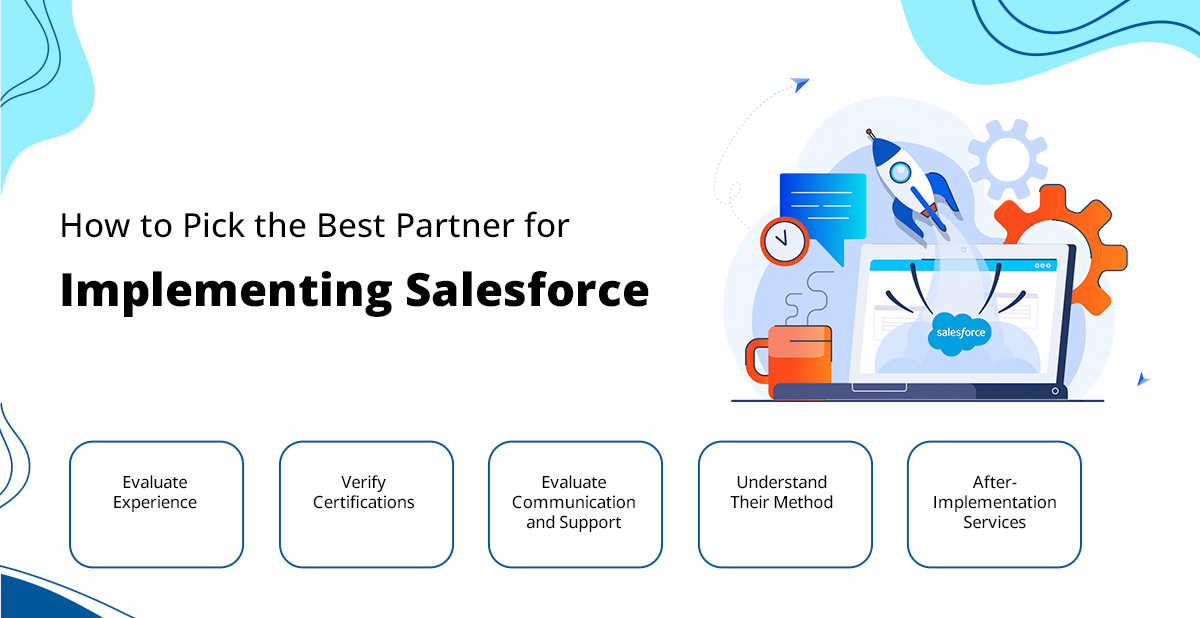
How to Pick the Best Partner for Implementing Salesforce

As important as making a budget is choosing the best salesforce implementation partners. To find the best fit for your business, follow these steps:

1. Evaluate Experience

Find people who have worked in the same field before. To understand their skills, look at their resume, client reviews, and case studies.

2. Verify Certifications

Salesforce partners with Silver, Gold, or Platinum licenses demonstrate their expertise in delivering high-quality Salesforce solutions. When picking Salesforce nonprofit implementation partners, choose a certified partner to get customized assistance. Their knowledge can ensure a successful Salesforce deployment. 

3. Evaluate Communication and Support

Execution requires clear communication and rapid assistance. Check their attentiveness and willingness to handle your difficulties at the initial meeting.

4. Understand Their Method

A structured and straightforward method for application shows that you are an expert. Discuss project management, timelines, and reporting.

5. After-Implementation Services

post-launch training, support, and maintenance from Salesforce certified partners. This ensures your team will utilize Salesforce successfully over time.

Salesforce Certified Partner You Can Trust

Hiring the best salesforce implementation partners is a smart investment that can have a big effect on the success of your business. By carefully planning and spending, you can ensure the application process goes smoothly and effectively. Talk to our experts and find out how implementing Salesforce can make a real difference for your business.

The Secret to Solving Low Email Engagement for Your Business

In today’s digital age, email is still one of the best ways to connect with customers and prospects. Yet, many businesses face challenges with low engagement, despite the enormous potential of email marketing. Marketers dream of high open and click-through rates, but these can often feel out of reach. Here’s some good news: you can boost engagement, and it all begins with getting your emails to the right folks. But how do you make sure your messages reach the people you want? One crucial element is to verify the company email addresses, which has a big impact on how well your emails do.

How to Verify a Business Email Address?

Companies need a reliable way to verify if an email address exists in order to ensure their messages reach the right people. Checking a business email address means making sure it’s real, works, and can get emails. This involves a few key steps: making sure the email address looks right checking if the domain is real, and seeing if the inbox works using SMTP (Simple Mail Transfer Protocol) checks. 

If an email address is wrong or doesn’t work, it can cause more bounced emails, fewer delivered messages, and in the end less engagement. This is where Verify the Email comes in—a great tool to check one or many email addresses, manually or automatically. Now that we know why it’s important to check email addresses, let’s look at why your emails might not be getting the attention they deserve and how tools like Verify the Email can help solve these problems.

Potential Reasons to Verify the Company Email Addresses

Many potential reasons compel users to verify the company email addresses. Else it could lead to low email engagement, and knowing them will allow you to deal with each aspect to obtain better results. A few of the most universal reasons could be:

1. Invalid or Non-Existent Email Addresses
The primary cause of low engagement with email is sending emails to invalid or non-existent email addresses. It can increase email bounces and hurt your sender reputation too. Even worse, consistently sending to invalid addresses could get you flagged as spam, severely affecting your email deliverability in the long run.

2. Poor Email List Hygiene
Incorrect customer email addresses in the list severely hamper engagement rates. So if inaccurate email addresses keep on entering the database without any restrictions or checks, it will keep on building an unreliable email list. This will surely result in high bounce rates and lower engagement for emails and campaigns. 

3. Email Deliverability Issues
If the emails go to the spam folder or go nowhere at all, then you will definitely notice a decline in engagement. This may happen due to being blacklisted or not adhering right to the rules of email marketing. Deliverability is very important if the focus is to witness the high engagement.

How Verify the Email (VTM) Can Solve Low Email Engagement

Low email engagement often stems from targeting invalid or inactive email addresses. The solution to this problem is to verify if an email address exists and check the accuracy of every email address. With Verify the Email (VTM), you can verify your email address list before hitting send, ensuring that their campaigns reach the right audience. Here’s how VTM can help solve common email engagement issues:

1. Ensures Valid Email Addresses
One of the main benefits of VTM is its ability to verify email addresses before they’re sent. VTM checks for correct syntaxes, validates the domains, and confirms that the mailbox is active. This means you can avoid sending emails to invalid or non-existent addresses, reducing bounce rates and improving deliverability. By cleaning your email list and targeting only active emails, you’ll see a boost in engagement.

2. Improves List Hygiene
With VTM, it is so easy for you to verify your email address list and maintain clean email lists via email verification at the time of email submission. This helps to ensure only correct email addresses are saved for a cleaner list. This results in fewer bounces, fewer complaints,  and overall better engagement with your email campaigns from a clean list.

3. Prevents Deliverability Issues
Email marketing performance depends on email deliverability to a great degree. With VTM, you can ditch sending emails to unverified email addresses that can destroy your reputation. VTM can help you with domain and email checks so the emails will not be detected as spam. This leads to higher chances of your emails going straight to the inbox of your audiences.

4. Saves Resources and Time
Manually verifying email addresses can be a painful and time-consuming process. VTM does this for you automatically, giving your team time back while saving them effort. This ensures that only real contacts get targeted and your team can focus on writing better emails and other optimization of your campaigns.

The use of  VTM to verify your email address list would at least solve loads of problems that drive extremely low email engagement. From ensuring a clean email list to reducing bounce rates, VTM provides you with the best solution to increasing your email marketing success.

Now that we’ve covered how email validation is essential for improving engagement, let’s address some common questions businesses often have.

How to Check if a Company Email Address is Legit?

Always begin by performing DNS lookups for the domain of your company email and validate the syntax of the address then ensure the domain in question is not being marked as spam/flagged. Users can count on tools like Verify the Email (VTM)  for bulk email address verification and save their time and effort.

How Do I Verify an Organization-Wide Email Address?

For organization-wide email address verification, perform a DNS lookup and make sure the same domain as the official company website.  For a simple and easy process, users can perform bulk verification of email addresses to verify a large number of emails efficiently.

How to Check if an Email Address is Valid Without Sending an Email?

To do so, users can count on VTM and verify if an email address exists without actually sending an email. These services verify the syntax, domain, and mailbox existence through processes like SMTP handshake validation. This allows you to confirm the validity of an email address without ever having to send an email.

Conclusion

Low Email engagement is a burning business problem but it’s not unsolvable. Ensure that you are sending emails to legitimate and active addresses. Doing this will lower bounce rates, improve deliverability, and up the odds of all your campaigns succeeding. When using VTM you can verify email addresses in advance and run email campaigns more effectively. Whether you just want to validate an email address, ensure a hygienic email list, or maximize campaign ROIs, VTM gives you the solution for your email marketing problems. So, by utilizing the robust email verification service of VTM, transform your email operations today.

How Salesforce Commerce Cloud Development Can Transform Your Online Store

It’s definitely not a cakewalk to run an online store, despite what anybody says. There are demanding customers who require hassle-free experiences, competitors lurking at the end of a mouse click, and always being a step ahead of trends. Does that sound familiar? It’s the digital age, where consumers expect to see speed, personalization, and convenience. If your store cannot deliver that, they bounce. Now, imagine having a platform that not only supports your current eCommerce needs but also anticipates them. A platform that makes running your online store less of a challenge and more of a strategy. Enter Salesforce Commerce Cloud development, the powerhouse designed to elevate your online business. 

Whether you’re looking to scale globally, personalize every customer interaction, or streamline your operations, SFCC can be the game-changer your store needs. This is the platform that has been bringing in transformation even for businesses that are taking their retail business online and getting closer to the audience.

Why You Need Salesforce Commerce Cloud Implementation

There are undoubtedly several reasons why ecommerce businesses are going with Salesforce Commerce Cloud implementation and development these days.

1. It’s Built for Growth

One of the most critical aspects of eCommerce is scalability. Today, you might be handling a few thousand visitors a day. But what happens during the holiday rush or when a product goes viral? Salesforce Commerce Cloud is built to handle growth—both planned and unexpected.

Its cloud-based infrastructure means that your web store is ready to handle spikes in traffic and won’t crash. As your business grows, SFCC grows with you; it provides tools for global expansion, supports multiple currencies, and localizes experiences for different markets.

2. A Focus on Personalization

Today’s customers want more than products; they want experiences. Commerce Cloud allows users to work with AI-powered personalization tools to craft the right shopping journeys for every customer.

– Dynamic product recommendations: Show customers exactly what they’re looking for, even if they didn’t know they needed it.

– Custom promotions: Provide special discounts according to the purchase history or browsing of a customer.

– Targeted Marketing: Use your data to come up with more appropriate email marketing messages.

Breaking Down the Key Features of Salesforce Commerce Cloud Development

1. Unified Commerce

Dealing with multiple sales channels is a nightmarish issue. Salesforce Commerce Cloud development makes all the difference here through a unified platform that allows users to manage all their online and mobile as well as in-store sales from one dashboard. Its omnichannel approach ensures coherent and consistent customer experience regardless of location or shopping modality.

2. Mobile-First Design

Not optimizing your online store for mobile is the reason many businesses are losing out. The good news is that Commerce Cloud ensures that your business is mobile-friendly, making it easier for the audience to navigate and thus strengthening your chances for more online sales.

3. AI and Data-Driven Insights

Working with AI and data-driven data is also possible when accessing Commerce Cloud and Einstein makes that possible.

The tool helps you to:

– Predict customer behavior, so you can plan your next best action.

– Provide real-time visibility into everything that’s bringing in sales.

– Automate routine tasks such as product tagging or inventory updates.

How Salesforce Commerce Cloud Drives Real Business Results

Enhancing Customer Retention

New customer acquisition is excellent, but retention is even better. Commerce Cloud has tools that make retention easy: loyalty programs, personalized follow-ups, and reordering with ease. The customers feel valued and keep coming back.

Optimizing Operations

Time is money, especially for running an eCommerce business. With a Salesforce Commerce Cloud developer, repetitive order processing and updating the inventory, in general, gets automated and lets your team be free for other strategic initiatives.

Enabling Faster Market Entry

Need to launch a new product or market? Salesforce Commerce Cloud development makes scaling easy. Because its flexible architecture and global capabilities can enable the launch with little speed loss, you could now get ideas in execution than ever before.

What Makes Salesforce Commerce Cloud Stand Out?

1. Continuous Innovation: Salesforce is continually updating with new releases that your store is always running at its best capacity.

2. Robust Ecosystem: The Salesforce AppExchange provides tens of thousands of applications and integrations, which can make your store richer in functionality.

3. World-Class Support: Salesforce provides comprehensive support to ensure success, from implementation to troubleshooting.

Final Thoughts: Transform Your Online Store Today

It is necessary to work with the right tools for businesses if they want to work in the changing ecommerce landscape. Salesforce Commerce Cloud implementation partners offers everything needed to run an online store with personalization to scalability and much more.
So why wait? Take the step towards transforming an online store today by learning everything that Salesforce Commerce Cloud has for you. Using its powerful and customer-first features, your business will be leading the way on the road to success in today’s competitive world of eCommerce.

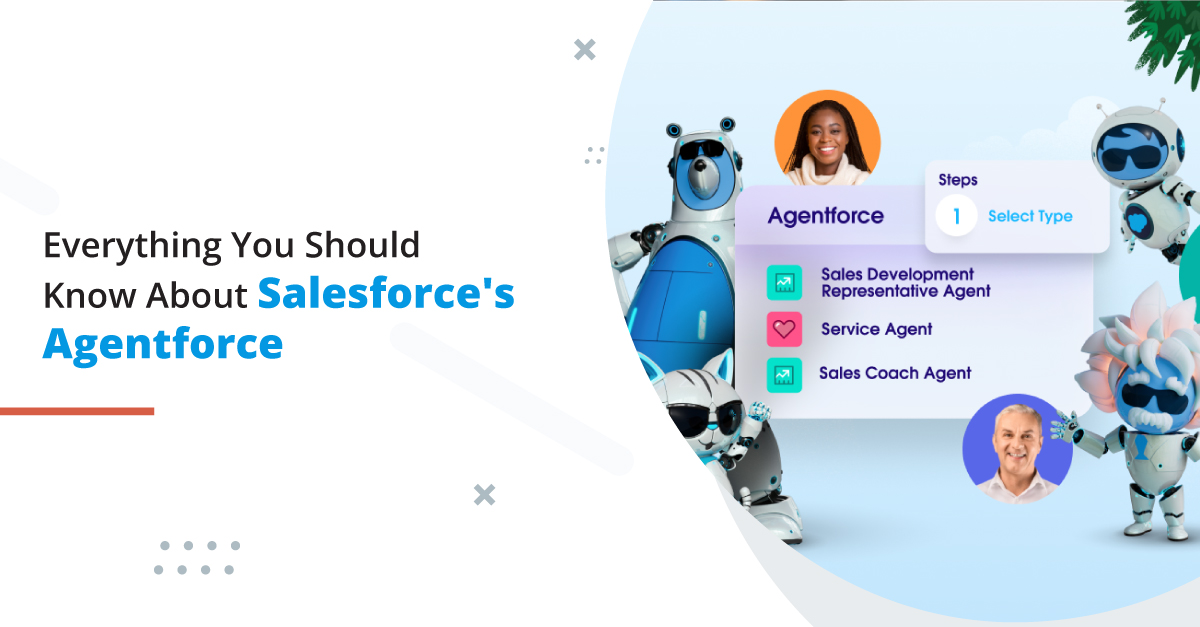
All About the Agentforce: The Key to Build Autonomous AI Agents

If you can recall, Dreamforce ’24 was all about AI, but there was one thing that became the center of attention, Agentforce. 

Agentforce empowers organizations to create and manage autonomous agents for tasks across multiple business functions—essentially putting “Agentforce in every app.” This opens up opportunities to develop specialized agents for Sales, Service, Marketing, Commerce, and Platform operations. As trusted Salesforce consulting services, we are very excited for this new enhancement.

In this blog, we’ll be talking about Agentforce in detail, evaluating how exactly it works and how it is going to help users.

Salesforce’s Evolution Towards AI

Salesforce has been gradually rolling out its vision over the past few months, starting with the introduction of its Service Agent product, followed by the Sales Agent.

Salesforce launched Einstein in 2016 and since then it has evolved a lot when it comes to data and insights . Salesforce Einstein was majorly  focused on predictive AI, which helps in analyzing past data to forecast future outcomes. Since then, the shift has moved from features like Lead Scoring and Opportunity Insights to generative AI, capable of producing text, images, videos, or audio from a simple prompt.

Salesforce believes the next leap in AI is through autonomous agents. With significant investment in AI, the world’s top tech companies are aiming to take productivity and business performance to new levels. While features like summarizing a Slack conversation are helpful, they won’t drive the massive economic impact that AI promises.

Salesforce’s new Sales & Service Agents are fully autonomous, operating around the clock to handle routine tasks that can be handed off to machines. The Service Agent takes current chatbots to the next level by enabling natural, full-fledged conversations rather than following limited, pre-programmed chat paths. It’s also multi-modal, meaning it can process and understand text, images, and videos, allowing for a more dynamic and engaging customer experience. The right Salesforce consulting services can help you work with Agentforce more efficiently.

What is Agentforce?

So, what exactly is this Agentforce that the Salesforce executive team kept highlighting during the earnings call? As expected, it’s the platform on which these autonomous agents are built. Like much of the Salesforce ecosystem, Agentforce provides ready-made solutions like Sales and Service agents while also enabling the creation of custom agents tailored to specific needs. Salesforce emphasizes that building these agents is simple—relying on clicks, not code. Attendees at the ‘Agentforce Launchpad‘ at Dreamforce echoed this, confirming that it really “works” and is as intuitive as promised.

How exactly does the process of building an agent work? We’ll walk through the key components that power an agent’s functionality, drawing insights from Dreamforce ’24.

1. Agent Description

Start building your agent in the Agent Builder within Agentforce Studio, where the configuration process begins. It’s all done using natural language—just like having a conversation with another person. As Salesforce puts it, “If you can describe it, Agentforce can do it.” The interface allows you to set the agent’s avatar, name, and description.

Channels refer to the platforms through which humans and agents interact, such as email, voice, WhatsApp, and more.

2. Agent Topics

Topics are the core building blocks that define what an agent can handle. Think of topics as categories of information—for instance, an order management topic would allow the agent to access order history and update product details. In the Dreamforce ‘24 keynote demo, the agent successfully addressed several customer queries, but some remained unresolved because the necessary topics weren’t assigned.

3. Topic Actions

In addition to topics, actions serve as another crucial component for agents. Actions are linked directly to the assigned topics. Adding extra actions available in your organization is straightforward—simply select the desired actions from the list that appears in the pop-up window.

4. Data Graphs

Data Graphs allow you to map out the relationships between data model objects (DMOs), even at multiple levels of depth. This visualization helps ensure that the right data is accessible when creating prompts or giving instructions to an Agentforce agent, which is essential for generating precise and effective results.

With real-time Data Graphs, faster identity resolution, segmentation, and actions are performed using ingested data, ensuring that everything is primed and ready for Agentforce to operate seamlessly.

There are many other features that you can access with the help of the right Salesforce consulting services.

Try Agentforce with 360 Degree Cloud

There is a lot more to Agentforce but to be able to utilize all of its capabilities, you would need to have a trusted Agentforce consultant working with you. The right support would help you make the best use of this new feature, which will enable you to get the most out of Agentforce and enhance agent operations and productivity. Contact us to get reliable Agentforce experts who can help you work with this latest Salesforce addition.

Easy Step-by-Step Process for NetSuite-Salesforce Integration

In the current business climate, where changes are constant, it is common to find organizations that use several tools to manage their businesses. Salesforce, the most popular CRM software, offers solutions for effective customer interaction. In contrast, NetSuite, a highly effective cloud ERP software, provides the best solutions for managing financials and other back-end mandates. However, managing these systems in isolation is fragmented, manual, and full of missing opportunities. This can be resolved with NetSuite and Salesforce integration.

Integrating NetSuite and Salesforce is a perfect solution for building a bridge between the two for any organization with front-end customer statute and back-end operations management. This integration allows optimized data exchange in real-time, increases teamwork efficiency, and collects large amounts of information necessary for decision-making.

Why NetSuite-Salesforce Integration is Important?

NetSuite Salesforce integration removes any concerns of disparate information and promotes information flow between the front and the back end of a business. Real and virtual copies enable teams to have ready access to synchronized actual data, enhancing productivity and endeavors at decision-making.

For instance, salespeople in Salesforce can see NetSuite’s inventory details or order status and respond quickly to customers. Similarly, the finance teams at various organizations can integrate closed Salesforce records to Netsuite directly and without errors to issue invoices.

Step-by-Step Guide to NetSuite Integration with Salesforce

NetSuite Salesforce integration requires careful planning and execution to ensure smooth data flow and functionality. Let’s see how you can integrate the both:

Step 1: Choose the Right Integration Method

Choose the appropriate kind of integration for your venture. Your options for connector options include the creation of standardized coupled connectors, middleware solutions such as Dell Boomi or Celigo, and a custom API coupling plan that will meet your requirements.

Step 2: Define the Scope of Integration

Decide what type of data should be transferred between the two systems, for example, client lists, invoices, or orders—layer with the decision that the data is one or two-directional, to Salesforce from NetSuite or both.

Step 3: Set Up External APIs in Salesforce

– Using the link for the Salesforce website provided at the beginning of this article, go to the part of the Website that deals with Salesforce APIs.

– Create the appropriate credentials, which are the client ID and the secret.

– API access permission should be assigned to avoid unauthorized and restricted access simultaneously.

Step 4: Enabling of Web Services in NetSuite

– First, check that the Web Services feature is enabled on NetSuite under the features menu found under set up.

– Create a couple of integration credentials of consumer keys and tokens for a safe communication process.

Step 5: Integrate the tool and settings

– Sign in or create the tool or platform you presented. Integrate Salesforce with NetSuite with the help of an API key.

– While this is on the manual procedures, map fields in the two systems correctly to link records properly.

– Develop procedures and conditions for when and how data should be given to other departments or retained in the system.

Step 6: Test the Integration

– The next step is to test scenarios to ensure that the data is syncing as it should.

– Get confirmation that records are being created, modified, and deleted as expected.

– Some errors or mismatches may emerge when testing, which should be resolved before proceeding.

Step 7: Update and sustain the linked methods

– After going live, the integration is best observed for such complications or disruptions.

– The next step is to arrange an alert for any failure received while synchronizing the data.

– Perform regular checks and updates to keep the integration running smoothly.

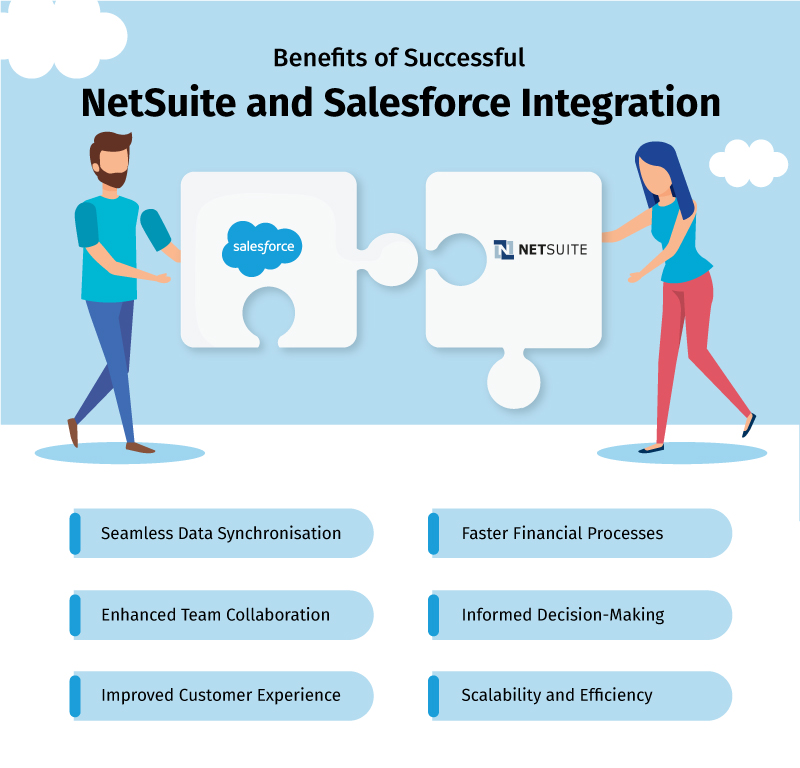
Benefits of Successful NetSuite Integration with Salesforce

NetSuite and Salesforce integration collectively bring along many advantages to enhance business efficiency and simplify your operations. Let’s check out more of such benefits:

Seamless Data Synchronization

Salesforce integration with NetSuite is seamless and makes it easy to sync data transfer between both platforms. This is faster and, most importantly, does not cause the data on the two platforms to be different since one has to be updated with the latest information most of the time.

Enhanced Team Collaboration

Salesforce integration with NetSuite ensures that distinct fields such as sales, finance, or operations can access unified data in real-time. It is easy to retrieve a customer’s account information in Salesforce or observe the sales expectation in Netsuite, closing communication gaps and promoting cooperation among departments.

Improved Customer Experience

Providing real-time SCM Interfaces to enhance Salesforce Orders, stock, and financial data helps sales forces quickly answer their customers’ inquiries. This efficiency optimizes customer satisfaction and relationship management by delivering informed end-to-end services.

Faster Financial Processes

With integration of NetSuite to Salesforce, processes touching on the invoicing order, among others, are made easier. In this regard, it reduces human intervention, for instance in payment processing or financial reporting. This, therefore, increases the efficiency of operations in an organization.

Informed Decision-Making

First-party social media data can be shared with NetSuite and Salesforce for detailed analysis and reporting. Such consolidated information assists firms in forecasting decision-making and stewarding markets with high levels of certainty.

Scalability and Efficiency

Having integrated systems means it can easily support a growing business and the processing of data and transactions. Because integration automates many processes, it helps organizations grow without getting tangled up in the details or facing difficulties that distract from key goals.

Conclusion

NetSuite and Salesforce integration is a breakthrough for companies wanting to cut costs, enhance efficiency, and provide the best experiences for their customers. Integrating  CRM and ERP systems means establishing a one-stop-shop environment that improves the data accuracy, streamlines business processes, and enables improved decision-making.

Although there may be some problems, the correct integration strategy is connected with defining business requirements, choosing a proper tool, and controlling performance. Talk to our experts and discover how this integration can help your business.

The Ultimate Guide to SharePoint and Salesforce Integration

Salesforce and SharePoint may be powerful CRM or document management tools, but neither is complete on its own. When put together, they can increase business efficiency drastically by improving workflows, data accuracy, and team collaboration. It makes this integration a unified system that drives better decision-making and a smoother user experience. This guide will explain how you can benefit from Salesforce and SharePoint integration and walk you through the key steps to integrate these two platforms for the best possible results.

Benefits of Salesforce and SharePoint Integration

Enhanced Productivity & Efficiency

The integration of Salesforce and SharePoint allows documents to be accessed and shared easily in Salesforce without the need to go in and out of systems. For example, buying a client’s latest proposal or contract without leaving Salesforce makes it easier for flow.

This integration does away with manual data entry and reduces the incidences of inaccuracy due to data synchronization. Through up-to-date customer information and documents always available in one location, employees can focus more on productive tasks instead of working uncoordinated across various platforms.

Improved Customer Experience

Integrating Salesforce and SharePoint allows customer-related documents like contracts, proposals, invoices, etc., to be easily accessed in Salesforce itself, and the entire team can respond to the customer case quickly and accurately.

For example, suppose a customer service representative wants a specific contract for a specific client. In that case, he no longer has to stop what he is doing, switching back and forth between Salesforce and SharePoint integration to retrieve the contract. This level of accessibility allows communication and service to improve and overall the customer experience to increase.

Better Decision-Making

Integrating Salesforce with SharePoint lets businesses see how customers interact with the business and how the business operates in an overall picture. Let’s take marketing and sales teams as an example — they can no longer only see sales data from Salesforce but also customer documents from SharePoint and get a better understanding of customer behavior. This data unification allows decision-makers to make more informed strategic decisions.

Key Factors to Consider When Integrating SharePoint in Salesforce 

Integration Methods

While selecting an integration method for using SharePoint in Salesforce, consider the following options:

API-based Integration: Flexible and customizable, requiring significant technical expertise and development time. Works best for businesses with distinct needs and custom workflows.

Middleware Solutions: An intermediary between Salesforce and SharePoint that simplifies integration, a good choice for businesses who want a faster, less technical alternative.

AppExchange Apps: Integration apps like KingswaySoft or SharePoint Integration will help you build document management faster and more reliably for much less than patching together applications using code.

Data Mapping & Synchronization

Seamless Salesforce SharePoint Integration requires accurate data mapping. This will ensure there are no data inconsistencies between Salesforce and SharePoint. For example, when your sales team is in Salesforce and wants access to the exact customer contact details or sales history, syncing it with corresponding documents in SharePoint makes sure everyone has the same data. Synchronizing is necessary to keep from erroring and being inconsistent.

Security & Compliance

When integrating Salesforce and SharePoint, data security is a top priority. Both platforms store sensitive customer information, so the data must be kept safe in transit and storage. Data integrity is safeguarded with strong security measures like encryption, access control, and regular audits to meet safety standards.

User Adoption & Training

Integration has the potential for major benefits, but user adoption is critical, as with any other project. This ensures that the employees can correctly and effectively use the new system. For instance, sales and customer service teams will need training to access SharePoint documents directly from Salesforce. Gathering user feedback and providing continuous support will also help facilitate a smooth adoption without potential disruptions.

Step-by-Step Guide to Salesforce and SharePoint Integration

1. Define Integration Goals

Identify the target business objectives that you want to achieve with the integration. For instance, you could enhance the efficiency of customer service or reduce document management. These clear goals will guide the entire process of Salesforce SharePoint integration.

2. Assess Current Systems

Look at your current Salesforce and SharePoint setups and find the gaps and the areas that will bring the most value by integration. This gives you an idea of where to focus the integration, whether to get documents shared or automate data entry.

3. Choose an Integration Method

Pick the best SharePoint online Salesforce integration method for you depending on your business needs, budget, and technical capabilities. Use your resources and requirements to consider the flexibility of APIs, the simplicity of middleware platforms or the convenience of pre-built apps.

4. Mapping & Synchronization Rules of the Design Data

Define rules about how Salesforce data will be mapped to SharePoint. For example, decide how customer data in Salesforce will link to relevant documents in SharePoint and set up synchronization rules to ensure data consistency.

5. Implement and Test

Implement the integration solution, ensuring it works as expected. Test data synchronization, document sharing, and security protocols to identify and fix any issues before deployment.

6. Deploy and Train Users

Once you have deployed the integrated solution across your organization, give complete training to all the required users. Employees should understand how to work with Salesforce SharePoint online integration and how to use new features to improve workflow.

Conclusion

The  Salesforce and SharePoint integration significantly improves business operations regarding productivity, customer experience, and data accuracy. A good integration strategy will work well with both platforms, and teams will be better able to collaborate and make better decisions. Additionally, it reduces unnecessary manual work, saving time for employees to focus more on higher-valued assignments. If you invest time and resources into this integration, you will see improved processes and a better user experience throughout your organization. Reach out to us and find out how this integration can be valuable to you.

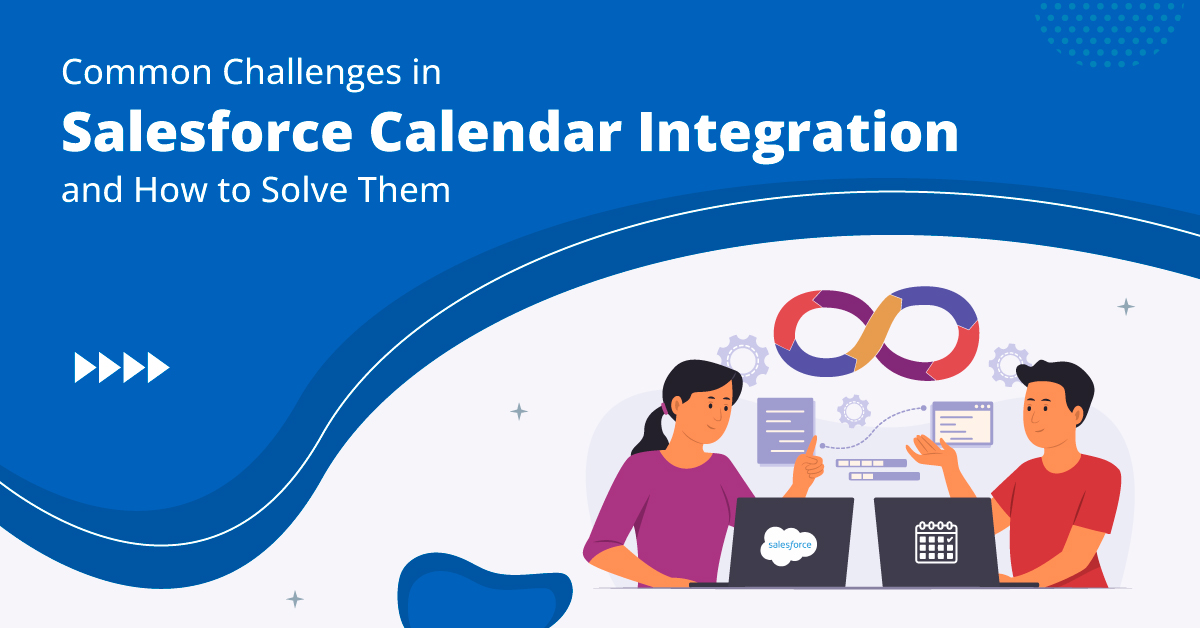
Common Challenges in Salesforce Calendar Integration and How to Solve Them

A seamless Salesforce Calendar Integration is key to increasing productivity and running your entire operation smoothly. When calendars are tightly synced with Salesforce, the sales, customer service, and marketing teams can easily coordinate schedules and keep track of appointments and follow-ups. This integration removes inefficiencies in how teams operate, making it possible for them to concentrate on more strategy-related work instead. 

Furthermore, businesses can utilize synchronized calendars to ensure timely client response, better resource utilization, and better business outcomes, resulting in increased user adoption of Salesforce as a productivity tool.

Challenges in Salesforce Calendar Integration

Double Bookings

Double bookings happen when multiple appointments are scheduled simultaneously because calendars are not synced. It happens constantly when users have multiple calendars across Outlook, Google Calendar and Salesforce. The consequences of such conflicts can be severe:

Lost Revenue: Missing meetings with key clients can directly affect sales and retention.

Frustrated Customers: Double bookings create the perception that clients should not trust your professional service.

Damaged Team Morale: When everyone blames team members for errors outside their control, their team’s morale and productivity decrease.

Data Gaps 

The disconnected nature of calendar systems causes the reporting of fragmented data that hinders performance tracking and decision-making. For instance, without synchronized calendars:

– Measuring time spent with clients proves difficult, yet it is critical.

– Determining the sales cycle length also challenges sales managers when forecasting and allocating resources.

– Accurate reporting becomes difficult because the data is fragmented, preventing proper team performance analysis and identifying improvement areas. The lack of broad-based visibility also prevents cross-departmental collaboration, leading to gaps in communication and operational inefficiency.

Manual Work

Manual data entry is prone to human error and takes up much time. Marking up appointment moves in Outlook manually results in inconsistencies and takes time away from high-value activities like talking to clients or planning to grow the business. For instance:

Errors in Appointment Details: Missed opportunities or scheduling conflicts occur when the data is incorrect or incomplete.

Increased Administrative Burden: Team members waste time unnecessarily updating their calendars, resulting in low productivity.

Sync Delays and Incomplete Data Transfers

When calendars fail to sync properly, problems arise, including:

Sync Delays: Changes made on one calendar can take hours to show up in the other.

Incomplete Data Transfers: The meeting links, attendee lists, or notes may not sync properly.

Limited Customization: The default integration is not flexible enough for specific business needs, such as recurring appointments or multi-time zone support.

These problems affect workflow efficiency, preventing teams from depending on the integration for smooth scheduling and reporting.

Scheduling Complexities

While Salesforce’s built-in scheduling tools are functional, it may be unable to handle complex scenarios such as:

– Multi-person meetings across different time zones all at once.

– Managing a recurring appointment or reschedules.

– Minimizing downtime between meetings on schedules.

Lacking constraints can result in poor resource allocation, client experience and inefficiencies. For instance, the failure to schedule follow-up meetings on time could cause sales opportunities to be missed or lead to customer dissatisfaction.

Data Security Risks

Data in calendar integrations usually includes names of clients, details about the meeting, and confidential notes. Without robust security measures, businesses risk:

– Data Breaches: Unauthorized access to sensitive client information may damage their relationship with that client and the company’s image.

Compliance Violations: Negligence in following data privacy regulations such as GDPR or HIPAA can be costly to a firm.

Solutions to Overcome Common Salesforce Calendar Integration Challenges

Using Third-Party Tools for Better Integration

There are many third-party tools readily available on Salesforce AppExchange that can help with calendar integration. These provide:

Two-Way Synchronization: Provides real-time data updates from Salesforce to other calendars.

Automated Scheduling: It removes the need for manual intervention in your booking.

Advanced Reporting Capabilities: This enables businesses to use insights such as business meeting trends and team productivity metrics.

Improving Scheduling Features

For better Salesforce calendar scheduling, use:

Custom Event Types: Create custom appointment categories to monitor exactly what you want to track.

Automated Reminders: Notify clients and team members immediately to decrease no-shows.

Shared Calendar Views: This will allow you to get visibility across teams and create harmony and collaboration.

These features streamline Salesforce calendar scheduling processes and improve the user experience if utilized correctly.

Enhancing Calendar Sync

To improve Google Calendar Salesforce Integration:

– Use tools like Zapier or SyncPenguin for advanced syncing options like multi-time zone scheduling and recurring events.

– Review integration settings regularly and ensure that they keep up with the changes in the business needs.

– Learn to teach and train teams to sync the calendars effectively to reduce errors and increase adoption.

Automating Calendar Updates

Automation by Google calendar salesforce integration also ensures all your data across all your calendars stays consistent, reducing the chance of errors that misalignment can cause from manual input. Real-time synchronization also:

– It helps improve decision-making by bringing up-to-date information.

– Supports faster response to client inquiries and scheduling requests.

– Saves time by using automation and avoiding errors.

Automated solutions can remove the repetitive task of copying data from one system to another, reduce human error in appointments and notes, and free up time for high-priority activities, such as client engagements and strategic development.

Strengthening Data Security

To safeguard data during integration, use:

Encryption: It protects the data from one system to another.

Role-Based Access Controls: Makes sure that only authorized personnel can be given access to sensitive calendar details.

Regular Security Audits: It finds vulnerabilities and meets data protection standards.

Conclusion

By addressing challenges in Salesforce Calendar Integration, teams unlock productivity and efficiency. Through improvements in automating processes, enhancing company security, and using advanced tools, some common hurdles can be overcome by businesses. 

Implementing a well-integrated calendar system in a team enhances team coordination and improves decision-making and client satisfaction, which is a competitive advantage in the market. Get in touch to connect with experts who’ll get your calendar in sync with Salesforce. 

logo Live Chat